
6 cool innovations coming to United’s economy cabin


This past week, United Airlines announced a lot of news that was geared heavily toward travelers willing to pay top dollar.

Look no further than the airline’s most high-end plane yet — complete with a brand-new Polaris product and a whopping 99 total premium seats.

Plus, the airline announced lie-flat suites for two new aircraft configurations it unveiled, along with what might be the fanciest regional jet in America.
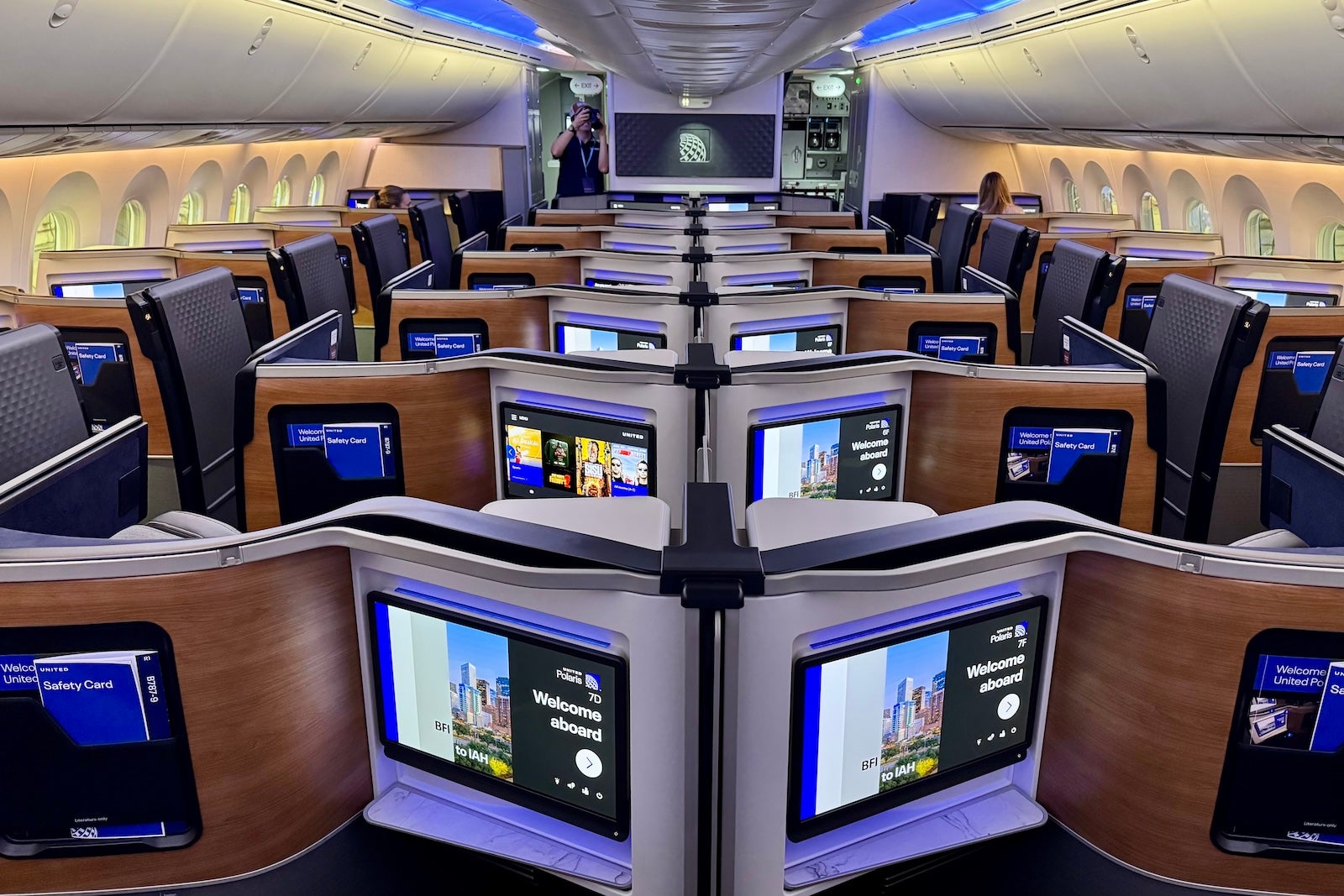
SEAN CUDAHY/THE POINTS GUY

But the airline has also been busy rolling out some intriguing new developments for the coach cabin that, if we’re being honest, will affect a lot more travelers than any bells or whistles at the front of the plane.

Here’s some of what caught our eye.

A couch in the sky

The most exciting update was the reveal of United’s new “Relax Row.”

It’ll allow passengers to turn three economy seats into a bed. The airline is framing this as a great way for families traveling together to catch some shut-eye inflight.
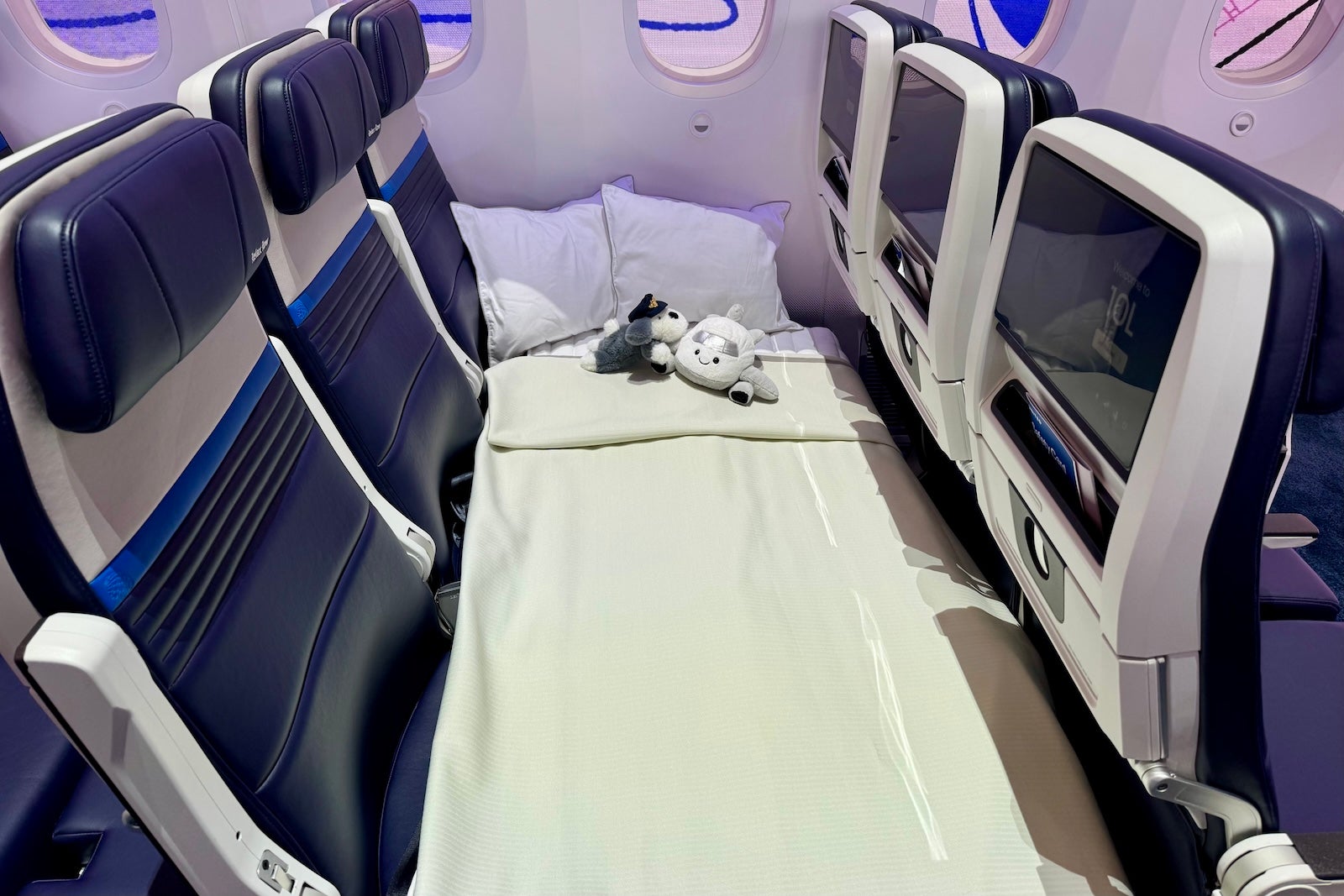
SEAN CUDAHY/THE POINTS GUY

United plans to price its Relax Row as an add-on option for travelers who book an entire row. Expect the best pricing for groups of three traveling in three separate seats.

This should be a similar product to what Air New Zealand has offered for years.

Reward your inbox with the TPG Daily newsletter

Join over 700,000 readers for breaking news, in-depth guides and exclusive deals from TPG’s experts

The Chicago-based airline plans to debut its Relax Row on its Boeing 787 Dreamliners and certain large Boeing 777s and is planning to install this setup on 200 planes by 2030.

Most planes will have around nine of these Relax Rows, but some jets could have up to a dozen.

What does Relax Row get you beyond a “bed” in the sky? The product will come with a children’s stuffed toy and extra bedding.

Starlink Wi-Fi

OK, this wasn’t a new announcement this past week, but we’d be remiss not to mention it — because it might be the biggest onboard development of all.

As TPG has reported extensively, United is in the process of rolling out Starlink Wi-Fi to its planes.

If you haven’t flown with an airline that offers Starlink, it might be the fastest onboard internet in the marketplace today.

I’ve been able to stream video, view a Zoom meeting and get work done (simultaneously) without interruption on aircraft with the technology.
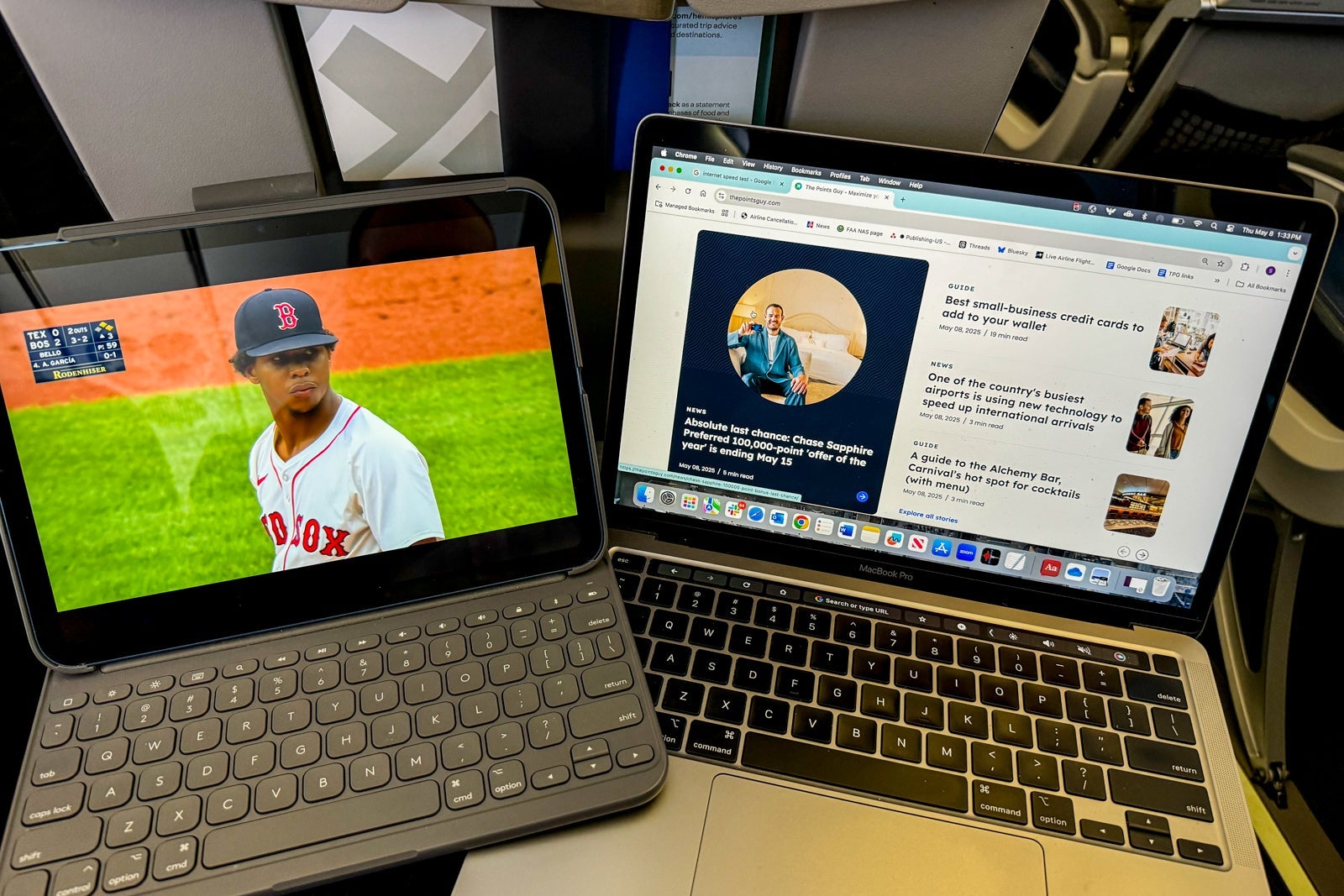
Trying out United Airlines’ Starlink Wi-Fi service in May 2025. SEAN CUDAHY/THE POINTS GUY

On planes equipped with the service, it’s complimentary for United MileagePlus members.

United has said that it expects to have Starlink on at least 800 jets by the end of this year.

We should note that the carrier isn’t alone in adding Starlink service: Among other U.S. airlines, Hawaiian Airlines has it on Airbus planes today. Hawaiian’s sister carrier, Alaska Airlines, just started installing the service. Southwest Airlines also recently announced it’s outfitting its aircraft with the necessary equipment for Starlink service.

Better earbuds and blankets

From the high-tech and expensive to the practical: United this week said it would start offering a “softer, more stylish blanket” and “new, higher quality earbuds” with better audio in its coach cabins on longer flights.

While neither will offer the comfort of a lie-flat seat or premium economy recliner, both should make a long-haul trip in coach a little more comfortable.
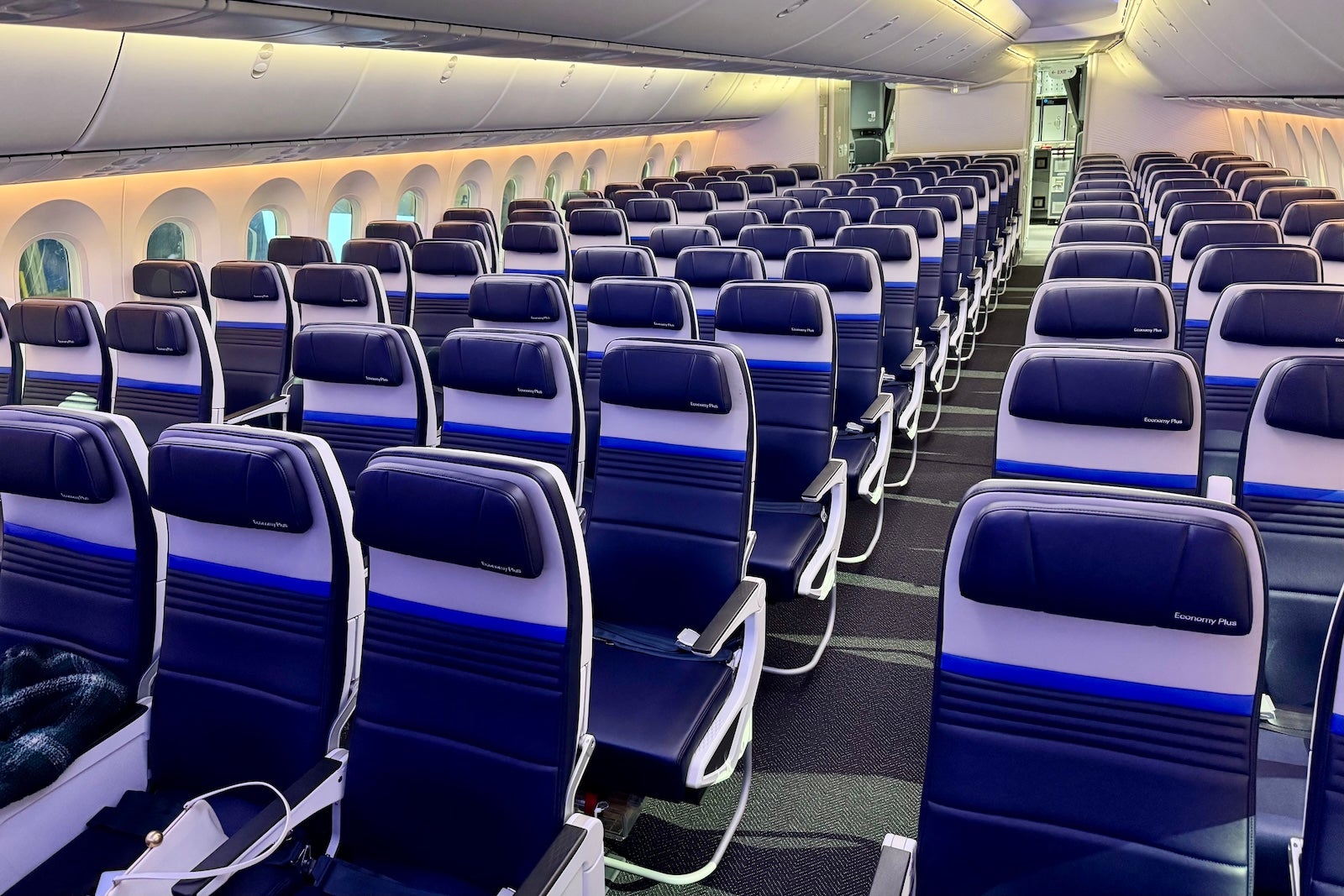
SEAN CUDAHY/THE POINTS GUY

That said, I tend to opt for my own headphones when I connect to United’s seatback screens. The carrier is in the process of rolling out Bluetooth connectivity across its fleet, which makes it easy to connect listening devices like Apple AirPods.

As for travelers who forget their headphones? Hopefully, better earbuds will prevent travelers from playing TikTok videos with the volume cranked up for all to hear — that’s now (officially) a no-no on United’s planes.

Onboard snack bars

If you’re a frequent Polaris or Premium Plus traveler, the upscale seats on United’s new Airbus A321 Coastliner and A321XLR planes may have stolen the show when the carrier announced two new aircraft configurations this past week.
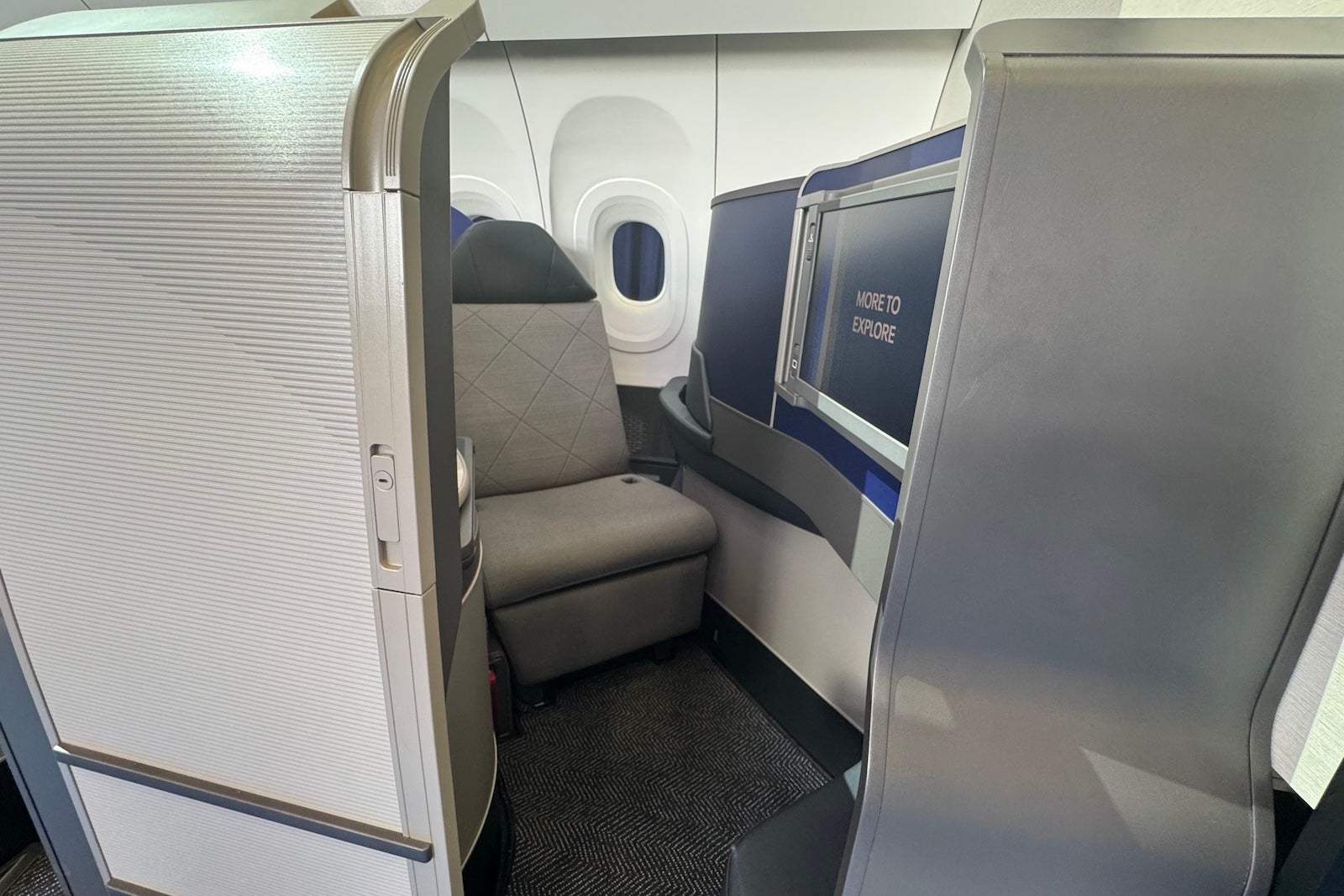
Polaris Suite that will debut on United Airlines’ Airbus A321XLR and A321 Coastliner planes. SEAN CUDAHY/THE POINTS GUY

But if you tend to fly in economy, two words may have caught your eye: snack bar.
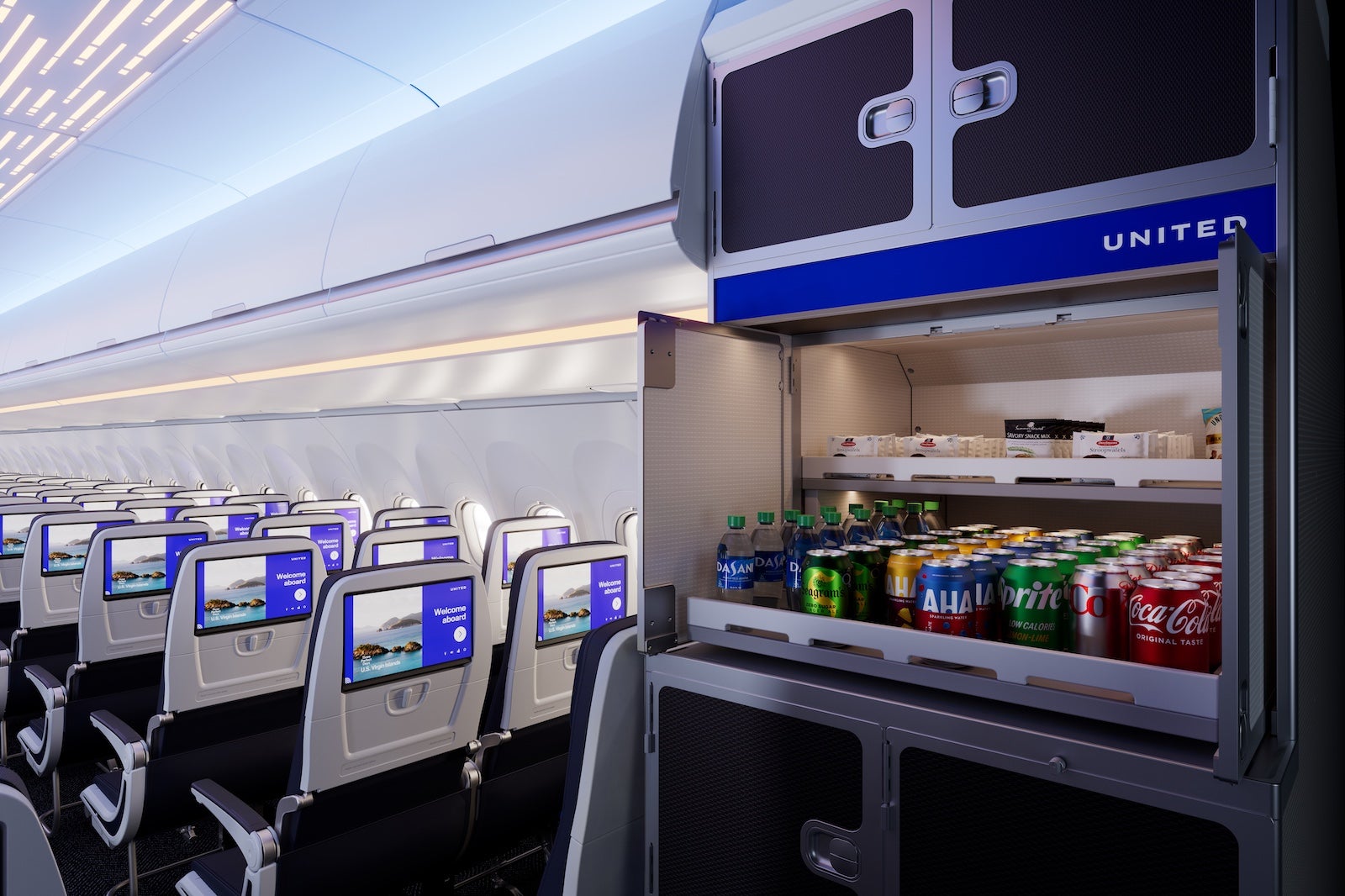
Snack bar on United Airlines’ Airbus A321XLR. UNITED AIRLINES

The airline plans to add walk-up concession stations for its economy cabin on these spiffy new jets.

United will fly its Coastliner on prime transcontinental routes, especially those from its Newark Liberty International Airport (EWR) hub.
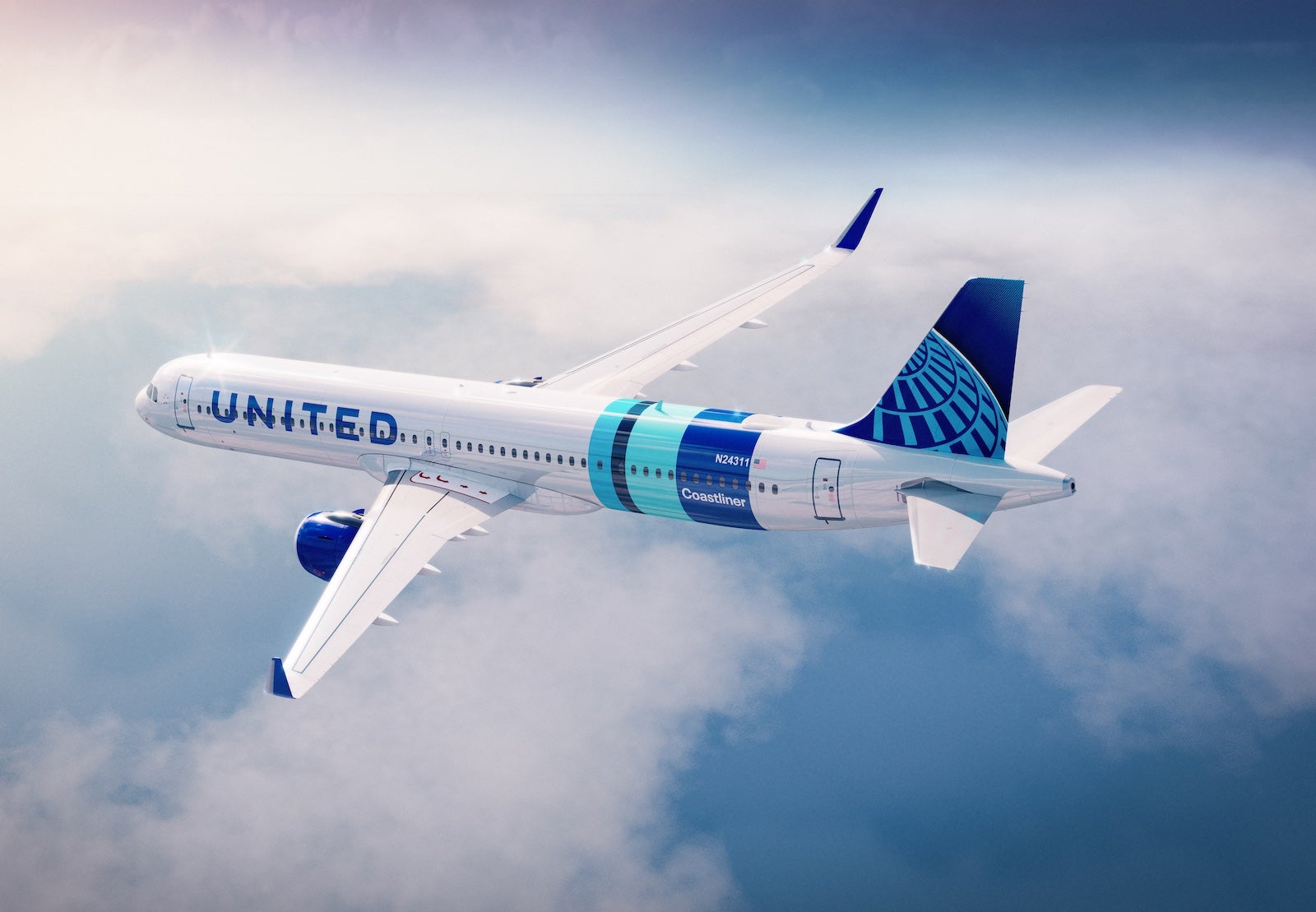
UNITED AIRLINES

Its XLR planes are headed to Europe.

Both will replace aging Boeing 757s.

Tiny planes, big (enough) overhead bins

Finally, much of the buzz about United this past week centered on one of its tiniest planes.

The carrier announced a newly configured regional jet it’s calling the CRJ-450.

Again, headlines around this United Express jet mostly dealt with the front of the plane — it’ll have first-class seats, which is a novelty for a plane of this size. Additionally, first-class passengers will have spacious lockers instead of overhead bins.
United Airlines CRJ-450. SEAN CUDAHY/THE POINTS GUY

That’s great — if you fly in first class.

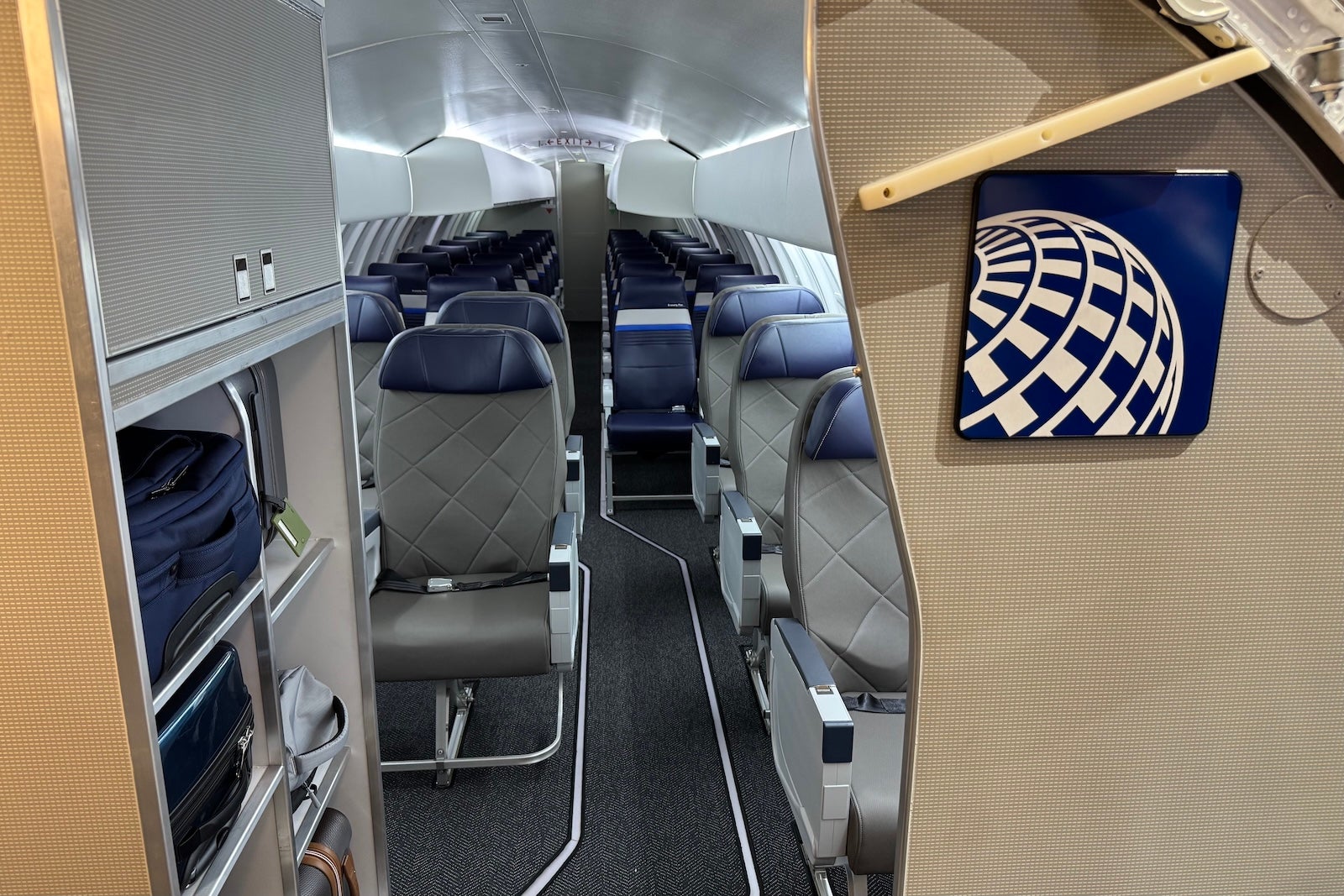
As for the back of the plane? There will be overhead bins — and United said they’ll actually be large enough to fit rollaboard bags. That’s typically far from a given on really small regional jets like this 41-seater; usually, if your bag has wheels on an aircraft like this, you have to valet tag it and wait for it after landing.
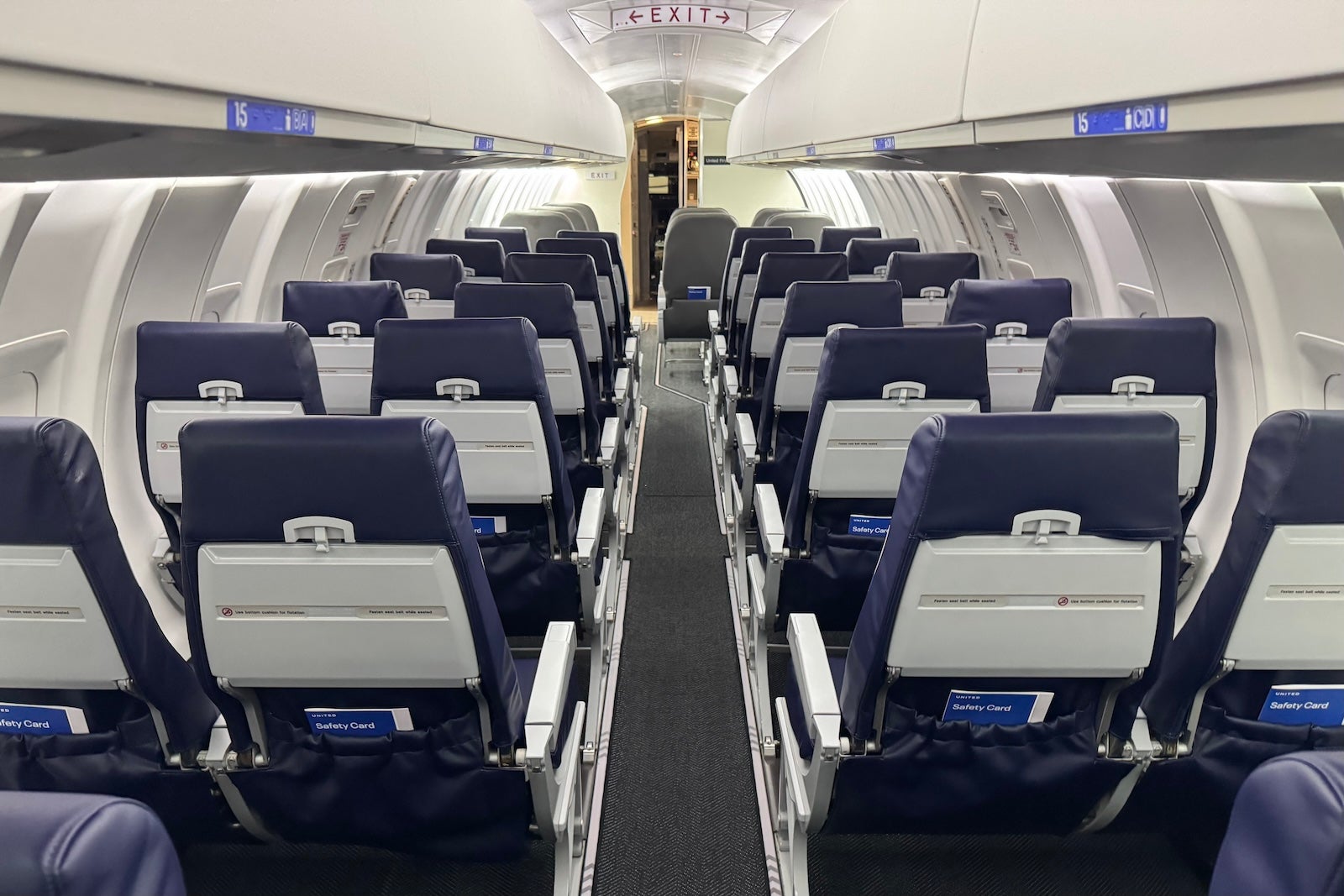
Economy cabin on a United Airlines CRJ-450. SEAN CUDAHY/THE POINTS GUY

That should happen a lot less on this plane and the many other regional jets United is already outfitting with the more spacious bins.

Related reading:


Source link

Leave a Reply

Subscribe to Our Newsletter

Get our latest articles delivered straight to your inbox. No spam, we promise.

Recent Reviews


Lost a crucial document because your system crashed before you could save it? Worry no more! Microsoft Word has introduced an automatic save option that regularly backs up your work, so you’ll never lose your progress again.

Users will now be able to manage their Word documents without thinking about saving them manually. The new Microsoft Word update allows users to automatically save their documents to the cloud as soon as they start documenting any content piece.

Raul Munoz, the Senior Product Manager at Microsoft, has stated about the new feature, “We are modernizing the way files are created and stored in Word for Windows! Now you don’t have to worry about saving your documents: Anything new you create will be saved automatically to OneDrive or your preferred cloud destination.

Microsoft additionally hints at introducing similar features for Windows Excel and PowerPoint, which are now live.

How Does the Auto-save Feature Work?

The auto-save option can be accessed and used effectively with the compatible Word for Windows version. Let’s understand how the process works-

Primarily, users need to create a fresh document in Word and switch the AutoSave option on. Unlike the previous default document name- DocumentN, the autosave feature saves the files with the date.

Microsoft Word Update - Step 1

Source: Microsoft Tech Community

To change the name of the file and its location, users need to select Save or press Ctrl+S. After selecting the file name and location, press Confirm to save the changes.

Microsoft Word Update - Step 2

Source: Microsoft Tech Community

In case users try to close the file before it gets saved, a dialog displays on the screen asking whether they intend to Discard or Keep the file. If users try to close empty files, Word discards them without asking for confirmation.

Microsoft Word Update - Step 3

Source: Microsoft Tech Community

Availability of the Auto-Save Feature of Microsoft Word Update-

The AutoSave feature of Microsoft Word update is available to users with Version 2509 (Build 19221.20000) or newer. This advancement is set to enhance accessibility and address the challenge of lost files. Similar features have been introduced on Windows Excel and PowerPoint as well.

Advantages of the Latest Microsoft Word Update

Microsoft Word’s new auto-save feature will unlock several benefits for users. Alongside increased security, it offers flexible file management capabilities. Let us discuss other significant advantages-

Flexibility in File Storage and Control: Users can store and manage their files more flexibly than ever. As users are in charge of the documents, they can adjust file names and locations to save, organizing the files according to convenience.

Never Lose Your Files: The auto-save feature in Microsoft Word addresses the challenge of losing files due to not saving them manually. As soon as you start making progress in a file, it automatically gets saved.

Enhanced Security and Compliance: Files saved in your organization’s cloud servers already adhere to the set security guidelines and practices. Hence, users do not need to think about protecting the files separately.

Increased Accessibility: The auto-save feature enables enhanced accessibility of Word files. It can be accessed from diverse types of devices and platforms once shared, including Android, iOS, and web browsers. Changes made to the file will get synced on all devices and platforms.

Better Collaboration: The AutoSave feature has made collaboration within and across teams easier. Users can easily share the cloud file and initiate collaboration by making changes, adding comments, and resolving comments in real time.

Agentic AI Support: The Word files are now equipped with Copilot agentic AI support. Users can unlock AI-powered capabilities whenever they need to improve or update their documents. Nevertheless, to use Copilot in Word, a Microsoft 365 Copilot license is needed.

Additional Tips: 

  • Users will be able to easily change the location for new documents. Right-click on any cloud folder in the File section of Word, then select Set as Default Location to choose the location.
  • Users can manage how their files are created, whether in the traditional manner or automatically in the cloud, in the Save tab of Word Options, and opt in or opt out for Create new files in the cloud automatically.

Key Elements to Keep in Mind-

  • When a new Word session is started while another is running, the new file does not autosave. Hence, users need to close the previous file to enable the auto-save option for new files.
  • Users may sometimes encounter a delay in refreshing the recent files list while changing the name of a document.
  • If users disable the option for Show the Start screen when this application starts, remember that the first file they create will not autosave automatically.

Concluding Remarks!

Microsoft has been making significant advancements in its 365 Office platforms for better collaboration and enhanced productivity of diverse teams within an organization. With the integration of Copilot and flexible features, the firm is aiming to boost user experience and accessibility of the tools, including Word for Windows.

Learn about the major technological shifts and practices with KnowledgeNile!


FAQs:

1. What is the AutoSave feature in Microsoft Word?

Answer: The AutoSave feature in Microsoft Word lets users save their files automatically.

2. What is the purpose of AutoSave?

Answer: The AutoSave feature aims to reduce the challenges of data loss in unwanted circumstances, such as power shortages and device failures.

3. Where are AutoSave Word documents stored?

Answer: Automatically saved Word files are stored in cloud storage, like OneDrive.


Recommended For You:

Oracle identity cloud vs Microsoft Active Directory: Which to opt for and why?


Source link







