No, the Viral iPhone Fold Video Isn’t Real. How We Know It’s Fake


I know we’re all excited for the upcoming iPhone Fold, but be wary of fake leaks — like the supposed unboxing video that’s been making the rounds online.

Upcoming phones will always be the subject of rumors and leaks, and no device is more hyped than the foldable that Apple has purportedly been working on for years. Lots of that early info points toward a release later this year during the usual September iPhone release window, which makes the lead-up fertile territory for falsified leaks like the aforementioned video. 

Unfortunately, with the advance of generative AI tools that fabricate videos based on text prompts and other inputs, it’s easier than ever to fake your way to internet fame. Nowadays, videos churned out by gen AI tools have the correct number of fingers on hands, better lighting and far fewer indicators that they’re inauthentic. 

But there are still some tells that you’re not seeing the real deal — both in the video and when it’s released.

First, let’s dissect the video. A person in a gray long-sleeved shirt or sweatshirt rotates a box labeled “iPhone Fold” and pulls it open. On the first watch, a lot of signature Apple elements are present. The product is tucked inside snug packaging and presented screen-side-out to the opener, and there’s both a charging cord and supplementary materials tucked underneath. It all looks authentic enough — at least believably not generated by AI. 

But AI or not, there are a few details that are strong evidence that this isn’t an actual Apple device. When opening the package, there’s a peel-off protector for the inner screen, not the outer. The multicolored insert claims the device is IP68 dust- and water-resistant, which is rare for foldables. Only the Google Pixel 10 Pro Fold and Honor Magic V6, among a handful of others, have water-resistant ratings.

The device itself is suspect, and if not AI-generated, it’s likely 3D-printed. The cream-colored back makes an odd sound when scratched (unlike what glass or ceramic sounds like), and the device’s halves don’t fold neatly against each other — another thing that the design-obsessed Apple likely wouldn’t allow. What’s more, when it’s fully unfolded, the back of the supposed foldable has a big gap between both halves over the hinge, which other phone makers have solved in their flexible-screen devices.

There’s skepticism around its design, too. Yes, Apple’s patents point toward a wider style of foldables similar to the first Google Pixel Fold, but the supposed iPhone Fold in the video is so squat in its dimensions that its internal screen would make for bizarre dimensions that aren’t tall enough to fit the aspect ratio of, say, an iPad

iPhone Fold may or may not be the final name of the device, as rumors have disagreed for years on its product designation, with the most recent suggesting it could be deemed the iPhone Ultra

Since we don’t see it turn on, there’s no indication of how its software is laid out — which form of iOS or even iPadOS it might use. That makes this short, squat design even more suspect.

And then there are the factors outside of the video. Apple leaks happen, but we’ve only had a few pre-release leaks like CAD files, official renders or cases that agree on a design — and yet, this is supposedly the iPhone Fold’s final form, which looks somewhat but not completely like a recent CAD render

To the video’s credit, taking this many words to suspect and disprove its authenticity is a credit to its plausibility. There’s a lot of commitment to Apple staples, from product packaging to theorizing the final design of the foldable itself. If nothing else, it’s a functional guess at what the supposed iPhone Fold might look like, and how it might look coming out of the box. 

We’ll know in September at the earliest if Apple chooses to release its foldable in that window — and I’m sure we’ll see plenty of other leaks and rumors on the device before then.


Source link

Leave a Reply

Subscribe to Our Newsletter

Get our latest articles delivered straight to your inbox. No spam, we promise.

Recent Reviews


What are Socket Programming in Java

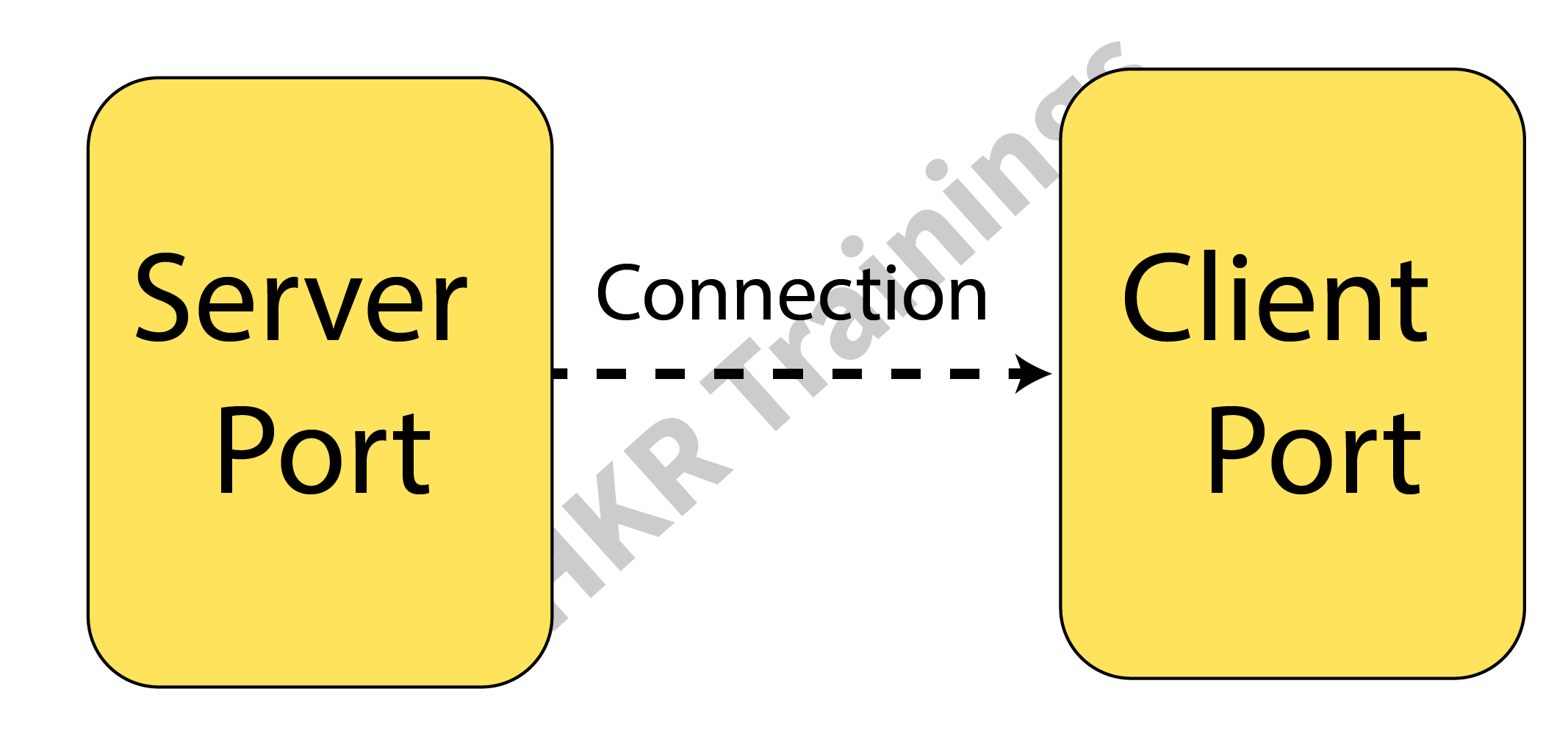
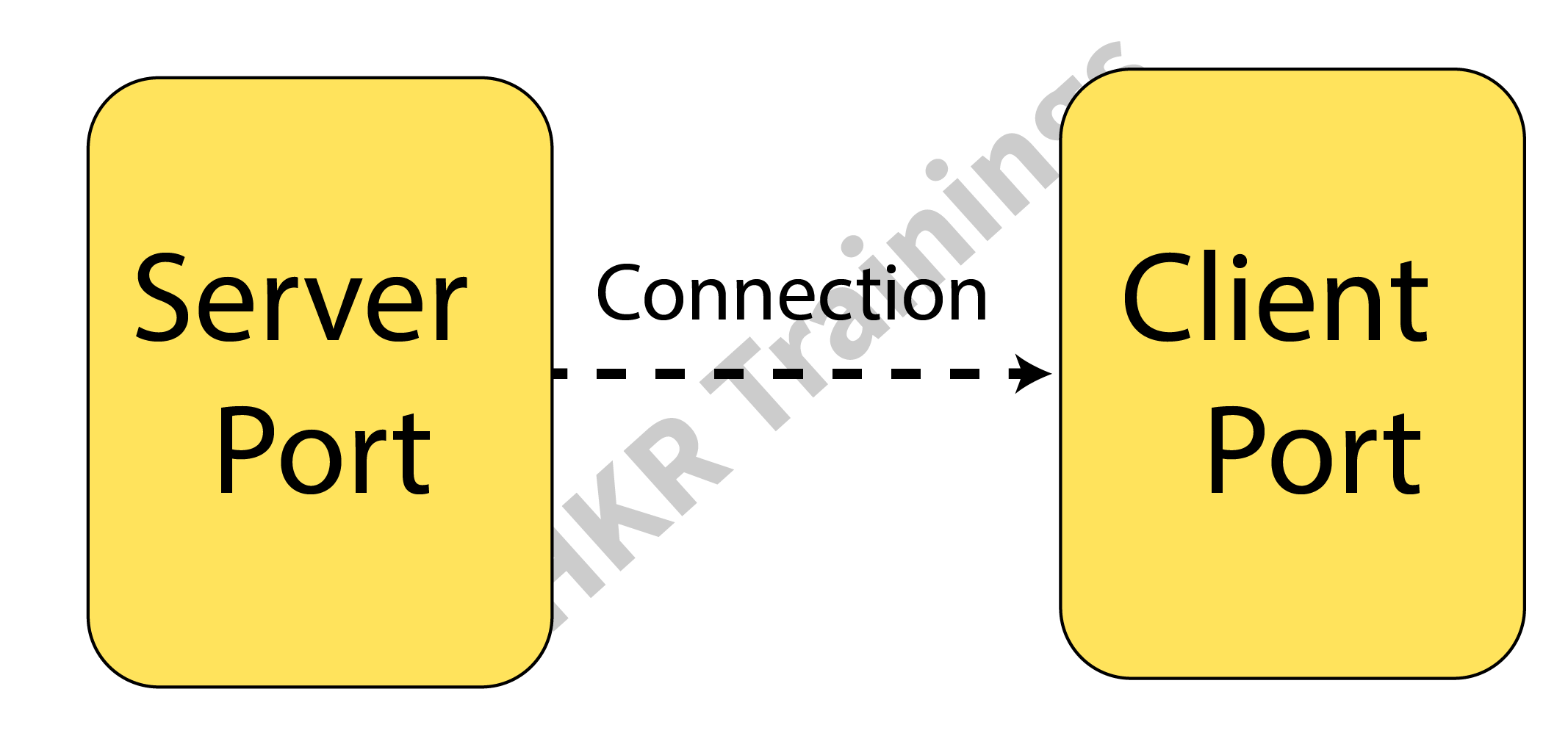
Socket programming is a method where two nodes on a network can connect and communicate with one another. While another socket reaches out to the first socket to establish a connection, one socket (or node) listens on a specific port at an IP address.
While the customer reaches out for the server, the server creates the listener socket. For connection-oriented socket programming, the classes Socket and Server Socket are utilized.

Programming using Java Sockets can be either connection-oriented or connection-less. For connection-oriented socket programming, While the customer reaches out for the server, the server creates the listener socket. For connection-oriented socket programming, the classes Socket and Server Socket are utilized. and DatagramSocket classes are used, while Socket and ServerSocket are used for connection-less socket programming.

What Is Java Socket

A Java socket is one terminal of a 2-way networked communication relationship between two programs. For the TCP layer to recognize the program that data is intended to be transferred to, a socket is tied to a port number.

Java Socket

A port number and an IP address make up an endpoint. An implementation of one side of a 2-way connection between the Java program and another program on the network is made possible by the class Socket, which is part of the Java platform’s package. The class resides on top of the platform-specific implementation, shielding your Java program from the specifics of every given system. Your Java programs can interact over the web in a platform-independent manner by utilizing the class rather than depending on native code.

Client-Side Programming

When using the client side, in the programming, the client initially watches for the server to launch. The requests will be sent to the server once it is operational. The client will then watch for the server’s answer. So, this is how server and client communication functions overall. Let’s now go deeper into client-side and server-side programming.

For starting with the requests from the client-side, the user needs to process the following steps:

Establish a connection :

Creating a socket connection is the initial action. The socket connection signifies that the 2 machines are aware of each other’s IP address and TCP port on the network.

The following statement will let you construct a socket:

Socket s = new s(“127.0.0.1”, 5000)

The first input in this case denotes the server’s IP address.

The TCP Port is represented by the second parameter. (A number that indicates which server-side program should be running.)

Communication :

Streams are utilized for both data input and output when communicating via a socket connection. You must shut down the connection after opening it and sending the requests.

Closing the connection :
Once the message has been transmitted to the server, the socket connection will explicitly close.

Wish to make a career in the world of Java? Start with HKR’S Java Training !

Java Certification Training

  • Master Your Craft
  • Lifetime LMS & Faculty Access
  • 24/7 online expert support
  • Real-world & Project Based Learning

Server-Side Programming

In essence, the server will create its object and await a request from the client. The server will reply with the response once the client will send the request.
Two sockets are required in order to program the server-side application, and they are as follows:

When a client calls newSocket(), a ServerSocket that is waiting for the requests from the client is created. There is a straightforward socket for client communication.
Following that, you must inform the client of the outcome.

Communication

The output is sent across the socket using the getOutputStream() function.

Closing the connection

Once everything is finished, it’s crucial to shut off the connection by shutting the socket and any active input/output streams.

  • You can run the server-side program first after configuring the client and server ends. After that, you must transmit the request and start client-side software. The server will reply as the client sends the request. The image below shows the same.

Closing the connection

  • The client will establish a connection and enter the request as a string.

Closing the connection 2

  • The server will reply to the request sent by the client.

Closing the connection 3

You must run a Java socket program in the given manner. These programs can also be run via a command window or terminal. However, as Eclipse is very feature-rich, you can easily run both apps on a console.

Top 30 frequently asked JAVA Interview Questions !

HKR Trainings Logo

Subscribe to our YouTube channel to get new updates..!

Testing The Applications

The testing of applications is done using the IntelliJ application or any other IDE. 

  • Put the two programs together.
  • Start the client application after starting the server software.
  • Write a message in the client window, and the server window will simultaneously receive and display them.
  • Type BYE to leave.

This can be done using a command prompt also:

  • Create a new folder called project (this is the name of your package).
  • Place the project folder’s Server.java and Client.java files.
  • Go to the root path on the command prompt after opening it.
  • Run java project.Server first, then javac projectServer.java.
  • Use the same process to run the client and server programs.
  • Messages can then be typed in the window of the client.

The application can fail when a port has already been in use. Modify port no to a special number to resolve this problem.

Acquire Jenkins certification by enrolling in the HKR Jenkins Training program in Hyderabad!

Java Certification Training

Weekday / Weekend Batches

Conclusion

In this article, we have talked about socket and socket programming. Socket programming is a method where two nodes on a network can connect and communicate with one another. While another socket reaches out to the first socket to establish a connection, one socket (or node) listens on a specific port at an IP address. We have also discussed client-side and server-side along with testing the applications.

Related Article:

Drools Interview Questions


Source link