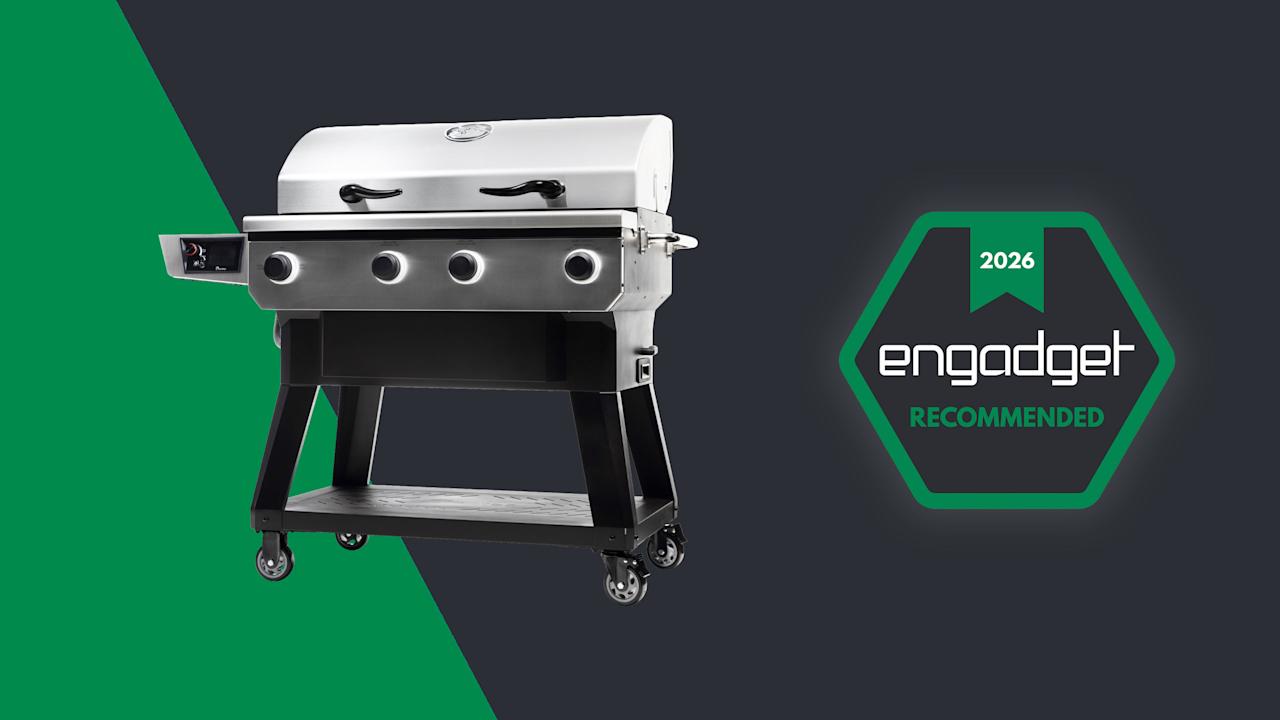

Occasionally, you really can have it both ways. For the most part, pellet grills are great for smoking and mid-temperature cooking, but you’ll typically need other grills for high-heat searing and 1,000-degree temperatures(with a few exceptions). Sure, some pellet grills allow you to move the heat deflector for direct access to the fire pot for searing, but that’s still not a cooking experience that will be familiar to gas grill users.
With the X-Fire Pro 825 ($1,550), Recteq is putting its pellet grill expertise to work in a dual-mode design that’s meant to bridge the gap between gas and wood fire. Of course, this is a smart grill thanks to its Wi-Fi connectivity, and the backbone of this beast is undoubtedly a pellet grill. Plus, the company offers totally separate controls to avoid confusion between Smoke and Grill modes, all combined in a durable, all-stainless steel design. It’s the rare device that really is the 2-in-1 the company claims.

Recteq/Engadget
The X-Fire Pro offers the ease of gas with the wood flavor of pellets in the same grill. While there could be more features, the build quality is excellent and the performance is reliable.
- Two grills in one
- Reliable Wi-Fi tools
- Robust build quality
- Direct-flame searing
- Small pellet hoppers
- No super smoke, keep warm or other handy modes
- Not compatible with wireless food probes
Design
All Recteq grills are made of stainless steel, but unlike the Deck Boss, Patio Legend and other models in the company’s lineup, the X-Fire Pro doesn’t have a powder coated lid. This isn’t a problem per se, but it does require extra care with cleaning and maintenance to avoid rust. Apart from the cast iron grill grates, the interior components are also stainless steel, so most of this grill is clearly built to last. When you combine that with the robust cart and premium casters that the X-Fire Pro sits on, this grill is one of the most well-designed I’ve reviewed.
Like most pellet grills, the X-Fire Pro has a digital controller mounted on the side. In this case, it’s situated on the front edge of a shelf on the left of the grill. Single-knob navigation allows you to set cooking temperature and food probe alerts, which can also be done via the Recteq app thanks to the grill’s Wi-Fi connectivity. The X-Fire Pro allows you to use two wired food probes simultaneously, but there’s no option for wireless probes. Recteq does sell wireless probes though, but they connect directly to the company’s app, not to the grill itself.

The X-Fire Pro has two separate sets of controls for its two modes (Billy Steele for Engadget)
Rather than a traditional on/off switch, the X-Fire Pro is turned on with the far left knob on the front. To do so, you choose between the grill’s two modes, Smoke or Grill. If you select Smoke mode, the controller on the left will light up and you set your desired temperature between 225 and 400 degrees Fahrenheit. Personally, I prefer a slightly lower minimum temperature, around 180 degrees, to enable things like cold smoking or even mimic the Keep Warm feature that competitors like Traeger offer. In Grill mode, you can expect temperatures from 225-400 degrees on low, 350-650 on medium, 500-850 on high and 800-1,200 on max.
There are two fire pots inside the X-Fire Pro. The one on the left is used exclusively for Smoke mode while both can be used in Grill mode. I typically set the right side to a higher grilling temperature, since there’s an Adaptive Sear Control for direct access to the flame (there’s a dedicated knob on the front to control this). I would then leave the left side on low, which would give me a hot/cold setup like I would normally use on a gas grill. Of course, you can set both fire pots to the same heat level and use the entire cooking surface at the same temperature. You could also leave one of the fire pots completely off if you needed to do so.
Dual-mode cooking
Recteq promises that the X-Fire Pro is a pellet grill that will offer the best aspects of gas grilling with familiar knob-based controls. I agree that the large knobs are similar to what you’ll find on a gas grill, although you can’t fine-tune the heat like you can with gas burnersI didn’t find this problematic, though. Where Recteq surpasses propane or natural gas options is the fact that the X-Fire Pro entirely runs on wood pellets, so your food tastes much better. Just keep in mind that it’s a different flavor than charcoal.
During my testing, I unexpectedly spent most of my time using the X-Fire Pro in Grill mode. I cooked steaks, chicken, burgers, sausages and more, all of which tasted a lot better than they would have on a gas grill. Even at high temperatures, you still get some wood flavor, which helped elevate my sous vide New York Strips beyond a simple high-heat sear. Of course, I also had the option to open the Adaptive Sear Control for direct-flame finishing, which was absolutely the right move for steaks and burgers.
One important caveat about Grill mode is that the digital controller for Smoke mode completely turns off. You operate this mode entirely with the front-mounted knobs — just like you would a gas grill. As such, you don’t have access to the food probes or any Wi-Fi features that Smoke mode employs. I can understand why Recteq would want to keep the two modes separate, but I do wish there was a way to use the food probes to track internal temperature of things like steak and chicken, or any items where exact doneness is essential.

A pork shoulder (Boston Butt) cooked on the X-Fire Pro (Billy Steele for Engadget)
When it comes to smoking, the X-Fire Pro works just as well as any other pellet grills I’ve reviewed from Traeger, Weber and others. It’s very much a set-it-and-forget-it device, if you want it to be, which means you can put on a pork shoulder or a brisket early in the morning and it will be ready by dinner. But since the X-Fire Pro has two fire pots and therefore two smaller pellet hoppers instead of one larger one, each hopper’s capacity is limited to just10 pounds. While I had no trouble getting through an 8-hour smoke session with a full hopper (at 275 degrees), I wouldn’t feel comfortable with overnight cooks due to the reduced pellet supply. In Grill mode, though, a single full hopper on the right was always enough to get through a cook.
Recteq says the digital controller can maintain the set temperature in Smoke mode within five degrees. I found this to be true during all of my low-and-slow cooking, and the graph in the app confirms it. The only dips it showed corresponded to the times I opened the lid. This performance was consistent across multiple uses of the X-Fire Pro, although on one particularly cold and very windy day, I did see some greater fluctuations (there’s a warning about this in the user manual). Under normal weather conditions though, this grill is reliable at maintaining the desired cooking temperature in Smoke mode.
Other features on the X-Fire Pro
The main cooking surface of the X-Fire Pro consists of four removable cast iron grates. These are reversible with one side for general use and the other with wider bars for more apparent sear marks. There’s also a shallow top grate above the primary cooking area, perfect for resting foods when they’re done or warming buns in Grill mode. In Smoke mode, you could also put another rack or two of ribs up there, but it’s not big enough for larger cuts of meat.
Most pellet grills direct ash and grease to a catch pan of some sort. Since the X-Fire Pro has two fire pots, it has two ash removal trays on either side with levers to help with the debris. Like every other pellet grill, you’ll need to clean out some ash from the cooking chamber every few uses, and the best way to do that is with a shop vacuum. Recteq cautions against allowing grease buildup with Smoke mode, but I never found this to be a problem. That’s likely due to the fact that I used Grill mode between low-and-slow cooking sessions, so I probably burned off any excess residue. What’s more, I like to use aluminum pans for pork shoulders for easier cleanup, rather than placing them directly on the grates.

The X-Fire Pro’s adjustable sear control (Billy Steele for Engadget)
Like every other Wi-Fi-enabled pellet grill I’ve tested, the X-Fire Pro works with an app that allows you to control and monitor it from afar. You can keep tabs on both grill and food probe temperatures as well as turn the whole thing off. Recteq’s app also has more advanced features like temperature graphs, a 30-day cooking history and over 60 step-by-step guided recipes. Plus, you can save cooking sessions with notes for future reference and the app’s complete recipe book houses over 450 dishes. The company prides itself on the quality of its app, and I can confirm it’s the most reliable mobile software I’ve used during a smart grill review.
Now let’s discuss a few things you won’t find on the X-Fire Pro. First, there’s no option for a folding front shelf since the pellet hopper is front-mounted. The hopper lid gives you a slight ledge to rest the corner of a pan or tray, but it’s not enough to do any kind of wrapping or setting anything down completely. There’s also no interior lighting, which was probably the thing I missed most from other pellet grills. Sure, we can debate the utility of how some companies arrange these lights, but something is better than nothing, especially when you’re loading a grill before dawn or finishing a cook after dark.
The competition
While there are other pellet grills with direct-searing capabilities, none of those offer the dual-mode functionality of the X-Fire Pro. For example, several Pit Boss models have levers for open access to the fire box — or, as the company calls, it the Flame Broiler. Some companies offer open-lid modes, like Weber does on the Searwood, but not all of those designs allow you to get direct access to the fire. These grills also let you set a high searing temperature on the regular controls rather than giving you completely a separate operating method like Recteq does. Again, the appeal with the X-Fire Pro is something familiar to both pellet and gas grillers with controls best-suited for each style of cooking. And yes, the $1,550 price puts this firmly in the premium category, but when you consider it’s two grills in one, that amount doesn’t seem excessive.

The X-Fire Pro features an all-stainles-steel design (Billy Steele for Engadget)
Wrap-up
Rarely does a device live up to its billing as a double-duty workhorse. With the X-Fire Pro, Recteq has successfully combined the best aspects of pellet grills with a dedicated high-heat mode and separate controls that will be familiar to gas grillers. This model offers robust build quality, reliable performance and Wi-Fi connectivity for extended smoking sessions. The smaller pellet hoppers require slightly more vigilance, and there are a few features I’d love to see in the future, but Recteq has certainly bolstered its reputation for well-built smart grills with this dual-mode machine. I’d much rather keep tabs on my pellet supply than guess if my propane tank is empty.

Stephan is the sports journalist for the Maple Grove Report.