Atmos Summit card: Maximize rewards for international travelers


If the Atmos Rewards loyalty program isn’t on your radar yet, it’s time to buckle up and pay attention.

Born from the merger of Alaska Airlines and Hawaiian Airlines, this program has quietly become one of the most valuable in the industry, with an award chart full of sweet spots. And the premium Atmos™ Rewards Summit Visa Infinite® credit card is the best way to rack up lots of those points quickly, especially if you travel internationally.

That’s because, in addition to a huge elevated welcome bonus, the Summit card earns an impressive 3 Atmos Rewards points per dollar spent on every foreign purchase.

That’s not just dining or travel, but every purchase made in a foreign currency.

When you’re traveling abroad, the last thing you want is to have to figure out which card to use for each transaction. With the Summit card, it’s all you need.

Here’s why this single earning rate makes the card the market leader for international travelers.


Atmos Rewards Summit Visa Infinite credit card: Earn 100,000 bonus points and a 25,000-point Global Companion Award after spending $6,500 on purchases in the first 90 days from account opening. New cardholders will also receive a 50% flight discount code for a qualifying future flight after opening their account.


Related: My take on Alaska’s new unified Atmos Rewards program

Why the foreign purchases earning rate puts this card in a league of its own

At TPG’s April 2026 valuation of Atmos Rewards points, earning 3 points per dollar on foreign purchases translates to 4.2 cents of value per dollar spent abroad. That return exceeds what you’d earn on bonus categories with the most popular premium travel cards, airline or otherwise.

Reward your inbox with the TPG Daily newsletter

Join over 700,000 readers for breaking news, in-depth guides and exclusive deals from TPG’s experts

The beauty of the Summit card is its simplicity. There are no rotating categories to activate, no cap on bonus earnings and no confusion about merchant codes or time zones. Every foreign transaction earns the same generous rate, whether you’re paying for a hotel in Tokyo, a train ticket in Switzerland or groceries in Mexico.

TPG contributing editor Matt Moffitt, who recently relocated to Spain, now uses the Summit card for all non-dining purchases.

Though the American Express® Gold Card still edges ahead in one single category, dining at 4 points per dollar spent at restaurants worldwide (on up to $50,000 in purchases per calendar year, the 1 point per dollar spent thereafter), Amex acceptance outside the U.S. can be inconsistent, something Matt doesn’t face with the Summit’s worldwide Visa network.

Mandarin Oriental Ritz-Madrid
ERIC ROSEN/THE POINTS GUY

How the Atmos Summit compares with other premium airline cards’ international earning rates

The Summit card earns:

  • Unlimited 3 points per dollar spent on eligible worldwide dining, Alaska Airlines and Hawaiian Airlines purchases and all foreign transactions
  • Unlimited 1 point per dollar spent on all other purchases (such as supermarkets within the United States)

The card has an annual fee of $395.

Most premium airline cards with similar annual fees offer bonus points or miles in a limited number of select travel categories and 1 point or mile per dollar spent on everything else, but none match the Summit’s blanket 3 points per dollar spent on foreign purchases:

  • The Citi® / AAdvantage® Globe™ Mastercard® with a $350 annual fee (see rates and fees) earns 3 miles per dollar spent on eligible American Airlines purchases, but only 2 miles per dollar spent on dining and just 1 mile per dollar spent on other purchases.
  • The Delta SkyMiles® Platinum American Express Card with a $350 annual fee (see rates and fees) earns a similar 3 miles per dollar spent on Delta purchases and purchases made directly with hotels, but only 2 miles per dollar spent on restaurants worldwide including takeout and delivery in the U.S., and at U.S. supermarkets, and 1 mile per dollar spent on all other eligible purchases.
  • The United Quest℠ Card with a $350 annual fee (see rates and fees) earns 10 total miles per dollar spent on eligible United flights, 4 miles per dollar spent on all other United purchases, 2 miles per dollar spent on dining, select streaming services and other travel, and 1 mile per dollar sepnt on all other purchases.

None of these cards comprehensively reward the routine spending that makes up the bulk of what travelers actually charge abroad: groceries, transportation, shopping and incidental expenses. Meanwhile, the Summit card generously and innovatively rewards you for being an international traveler.

Teotihuacan hot air balloons
MAX SHEN/GETTY IMAGES

Other benefits of the card

The foreign-earnings rate is my favorite feature, but the Summit’s broader offering justifies its $395 annual fee for frequent travelers, whether they travel domestically or internationally.

The current limited-time welcome offer delivers serious value: earn 100,000 bonus Atmos Rewards points and a 25,000-point Global Companion Award after spending $6,500 on purchases in the first 90 days from account opening. New cardholders will also receive a 50% flight discount code for a qualifying future flight after opening their account. Based on our April 2026 valuations, the bonus points alone are worth $1,400.

The Global Companion Award offers a discount of up to 25,000 points (or 100,000 points after $60,000 in annual spending) on the second passenger’s ticket when you book two people traveling together with Atmos Rewards points. Uniquely, it is valid for travel on Alaska Airlines and all of its airline redemption partners, both in and outside of the Oneworld alliance, in any cabin — including Hawaiian Airlines, British Airways, Qantas, Iberia, Icelandair, Korean Air and others. Applicable fees and taxes still apply.

The card also offers a host of other travel benefits, including anniversary status points, a pathway to elite status, lounge and Wi-Fi passes, waived same-day confirmed flight change fee and free checked baggage on Alaska and Hawaiian flights.
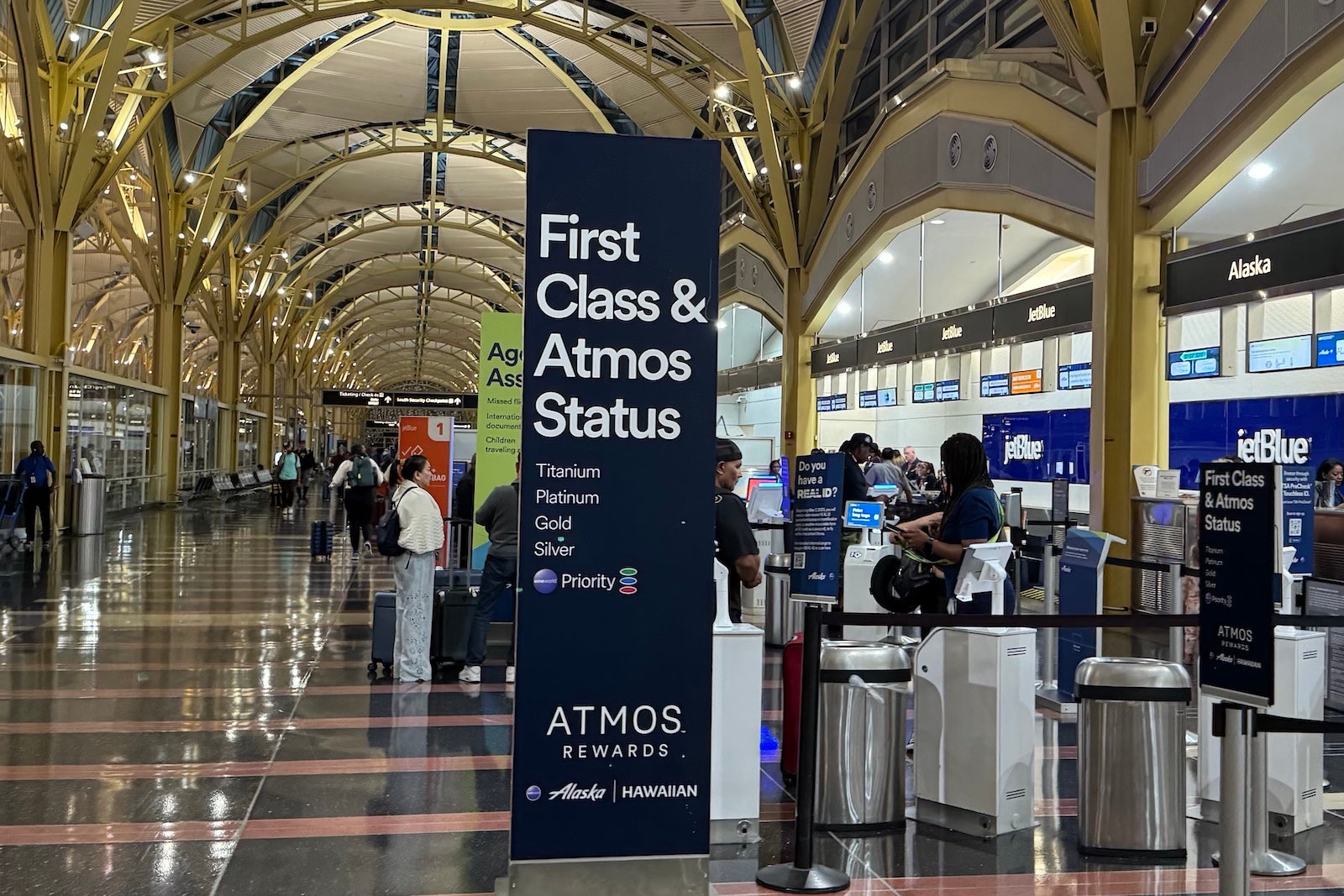
Atmos Rewards check in sign
SEAN CUDAHY/THE POINTS GUY

You don’t need to fly Alaska to get amazing value from Atmos Rewards points

Even if you’ve never set foot on an Alaska Airlines or Hawaiian Airlines flight, Atmos Rewards points can deliver amazing value through partner redemptions. The program inherited Alaska Airlines Mileage Plan’s award chart, which has long been a favorite among points and miles enthusiasts for its outsize value on partner airlines.

The sweet spots span virtually every region of the globe. You can book an American Airlines flight of up to 700 miles in length for just 4,500 Atmos Rewards points, or fly Hawaiian Airlines economy from the West Coast to Hawaii for 10,000 points.

Looking to cross the Atlantic? Aer Lingus business class to Ireland starts at just 45,000 points. For aspirational redemptions, 75,000 points can get you a seat on Japan Airlines’ business class from the West Coast to Tokyo, or Fiji Airways business class to Fiji.

Related: I’ve never flown Alaska Airlines before — here’s why I want their premium credit card

Aer Lingus A321XLR business class
BEN SMITHSON/THE POINTS GUY

Bottom line

Earning 3 Atmos Rewards points per dollar on every transaction abroad — worth 4.2 cents per dollar at TPG’s current valuations — is unmatched by any other airline card.

If you haven’t been paying attention to Atmos Rewards, consider this your wake-up call. Combined with a huge welcome offer, useful travel perks and one of the most generous partner redemption charts in the industry, the Atmos Rewards Summit card is an incredible companion to pack with your passport.

The current welcome offer is 100,000 bonus points, plus a 25,000-point Global Companion Award after spending $6,500 on purchases in the first 90 days from account opening. New cardholders will also receive a 50% flight discount code for a qualifying future flight after opening their account.

If international travel is part of your life, this card should be, too.


Apply here: Atmos Rewards Summit Visa Infinite credit card


Related reading:

For rates and fees of the Delta Platinum Amex, click here).


Source link

Leave a Reply

Subscribe to Our Newsletter

Get our latest articles delivered straight to your inbox. No spam, we promise.

Recent Reviews


What are SCCM Discovery Methods?

SCCM is required to find gadgets before it can handle them. It’s not compulsory to find PCs, on the off chance that you physically install the customer, it will show up in the console and it tends to be executed properly. The issue is that on the off chance that you have a thousand PCs, it tends to be a particular interaction. By utilizing Active Directory System Discovery, every one of your PCs will appear in the console, from that point you can decide to install the customer utilizing different SCCM techniques. Obviously in the event that you require data about your client and gatherings, you have to design User and Group discovery, it’s the best way to acquire this data SCCM. 

Why SCCM discovery methods?

The discovery recognizes PC and client assets that you can handle utilizing Configuration Manager. It can likewise find the organization framework in your environment. Discovery makes a discovery data record (DDR) for each found item and stores this data in the SCCM data set. At the point when a resource is found the data about the asset is placed in a document that is alluded to as a DDR. DDRs are handled by site servers and get into the SCCM database. From that point they are repeated by database replication with all destinations. 

Get ahead in your career by learning SCCM through hkrtrainings Microsoft SCCM online course

Types of SCCM Discovery Methods

There are six types of Discovery Methods that can be arranged. Every one focuses on a particular item type (Computers, Groups, Users, Active Directory) : 

1. Active Directory System Discovery

Finds PCs in your association from indicated areas in Active Directory. To push the SCCM customer to the PCs, the resources should be found first. You can indicate to find just PCs which have signed on to the area in a given timeframe. This choice is valuable to avoid old PC accounts from Active Directory. You likewise have the choice to get custom Active Directory Attributes. This is helpful if your association stores custom data in AD.

  • Open the SCCM Console
  • Go to Administration / Hierarchy Configuration / Discovery Methods
  • Right-Click Active Directory System Discovery and choose Properties

Active Directory System Discovery

  • You can enable the method by analysing Enable Active Directory System Discovery on the General tab.
  • Click the Star icon shown and choose the Active Directory container which you need to incorporate in the discovery process.

Active Directory container

  • Choose the frequency on which you require the discovery to occur on the Poling Schedule tab.
  • A 7 day cycle with a 5 minutes delta interval is usually applicable in most conditions.

Poling Schedule tab

  • You can choose custom ascribes to incorporate during discovery on the Active Directory Attribute tab. 
  • This is helpful on the off chance that you have custom information in the Active Directory that you need to use in SCCM. 

Active Directory Attribute

  • You can choose to find just records which have logged or refreshed their passwords since a particular number of days, on the Options tab. 
  • This is valuable if your Active Directory isn’t perfect. Utilize this to find great records.

Options tab

Check out here for frequently asked sccm interview questions & answers

SCCM Training

  • Master Your Craft
  • Lifetime LMS & Faculty Access
  • 24/7 online expert support
  • Real-world & Project Based Learning

2. SCCM Active Directory Group Discovery

Discovers groups from indicated areas in Active Directory. The discovery cycle finds local, worldwide or general security gatherings. At the point when you arrange the Group discovery you have the alternative to find the participation of distribution teams. With the Active Directory Group Discovery you can likewise find the PCs that have signed in to the space in a given timeframe. When found, you can utilize data for example, to make organization dependent on Active Directory groups. Be cautious while arranging this strategy : If you find a group that includes a PC object that isn’t found in Active Directory System Discovery, the PC will be found. On the off chance that automatic customer push is empowered, this could prompt undesirable customers PCs. 

To find resources utilising this methods :

  • Open the SCCM Console
  • Go to Hierarchy Configuration /Administration / Discovery Methods
  • Right-Click Active Directory Group Discovery and choose Properties.

 Discovery Methods

  • You can enable the method by analysing Enable Active Directory Group Discovery on the General tab.
  • Click on the Add button on the bottom to include a particular location or a specific group.
  • If you discover a group which includes a computer object which is NOT discovered in Active Directory System Discovery, the computer would be discovered.

General tab

  • Choose the frequency on which you require the discovery to occur on the Poling Schedule tab.
  • A 7 day cycle with a 5 minutes delta interval is usually applicable in most conditions.

 Poling Schedule tab

  • You can choose to find just records which have logged or refreshed their passwords since a particular number of days, on the Options tab. 
  • This is valuable if your Active Directory isn’t perfect. Utilize this to find great records.

the Options tab

3. Configuration Manager Active Directory User Discovery

Discovery process finds client accounts from determined areas in Active Directory. You additionally have the choice to bring custom Active Directory Attributes. This is valuable if your association stores custom data in AD about your clients. When found, you can utilize group data for instance to make client based arrangements. 

To find resources using this methods :

  • Open the SCCM Console
  • Go to Administration / Hierarchy Configuration / Discovery Methods
  • Right-Click Active Directory User Discovery and Choose Properties

Configuration Manager Active Directory User Discovery

  • You can enable the method by analysing Enable Active Directory User Discovery on the General tab.
  • Select the Star icon and choose the Active Directory container which you need to include in the discovery process.

Active Directory User Discovery

  • Choose the frequency on which you require the discovery to occur on the Poling Schedule tab.
  • A 7 day cycle with a 5 minutes delta interval is usually applicable in most conditions.

Enable Active Directory User Discovery

  • You can choose custom attributes to incorporate during discovery on the Active Directory Attribute tab.
  • It is useful if you have custom data in Active Directory which you need to utilise in SCCM.

delta interval

If you want to Explore more about sccm? then read our article SCCM Tutorial !

HKR Trainings Logo

Subscribe to our YouTube channel to get new updates..!

4. Active Directory Forest Discovery

Finds Active Directory subnets and sites, and makes Configuration Manager limits for each site and subnet from the forests that have been arranged for revelation. Utilizing this discovery strategy you can naturally make the Active Directory or IP subnet limits which are inside the discovered Active Directory Forests. It is valuable in the event that you have various AD Site and Subnet, rather than making them manually, utilize this technique to do the work for you. 

To find assets utilizing this methods :

  • Open the SCCM Console
  • Go to Administration / Hierarchy Configuration / Discovery Methods
  • Right-Click Active Directory Forest Discovery and select Properties

custom attributes to incorporate

  • You can enable the method by analysing Enable Active Directory Forest Discovery on the General tab.
  • Choose the required options

Active Directory Forest Discovery

5. Heartbeat Discovery

HeartBeat Discovery operates on each customer and to refresh their discovery records in the database. The records (Discovery Data Records) are shipped off the Management Point in a determined span of time. Heartbeat Discovery can drive disclosure of a PC as another resource record, or could also repopulate the information record of a PC which was erased from the database. 

HeartBeat Discovery is empowered and planned to execute each 7 days. To find resources utilizing this strategies : 

  • Open the SCCM Console
  • Move to Hierarchy Configuration /  Administration / Discovery Methods
  • Right click the Heartbeat Discovery and choose Properties

Heartbeat Discovery

  • You can enable the technique by analysing Enable Heartbeat Discovery on the General tab.
  • Ensure that this setting is empowered and that the timetable operates less much of the time than the Clear Install Flag maintenance task.

Install Flag maintenance task

6. Network Discovery

The Network Discovery scans your network framework for network gadgets which includes an IP address. It can look through the spaces, SNMP tools and DHCP servers to discover the resources. It likewise finds gadgets that probably won’t be located by other discovery strategies. This incorporates printers, bridges, and routers. 

SCCM Training

Weekday / Weekend Batches

 Conclusion

Configuration Manager utilizes an assortment of discovery strategies to assemble resource data and every one of the discovery techniques accumulates data about various items. You ought to comprehend its accessible configurations and restrictions to proficiently utilize a discovery technique. Hope this article assists you in understanding more about SCCM discovery methods.

Related articles:


Source link