

If you’re an American Express cardmember, it’s likely you’re already familiar with the Amex mobile app, where you can view transactions, pay your statement, activate Amex Offers and manage your account.
You may also know about the Amex Travel website at amextravel.com, where you can book flights, hotels, rental cars, vacation rentals and cruises, paying with your eligible American Express card or redeeming Membership Rewards points.
In 2025, Amex merged these concepts into a new Amex Travel App™, bringing parts of the travel-planning and booking experience to your smartphone.
Unfortunately, not every feature made the transition, and there are some key distinctions to consider. What is the Amex Travel App best for, and where does it fall short? Here’s what to know.
Amex Travel App basics
The Amex Travel App is the mobile app version of amextravel.com. It operates as a separate app from the Amex app, where you manage your card accounts, so you’ll have to download it to explore its functionality. However, the two apps are integrated with one another.
Once you’ve downloaded the Amex Travel App (either through the iOS App Store or Google Play), you can easily navigate to it from the Amex card management app by going to the “Membership” tab and selecting “Book Travel.”
Once you’re logged in, you can access four tabs:
- Inspiration: A tailored section of articles, guides and trends with destination guides and hotel lists to inspire your next trip.
- Wishlists: A space to create tailored lists of hotel properties you’d like to save. You can pick any title and description for a wishlist, and add hotels as you navigate the app.
- Book: The most practical section where you can book flights, hotels or car rentals through the app.
- Trips: An area to view and manage upcoming, past and canceled trips made on the app or amextravel.com website.
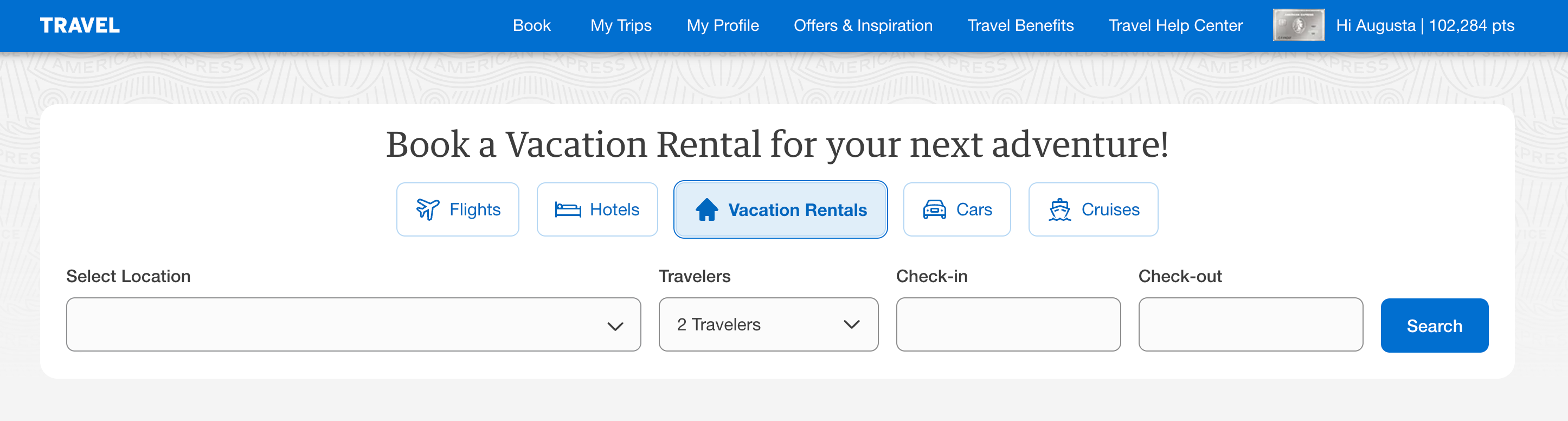
One thing worth noting upfront is that you cannot book cruises or vacation rentals through the Amex Travel App. This feature is only available on the amextravel.com website.

Reward your inbox with the TPG Daily newsletter
Join over 700,000 readers for breaking news, in-depth guides and exclusive deals from TPG’s experts
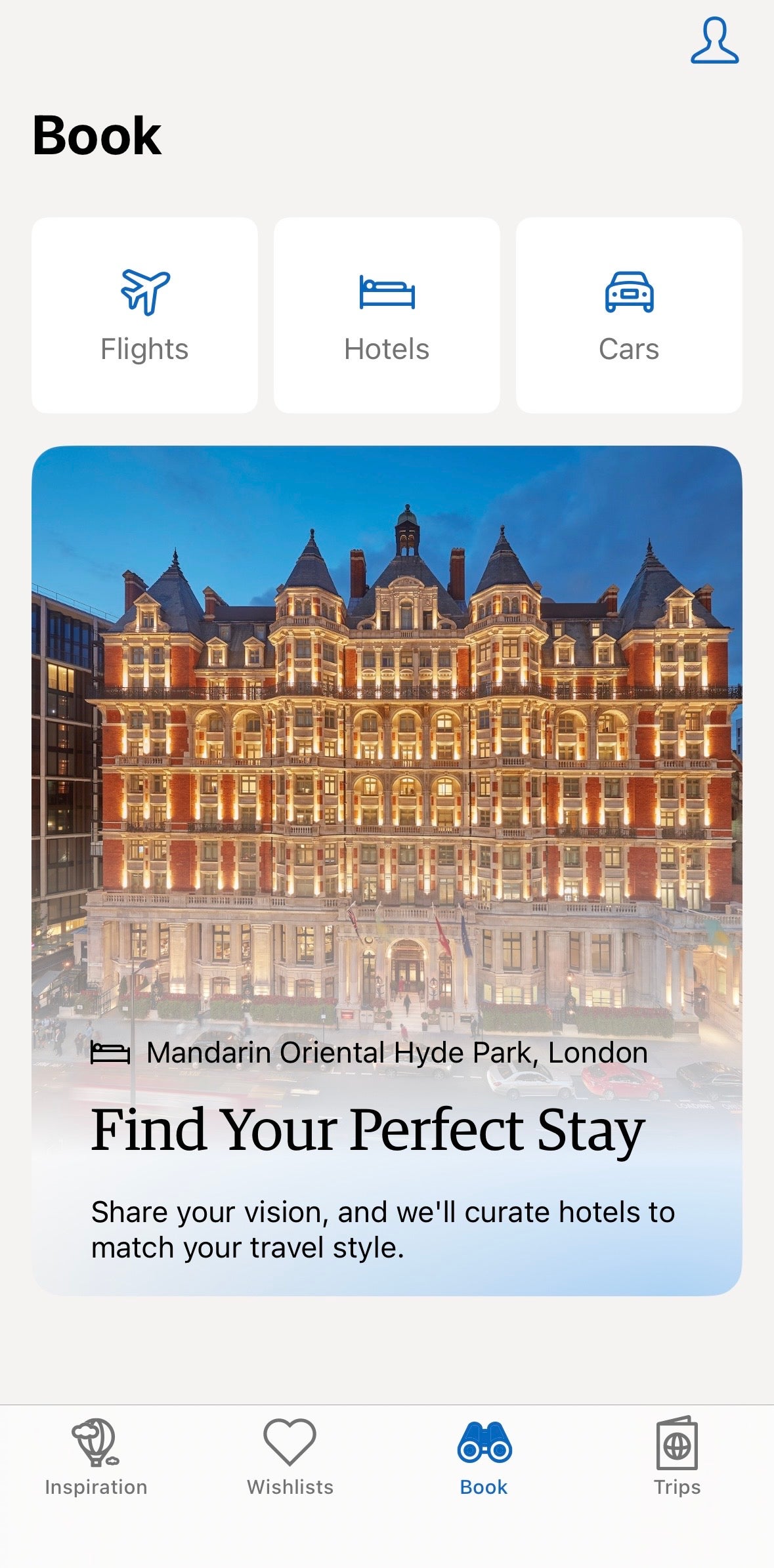
There’s also a profile section where you can view your Membership Rewards points balance, access travel benefits specific to your card and find nearby airport lounges. You can also update your loyalty program numbers, flight preferences and companion details, as well as chat with an Amex representative in-app.
If you hold a card with access to Fine Hotels + Resorts and/or The Hotel Collection (THC requires a two-night minimum stay), you’ll be able to see these properties in the app. You can pay for reservations with your Amex card or redeem Membership Rewards points.
Related: Our favorite American Express Fine Hotels + Resorts properties where you can get elite perks
Which cards offer the most value in the Amex Travel App?
Booking through the Amex Travel App earns bonus Membership Rewards points on multiple popular Amex travel cards.
Here are four highlights, all for bookings made through amextravel.com and the Amex Travel App:
*Consumer Amex Platinum: On up to $500,000 of airfare purchases per calendar year (then 1 point per dollar spent).
It is worth pointing out that you’ll also receive 5 points per dollar spent on airfare booked directly with airlines on the Amex Platinum and 3 points per dollar spent on airfare booked directly with airlines on the Amex Gold. This is important because, on average, Amex Travel flights cost over 10% more than booking directly, based on TPG’s research.
Beyond earning Membership Rewards points, you can also redeem them in the app, though this is unlikely to be the best use of your points.
You’ll always receive a 1-cent-per-point value when redeeming Membership Rewards points through the Amex Travel App or website. Because TPG’s June 2026 valuations place Membership Rewards points at 2 cents apiece (when transferred to one of Amex’s valuable loyalty program partners), we won’t generally recommend you redeem this way.
Still, using your Membership Rewards points on Amex Travel bookings is a simple option.
Related: Credit card transfer partners: Guide to transferring points and miles to airlines and hotels
Best uses of the Amex Travel App
I explored the Amex Travel App as an Amex Platinum cardmember, which gives me access to multiple added perks, including FHR, THC and the Platinum Member Airfares portal.
With this in mind, I found a handful of features on the Amex Travel App to be useful and interesting.
Identifying airport lounges near me or a specific airport
One of my favorite Amex Travel App features is the “Find Airport Lounges” area. Since I’m an Amex Platinum cardmember, it pulls up my nearest airport and shows me what is available, along with operating hours and where I can find lounges within the airport.
If I’m not near the airport I’d like to visit, I can simply tap the magnifying glass icon to search for lounge locations at another airport. Here, I found available lounges at Hartsfield-Jackson Atlanta International Airport (ATL).
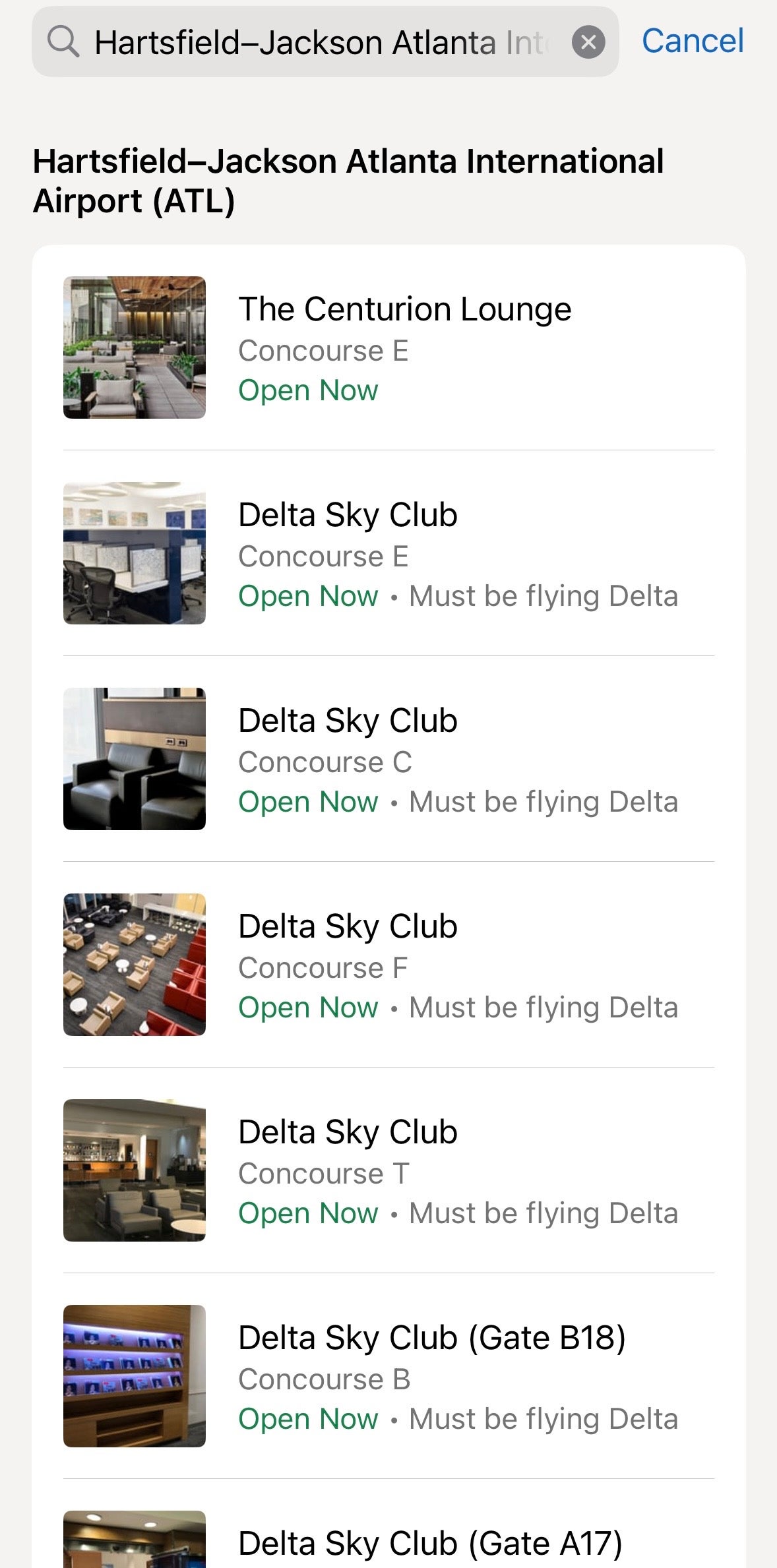
You can also start your Centurion Lounge check-in early by receiving an eligibility code in the app, which can save time in a long entry line by getting you into the queue as soon as possible. I haven’t been able to use this feature yet, but I’m sure it will come in handy when I’m visiting crowded terminals on busy travel days.
Researching and saving potential hotels, including FHR and THC
The Amex Travel App shines when it comes to identifying, researching and brainstorming hotel stays, including those in FHR and THC.
For one, the ability to find inspiration through curated articles was exciting. I also enjoyed the feature that let me select from multiple vacation types, such as “beachfront,” “boutique,” or “amazing restaurant,” to curate a destination that matched my travel preferences.
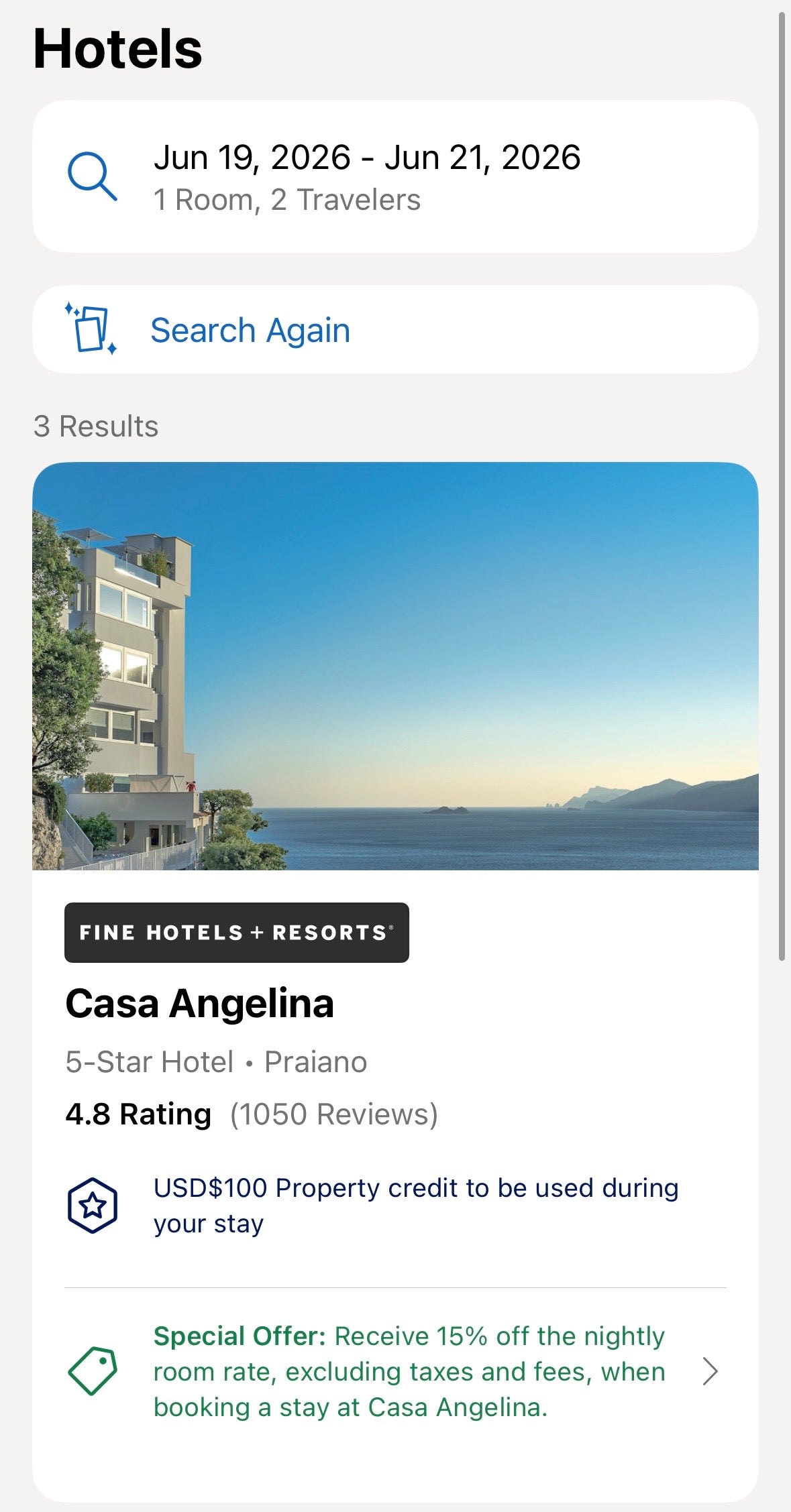
Once you find a hotel you’re interested in, it’s easy to see its policies, whether they apply to any card benefits or special offers, and other details about the property.
Viewing and using (but not tracking) statement credits
The app lets you see the full value of statement credits offered by eligible cards you hold. And, if you have an applicable statement credit available, you can apply it to your booking through the app.
For instance, I receive up to a $600 annual hotel credit per calendar year in the form of a statement credit (up to $300 semiannually) on prepaid FHR or THC bookings made through American Express Travel when I pay with my Amex Platinum (enrollment required; THC stays require a two-night minimum). I can view this benefit in the app.
However, I can’t view my exact progress on the Amex Travel App. I can do this in my Amex account by navigating to the “Rewards & Benefits” section, as seen below. (I’ve used my credit for the first half of this year.)
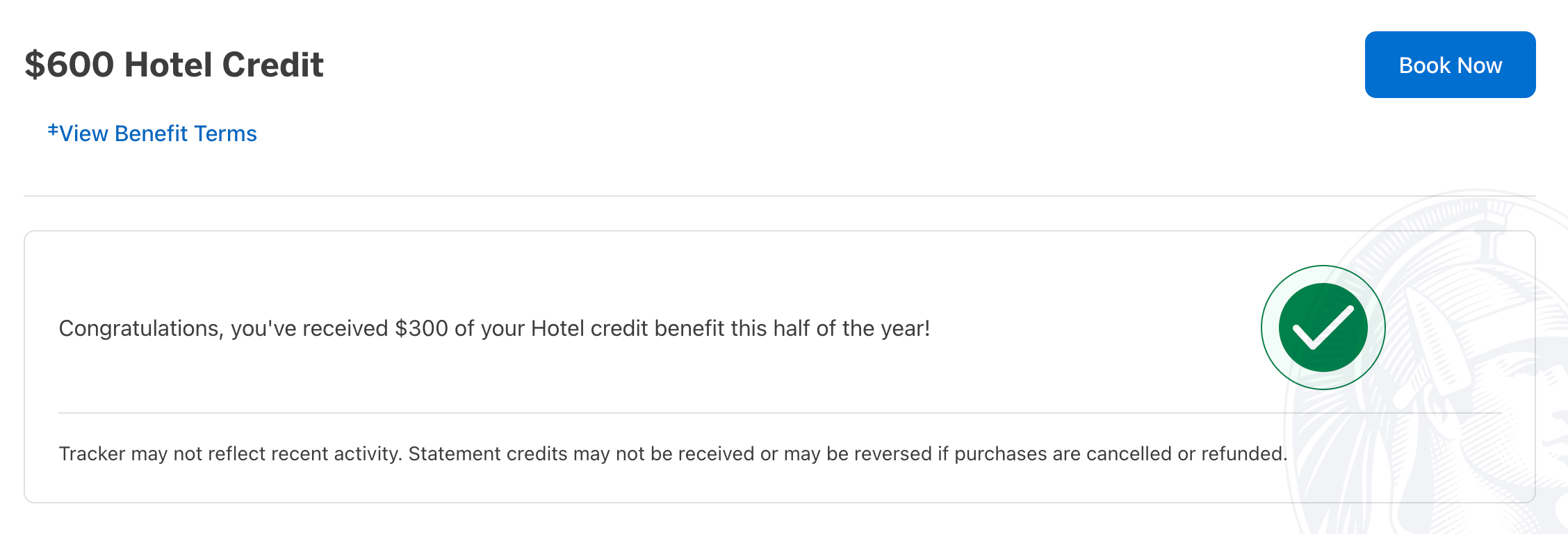
The main drawback is that you can’t see how much of a credit you’ve already used in the app. However, if you do have some of your credit left to redeem, it is nice that you can apply it to bookings made in the app.
Live chat
One of my favorite American Express features is the ability to chat with a dedicated “travel specialist” about everything from bookings to statement credits, and the Amex Travel App makes this especially convenient. I especially enjoy this because I won’t have to bring out my laptop just to chat live with someone about an important detail.
Related: Is the Amex Platinum worth the annual fee?
Where the Amex Travel App falls short
These are the key areas in which the Amex Travel App didn’t meet my expectations:
Inability to book or research cruises or vacation homes
The Amex Travel App has no functionality to book or view cruises or vacation homes, even though you can do so on the amextravel.com website, as shown below.
Slow experience when booking flights
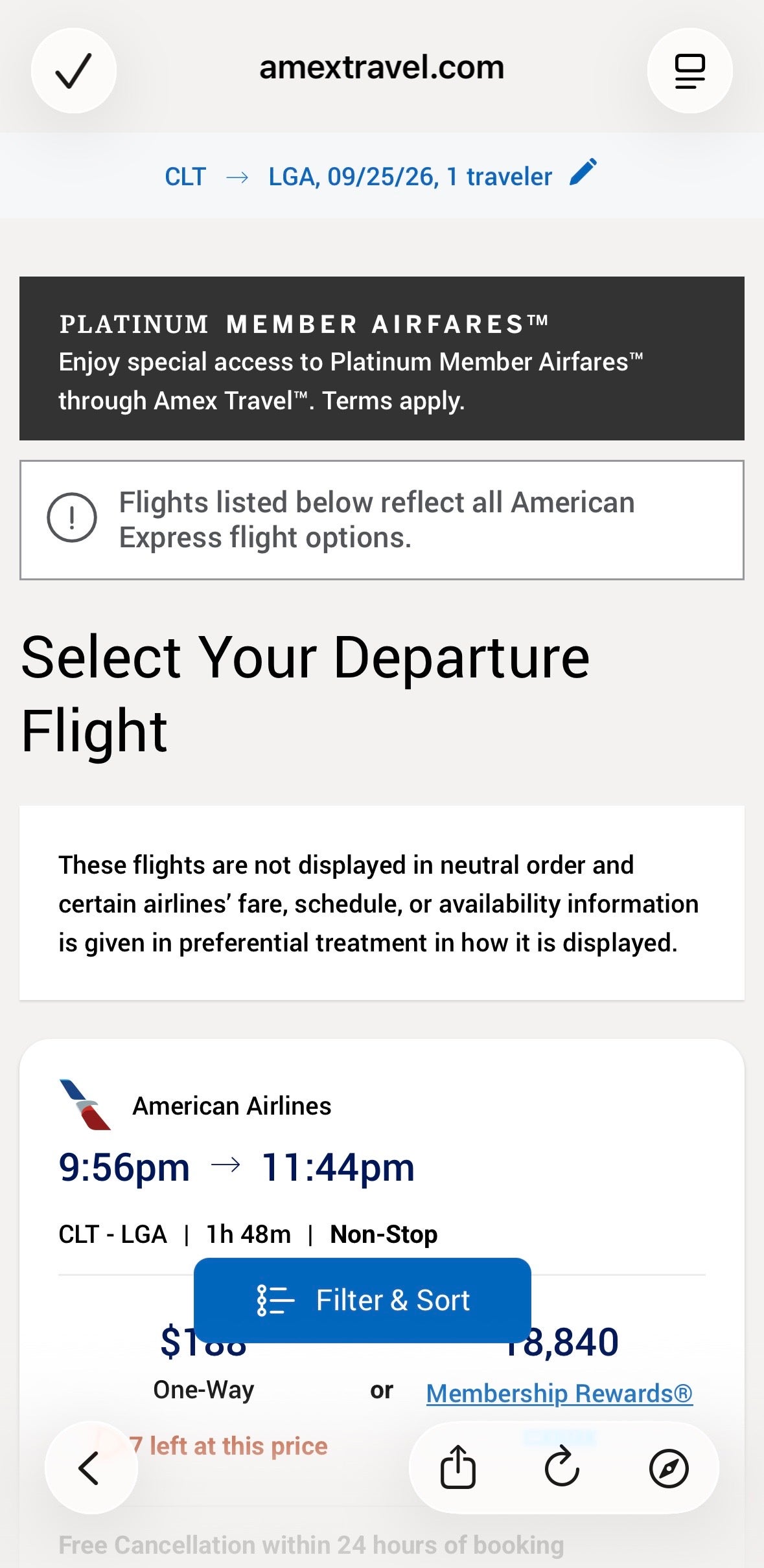
When I tested booking flights on the app, I noticed it redirected me to a mobile version of the amextravel.com website rather than a fully integrated app-first experience. I also had trouble loading flights when I searched on my cell service, so I had to be connected to Wi-Fi to see results.
This wasn’t the case when I looked up hotels or rental cars. Unlike flight searches, hotel and rental car searches performed consistently regardless of connection strength.
Personally, I found the app’s flight booking experience slower and less reliable. I wouldn’t feel comfortable booking a flight this way, but the functionality is technically there — as long as you have a speedy connection.
Missing map views for hotels
I couldn’t find a way to view hotels on the map in the Amex Travel App. This is a website feature that I value, so this was disappointing for me.
Related: I forgot about this benefit on my business card — now I’m using it again
Should I use the Amex Travel App or the website?
You won’t be able to replicate every functionality of the amextravel.com website on the Amex Travel App. However, if you’re seeking convenience or inspiration, the app is a good option.
Here is what I would recommend for each platform:
| Use the Amex Travel App | Use the amextravel.com website |
|---|---|
|
|
I’d note that some aspects are identical on the app and the website. Live chat functions the same, and you can book hotels and car rentals with similar ease. In my experience, booking flights on the app is slower and less reliable, so I would still recommend booking on the website.
In my searches, prices were the same whether I booked through the website or the app. Just keep in mind that prices through Amex Travel may differ from those if you book directly with an airline, hotel or car rental company.
Related: What are American Express Membership Rewards points worth?
Bottom line
The Amex Travel App works best as a research and inspiration tool. Browsing hotel details, saving wishlists and discovering future destinations feel natural on mobile, and hotel and car rental bookings work well enough that you won’t need to reach for your laptop.
However, it isn’t a full replacement for the website. Flight booking felt slower and less reliable on the app, and features like cruise reservations, vacation rentals, statement credit tracking and map-based hotel search remain website-only.
Use the app for research and on-the-go trip management — but don’t abandon the website yet.
Related: Monthly checklist: Credit card perks and benefits you should be using this month

Stacie Harris is a local resident and reporter of the Maple Grove area. Stacie reports on medicine and science for the Maple Grove Report.