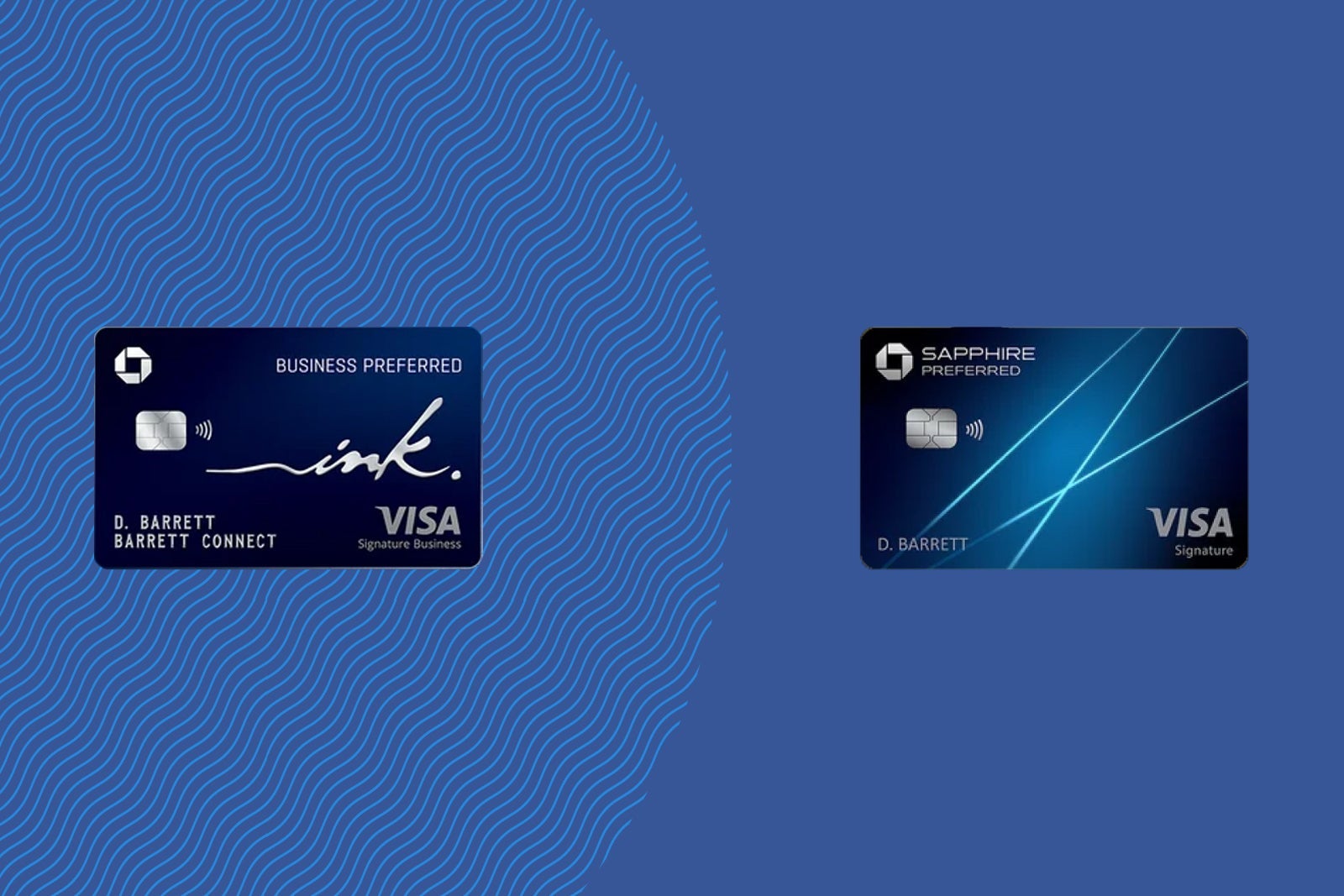
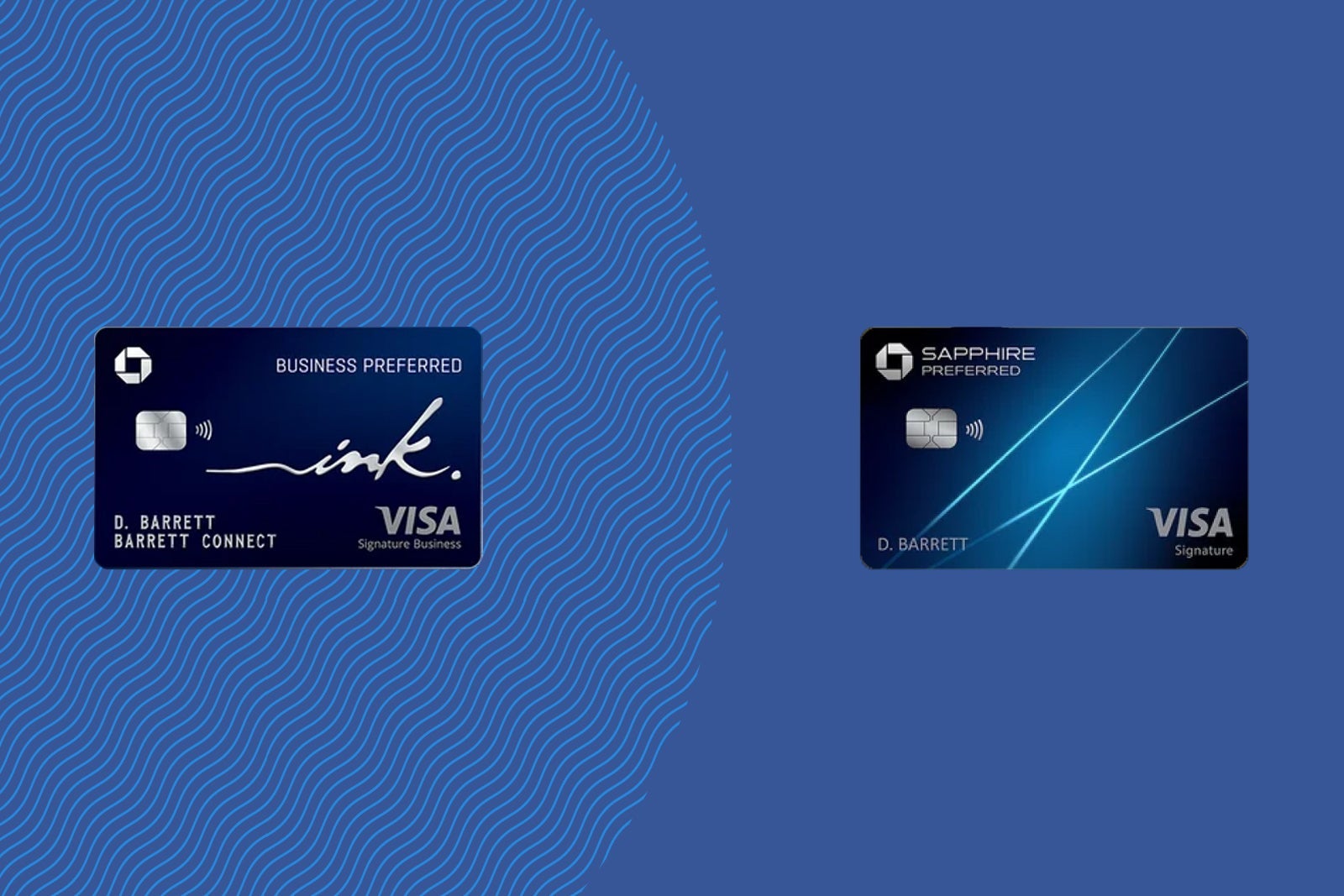
Chase Sapphire Preferred vs. Ink Business Preferred


With so many fantastic travel rewards credit cards available, including some with large welcome bonuses and phenomenal benefits, you might have difficulty choosing one that suits your needs. The decision can become even more complicated if you’re eligible for a small-business credit card, which opens the door to a whole new set of options.

Two of the most valuable mid-tier cards from Chase are the Chase Sapphire Preferred® Card (see rates and fees) and the Ink Business Preferred® Credit Card (see rates and fees). They have similar benefits, including earning Chase Ultimate Rewards points, and identical $95 annual fees.

They make a powerful team, but you may only want — or qualify for — one of them.

Let’s look at how these cards stack up against each other to help you decide whether one or both deserve a place in your wallet.

Sapphire Preferred vs. Ink Business Preferred comparison

  Chase Sapphire Preferred Chase Ink Business Preferred

$95

$95

Earn 100,000 bonus points after spending $5,000 on purchases in the first three months from account opening.

Earn 100,000 bonus points after spending $8,000 on purchases in the first three months from account opening.

  • 5 points per dollar spent on hotels and car rentals purchased through Chase Travel℠
  • 5 points per dollar spent on Lyft (through Sept. 30, 2027)
  • 5 points per dollar spent on Peloton equipment and accessory purchases of $150 or more (through Dec. 31, 2027, with a limit of 25,000 bonus points)
  • 3 points per dollar spent on dining worldwide, online grocery stores (excluding Target, Walmart and wholesale clubs) and streaming services
  • 3 points per dollar spent on vacation homes*, and gas and electric vehicle charging
  • 2 points per dollar spent on all other travel
  • 1 point per dollar spent on everything else

*Booked through Airbnb, Vrbo, Plum Guide, HomeAway, Homestay.com and Vacasa

  • 5 points per dollar spent on Lyft (through Sept. 30, 2027)
  • 3 points per dollar spent on travel, shipping, internet, cable and phone services, and social media and search engine advertising (on up to $150,000 spent in combined purchases each account anniversary year)
  • 1 point per dollar spent on everything else

  • Travel protections
  • Extended warranty and purchase protection
  • Annual Chase Travel hotel credit
  • Complimentary DoorDash DashPass membership (activate by Dec. 31, 2027)

  • Travel protections
  • Extended warranty and purchase protection
  • Cellphone protection
  • Free employee cards

Sapphire Preferred vs. Ink Business Preferred welcome offer

New Sapphire Preferred cardholders can earn 100,000 bonus points after spending $5,000 on purchases in the first three months from account opening.

Based on TPG’s June 2026 valuations, this welcome offer is worth $2,050. This matches the highest offer we’ve seen in the card’s history.

Meanwhile, new Chase Ink Business Preferred cardholders can earn 100,000 bonus points after spending $8,000 on purchases in the first three months from account opening.

Based on TPG’s valuations, this welcome offer is also worth $2,050. This is the standard welcome offer we typically see on this card.
THE POINTS GUY

Note that both cards are subject to the 5/24 rule, meaning you can’t have opened five or more cards across all banks in the past 24 months, or you’ll most likely be denied when applying for either card.

Reward your inbox with the TPG Daily newsletter

Join over 700,000 readers for breaking news, in-depth guides and exclusive deals from TPG’s experts

Finally, to be eligible for the Ink Business Preferred, you must have a business. However, many side hustles, freelance ventures and limited liability companies qualify.

Winner: Sapphire Preferred. While both cards currently offer 100,000-point welcome bonuses, the Sapphire Preferred requires $3,000 less spending to qualify.

Related: 5 reasons to get the Ink Business Preferred

Sapphire Preferred vs. Ink Business Preferred benefits

Both cards offer phenomenal travel protections that are quite similar, though the Sapphire Preferred‘s are slightly more comprehensive.

Both cards include trip cancellation and interruption insurance. With the Ink Business Preferred, you’re covered for up to $5,000 per covered person for nonrefundable travel expenses (up to $10,000 per trip); the Sapphire Preferred’s coverage is double that.

They also provide identical baggage delay insurance and lost luggage reimbursement.

Woman using a credit card at her desk
FRESHSPLASH/GETTY IMAGES

Another standout benefit is primary rental car coverage, which can save you the expense and hassle of filing a claim with a rental agency or your personal auto insurer if something goes wrong. However, the Ink Business Preferred’s benefits state that your rental must be for business purposes for this protection to kick in.

Both cards round out their protections with purchase protection and extended warranty coverage.

The Ink Business Preferred offers cellphone protection up to $1,000 (up to $3,000 per 12-month period, with a $100 deductible) when you pay your monthly wireless bill with the card.

Beyond travel protections, the Sapphire Preferred offers up to a $100 annual hotel credit for bookings made through Chase Travel.

doordash scooter parked on street
DOORDASH

Finally, the Sapphire Preferred also provides at least one year of complimentary DoorDash DashPass membership (activate by Dec. 31, 2027) and up to $10 off monthly non-restaurant DoorDash orders.

And the Ink Business Preferred offers free employee cards, a great bonus for small businesses looking to save on costs.

Winner: Sapphire Preferred. Its benefits outclass those of the Ink Business Preferred.

Related: Why the Sapphire Preferred remains the top travel rewards card year after year

Earning points with the Sapphire Preferred vs. Ink Business Preferred

If you’re looking for a personal travel rewards card, the Sapphire Preferred is the stronger everyday option.

It earns 3 points per dollar spent on dining, online grocery stores, streaming services, and gas and electric vehicle charging, making it the stronger choice for most consumers looking to maximize rewards on regular purchases. It also earns 2 points per dollar on a broad range of travel purchases.

The Ink Business Preferred is the better catch-all travel card for business owners, earning 3 points per dollar on travel along with shipping, internet, cable and phone services, and social media and search engine advertising. Note that those elevated earning rates apply to the first $150,000 in combined purchases each account anniversary year (after which you’ll earn 1 point per dollar).

customers paying for food with credit card
MASKOT/GETTY IMAGES

If your business regularly exceeds that $150,000 annual cap — particularly on advertising purchases — the Chase Sapphire Reserve for Business℠ (see rates and fees) may be a better fit. It earns an uncapped 3 points per dollar on social media and search engine advertising.

Although it carries an annual fee of $795, businesses with substantial advertising budgets may be able to offset that cost through the rewards they earn.

Winner: Tie. The Sapphire Preferred is the stronger everyday card for consumers, while the Ink Business Preferred is the better choice for business owners who spend heavily on travel and eligible business expenses.

Redeeming points with the Sapphire Preferred vs. Ink Business Preferred

Both cards earn Ultimate Rewards points, some of the most valuable around.

You’ll maximize the value from your points by transferring them to one of Chase’s 14 airline and hotel loyalty partners.

Young casually clothed woman online shopping from her domestic kitchen
PEKIC/GETTY IMAGES

Cardholders of either product can also redeem points directly for travel through Chase Travel to get up to 1.75 cents per point in value, with Points Boost (depending on the specific redemption).

Additionally, points can be redeemed to cover eligible purchases in select categories through Chase’s Pay Yourself Back feature.

Points can also be used for cash back or gift cards at a rate of 1 cent per point.

Winner: Tie. You’ll get the same redemption options on either card.

Related: 6 of the best Ultimate Rewards sweet spots

Transferring points with the Sapphire Preferred vs. Ink Business Preferred

Ultimate Rewards points can be transferred to 11 airline partners, including British Airways, Southwest and United, and three hotel programs: IHG One Rewards, Marriott Bonvoy and World of Hyatt.

Most Chase transfer partners offer a 1:1 transfer ratio, though points transfer to World of Hyatt at a 4:3 ratio from both cards.

yatt Place Santiago/Vitacura Mountain-View-Room.
HYATT

These transfer partners can provide great value.

I recently transferred 32,000 Ultimate Rewards points to Air France-KLM Flying Blue to book two economy flights from Paris to Washington, D.C. Thanks to a 20% Chase transfer bonus, I needed just 32,000 points (plus $540 in taxes and fees) instead of 38,000 points, while the same tickets were selling for $3,456.

Winner: Tie. You’ll get the same redemption options on either card.

Related: 10 best ways to redeem 150,000 Chase Ultimate Rewards points

Should I get the Sapphire Preferred or Ink Business Preferred?

First, decide whether a personal or business credit card better fits your needs. If you can take advantage of the Sapphire Preferred‘s broader bonus categories and stronger travel protections, it may be the better choice. However, pairing it with the Ink Business Preferred can be a powerful strategy for maximizing Ultimate Rewards earnings.

Bottom line

The Chase Sapphire Preferred is the better choice for most consumers thanks to its broader everyday bonus categories and stronger travel protections.

However, if you own a business, the Ink Business Preferred can be an excellent complement, especially if you spend heavily on travel, shipping, telecommunications services or advertising.

Since both cards earn transferable Ultimate Rewards points and carry the same $95 annual fee, many eligible cardholders may find that holding both is the best way to maximize their rewards.

To learn more, read our full reviews of the Chase Sapphire Preferred and Ink Business Preferred.


Apply here: Chase Sapphire Preferred
Learn more: Ink Business Preferred


Source link

Leave a Reply

Subscribe to Our Newsletter

Get our latest articles delivered straight to your inbox. No spam, we promise.

Recent Reviews


Database Administrator Duties – Table of Content

The database administrator is responsible for performing a number of duties. Based on the work the Database administrator does, their role varies. Different roles of database administrators are Database architect, Data modeler,  Database analyst, System DBA, Application DBA, Performance analyst, Task-oriented DBA and Data warehouse administrator. Now, let us go through the duties of database administrators.

         Interested in learning SQL Server DBA Join HKR and Learn more on SQL Server DBA Certification Course!

The following are some of the main responsibilities that comprise a database administrator everyday work:

Installing and maintenance of the software: A DBA will often work together with other employees of the organization to install and configure a new Oracle database, SQL Server, etc. The system administrator will configure the hardware and will deploy the OS for the database server; then, the DBA will install the database software and configure it to use it. Since the updates and the patches are necessary, the DBA is responsible for this continuous maintenance. Whenever a new server is required, the DBA is responsible for transferring data to the new platform from the existing system.

Extracting, Transforming, and Loading Data: Extracting, transforming, and loading data is related to importing huge volumes of data efficiently which have been retrieved from multiple systems within a data warehouse environment. The external data is cleaned and processed to adapt to the desired format to be able to import it to a central repository.

Specialized data handling: Databases can be large and include unstructured data types like documents, images, video, or sound files. The management of a large database needs higher-level skills as well as additional tuning and monitoring to maintain efficiency

                                                                       Lets’s get started with SQL Server DBA Tutorial online!

SQL Server DBA Training

  • Master Your Craft
  • Lifetime LMS & Faculty Access
  • 24/7 online expert support
  • Real-world & Project Based Learning

Database Recovery and backup: Database Administrators create recovery and backup plans and procedures according to the industry best practices and then ensure that the required steps are taken. Backups are costly and time-consuming, so database administrators may need to convince management to take the required precautions to keep the data safe. System administrators or other staff can usually create the backups.  It is the responsibility of the DBA to ensure that it is done in a  timely manner. If the server fails or some data loss occurs, the DBA will use the present backups to restore the lost information on the system. Different recovery strategies are needed for different types of failures, and DBAs should be ready for every eventuality. As technology evolves, it becomes increasingly common for the DBA to back up databases in the cloud, MS Azure for SQL Server and Oracle Cloud for Oracle databases.

Security: A Database administrator should be aware of potential weaknesses in the company’s database software and overall system and try to minimize risks. While no system is fully immune to attacks, the implementation of best practices may reduce risks. If there is an irregularity or a security breach, the DBA may refer to the audit logs to find out who did what with the data. The Audit trials also matter when using regulated data.

Authentication: A significant aspect of database security is the configuration of employee access. Database administrators are responsible for managing the access and the type permissions the users are given. For example, a user can be allowed to view only some pieces of information or not be permitted to make changes to the system.

Capacity planning: The DBA should know the current size of the database and the speed at which it is growing so that they can predict future requirements. Storage is the amount of space the database occupies in the server and the backup space. Capacity is the level of usage. If the organization is growing rapidly and has a large number of new users, then the DBA will need to develop the capacity to manage the additional workload.

Monitoring the performance: Monitoring the databases for performance problems is part of continuous system maintenance performed by a DBA. If any part of the system slows down processing, the DBA needs to modify the software configuration or should add extra hardware capability. There are many kinds of monitoring tools, and DBA’s are responsible for understanding what they need to improve the system. Third-party organizations may be ideal to outsource this aspect, but ensure they provide modern DBA support.

    Top 30+ frequently asked SQL Server DBA interview questions & answers for freshers & experienced professionals

HKR Trainings Logo

Subscribe to our YouTube channel to get new updates..!

Tuning the database: Performance monitoring indicates where the database must be modified to work most effectively. The physical configuration, how the database is indexed, and the way queries are managed may all have a dramatic impact on the database performance. We can proactively adjust a system according to the application and use it with effective monitoring instead of waiting for an issue to develop.

Troubleshooting: DBA’s are available for troubleshooting if an issue arises. Whether they want to restore the lost data quickly or fix a problem to minimize damage, the database administrators should understand and answer problems quickly when they arise.

If a user requires help or assistance at any time, DBA has a responsibility to help them. The DBA also provides complete support for new users of the database. And Users’ queries must be executed quickly. The users expect fast retrieval of responses to their queries. So, the database administrator enhances the query processing by increasing their performance.

Database administrator’s responsibilities

The Database administrator has the following responsibilities:

  • Make the decision with respect to the database content.
  • Plans access strategy and storage structure.
  • Gives assistance to users.
  • Defines integrity and security checks.
  • Interprets the strategies related to recovery and backup.
  • Monitor performance and respond to changing requirements.

Skills needed for database administrator

Following are the skills needed for a database administrator to become successful:

  • Designing the database.
  • Familiarity with Structured Query Language (SQL).
  • Understanding the distributed architecture.
  • Familiarity with the various operating servers.
  • Familiarity with the Relational Database Management System. 
  • Willing to deal with challenges and resolve issues quickly.

Enroll in our IBM BPM Admin Training program today and elevate your skills!

SQL Server DBA Training

Weekday / Weekend Batches

Conclusion:

In this blog, we have gone through the duties of a  database administrator. We hope you found this information useful. If you need any information related to database administrators, keep in touch with us.

Other Blogs:


Source link