

By Jason Feldman
Rochester Post-Bulletin
The Class 2A state tournament gets underway Thursday in St. Paul with a full slate of quarterfinals.
Here’s what you should know about all eight teams competing this weekend for the big-school crown.
Lakeville South (Section 1)
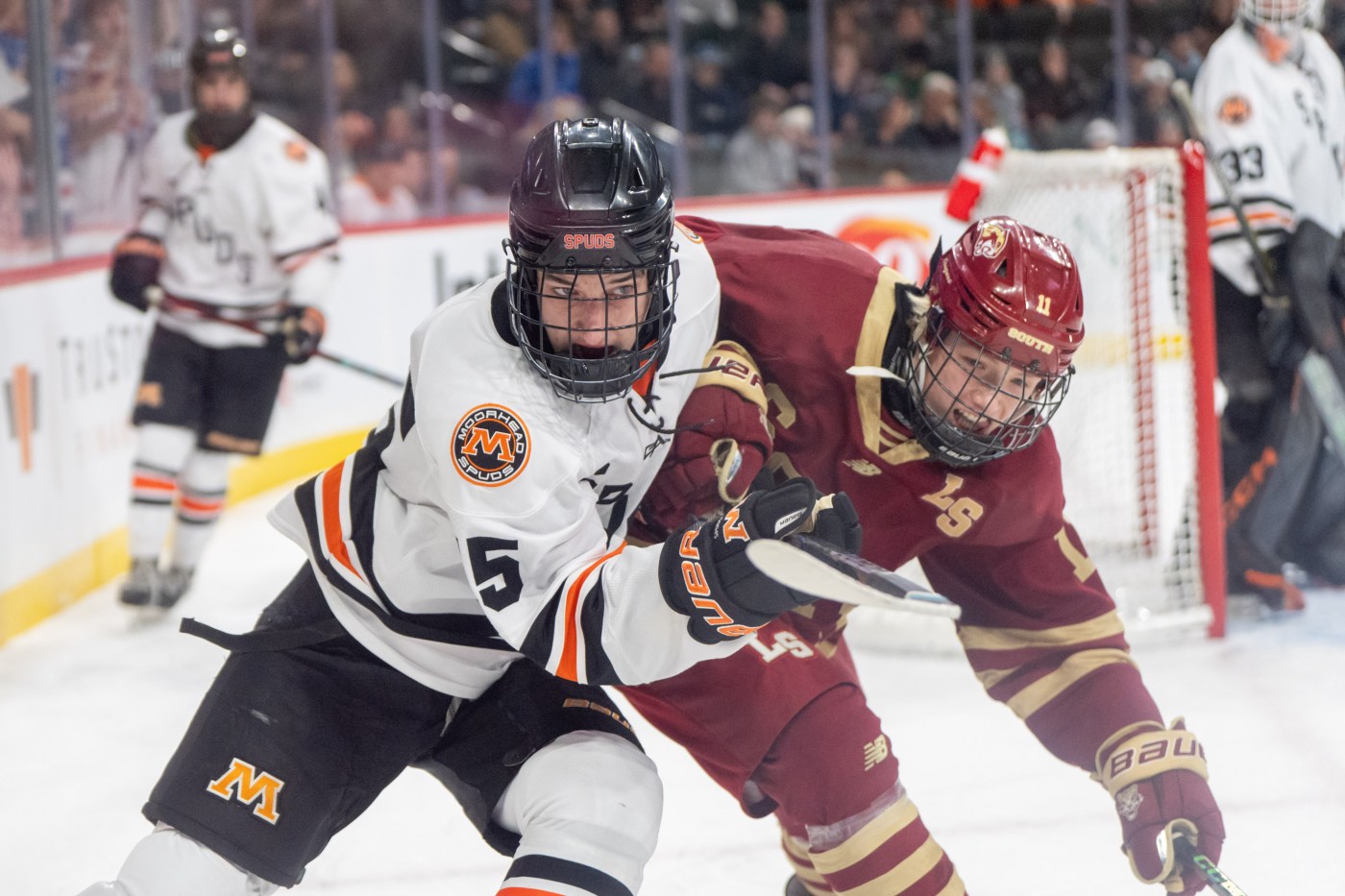
The Cougars (14-11-3) earned their 10th trip to state — eight of those in the last 10 years — by knocking off Farmington 3-1 in the Section 1-2A championship game last Thursday in Rochester. It’s a rewarding way for the Cougars to cap a tumultuous season, in which head coach Josh Storm was placed on administrative leave from his coaching duties in late January. Assistant coaches ran the team until South’s girls hockey season ended, at which time girls head coach Kurt Weber took over as interim head coach of the boys team. Weber guided the Cougars to wins over Rochester Mayo (6-1), rival Lakeville North (6-1) and top-seeded Farmington (3-1) in the Section 1 tournament. South is led by senior forward and University of St. Thomas commit Carter Ernst (19-27—46), and former Rochester Century standout forward Calvin O’Reilly (21-11—32), who transferred to the Lakeville school last summer. Senior Keaton LeGrande (10-5-1, 2.89 GAA, .893 save pct.) is the Cougars’ top goalie. He transferred to South after playing the past two years at St. Cloud Cathedral.
Minnetonka (Section 2)
The No. 2-ranked Skippers (24-2-2) are headed to state for the eighth time in program history and the first time since winning the state championship in 2023. In fact, the last two times Minnetonka has reached state, it has won the title (2018, 2023). The Skippers beat Chanhassen 5-2 in the section championship game, and won their three section playoff games by a combined score of 17-3. Minnetonka has lost just once since Jan. 10, a stretch in which it has gone 11-1-1, losing only to top-ranked Rogers on Feb. 10. The Skippers’ co-leading scorers — junior forward Max Aronson and sophomore forward Cash Hardie — have just 31 points each, but Minnetonka’s depth has been its strength. The Skippers have nine players with 22 or more points and they have six double-digit goal-scorers. Senior Chase Jerdee and sophomore Evan Enck have split time in goal, with Jerdee playing twice as much as the younger Enck. Jerdee played all three section playoff games and takes a 16-2-1 record, a 1.43 GAA, a .923 save pct. and 6 shutouts into the state tournament.
Rosemount (Section 3)
The Irish are headed to the state tournament for just the second time in program history and the first time in 34 years. In their only previous state appearance, they were the Tier II runners-up in 1992. This time, the state’s No. 7-ranked team will bring a 23-4-1 record and a 10-game winning streak into the state tournament. Three of their four losses, and their tie, came against Class 2A top-10 opponents, and all by one goal. Rosemount knocked off defending section champ St. Thomas Academy 3-2 in the section final, scoring two third-period goals to snap a 1-1 tie. The Irish have shut out three of their past five opponents. In goal, the Irish have rotated sophomore Drew Sherman (9-2-1, 1.77 GAA, .936 save pct., 3 shutouts) and senior Sam Clements (8-2-0, 1.85, .925, 1). Sherman played in the section final, stopping 25 of 27 shots. Up front, Rosemount has two 40-point scorers — junior forward Connor Schubert (19-22—41) and senior Gavin McNeil (13-27—40), and two players with 37 points: junior Channing Goodwin (12-25–37) and senior forward Cade Sherman (19-18–37), an Augustana University commit.
Gentry Academy (Section 4)
The unranked Stars (17-9-2) are going to state after being the No. 5 seed in their section and beating the Nos. 1, 3 and 4 seeds to get there. They beat No. 3-seeded White Bear Lake 3-0 in the section final. This is the first time the Stars have reached the Class 2A tournament. Their only other previous appearance came in 2021, when they beat Dodge County for the Class 1A state title. Gentry was 7-8-2 after a 4-2 loss at Breck on Jan. 17. But, it is unbeaten in its past nine games (8-0-1), averaging 5.38 goals per game in that span. Goalie Gavin Grose recorded a 21-save shutout in the section final and enters state with an 11-7-1 record, 2.44 GAA, .901 save pct. and 3 shutouts. The Stars have seven players with 20 or more points, led by forward Jason Cook, who has 35 goals and 59 points, including 9 power-play goals.
Andover (Section 5)
The Huskies (11-14-3) survived a challenging section tournament, winning it by playing three road games, as the No. 5 seed. They are at state for the sixth time in seven years after outlasting Centennial — a team they lost to twice in the regular season — 9-5 in the section final. They’re unranked, and were 2-7-0 in their previous nine games heading into the playoffs, but are headed to state as the Section 5 champion, after winning Section 7 a year ago. Andover averages 3.57 goals per game and allows 3.79. It converts at 26.0% on the power play and its penalty kill is at 70.5%. The Huskies’ top goalie is sophomore Wyatt Riemer (8-12-2, 3.75 GAA, .861 save pct., 1 shutout), while junior forward Camden Langfeld leads the offense, with 18 goals and 49 points (15 of those points on the power play). Of the past seven state tournaments (including this season), Andover only missed the 2024 tournament. It won its first and only state championship in 2022.
Edina (Section 6)
No. 5-ranked Edina (21-6-1) has qualified for 44 state tournaments, including five in a row, and has done it in almost every way imaginable. The Hornets added a new way to that list this time around, making it on ESPN’s SportsCenter. Trailing Wayzata 1-0 with fewer than two minutes to go in the second period in the Section 6-2A final last Wednesday, Bode McConnell sent a shot harmlessly wide of the Wayzata goal. The puck went off the glass behind the net, bounced back onto the top of the net and rolled across the crossbar. It fell and hit the back of Trojans goalie Ryan Pellinger, then bounced in the air. McConnell followed his shot and was in perfect position to bat the puck into the net and tie the score 1-1. He added another goal 1:09 later, then completed his hat trick – and his team’s 3-1 win – with an empty-net goal with 8 seconds remaining. The Hornets have won 13 state titles, most recently in 2024. McConnell is the team’s leading goal scorer (33) and is second in points (54). Forward Tucker Johnson (16-41–57) is the team’s top scorer. In goal, Chase Bjorgaard is 15-4-1, with a 2.21 GAA, a .917 save pct. and 2 shutouts.
Grand Rapids (Section 7)
The No. 19-ranked Thunderhawks (15-12-1) were a .500 team in the regular season, but they enter the state tournament on a seven-game winning streak, having allowed eight total goals during that streak. Everything has come together at the right time for Rapids, which beat its three Section 7-2A opponents by a combined score of 20-1 to reach state for the 18th time in program history and second time in three years. Rapids won state titles in 1975, ‘76, ‘80 and 2017. Rapids has used four goalies this season, but sophomore Luke Sherlock has seized the starting job. He’s 11-2-0 in his last 13 starts, with the two losses by one goal each against No. 8-ranked Hill-Murray and rival Rock Ridge. Sherlock is 10-5-0 overall with a 2.52 GAA, a .905 save pct. and 3 shutouts. Senior forward Seth Carlson leads the team in scoring (20-20–40), followed by junior Andrew Rajala (19-20–39), the team leader in power-play goals, with 8.
Moorhead (Section 8)
The No. 3-ranked, defending state champion Spuds are at state for the seventh time in eight seasons and are coming off their first-ever state championship, in their ninth title-game appearance. Moorhead is 24-3-1 overall, its only losses coming against No. 1-ranked Rogers (5-3), No. 2-ranked Minnetonka (4-2) and Grand Forks (N.D.) Central (5-4), which is 24-2-3 and met rival Grand Forks Red River in the North Dakota state championship game on Saturday. Moorhead is the state’s highest-scoring team in Class 2A (6.0 goals per game) and allows 2.29 goals per game. The Spuds convert at an incredible 34.4% (33-for-96) on the power play and kill penalties at an impressive 83.1% clip. Sophomore goalie Will Arnold (5-feet-11, 180 pounds) has been outstanding in his first season of high school hockey, going 20-2-1 with a 2.17 GAA, an .892 save pct. and 5 shutouts. Senior forward Tyden Bergeson, an Augustana commit, leads the Spuds in points (27-48—75) and is second in the state in assists. Junior and University of Minnesota Duluth commit Max Cullen — son of former Moorhead, St. Cloud State and Minnesota Wild star Matt Cullen — is second on the team (25-34–59). His brother, sophomore Joey Cullen, is also a dynamic player, who has 17-20–37 this season. Senior defenseman Brandon Mickelson has 21-38–59 from the blue line, while junior forward Zac Zimmerman has 24-34—58.









