

United eyes huge Houston lounge, teases ‘even bigger’ Dulles club


So far this year, United Airlines has announced flashy new planes and a big shake-up to its MileagePlus loyalty program — all while preparing to launch a new crop of flights to off-the-beaten-path destinations in Europe.

Still to come in 2026? Some truly enormous airport lounges.

Between now and the end of the year, the Chicago-based carrier plans to cut the ribbon on at least three new United Club facilities. One is coming to San Francisco International Airport (SFO). A second, at Dulles International Airport (IAD) near Washington, D.C., will debut in tandem with a brand-new terminal set to open by fall. At 39,000 square feet, this outpost would have been the biggest in United’s network if it weren’t for the real headliner coming by year’s end.

2024 rendering of Terminal E at Washington Dulles International Airport (IAD)
A 2024 rendering of Terminal E at Dulles International Airport (IAD). MWAA

United plans to open a sprawling 54,000-square-foot behemoth of a lounge at Houston’s George Bush Intercontinental Airport (IAH). This Texas-size facility, which the airline offered a sneak peek of last week, should easily become America’s biggest airline-branded airport lounge once the doors open.

Sneak peak of United Airlines’ Houston lounge was unveiled last week at a company event in Los Angeles. SEAN CUDAHY/THE POINTS GUY

For a little context, it’s set to be a whopping 60% bigger than the massive Denver club the airline debuted last summer.

United’s lounges keep getting bigger — and the reason should be welcome news for the airline’s credit card holders.

Ending frustration for United credit card holders

Some of United’s most popular cobranded credit cards come with annual day passes to its lounge network.

United MileagePlus members who carry the United℠ Explorer Card (see rates and fees) get two United Club one-time passes each year.

But actually redeeming those passes for lounge visits can be easier said than done. On busy travel days, the airline often excludes day pass holders from entering its clubs in an effort to stem overcrowding.

Reward your inbox with the TPG Daily newsletter

Join over 700,000 readers for breaking news, in-depth guides and exclusive deals from TPG’s experts
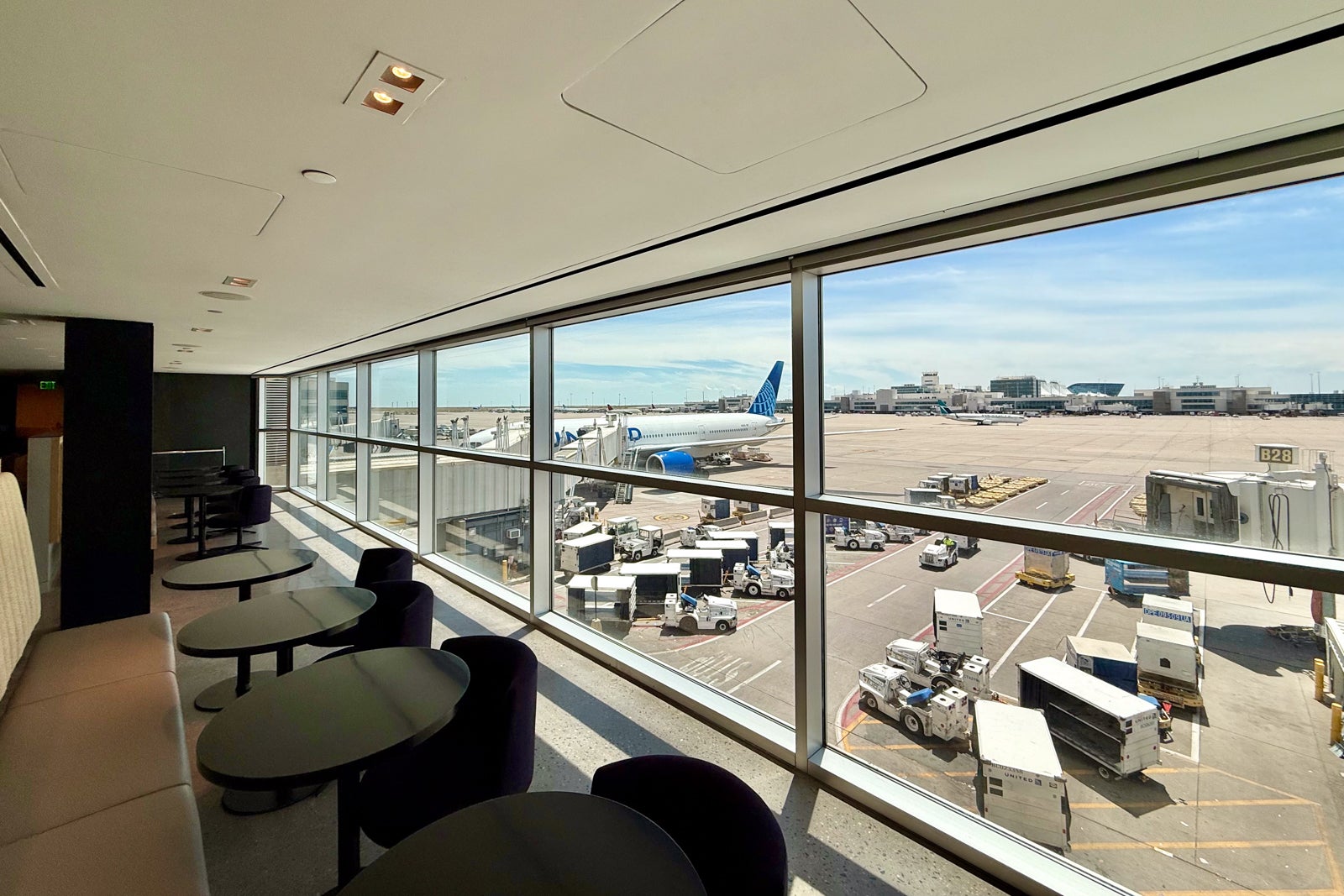
ZACH GRIFF/THE POINTS GUY

While perhaps necessary to keep from overwhelming its facilities, it can be an unpleasant surprise for flyers who expect at least some lounge perks as part of their card’s $150 or $350 annual fee.

Ending that disappointment, United executives say, is among the top goals for the future of the airline’s lounges.

“Every time we see that little sign outside a club that says ‘no one-day passes,’ we haven’t met the objective,” United chief commercial officer Andrew Nocella told TPG at a roundtable with journalists last month in Los Angeles. “And so we are working diligently to never see that sign — which means the clubs are not overcrowded — which means everyone gets in with their guests, and the one-day [passholders] get in.”

United CEO to staff: Build a lounge that’s ‘too big’

United certainly isn’t alone in battling overcrowding. Airline- and credit card-affiliated lounges alike have had to contend with booming membership in recent years.

That reality has led to a patchwork of access changes, depending on the lounge portfolio — from stricter guest policies at American Express to rationed annual visits at Delta Air Lines and permanent grab-and-go locations, like the one United itself debuted a year ago in Houston.
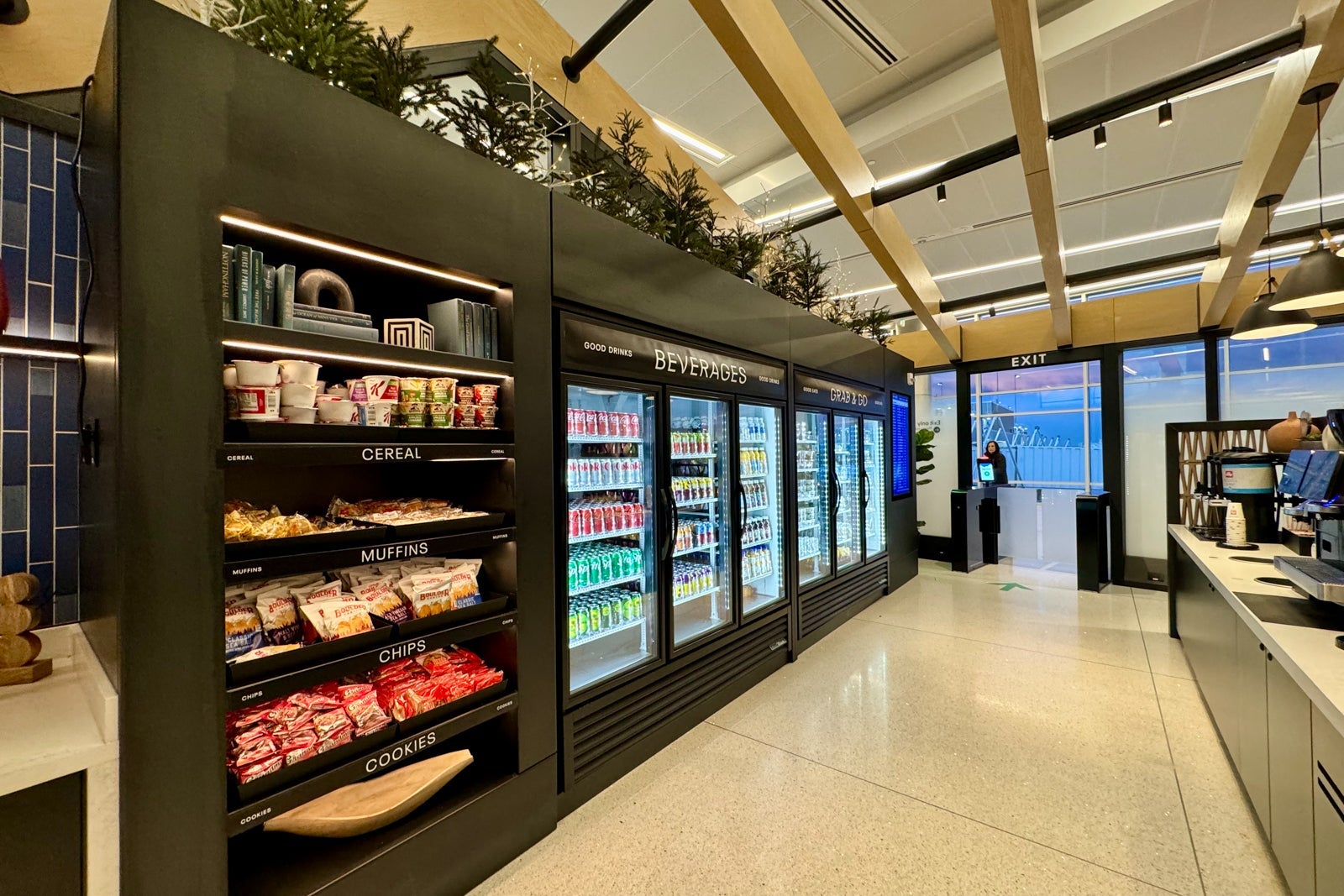
United Club Fly in Houston. ZACH GRIFF/THE POINTS GUY

But the airline is also on a blitz to secure huge swaths of coveted airport real estate. The carrier emerged from the COVID-19 pandemic with 49% more club space than it had prior to 2020, CEO Scott Kirby said.

Yet, the carrier still hasn’t met the boss’s challenge.

“I want them to build a club that is oversized. That we look at it and say, ‘That club is too big,'” Kirby said during the recent discussion. “I’ve now been told seven or eight times, ‘This one is going to be the one.’ It’s never true.”

The massive, new Houston lounge will certainly put that to the test, lapping the closest competition as the biggest United Club in its lineup. But it may not hold the mantle for long.

Another ‘even bigger’ club in the works for Dulles

Kirby revealed that United is currently planning an “even bigger” future facility for its IAD hub — bigger than the new IAH space and bigger than the other IAD club mentioned above (which is already set to open this year).

It appears that this additional IAD lounge is still in the early planning stages, and there’s no official timeline.

According to Kirby, the facility would be built as part of much-discussed renovations at the Washington-area hub. The plans, he said, call for the lounge to be along a new, proposed connector building that would link the airport’s iconic Eero Saarinen-designed main terminal with its A/B Concourse.
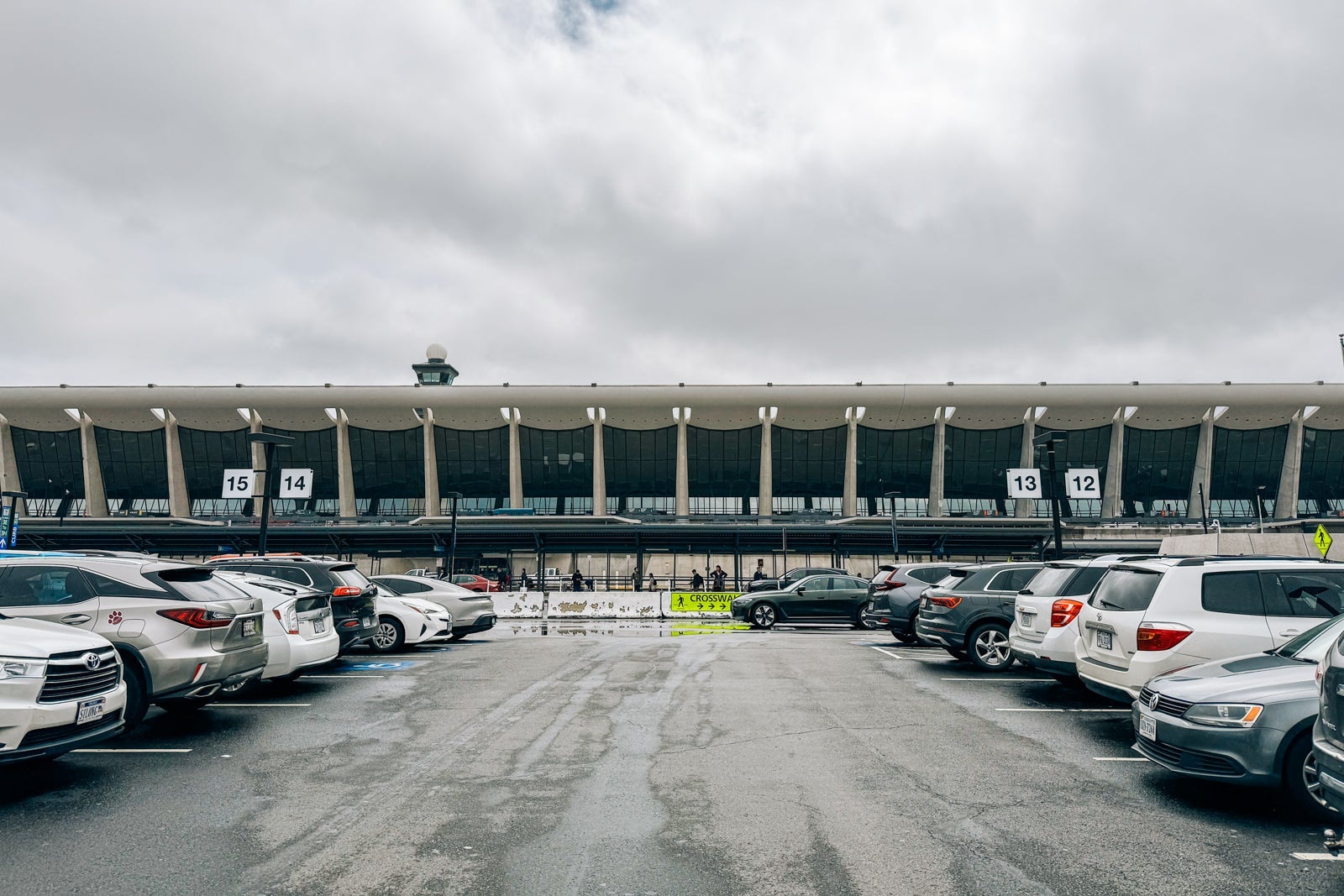
SEAN CUDAHY/THE POINTS GUY

That connector is included in IAD’s long-range plans (which have garnered unusually strong attention from the White House in recent months).

Today, the airline operates three United Clubs at IAD, each along the airport’s C/D Concourse, as well as a premium United Polaris lounge facility. Details about this additional new club remain scarce, for now, with Kirby only promising this: “It’ll be a big club.”

Related reading:


Source link

Leave a Reply

Subscribe to Our Newsletter

Get our latest articles delivered straight to your inbox. No spam, we promise.

Recent Reviews


Lost a crucial document because your system crashed before you could save it? Worry no more! Microsoft Word has introduced an automatic save option that regularly backs up your work, so you’ll never lose your progress again.

Users will now be able to manage their Word documents without thinking about saving them manually. The new Microsoft Word update allows users to automatically save their documents to the cloud as soon as they start documenting any content piece.

Raul Munoz, the Senior Product Manager at Microsoft, has stated about the new feature, “We are modernizing the way files are created and stored in Word for Windows! Now you don’t have to worry about saving your documents: Anything new you create will be saved automatically to OneDrive or your preferred cloud destination.

Microsoft additionally hints at introducing similar features for Windows Excel and PowerPoint, which are now live.

How Does the Auto-save Feature Work?

The auto-save option can be accessed and used effectively with the compatible Word for Windows version. Let’s understand how the process works-

Primarily, users need to create a fresh document in Word and switch the AutoSave option on. Unlike the previous default document name- DocumentN, the autosave feature saves the files with the date.

Microsoft Word Update - Step 1

Source: Microsoft Tech Community

To change the name of the file and its location, users need to select Save or press Ctrl+S. After selecting the file name and location, press Confirm to save the changes.

Microsoft Word Update - Step 2

Source: Microsoft Tech Community

In case users try to close the file before it gets saved, a dialog displays on the screen asking whether they intend to Discard or Keep the file. If users try to close empty files, Word discards them without asking for confirmation.

Microsoft Word Update - Step 3

Source: Microsoft Tech Community

Availability of the Auto-Save Feature of Microsoft Word Update-

The AutoSave feature of Microsoft Word update is available to users with Version 2509 (Build 19221.20000) or newer. This advancement is set to enhance accessibility and address the challenge of lost files. Similar features have been introduced on Windows Excel and PowerPoint as well.

Advantages of the Latest Microsoft Word Update

Microsoft Word’s new auto-save feature will unlock several benefits for users. Alongside increased security, it offers flexible file management capabilities. Let us discuss other significant advantages-

Flexibility in File Storage and Control: Users can store and manage their files more flexibly than ever. As users are in charge of the documents, they can adjust file names and locations to save, organizing the files according to convenience.

Never Lose Your Files: The auto-save feature in Microsoft Word addresses the challenge of losing files due to not saving them manually. As soon as you start making progress in a file, it automatically gets saved.

Enhanced Security and Compliance: Files saved in your organization’s cloud servers already adhere to the set security guidelines and practices. Hence, users do not need to think about protecting the files separately.

Increased Accessibility: The auto-save feature enables enhanced accessibility of Word files. It can be accessed from diverse types of devices and platforms once shared, including Android, iOS, and web browsers. Changes made to the file will get synced on all devices and platforms.

Better Collaboration: The AutoSave feature has made collaboration within and across teams easier. Users can easily share the cloud file and initiate collaboration by making changes, adding comments, and resolving comments in real time.

Agentic AI Support: The Word files are now equipped with Copilot agentic AI support. Users can unlock AI-powered capabilities whenever they need to improve or update their documents. Nevertheless, to use Copilot in Word, a Microsoft 365 Copilot license is needed.

Additional Tips: 

  • Users will be able to easily change the location for new documents. Right-click on any cloud folder in the File section of Word, then select Set as Default Location to choose the location.
  • Users can manage how their files are created, whether in the traditional manner or automatically in the cloud, in the Save tab of Word Options, and opt in or opt out for Create new files in the cloud automatically.

Key Elements to Keep in Mind-

  • When a new Word session is started while another is running, the new file does not autosave. Hence, users need to close the previous file to enable the auto-save option for new files.
  • Users may sometimes encounter a delay in refreshing the recent files list while changing the name of a document.
  • If users disable the option for Show the Start screen when this application starts, remember that the first file they create will not autosave automatically.

Concluding Remarks!

Microsoft has been making significant advancements in its 365 Office platforms for better collaboration and enhanced productivity of diverse teams within an organization. With the integration of Copilot and flexible features, the firm is aiming to boost user experience and accessibility of the tools, including Word for Windows.

Learn about the major technological shifts and practices with KnowledgeNile!


FAQs:

1. What is the AutoSave feature in Microsoft Word?

Answer: The AutoSave feature in Microsoft Word lets users save their files automatically.

2. What is the purpose of AutoSave?

Answer: The AutoSave feature aims to reduce the challenges of data loss in unwanted circumstances, such as power shortages and device failures.

3. Where are AutoSave Word documents stored?

Answer: Automatically saved Word files are stored in cloud storage, like OneDrive.


Recommended For You:

Oracle identity cloud vs Microsoft Active Directory: Which to opt for and why?


Source link







