4K vs. HD: Every TV Resolution Explained, From 720p to 8K and Beyond


TV resolutions can be a confusing jumble of letters and numbers. There’s very little consistency between the terms, and anyone who doesn’t regularly surf spec lists could understandably be baffled by it all. Sure, 8K is more than 4K, but is it twice as sharp? Is 1080p more or less than 4K? What’s UHD? While the best TVs are 4K, there are some (expensive) 8K TVs, and knowing the difference could save you some money.

First, some basics. This should cover a big percentage of what you see when you’re shopping for a new TV:

  • 4K almost always means the TV has 3,840×2,160 pixels (pixels are the “building blocks” of a TV image).
  • UHD stands for Ultra High Definition, also known as UltraHD, which also means 4K.
  • Are most TVs 4K these days? At 50 inches and above, yes. 
  • Does 8K mean the picture will be better than 4K? Not necessarily, and often probably not.
  • Is 8K twice the resolution of 4K? No, it’s twice the vertical and horizontal resolution, so four times the resolution: 7,680×4,320.
  • Is 8K worth worrying about? No.
  • Do I need special content? Yes, to get the most out of your TV. A 4K TV will look better with 4K content. There’s basically no 8K content available.

Still have questions? Let’s dive in a little deeper.

What is TV resolution?

Resolution, in terms of TV hardware, refers to the number of pixels that compose the picture on the TV. A single pixel, or discrete picture element, consists of a tiny dot on the screen. 

There are numerous resolutions found on flat-panel TVs. Older TVs, and many 32-inch models sold today, have a million or so pixels (720p). More recent and slightly larger TVs (typically 49 inches and smaller) have a little over 2 million pixels (1080p). Even newer and bigger TVs (typically 50 inches and above, although numerous smaller sizes too) have 8 million (for 4K Ultra HD). And the newest, largest and most ridiculously expensive TVs have over 33 million pixels (8K). You’ll have to look very closely, or whip out a magnifying glass, to discern each one.

015-lg-oled-tv-8k15

CNET’s David Katzmaier counting every pixel on an 8K TV.

Sarah Tew/CNET

Resolution is one of the most common specifications used to sell TVs, partly because “4K” and “8K” sound high-tech and impressive. However, resolution isn’t the most important ingredient in picture quality. Just because a TV has a higher resolution than another doesn’t always mean it looks better. It might, but not always, and for reasons that have little to do with resolution. A TV with better high dynamic range performance, a better overall contrast ratio or better color will look better than one that just has more pixels.

That said, it’s still worth understanding the various resolutions used by TV-makers and others. Here’s a bit more detail.

Select large-screen resolutions

Resolution name Horizontal x vertical pixels Other names Devices
10K 10,240×5,760 or 4,320 None No consumer products
8K 7,680×4,320 8K UHD TVs, some projectors
“Cinema” 4K 4,096x[unspecified] 4K Some projectors
UHD 3,840×2,160 4K, Ultra HD, Ultra-High Definition TVs, monitors, projectors
2K 2,048x[unspecified] None Some cinema projectors
WUXGA 1,920×1,200 Widescreen Ultra Extended Graphics Array Monitors, projectors
1080p 1,920×1,080 Full HD, FHD, HD, High Definition TVs, monitors, projectors
720p 1,280×720 HD, High Definition TVs

8K and 4K (Ultra HD)

When it comes to TVs, 4K and Ultra HD (or UHD) refer to the same resolution. Those TVs, along with Ultra HD Blu-ray and nearly all UHD streaming content from Netflix, Amazon and others, are 3,840×2,160 resolution.

One potential source of confusion is that 4K means something different whether you’re talking about a TV in your home or a projector in a theater. Technically, “4K” means a horizontal resolution of 4,096 pixels. This is the resolution set forth by the Digital Cinema Initiatives. Because movies vary in aspect ratio, which refers to the exact shape of the rectangle of the image, no vertical resolution is specified.

Read more: 8K TV Explained, and Why You Definitely Don’t Need to Buy One

Ultra HD TVs aren’t technically “4K” by the specifications of DCI, but common parlance has usurped the term, so “4K” TVs are 4K TVs even though their resolution is 3,840×2,160. When talking about resolution, most companies just combine both terms: Ultra HD 4K.

This shows the relative number of pixels in each of the major resolution formats. Not actual size; this is a chart not a visual representation (though it is to scale if you click on it).

From largest to smallest: 8K (tangerine), 4K Cinema in 1.78:1 aspect ratio (black); Ultra HD (white); 2K Cinema in 1.78:1 aspect ratio (green); Full HD 1080p (red); 720p (blue).

Geoffrey Morrison/CNET

8K follows the same logic. If you’re talking about TVs, it’s twice the horizontal and vertical resolution of 4K TVs: 7,680×4,320. There are a handful of 8K TVs on the market, but it’s going to be many years before this resolution is common, and maybe not even then. There is very little 8K content, and there’s not much on the horizon. Which is to say, 8K is a long way from becoming a widespread format or feature.

To get the most out of your 4K TV, you need 4K content. Fortunately, there’s 4K content everywhere. Nearly all of the major streaming services, like Netflix, Amazon, Max and Fandango at Home (formerly Vudu), all have 4K available. There are also Ultra HD Blu-ray players and gaming consoles, like the PS5 and Xbox Series X. If you have a PC, most graphics cards from the last few years can render games at 4K, with varying degrees of success. With some streaming services, you might need to pay for a premium tier to get the 4K version. Also, not every show or movie on a service will be in 4K. Older content might be HD or lower.

qn900f-lifestyle-image-1

The 98-inch QN900F 8K TV will cost

Samsung

2K

Before “4K” became common, you’d almost never see “2K.” It was pretty much just a cinema resolution, which is why you’ll sometimes see 2K used to refer to a “master format.” Some digital cinema projectors used in theaters are 2K resolution. It’s 2,048 pixels wide, and again, no vertical resolution is specified by the DCI.

1080p or Full HD

Remember how I talked about digital cinema resolutions, only specifying the horizontal resolution? Well, TVs, on the other hand, historically used just the vertical to describe resolution (going back to the glass tube days). So 1080p is the vertical resolution. Nearly all HDTVs have an aspect ratio of 1.78:1 (16:9, aka widescreen), so that means a horizontal resolution of 1,920 pixels (1,920×1,080).

This is another source of confusion, since decades of TV discussions have talked about vertical resolutions, and then all of a sudden we’re talking about “4K TVs,” which refers to the horizontal resolution. Don’t blame me, it wasn’t my idea.

This is why 1080p is not “1K.” If anything, as mentioned above, it’s “2K” by the same logic that UHD TVs are 4K. That said, most people don’t call 1080p 2K; they call it 1080p or full HD.

By the way, 1080i is the same resolution as 1080p, but no modern TV is 1080i. However, most HD TV broadcasts, including those from CBS and NBC, are still 1080i. 

720p

Roughly half the number of pixels of 1080p. Other than small models, it’s rare to find a new TV that’s 720p anymore. However, all ABC, Fox, ESPN and their affiliated/sibling channels broadcast at 720p. This goes back to the initial HD transition at the turn of the century. (And if you’re wondering why your TV doesn’t say “720p” on those channels, check this out.) It’s also why this resolution is referred to as HD, while 1080p is full HD or FHD for short. Sometimes specific programming from these outlets will be available in higher resolutions, but probably not on their main channels via cable, satellite or over-the-air.

Computer monitor resolutions: WUXGA, WXGA, WXXXGA, WXCBGBSA, WXLADYGAGA 

In the computer world, they use an incomprehensible and shockingly user-unfriendly jumble of letters to describe resolution. Well, not “shockingly” since these are computers.

Look, I’m a computer guy who’s been building my own PCs since the early ’90s, and even I can’t tell you what half these letters mean. I can understand that initially they were implemented to make things easier, but we’ve got so many resolutions and combinations that now they’re just annoying.

Basically, for simple office monitors, you’ll mainly see FHD (1,920×1,080) and WUXGA (1,920×1,200), but you might also see a resolution of FHD Plus, which is typically 2,220×1,080 pixels. But as you go up in price and size, you’ll find more variations in resolution. It’s best not to get too hung up on the marketing terms and just focus on the numbers and whether the resolution is high enough to meet your needs. For more details, you can dive into and print yourself a cheat sheet from this.

The Alienware 34 QD-OLED monitor sitting on a lab bench with Steam library thumbnails on the screen

Alienware’s 3,440×1,440 “WQHD” QD-OLED monitor.

Staff/CNET

Read more: Best 8K TVs for 2025: Why We’re Not Recommending Any 8K TVs

Bottom line

Broadly speaking, older and smaller TVs are FHD (1080p) while nearly all new TVs are 4K Ultra HD (2160p), which is four times as many pixels as 1080p. Someday you might have an 8K or even 10K TV, but that’s a loooong way away.

Here’s where I remind you that more pixels don’t necessarily mean a better picture. There are other aspects of picture quality, such as contrast and color, that are far more important than resolution. 

In the future, resolution might become irrelevant. Technologies like micro-LED separate size and resolution, so your future 50-inch bedroom TV might have a radically different resolution than the 100-inch living room TV, as opposed to now, where they’d both be 4K with different size pixels. Thanks to advancements in video processing, though, this won’t matter. They’ll all look sharp and detailed. 

Note: This story was first published in 2016, but it is regularly updated with new links and other information.


As well as covering audio and display tech, Geoff does photo tours of cool museums and locations around the world, including nuclear submarinesaircraft carriersmedieval castles, epic 10,000-mile road trips and more.

Also, check out Budget Travel for Dummies, his book, and his bestselling sci-fi novel about city-size submarines. You can follow him on Instagram and YouTube


Source link

Leave a Reply

Subscribe to Our Newsletter

Get our latest articles delivered straight to your inbox. No spam, we promise.

Recent Reviews


Why you can trust
  • 15+ years of travel experience
  • 550+ products tested
  • 50+ countries visited

We hold ourselves to a rigorous editorial standard. Financial incentives don’t sway our recommendations—experience and data do.

Read Our Editorial Policy

This tournament is a real trip, which requires smart decisions, and your luggage will either help you move or slow you down at every step.

3 countires, 16 host cities, 39 days. You’re not taking a vacation – you’re moving through a tournament.

With that in mind, this guide is built specifically to help you decide which will be the best carry-on luggage for World Cup 2026, whether that’s multi-city travel, border hopping, and everything in between.

You might fly into San Francisco and take the train to Los Angeles before crossing into Mexico for Guadalajara. Drive Houston to Dallas. Fly Vancouver to Toronto. In heat that ranges from 68°F on the Pacific Coast to 113°F in Monterrey. Across airports, train stations, border crossings, and post-match transit corridors – all of it with a bag in tow. Let’s dive into it!

Determine What You Actually Need

Before picking, make sure you know what kind of luggage you need. The choice can be narrowed down with a by picking one of the few scenarios:

Scenario A – Single City: You fly in, spend 5–10 days in one city, attend your matches, fly home. A quality carry-on handles everything. You skip checked bag fees, move faster through airports, and never wait at baggage claim.

Scenario B – Two or Three Cities: You’re moving between host cities – LA to San Francisco, Mexico City to Monterrey, Toronto to Vancouver. A carry-on bag still works if you pack efficiently. Add one packing cube system and you’re sorted.

Scenario C – Full Tournament Follow: You’re tracking your national team from group stage to knockout. Three or more cities across the US, Canada, and Mexico. Multiple border crossings. Varying climates. This is the scenario that demands proper luggage investment – a quality carry-on plus a small personal item, or a quality checked bag if you’re packing for weather extremes.

The universal principle: Pack as light as your scenario allows. Every extra bag is a potential border crossing complication, a taxi surcharge, or a missed train because you couldn’t move fast enough. The World Cup rewards mobility. Luggage that weighs you down costs you more than convenience.

Key Considerations for World Cup Travel Specifically

Multiple border crossings: You’re crossing between the US, Mexico, and Canada. TSA PreCheck doesn’t apply at Mexican or Canadian borders. Pack your bag so it can be fully inspected and repacked quickly. Hard-sided bags with organized interiors are easier to repack under inspection pressure than soft-sided bags that have been stuffed.

International airline size restrictions: If any leg of your trip involves a non-US carrier, carry-on size limits shrink. The US standard is 22″ x 14″ x 9″. Many international carriers enforce 21″ x 15″ x 9″ or smaller, and most enforce carry-on weight limits of 7–10kg (15–22 lbs) that US carriers don’t. Checked bag fees on international routes typically run $30–$75 per flight, per bag. Don’t buy a bag marketed as a “carry-on” without confirming it meets international restrictions at its base dimensions.

Destination variability: Your luggage needs to handle cobblestones in Guadalajara, smooth marble in Mexico City hotels, stadium transit in Atlanta, and Pacific Coast winds in Vancouver. Spinner wheels (four wheels, 360-degree rotation) handle this range better than two-wheel rollers.

Stadium transit: On match days you’ll be using public transit, rideshare, and walking corridors. A carry-on that extends to full height when rolling and collapses quickly when lifting is better than a large checked bag you’re hauling through crowded post-match transit.

Quick Snapshot: Just Tell Me What to Buy

Carry-On Luggage Reviews

1

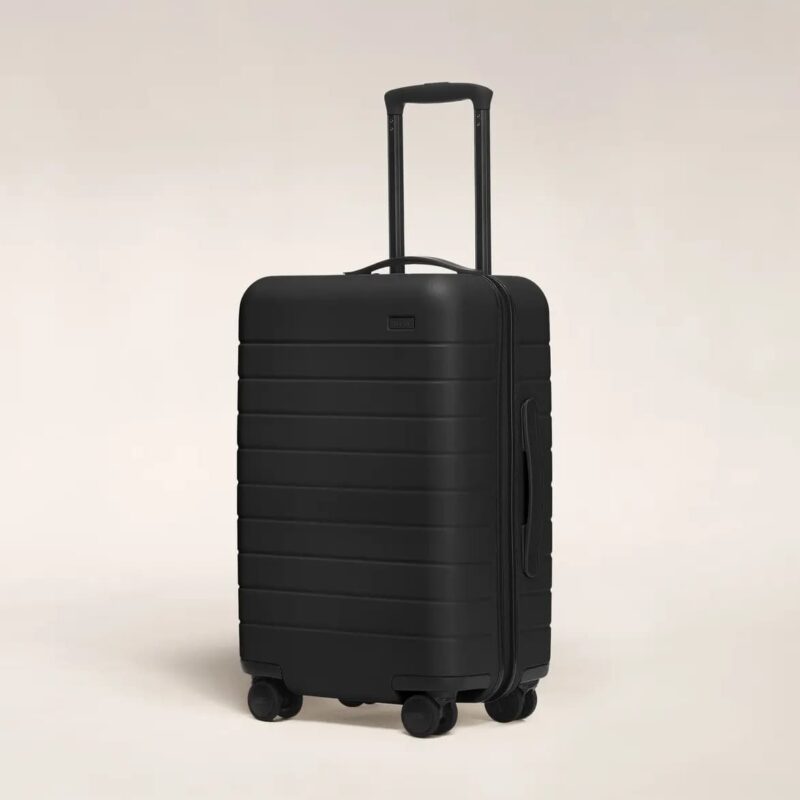
Away The Carry-On: Best Carry-On Overall

Away The Carry-On

Away built their reputation on this bag and it still earns it.

The Away Carry-On is a high-performance hardshell suitcase constructed from a dense, injection-molded polycarbonate. This material provides a high strength-to-weight ratio, ensuring the internal contents remain protected against the physical impacts common in transit.

Internally, the bag features a dual-compartment system. One side is secured by a zippered mesh divider, while the other utilizes a compression pad with adjustable straps to maximize volume for apparel. This configuration is particularly effective for organizing gear for multi-city stadium tours.

It has smooth spinner wheels that work equally well on carpet and cobblestone, a 3-stop telescopic handle, a compression system that actually gives you more space, a dual-compartment system, and a built-in TSA lock. Meets international airline carry-on restrictions at base dimensions.

Best for: Most World Cup travelers, single and multi-city trips

2

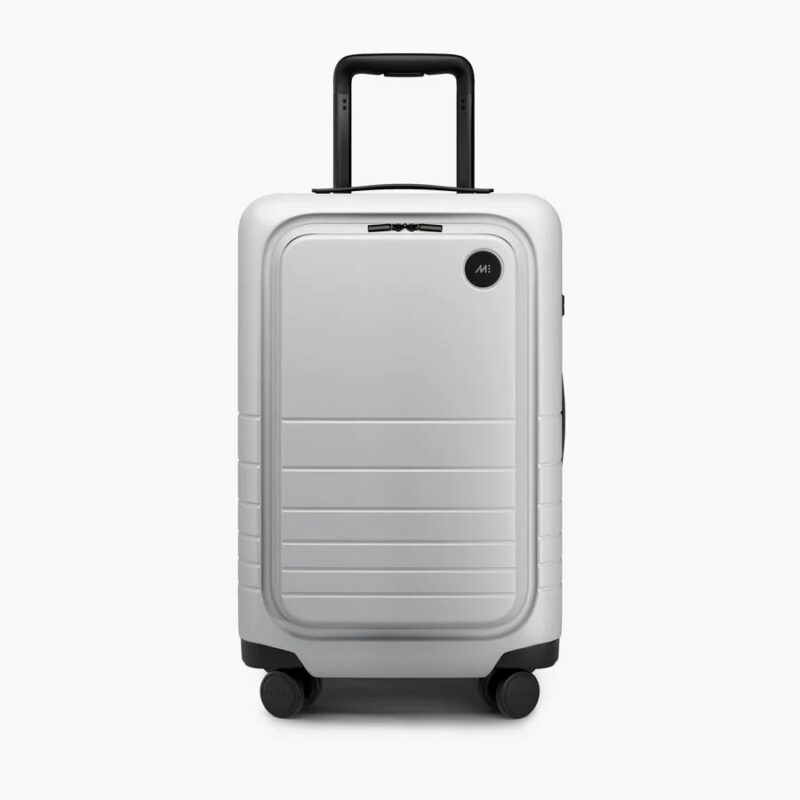
Monos Carry-On Pro: Best Carry-On for Multi-City Travel

Monos Carry-on Pro

Monos competes directly with Away on quality and beats it on one specific feature: organization. Dedicated laptop sleeve, front-zip document pocket, antimicrobial lining, magnetic spinner wheels, and a compression system that makes repacking between cities fast.

While the front pocket adds significant utility, it does displace a small amount of internal volume compared to the standard model. The telescoping handle is reinforced with high-grade aluminum and features four height settings for ergonomic adjustment.

When you’re back in a Houston hotel at midnight before a 6am flight to Dallas, the interior earns its price. Slightly more prone to exterior scuffing than Away – grab a luggage cover if that matters to you.

Best for: Fans moving between 3+ cities, following their national team

3

Samsonite Freeform Carry-On: Best Budget Carry-On

Samsonite Freeform Carry-on Spinner

Samsonite has been making dependable luggage for decades. The Freeform doesn’t have the aesthetic appeal of Away or Monos, but it has a polycarbonate hardshell, 360-degree spinners, and interior organization that punches above its price.

Besides the price tag, Samsonite Freeform Carry-On is an ultra-lightweight luggage solution engineered from high-strength polypropylene. This material choice allows the suitcase to remain exceptionally light, weighing approximately 6.5 lbs.

For fans who need a reliable bag without spending $300, this gets the job done for the full tournament without drama.

Best for: First-time tournament travelers, budget-conscious fans

4

Briggs & Riley Baseline Carry-On: Best Luxury Carry-On

Briggs & Riley Baseline Global 21

Briggs & Riley’s claim to fame is their unconditional lifetime guarantee – they fix or replace the bag, no questions asked, even if an airline damages it. The engineering is legitimate! The patented CX compression-expansion system increases packing capacity for about 25% without adding bulk.

A key structural differentiator is the “Outsider” handle system, which mounts the telescoping rails on the exterior of the bag. This creates a completely flat interior packing surface, preventing the “ribbed” floor found in most luggage and reducing garment wrinkling.

While the bag’s 10 lb base weight is higher than hardshell competitors, its reinforced corner guards, self-repairing YKK zippers, and shock-absorbing spinner wheels provide a level of structural longevity backed by a lifetime functional guarantee.

If you travel several times per year and want luggage you buy once, this is the investment.

Best for: Frequent travelers who want lifetime performance

5

July Carry-On Light: Best Lightweight Option

July Carry-On Light

Many international carriers enforce carry-on weight limits of 7-10kg. At just over 4 pounds, roughly half the weight of most hardshell carry-ons, the July Carry-On Light gives you the maximum packing weight within any airline’s limit.

While the shell is engineered to be crush-proof, its thin-walled construction means it offers less impact absorption for fragile internal items compared to denser polycarbonate bags.

If you’re flying into Canada or Mexico on a non-US carrier, every pound your bag weighs is a pound you can’t pack. The trade-off is volume: at 32 liters it holds less than deeper bags. Pack efficiently and it covers 5-7 days without checked fees.

Best for: Fans on international flights with strict weight limits

Other Luggage & Accessories

1

Travelpro Platinum Elite 29″: Best Checked Bag

Travelpro Platinum Elite Large Check-in Spinner

If your World Cup trip involves cold-weather Vancouver and hot-weather Miami in the same journey, you’re packing for temperature ranges that don’t fit in a carry-on. The Travelpro Platinum Elite 29″ is the most consistently recommended checked bag.

Self-aligning spinner wheels, organized interior with multiple compartments, soft-sided construction that gives slightly at the edges for overpacking, and a durability record that holds up across hard travel. At 29″, it fits an extended trip’s worth of gear without requiring checked bag gymnastics.

Best for: Fans traveling to multiple climate zones, families, extended stays

2

Away The Everywhere Bag: Best Personal Item

Away The Everywhere Bag

Many airlines allow one carry-on plus one personal item (bag that fits under the seat). The Away Everywhere Bag is the best personal item for World Cup travel – it’s a structured 27L tote that collapses flat for under-seat storage, has a back sleeve that slides over suitcase handles, and works as a day bag for exploring the city between matches.

Critically, it’s not a clear bag, so don’t try to bring it into the stadium. This is your city bag. Your clear stadium bag handles match day.

Best for: Fans who want stadium-to-hotel carry in one bag

3

Away Clear Stadium Bag: Best Stadium Bag

Away Stadium Bag

This is an essential accessory for the 2026 World Cup because it is specifically designed to meet the strict security protocols of FIFA and North American stadiums while offering a level of durability most clear bags lack.

Most stadium bags are made of cheap, thin PVC that tends to cloud or crack in extreme heat. Away uses 100% polycarbonate for this bag, the same high-grade material used in their full-sized suitcases. The bag also comes with a removable and adjustable crossbody strap.

4

Peak Design Packing Cubes: Best Packing Cubes

Peak Design Packing Cubes

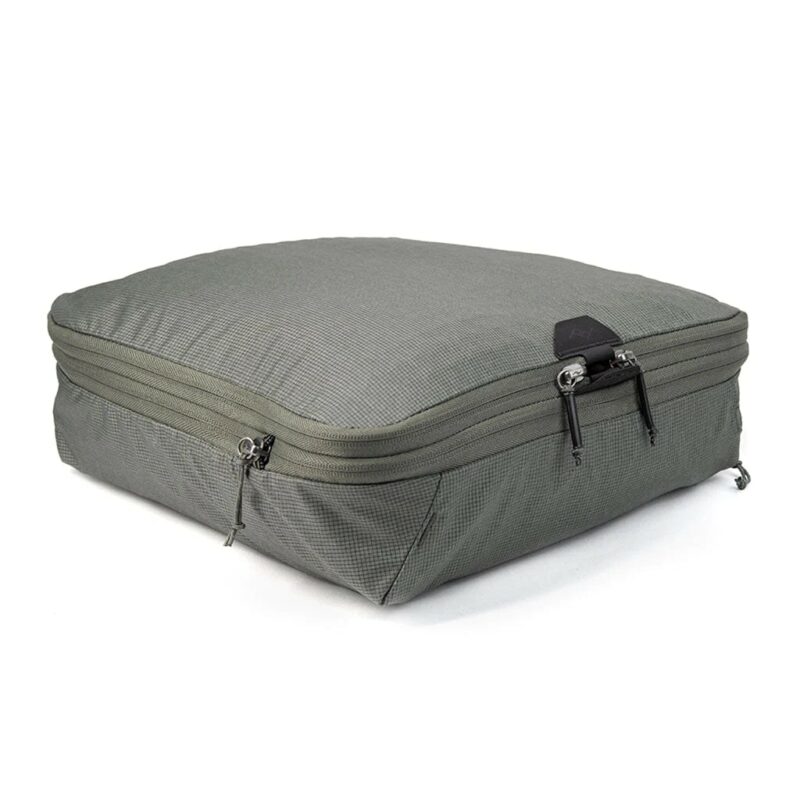
What sets these apart is their unique ultra-fast tear-away opening. Instead of fumbling with standard zippers when you’re in a hurry to catch a train to the next stadium, you simply pull the tab and the cube pops open instantly. This is a massive advantage when navigating the tight schedules of a 48-team tournament spread across three countries.

They feature a dedicated internal divider that separates clean and dirty clothes. As the tournament progresses, you can shift your used jerseys into the “dirty” side, which expands as the “clean” side shrinks. The secondary compression zipper can reduce the volume of your clothes by nearly 50%. This is essential if you plan to pack for multiple climates.

They are available in Small (9L), Medium (18L), and Large (30L) sizes, allowing you to modularize your luggage perfectly for the 2026 World Cup journey.

Best for: Travelers who appreciate organization, efficiency and versatility

5

REI Co-op Stuff Travel Pack 18L: Best Packable Daypack

REI Co-op Stuff Travel Pack

This amazing packable daypack serves as a “backup” bag that solves the specific logistical challenges of a multi-city tournament. This pack weighs only 6 ounces and folds into its own internal pocket the size of a sandwich. You can keep it tucked away in your main carry-on until the final match, then deploy it as a second bag for the flight home.’

While it is not transparent (meaning it likely won’t pass the “clear bag” rule for entering the stadium seats), it is perfect for the Fan Zones and watch parties where bag rules are often more relaxed. Also worth mentioning that the material has a water repellent finish (DWR). Something worth considering for the trip.

Best for: Minimalist day-trippers and souvenir hunters

Hardside vs Softside: What’s Right for World Cup Travel

The etermal dillema – hardside vs. softside. Here are some key points to help you pick one:

Choose hardside if:

  • You’re checking bags and want impact protection
  • You’re crossing multiple borders (easier to repack under inspection)
  • You’re carrying fragile items (electronics, souvenirs)
  • You want a TSA lock built in

Choose softside if:

  • You’re always carrying on and need flexibility to squeeze into overhead bins
  • You’re packing for one climate and don’t need weather protection
  • You want exterior pockets for quick access on the move
  • Weight is your primary concern

For most World Cup travelers: Hardside carry-on. The combination of international border durability, TSA lock, and impact protection outweighs the softside flexibility benefits for this specific type of travel.

Carry-On Size: What You Need to Know for World Cup Travel

The US standard carry-on limit is 22″ x 14″ x 9″ including wheels and handles. This matters: many brands list “body dimensions” that exclude the 1–2 inches added by wheel housings. A bag marketed as “21 inches” with 2-inch wheels is actually 23 inches – and that fails the sizer at strict airports. If you are still uncertain, read the Ultimate Carry-On Luggage Size Guide.

Brands with reliably accurate overall dimensions: Travelpro, Briggs & Riley, Away, Monos.

International airline restrictions are often smaller – 21″ x 15″ x 9″ or stricter. If any leg of your World Cup trip involves Air Canada, Aeromexico, or any European carrier for international connections, buy a bag that meets the stricter international standard at its base (non-expanded) dimensions.

Never expand your carry-on before boarding! Expansion zippers push most “carry-on” bags over the overhead bin size limit. Expand at the hotel for repacking. Compress before heading to the airport.

Luggage Tips By Host Cities

City

Key Luggage Consideration

Miami

Hardshell handles the humidity. Hard Rock Stadium security is strict – keep your clear stadium bag accessible in your personal item, not buried in your main bag.

Houston

NRG Stadium has a retractable roof but you’re walking to it in 95°F heat. Lightest carry-on you can manage. Spinner wheels handle the flat Texas terrain well.

Dallas

AT&T Stadium is indoors but Dallas streets are car-dependent. If you’re renting a car between cities, a hard shell protects against trunk bumps better than softside.

Atlanta

Mercedes-Benz Stadium is indoor and downtown. Atlanta is a transit hub – if you’re flying in and out, carry-on only makes every connection faster.

Kansas City

One of the most comfortable packing situations on the list. Arrowhead is manageable, and the climate is moderate for June. Standard carry-on, no special considerations.

Los Angeles

Sprawling city, lots of driving or rideshare. Keep your bag compact – SoFi Stadium rideshare queues post-match are long and you’ll be standing with your bag.

San Francisco

Pack a packable rain layer regardless of forecast. Levi’s Stadium is open air and Bay Area evenings drop fast. Soft-sided bags with DWR coating handle fog and mist better.

Seattle

Rain is real even in June. Hardshell keeps contents dry. Lumen Field is a 20-minute walk from Downtown – spinner wheels on Seattle’s mild inclines beat a two-wheel roller.

New York/NJ

MetLife is in New Jersey – you’re taking NJ Transit from Penn Station. Carry-on sized bags navigate Penn Station crowds far better than checked-size luggage. Keep it manageable.

Philadelphia

Lincoln Financial Field is reachable by subway. Philadelphia’s compact core is walkable. A carry-on you can move quickly through the Broad Street Line at match capacity is essential.

Boston

Gillette Stadium is 30 miles south in Foxborough with limited transit. Most fans drive or rideshare. Hardshell protects your belongings in car trunks across multiple trips.

Vancouver

Pack for rain – always. BC Place has a retractable roof so you’re dry inside, but you’re walking to and from in Pacific Northwest weather. Pack a genuine warm layer – Vancouver evenings are cool even in June.

Toronto

BMO Field is on the waterfront – Lake Ontario wind is real. Pack a light wind layer even for June matches. Toronto is walkable so spinner wheels on pavement are ideal.

Mexico City

Cobblestone streets in historic areas will destroy cheap spinner wheels within a day. Sealed-bearing spinners are non-negotiable here. Altitude is 7,350 feet – you may feel it carrying heavy bags up stairs. Pack light.

Guadalajara

More cobblestone. Same wheel quality advice as Mexico City. June heat reaches 84°F+ – lightest bag you can manage. A compact carry-on navigates the historic center streets far better than a large checked bag.

Monterrey

The most demanding luggage environment on the entire host city list. 100–113°F heat. Every pound your bag weighs is felt on every step outside. Absolute minimum carry – lightest bag, ruthlessly edited packing list. The July Carry On Light was built for exactly this scenario.

Packing For World Cup 2026

Packing For World Cup 2026

Your luggage for the World Cup 2026 is only half the equation. How you pack it determines whether multi-city travel feels manageable or chaotic. These strategies make packing and unpacking a breeze.

Packing cubes: The single most important World Cup travel upgrade. One cube per category (tops, bottoms, underwear/socks, layers). When you’re repacking at 11pm before a 6am flight, cubes mean you’re lifting and transferring blocks of clothing, not repacking individual items.

Keep your stadium bag separate: Your clear stadium bag stays accessible. Don’t bury it in your carry-on – put it in your personal item or a front pocket so you can grab it without opening your main bag.

Match day kit on top: Whoever you’re supporting, keep your match day outfit (jersey, comfortable shoes, clear bag packed) accessible. Don’t unpack your entire suitcase on match morning looking for your kit.

Leave room for the return: Every World Cup city guide recommends buying local – Jalisco tequila, Houston hot sauce, Dallas barbecue rubs. Leave 15–20% of your bag capacity on the way out. You’ll fill it on the way back.

Don’t Make These Mistakes

Buying a carry-on that’s “usually fine” but doesn’t meet international restrictions: If any leg involves a non-US airline, verify dimensions against that airline’s specific policy. “Usually fine” becomes an expensive gate-check on an international carrier.

Expanding before you board: Expansion zippers push most carry-ons over the overhead bin limit. Expand at the hotel, compress before the airport.

Ignoring wheel quality: Cheap spinner wheels that wobble or snap are unbearable across cobblestone streets in Guadalajara or the marble floors of Mexico City’s airport. Spend the extra $50 on sealed-bearing wheels. You’ll feel the difference within an hour.

Packing for worst-case weather in every city: If you’re going from Miami to Vancouver, you’ll need layers for Vancouver. But you don’t need your full Vancouver kit in Miami. Ship, buy, or wear bulky items – don’t haul them between cities unnecessarily.

Checking a bag when you could carry on: Every checked bag is 20–30 minutes of waiting at the baggage claim, an additional cost per flight, and a potential lost bag risk. For most World Cup itineraries, a quality carry-on handles the trip. The mobility advantage of carry-on travel at a major international tournament is significant.

Forgetting packing cubes: Multi-city travel without packing cubes is chaos. Multi-city travel with packing cubes is manageable. They cost $20–40 and change everything.

Conclusion

In this year’s World Cup, you’re going to move through airports, cities, border crossings, and stadium crowds for weeks. The best luggage makes travel seamless. The wrong one reminds you every hour – at the gate, on the cobblestones, in the taxi queue after a match at midnight.

The World Cup rewards movement. Get a bag that moves with you.

Read More:

FIFA World Cup 2026 Packing List

What to Wear to a World Cup Game

Best Carry-On Luggage for World Cup 2026 FAQ

Can I use a carry-on for the whole World Cup trip?

For most travelers attending matches in one or two cities over 5–10 days, yes. For fans following their national team across 3+ cities over 2+ weeks, a checked bag adds meaningful flexibility – but a well-packed carry-on with packing cubes handles more than you’d expect.

What size carry-on is safe for all World Cup flights?

Aim for dimensions of 21″ x 15″ x 9″ or smaller including wheels and handles. This meets the strictest international carrier requirements. The Away, Monos, and Briggs & Riley all meet this standard.

Do I need a TSA lock?

Yes – specifically if you’re checking bags. TSA and equivalent authorities in Canada and Mexico can open TSA-approved locks without damaging them. Non-TSA locks will be cut. All the bags in this guide include TSA-approved locks.

Hardside or softside for checked baggage?

Hardshell offers better impact protection for checked bags. Soft shell offers slightly more flexibility and typically exterior pockets. For World Cup travel involving multiple climate zones and border crossings, hard shell is the safer choice.

About the Author

Nick Reed

As a Manchester City fan, he made it his mission to catch matches at legendary stadiums from Camp Nou to the Etihad. But Nick’s travels go beyond football. He’s explored 20+ countries across Europe, Africa, and the Caribbean, always chasing authentic experiences over tourist traps. Nick lives by a simple rule: the best stories come from saying yes to the unexpected. And TravelFreak is his biggest yes yet.

More Articles »


Source link