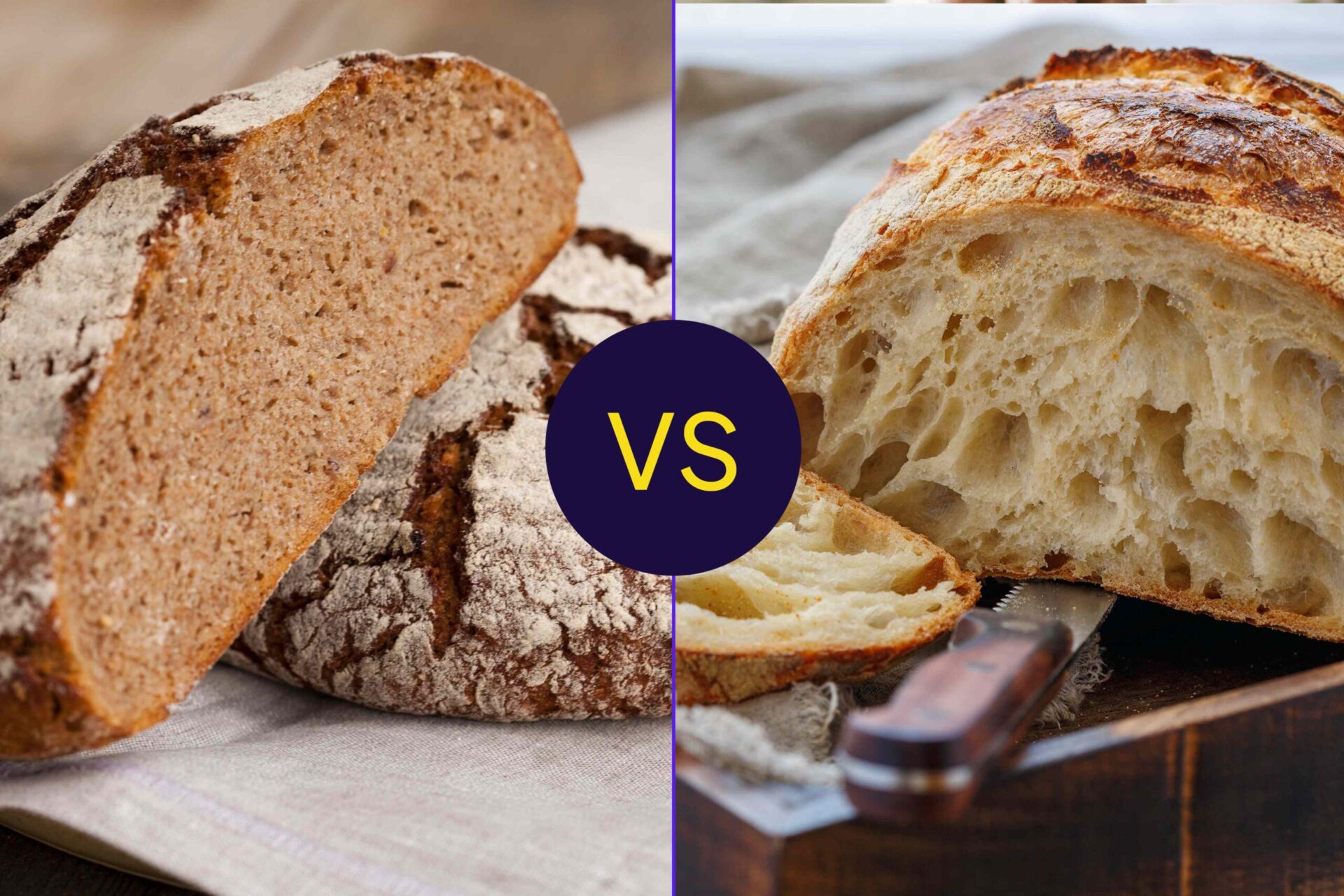
Rye Bread vs. Sourdough: Which Is Better for Heart Health, Digestion, and Blood Sugar?


Medically reviewed by Elizabeth Barnes, RDN

Rye's fiber content and sourdough's fermentation process are responsible for their respective benefits.Credit: Design by Health; Getty Images
Rye's fiber content and sourdough's fermentation process are responsible for their respective benefits.
Credit: Design by Health; Getty Images
  • Rye bread can be a good source of fiber, which means it may be beneficial for heart health, digestion, and blood sugar.
  • While sourdough is lower in fiber, it is naturally fermented, which could benefit gut health and improve nutrient absorption.
  • Regardless of the type of bread you choose, whole-grain versions can help you get more fiber and nutrients.

Rye bread and sourdough are both popular choices for snacking or sandwiches. But when it comes to nutrition, rye bread may have a leg up—when it's made from whole-grain rye, it can pack a punch of fiber that benefits heart health, digestion, and blood sugar. Still, sourdough's beneficial bacteria make it a smart choice for your gut health, too.

Which Bread Slice Is Best for Heart Health?

Any style of bread, as long as it's made with whole-wheat or another whole grain, can be part of a heart-healthy diet. However, rye bread has a slight nutritional edge for heart health—that's because it contains more fiber than sourdough:

  • Sourdough: 1 gram of fiber per slice (28 grams)
  • Rye bread: 1.86 grams of fiber per slice (32 grams)

High-fiber foods help you feel full longer, which can reduce overall caloric intake and help you manage your weight. Among other health benefits, maintaining a healthy weight puts less stress on your heart and lowers your risk of heart disease.

Plus, rye bread doesn't just have more fiber—it also contains a wider variety of different fiber types. Unlike wheat, rye has a significant amount of beta-glucan, a type of soluble fiber linked to lower levels of "bad" low-density lipoprotein (LDL) cholesterol. Healthy cholesterol levels can decrease your risk of developing heart disease, stroke, and other heart health concerns.

Rye bread also contains more potassium than most white or whole-wheat sourdough breads. Potassium helps counteract the effects of sodium in the body, helping lower blood pressure and easing strain on the heart.

Is Rye Bread or Sourdough Better for Blood Sugar?

Both rye bread and whole-wheat sourdough fall in a similar range on the glycemic index (GI) scale, which measures how quickly a food raises blood sugar after you eat. They're both generally considered low-to-medium GI foods, and they lead to a less substantial rise in blood sugar than white bread does.

Though the two have similar GI scores, they affect blood sugar for different reason:

  • Rye bread and fiber: Rye bread is a good source of fiber, a nutrient that has been associated with healthier blood sugar levels. Specifically, the small amounts of soluble fiber in rye bread may help slow down digestion, reducing sharp spikes in blood sugar. Rye bread has also been linked to improvements in insulin levels, which is key for people with diabetes.
  • Sourdough and fermentation: The special yeast and bacteria fermentation used to make sourdough may improve the bread's impact on blood sugar. Though results vary based on flour type, baking process, and other factors, the sourdough fermentation process generally raises bread's resistant starch content. Resistant starch can lower a food's impact on blood sugar levels.

If you are managing blood sugar, consider pairing bread with lean protein or healthy fats to reduce rapid increases in blood sugar.

Both Types of Bread Can Support Healthy Digestion

Rye bread and sourdough can both support digestive health, but which is best depends on your dietary needs and tolerances.

If you need more fiber to promote regular bowel movements, whole-grain rye bread may be the better choice. Rye contains both soluble fiber, which supports overall gut health, as well as insoluble fiber, which adds bulk to stool and prevents constipation. Research has also shown that consumption of high-fiber rye foods is associated with a healthier gut microbiome (the collection of microorganisms that live in your gastrointestinal tract).

Sourdough offers its own distinct digestive advantages. The bread is made by fermenting yeast and bacteria—this process breaks down phytic acid, a compound that can block absorption of minerals, such as iron, calcium, and zinc. By reducing phytic acid, sourdough may boost your body's ability to absorb nutrients.

On top of that, sourdough may be easier to digest for some people. The fermentation process reduces gluten, which may make sourdough more tolerable for people with minor gluten sensitivities. Additionally, sourdough contains fewer FODMAPs, a group of carbohydrates that can cause stomach pain and other symptoms for people with irritable bowel syndrome (IBS).

Which One Is Best for You?

Rye bread has a slight edge over sourdough when it comes to vitamin and mineral density, plus it has more fiber. That may make it a healthier choice for some people.

But it's important to remember that bread's nutritional quality largely depends on the type of flour used. Whole wheat sourdough is much better for you than refined, white flour versions. The same goes for rye bread—it only lives up to its status as a high-fiber food if you're consuming whole-grain varieties made from dark rye or pumpernickel flour. Light or medium rye flour is not considered a whole grain.

In addition to choosing whole-grain versions, rye and sourdough bread can be part of a healthy diet. That's especially true if you:

  • Watch portion sizes: A typical serving for rye and sourdough is technically one slice of bread. Eating large servings of any bread can add extra calories to your diet, potentially undermining weight management goals.
  • Pair bread with other nutritious foods: Eat bread alongside protein, healthy fats, or vegetables to create a balanced meal or snack. These combinations can help you feel full longer and support more stable blood sugar.




Source link

Leave a Reply

Subscribe to Our Newsletter

Get our latest articles delivered straight to your inbox. No spam, we promise.

Recent Reviews


Comparing the columns in Excel is a powerful way for analysing and understanding data and can help us in identifying the patterns and trends that we may not be able to find out through manual inspection. Using Excel formulas and techniques we can quickly and easily compare columns and gain insights that can help us in making better decisions. There are several ways to compare two columns in Excel. By using formulas like IF, COUNTIF, INDEX/MATCH and VLOOKUP. But before we compare we need to understand the type of data you are working with, like whether it is a numeric, text or date/time data. This will help you to choose the suitable tool or technique to compare it. For example if you are working with text data, you can use the IF function to compare and find the matching and non-matching entries. If you are working with numeric data, you may use a function like COUNTIF function to count the number of matching entries.

Methods to compare two columns in excel:

1. Using Equal operator

One of the simplest ways to compare values in two columns in Excel is using an equal operator. Let us understand how we can compare two columns using equal operators with an example.

  • First select a cell where you want to write the result
  • Then type “=” sign
  • Select the value in the first column which you want to compare then write “=” and select the value in another column and 
  • Hit the enter button


Want to gain knowledge in Excel? Then visit here to learn Excel Training!

Excel Training

  • Master Your Craft
  • Lifetime LMS & Faculty Access
  • 24/7 online expert support
  • Real-world & Project Based Learning

2. Using Conditional formatting:

a) Comparing two columns to highlight the duplicate values in the columns:

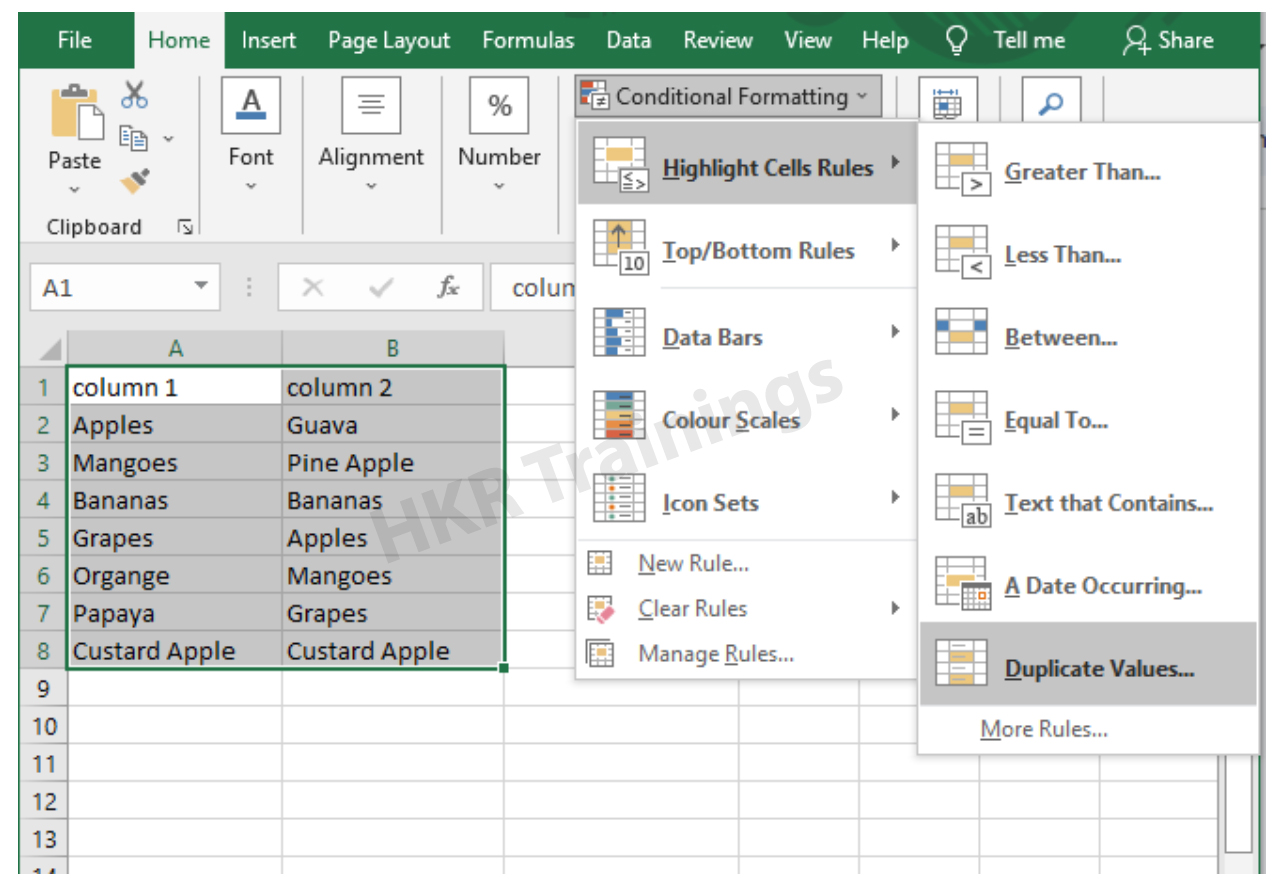
It is a feature in Excel that will highlight cells in one column that match/do not match with another column. To highlight the cells that have same values follow the below steps:

1. Select the two columns you want to compare.

2. Then go to the home tab and select the conditional formatting option.

3. Select the option Highlight cells Rules, then click on duplicate values option


4. Duplicate values dialogue box appears on the screen. Select an option from the dialogue box how the duplicate values must look like. In this Example I have chosen Green fill with dark green text. You can choose any option you like and click ok.

5. Then the duplicate text will be highlighted with green colour with dark green text

b) Comparing two columns to highlight the Unique values in the columns:

Now to highlight the cells that have different values follow the below steps:

  1. Select the two columns you want to compare.
  2. Then go to the home tab and select the conditional formatting option.
  3. Select the option Highlight cells Rules, then click on duplicate values option
  4. Duplicate values dialogue box appears on the screen. Select an option Unique instead of Duplicate from the dialogue box and also how the duplicate values must look like. In this Example I have chosen Light Red fill with dark Red text. You can choose any option you like and click ok.
  5. Then the unique text will be highlighted with light Red colour with dark Red text


Equal operator, Generals, compare-two-columns-in-excel-description-0, Generals, compare-two-columns-in-excel-description-0, Generals, compare-two-columns-in-excel-description-0, Equal operator, Generals, compare-two-columns-in-excel-description-0, Generals, compare-two-columns-in-excel-description-0, Equal operator, Generals, compare-two-columns-in-excel-description-0, , Generals, compare-two-columns-in-excel-description-1, Generals, compare-two-columns-in-excel-description-1, Generals, compare-two-columns-in-excel-description-1, Equal operator, Generals, compare-two-columns-in-excel-description-0, Generals, compare-two-columns-in-excel-description-0, Equal operator, Generals, compare-two-columns-in-excel-description-0, , Generals, compare-two-columns-in-excel-description-1, Generals, compare-two-columns-in-excel-description-1, Equal operator, Generals, compare-two-columns-in-excel-description-0, , Generals, compare-two-columns-in-excel-description-1, , Generals, compare-two-columns-in-excel-description-2, Generals, compare-two-columns-in-excel-description-2, Generals, compare-two-columns-in-excel-description-2

Subscribe to our YouTube channel to get new updates..!

3. Using Formulas

Excel offers a number of Formulas to compare the cells in two columns. Let us go through them one by one.

a) IF:

It allows you to compare two cells in two columns and will return the result based on the condition we provide. Let us understand how to use the IF formula to compare the values in two columns with an example.

  1. First select a cell where you want to write the result
  2. Then type “=” sign
  3. Type IF and open bracket “( and write the condition and put a comma. Then write the value to be displayed if the condition is true in inverted commas and put a comma, and then write the value to be displayed if the condition is false in inverted commas.
  4. Close the bracket “)” and hit the enter button


b) COUNTIF:

We can use this formula to compare the two columns and count the number of cells that are the same or different. Let us understand how to use the COUNTIF formula to compare the values in two columns with an example.

  1. First select a cell where you want to write the result
  2. Then type “=” sign
  3. Type COUNTIF and open bracket “(“ and select the range, put a comma and select the range from another column to compare it
  4. Close the bracket “)” and hit the enter button


Top 30 frequently asked Excel Interview Questions !

Excel Training

Weekday / Weekend Batches

c) MATCH:

We can use the match function to compare two columns and find the position of a value in one column that matches with the value in another column. Let us understand how to use the MATCH formula to compare the values in two columns with an example.

  1. First select a cell where you want to write the result
  2. Then type “=” sign
  3. Type MATCH and open bracket “(“ and select the cell which you wanted to compare, put a comma and select the range from another column to compare, put a comma and write 0 to get exact match
  4. Close the bracket “)” and hit the enter button


d) VLOOKUP:

We can use the VLOOKUP function for comparing two columns and return a value if there is a match. Let us understand how to use the VLOOKUP formula to compare the values in two columns with an example.

  1. First select a cell where you want to write the result
  2. Then type “=” sign
  3. Type VLOOKUP and open bracket “(“ and select the cell which you wanted to compare, put a comma and select the range from another column to compare, put a comma and write 2 to return the value from the second column of the range – if a match is found, put a comma and write FALSE to get exact match
  4. Close the bracket “)” and hit the enter button


Conclusion:

In this blog, We have discussed different ways to compare two columns in Excel with examples. We hope you found this information useful. For more information on Excel stay tuned.


Source link