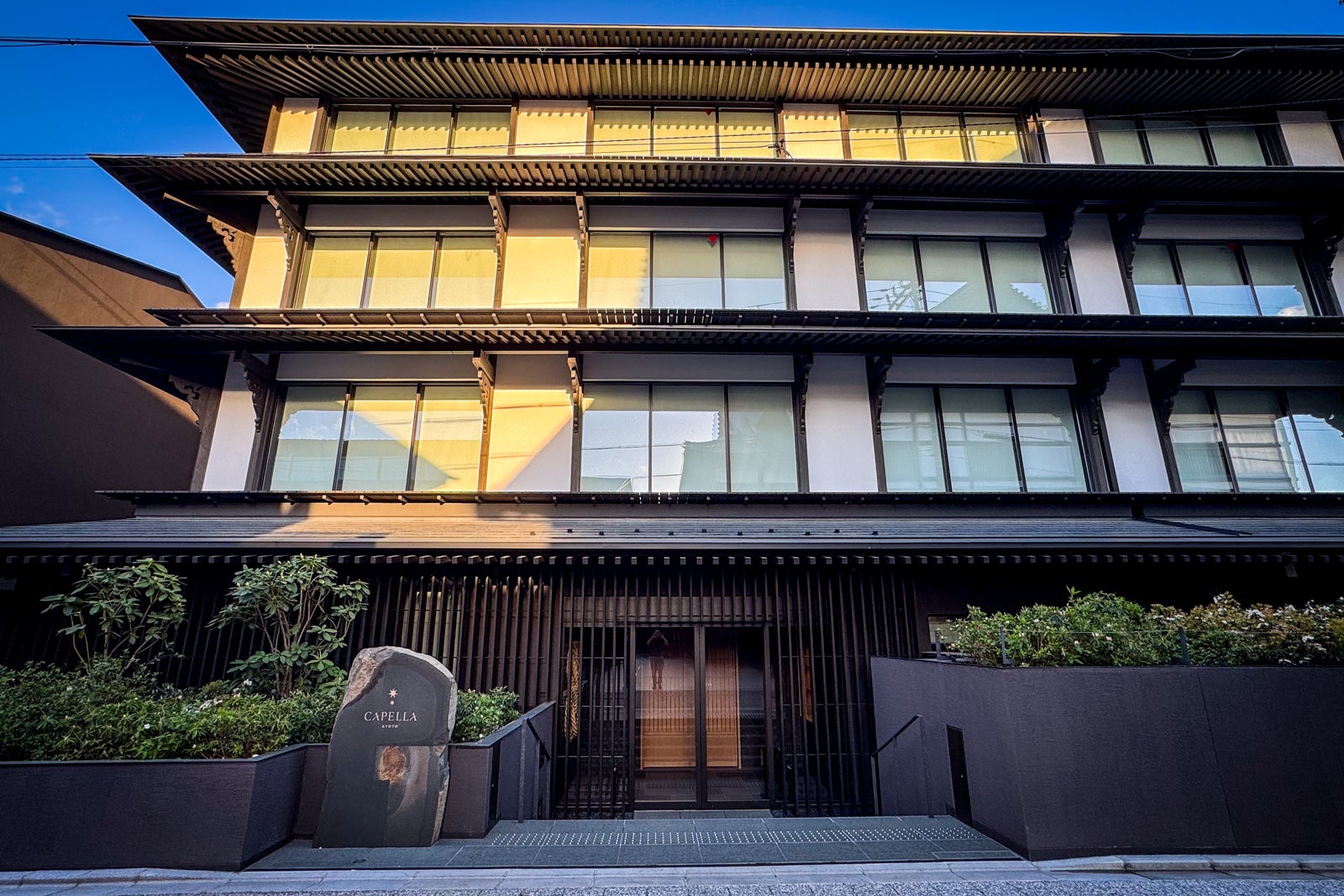
First look at the stunning, new Capella Kyoto hotel


While it has long been on travelers’ must-visit maps of Japan, the country’s ancient capital of Kyoto has been experiencing a luxury hotel boom of late, making it an even more exciting destination than ever. The most recent entrant is a stunning outpost from burgeoning luxury brand Capella Hotels and Resorts.

Welcoming guests since March 22, Capella Kyoto is the growing chain’s first property in Japan and takes up residence on the site of a former elementary school dating to 1869.
ERIC ROSEN/THE POINTS GUY

World-renowned Japanese architect Kengo Kuma (who also designed the Japan National Stadium for the Tokyo Olympics) oversaw the reincarnation, which is actually part of a three-element development on the Miyagawacho ward’s Shinmachi Street that includes the Miyagawa-cho Kaburenjo theater — long a training ground for the geisha who made Kyoto famous and where guests can now attend performances — and a new community center.

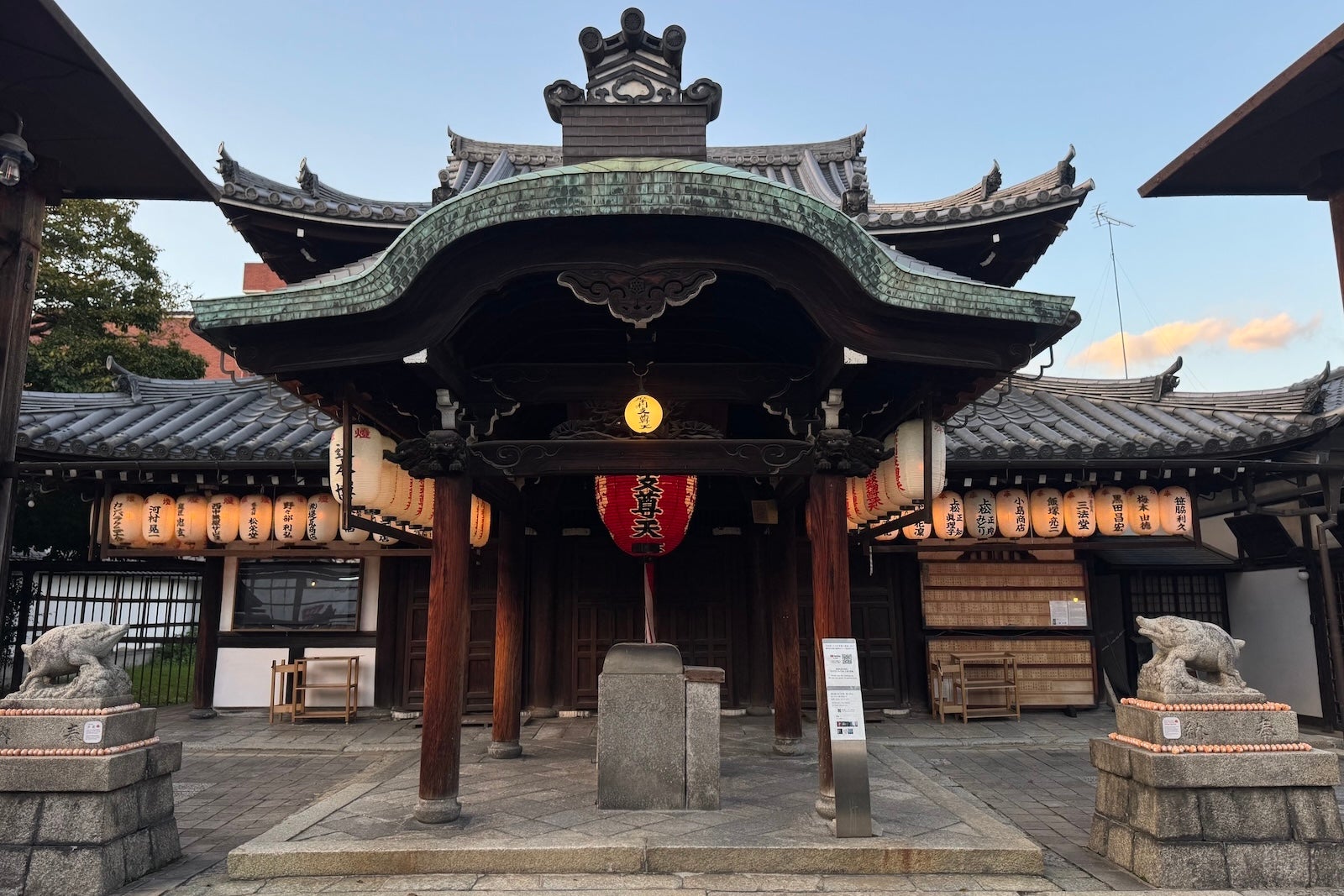
And though this is the city’s newest hotel, it sits adjacent to Kyoto’s oldest Zen Buddhist temple, Kenninji Temple, which was originally founded in 1202, and the Ebisu Shrine devoted to the seven gods of fortune.
ERIC ROSEN/THE POINTS GUY

With neighbors like that, culture can’t help but seep into every corner of the hotel, with touches both playful and reverent throughout, all curated by Singapore-based Brewin Design Office. Expect everything from traditional tasseled noren textile screens at the entrances with colors that change seasonally (during my stay, the tassels were green to reflect the coming of spring, and one had patches of fabric in a shade of blush to mirror Kyoto’s famous cherry blossoms) to both delicate and monumental works of art by contemporary Japanese craftspeople.

First impressions

Capella Kyoto was designed to embody a modern machiya, a wooden townhouse like those prevalent in the surrounding streets. The stylistic hallmarks include elegant bamboo paneling, low-slung seating vignettes in the Living Room lounge and reception area, sliding screens and lanternlike light fixtures that cast a soft glow.

Guest room corridors have shoji screen-inspired windows where gentle afternoon light filters through at magic hour. Indeed, there’s plenty to contemplate as you sip on a welcome cup of sakura-scented tea and enjoy a bite of homemade green tea mochi.


Just inside the entrance, a dramatic boulder-embellished indoor waterfall (each stone was handpicked by Kuma’s team) brings a touch of the Kansai region’s stunning nature indoors.
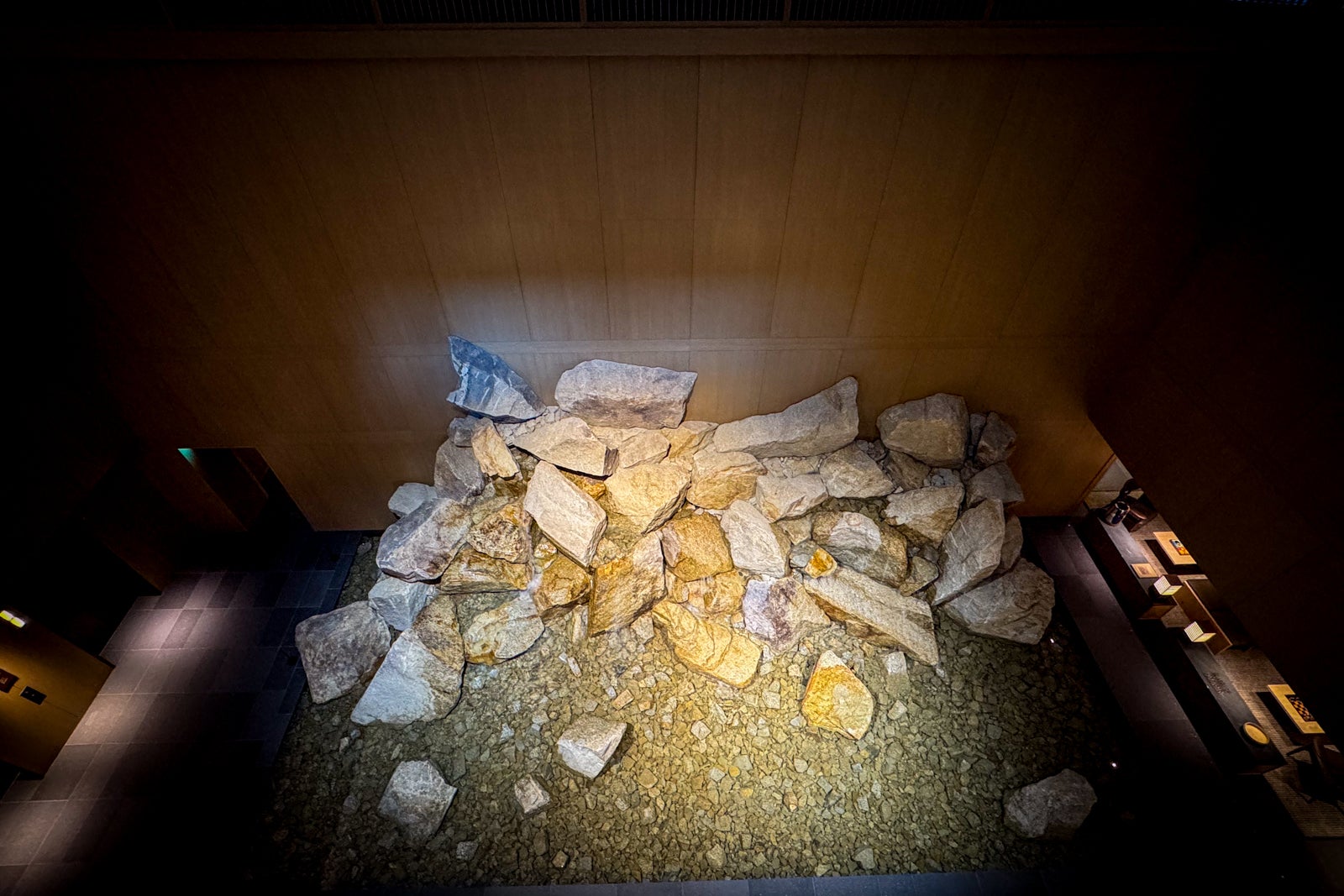
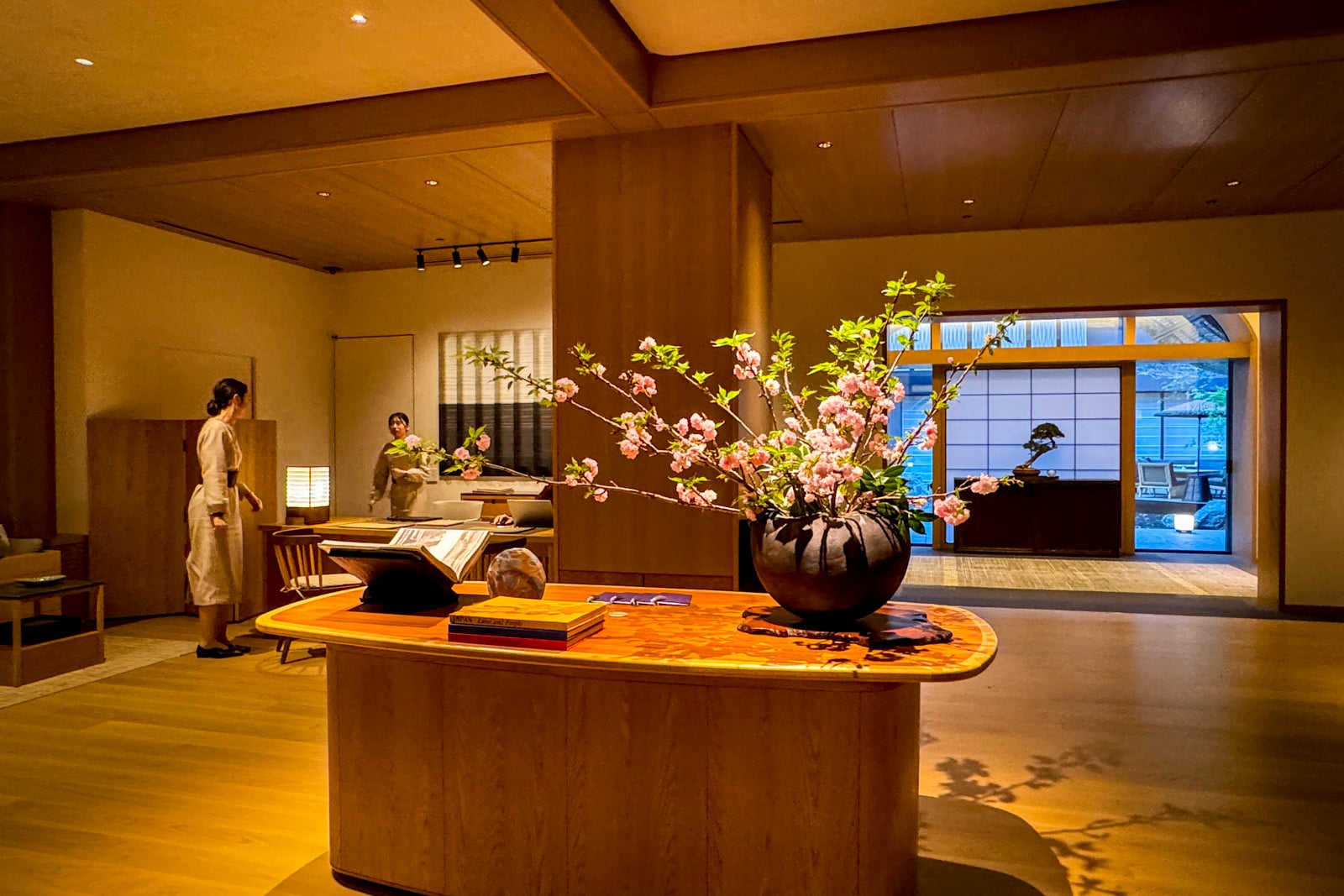
Across from it, the breathtaking central courtyard beckons with a tranquil pond, a small rock path, Japanese maple copses, a vibrant cherry tree and an alfresco terrace with a fire pit for fine dining when the weather is pleasant.

Reward your inbox with the TPG Daily newsletter

Join over 700,000 readers for breaking news, in-depth guides and exclusive deals from TPG’s experts

Every turn presents another hushed corridor leading to a focal piece of art, ranging from glossy ceramics and lacquerware to enormous installations of handwoven rice husks inspired by the symbolic shimenawa ropes hung at torii gates and Shinto temples — all are hints of the cultural treasures just waiting to be discovered out in the surrounding streets. Even the intricately designed keycards carved from fragrant sandalwood are a nod to the plethora of nearby temples.

ERIC ROSEN/THE POINTS GUY

The rooms at Capella Kyoto

Capella Kyoto has just 60 rooms and 29 suites, ranging from 540-square-foot Deluxe City rooms surveying the surrounding streets from the lower floors to the fourth-floor, 2,200-square-foot Capella Suite. Perhaps most popular are the six Onsen Suites with diminutive Zen gardens on their balconies and private ofuro-style baths filled from a special reservoir of mineral-rich water drawn from nearly 3,000 feet underground at the Hatoya Zuihokaku hot spring.

My Premier Theatre King room looked west toward the Kamo River and the Kaburenjo theater, though most of my view was taken up by a power pole. Luckily, I could lower gauzy linen sheers with the touch of a button to provide a diffuse light that practically made the dark walnut paneling, buttery gray leather surfaces and hammered brass sconces glow.

The king-size bed was dressed in softly textured Frette linens (all the better to enjoy with provided pajamas made from feather-light birch thread), but the most impressive element was the headboard made from shimmery, locally woven nishijin silk by Hosoo Textiles (founded nearby in 1688) and emblazoned with bold cloudlike kanji characters by Okinawan calligraphist Daichiro Shinjo.

I didn’t bother turning on the wall-mounted flat-screen TV during my stay. Instead, I just closed the panels to enjoy some technology-free nights — minus brewing some custom-made tea with the provided kettle in the minibar. (I was also tempted to try a dram of the spiced gin specially made for the hotel by SiCX Kyoto Distillery.)
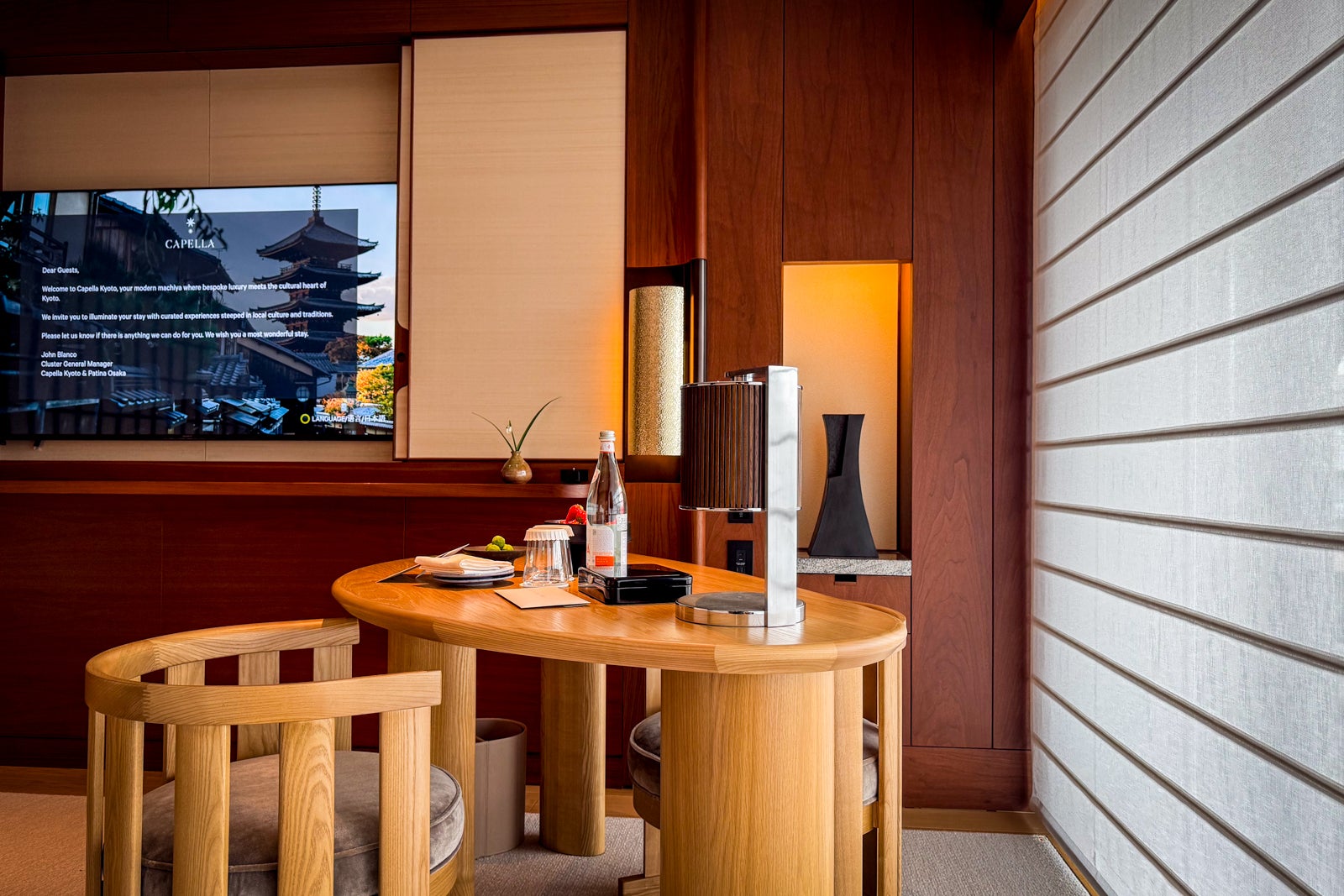
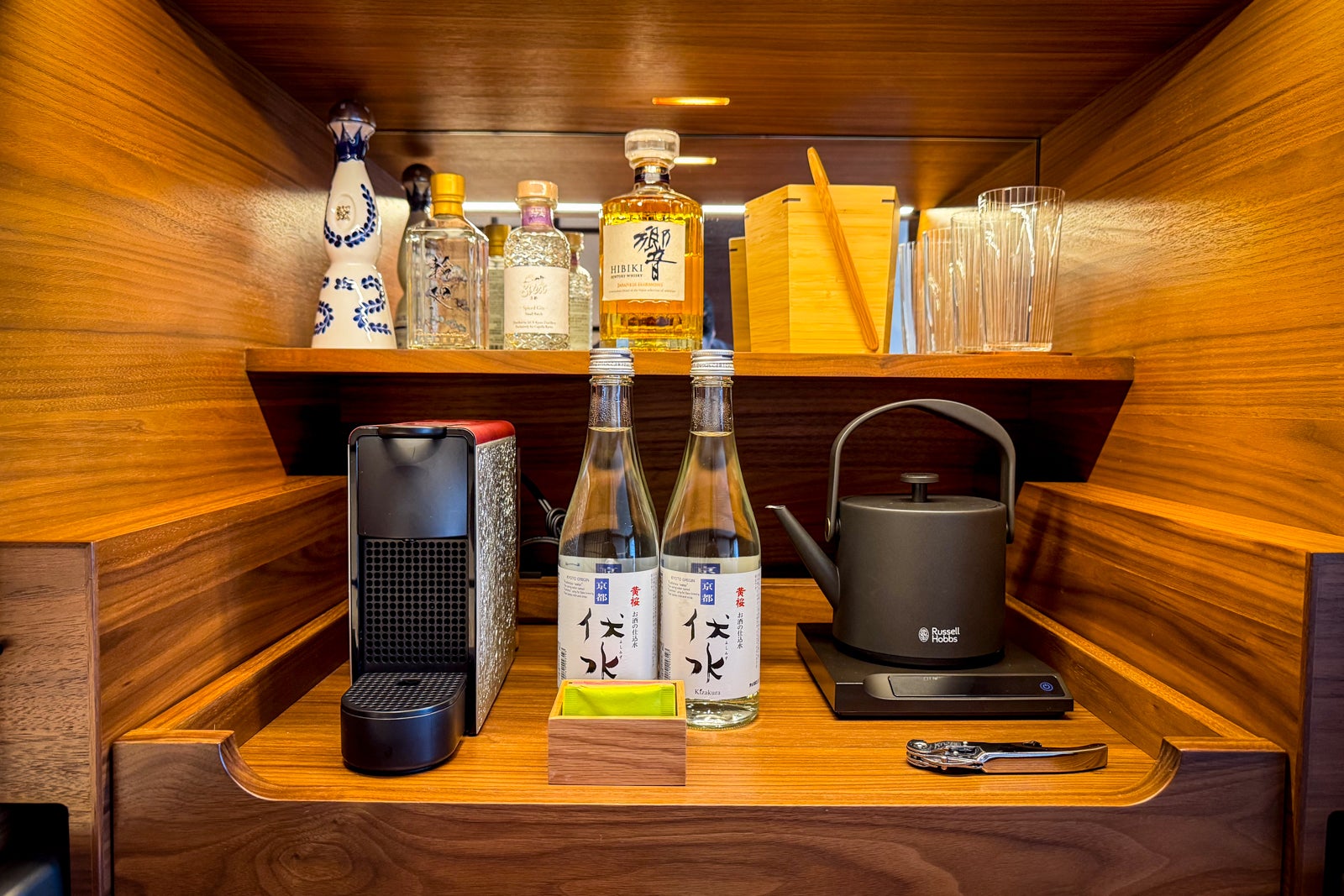
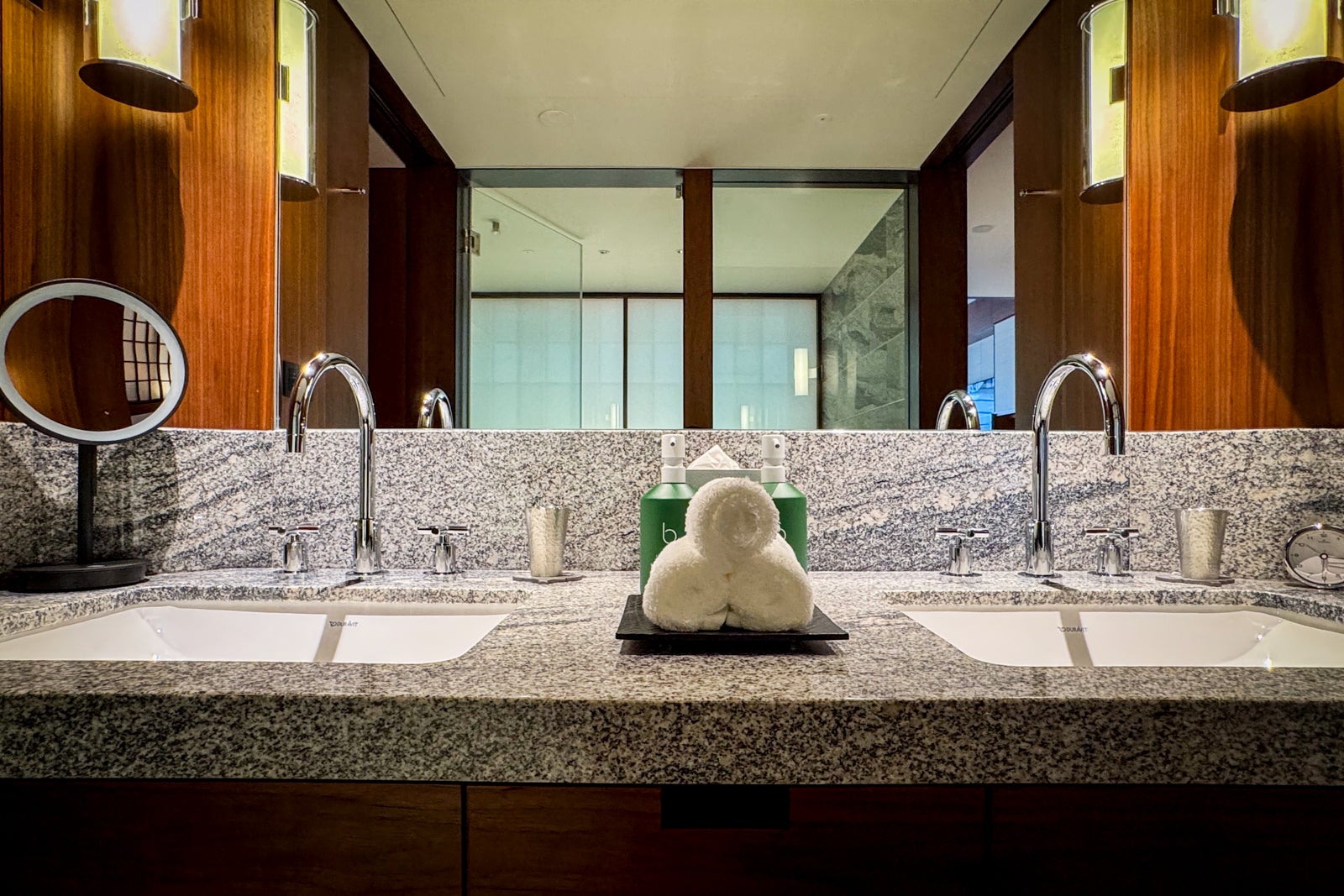
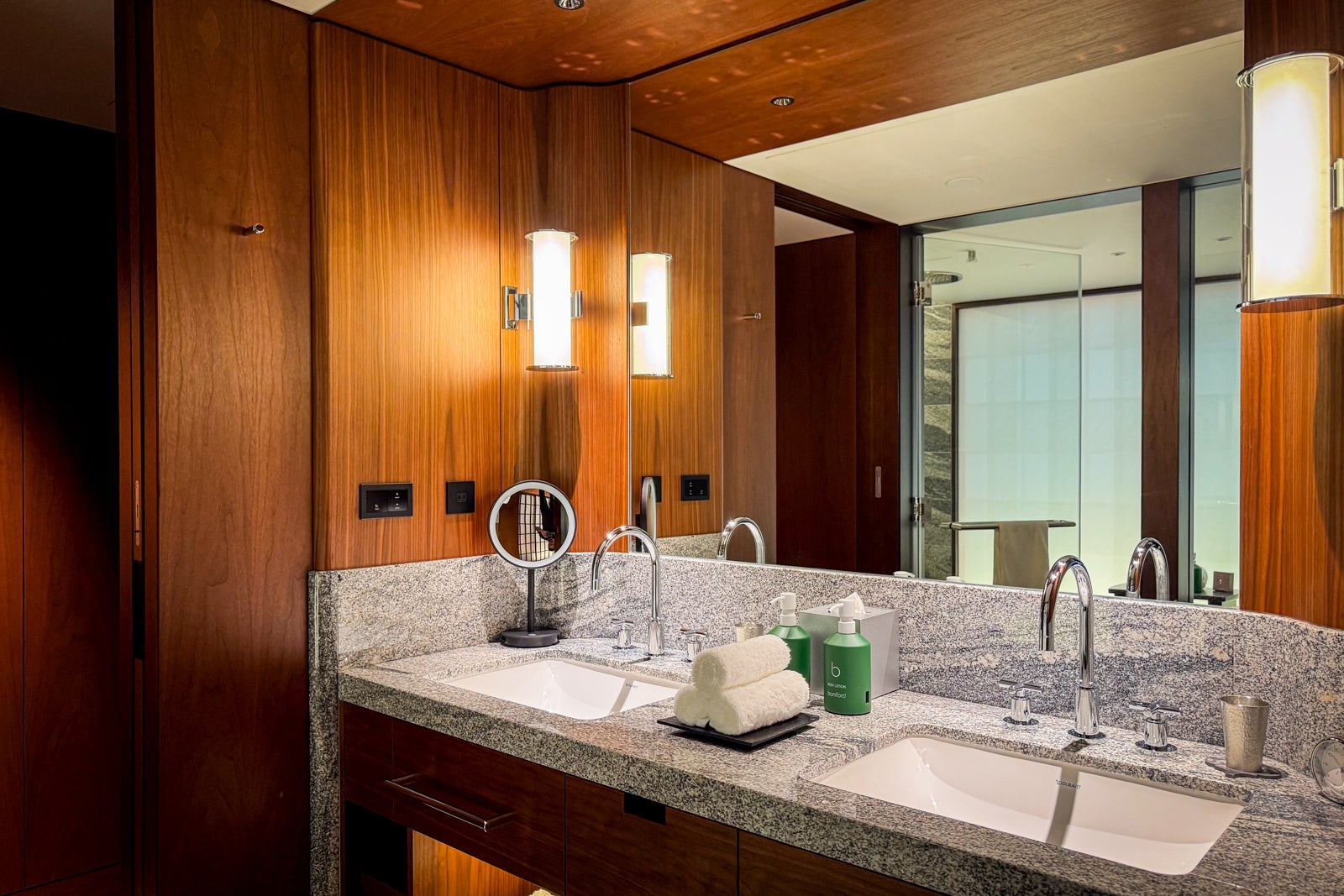
Providing a haven for relaxation after a day in the city’s tourist-clogged streets, the bathroom was paneled in wood with a glossy black-and-white speckled granite countertop and two sinks.
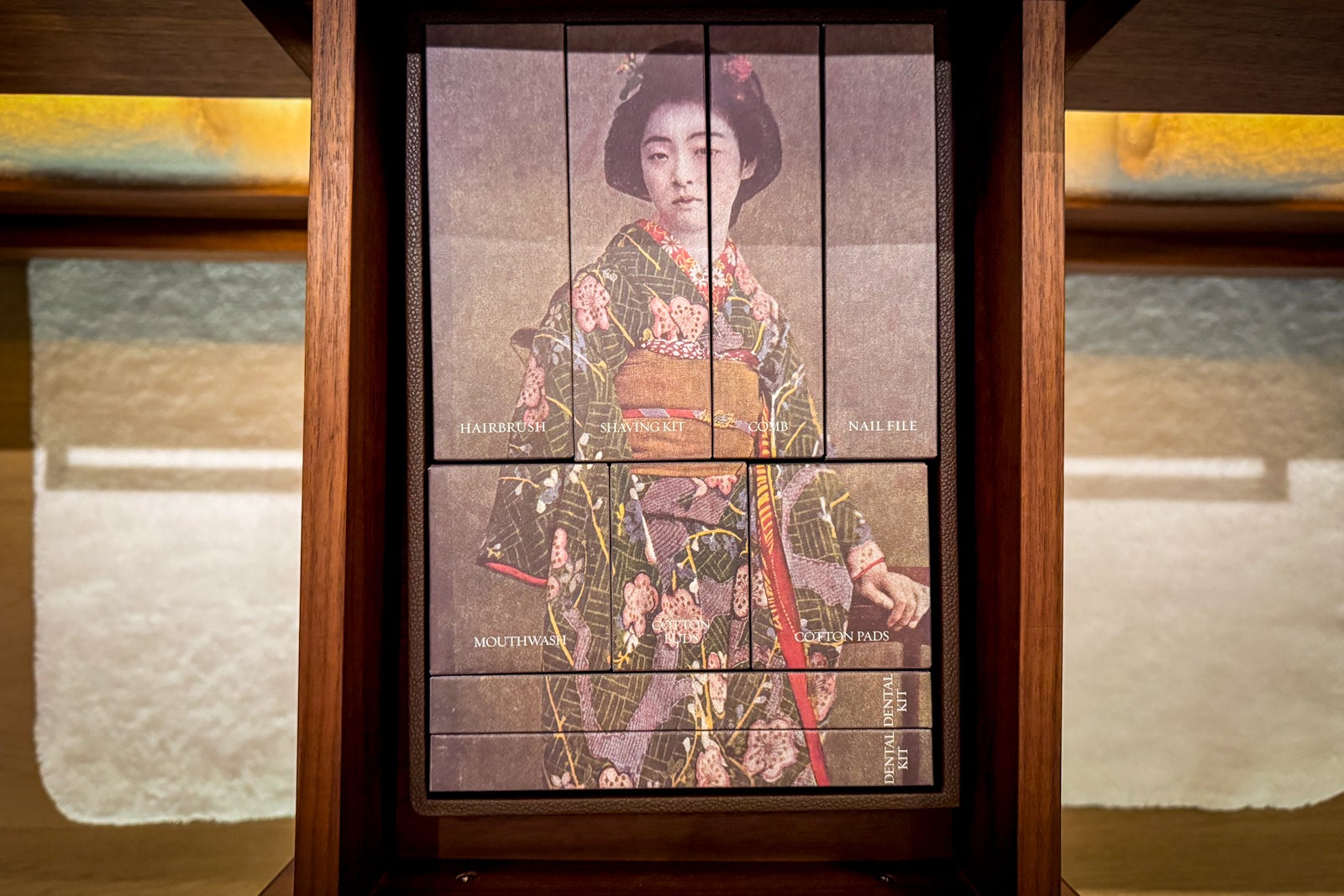
I was delighted to find little boxes of toiletries in one drawer arranged to create a colorized vintage portrait of a geisha.
ERIC ROSEN/THE POINTS GUY

The glassed-in bathing suite included a traditional hinoki onsen stool and bucket, as well as hand-held and overhead showerheads and a black ceramic tub with dipping borders so you could leave the water running and watch it stream over the edge as you soaked, letting the sakura-scented bath salts reminiscent of perfumes worn by local geiko (what geisha from Kyoto are called) seep into your skin.

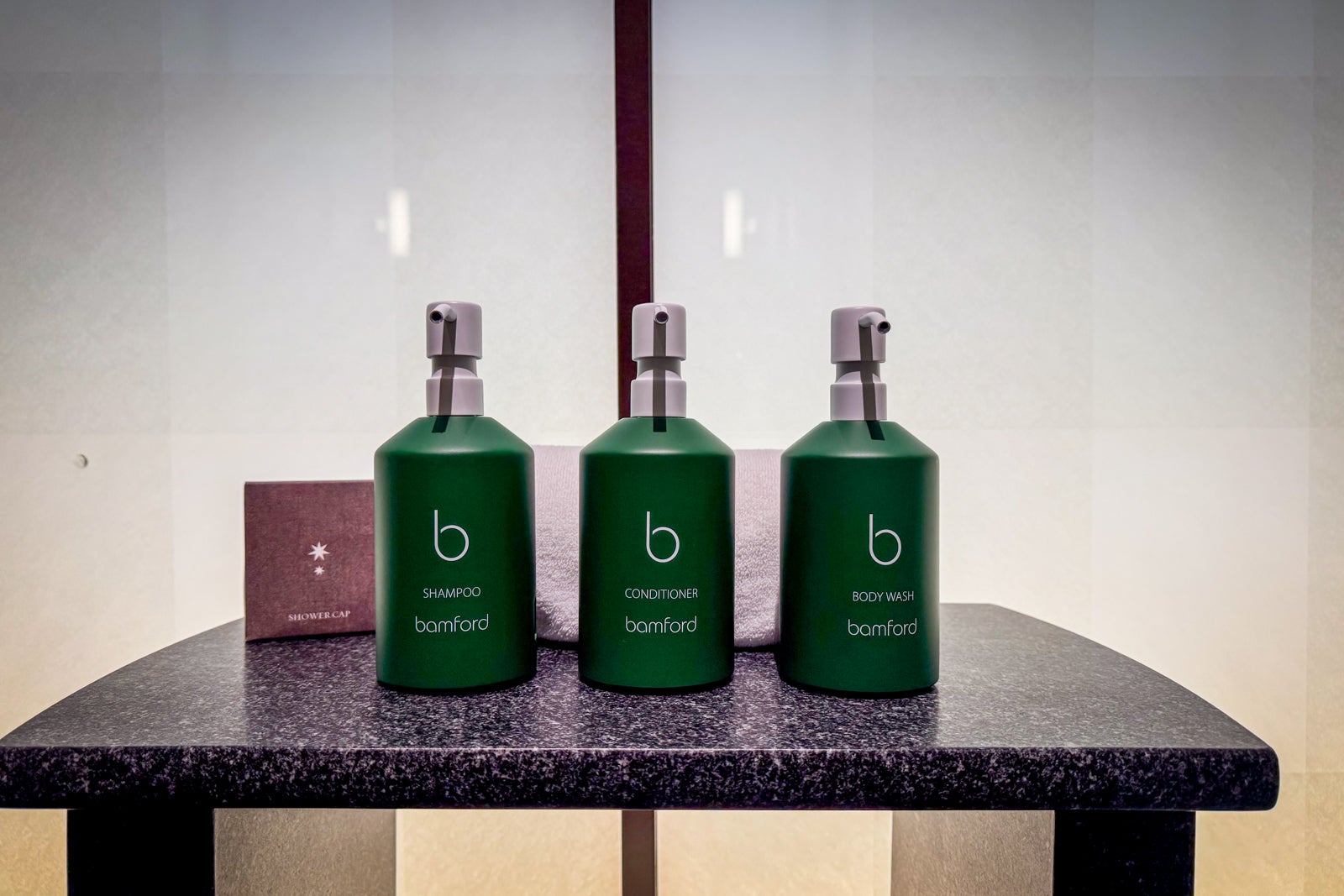
There were Bamford skin and hair amenities, too.
ERIC ROSEN/THE POINTS GUY

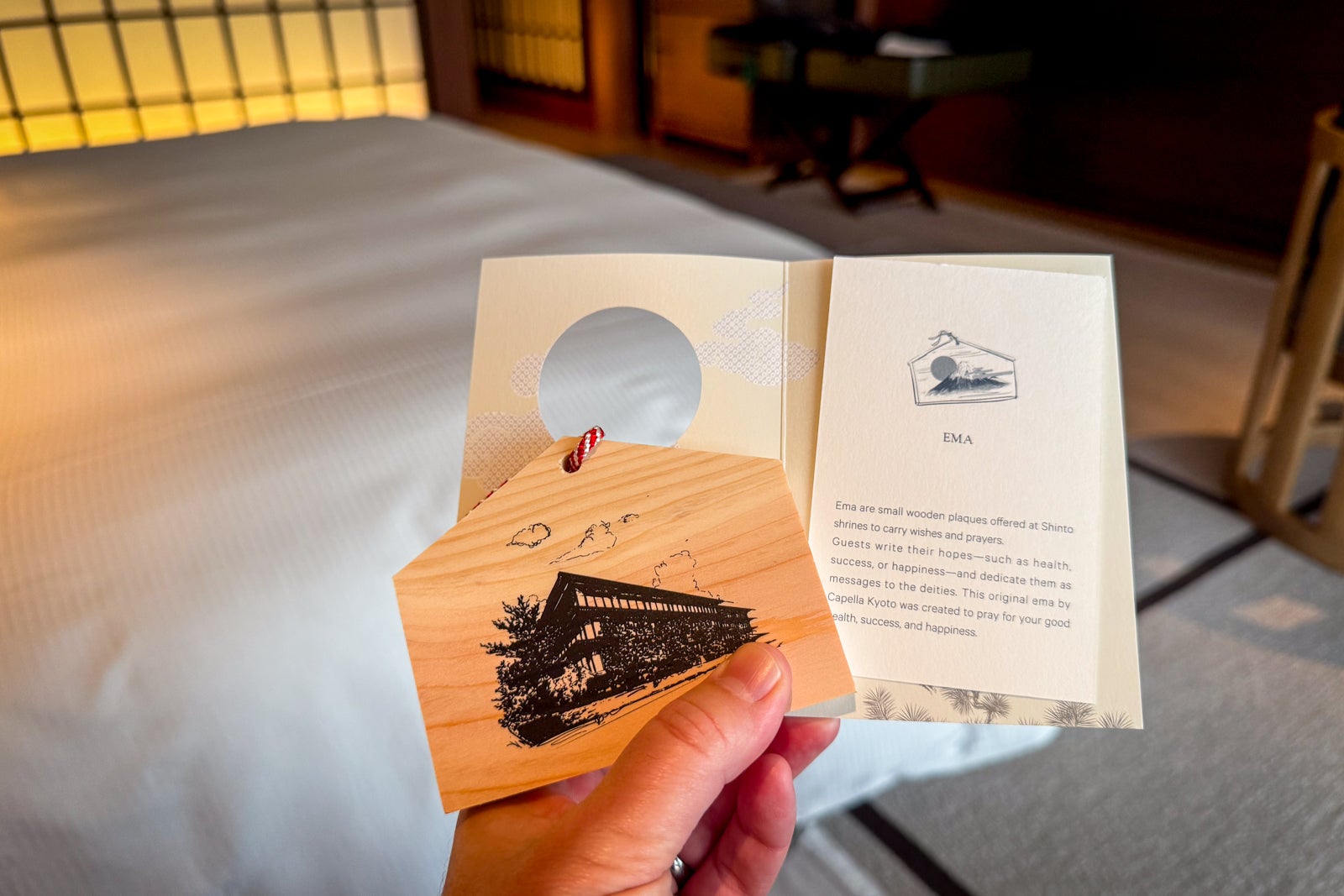
The final special touch of each day? Returning after turndown service to find a thermos of hot sakura tea and a little souvenir laid out for me. One night, it was an ema, a wooden plaque offered at Shinto shrines to convey prayers and wishes; another night, it was a knotted silk kumihimo pendant.
ERIC ROSEN/THE POINTS GUY

Dining at Capella Kyoto

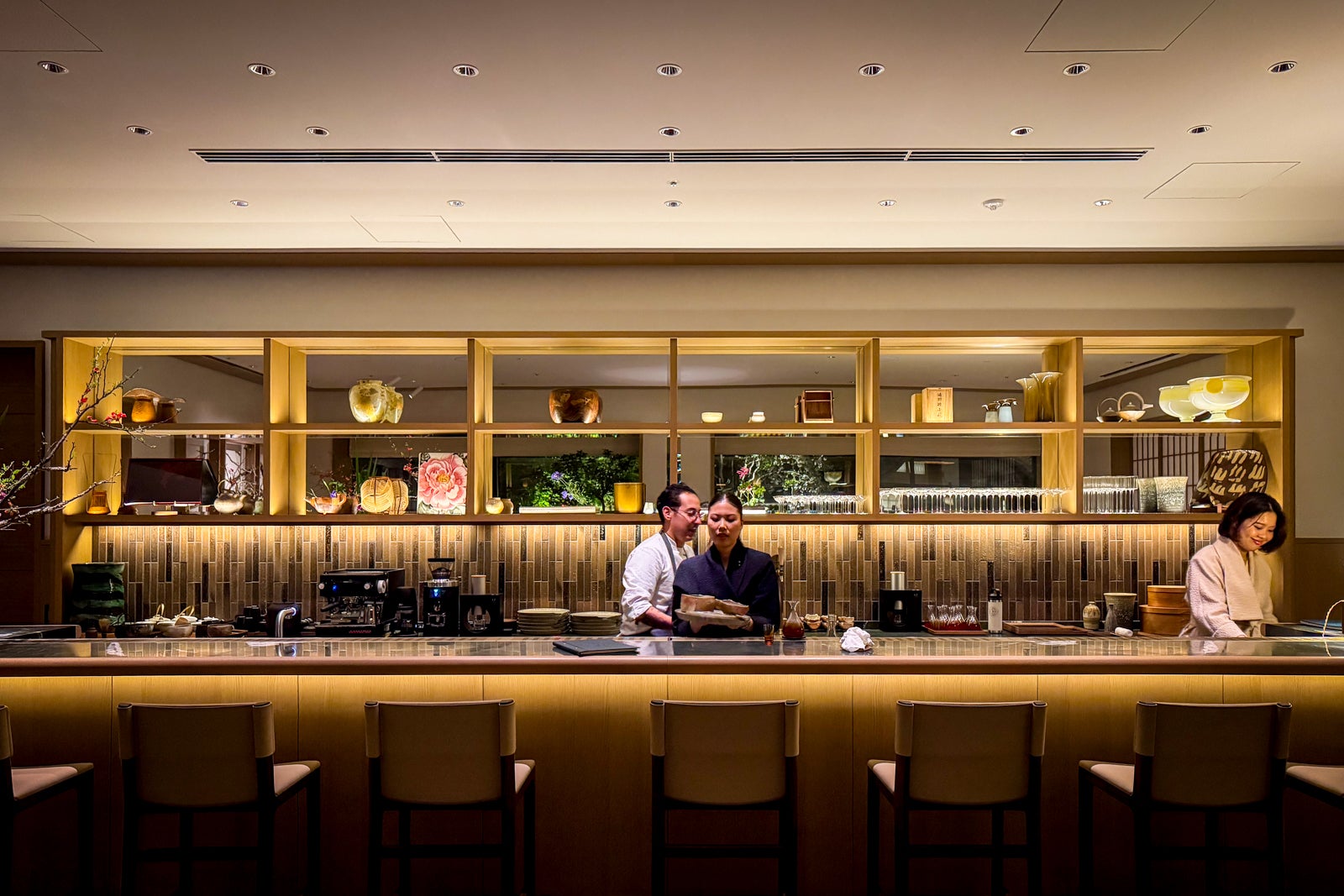
Capella Kyoto is as much a dining destination as a place to lay your head; the hotel lured chefs Kyle and Katina Connaughton, who run Sonoma’s three-Michelin-starred SingleThread, to open SoNoMa by SingleThread. Both have lived and worked in Japan, making this a homecoming of sorts.
ERIC ROSEN/THE POINTS GUY

Running the restaurant is chef Keita Tominaga, whose menus pay homage to the produce of Northern California that put SingleThread on the map, plus the bountiful Kansai region surrounding Kyoto and Japan’s dozens of microseasons.
ERIC ROSEN/THE POINTS GUY

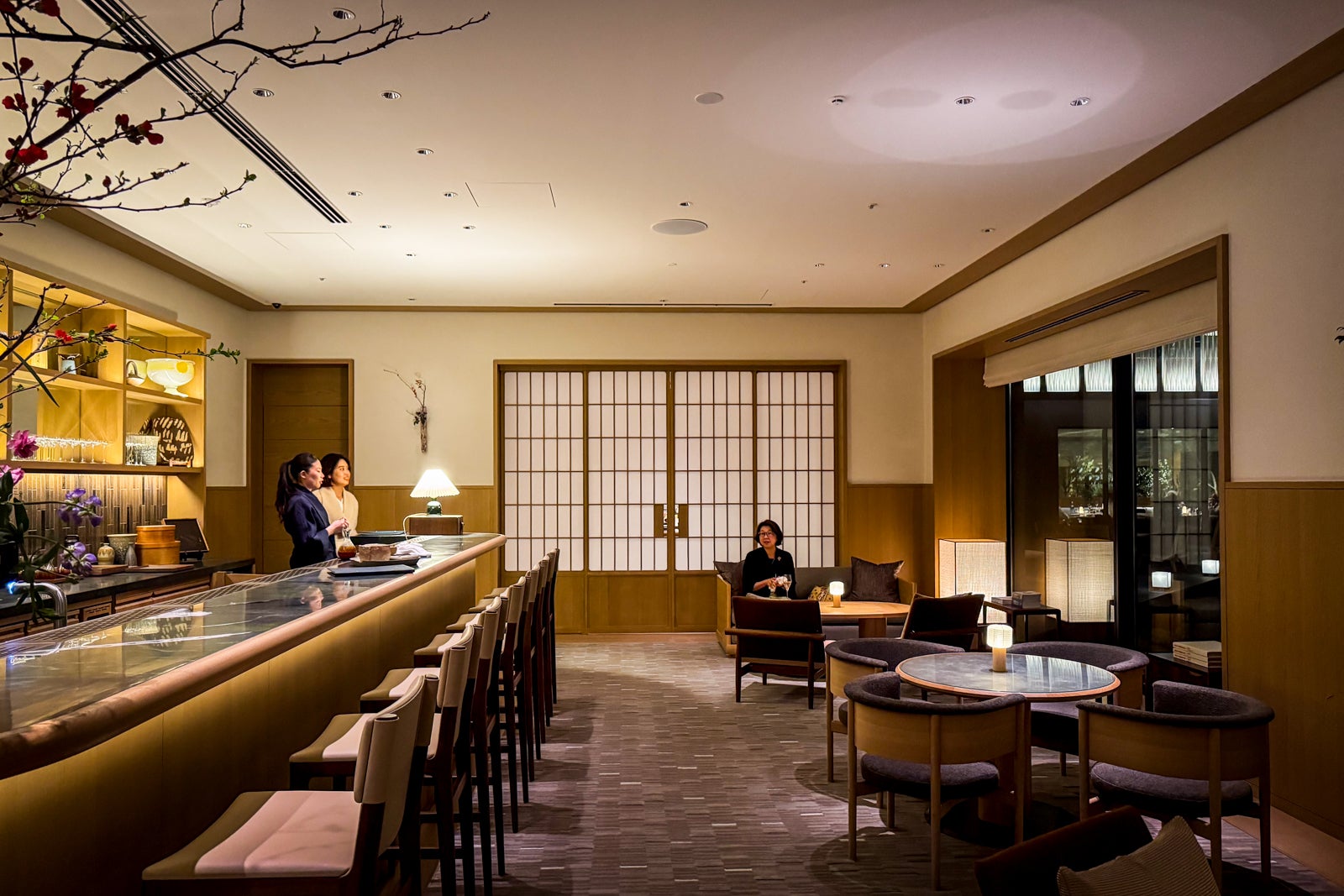
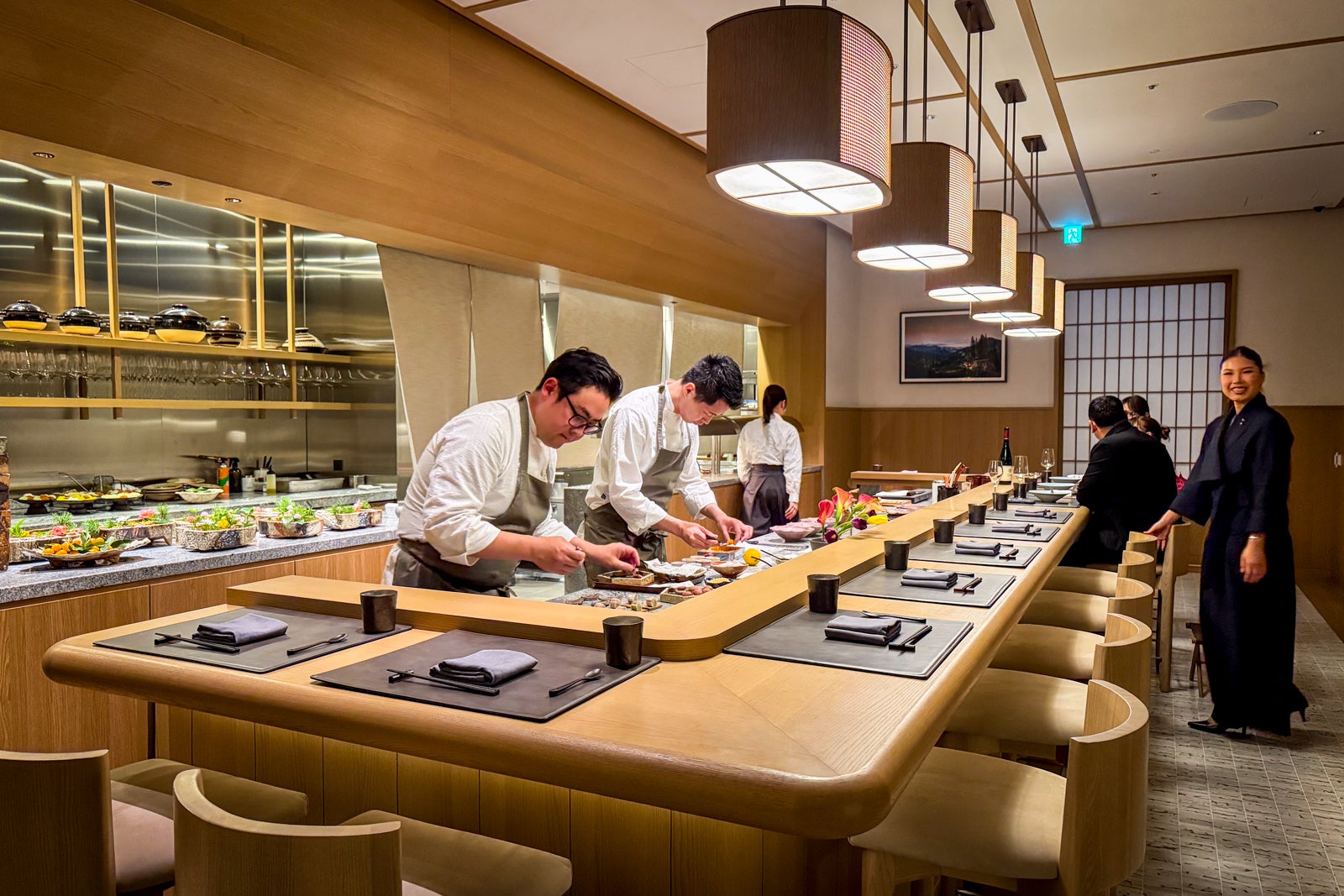
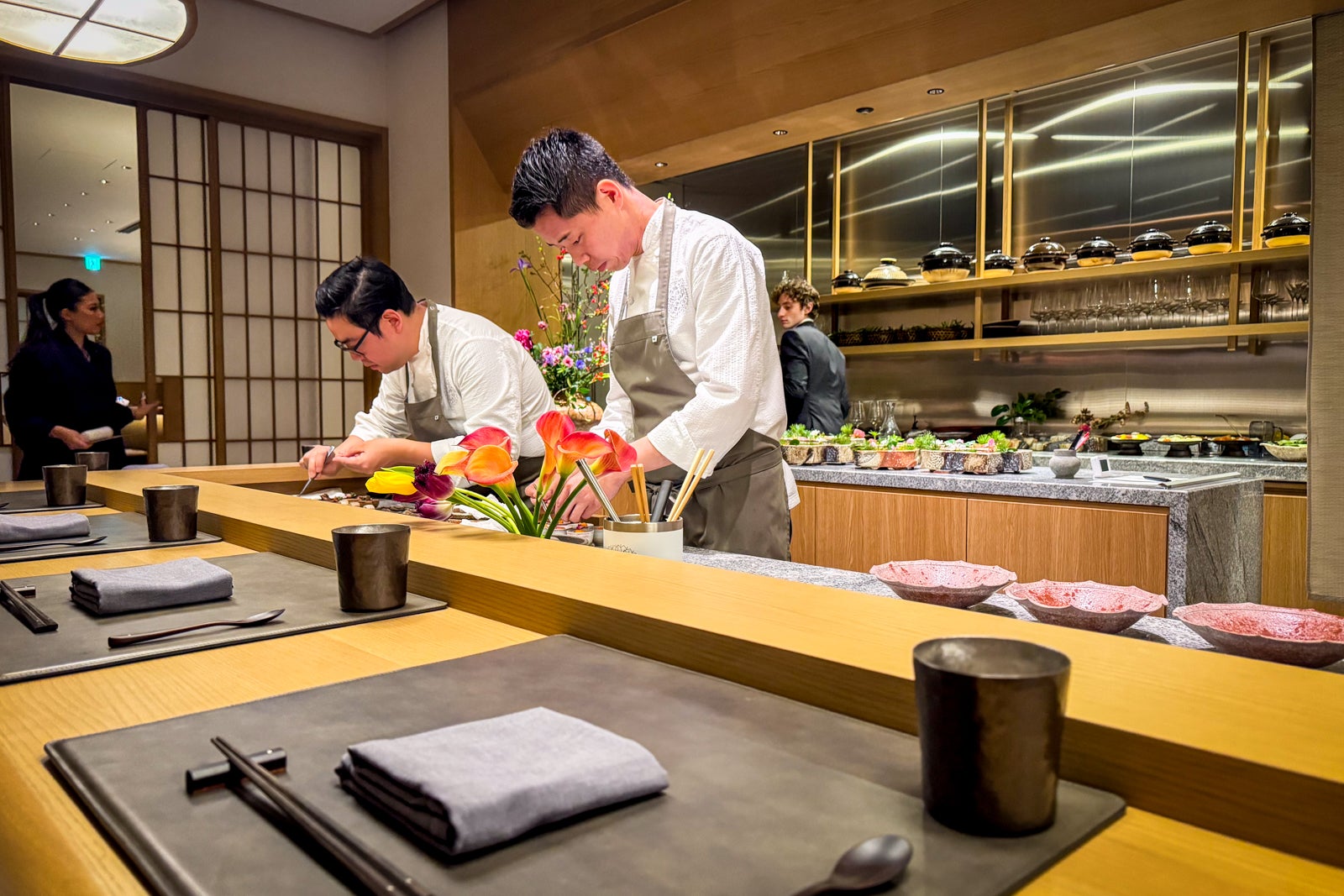
In practical terms, that means there is only space for about a dozen diners each night. The experience starts in an informal lounge and bar that overlooks the hotel’s central courtyard and is designed to evoke an ochaya, or traditional teahouse. After a few small bites and an herbal infusion, diners progress to the main dining room’s counter seats.
ERIC ROSEN/THE POINTS GUY

There, over the course of three hours, a veritable performance of profusion unfolds in the form of a tasting menu ($285 per person).

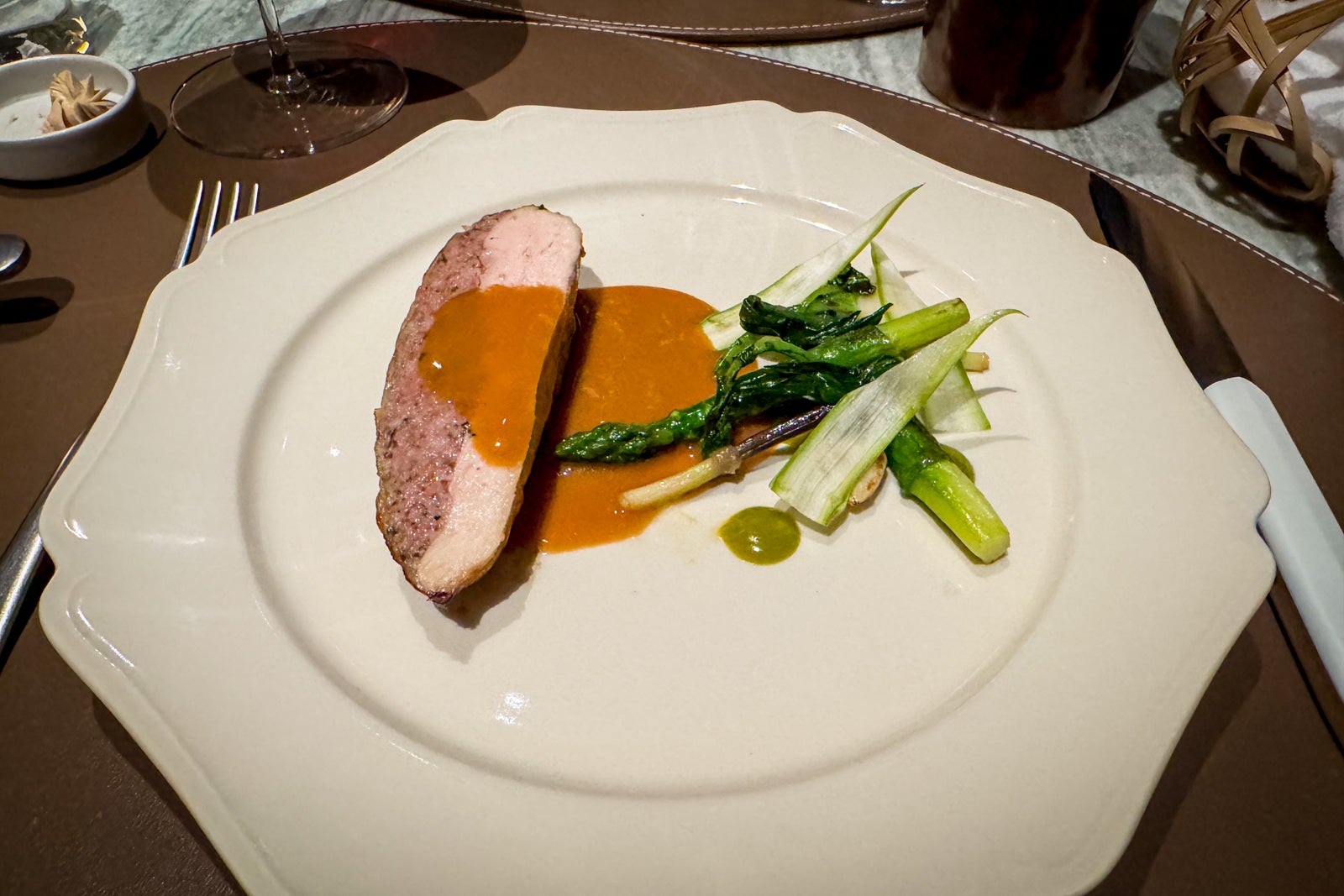
Dishes like sea bream with smoky matcha rice, ultrafresh Hokkaido uni with avocado puree, tiny Toyama firefly squid with tangy chimichurri, and duck liver parfait accompanied by lily bulbs and toasted mochi rice wrapped in a sakura leaf get the night off to a delicious start. This isn’t a solemn procession, though. The chefs talk you through each dish and its ingredients, banter about travel (or anything else) and help you get to know the other guests as you all settle in for the evening.
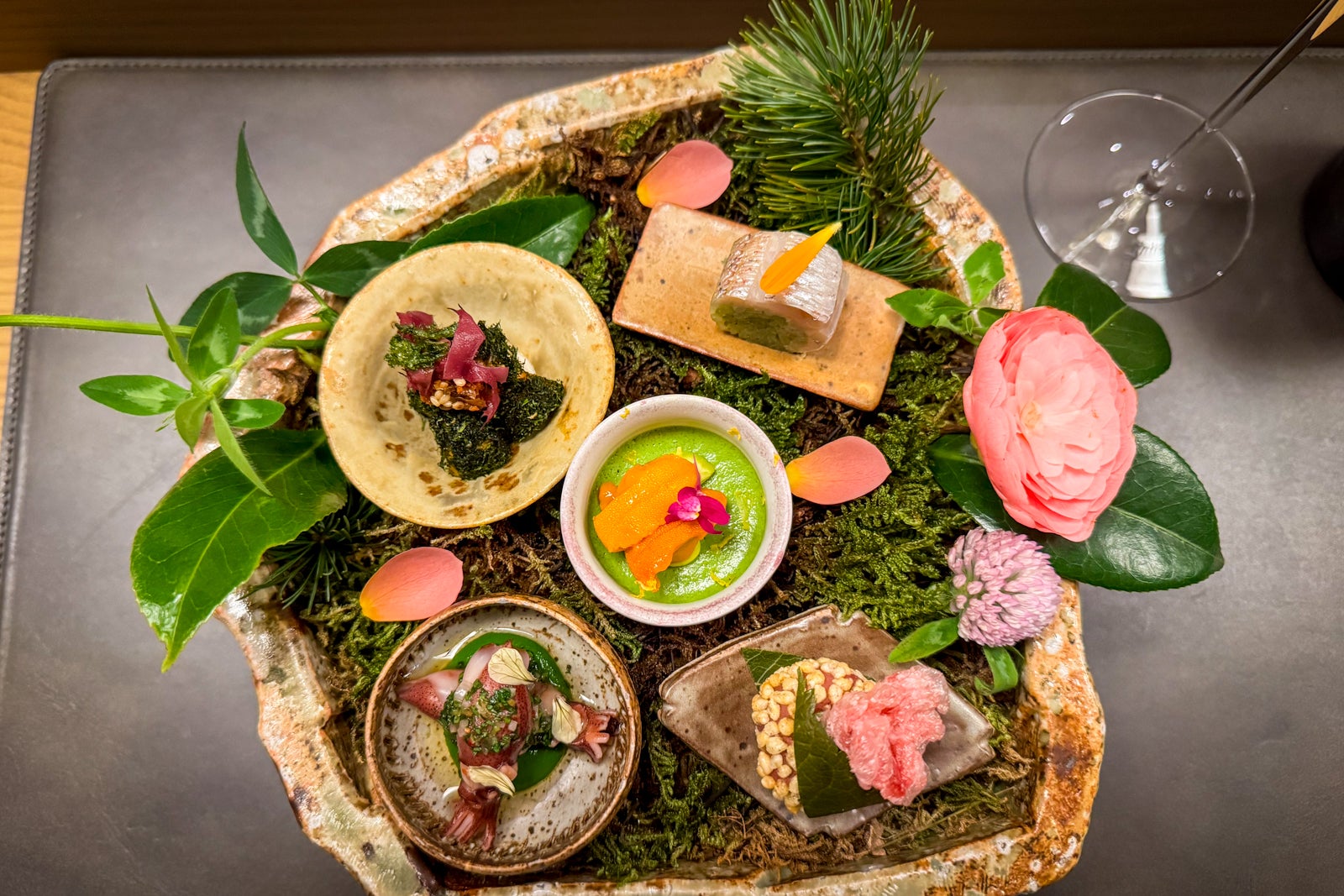
Depending on the time of year, you might enjoy luscious Mie yellowtail and Shiba snapper with ponzu and citrus; tempura bamboo shoots in chicken jus with powdered olive oil and pickled lemon gel; melt-in-your-mouth Hokkaido ocean trout smoked with cherrywood chips in a unique ibushi pot made from special Iga clay and topped with ume plum sauce and peppery hana sansho buds (which only bloom for a few weeks each year); caviar over a Hokkaido potato emulsion with meaty shimeji clams and dusted with spring onion ashes; succulent Kameoka filet mignon with barley and miso-wrapped spring cabbage; and kumquats and hairy crab rice with a savory dashi.

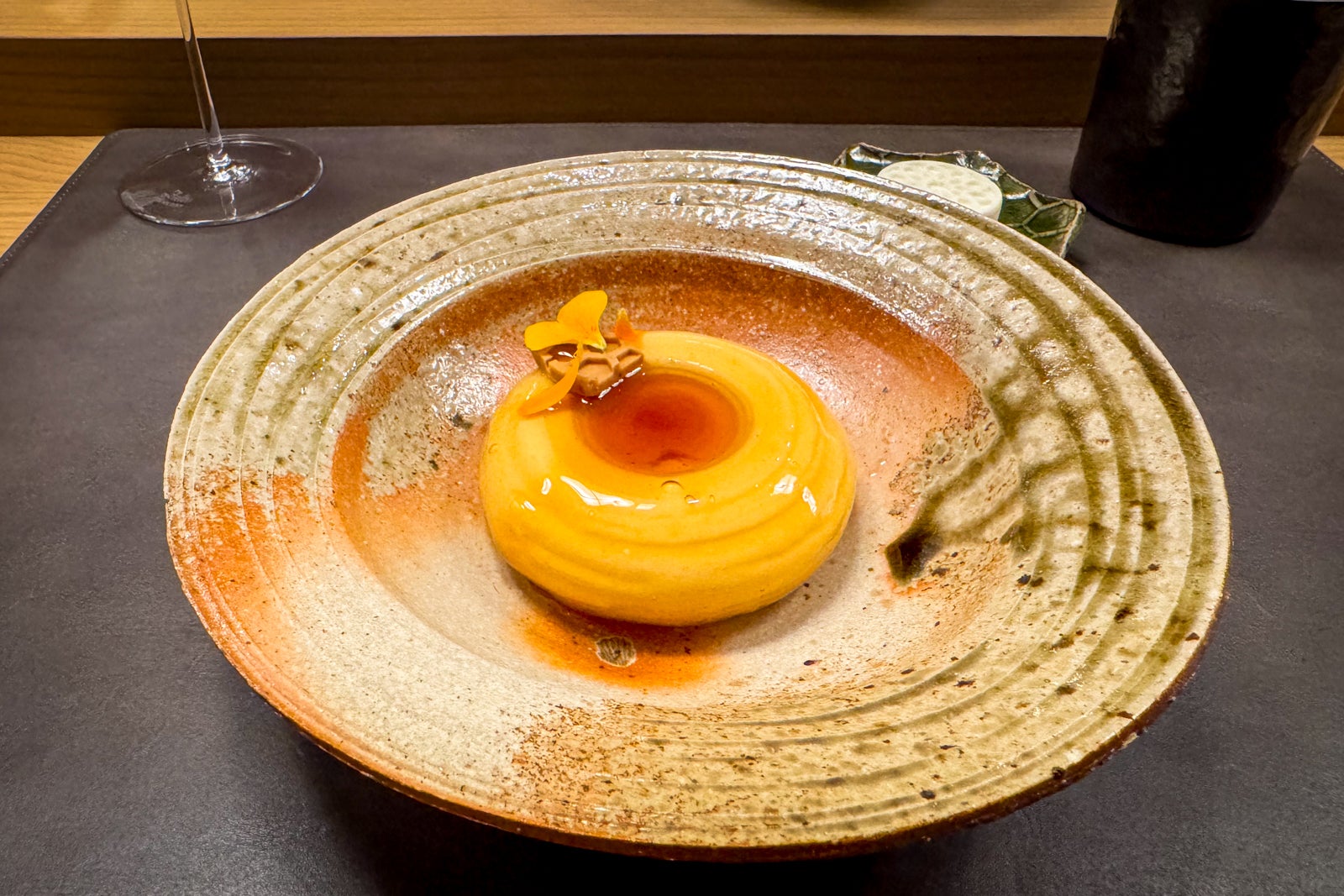
To finish, you might enjoy delicacies like earthy barley cake with citrus-infused honey, madeleines with fennel powder and sauternes perfume, and beeswax gelato from executive pastry chef Emma Horowitz and chef Miu Morita.
ERIC ROSEN/THE POINTS GUY

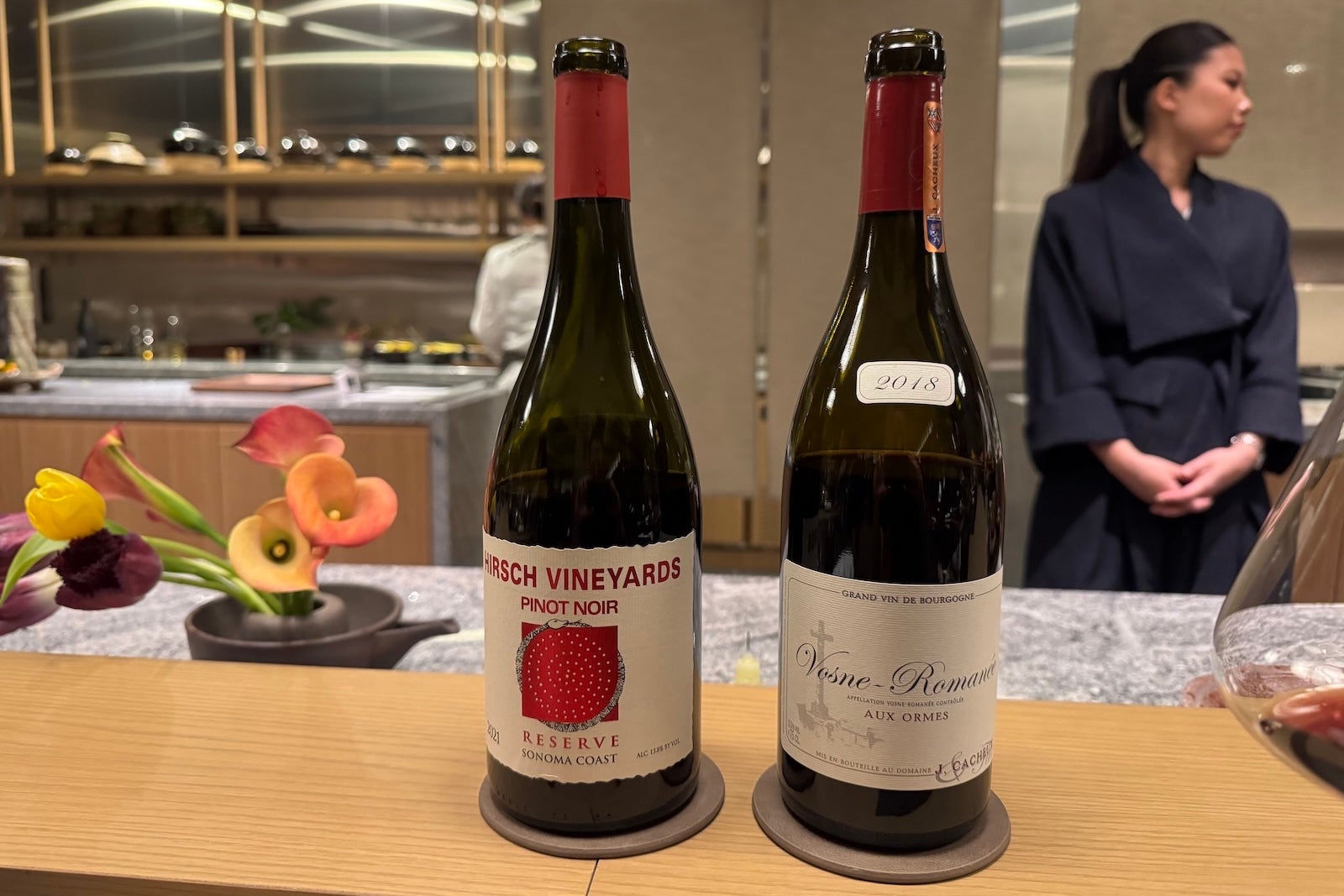
If it’s within your budget, add on the wine pairings ($160) and enjoy accompanying sips like 2015 Dom Perignon Champagne, Radio-Coteau Savoy Anderson Valley chardonnay, Iwa sake and Jacques Cacheux Vosne-Romanee Aux Ormes Burgundy. There’s also a nonalcoholic pairing that includes fanciful concoctions like violet-hued butterfly pea flower juice cut with lemony yuzu.
ERIC ROSEN/THE POINTS GUY

The hotel is also home to Yoi (which means “twilight” in Japanese), a cross between a sultry cocktail lounge and a contemporary Japanese restaurant with both casual and gourmet bites, plus creative drinks.

Meanwhile, Lanterne, a bright brasserie adjacent to the Living Room, serves as the property’s casual cafe and patisserie. It’s where locals come to savor tantalizing seasonal strawberry tarts in a gardenlike dining room.

Breakfast is served here as well and includes a buffet of cold dishes, fruits and pastries for guests to graze on before selecting hot dishes like fluffy matcha pancakes with strawberries and whipped cream, and a full Japanese set breakfast with various pickles, classic tamagoyaki (rolled omelets) and filets of fresh fish, such as a miso-glazed black cod. (The meal is included in most rates.)

At lunch and dinner, the menu transforms into a contemporary Japanese-French affair, with specialties like a buttery, rich king crab pain perdu with kumquat and decadent bisque sauce, and tender chicken crepinette with spring vegetables and Albufera sauce (three courses for $41, though some dishes carry a supplemental charge).

The Spa at Capella Kyoto

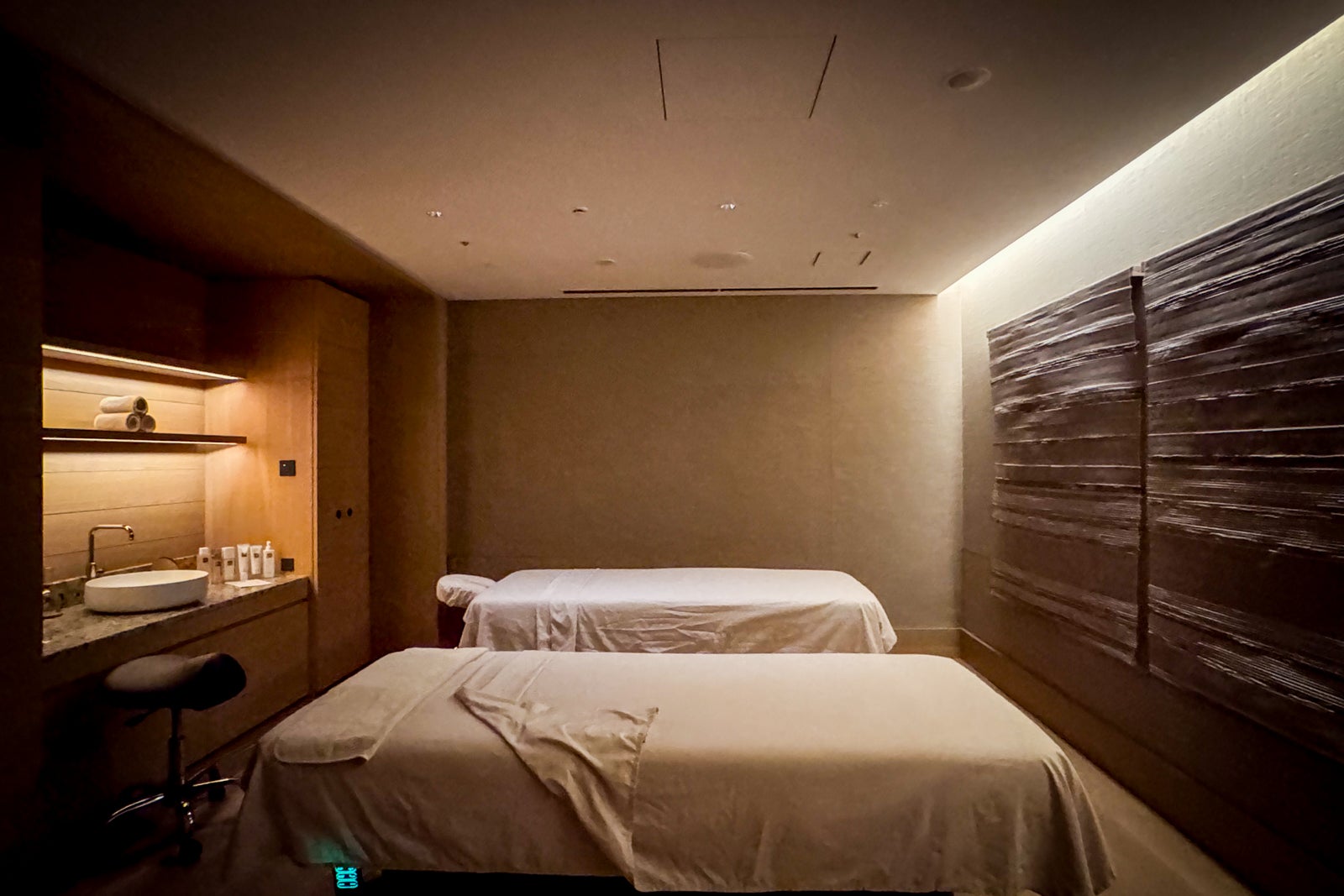
Capella’s proprietary Auriga Spa features treatments inspired by lunar and seasonal cycles, along with a host of other standard offerings in its four hinoki-scented treatment rooms.

It is also the first spa in Japan to feature treatments incorporating Shiseido’s prestige line of skin care products, The Ginza. The hourlong facial I had ($240) included a gentle cleansing and ultramoisturizing mask that left my skin feeling dewy for hours (literally until bedtime).
ERIC ROSEN/THE POINTS GUY

Other signatures range from the new moon full body massage (60 minutes for $240) to The Ginza full body experience, which includes a hot stone massage (90 minutes for $295).
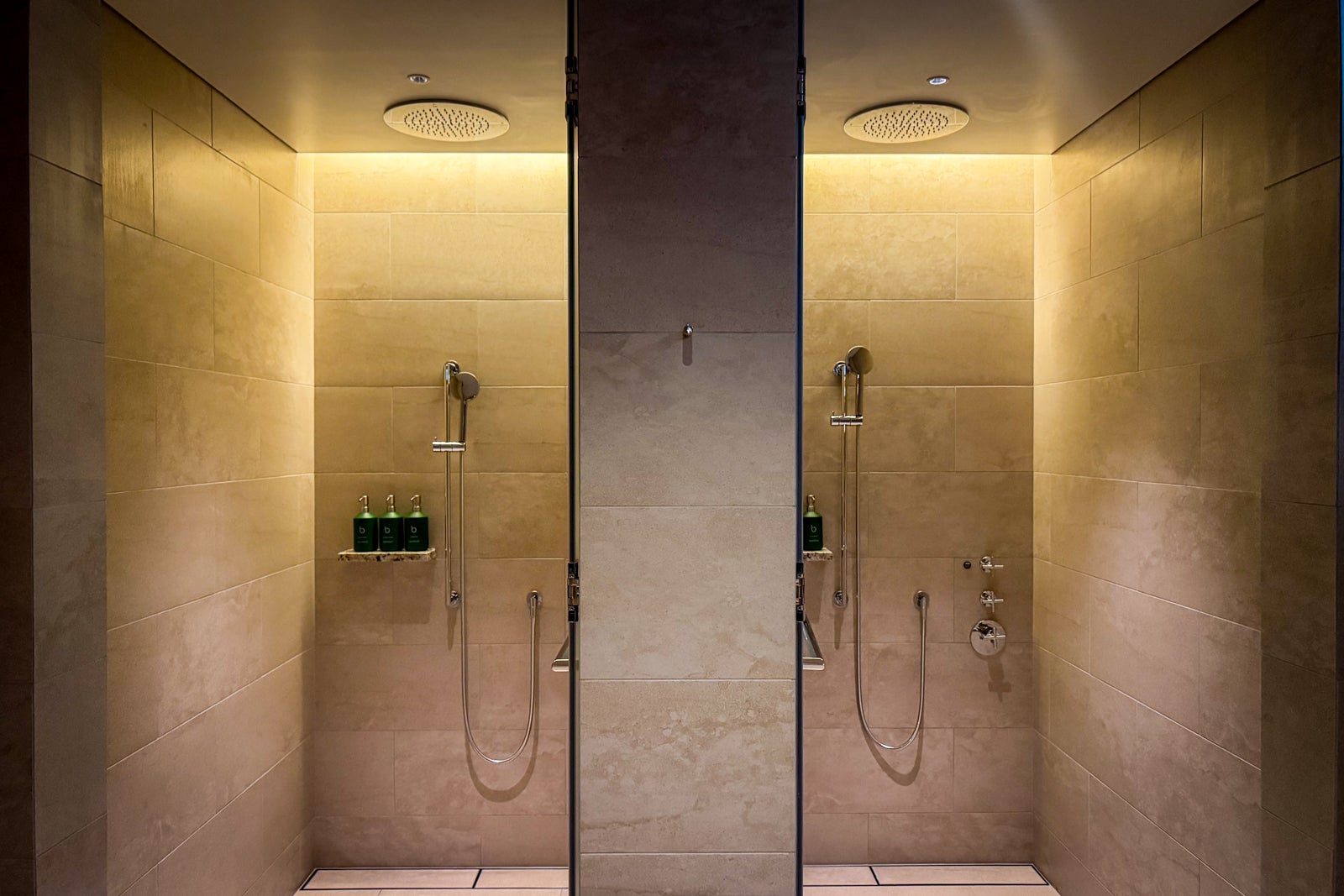
Those who want an onsen bathing experience without the strictures of a public facility can reserve one of the spa’s three onsen suites for 60 or 90 minutes (starting at $130 for an hour). They have expansive bathing areas complete with open showers and oversize stone ofuros for salubrious soaks. There are also en suite bathrooms and comfortable living rooms where guests can take breathers while donning provided yukata robes.

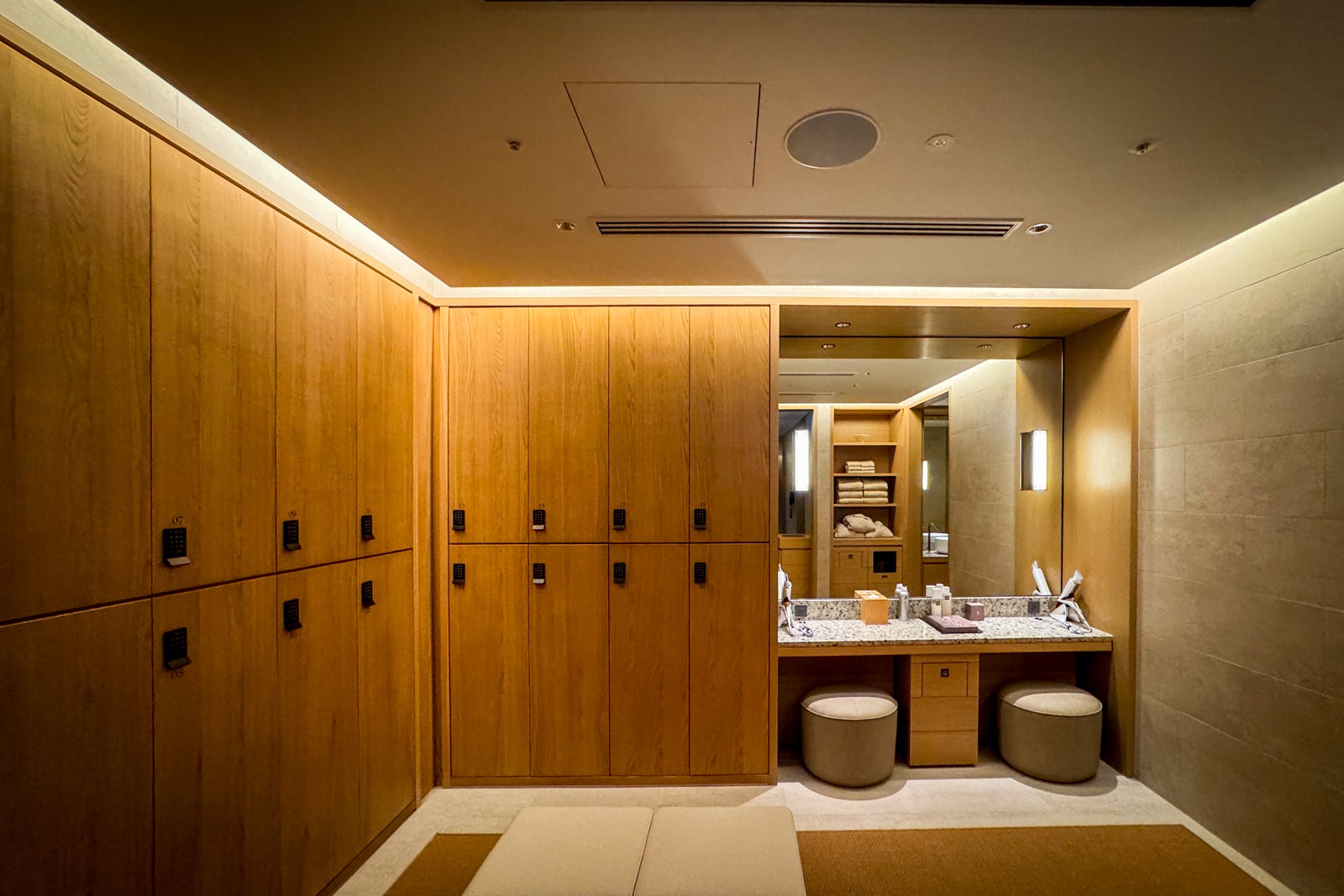
Then again, you can just relax in the men’s or women’s locker room. Each has its own sauna, steam room and experiential shower, among other amenities.

Amenities and service

  • The service is personal and warm but utterly efficient and polished.
  • The gym is large for a hotel of this size and chock-full of Technogym equipment, weights and cardio machines. Personal training sessions are available as well.
  • Capella is known for its cultural programming, so be sure to ask one of the “Culturists” hanging out in the Living Room what’s on the calendar.
  • There’s a performance by a geiko or maiko each evening in the Living Room. Typically, it’s a dance, after which guests can enjoy a brief question-and-answer session with the visiting performer.
  • Among the other cultural activities are sake tastings held in Yoi and visits to the nearby Gion Naito atelier to learn how traditional geta sandals are made.
  • The friendly concierges can advise on everything from insightful tours to last-minute dinner reservations and the city’s best shopping.

Capella Kyoto location

Capella Kyoto sits in the beating historic heart of the city, the Miyagawacho district, which is slightly quieter than the adjacent Gion district, though equally famous for its geisha. You might spy geiko and maiko (apprentice geisha) shuffling to and from appointments in the evening (or even stopping by Lanterne to purchase pastries).


Major sights like the towering Yasaka Pagoda and the temple complex at Kiyomizudera, as well as the hodgepodge alleyways of Sannenzaka and Ninenzaka, are just short walks to the east, while the riverfront is a quick stroll to the west.

Kyoto Station, where the Shinkansen bullet trains from Tokyo and Osaka arrive, is a 15-minute taxi ride away. The drive costs around $12 to $20, depending on the vehicle.

ERIC ROSEN/THE POINTS GUY

Booking Capella Kyoto

Rates at Capella Kyoto start at $1,460 per night in the coming months. Premier Theatre King rooms, like the one I stayed in, start at $1,540.

At the time of writing, Capella Kyoto was not yet participating in one of the premium credit card hotel booking portals, but other Capella locations are part of American Express Fine Hotels + Resorts, so I expect this one will be eventually, too.

Accessibility
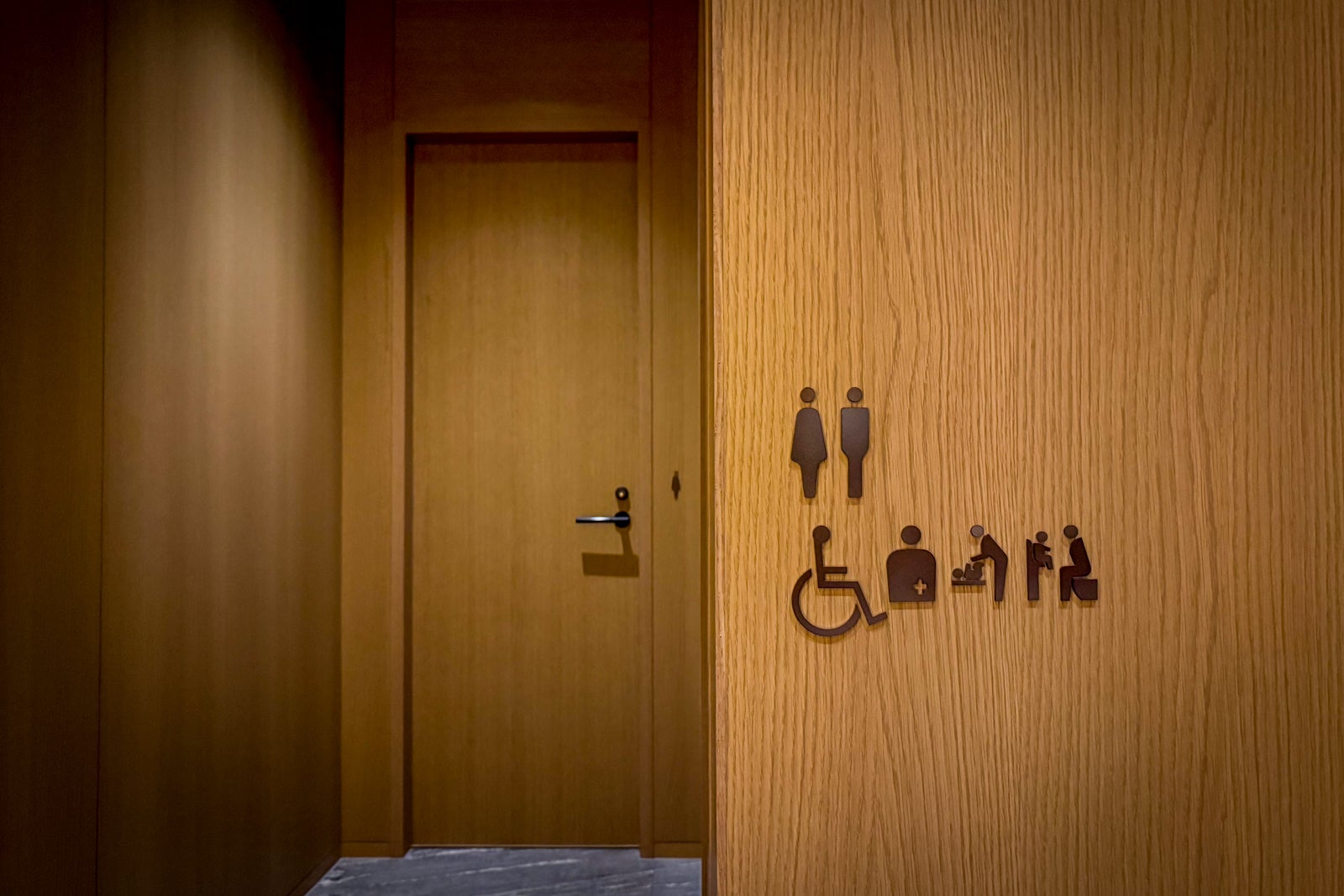
Capella Kyoto has a single Premier Temple King room that is Americans with Disabilities Act-compliant. Its public areas, restrooms and restaurants are all wheelchair-accessible, thanks to ramps and elevators.

Bottom line

ERIC ROSEN/THE POINTS GUY

In a city already brimming with a plethora of elegant luxury hotels, Capella Kyoto still stands apart thanks to its exquisite attention to details both large and small throughout its design and decor, its fabulous location in one of the city’s most sought-after neighborhoods and the fact that SoNoMa by SingleThread is bound to become a landmark local dining experience.

The only concern you might have is that the guest rooms and spa are so inviting, you might have a hard time leaving the hotel to experience Kyoto’s cultural riches, whether through the unique activities arranged by the Capella team or those you plan yourself.

Related reading:


Source link

Leave a Reply

Subscribe to Our Newsletter

Get our latest articles delivered straight to your inbox. No spam, we promise.

Recent Reviews


Cognos Tutorial – Table of Content

Introduction to Cognos business intelligence 

Cognos is an analytical platform mainly used in the development of an Artificial-based business intelligence tool. This business tool is developed to perform data aggregation methods, web-based integration, and to generate user-friendly analytical reports. Cognos is an Ontario-based company that supports business intelligence and performance development software. This tool also offers a medium to export the user-friendly data report in XML or PDF data formats, and also enables you to view the reports in XML format. Now we are using Cognos 8.2 version which is developed to support the eschool integrated reporting tool. This type of integrated tool provides predefined reporting, web-based reports to access real-time information, offers customizable for users to choose prompt values. One more important point about this Cognos tool is that this is a powerful ETL (extract, transfer, and load) tool, and supports designer graphical design environment engine server.

Cognos Overview

As I said earlier, Cognos is an IBM developed business intelligence tool, offering web-based reporting and analytic tools. This tool is used to create user-friendly reports which consist of graphs, different tab functionality, multiple pages, and interactive prompts. These reports are often viewed by users, and help to handle devices like smartphones and tabs. The Cognos also helps to export the reports in XML or PDF data formats files to view the reports in XML format. IBM Cognos business intelligence tool offers a wide range of data analytical features and they can be later considered as an enterprise software development tool to support flexible reporting environments (here you can consider both medium and large enterprises). These services should be the necessity of power users, business managers, analytic teams, and company executives. With the help of Cognos, power users, and business analysts to generate Ad-hoc reports and multiple times the same data views.

Interested in learning Cognos ? Join HKR  and Learn more about Cognos integration Server Training!

Why do we need Cognos tools in business enterprises?

The following are the key factors that will explain why we need this business intelligence platform in any enterprise. Let me list few advantages of using Cognos;

1. This Cognos tool enables IT to focus on data management systems and offers enterprise-wide reporting and also delegates some report writing to business users.

2. The robust drill-down and visualization tools make data approachable for all types of users.

3. This business intelligence tool also improves productivity.

4. Combines the governed data with local data, calculations, formatting, and commentary.

5. Easy to refer to multiple data sources in data in a single workbook and provides a single sheet in some cases.

6. Business users can overcome technical challenges and authoring by leveraging excel skills.

 7. Cognos is an Oracle-based model and provides standard reporting, ad-hoc reporting, report output, and scheduling.

8. Platform support tool: Windows, Linux, MAC, and web-based platform.

9. Predictive analysis and big data services.

Cognos architecture overview:

Cognos architecture

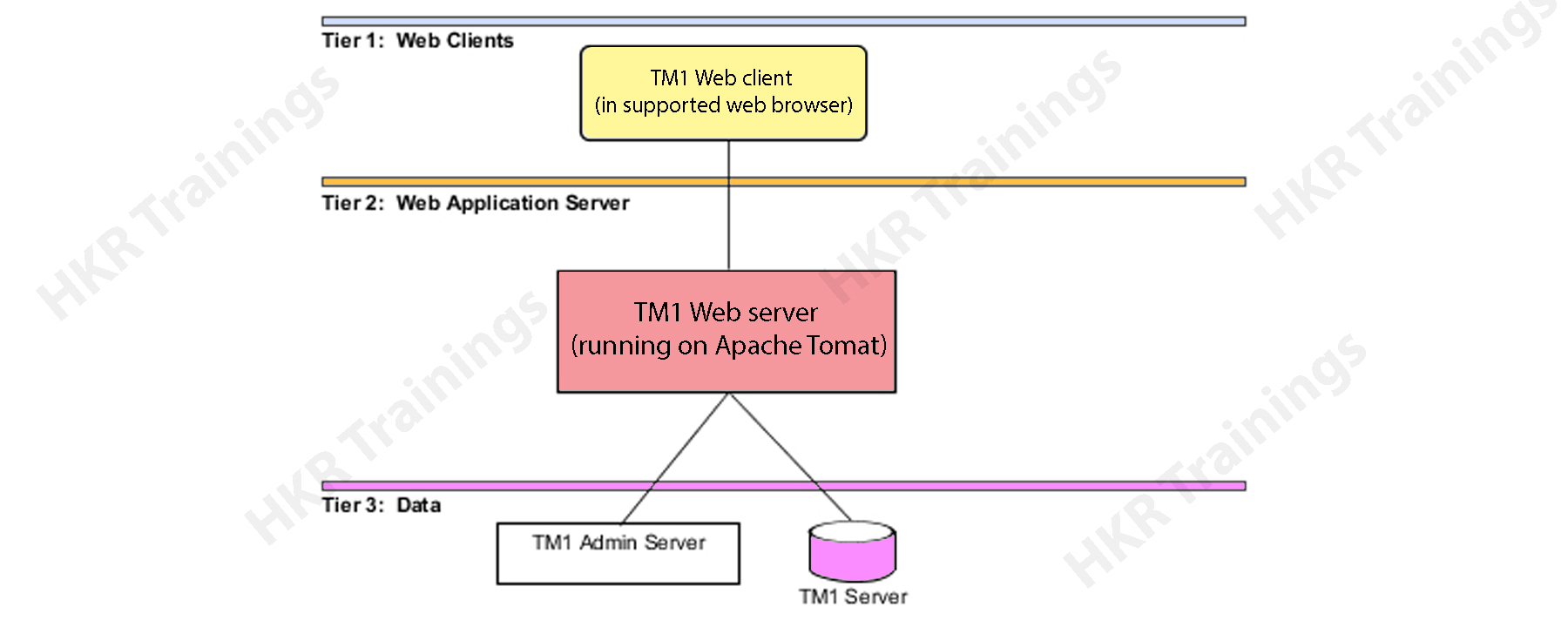
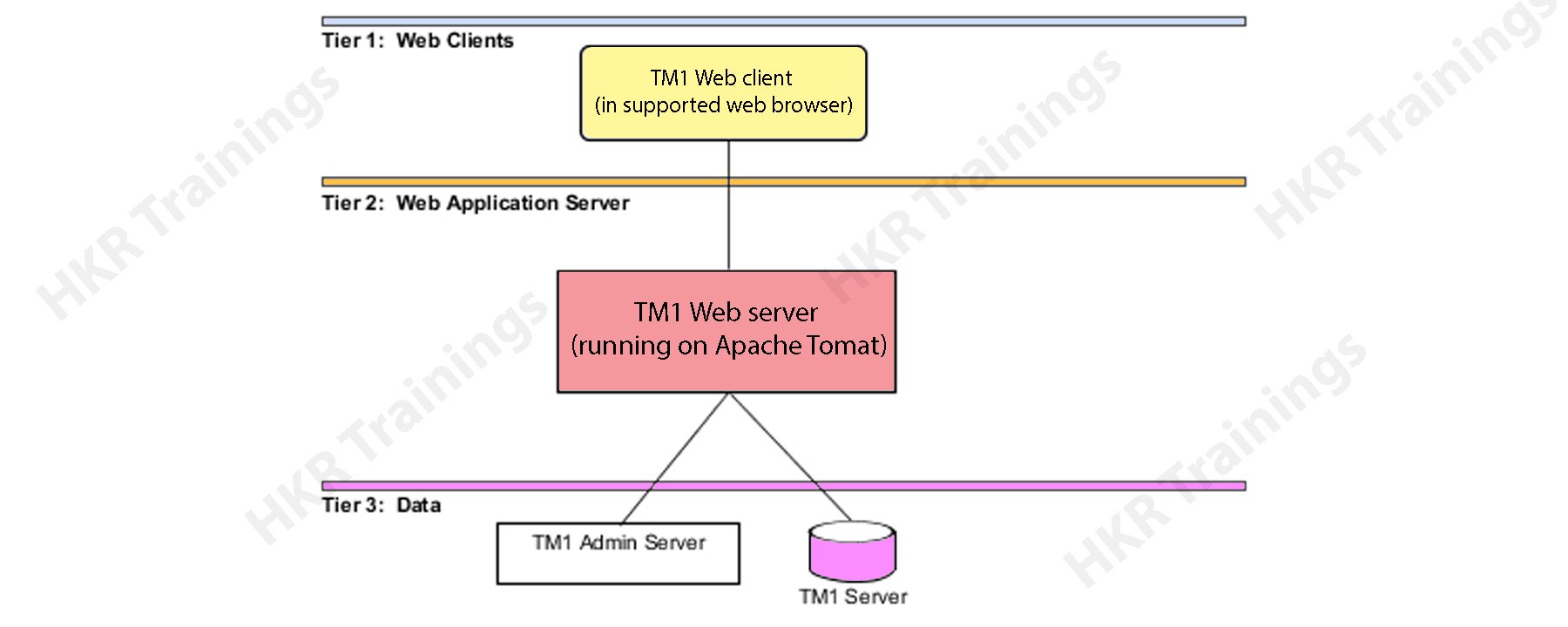
The Cognos architecture will explain the basic functionalities, working process, and types of architecture tires. The following diagram explains the scenarios:

Cognos Business intelligence tool is considered to be a 3-tier architecture type. At the top of the layout, you can see a web-client or a web server. The 2-tier consists of only a web application server, while the bottom tier consists of a data layer. These three tiers are separated by different firewalls and also establish communication between them. These can happen with the help of protocols like SOAP (simple object access protocol) and HTTP protocols.

Now it’s time to know them one by one:

Tier 1 web client:

This Web client allows business intelligence to access various data types and interact with multiple servers in any browser type. Tier 1 is also responsible to manage the system gateway and also perform the encryption and decryption process. This type of authorization process can be of many types like password, and extraction of information in the Business intelligence server.

Tier 2 Web application server:

This type of tier hosts the Cognos business intelligence server and associated services. It consists of components like Application tier components, Bootstrap services, and Content manager. The web application server runs only on JAVA based Apache Tomcat server. With the help of this tier, the Microsoft Excel worksheets will be converted into web sheets and perform exporting them to excel or PDF data formats.

Tier 3 database server:

This database server consists of contents and data source management. Tier 3 also consists of admin servers and TM servers. The admin server will be installed on any computer device using LAN connectivity. This connectivity resides on the same network server.

Cognos Training Certification

  • Master Your Craft
  • Lifetime LMS & Faculty Access
  • 24/7 online expert support
  • Real-world & Project Based Learning

Cognos – Components and services:

There are various components available in the Cognos and used to communicate with multiple devices by using Business Intelligence Bus known as SOAP (simple object access protocol) and supports WSDL. In normal, the business intelligence bus in Cognos architecture is not a type of software component but comprises a set of protocols for better communications.

The following are the important services included are:

1. Messaging and dispatching

2. Log message processing type

3. Database connection management

4. Microsoft .NET framework interaction

5. Port usage system

6. Request flow process

7. Portal usage.

The key components of Cognos are:

1. Gateway:

The Cognos web server consists of one or more gateways. Usually, these gateways are used to establish communications between one or more web servers. A gateway is just an extension of any web server program that helps in the transferring from one web server to another server. Web communication also occurs directly within a Cognos with less common options available.

There several types of web gateways you can find in the Cognos;

1. CGI = this is a default gateway and used to support web servers. This increases the performances and you can choose any gateway types with the help of CGI.

2. ISAPI = this is used for the Microsoft Internet Services (IIS) and delivers faster performance.

3. Apache_mod = you can make use of this Apache_mod gateway with the Apache Tomcat web server.

4. Servlet = this is a kind of Web server infrastructure that supports the servlets and here we use the application server as a Servlet gateway.

2. Application tier components:

This Cognos component consists of a dispatcher to operate different services and route requests. The dispatcher is a multithreaded application that makes use of one or more threads per HTTP request. If you make any changes to the configuration, all the running dispatches start communicating with each other. The dispatcher can also establish route requests to a local service, for example, report service, job service, monitor service, and presentation server.

3. Content manager:

The content manager consists of access management; this is a primary security component available in Cognos. Access manager leverages the already existing security providers and offers a consistent set of security capabilities. With the help of a content manager, you are able to access the Application programming interface, user authentication, encryption, and Authorization process. It also helps to create the Cognos namespace.

Cognos connections:

Here, users can report interactive user reports in Cognos Business intelligence studio on top of various data sources by creating a relational database and OLAP web connection in the web administration interface for data modeling in the framework manager is called Packages. Here all the reports and dashboards will be created in Cognos studios. The reports are later used to run complex report types and to view the BI or business intelligence information or this can also access different portals and also publish them on the studio. These types of Cognos connections are used to access queries, analysis, reports, and packages. They also can be used to create URLs, web pages, report shortcuts, and organize entities.

The following diagram explains the Cognos connection

Cognos connections

a. Connecting different data sources:

What do you know about data sources? Here we are going to explain the data source definition. A data source specifies any physical connection to the database server and different connection parameters such as database location, connection timeout, and generating the request. Any data source connection consists of credentials and signs in detail. Here user can also create a new database connection, edit an already existing data source connection. Here you can also merge one or more data source connections, create new packages, and publish them with the help of the framework manager.

b. The dynamic query mode:

The dynamic query mode mainly used to offer better communication between different data sources with the help of XMLA/java connections. To connect with any relational database, you can make use of a type4 JDBC connection and these connections convert JDBC calls into a vendor-specific format. This JDBC calls format offers improved type 2 driver connectivity. Due to this reason, there is no need to convert data calls to ODBC (Object database connectivity) or any database API. A dynamic query mode in Cognos supports the following types of relational databases.

1. Microsoft SQL database server

2. Oracle database

3. IBM database 2

4. Teradata system

5. Netezza

To support the OLAP database source, both java and XMLA data connectivity offers enhanced and scalable MDX for various OLAP versions and technology. The Dynamic query mode can also be used with the various OLAP data sources:

a. SAP BI (business information) warehouse

b. Oracle Essbase

c. Microsoft analytical services

d. IBM Cognos TM1

e. IBM Cognos real-time monitoring

DB2 data sources:

In general, the DB2 connection types are used to Connect DB2 windows, UNIX, and Linux, operating system platforms.

The common connection parameters used in DB2 data sources included are

1. Database name

2. Timeouts system

3. Sign on management

4. DB2 connect string

5. Collation sequence management

Data Source Security set up:

Data source security can be specified by using the IBM Cognos authentication environment. As per the data source system, different authentication will be configured in the Cognos connection.

1. No authentication: This connection allows users to login into the data source without using single sign-on credentials. This type of connection will not provide any data source security.

2. IBM Cognos software service is very credential: In this type of single sign-on method, first, you need to log into the data source management to access IBM Cognos service, and here the user does not require a separate database single sign-on system. In any live environment, it’s always good to use individual database sign-on.

3. External namespace: This requires the same business intelligence logon for the credentials to authenticate the external authentication namespace. Here the user must be logged into the IBM Cognos system with the help of namespace before logging into the data source and that should be active.

The following diagram explains this;

SignOn

Here all the data source system also supports data source single sign-on specification for individual users, groups, and roles. If the data source requires any data source sign-on, then you will be prompted to access each data source. IBM Cognos also offers security at the cube levels.

Business Intelligence & Analytics, cognos-tutorial-description-1, Business Intelligence & Analytics, cognos-tutorial-description-4

Subscribe to our YouTube channel to get new updates..!

Cognos packages used:

In this section, we will be explaining how to create Packages in Cognos:

First step:

How to create a package?

In IBM Cognos, users can create packages for SAP business warehouse or any power cube data source system. Here the packages are located in the public folder as shown in the screenshot:

How to create a package

Once the package is deployed, the default configuration will be applied to the package. Here you can configure the package by using different settings and you need to modify the settings.

One point to remember, to configure a package, you should contain the administrator privilege.

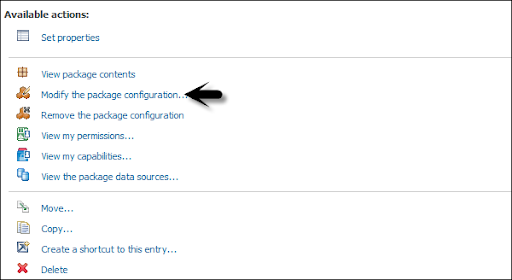
First, you need to package in the public folder -> then click on more buttons -> which come under the action tab as shown below in the following screenshot.

public folder

Now click on the button to modify the package configuration -> click on select to analyze. Now it’s time to select the default analysis which is used to define packages -> then the new analysis is generated. Click Ok -> then change the package settings -> then click “Finish”.

package configuration

Now it’s time to create a package:

Go to the package tab in the public folder -> then create a new package by using IBM Cognos connection.

create a package

Select the data source -> you need to use it in the package -> click OK.

Schedule the reports in IBM Cognos:

Here users can also schedule the various reports in IBM Cognos as per the business requirements. Now schedule the report, that allows the user to save the refresh time source-> then you can also define the various scheduling package properties like time zone, start/ end date, and frequency.

To schedule any report -> select the report-> to go to more button as shown in the below screenshot:

Schedule the reports

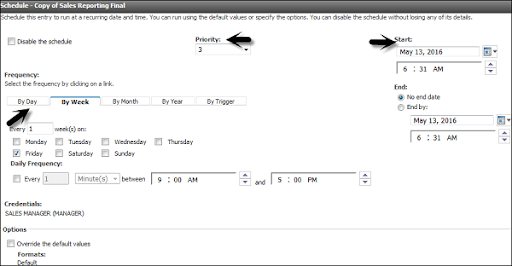
You got an option -> then add a new schedule -> now select the new schedule button as shown below:

new schedule

Here user can select the following methods under the new schedule tab:

1. Frequency

2. Start/end date

3. Priorities

4. Daily frequency set up.

When you define the scheduling property -> you can save it by using the OK button at the bottom tab. Now disable the schedule option -> that will allow users to make any schedule inactive -> but this schedule will be saved on the report.

scheduling property

To edit an existing schedule -> you need to select the report -> to go to more. Here you can also modify an existing schedule time or remove it permanently.

existing schedule

Cognos Training Certification

Weekday / Weekend Batches

Cognos Framework manager overview:

IBM Cognos framework manager is mainly used to generate a business model of metadata that is derived from one or more data source management. This is a window based tool that is generally used to publish business models to manage the Cognos Business intelligence tool. The Cognos framework consists of packages mainly used for analytical reporting and data analysis purposes.

The fundamental concepts you should follow before you start with Framework manager:

1. Data source which is required to meet Business Intelligence needs.

2. The types of data warehouse systems used.

3. Data refresh in data warehouse management.

4. Business Intelligence reporting – which is available on a daily, weekly, or monthly basis.

Metadata modeling:

A metadata model specifies the collection of various database objects such as tables, columns, and also establishes relationships between the objects. Once you run the report, the metadata published in the business intelligence Cognos portal creates a SQL statement based on the query.

The following diagram explains the framework modeling:

Metadata modeling

IBM Cognos framework manager user interface:

This framework consists of the following components such as:

1. Project viewer details: This locates on the left side that allows the user to access all the already existing projects in a tree format.

2. Project information: This is available at the center pane used to manage data objects of an existing project. This consists of three tabs such as Explorer, diagram, and dimension view.

3. Properties details: This pane locates at the bottom which is used to set the value for various properties of an object in any project.

4. Tools used: this is located on the right side of the project that provides you the various important useful tools. Here user (you) can perform operations like search, display, or modify already existing objects.

Modelling Relational metadata:

Here once the user imports the metadata, the next step is to validate the object to perform reporting requirements. Users can also select the object that appears in the reporting and testing them. User can create two types of views in the metadata model:

1. Import view

2. Business view

The import view shows whether the metadata is imported from the various data sources. To perform validation of the data you have to perform the following steps:

1. You need to ensure the relationships reflect the reporting requirements.

2. Next step is to optimize and customize the data retrieval from the query subjects.

3. Optimize and customize the data retrieval by business model dimensions. Here you need to store the dimensions in a separate dimensional view.

4. Supporting the multilingual metadata handle.

5. Control how data will be used and those are formatted by verifying the query item properties.

The business view is used to offer the metadata information. With the help of this business view, you can perform operations like calculations, data aggregations, and applying the filters. And also you are able to build the reports easily by using a business view.

Cognos Query studio:

The Query studio is defined as the web based tool for creating the reports and queries in Cognos. This query studio is also used to run simple queries and reports.

1. Viewing the data:

Using the query studio, the user can connect the data source to view the data in a Cognos business tree hierarchy. Here you are able to see query subjects, item details, and query information.

2. Create the BI reports:

Here you can use a query studio to create simple query reports with the help of a data source. You are able to refer to already existing reports to generate a new report.

3. Changing the Existing reports:

You can also change the already existing data reports just by editing the various report layouts such as – Add charts, border styles, titles, and headings.

4. Data customization in reports:

Users can apply different customization techniques in reports, calculations, aggregations, and filters to perform operations like data analysis, drill down, and drill up methods.

Wish to make a career in the world of Cognos? Start with HKR’S  Cognos Cube Training ! 

Cognos Ad hoc generation:

With the help of ad-hoc reporting, a user can generate data queries and reports to perform analysis. Ad-hoc reporting allows business users to generate simple types of data queries, reports, and dimension tables in DW (data warehouse).

This Query studio in Cognos Business intelligence offers the following features:

1. View the data queries and perform ad hoc data analysis features.

2. Save the reports for any future use.

3. Always helps to work with data in the given report just by applying filters, calculations, and summaries.

4. To create any ad-hoc report you have to follow the navigation; go to query studio -> login to IBM Cognos software-> click on a query on my data as shown in the following screenshot:

IBM Cognos software

Then you have to -> select the report packages. Next time if you want to visit the same page -> you have to see the “selection” under recently used packages -> then click on the package’s name.

Select a package

In the next screen -> you can add dimension elements, calculations, filters, and prompts.

next screen

Here you should insert the objects in order wise. To insert any object in the report -> here you have to use the insert button at the bottom of the query studio screen.

Below is the additional information you can use:

1. Inserting and filtering of the dimension elements.

2. Insertion of filters and prompts.

3. Insert the facts and calculations.

4. Applying the finishing touches.

5. Save, run, share, and collaborate.

At the top toolbar, you can create a new report, save the existing report, paste, cut, insert charts, drill up, and drill down, etc., as shown in the below screenshot.

toolbar

Cognos Report types:

Here you can make use of different report types in the query studio to meet the business requirements while developing a product. The following are the key report types used in Cognos:

1. List reports: These types of reports are used to define the entire customer base requirements.

2. Cross tab reports: these reports are used to show product quantity sold out and different regions on a different axis.

3. Charts reports: here with the help of this report you can insert charts to show the data graphically. Here you can also combine a chart with a cross tab, or with a list of reports.

Filters calculations and their parameters:

Filters are used to limit the data type that is used in reports. You can also apply one or more filters while creating a Cognos reports and these reports will return the data items that meet the filter requirements or conditions. The following is the navigation to create custom filters in a report:

1. First you should select the column to filter.

2. Then click on the drop-down list -> from the filter button.

3. Now select the create custom filter button.

4. Then you will see the custom conditioning dialog window.

Filters parameters:

1. Condition: to get the condition parameter -> click on the list arrow to see your own choices.

2. Values: to get this parameter -> click on the list arrow to select your choices.

3. Keywords: This parameter allows the user to search for the specific data values available within the list.

4. Values list: with the help of this parameter user can make use of filter values -> then you can choose one or more data values -> then use the arrow buttons -> then click on add multiple values.

Conclusion:

I hope from this cognos tutorial, you may get some idea about how this business intelligence tool can be implemented and its features. This tutorial is best suited for those who are interested to learn data warehouse and visualization methods. The Cognos is emerging as a popular business intelligence tool due to its few major advantages like easy to use, learn, and perform various functionalities. Learning this tutorial will help you to master the few concepts of Cognos and get into a higher position when it comes to the profession.

Related Article:

Cognos Interview Questions


Source link