
“How can I travel without breaking the bank?” is one of the most frequently asked questions we receive at TPG.
There’s no question that travel is expensive right now, as prices have risen dramatically over the past few years and inflation continues to strain the pocketbook.
Demand has been through the roof. Inflation and correspondingly high hotel, rental car and airline ticket costs have many would-be travelers throwing up their hands in frustration. Dynamic pricing and fees for things that used to be free (hello, resort fees) don’t help.
However, there are still many ways to save. In addition to utilizing points and miles from their accounts to book hotels and airfare, TPGers have numerous budget travel tips to help stretch their dollars while traveling.
Here are 20 ways to travel on a budget.
Be flexible
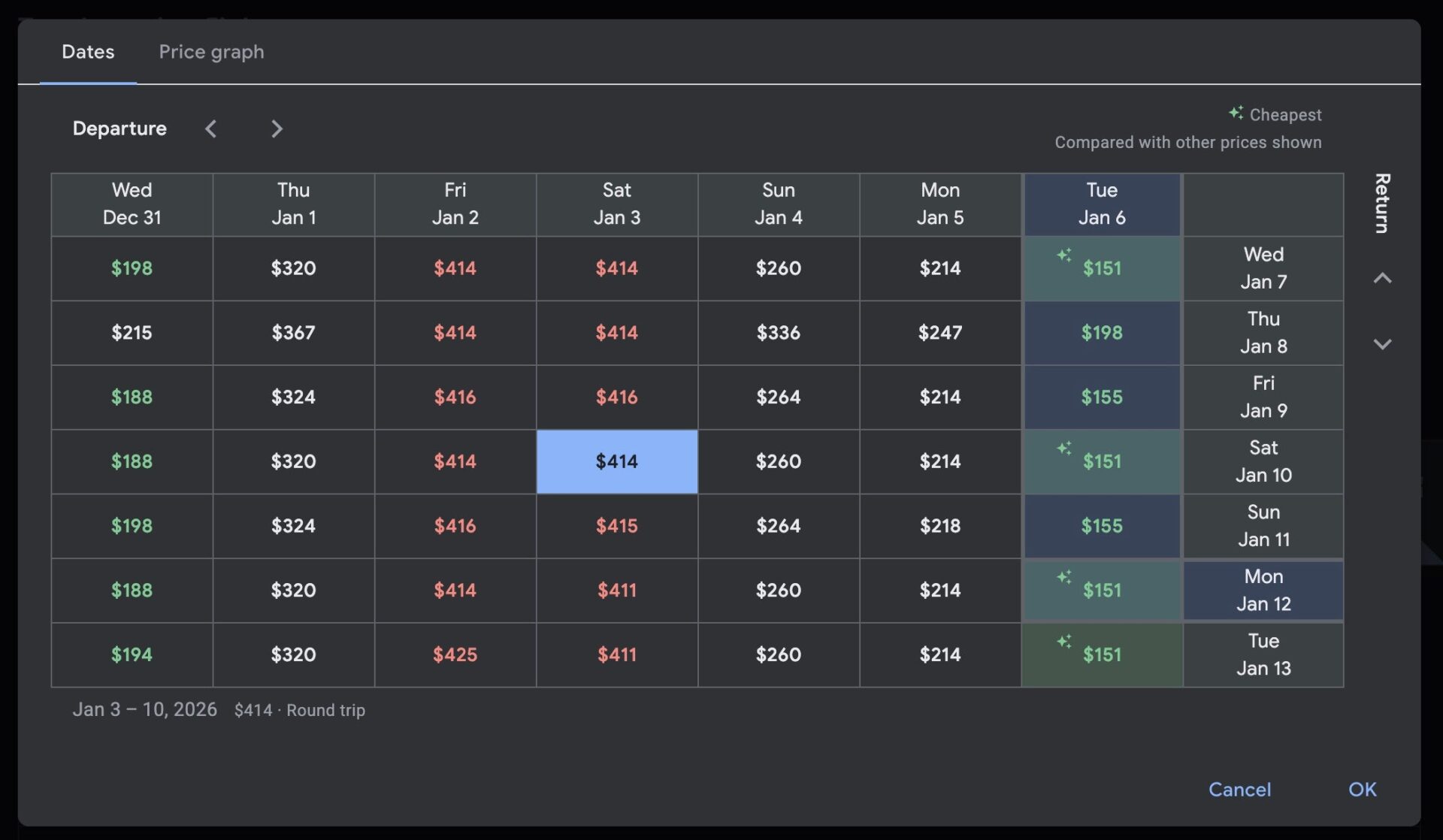
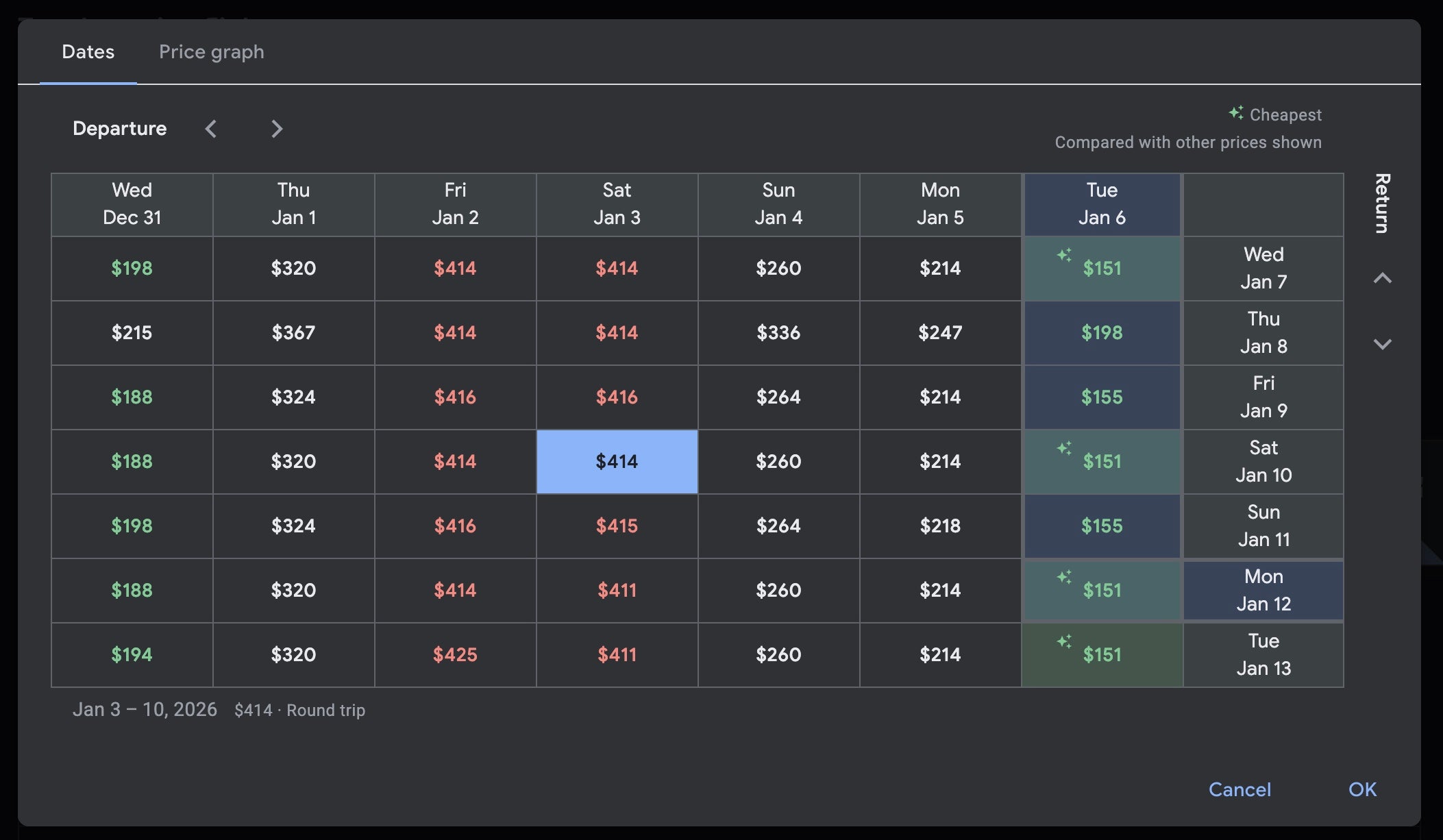
These days, when it comes to discount travel, flexibility is key. If you can add a few days on either side of your trips, you can save hundreds of dollars (or thousands of points or miles). Search not only on your ideal travel days but also a few days before and after. You’ll be surprised how often moving the dates can save you big bucks. I love using Google Flights to find the cheapest days to travel.
Here’s an example from Google Flights for a search from New York to San Francisco. As you can see from the date grid, the price difference can be in the hundreds by tweaking the dates.
Fly on weekdays
Flexibility on which days you fly is one of the keys to securing the best airfare prices. Leisure travelers most commonly book flights on Fridays or weekends, while many business travelers fly on Fridays, Sundays or Mondays. So, the midweek days — Tuesday and Wednesday — typically have lower demand and are often the best days to travel for lower prices.
Related: The best time to book flights for the cheapest airfare

Reward your inbox with the TPG Daily newsletter
Join over 700,000 readers for breaking news, in-depth guides and exclusive deals from TPG’s experts
Book vacation packages
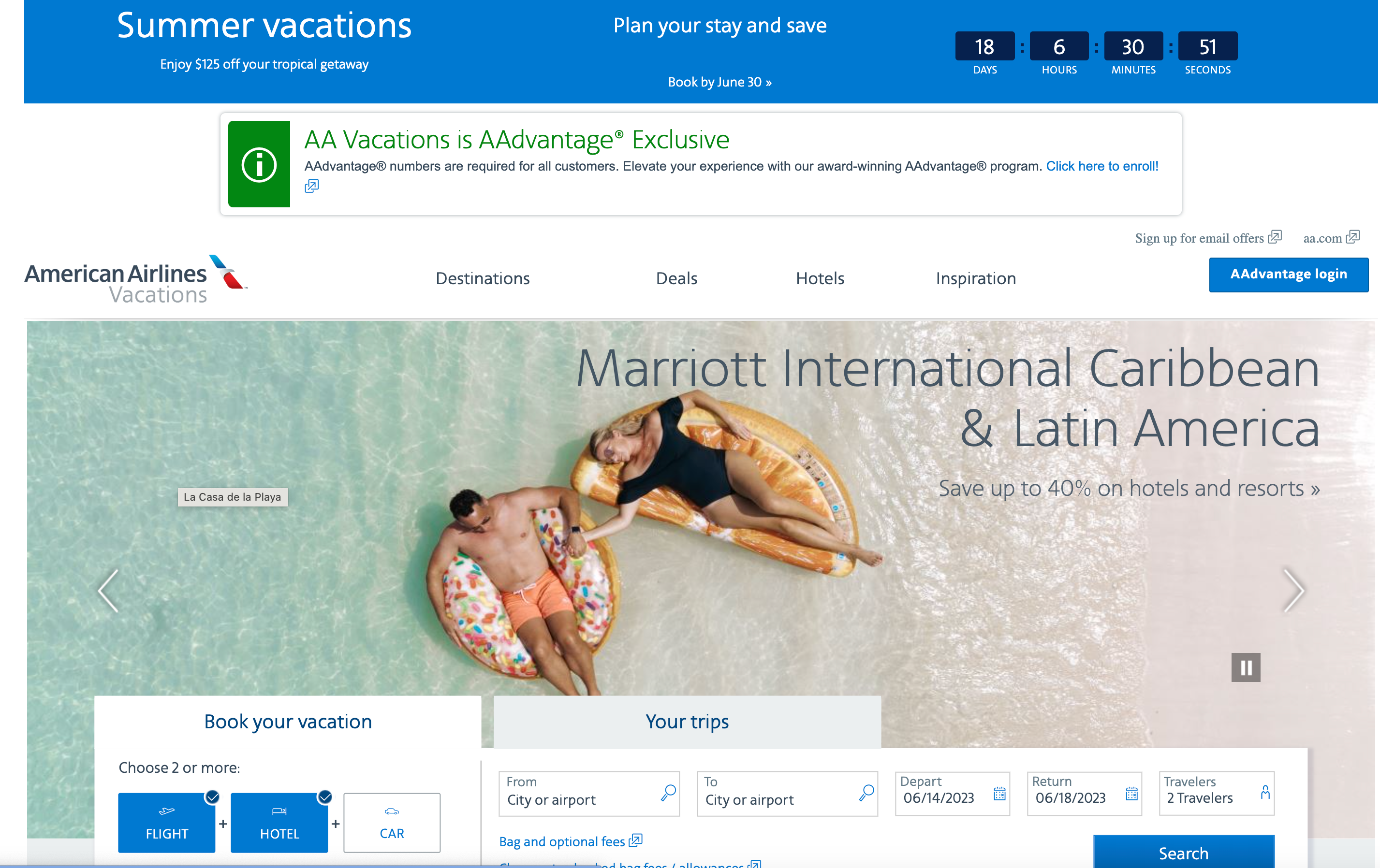
Airlines that bundle airfare and hotels as vacation packages can offer better deals thanks to their vast buying power and inventory. These bundles can offer savings of up to 40% off. Savings on business-class plane tickets and high-end hotels can offer some of the best deals.
Also, purchasing directly from the airline gives you a one-stop shopping experience. You can even add a car and activities to your trip at the same time. Plus, you’ll often be able to take advantage of special sales and offers for bonus points and miles.
Use a price monitoring tool
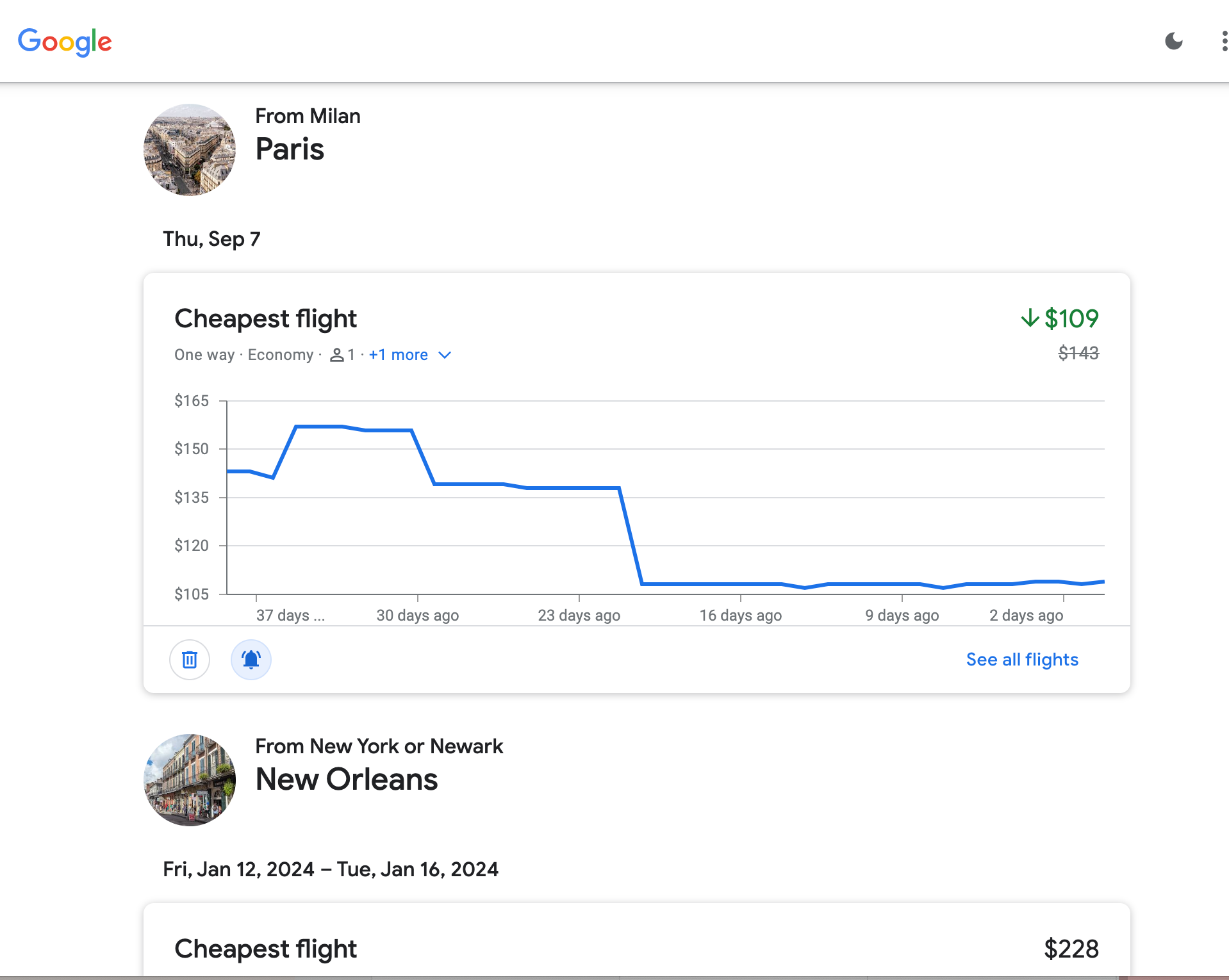
Airline fare-monitoring sites, such as Google Flights, send notifications when the best and lowest prices for your trip become available. Set up as many combinations as you’re considering, including different departure and return dates, so that you can get alerts for all possible fare reductions.
Related: 6 key tools and tips to find the cheapest airfare
Be flexible on the destination
If you’re not locked into a vacation location (like you would be for a destination wedding or family reunion), try an alternative to find better prices. For example, consider subbing Quebec City in for Paris if you want old-world charm. For scuba diving enthusiasts, skip the expensive long-haul flight to Australia and the Great Barrier Reef and instead head to the second-largest barrier reef in the world in easy-to-access Belize.
To that end, you can also use Google Flights Explore, which lets you plug in your home airport and then use an interactive map to see where you can fly for the lowest price. It’s a fun way to find a good deal if you don’t have a location in mind.

Hold your deal
If you see a great deal but are not yet ready to book, hold it.
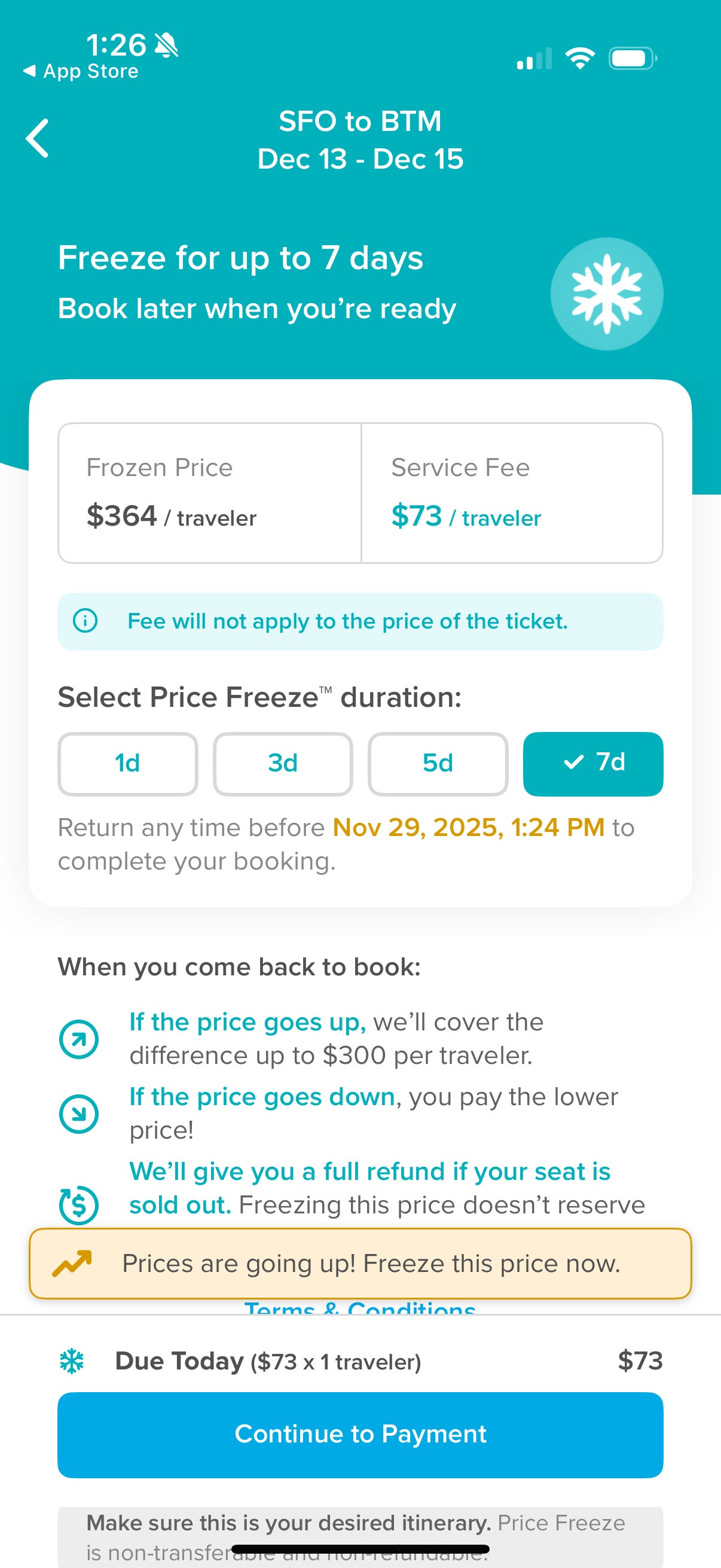
For example, Hopper’s Price Freeze allows you to lock in the price of a flight for up to seven days, giving you more time to finalize plans before booking. Know, though, that Hopper does charge a service fee for this feature.
Some airlines will also let you hold flights for a small fee. (Remember that all U.S. airlines, by law, allow you to hold and cancel a flight booking within 24 hours without penalty as long as you book more than seven days in advance.)
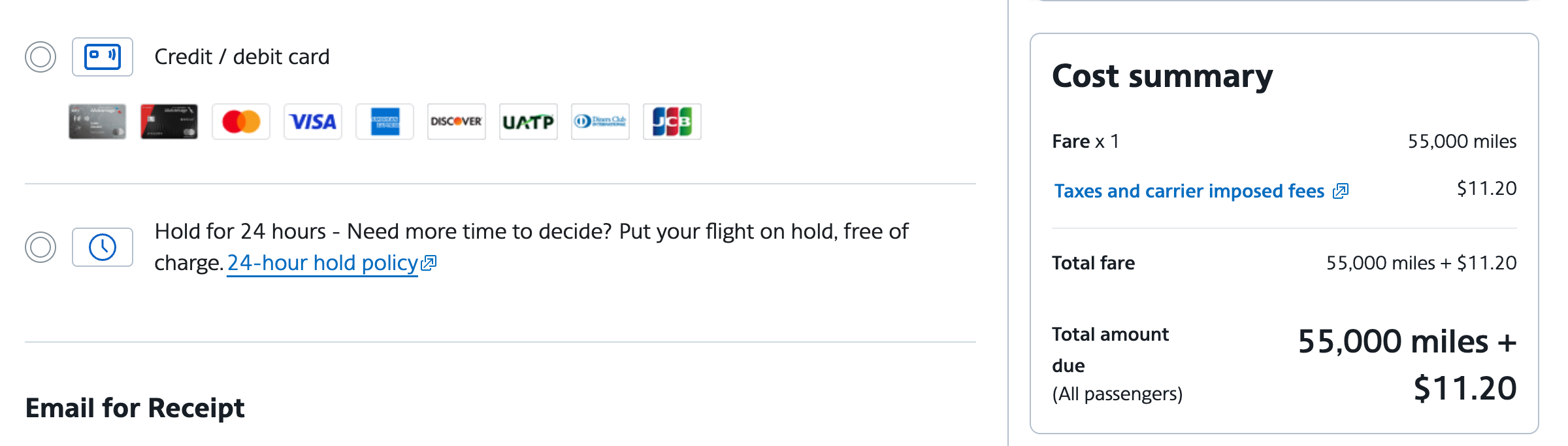
American Airlines also allows you to hold a ticket for 24 hours without incurring a fee. That’s a handy feature when using either cash or points and miles.
Reprice your flights and hotels
As long as you’ve booked a hotel, car or flight that can be canceled without penalty, you should make it part of your weekly routine to check for price drops. If you find a lower price, rebook your trip or receive a trip credit from the airline. Just be aware that this may not work for basic economy tickets.
You can apply these same rebooking strategies with points to make dynamic pricing work in your favor for hotel stays, allowing you to save on award nights.
Related: Stop searching: 8 tools that help you get money back on flights
Consider alternative airports

With prices high, now is the time to be flexible and check all nearby airports for the best deals. For example, Houston and Chicago have two airports, while the New York City area has three, including Newark Liberty International Airport (EWR) in New Jersey. In South Florida, you could easily fly to West Palm Beach, Fort Lauderdale or Miami. It works internationally, too: Try London Gatwick Airport (LGW) instead of Heathrow Airport (LHR) when flying to London.
It may even make sense to travel to one city by flying to another and then taking a short train ride for the remainder of the journey. For instance, you could fly into Philadelphia and catch a train to New York. Strategies like this can help you get to your destination on a flight with better pricing or award availability.
Use positioning flights
Positioning flights are unrealistic for every situation or trip, but they can often offer better award availability or pricing than those from your home airport. Can you reach your destination for a lot less by starting in Seattle or Chicago? Would adding another flight to a different airport save you money or miles? Just ensure you leave enough time between flights to avoid unnecessary travel headaches.
Use points and miles when appropriate
Since you are reading TPG, you may also want to earn points or miles through your everyday spending, which you can use to help pay for part of your trip. Some credit cards — like the Delta SkyMiles® Gold American Express Card and the Hilton Honors American Express Surpass® Card — can help you earn airline miles or hotel points that you can redeem directly with the airline or hotel. Cards such as the American Express® Gold Card earn transferable points you can redeem for travel or transfer to various travel partners.
If you have a stash of points or miles and cash fares are high, it makes a lot of sense to use those points or miles instead. For example, I recently priced a trip to San Francisco and found a flight over the Fourth of July weekend; it should normally cost about $400, but for this particular weekend, it was going to cost me at least $621. So, I used 46,000 Delta SkyMiles instead. While it wasn’t the best redemption in the world, it was better than shelling out all that cash. Most of those SkyMiles came from credit card spending on my Delta SkyMiles® Reserve American Express Card.
There are many strategies for getting the most out of your credit card. You’ll generally get the most value when redeeming for premium cabin flights or luxury hotel stays. However, you may prefer to book economy award flights or award stays at lower-category hotels to stretch your points further.
Related: Maximizing credit cards to become points-rich without spending a ton
Join AARP
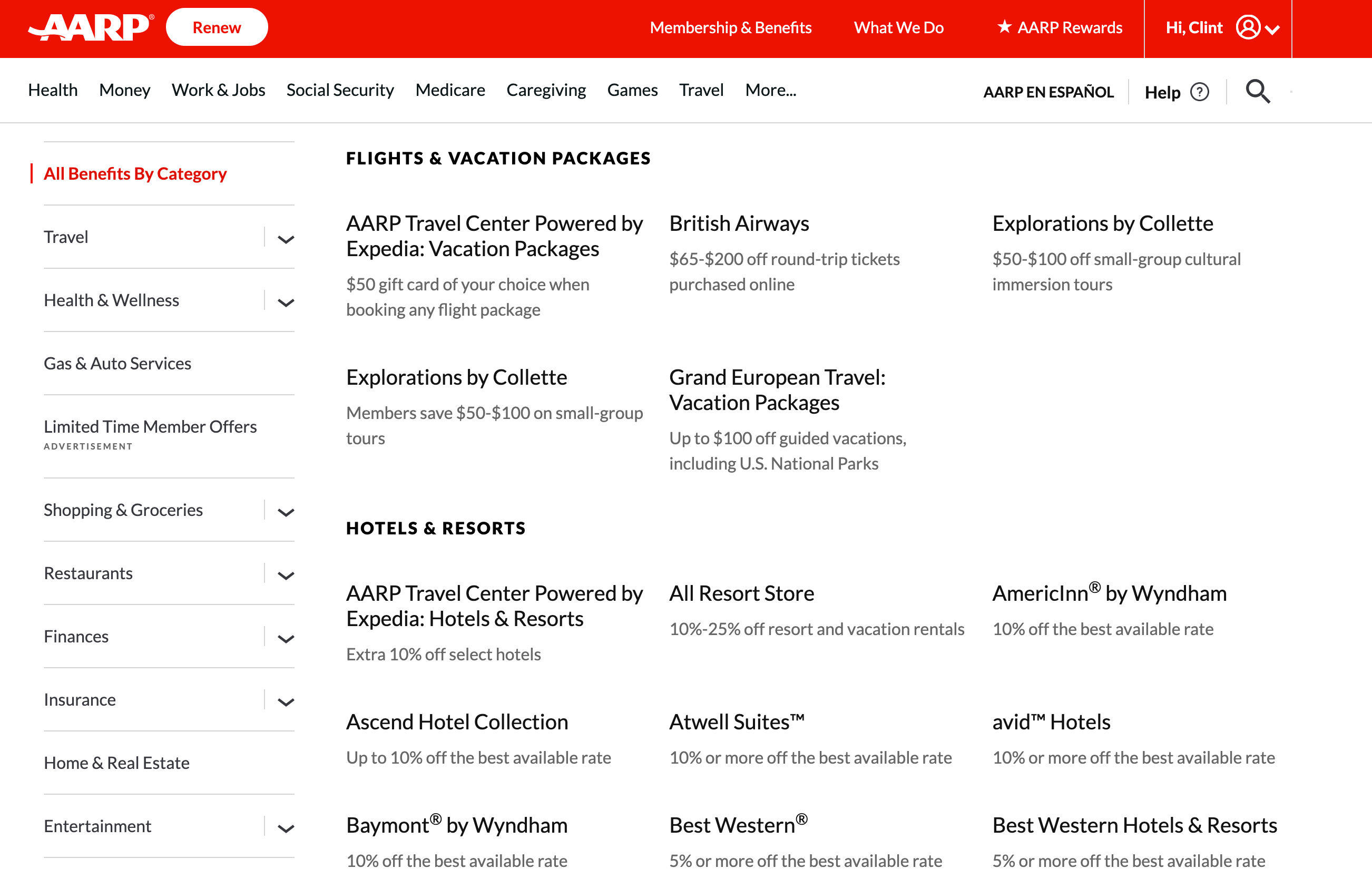
You can join AARP for discounts, even if you are not retired. The advocacy group for older adults offers various discounts, including $65 to $200 off British Airways flights and 10% off stays at Hilton hotels.
Related: How to use your AARP discount on travel
Use membership codes to save on car rentals
You can also use your AARP membership to save on car rentals, including 30% off a car rental at Budget or Avis. But that’s not the only membership that offers these discounts: If you’re a member of AAA, have a Costco membership, are a veteran or work for a large company with a car rental discount code, it doesn’t hurt to check if these are available to you. You might be eligible for discount codes you didn’t even know about.
Related: Save money on your next trip: Use these tips to never pay full price for a rental car
Check credit card merchant offers
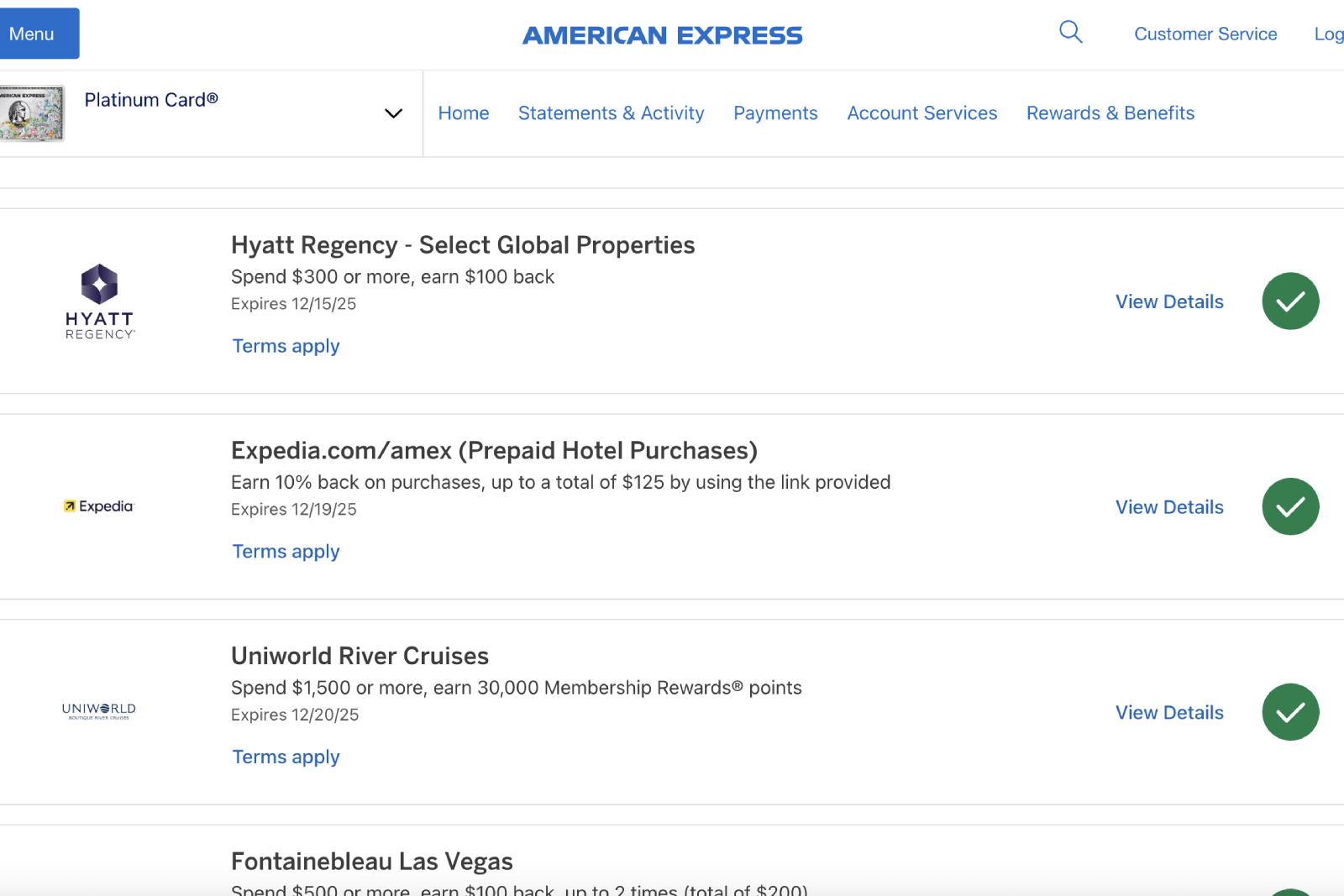
Before booking your trip, review the special merchant offers on your credit cards. Multiple issuers offer this option (although American Express is a leader in the category).
Every program works similarly: Log in to your card account online or through your banking app, review the offers available to you, add the ones you want and make a qualifying purchase using the card for which the offer is registered.
There are no promo codes to enter at online checkout or coupons to print for use at the register. There are likely offers you can activate that will provide discounts on dining, gas and entertainment.
Related: The ultimate guide to saving money with Amex Offers
Take advantage of free days at national parks

Every year, the U.S. National Park Service sets aside several days when entry is completely free; options include Martin Luther King Jr. Day in January, the first day of National Park Week in April, National Public Lands Day in September and Veterans Day in November.
Visiting a national park on one of the NPS’ free-entry days can save you up to $35 per vehicle at some of the most popular national parks, such as Glacier National Park and the Grand Canyon.
Related: How to save money on a national park trip this year with points and miles
Stay outside the national parks

You might dream of a night in a rustic cabin inside a national park, but getting that reservation could be challenging or costly — especially if you can’t pay for it with points.
However, just beyond the park, there’s probably a hotel you can book with points. For example, you could stay at the Holiday Inn West Yellowstone in Montana using IHG One Rewards points; the SpringHill Suites just outside Zion National Park is a great property if you have Marriott Bonvoy points to spend.
Related: Exploring national parks: Where to stay using points
Get discounted gas at Shell through the Fuel Rewards app
At TPG, we love to stack savings. The Shell Fuel Rewards app is a great way to stack up the discounts.
You can link it to other loyalty programs — including American Airlines AAdvantage, Giant Choice Rewards, Stop & Shop Go Rewards, Advance Auto Parts Advance Rewards and more — to receive extra discounts. Also, if you purchase through Fuel Rewards, link to partner retailers such as Petco, Bed Bath & Beyond, Office Depot/OfficeMax and many others to save even more.
Don’t forget to use a credit card that gives bonus points or discounts at gas stations for even more savings. TPG recommends the Blue Cash Preferred® Card from American Express, which offers 3% cash back at U.S. gas stations (cash back is received in the form of Reward Dollars that can be redeemed as a statement credit and at amazon.com checkout).
Save on theater tickets in New York and London
Check TodayTix for cheap Broadway and West End tickets if traveling to New York City or London.
The TodayTix app offers discounted tickets to various shows. Prices vary, but most of the top shows currently playing are available on the site and the app.
While not all shows are hugely discounted, TodayTix often runs no-fee promotions. Keep in mind that for some shows, you won’t be able to choose your precise ticket location. Instead, you will pick a section you’d like to sit in.
Save on entrance fees with Bank of America

Bank of America cardholders can enjoy free general admission to more than 225 cultural institutions in dozens of U.S. cities on the first weekend of every month just by showing their cards. It’s through the Museums on Us program, which has been going on for 25 years. It’s open to Bank of America, Merrill and Bank of America Private Bank (U.S. Trust) credit or debit card holders.
Related: 5 reasons to get the Bank of America Premium Rewards credit card
Use your library card for museum entry
Another way to obtain free museum admission is through a library “lending ticket” — a program that allows libraries to lend museum passes for a set period.
Also, check if your local museum’s membership includes ROAM (a reciprocity program available across North America). It’s an easy way to get maximum value from a regional (and usually less expensive) membership.
Take a free walking tour

Sign up for a free walking tour on your first day in a new city. It’s an inexpensive way to learn about the city and orient yourself.
Look online for options before traveling, and sign up in advance if necessary. Then, simply show up with comfortable shoes and enjoy your complimentary tour.
Although tipping is suggested, you’ll spend much less, even after generously tipping your guide, than you would with a standard tour option. You will likely also meet other like-minded travelers, which can be welcome if you’re traveling alone or looking to make new friends.
If you’re interested in seeing what’s available on your next trip, Google the city you’ll visit and the phrase “free walking tour” to see what comes up.
Bottom line

Spending a small amount of time researching the best ways to travel on a budget can easily make a dream trip, such as a Paris vacation, more attainable.
It’s possible to take an excellent vacation on a budget. You just need to put in the time to plan your trip, budget your expenses, download a virtual wallet of money-saving apps and consider using points and miles to decrease your out-of-pocket costs.
Some of our top budget travel tips include shopping around, signing up for deal alerts through websites like TPG and using points and miles. Opening a credit card or two for the welcome bonus, once or twice every few years, could make your trips even more affordable. And don’t forget to sign up for our daily newsletter, where we teach you how to travel better for less.
Related reading:

Stacie Harris is a local resident and reporter of the Maple Grove area. Stacie reports on medicine and science for the Maple Grove Report.