
Cards under $100 offering free TSA PreCheck or Global Entry


Many popular rewards cards — including some that charge less than $100 annually — come with statement credits toward application fees for Global Entry or TSA PreCheck, Trusted Traveler Programs that help speed up the screening process at the airport.

Global Entry/TSA PreCheck statement credits can be worth up to $120 every four years. You’ll get the full $120 in value if you sign up for Global Entry, which I recommend since it includes TSA PreCheck.

If you maximize the Global Entry/TSA PreCheck credit on one of these cards, you can completely offset the first year’s annual fee. Already enrolled? You can transfer the credit to someone else. All you have to do is charge the application fee to your card.

Let me introduce you to six of our favorite cards with annual fees under $100 that offer Global Entry/TSA PreCheck benefits.

Best cards under $100 with Global Entry/TSA PreCheck credits

The information for the One Key+ Card and the U.S. Bank Altitude Connect has been collected independently by The Points Guy. The card details on this page have not been reviewed or provided by the card issuer.

Now let’s dive into each card’s details to find your best match.

Related: It’s getting easier: 5 essential tips on how to get a Global Entry appointment

Chase Sapphire Preferred Card

Welcome offer: Earn 100,000 bonus points after spending $5,000 on purchases in the first three months from account opening. Per TPG’s June 2026 valuations, this bonus is worth $2,050.

Reward your inbox with the TPG Daily newsletter

Join over 700,000 readers for breaking news, in-depth guides and exclusive deals from TPG’s experts

Annual fee: $95.

Chase Sapphire Preferred card image
THE POINTS GUY

Earning rates:

  • 5 points per dollar spent on all Chase Travel℠ purchases, including flights, hotels, rental cars, vacation homes, cruises, activities and tours
  • 5 points per dollar spent on Lyft rides (through Sept. 30, 2027)
  • 5 points per dollar spent on eligible Peloton equipment and accessory purchases over $150 (through Dec. 31, 2027; limit of 25,000 bonus points applies)
  • 3 points per dollar spent on gas and electric vehicle charging
  • 3 points per dollar spent on vacation homes at these top brands: Airbnb, Vrbo, Plum Guide, HomeAway, Homestay.com and Vacasa
  • 3 points per dollar spent on dining, streaming services and online groceries*
  • 2 points per dollar spent on all other travel
  • 1 point per dollar spent on all other purchases

Best for: Earning flexible Chase Ultimate Rewards points for potentially valuable redemptions.

*The elevated earning rate for online grocery store purchases excludes Target, Walmart and wholesale clubs.

To learn more, read our full review of the Sapphire Preferred.


Apply here: Chase Sapphire Preferred Card


Capital One Venture Rewards Credit Card

Welcome offer: Earn 75,000 bonus miles after spending $4,000 on purchases in the first three months from account opening. This offer is worth about $1,388, according to TPG’s June 2026 valuations.

Annual fee: $95.

Capital One Venture Rewards Credit Card
THE POINTS GUY

Earning rates:

Best for: A simple earning structure.

To learn more, read our full review of the Venture Rewards.


Learn more: Capital One Venture Rewards Credit Card


Aeroplan Credit Card

Welcome offer: Earn 60,000 bonus points after spending $3,000 on purchases in the first three months from account opening. TPG’s June 2026 valuations place this offer at $840.

Annual fee: $95.

Hand holding the Aeroplan Credit Card
THE POINTS GUY

Earning rates:

  • 3 points per dollar spent at grocery stores, on dining at restaurants (including takeout and eligible delivery services) and on purchases made directly with Air Canada
  • 1 point per dollar spent on all other purchases

Best for: Air Canada (and Star Alliance) flyers.

To learn more, read our full review of the Aeroplan card.


Apply here: Aeroplan Credit Card


IHG One Rewards Premier Credit Card

Welcome offer: Earn 140,000 bonus points after spending $3,000 on purchases in the first three months from account opening. According to TPG’s June 2026 valuations, this bonus is worth $770.

Annual fee: $99.

IHG Premier personal card art
THE POINTS GUY

Earning rates:

  • Up to 26 points per dollar spent when you stay at IHG Hotels & Resorts
  • 5 points per dollar spent on travel, at gas stations and at restaurants
  • 3 points per dollar spent on all other purchases

Best for: IHG One Rewards loyalists.

To learn more, read our full review of the IHG Premier.


Apply here: IHG One Rewards Premier Credit Card


OneKey+ Card

Welcome offer: Earn $350 in OneKeyCash™ after spending $3,000 on purchases in the first three months from account opening.

Annual fee: $99.
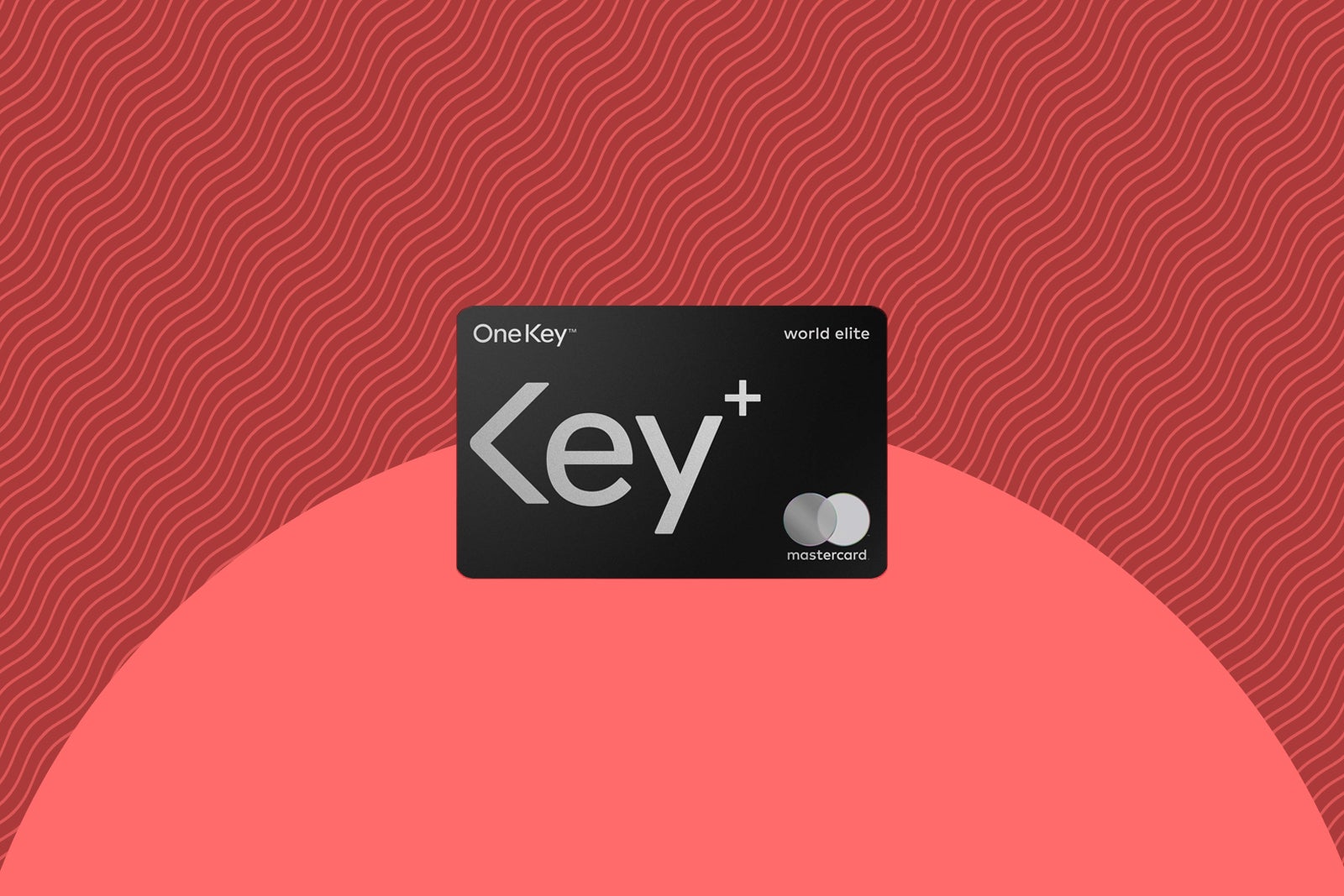
OneKey-Plus card art
THE POINTS GUY

Earning rates:

  • 3% back in OneKeyCash on Expedia, Hotels.com and Vrbo
  • 3% back in OneKeyCash at gas stations, at grocery stores and on dining
  • 2% back in OneKeyCash on other purchases

Best for: Travelers who want to earn OneKeyCash.

To learn more, read our full review of the OneKey+ card.


U.S. Bank Altitude Connect Visa Signature Card

Welcome offer: Earn 20,000 bonus points after spending $1,000 on purchases in the first 90 days from account opening.

Annual fee: $0.

US Bank Altitude Connect card image
THE POINTS GUY

Earning rates:

  • 5 points per dollar spent on prepaid hotels and car rentals booked directly in the Travel Center
  • 4 points per dollar spent at gas stations and EV charging stations (on your first $1,000 spent each quarter, then 1 point; excludes discount stores and wholesale clubs)
  • 4 points per dollar spent on travel
  • 2 points per dollar spent on dining, at grocery stores (excluding discount stores, supercenters and wholesale clubs) and on streaming services
  • 1 point per dollar spent on all other eligible purchases

Best for: Solid earnings for no annual fee.

To learn more, read our full review of the U.S. Bank Altitude Connect.


Bottom line

Each of these cards provides exceptional ongoing value beyond its Global Entry/TSA PreCheck benefit. It’s easy to offset the sub-$100 annual fees with any of these options.

The most important factor is determining the type of rewards you want to earn and how you would like to redeem them. You’ll also want to consider each issuer’s unique set of application rules and restrictions, including Chase’s 5/24 rule.

And remember, even if you already have Global Entry or TSA PreCheck, you can use this credit for someone you know. Just have them use your card to pay for their application fee.

Related: No more kiosks: Global Entry trials fast camera tech that clears you while you walk


Source link

Leave a Reply

Subscribe to Our Newsletter

Get our latest articles delivered straight to your inbox. No spam, we promise.

Recent Reviews


UiPath:

UiPath is a highly scalable RPA tool which automates any web or desktop application. This is an open-source RPA tool which enables global companies to design and deploy a robotic workforce for their organization. It assures security by credential management, offering encryption and access controls according to the role. UiPath provides community editions to small teams and individuals. It is free of cost.

Become a UiPath Certified professional by learning this HKR UiPath Training !

Features:

  • UiPath offers all basic capabilities.
  • It offers an open platform.
  • It gives support to Citrix.
  • It is friendly to non-developers as well.
  • It can process any number of processes, regardless of their complexity.
  • It is ideal for any size of the company.
  • It’s quicker to automate.
Pros:
  • It doesn’t require any programming skills.
  • Easy to use due to the drag-and-drop feature.
  • It delivers good features at no cost.
Cons:
  • Restricted coding functionality.

Acquire RPA Business Analyst certification by enrolling in the HKR RPA Business Analyst Training program in Hyderabad!

Robotic Process Automation Training

  • Master Your Craft
  • Lifetime LMS & Faculty Access
  • 24/7 online expert support
  • Real-world & Project Based Learning

Blue Prism: 

Blue Prism RPA tool assists business operations to be cost-effective and agile by automating the manual and rule-based, repetitive business process. This is a free RPA tool that offers a flowchart as a designer with a drag & drop feature for automating various business processes. It may operate on any platform using any application. To use this tool, we need to have some programming skills, but it is developer-friendly. The cost of the tool may range between $15000 and $18000 per annum.

Become a Blue Prism Certified professional by learning this HKR Blue Prism Training !

Features:

  • Blue Prism RPA offers all basic capabilities.
  • This tool is perfectly suitable for medium and large-sized companies.
  • The multi-environment deployment model is supported by Blue Prism.
  • It offers security for software credentials and networks.
  • It is possible to use Blue Prism on any platform.
  • Easy to implement in less than 4-6 weeks.
  • It is a strong, feature-rich analytical suite.
  • There is no requirement for programming skills for implementation.
  • It develops highly automated and effective end-to-end business processes.
  • It offers Control room enhancements to provide real-time feedback.
Pros:
  • It provides high-speed execution.
  • It is platform-independent.
Cons:
  • We need some programming skills.
HKR Trainings Logo

Subscribe to our YouTube channel to get new updates..!

Automation Anywhere:

Automation Anywhere is one of the best RPA tools that employ SMART automation technology. It combines a conventional RPA with intellectual features such as understanding language and reading unstructured data.

Become a Automation Anywhere Certified professional by learning this HKR Automation Anywhere Training !

Features:

  • Automation Anywhere gives you all the basic features.
  • It easily automates complex tasks.
  • It offers both onsite and cloud services.
  • This user-friendly tool is ideal for medium to large-sized companies.
  • It offers bank-grade security.
  • It Ensures security by credentials, authentication, and encryption.
  • It offers Real-time reporting & analysis.
  • It Ensures that the platform is independent.
  • It offers Smart Automation for IT and business operations.
  • It distributes tasks across several computers.
  • It provides scriptless Automation.
Pros:
Cons:
  • IQBot needs to be improved.

Robotic Process Automation Training

Weekday / Weekend Batches

Comparing UiPath, Blue Prism, and Automation Anywhere:

Automation Anywhere and Blue prism have a server-based architecture, while UiPath has a web-based architecture. Blue Prism automates back-office operations while Automation Anywhere and UiPath can automate both the back and front office operations. In comparison, UiPath is the best as it provides a user-friendly dashboard with easy drag-and-drop features. Automation Anywhere is developer-friendly, and it is entirely script-based. At the same time, Blue Prism is much simpler than Automation Anywhere and is based on Visual designer and not entirely like UiPath.

UiPath does not need the user to be familiar with the programming language. It delivers RPA features in a much easier manner than other RPA tools. Blue Prism requires programming basics in order to manage business objects, while Automation Anywhere needs some coding knowledge for using the activities. UiPath has a browser and mobile accessibility, whereas Automation anywhere and blue prism can be accessed by applications.

UiPath is the most popular tool. It provides a community edition or free edition. It also offers a user-friendly visual designer. The trial version is available in Blue Prism. It is easier than Automation Anywhere and offers a user-friendly visual designer. Automation Anywhere provides a 30 days trial version. It is developer-friendly. It needs high programming skills. All these tools are similar in their functionality and structure. However, if you want to learn to automate tasks, then UiPath provides a free edition with a drag and drop visual designer. UiPath does not require any programming skills and can automate a number of tasks as per your needs. This way if you are able to master an RPA tool, it can help you to boost your career opportunities.

There are some more RPA tools like Pegasystems, Work Fusion, Kryon, Contextor, Nice Systems, Kofax. All these tools are used by various industries for various purposes. Features of these tools vary. As per the requirement of the company and their purpose, they choose the suitable RPA tools. 

Conclusion:

We have learned about the top three RPA tools UiPath, Blue Prism, and Automation Anywhere, in this blog and compared them. We hope you found this article helpful.

Related Articles:


Source link