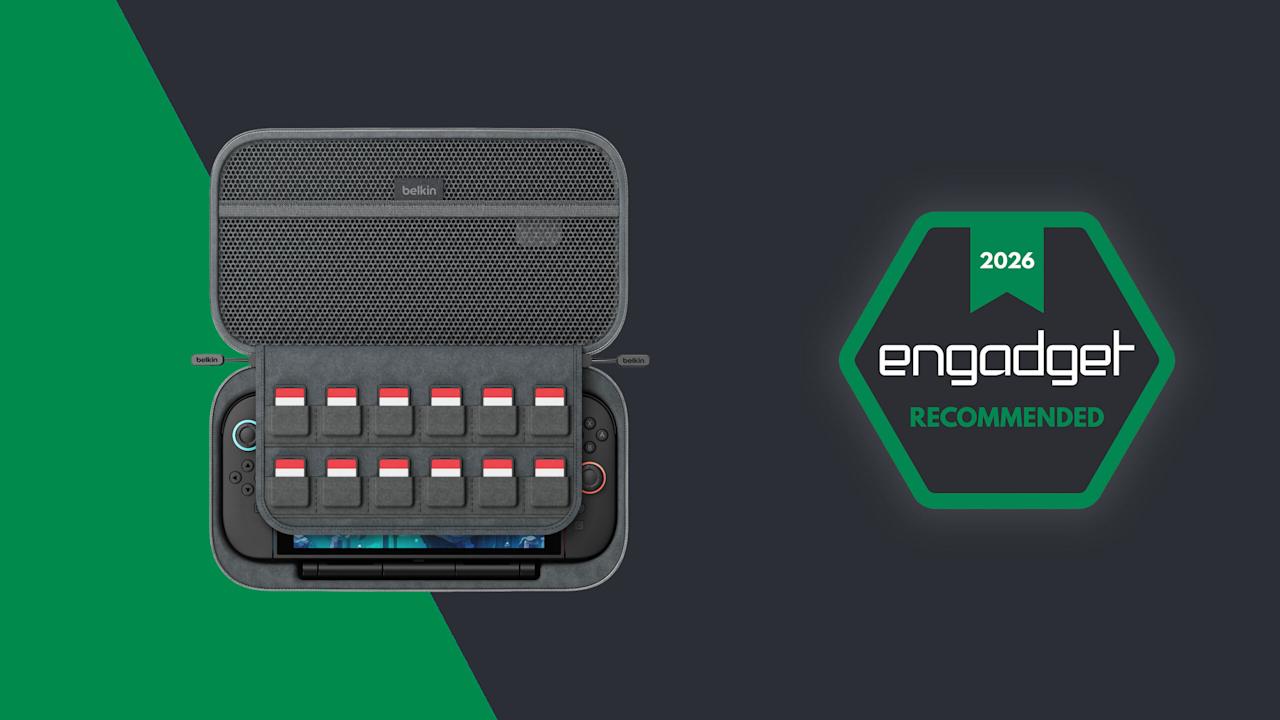
Belkin Charging Case Pro for Switch 2 review: A more elegant solution


Last year, Belkin released a couple of cases for the Nintendo Switch 2 just in time for launch, including one that came with a handy battery pack. That one was simple and effective, but it felt a bit crude because it wasn’t much more than a basic travel pouch with a generic power cell tossed inside. Now, Belkin is back with a Pro version of its Charging Case for the Nintendo Switch 2, featuring a more sophisticated battery pack along with a higher price tag ($100 vs. $70). So here’s the question for any Switch 2 owners still looking for a way to protect their console while keeping it topped off: Is a more elegant charging solution really worth the extra money?

Image for the large product module

Belkin / Engadget

The pro version of Belkin’s Switch 2 charging case is a more sophisticated and versatile power solution. But it’s also more expensive, so unless you’re comfortable shelling out an extra $30 for the same basic features, you’re probably better off sticking with the non-pro option.

Pros

  • Included 10,000mAh battery pack
  • Battery pack also doubles as a stand
  • Built-in game storage
  • Solid construction
  • Hidden AirTag pouch
Cons

  • Costs more than the non-Pro version
  • A touch bigger and heavier too
  • No included USB-C cable

Case design

At 11.7 x 6.1 x 2.5 inches and weighing 1 pound 12 ounces, the Pro Charging Case is a touch larger and heavier than its non-pro sibling. It also features a very similar design with the same color options and materials, including a tough polyester outer shell that’s balanced by a softer, velvet-like material and cutouts for your Switch 2 on the inside.

The Pro Charging Case (bottom) is a touch bigger and heavier than the previous model, but aside from that its sports a nearly identical design.

The Pro Charging Case (bottom) is a touch bigger and heavier than the previous model, but aside from that its sports a nearly identical design. (Sam Rutherford for Engadget)

Once again, Belkin has done a good job of providing a snug cabin to store your console while still making it easy to take it in and out. That said, if your system also has an extra-thick protector or hardshell case like the Killswitch from Dbrand, it may not fit. There’s also a padded flap that swings down to protect your Switch 2’s screen that also pulls double duty as a place to stash up to 12 game cartridges, which is a very thoughtful touch.

However, the biggest change to the Pro Charging Case’s exterior design is a new cutout on the front edge, which allows you to top off other gadgets (or a Switch) by plugging a USB-C cable into Belkin’s included battery pack. Unfortunately, the case doesn’t come with a cord, which seems a bit odd until you take a closer look at the power pack’s layout. That’s because once you open up the case, you’ll see a second port designed to fit right into the bottom power jack on the Switch 2 without the need for a cable.

The inside of the Pro Charging Case features a handy mesh pocket, 12 slots for game carts and a hidden AirTag pouch.

The inside of the Pro Charging Case features a handy mesh pocket, 12 slots for game carts and a hidden AirTag pouch. (Sam Rutherford for Engadget)

Other small touches on Belkin’s Pro Charging Case include a mesh pocket for storing things like cables, Joy-Con straps or cleaning cloths, which is very handy. However, my favorite thing might be the AirTag pouch that’s also hidden inside that pocket, which could give you a fighting chance of recovering your system if it’s ever lost or stolen (though I wouldn’t count on it).

Battery pack

The arrangement of the included 10,000mAh battery pack and the placement of its internal USB-C port makes it a cinch to recharge your Switch 2 every time you put it in the case.

The arrangement of the included 10,000mAh battery pack and the placement of its internal USB-C port makes it a cinch to recharge your Switch 2 every time you put it in the case. (Sam Rutherford for Engadget)

Despite the increased size of the Pro Charging Case’s included battery, it has the same 10,000mAh capacity as what you get from its less expensive sibling. That means you’ll typically have enough juice for a little more than 1.5 recharges for your Switch 2 and its onboard 5,220mAh cell. Instead of relying on a simple external power pack like before, Belkin’s bundled battery comes with a second USB-C port and a kickstand. This makes it super easy to plug in your Switch 2 every time you put it in the case. This way, you know the next time you turn it on, it’ll be at 100 percent.

Here's what the battery pack looks like when you take it out of the case. As you can see, its size and shape means it's not a great standalone external power pack any more.

Here’s what the battery pack looks like when you take it out of the case. As you can see, its size and shape means it’s not a great standalone external power pack any more. (Sam Rutherford for Engadget)

Alternatively, you can raise the kickstand to prop up the Switch 2 and game on it while it stays nestled inside the case. This might seem a bit redundant as Nintendo’s console already has its own kickstand, but Belkin’s allows you to continue charging the system while you’re playing without needing a cord. There’s even a handy display on the side of the battery, so it’s super easy to see how much juice is left, even when the case is closed. Furthermore, when you need to recharge the power pack, you can do so without removing it from the case or disconnecting your Switch thanks to that bonus USB-C port on the outside. Compared to the previous model, this is certainly a more elegant solution that provides some subtle quality of life improvements. The one downside is that the battery pack is somewhat awkwardly shaped, so you won’t really want to use it on its own.

Wrap-up

There’s no doubt the Pro Charging Case’s new battery pack is a more premium solution that’s easier to use and manage. When you need to recharge it, you can do so from the outside without opening the pouch. It also lets you charge a Switch 2 without ever needing a cable. The built-in kickstand is another bonus that helps elevate the whole kit from a simple case to something closer to a tiny all-in-one gaming booth.

One of the neat things about giving the battery a kickstand is that it turns the case into a mini all-in-one. This makes me wish Belkin gave the included power pack some sort of docking functionality for connecting the Switch 2 to an external display.

One of the neat things about giving the battery a kickstand is that it turns the case into a mini all-in-one. This makes me wish Belkin gave the included power pack some sort of docking functionality for connecting the Switch 2 to an external display. (Sam Rutherford for Engadget)

That said, after using it for a couple of weeks, I’m still not sure the added convenience is worth an extra $30 over the original. Due to the battery packs’ new shape, it’s less useful as a standalone power cell, and the rest of the case’s design is largely unchanged. Of course, it’s always nice to have options, and if you’re the kind of person who doesn’t mind spending a little extra for a more streamlined and convenient kit, Belkin’s Pro Charging Case for the Switch 2 is still very much worth consideration.


Source link

Leave a Reply

Subscribe to Our Newsletter

Get our latest articles delivered straight to your inbox. No spam, we promise.

Recent Reviews


PeopleSoft HRMS is used to manage employee and human resource functions like recruitment, payroll management, administration, and many more. It stores critical information like work locations, salary, attendance, hiring, etc. It maintains data accuracy and integrity. There is a high demand for skilled resources of PeopleSoft HRMS in the IT market.

In this post, we have put together the best 13 interview questions on PeopleSoft HRMS that will help you prepare for your interview. Go through the below frequently asked PeopleSoft interview questions and answers that enable you to stay one step ahead to grasp your dream job.

Most Frequently asked Peoplesoft HRMS Interview Questions

What are the terminal rules of an element?

Ans: Below are the three main rules of an element.

Actual Termination – It is used for a nonrecurring element. The entries will get closed when the pay date ends.
Final Close – This will be used when the entries need to be opened beyond the leave period of an employee.
Standard Process – It refers to the day that the employee is relieved of his employment.

Name the components for setting a SmartHire template?

Ans: The following components are used for setting a SmartHire template.

  • Template Creation (HR_TBH_CREATION)
  • Template Section (HR_TBH_SECDEFN)
  • Template Record/Field (HR_TBH_RECDEFN)
  • Copy Template (HR_TBH_COPY)
  • Template Category Table (HR_TBH_CTG_TBL)

What are the types of organizational relationships in PeopleSoft HRMS?

Ans: Below are the types of organizational relationships available in PeopleSoft HRMS.

  • Employee – An employee is a permanent staff member who will be paid through company payroll. When a new employee is hired, all the employee information like location, department, pay group, etc., are stored in a job table. 
  • Contingent – A person who works as a contractor for an assignment in a company. The details of the contingent worker will be stored in the database, but they won’t come under the company’s payroll. 
  • POI (Person of Interest) – The people who are connected to the company for some business purpose. The types of POIs are external trainee, external instructor, board member, or pension payee.

Define global assignments.

Ans: An employee can be assigned to a global assignment to monitor, track, dependants, etc., which will be helpful for companies who have branches in different geographical locations. The employee’s resident location will be the home location. The location where the employee moves will be the host location. The company can set international security through some options.

Peoplesoft HRMS Training

  • Master Your Craft
  • Lifetime LMS & Faculty Access
  • 24/7 online expert support
  • Real-world & Project Based Learning


What are checklists and how to create a checklist?

Ans: A checklist is a list of items that the HR uses to track the employee’s tasks that have to be accomplished and noted. To create a checklist, go to ‘Setup HRMS’, and select ‘Common Definitions’. Open ‘Checklists’, select ‘Checklist’, and select the type of checklist.

Want to Become a Master in Peoplesoft HRMS? Then visit here to Learn Peoplesoft HRMS Training.

[ Related Article : Oracle HRSM Training ]

Explain the types of tables in PeopleSoft HRMS.

Ans: PeopleSoft HRMS has three types of tables where data is stored.

Control tables – The accounting structure and processing rules of a transaction will be stored in a control table.
Transaction tables – The transactions or the day-to-day activities will be stored in these tables.
Prompt tables – The data that appears on the PeopleSoft application pages are retrieved from the prompt tables.

How to auto calculate standard hour and FTE?

Ans: Standard hours can be defined by adding a standard hour rule setup through the installation table in Setup HRMS. The minimum, maximum hours, and default hours can be defined by admin for the HR system. When an employee job details are added with a job code, the standard hours and FTE will auto-calculate.

What are the available job level defaults in Peoplesoft HRMS?

Ans: The following are the job level defaults available in PeopleSoft HRMS.

  • Job Labor
  • Payroll
  • Work
  • Job Information
  • Compensation
  • Employment Information
  • Salary Plan
  • Benefit Program Participation
  • Earnings Distribution
HKR Trainings Logo

Subscribe to our YouTube channel to get new updates..!


Define data permission security, and for what can we control data permission security?

Ans: The data permission security controls who has access to the rows of a table. The following types can be controlled with data permission security.

  • Employees
  • People
  • Departments
  • Contingent workers
  • Recruiting job openings
  • People of interest (POIs) with jobs
  • People of interest (POIs) without jobs

. Can a person hold multiple jobs?

Ans: Yes, a person can hold multiple jobs in one of the below two situations.

  • If more than one contingent worker or active employment instance exists.
  • If a substantive job is not suspended and an additional assignment exists.

If you have any doubts on PeopleSoft HRMS, then get them clarified from PeopleSoft HRMS Industry experts on our Peoplesoft HRMS community!

. What are the methods available to update worker’s compensation packages?

Ans: These are the methods available to update worker’s compensation packages.

  • Grade Advance increases
  • Automated step increases
  • Amount increases
  • Seniority Pay increases
  • Percentage increases
  • Step increases using review bands

. Explain about Frequency IDs.

Ans: Frequency IDs are used to define periods in which people are paid, compensation is quoted, etc. These frequency IDs are defined in the Frequency Table component (FREQUENCY_TBL). Each frequency ID is associated with a frequency type and an associated annualization factor that determines the number of times that the period occurs in a year.

. What is the job family in PeopleSoft HRMS?

Ans: Each job in PeopleSoft HRMS is associated with a job code through which it will be identified. The job code will have set standard hours and a default salary grade. A job family is a collection of multiple jobs. The job families are stored in the Job Family Table component (JOB_FAMILY).

Peoplesoft HRMS Training

Weekday / Weekend Batches

 Conclusion

AXA Group,  Anthem Inc., and some government organizations are using PeopleSoft HRMS. PeopleSoft HRMS has customers from almost all the industry verticals. It is one of the widely used tools among most of the companies to track and manage tasks from hire to retire. That means a ton of opportunities are available for the candidates looking for open jobs. 

About Author

author-image

As a Senior Writer for HKR Trainings, Sai Manikanth has a great understanding of today’s data-driven environment, which includes key aspects such as Business Intelligence and data management. He manages the task of creating great content in the areas of Digital Marketing, Content Management, Project Management & Methodologies, Product Lifecycle Management Tools. Connect with him on LinkedIn and Twitter.

Upcoming Peoplesoft HRMS Training Online classes

Batch starts on
22nd Apr 2026
Mon & Tue (5 Days)
Weekday
Timings – 08:30 AM IST
Batch starts on
26th Apr 2026
Mon – Fri (18 Days)
Weekend
Timings – 10:30 AM IST
Batch starts on
30th Apr 2026
Mon & Tue (5 Days)
Weekday
Timings – 08:30 AM IST


Source link