Looker Data Visualization | Types of Looker Data Visualizations


Looker Data Visualization – Table of Content

What is Data Visualization?

Data Visualization means the graphical representation of information and data with the help of visual elements like graphs, maps, charts, and diagrams. Data Visualization tools will make us understand the data more easily and promptly, and it helps us to see and get a picture of new trends and patterns in data. With visual representation, it is easy to communicate information and can get our things faster. Data Visualization technologies and tools are essential in the fast-paced technological world to evaluate huge amounts of information.

This blog talks about Looker Data Visualization in great detail. It touches upon the basics of Looker as a Data Visualization tool, the different use cases of Looker Data Visualizations, and the steps involved in setting up a project in Looker. The article also covers the challenges faced by Looker Data Visualization.

What is Looker?

Looker is a popular cloud-based BI tool and an enterprise platform useful for data applications and Big Data analytics. It helps to explore, analyze, visualize, and share real-time business analytics to make better and informed business decisions. Moreover, using Looker, anyone can analyze business data and find valuable insights into the datasets much more quickly. Also, Looker uses DML language with a predefined framework. Further, we can use Looker to connect with different data sources and create customized dashboards, KPI dashboards, etc. 

We have the perfect professional Looker Training for you. Enroll now!

Types of Looker Data Visualizations 

Looker has many Visualizations which are used to describe your data. Every Visualization is different, and we can customise it according to our needs and styles. Data Visualizations make a huge impact on understanding data and help in making a clear decision. Looker Data Visualizations include bar charts, pie charts, line charts, tables, column histograms, heat maps, and box plots.

Looker has many Visualizations you can use to make sense of your data. Each type of Visualization has different settings that you can use to customise its appearance. The links below provide information about each Visualization and its settings.

Sunburst:

Sunburst charts are open-source tools used to showcase hierarchical data structures. They are visually fascinating charts, and the data is expressed in a good-looking way in the form of a radial representation.

Collapsible Tree Diagram: 

Collapsible Tree Diagram interactively visualises hierarchical data. It represents a tree and contains a root node with branches like other nodes, and nodes will enlarge and reduce according to our needs. It is an open-source tool. 

Liquid Fill Gauge: 

A Liquid Fill Gauge is an open-source tool used to determine the growth towards a goal. We can customise the font, gauge colour, animation of the waves and colour of the liquid. 

Chord Diagram: 

In a larger dataset, the connection between the two items can be efficiently visualised in the Chord Diagrams. It is also an open-source tool. In Chord Diagrams, we can characterise the movement from two different points. 

Looker Data Visualization

How to Set up a Visualization in Looker

Looker helps create various charts and graphs based on the query results. It holds the data like query results and visualization set up together. Also, it allows users to check the visualization and the relevant data while sharing the query. Let us know how to set up a visualization in Looker in detail. 

Data Visualization set up

1) To begin with, you must create and run a query.

2) Now, navigate to the “Visualization” tab and click on it to start configuring the visualization options. 

3) Then, choose the visualization type that better displays your data. 

4) Click on “Edit” at the end to configure the visual settings, such as naming charts, changing chart colour palettes, etc.  

Looker Data Visualizations Use Cases

Thanks to eCommerce data analytics, businesses now can access more data than ever. Looker comes equipped with powerful tools that help discover profitable insights and can create opportunities to grow your business.

Looker Data Visualization: eCommerce

Thanks to eCommerce data analytics, businesses now can access more data than ever. Looker comes equipped with powerful tools that help identify economical insights and can create opportunities to grow your business.

Looker provides tools to track eCommerce KPIs (key performance indicators) like shopping, conversion rates, revenue and customer values. Tools help optimise sales performance, increase online sales with predictive modelling, identify customer trends, and update prices depending on demand and supply.

  • Customer trends & behaviour

Looker Data Visualization helps customers create profiles about their order history and shopping nature and learn about their behaviour and interest. It identifies repeat purchase patterns and frames out new promotions and marketing approaches that drive the business.

  • Category & brand management

With category performance, you can easily find out the top performers in different product categories, utilise the information, and take advantage of it in purchasing decisions. With BI data, you can increase profits by making promotions depending on when and where to run. It improves inventory management and provides real-time insights about inventory. In that way, you can’t run out of stocks which are high in demand.

Looker Training

  • Master Your Craft
  • Lifetime LMS & Faculty Access
  • 24/7 online expert support
  • Real-world & Project Based Learning
Looker Data Visualization: Healthcare

With Looker, you can Analyse claims with healthcare stakeholders, doctors, insurance companies and patients and increase efficiency in the above categories. It supports HIPAA compliance. Looker has gained an advantage in creating better developments to tackle COVID -19 like diseases.

  • Efficient planning with Qventus:

Qventus is an AI-enabled platform which assists hospital teams in making better functional decisions in real-time. Looker with AI software has customised the ‘Post Acute Care Utilisation tool and PPE demand planner’ to provide the best planning and patient care.  

  • Effective and proactive monitoring by Commonwealth Care Alliance (CCA)

CCA is a non-profit, community-based healthcare organisation that provides healthcare for high-needs individuals by maintaining quality and health outcomes while reducing overall costs. CAA uses Looker and Google Big Query to check and help patients suffering from COVID-19. CCA helped their members by providing the latest facts and guidance.

  • Improved Digital Care with Force Therapeutics: 

Therapeutics, an episode-based patient engagement research network and platform, enhances care by simplifying and strengthening the relation between patients, physicians and Care Teams. By providing specialised and secure insights to patients, surgeons and administrators, they worked on modifying care and made it a more effective process. Looker is equipped with embedded analytics in its products to deliver scalable and secure insights and enhance patient care.

  • Transition to Value-Based Care: 

Alternative Payment Models (APM) are transforming healthcare, but we must analyse the metrics and their performance. Using Looker’s flexible data platform NewWave Telecom and Technologies, Inc. delivered metrics and dashboards for new APM in a short span of time. Doctors and administrators easily understand patient performance and detailed data with the help of the Centres For Medicare and Medicaid Services (CMS).  

If you want to Explore more about Looker? then read our updated article – Looker Tutorial

Looker Data Visualization: Gaming

Looker Data Visualization helps you to develop games and gain accurate insights. You can have this by understanding game analytics and boosting your revenue. 

  • Grow your gameplay metrics

With gaming analytics, you can track your KPIs, find important key insights, and be able to make better decisions. You can optimise campaigns and have a different look at campaigns in a creative way. The main key metric for gaming is Ad revenue, and automated bidding will optimise instals and increase your revenue. Find out the stability between retention and monetisation, which is required for better player engagement.

  • Gameplay Experience Optimisation

If you identify simple retention metrics like reducing churn will optimise gameplay and decrease quits. Monitor your KPIs for insights that balance difficulty and the game economy and content improve user experience in gameplay by analysing user behaviour and regularly updating the games.

Create sustainable growth by being outlandish in the market and finding your customer base. Mix up all the revenue sources and get a birds-eye view of every player’s lifetime value (LTV) at any point of their lifecycle. Prepare a cohort analysis which shows updated trends so that you can make changes in the game to improve the gameplay.

Related Article: Looker Analytics

Business Intelligence & Analytics, looker-data-visualization-description-2, Business Intelligence & Analytics, looker-data-visualization-description-3

Subscribe to our YouTube channel to get new updates..!

Looker Data Visualization: Retail

Looker is a Cloud-Native Enterprise BI Platform where retail relies on data to optimise their decision-making process. Data can affect inventory control, trend forecasting, and marketing strategy and influence customer behaviour mainly in the progressive digital space of eCom.

  • increase the customer lifetime value (LTV)

With the help of Looker’s customer support analytics, we can improve customer satisfaction by providing quality customer service, response time and results. Looker assists businesses in carefully forecasting and nullifying potential issues, ultimately decreasing service problems and improving brand loyalty. Retail analytics will identify losses and upsell opportunities.

  • Develop an omnichannel merchandising strategy

With Looker’s customer-centric platform, we can create a unified shopping experience, get a clear picture of customer behaviour, and improve the shopping experience. We can understand purchasing patterns in various channels. By using built-in technology in Looker, retailers can understand customer purchasing behaviour. We can maximise sales by making multiple data points across different channels into a centralised location and compiling them into actionable insights to drive business.

  • improve operations and supply chains

With Looker’s tracking merchandise movements, retailers can track their products from source to customer. You can gain operational efficiency by delving into minute-to-minute insights. By tying customer feedback with supply chain issues, you can enhance customer feedback and make profitability

Challenges of Building Visualizations in Looker

In the article, you have gained some basic knowledge of Looker’s Data Visualization in various sectors. Looker Data analytics and Business Intelligence tool has created a benchmark in the industry. Looker faces some challenges but has created its place; some of the challenges are:

  • It requires a lot of effort to maintain on-premise servers
  • Looker’s API face issues like authentication and is a complex tool to use
  • Datasets in Looker are huge and consume time while processing data.

Benefits of Data Visualization

The following are a few of the various benefits of using data visualization.

Draw Quick Insights

Sometimes the data may be much more complex to draw relevant insights from it. During that time, data visualization will be much helpful. It helps to simplify the complex insights of drawing from complex datasets. However, the visual data representation enables users to pull out various valuable insights from the data. These insights may be unnoticed or ignored in other formats.

Find patterns and trends Quickly.

Data visualization makes it easier to find various patterns and data trends quickly. It will be easier to find multiple trends when data is presented in a graphical format. It is used instead of resolving via text or spreadsheets. Thus, it will be much easier to discover various patterns and the latest trends through data visualization techniques. 

Quickly Establish Links Between Insights and Strategy

Visual graphics make it easier to build connections between data insights and strategy. Further, data visualization helps to reduce the gap between helpful insight and effective informed decisions. It helps companies understand the data and its connectivity with the issues. It allows organizations to identify the leading cause to connect with solutions to problems much faster.

Find Various Data Explanation Ways

You can quickly draw a story with the data using data visualization. Moreover, data visualization tools offer various graphical visuals such as pie charts, donut charts, heat maps, line charts, plots, etc. This help presents the combination, learning about different values, discovering anomalies, and comparing the relationships between different data sets. So, there are multiple ways of interpreting data through data visualization. 

 Top 30 frequently asked Looker Interview Questions !

Looker Training

Weekday / Weekend Batches

Conclusion:

Thus, you have gone through the Looker data visualization in detail. You learned how various industries leverage Looker to get more profitable and actionable insights to drive decision-making. The various data visualizations offered by Looker help to explore different data sets, extract relevant data from complex data sets, make data analysis, etc. Thus, using a powerful data visualization tool like Looker, you can easily create complete data analysis and make informed decisions quickly.

Other Related Articles: 


Source link

Leave a Reply

Subscribe to Our Newsletter

Get our latest articles delivered straight to your inbox. No spam, we promise.

Recent Reviews


SQL Server Integration Services (SSIS) is a very popular and most widely used data integration tool that has been created by Microsoft Corporation which is utilized for an expansive scope of exercises related to data migration.  Due to its several amazing features and a user-friendly interface, it has become the very first choice of developers and SQL DBAs.
If you want a job in the SSIS field you will have to apply for an interview. If you want to clear that interview, you must prepare the most frequently asked SSIS Interview questions. Here is a blog that will walk you through the list of popular SSIS interview questions and answers. The blog will help you with SSIS interview questions for freshers and SSIS interview questions for experienced professionals. Here we go. The best part about this blog is that there are answers provided to all the questions right below them. Therefore, this is the ultimate SSIS interview question guide that you will need.

Most Frequently Asked SSIS Interview Questions

How will you describe SSIS?

Ans: SSIS or SQL Server Integration Services (SSIS) is a part of Microsoft SQL Server, which can be utilized to achieve an expansive scope of information change and information relocation tasks.

Explain the term data transformation.

Ans: The procedure that permits you to remove explicit information out of its source is called data transformation.When that is done,it at that point oversees and moves it to the record based on your personal preference (usually, it is at the end of the file).   

      Get ahead in your career by learning ssis through hkrtrainings ssis training.

Can SSIS handle any other tasks? If yes then list them.

Ans: Some of the different assignments that SSIS handles are 

  • information profiling
  • successfully streamlining the group activities and 
  • framework document.

Differentiate between DTS and SSIS.

Ans: SSIS can be referred to as an evolved version of DTS (Data Transformation Services) and has been re-composed without any preparation to beat the confinements of DTS which was accessible in SQL Server 2000 and prior renditions. A huge improvement is an isolation of the control/workstream from the information stream and the capacity to utilize a cushion/memory arranged engineering for information streams and changes which improves the overall execution.

Do you know what data flow in SSIS is?

Ans: Presently, in case you’re simply beginning with SSIS, comparative inquiries may put on a show of being precarious – particularly when the past inquiry spun around information change. 
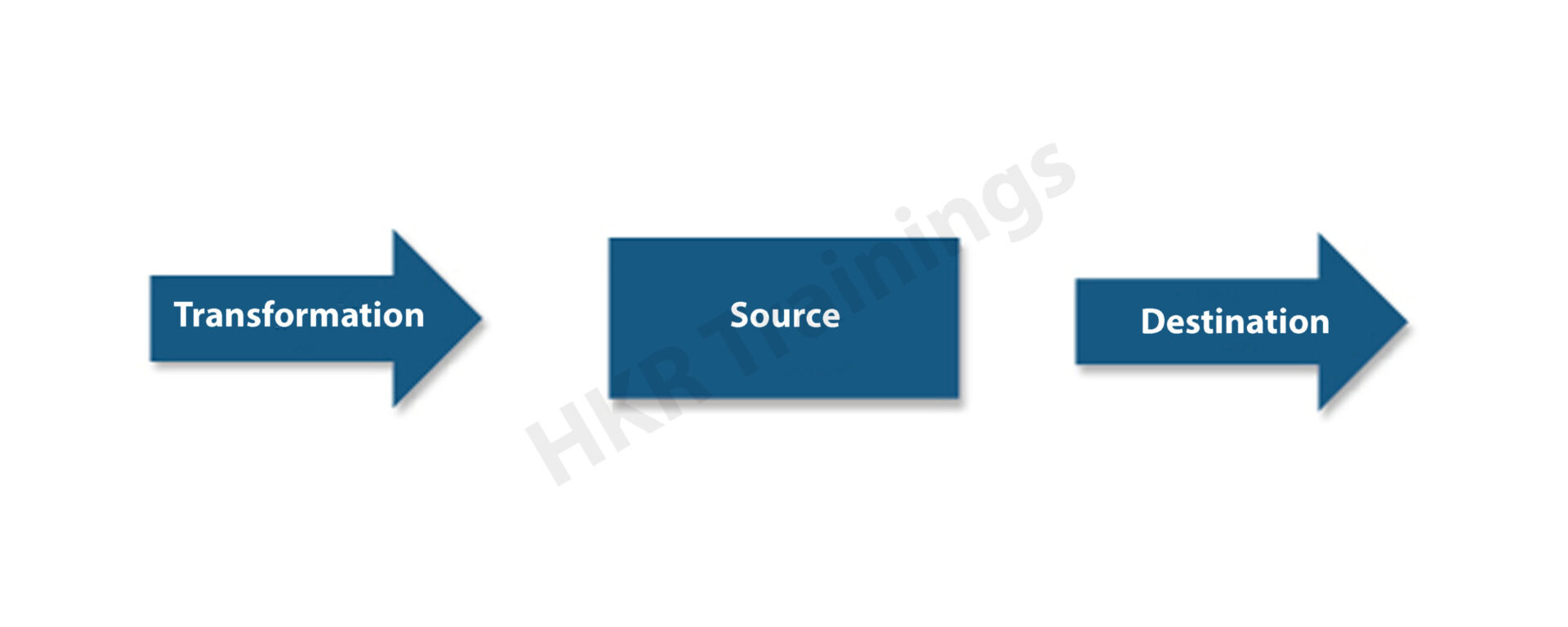
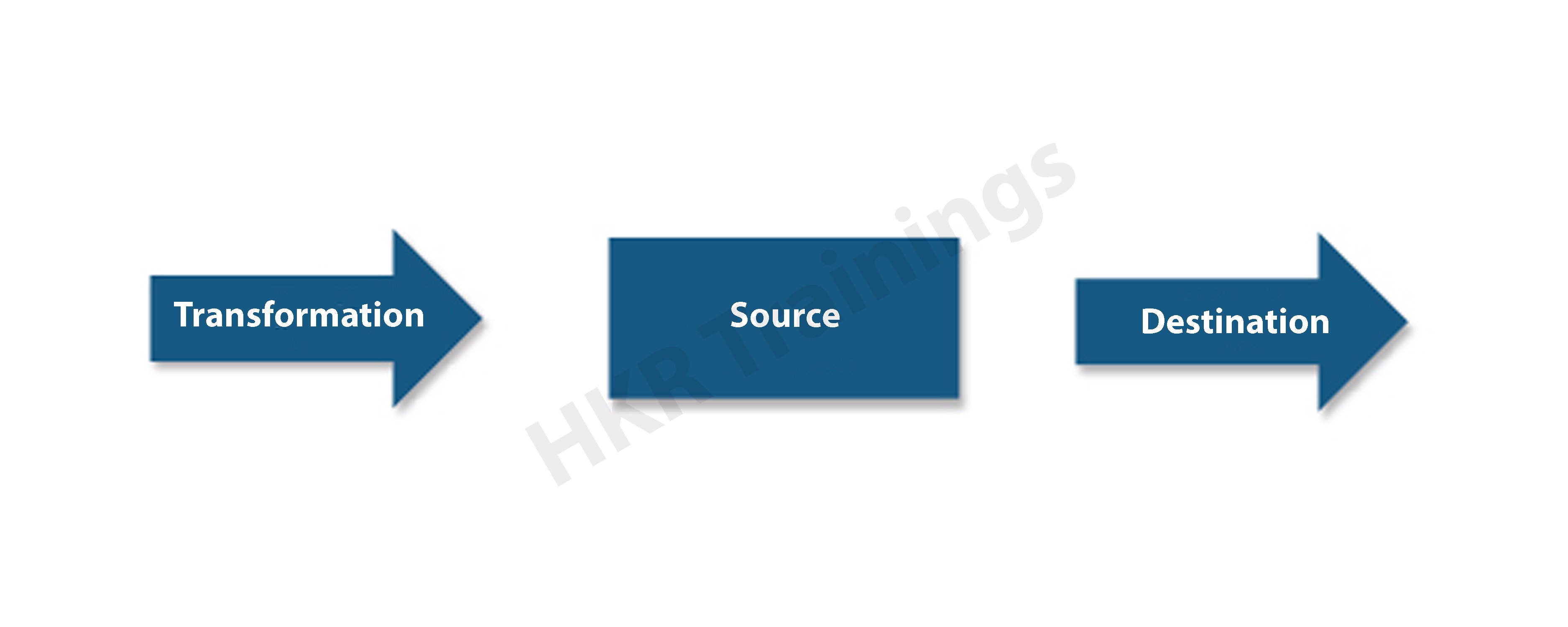
Similarly, as in most different cases, data flow in SSIS alludes to the procedure of data going starting with one point then onto the next. At the end of the day, information streams from a source to the objective area.

What do you understand by the term SSIS Expressions?

Ans: On the off chance that you are inexperienced with SSIS Expressions, it, undoubtedly implies that you are not a specialist and your SSIS experience is essential, so it is imperative to turn out to be comfortable with this element. SSIS Expressions can be utilized to channel data, to work with parameters, connect data, and make conditions. As such, it assists with working with dynamic associations, different conditions as well as working with loops.

Do you know what control flow integration is in SSIS?

Ans: SSIS control stream permits you to program in your own way as to how the assignments will run by utilizing the consistent connectors between undertakings. You have an option of three fundamental sensible connectors that you can utilize: complete, success and failure. Besides, you can utilize the FX (articulation) to deal with increasingly complex conditions that are beyond your control.

Name the different components of data flow.

Ans:There are three components of data flow in SSIS

different components of data flo

What are the various types of SSIS packages that you can use?

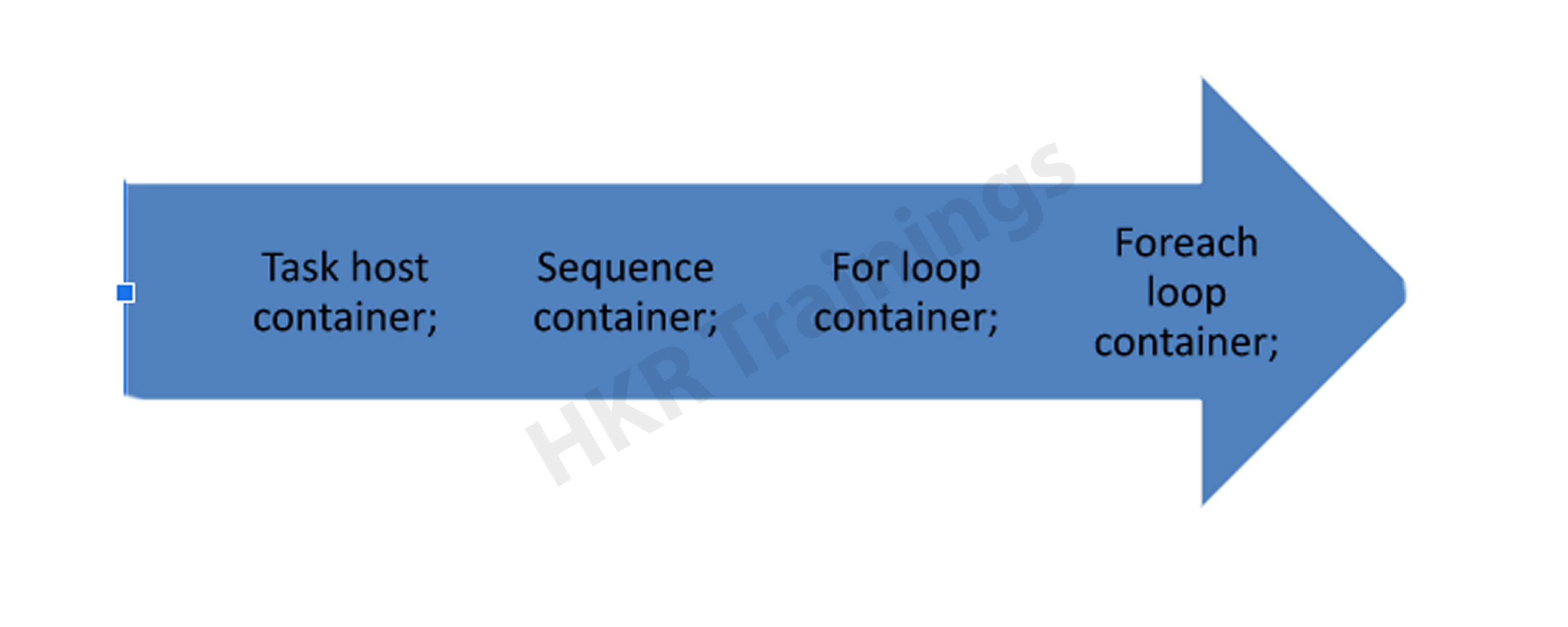
Ans: In the SSIS environment you get an option to choose among three types of containers, they are : sequence, for loops and each loop, respectively.

A for loop container is the thing that you can use to execute your undertakings to a specific number of times. For instance, you have to refresh records multiple times, you can put the errand that refreshes the records inside this for loop container and indicates 10 as the finish of the loops. by utilizing the for loop container, you don’t need to make either ten unique bundles do a similar assignment or need to run the entire bundle multiple times when you plan your activity. 

A sequence container is a basic method to bunch comparative errands. Think about a succession container as an association holder for increasingly complex SSIS bundles.

A for each loop container will be helpful when you don’t know early how often an errand ought to perform. for example, suppose that you need to erase all the records inside an organizer, however, you don’t have the foggiest idea what number of documents are there at a specific time, by utilizing for each circle, it can experience the assortment of records and erase them for you once the assortment is purged out, it realizes the time as to when to end.

. What do you understand by the process of the data flow task in SSIS?

Ans: The SSIS data flow task refers to the siphoning instrument that moves information from the origin to goal. In any case, on account of SSIS, you have significantly more command over what occurs all the way. Truth be told, you have a lot of out of the case change parts that you click on together to clean and control the information while it is in the information pipeline. 
Similarly, as the control stream handles the principle work process of the bundle, the Data Flow handles the change of information.Nearly anything that controls information falls into the Data Flow Category.

      If you have any doubts on SSIS, then get them clarified by Industry experts team on our ssis tutorial !

. How will you explain the Data Profiling task?

Ans: The data profiling task is the way toward examining the source information to all the more likely comprehend what condition the information is in, regarding neatness, examples, numbers or nulls, etc. Information profiling tasks generally are utilized toward the start of the advancement cycle to help the structure of the goal database blueprint. Note that this errand isn’t utilized when you build up the ordinary repeating ETL bundles.

. How will you explain the multicast Transformation in SSIS?

Ans: In SSIS Multicast transformation, as the name suggests, is the process that can send solitary data input to numerous yield ways without any problem. You might need to utilize this chance to send away numerous goals cut in various manners. The multicast change is like the Split Transformation because both send information to different yields. In any case, you cannot determine the conditions for which some portion of the information will be in which yield in the Multicast transformation

. Merge and Union All- What differences do you need to know?

Ans: In SSIS Merge transformation can blend information from two ways into a solitary yield. The Transform is helpful when you desire to break out your Data Flow into a way that manages certain blunders and afterward consolidate it again into the fundamental Data Flow downstream after the mistakes have been taken care of. It’s likewise helpful if you wish to blend information from two Data Sources. 

However, in SSIS the Union All Transformation works similarly as the Merge Transformation, yet it doesn’t require the information to be arranged. It takes the yields from numerous sources or changes and joins them into a solitary outcome set.

. What do you understand by Merge Transformation in SSIS?

Ans: In SSIS merge transformation is known to consolidate two paths into a solitary path. It is valuable when you need to break out information into a way that handles blunders after the mistakes are dealt with, the information is converged once more into downstream or you need to combine 2 information sources. 

. What are the limitations of Merger transformation in SSIS?

Ans: Merge transformation has a few limitations and they are as follows:

First is that it needs the Data to be properly sorted in an order

Secondly, the attributes of Data type, data length, and other Metadata should be similar to each other before they can be merged.

. Define what OLE DB Command Transform is.

Ans: The OLE DB Command Transform is a segment intended to execute a SQL Statement for each line in an information stream. This errand is practically equivalent to an ADO Command Object being made, arranged, and executed for each line of an outcome set. The info stream gives that information to parameters that can be set into the SQL Statement that is either an Inline proclamation or a put away methodology call.

. What do you understand about the package task in SSIS?

Ans: The package task is also known as the Execute Package task in SSIS refers to the one of the most essential elements of SSIS as this component is responsible for giving the developer the functionality to call the other SSIS packages right from the origin of their workflow. We can use this at any given time.

. What do you understand by the Precedence Constraints?

Ans: In SSIS a task undertaking will possibly execute if the condition that is set by the priority imperative going before the errand is met. By utilizing these limitations, we will pick diverse execution ways relying upon the achievement or disappointment of different tasks.

Success – Workflow will continue when the first compartment executes effectively. It is shown in control flow by a strong green line.

Failure – Workflow will continue when the former compartment’s execution brings about disappointment. It is demonstrated in control flow by a strong red line.

Completion – Workflow will continue when the first compartment’s execution finishes, paying little mind to progress or disappointment. It is shown in charge by a strong blue line.

Expression/Constraint with logical AND – work process will continue when determined articulation and imperatives assess to valid. It is demonstrated in charge stream by a strong shading line alongside a little ‘fx’ symbol close to it.

. What do you understand by a Checkpoint?

Ans: A checkpoint is a property in SSIS which empowers the venture to restart from the purpose of disappointment. At the point when we set the property to a genuine bundle, make the checkpoint document that stores the data about bundle execution and use it to restart the bundle from the purpose of disappointment. On the off chance that the bundle runs effectively, the checkpoint document is erased, and afterward re-made whenever the package runs.

. What is the task?

Ans: In SSIS a task is something that you would issue to the database, to get certain ideal outcomes. Altogether, there are two kinds of tasks in SSIS – control stream assignments and database support ones.

SSIS Training

  • Master Your Craft
  • Lifetime LMS & Faculty Access
  • 24/7 online expert support
  • Real-world & Project Based Learning

. What is the process to fail a package manually in Integration Services?

Ans: I am running an Execute SQL Task articulation in my SSIS package. The Execute SQL Task is running SQL and watching that the tables have over 1000 lines.If they have fewer than 1000 lines, the package will fail. 

If you have any doubts on ssis, then get them clarified from ssis Industry experts on our ssis community !

. What do you understand by ‘deployment’?

Ans: The procedure of deployment is where you would move the records from the “sending stage” to the “execution stage”. You could state that it resembles taking records from their areas and delivering them off for execution.

. Explain the data flow engine.

Ans: It’s critical to know however much as could be expected about the information in the SSIS inquiries questions. As the name likely suggests, a data flow engine is liable for the progression of information through should SSIS. The engine uses what are known as supports to make a consistent and overly quick progression of information from it’s a source to the goal.

. What is a Container? How many SSIS containers can you name?

Ans: SSIS Container is a legitimate gathering of tasks that permits dealing with the extent of a task together. The ideal answer is naming every one of them :

Container

. What is a solution Explorer in SSIS?

Ans: In SSIS solution explorer is the screen where you can view and access all the information sources, information sources perspectives, ventures, and different random documents.

. What do you understand by the connection managers in SSIS?

Ans: While gathering information from various sources and composing it to a goal, association chiefs are useful. Association supervisor encourages the association with the framework that incorporates data that resembles information supplier data, server name, verification system, database name, and so forth.

. Explain an SSIS breakpoint.

Ans: An SSIS breakpoint empowers you to stop the proper implementation of the bundle in the business insight advancement studio during the investigating or the vital advancement of an SSIS package.

. Explain the event logging in SSIS.

Ans: In SSIS, the process of event logging permits the developer to choose a particular occasion of an assignment or a bundle that requires logging. It is gainful at times if you are investigating your bundle to comprehend the presentation package.

. What is the data flow buffer?

Ans: The tasks in SSIS operate by utilizing buffers;  a data flow buffer is like an in-memory sort of a virtual table that is utilized to hold data where it is supposed to be.

. What is ETL?

Ans: In the computing world, extract, transform, the load is the general methodology of duplicating information from at least one source into a goal framework that speaks to the information uniquely in contrast to the source or an unexpected setting in comparison to the source.

. When can you escape saving the data for a data checkpoint?

Ans: Usually,it is not recommended to not save the data, however, in the normal course, the Checkpoint data does not get saved for the For Loop containers and the For Each Loop container. 

. Explain about the phase of a conditional split transaction in SSIS.

Ans: The phase of conditional split transformation is just as similar to the IF condition,that is used to check for all the listed out conditions that are based on the conditional evaluation.

. What are the various kinds of Data viewers that are available in SSIS?

Ans: The various kinds of data viewers that are available in SSIS include

Data viewers

. What role does the Event Handlers tab perform in SSIS?

Ans: Right on the event handlers tab, work processes can be designed to react to bundle occasions. For example, you can arrange the work process when any task stops, comes up short or starts.

. What is the process to notify the staff members about a package failure?

Ans: it is possible to do so in two ways- 

1. Inside the package, you could include a Send Mail Task in the occasion handlers, 

2. You can even set the notice in the SQL Agent when the package runs.

. What are the different types of files or connections that can be supported in SSIS?

Ans: Various connection types that work within SSIS are :

SSP connections

. Can you schedule SSIS packages for a specific time or a specific interval; of a day?

Ans: You can design a SQL Server Agent Job with work step kind of SQL Server Integration Services Package, the activity summons the dtexec order line utility inside to execute the bundle. You can run the activity (and thus the SSIS bundle) on request or you can make a calendar for a one time need or on a reoccurring premise.  Allude to this tip to become familiar with it.

. How can you Handle the Early Arriving Facts Or Late Arriving Dimensions?

Ans: To be honest, Late Arriving Dimension is unavoidable, to deal with these we can make fake measurements with normal/business keys and keep the remainder of the properties as invalid or default. So when real measurement shows up, the fake measurement is refreshed with Type 1 change. This likewise alludes as Inferred Dimensions.

We have the perfect professional SSIS Tutorial for you. Enroll now!

. Can you use SSIS objects in a Visual Studio as well as extract data without SSIS?

Ans: Yes, you can. You can have a Visual Studio venture in C# like a web application a Windows work area application, a support application and conjure SSIS items to program errands without SSIS ventures. As such, you could make your control streams, information streams, associations utilizing just C# code or Visual Studio code. In the vast majority of the cases, it isn’t down to earth to do it, since it might take a longer time. In any case, it very well may be vital if the undertaking in the SSIS venture has some usefulness restriction that could be shrouded by the code in C#.

. What do you mean by an Execution Tree?

Ans: Execution trees show how the package utilizes buffers and strings. At run time, the information stream motor separates Data Flow task activities into execution trees. These execution trees indicate how supports and strings are assigned in the bundle. Each tree makes another cradle and may execute on an alternate string. At the point when another support is made, for example, when an incompletely blocking or blocking change is added to the pipeline, extra memory is required to deal with the information change and each new tree may likewise give you an extra worker string.

. What is the process for an incremental load?

Ans: The quickest approach to do gradual burden is by utilizing the Timestamp section in the source table and afterward putting away last ETL timestamp, In the ETL process pick all the lines having Timestamp more prominent than the put-away Timestamp to pick just new and refreshed records.

[ Related Article: Incremental load ]

. As a developer what do you think are the best practices for using SSIS?

Ans: Here is a list of some best practices of SSIS- 

  • You ought to abstain from performing logged tasks 
  • You should make an understood arrangement for asset use. 
  • Optimize the information source, query change, and destination
HKR Trainings Logo

Subscribe to our YouTube channel to get new updates..!

. What is the use of an XML Task in SSIS?

Ans: An XML task in SSIS permits the user to split, merge, or reformat any kind of XML file.

. On the off chance that you Want To Send Some Data From Access Database To SQL Server Database. What Are the Different Components Of SSIS that you Will Use?

Ans: In the information stream, we will utilize one OLE DB source, information change, and one OLE DB goal or SQL server goal. OLE DB source is an information source helps peruse information from Oracle, SQL Server, and Access databases. Information Conversion change would be expected to expel datatype anomaly since there is a contrast in datatype between the two databases (Access and SQL Server) referenced. On the off chance that our database server is put away on and the bundle is run from the same machine, we can utilize the SQL Server goal else we have to utilize the OLE DB goal. The SQL Server goal is the goal that improves the SQL Server.

. What do you mean by Data conversion Transformation?

Ans: In the SSIS environment data conversion transformation is the best strategy to pass on the information starting with one sort then onto the next. In any case, you have to ensure that you have COMPATIBLE information in the column.

. How can you stop a package from running forever?

Ans: It depends. On the off chance that you are running the bundle in the SQL Agent, you can slaughter the procedure utilizing T-SQL. Be that as it may, if the bundle is running in the SSIS inventory, you can stop it utilizing Active Operations window or the stop activity stored technique.

. What is the purpose of using the Ignore Failure option in SSIS?

Ans: By using the Ignore Failure option, the error will be disregarded and the information line will be coordinated to proceed with the following change. Suppose you have some JUNK information (wrong kind of information or JUNK information) spilling out of source, at that point utilizing this choice in SSIS we can REDIRECT the garbage information records to another change as opposed to FAILING the bundle. This assists with moving just legitimate information to goal and JUNK can be caught into a different file package. 

. What is the function of the Package explorer tab in SSIS?

Ans: This tab gives an explorer’s view on the package. You can perceive what’s going on in the bundle. The Package is a container at the highest point of the chain of importance.

. What do you gather by the term Solution Explorer?

Ans: Solution Explorer is a spot in SSIS Designer where all the tasks, Data Sources, Data Source Views, and different incidental documents can be seen and gotten to for alteration.

. What is Multicast Transformation?

Ans:The multicast transformation sends yield to numerous yield ways with no contingent as Conditional Split does. Takes ONE Input and makes the COPY of information and passes similar information through numerous yields. In basic give one data command and take numerous yields from similar information.

SSIS Training

Weekday / Weekend Batches

. What is the Manifest file in SSIS?

Ans: Manifest consists of the information which is important for the deployment. With The help of deployment Manifest in SSIS will allow you to lodge a bundle of packages to the desired location. The deployment manifest will deploy all your packages present in your project. Creating a manifest is a simple and easy process. 

. How to back up or retrieve the SSIS packages?

Ans: First, backup the master key used in encryption in the SSISDB database and protect the backup file with a password, this can be done using the BACKUP MASTER KEY statement. Packages that are present in the SQL server are backed up with the help of the MSDB database.

. What is the multicast Transformation in SSIS?

Ans: Multicast Transformation means distributing its inputs to multiple outputs. Multicast Transformation is like conditional split transformation in which both will send data to multiple locations. With this transformation, we can send a path to numerous destinations. There is a slight difference between the two in multicast transformation: every row directs every output, and in conditional split, a row directs a single output.

. What are Process Bytes in SSIS?

Ans: Process bytes are also called private bytes (DTEXEC.exe); these represent the total amount of memory utilities by the integration service. Other Processes can not use process memory.

. How many lookup cache modes are present in SSIS?

Ans: In SSIS lookup transformation, there is a setting called Cache Mode that determines how the data is cached during runtime. There are three types of lookup cache modes that are a part of lookup transformation they are : 

In SSIS lookup transformation this is the default cache mode. Before the data-flow task is executed, this mode queries the data during the pre-execute phase. From the table, the entire data is copied and stored into the lookup cache in SSIS.

In this mode, the lookup values are cached, when a new row is added, the lookup transform scans the cache for the matching value, if any match is found with the database, then the value is cached if not it queries the database. If the lookup cache is complete, data will be deleted automatically and free up space.

The name explains everything. In this cache, the lookup transform will not maintain a lookup cache unless two successive sources are matched and Database queries run to compare data from time to time.

. What is File system deployment?

Ans: File system deployment means a package is deployed into a file system, i.e. to a specific folder and drive. With SQL agent job you can schedule when the package needs to run.

. For which type of container the checkpoint data is not saved?

Ans: The checkpoint data is not saved for loop container and Foreach loop container items. 

. What are different alternatives for dynamic configuration in SSIS?

Ans: Alternatives for dynamic configuration in SSIS are:

XML file

Database per set with variables

Custom variables

. Explain Copy column Transformation?

Ans: Copy column transformation creates duplicate columns in SSIC, and it copies input columns and duplicates them in a new name. By using copy column transformation, we can make multiple copies, and multiple transformations can be applied to copies. With one copy, we perform one operation.

. Is it possible to log SSIS execution?

Ans: With log providers, Logging is implemented in SQL Server Integration Services. The log helps you audit, capture runtime information, and troubleshoot. SISS has different data sources, and Logging supports multiple formats like Windows Log, XML files and Logging information in text files.

. What will you do if a package runs fine in BIDS but fails while running from the SQL agent job?

Ans: To resolve the issue, we can use the following methods. Choose the appropriate method according to the reason that package has failed.

  • Method 1: create a SQL Server Agent proxy account using SQL Server. Check credentials of proxy account and SQL Server Agent proxy account. This method has limitations and might fail even if the job step uses the exact proxy account.
  • Method 2: SSIS package protection level property must be changed to server storage. With this setting, the package is stored in the SQL server database.
  • Method 3: SSIS package protection level property must be changed to Encrypt. Apply password for encryption, include password, and modify the SQL server agent job step command line.
  • Method 4: create a package template for long-term resolution. Use different level protection that differs from the default setting and create a package template.

. Enlist different types of supported file formats and connections in SSIS?

Ans: There are different types of supported file formats and connections in SSIS. Some of them are :

ADO- it Connects to ActiveX Data Objects (ADO) objects.

Excel- it Connects to an Excel workbook file.

ODBC- it Connects to a data source by using ODBC.

Flat file- it connects data to a single file.

. What is Multithreading?

Ans: Multithreading means processing multiple data simultaneously, and it is also called multi-processing. It saves time in execution, and it helps in processing massive data fastly. 

. What does the master database hold?

Ans: The master database holds information about all systems for a SQL server system. The information like system configuration, endpoints, logins, linked servers

. Can the data be viewed as between data tasks?

Ans: The export and import data is managed by the Manage Data task dialogue box. The data can also be viewed with the help of the “enable data viewer” option.

. Where Are Ssis Packages Stored In The Sql Server?

Ans: %Program Files%\Microsoft SQL Server\100\DTS is the default location for the package folder. Apart from this SQL server gives us options to store SSIS packages they are:

  • MSDB database
  • Package store
  • In your local disk

Conclusion

We have provided the Interview questions on SSIS in this blog. There is a vast scope, tremendous career growth in SSIS and SSIS developers are getting higher salaries than other professionals. These are the best-curated questions that are probably asked in SSIS interviews. Our technical expert in SSIS prepares these questions. If you are going to attend an interview, these questions will help you a lot. Attend our mock interview and level up your confidence. Check our website and book your session now. At HKR Trainings we will give the best to our readers.

About Author

author-image

As a senior Technical Content Writer for HKR Trainings, Gayathri has a good comprehension of the present technical innovations, which incorporates perspectives like Business Intelligence and Analytics. She conveys advanced technical ideas precisely and vividly, as conceivable to the target group, guaranteeing that the content is available to clients. She writes qualitative content in the field of Data Warehousing & ETL, Big Data Analytics, and ERP Tools. Connect me on LinkedIn.

Upcoming SSIS Training Online classes

Batch starts on
3rd Jun 2026
Mon & Tue (5 Days)
Weekday
Timings – 08:30 AM IST
Batch starts on
7th Jun 2026
Mon – Fri (18 Days)
Weekend
Timings – 10:30 AM IST
Batch starts on
11th Jun 2026
Mon & Tue (5 Days)
Weekday
Timings – 08:30 AM IST


Source link