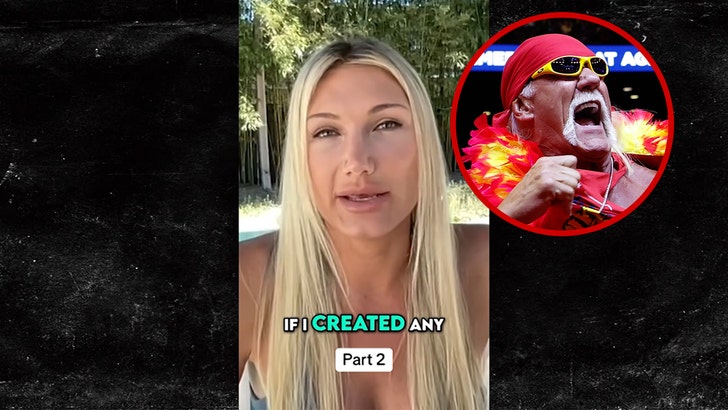
Melania Trump Releases Her Full Statement on Epstein Rumors – Read It Here | Jeffrey Epstein, Melania Trump | Celebrity News and Gossip | Entertainment, Photos and Videos


Melania Trump has released a transcript of the full statement that she read aloud at The White House to deny a connection to Jeffrey Epstein or Ghislaine Maxwell.

The 55-year-old First Lady of the United States spoke at a press conference at The White House on Thursday (April 9) in Washington, D.C.

Melania gave a nearly six-minute speech and the video has already been released, but now she has published the statement on social media as well.

“To be clear, I never had a relationship with Epstein or his accomplice, Maxwell. My email reply to Maxwell cannot be categorized as anything more than casual correspondence. My polite reply to her email doesn’t amount to anything more than a trivial note,” Melania said in her statement.

Keep reading to find out more…

Read the full statement below…

Good afternoon.

The lies linking me with the disgraceful Jeffrey Epstein need to end today.

The individuals lying about me are devoid of ethical standards, humility, and respect. I do not object to their ignorance, but rather, I reject their mean-spirited attempts to defame my reputation.

I have never been friends with Epstein. Donald and I were invited to the same parties as Epstein from time to time, since overlapping in social circles is common in New York City and Palm Beach.

To be clear, I never had a relationship with Epstein or his accomplice, Maxwell. My email reply to Maxwell cannot be categorized as anything more than casual correspondence. My polite reply to her email doesn’t amount to anything more than a trivial note.

I am not Epstein’s victim. Epstein did not introduce me to Donald Trump. I met my husband, by chance, at a New York City party in 1998. This initial encounter with my husband is documented in detail in my book, MELANIA.

The first time I crossed paths with Epstein was in the year 2000, at an event Donald and I attended together. At the time, I had never met Epstein and had no knowledge of his criminal undertakings.

Numerous fake images and statements about Epstein and me have been circulating on social media for years now. Be cautious about what you believe. These images and stories are completely false.

I am not a witness or a named witness in connection with any of Epstein’s crimes. My name has never appeared in court documents, depositions, victim statements, or FBI interviews surrounding the Epstein matter.

I have never had any knowledge of Epstein’s abuse of his victims. I was never involved in any capacity—I was not a participant, was never on Epstein’s plane, and never visited his private island.

I have never been legally accused or convicted of a crime in connection with Epstein’s sex trafficking, abuse of minors, and other repulsive behavior.

The false smears about me from mean-spirited and politically motivated individuals and entities looking to cause damage to my good name to gain financially and climb politically must stop.

My attorneys and I have fought these unfounded and baseless lies with success and will continue to maintain my sound reputation without hesitation. To date, several individuals and companies have been legally obligated to publicly apologize and retract their lies about me, such as The Daily Beast, James Carville, and Harper Collins UK.

Now is the time for Congress to act. Epstein was not alone. Several prominent male executives resigned from their powerful positions after this matter became widely politicized. Of course, this doesn’t amount to guilt, but we still must work openly and transparently to uncover the truth.

I call on Congress to provide the women who have been victimized by Epstein with a public hearing specifically centered around the survivors. Give these victims their opportunity to testify under oath in front of Congress, with the power of sworn testimony. Each and every woman should have her day to tell her story in public, if she wishes, and then her testimony should be permanently entered into the Congressional Record.

Then, and only then, will we have the truth.

See a list of celebrities who were named in the Epstein Files.



Source link

Leave a Reply

Subscribe to Our Newsletter

Get our latest articles delivered straight to your inbox. No spam, we promise.

Recent Reviews


What are the controllers and their types?

Salesforce controllers, also known as Visualforce controllers, are used to execute a set of instructions. Controllers specify what happens when a user interacts with the Visualforce Markup components such as Visualforce tags, HTML, fields, etc. When a user clicks on a button or link on a Visualforce page, the associated controllers will display the data related to the user action or component. The controllers have the ability to modify component behavior. They work on an MVC(Model-View-Controller) approach. Salesforce provides the below types of controllers.

  • Standard controllers
  • Standard List Controllers 
  • Custom Controllers

Wish to make a career in the world of salesforce? Start with HKR’S  salesforce online training !

1.Standard controllers

The standard controllers are the default controllers provided by Salesforce. They contain the same logic and functionality that are used for standard Salesforce pages. Every Salesforce object contains a standard controller that can be queried using the Salesforce Lightning Platform API. When a user interacts with a component on the page, the controller interacts with the database, fetches the relevant data, and displays it on the page. To display the relevant data on the Visualforce page, we need a record ID. So, we need to send an ID as a query string parameter in the page URL. The standard controller has a getter method that returns the record related to the query ID. If a user doesn’t have access to a certain object (or component) on the page, which is associated with a standard controller, it will display an insufficient privileges error message to the user. 

Associating a standard controller with a Visualforce page

To associate a standard controller to a Visualforce page, we have to use the “standardController” attribute on the tag. We should specify the name of any Salesforce object, which can be queried using the Lightning Platform API. Here is the syntax to associate a standard controller to a standard object on a page,

Salesforce Training

  • Master Your Craft
  • Lifetime LMS & Faculty Access
  • 24/7 online expert support
  • Real-world & Project Based Learning

2.Standard List Controllers

Standard list controllers are used for displaying or act on a set of records on the Visualforce pages. Related lists, list pages, and mass action pages are some of the examples of Salesforce pages that work with a set of records. The following are the objects that can be used with standard list controllers.

  • Account
  • Contract
  • Idea
  • Order
  • Product2
  • Solution
  • User
  • Lead
  • Opportunity
  • Asset
  • Campaign
  • Case
  • Contact
  • Custom objects

Associating a standard list controller with a Visualforce page

Associating a standard list controller is very much similar to associating a standard controller. In the standard list controller, we can set an object through the “standardController” attribute on the tag and then set the recordSetVar attribute on the same component. Here is the syntax to associate a standard list controller with an object on a page,

Once the standard list controller is associated, we can act on a set of records using expression language syntax. We can use a standard list controller to add pagination to a page with the help of the next and previous actions.

Cloud Technologies, salesforce-controllers-description-0, Cloud Technologies, salesforce-controllers-description-1

Subscribe to our YouTube channel to get new updates..!

3.Custom Controllers

Custom controllers are used to implementing custom logic and data manipulation for a Visualforce page. If we want to perform things like calling an external web service, validate and insert data, we can use a custom controller. The custom controllers override the existing functionality and implement customized navigation through an application. They execute entirely in system mode and users will have full control over the app’s logic. 

Create a Visualforce page that uses a custom controller

To add a custom controller to a Visualforce page, we have to set the “controller” attribute in the tag. When we use a custom controller, we cannot use a standard controller. Here is the syntax to associate a custom controller to a Visualforce page,

Controller Extensions

A controller extension overrides behavior in a standard or custom controller. Any Apex class with a constructor that takes a single argument of type “ApexPages” is referred to as a controller extension. We can implement the functionality of another controller to an apex tag while adding custom logic. Here is an example class for controller extension.


public class myControllerExtension {

//custom code

}

We can extend this controller extension on a Visualforce page like below.
Both the controller extension and custom controller use the action, getter, and setter methods. The custom controllers and controller extension classes ignore user permissions and field-level security as they execute in system mode. So, the custom controllers and controller extensions are mainly used to set organization-wide defaults. Based on the user profile, we can even define whether a user can execute methods in a custom controller or controller extension class. 

Salesforce Training

Weekday / Weekend Batches

Conclusion

Apex is a complete programming language that we can use to implement effective Visualforce pages. We can use Apex properties, which are a combination of a variable with getter and setter methods. We can implement anything on a Visualforce page with the help of controllers in Apex code. Using controllers, we can implement features like dropdown on a Visual page. They allow you to filter the records displayed on the page. While working with controllers, you should have an eye out for validation rules. You should be able to handle the validation rule exceptions. 

Related Articles:


Source link