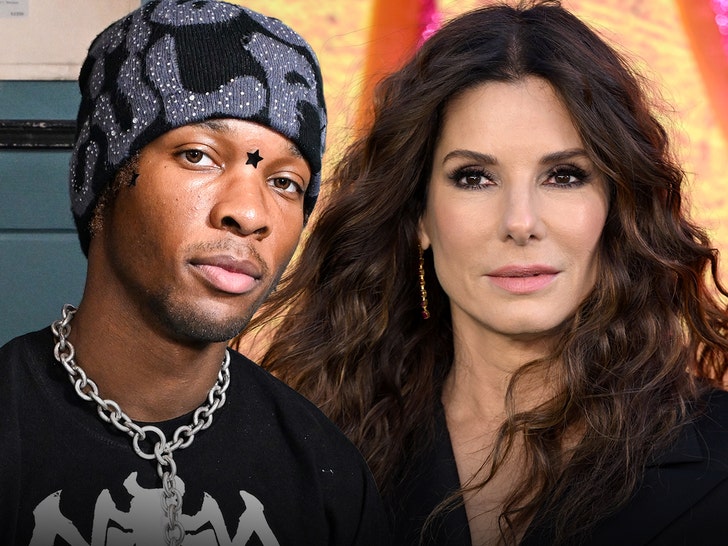
Mikayla Nogueira Responds to Filter Accusations After Viral Red Carpet Video | Influencers, Mikayla Nogeuira, TikTok | Celebrity News and Gossip | Entertainment, Photos and Videos


Mikayla Nogeuira is responding to viral claims that she uses filters and effects on her videos.

The 27-year-old TikTok beauty influencer and POV Beauty founder spoke out amid viral videos claiming that she looked drastically different on the red carpet of the Hannah Montana 20th Anniversary Special premiere earlier this month.

Keep reading to find out more…

In a candid video posted on Monday (March 30), Mikayla addressed speculation online that she uses beauty filters or edits her content in a certain way to alter her appearance in order to deceive her viewers.

“This is the last time I am ever going to speak on this because it is a dead end conversation. We’ve talked about it for the last six years and I’m just ready to put it to bed. But quite frankly, the real reason I’m making this video is because I’m tired of my name constantly being lied on and I can never defend myself,” she began.

“And I’m just done with that. Obviously, this video is about my looks, my appearance, what I present online versus what is seen in public out in the wild. Now, I have said so many times that I do not film my videos with filters, and I will f–king die on that hill,” she went on to say.

“I am filming in the TikTok app as we speak. There is zero filter on my face right now. Nothing. No beauty mode, no face altering filter. I don’t even have lights on. I’m just sitting in front of a window on a cloudy day and this is what I look like. Okay?”

“And I am aware that many people watching this are not gonna believe a f–king word I just said. And I don’t give a f–k. I do not give a f–k if you don’t believe what I just said, because it has nothing to f–king do with me, and it’s none of my f–king business what you think about me, okay? I have filmed front camera on the TikTok app for six f–king years, and this is what I Look like. And there is nothing I can do about the fact that you think I look different in person,” Mikayla continued.

“I am filming on an iPhone camera with a front camera lens, which has somewhat of a fish eye, somewhat of a slimming angle to the face, okay?” she continued.

“Now, when I was on the Hannah Montana carpet. I look f–king hideous in that Entertainment Tonight video. That’s just a fact, okay? I look terrible in that f–king video. But any other videos you see of me at the event that were filmed by influencers or with influencers, I don’t f–king look like that video. Like, I don’t know what happened there, but people took that video and just ran with it. That that’s what I really look like. I look f–king terrible in that video,” she said.

“I don’t even recognize myself in that video. Anyone who’s met me in person knows that this is what I look like. This is what I look like. And again, I cannot do anything about the fact that you saw a hideous video of me on the internet and you have come to the conclusion that I am lying about the way I look and that I use filters and that there’s a face altering whatever on my video,” Mikayla said in response to the reactions online.

“The problem I have with all of this is this lie that I’m filtering and altering my face and therefore deceiving my audience. Like, f–k off, okay? There is nothing I can do about what I look like on a front camera iPhone versus out in the wild on a sh–y f–king camera lens with no lighting and no control of how I look. Okay? This is what I look like when I film my videos. And that’s it. Again, I don’t have any lighting on. I just have my phone sitting on a tripod and this is what I look like.”

She also went on to address allegations of being deceptive.

“And I’m being deceptive because every f–king beauty influencer under the sun films their videos on their iPhone on the front camera. Am I not allowed to do that? Like, I don’t understand what you want me to do. You want me to make sure I look f–king horrible in all my videos? Like, I don’t know what you’re saying. Why is it such a problem that I film on my front camera with lights like every other f–king influencer? Is it just because you don’t think I’m pretty and you want me to f–king fail? You want to see my downfall? I don’t understand. I am not deceiving my audience at all. This is what I look like. Zero filter, zero beauty mode, zero face altering, edit, editing, anything. I don’t post my videos privately and then delete it and upload it to a face altering app and then reupload it. Like, none of that f–king bulls–t that everyone keeps saying, okay?”

Mikayla then spoke about why the conversation made her so angry.

“I’m going off because I’m angry. I’m angry of this conversation continuously happening. And I just have to f–king put up with it and sit and act like everything is normal when. No, I’m tired of people saying bulls–t about me, okay?”

“I understand that I am not the most beautiful person. I understand that I’m not conventionally attractive. I understand that I have a horrific side profile. You guys love to remind me. Okay? Actually, let me show you something. People kept putting this picture in my comments, right? Making fun of my side profile. I have a very prominent chin and a very unique nose, okay? And they’re putting this in my comments, trying to insult me about my side profile again,” she said, referring to a photo in her video.

“Just to show you, on this video, this is my side profile, okay? I’ve had it my whole f–king life. What would you like me to do? Because if I go get a chin reduction or whatever the f–k you tell me to do and a nose job, then you’re gonna say I’m no longer authentic and the internet got to me and all these other things, okay? But I stay true to myself and I have not touched my f–king face, aside from my lips,” she noted.

“I have to work extra hard to look beautiful because if I don’t, you guys treat me like this. You treat me like f–king s–t when I’ve done nothing wrong. There is no filters on my f–king videos. And I’m just tired. I’m f–king tired of people saying it. And that’s why I shut my comments off, because I’m done hearing it. I don’t have to listen to it. And like I said, yeah, people talk about me all the time. Any press is good, press bad, whatever. But I can still choose to protect my f–king peace. And that’s why I shut my comments off. And I will block any motherf–ker who has a think piece about my appearance, about whether I’m using filters or not. I will block anyone who f–king says I’m deceiving my audience with face altering filters or I use filters because I’m insecure. I’m not. I think I am beautiful, okay?”

“I like my unique f–king nose and my chin and my green eyes and my smile. But y’all love to tell me how f–king ugly I am, especially when I’m caught in a bad photo. And I will continue to defend myself on this because it’s f–king bulls–t at this point. Okay? Now, I’ve said a lot in seven minutes, and people aren’t even gonna watch this whole video, right? They’re gonna take bits and pieces of it and make their little commentaries. But this is like I said the last time, I’m f–king speaking on this.”

She also called out anyone making videos about her appearance.

“I have never made fun of someone’s looks on this fucking app, and I never will. And I hope you’re f–king proud of Yourself. I hope your family is f–king proud of you for the way you treat me. And I can imagine how you treat others as well. Um. And just f–k you to anyone who’s being an a–hole to me, okay? I’m in my I don’t give a f–k era, and I meant that. So if you don’t like me, I don’t care, okay? Like, I literally, like, please, why are you watching this video if you don’t like me? Why are you so obsessed with me? Like, I don’t know. But anyways, for those who have defended me and just been kind, thank you. I appreciate you. I love you. And absolutely no one is gonna stop me from continuing to pursue my dreams, but you can sure as hell f–king try.” Watch the full video above.

Just a few weeks ago, she addressed allegations that her thick Boston accent is fake.



Source link

Leave a Reply

Subscribe to Our Newsletter

Get our latest articles delivered straight to your inbox. No spam, we promise.

Recent Reviews


What is Power BI Visualization

Regularly our business produces more data on sales, the performance of marketing, interactions of customers, inventory levels, metrics production, levels of staffing, KPIs, costs, etc. Still, there is a problem with massive amounts of data shifting as it is tough to understand the content’s theme. It helps us convert our entire complex data as simple to understand and visually useful compelling information for business, present-day visualization tools, and permits us to maintain our KPIs as more simple and straightforward. It helps combine the data and use AI analytics to display relationships between the market, KPIs, and the world. When we observe the format of our presented data, connections, patterns and insights, it gives life to data to make us experts in the storytelling of hidden insights in our data; these visualizations help users develop business insights effectively with high speed.

Become a Power BI Certified professional by learning this HKR Power BI Online Training !

Why is Power BI visualizations

It is a powerful tool of data sharing and communicating, and it may be helpful in performance demonstration, trends communication, latest strategies impact and more. Its representations work like a practical collaboration tool and contacts and get more value for reports, apps, and journalism. With the help of the best insights, we can make decisions with confidence, and it empowers us to have the arms and knowledge with tools for the right decisions at the proper time. We need to decide to gather the information like the types of data we require and the insights we need.

Power BI Training

  • Master Your Craft
  • Lifetime LMS & Faculty Access
  • 24/7 online expert support
  • Real-world & Project Based Learning

Power BI visualizations types

Visualizations are nothing but the pictorial representation of our data; some general examples are maps, radial gauges, scatter charts, column charts, etc. The given below are some essential types of Power BI visualizations. 

1.Area charts:

These charts have support from online maps along with the area between line and axis. They highlight the change of magnitude and gains attention to the entire value. 

2.Bar and column charts:

These charts are known for the particular value in various categories.

3.Cards:

Cards expose the single fact and data point. It is essential to track our reports and dashboards of power BI like market share, total sale, and opportunities.

4.Combo charts:

These charts help to combine the line charts and column charts into one. It permits us to compare the data quickly. They can maintain two Y axes to look close. For correlation illustration between two measures, these combo charts are the best choice.

Unleash your data potential with Power BI Training in Hyderabad!

5.Decomposition tree:

The visuals of this tree allow us to expose our data across various dimensions. It generates the data automatically and drills it as our dimensions in the required order.

6.Doughnut charts:

They are like pie charts and display the parts’ relationship to the whole, but the main difference is it has space at the centre used for labels or icons.

7.Funnel charts:

They help the visualization process; it includes various items and stages randomly from one location to another.

8.Gauge charts:

They have the circular arc and expose the single value, which calculates the aim’s development. Its purpose is by line through shading, and the value represents the progress displayed as bold in the arc.

9.Key influencers chart:

This chart exposes the essential contributors to choose the value. It is an excellent selection to help us understand the factors that may affect the key metrics. It is like what attracts the users to put a second order and why sales are high in previous times.

10.KPIs:

It is a visual key that communicates the part of progress for measurable aim. The given below are two reasons to prove that KPIs are great.

  • They use it for progress measurements.
  • They are helpful for distance measurement towards the goal.

Top 50 frequently asked Power BI Interview Questions !

11.Line charts: They are used to emphasize the entire shape of the overall series of values.

12.Basic maps: These basic maps associate the quantitative data and category with the spatial location.

14.ArcGIS maps: It is an available choice for themes, locations types, symbol styles, base maps, and reference layers to design the informative map’s visuals. And it is the combination of data layers on a plan to display the deep knowledge of the information in our visual.

15.Choropleth: These charts are patterns used to expose how value varies in proportion in the region. It displays the differences through shading from dark to light. 

Business Intelligence & Analytics, power-bi-visualization-description-0, Business Intelligence & Analytics, power-bi-visualization-description-1

Subscribe to our YouTube channel to get new updates..!

16.Shape maps: they are used to compare the map regions through colour and shape, as shape maps cant display the precise data locations on the map. Its main aim is to display the parts Comparison on the map through various kinds of coding.

17.Matrix: it is a kind of table visual which gives support to a stepped layout; its report creators contain matrices in dashboards to provide users to choose multiple elements in a matrix on the report page.

18.Pie charts: it permits the users to display the relationship of the parts to the whole. It is used for report designers to design a Power App and turn it into the report of Power BI.

19.Q&A visual: they are similar to the experience of Q&A of dashboards. They permit us to ask questions regarding our information through natural language.

20.Ribbon charts: it displays the data according to ranking. They are very effective in rank, showing rank changes through the highest range on top of every period.

21.Scatter and dot plot charts: it always includes two axes’ values to display one numerical group of data, along with another numerical value, vertical axis, and horizontal axis. They show the intersecting points of x and y numerically. It units those two values as a single point. They may explore unevenly or evenly in the horizontal axis based on the data. The dot plot is similar to the scatter chart, but it can categorize the information with the x-axis.

22.Scatter high density: it permits users to design the visuals with high speed, helping for interactions. Its sampling uses an algorithm that removes the overlapping points and makes sure that the complete data set points to expose the visuals. 

Want to know more about Power BI,visit here Power BI Tutorial !

23.Slicers: these charts are standalone, which may be for other visuals filtering on the page. They are available in various formats and designed to permit to choose the single one or many as per the requirement. 

24.Innovative narrative: It is helpful to add the data to reports for the point out trend and essential takeaways and previous explanations. The data help customers to get an idea of data and recognize the crucial findings at high speed.

25.Standalone images: it is a kind of graphics that add to the dashboards.

26.Tables: it is a kind of grid map which includes the related information of logical series in rows and columns; it also maintains the headers along with table rows. They use quantitative comparison, which helps to look at various values in a single category, and the table exposes five multiple values for a single variety.

27.Treemaps: these are a kind of colour charts with rectangular shapes where the values display by size, the rectangles set in the central rectangles. Every rectangles space is allowed measured value and arranged in size from left to right.

28.Waterfall charts: they display the running of absolute added values. It helps understand how important the matter is through the changes that take place.

Power BI Training

Weekday / Weekend Batches

Conclusion: 

The visuals are the best guide for the Power BI; they are based on the data we require to expose. First, we need to understand that visuals’ vocabulary supports the graphics team of financial teams through Power BI. They are used to facilitate the graph’s selection to display the information. Visual language does not need prescribed graphs, but graphs required to  create to experience its benefits for choices to utilize them with data. Another issue with the graphical data representation with which the organizations create dashboards, they are not experts to display the complex data with a non-professional audience.

Related Article:


Source link