'No Kings' attendees keep eyes on November


A sea of demonstrators that clogged the wind-whipped Capitol grounds and surrounding streets over the weekend departed with clear instructions: Keep up the energy as the midterm election approaches.

Organizers and rallygoers alike hope the “No Kings” events are more of a launching point than a moment in time.

“We organize, we participate and we show up. And Minnesota, we showed the country that is what we do,” Malika Dahir, with a local group called RISE, told rally goers on Saturday. “So let's continue to show up, not just today, not in this moment of crisis, but consistently ongoing, relentlessly."

It was the first major rally since a gradual drawdown of federal immigration officers after a turbulent few months. Two American citizens — Renee Macklin Good and Alex Pretti — were killed, and thousands of immigrants and observers were detained.

Speakers, including singer and activist Joan Baez, credited Minnesota with launching a revolution.

“For those of us who believe in the power of nonviolent resistance, and those of you who didn't, you have shown the way with your courage, determination and decency,” Baez said, before she and musician Maggie Rogers sang an adapted version Bob Dylan’s “The Times They Are A-Changin’” that included specific callouts to Minnesota.
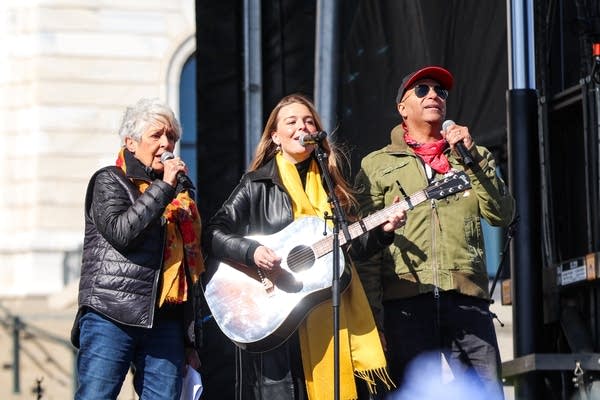
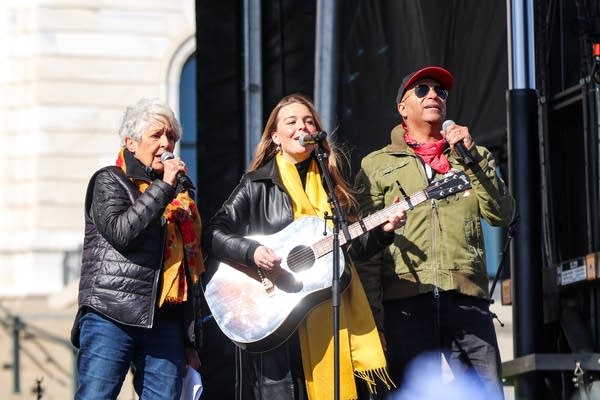
Three people perform together
Joan Baez, Maggie Rogers and Tom Morello perform during a "No Kings" protest at the Minnesota State Capitol in St. Paul on Saturday.
Steven Garcia for MPR News

The U.S. airstrikes on Iran and rising prices domestically were also top concerns for attendees.

After previous rallies, organizers trained many thousands to be constitutional observers. They said that will continue — as will efforts to mobilize voters.

“We've got to convert this great energy into electoral success,” said Minnesota Attorney General Keith Ellison. “We got into this mess because of an election, and we're going to help get ourselves out of it through an election.”

Democratic National Committee Chair Ken Martin, the former head of the Minnesota Democratic-Farmer-Labor Party, was at the St. Paul rally, too.

“Today is not about elections, right?” Martin said. “But what we need to do is capture this energy, capture the momentum that we've had this last year, and keep it moving forward. If we do that, we're going to win. We'll put a check on this guy's power.”

Leah Greenberg with the Indivisible Project urged people to sign up to report potential problems at election polling locations ahead of midterm elections.

“Trump is facing down a midterm election that he knows he is going to lose because people hate this mad king business,” Greenberg said. “And so what is he going to do? He's going to try to steal it, but he's going to fail because we are going to stop him.”

Trump has floated the possibility of nationalizing elections and dispatching troops to polling places.

Minnesota Republican Party Chair Alex Plechash dismissed the rallies as “pure political theater.”

“When you have nothing to show, you turn to fear, slogans and spectacle,” Plechash said in a written statement. “They’re importing East Coast liberals like Joan Baez, Jane Fonda and Bruce Springsteen because they can’t defend what’s happening in Minnesota.”

November’s election was on the minds of many who came out to protest.
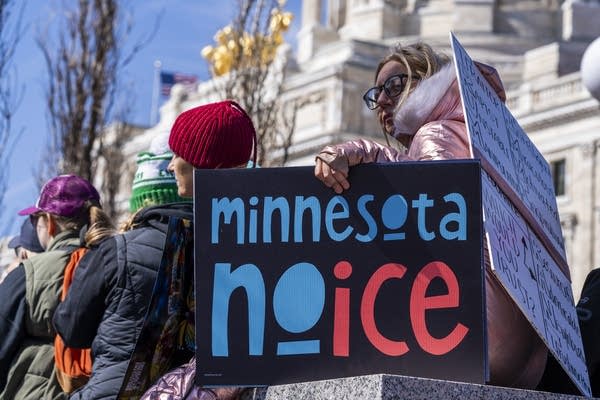
Someone holds a sign that says Minnesota No Ice
Thousands of community members convened at the State Capitol in St. Paul for the flagship "No Kings" protest on Saturday.
Jaida Grey Eagle for MPR News

Peter Crooks, of Woodbury, came with a sign with Alex Pretti’s name and a button that read “I’m Pretti Good.” He attended the rally with his mother, Cynthia Crooks, and girlfriend, Zoe Snyder.

“The sign behind you says, ‘We are the leaders we have been waiting for,’ and that is what I hope that we get out of today, is that we start a different kind of fire,” Crooks said.

He said that fire he referred to has to come from people who are fed up.

"We start our own that we carry then all the way up to the top. And we take our country back,” Crooks said.
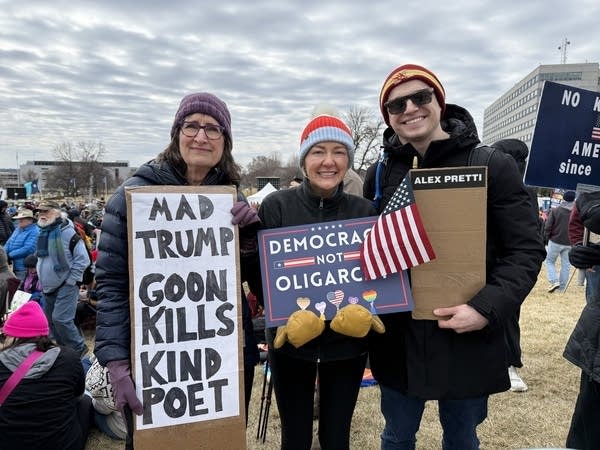
Three people pose for a photo while showing off their protest signs.
Cynthia Crooks, left, Zoe Snyder, center, and Peter Crooks, right, pose for a photo at a "No Kings" rally at the Minnesota state Capitol on Saturday.
Dana Ferguson | MPR News

Remmus Xiong said he was encouraged to see a strong turnout at the St. Paul rally. He hopes it could make a difference moving forward.

“I know that progress is very slow, and so it takes this small step for another step to another step,” said Xiong, 30, St. Paul. “But this is the start, and we're leading up to change.”

Sandy Damman, 70, said she hopes to volunteer helping voters cast their ballots this fall.

“I want to assist people getting into to vote and make sure people aren't bothering them, and just make it safe for people to come out and vote,” said Damman, of Shoreview.

There were No Kings events all around Minnesota.
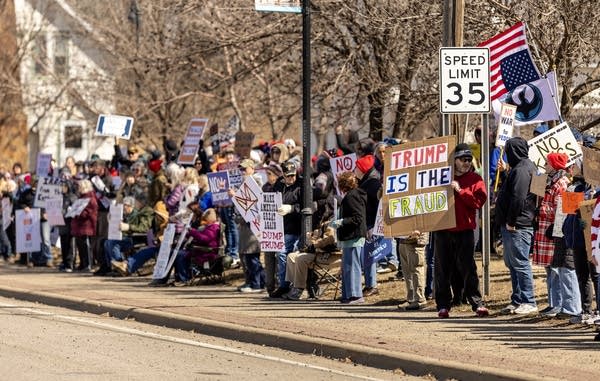
People hold signs on the sidewalk
Thousands of people came out along First Street South during a “No Kings” rally in St. Cloud to voice their opinion about the current Trump administration on Saturday.
Paul Middlestaedt for MPR News

Thousands gathered outside the public library in St. Cloud. Laura Hermann came from nearby Sartell.

“I'm hoping people will start to think a little bit harder of why they decided to vote more Republican. I voted Republican before, but so it just depends who's there, but I'm hoping that this will generate a new tomorrow for us.”

There are 217 more tomorrows before voting ends in the 2026 election. It will be up to “No Kings” attendees to convince others who didn’t feel the tug to show up Saturday to vote with them in November. That will determine if the change they’re after is a reality or a shout in the wind.

MPR reporters Kirsti Marohn in St. Cloud and Feven Gerezgiher in St. Paul contributed to this report.




Source link

Leave a Reply

Subscribe to Our Newsletter

Get our latest articles delivered straight to your inbox. No spam, we promise.

Recent Reviews


What is Salesforce approval process ?

Approval Process in Salesforce is an automated process that automates the approval of Salesforce records in your org. In Salesforce, an approval process is a series of steps that allow a record to be approved or rejected by a user, queue, or public groups. An approval process also specifies the actions to be taken when a record is approved, rejected, recalled, or submitted for approval for the first time.

For instance, when an employee requests time off, Salesforce should automatically send an approval request to the employee’s manager. 

Wish to make a career in the world of salesforce? Start with HKR’S  salesforce online training !

Why the salesforce approval process?

Salespeople are frequently required to confirm their transactions with internal departments (for example: legal, accounting).

Typically, it entails sending numerous emails to various people, after which you must ensure that it is confirmed.It’s no secret that this process could take a long time.As a result, Salesforce created a built-in approval process that you can use to automate approval requests.Once configured, you can request approval with the click of a button.

Salesforce Training

  • Master Your Craft
  • Lifetime LMS & Faculty Access
  • 24/7 online expert support
  • Real-world & Project Based Learning

Steps for approval process in salesforce:

Here are the important steps in the salesforce approval process. They are:

  • Setup -> Create -> Workflow and Approval -> Approval Process
  • Select object for approval process to be written
  • Click on Create New Approval Process
  • Select Standard Setup Wizard from drop down
  • Enter the Process name, Unique Name and description for your process
  • Specify Entry criteria 

Salesforce approval process example:

The following are the sections that must be configured in the salesforce approval process:

  • Process Definition Detail – Approval Process Header level information such as name, email template, and so on.
  • Initial Submission Actions – It would be executed whenever the customers click on the object record’s ‘Submit for Approval’ button.
  • Approval Steps – Specifics on the Steps criteria and approvers
  • Final Approval Actions – It will be carried out once all of the approval process steps have been approved.
  • Final Rejection Actions – This action will be taken if one of the approval process steps is rejected.
  • Recall Actions – This will be carried out if one of the approval process steps is recalled.

Create an Approval Process:

Let’s create an approval process in which the sales manager approves possibilities with a total opportunity value greater than $500,000. The opportunity’s approval status should be reflected: Approved or Rejected.

Planning:

Carefully plan ahead of time before you begin configuring the Approval process in Salesforce, as this will allow you to design the approval process in the most efficient manner. Preparation entails the following steps:

  • creation of mandatory fields
  • Determine the object for the Approval procedure.
  • Final Approval of the Email Template Actions such as unlocking the record or changing the record’s status

Wish to make a career in the world of salesforce? Start with HKR’S  salesforce training in London !

HKR Trainings Logo

Subscribe to our YouTube channel to get new updates..!

Creating approval process:
  • Log in to Salesforce; however, if you are already logged in, you can skip this step.
  • To Manage Approval Processes, go to Setup and search for ‘Approval Process’ in Quick Find, or go to ‘Create’->Workflow & Approvals -> Approval Process. For, choose Opportunity.

Create an Approval Process

  • Select Create New Approval Process | Use Jump Start Wizard from the drop-down menu.
  • By making some decisions for you, the Jump Start Wizard assists you in creating a simple approval process.
  • Set up the approval procedure.

Set up the approval procedure

  • Keep the approval process in mind.
  • View the Approval Process Detail Page by clicking the View Approval Process Detail Page button.
  • Click Add New | Field Update under Final Approval Actions and fill in the blanks with these values.

Field Update under Final Approval

  • Then click on the save option.
  • Under Final Rejection Actions, tap Add New | Field Update and fill in the blanks with the following principles.
  • Click on save.so that your approval process has been successfully configured.

Click here to get frequently asked Salesforce interview questions & answers

Approval Actions:

In the preceding example, we only used ‘Field Update.’ I’d like to go over Approval Actions in more detail, such as Final Approval Actions and Final Rejection Actions, which include:

Task – If a job is selected, the user will input a task for a record, such as Opportunity, once the application process has indeed been approved/rejected.

If an Email Alert is selected, the message will be displayed via email once the approval process has been approved or rejected.

Field Update – You already saw an example within the preceding section, but once the approval process has indeed been approved/rejected, the framework would then update the field towards the specified value.

Outbound Message – This will assist in notifying third-party systems. Consider a scenario in which you would like to inform the derived or provisioning system of the approval results; for instance, once orders are approved, begin generating bills; this will assist you in meeting the requirement.

Approval Actions

Wish to make a career in the world of salesforce? Start with HKR’S  Salesforce Training in Atlanta !

Salesforce Training

Weekday / Weekend Batches


Email to approve request:

We can configure the approval process via email; to allow email approval response, follow the directions below.

Setup -> Process Automation Settings -> Enable Email Approval Response checkbox, and then click Save.

Some words could be used in the first line of a response to an approval request with periods or exclamation marks. Approved, Approved, and Yes are used for approval, while Reject, Rejected, and No are used for rejection.

Conclusion:

In the above blog post we had discussed the salesforce approval process steps in depth. Had any doubts drop your queries in the comments section to get them clarified.

Related Articles:


Source link