These are the points hotels TPG staff is booking in 2026


Giving travel advice is like an Olympic sport for the writers and editors here at The Points Guy. I’d bet money on the notion that, between all of us, we could give you a travel recommendation or tip for nearly anywhere in the world you might want to go. I mean, it is our job after all.

So we figured it might be fun to share some of the hotels we’ve booked for ourselves this year, from some dream work assignments we’re itching to pack for to the personal trips we’re using our PTO on (reminder: use your PTO!). From small boutique hotels in American cities to luxury points hotels on the other side of the world, here are the hotels TPGers have booked (or plan to book) in the coming months.

Related: These are the hotel openings TPG is most excited for in 2026

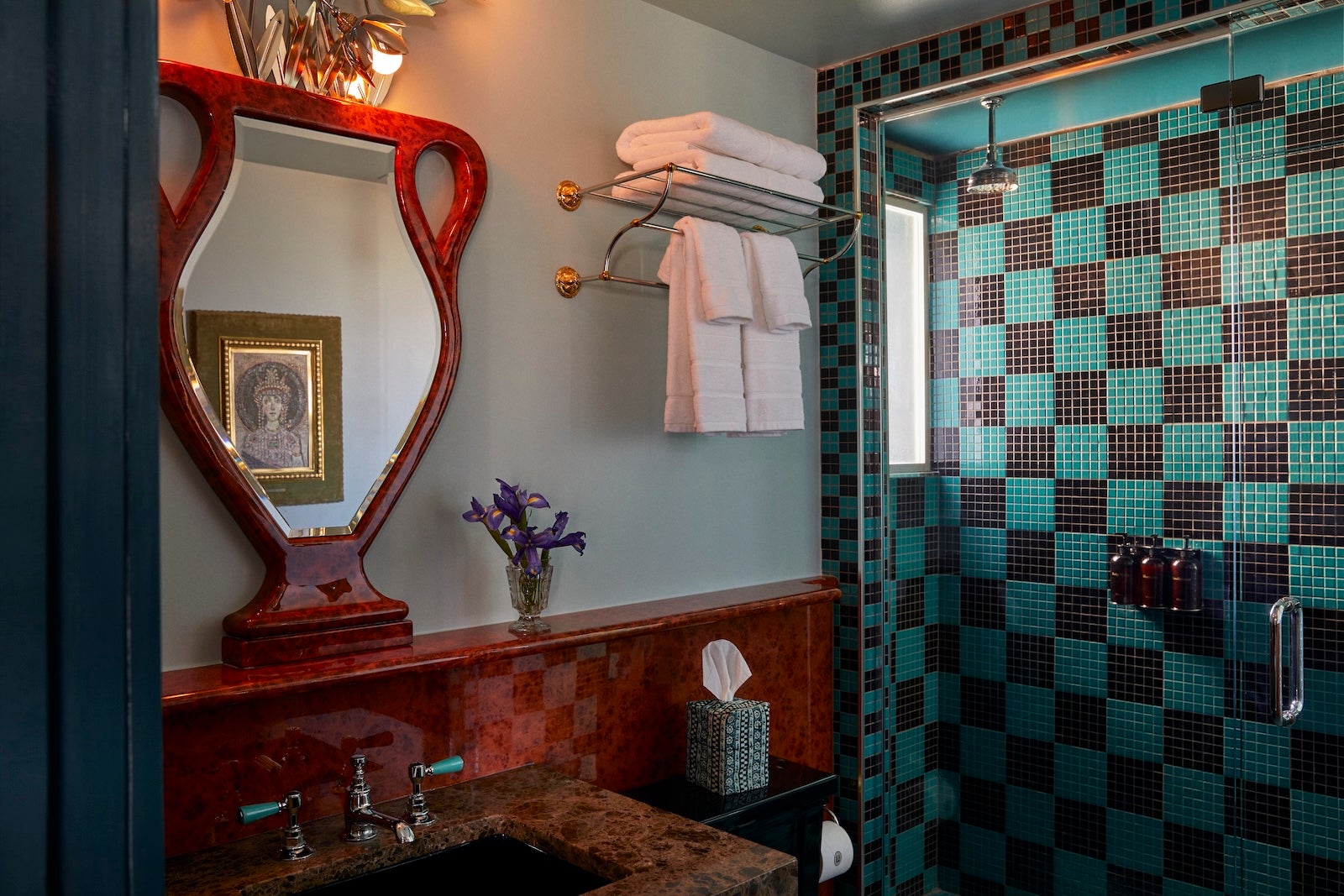
Hotel Ulysses
BRENT WOOD

“I’m excited to check into Hotel Ulysses in Baltimore during a weekend getaway this spring. I’ve stayed at one of its sister properties in New Orleans — Hotel Peter and Paul — and I’m excited to experience the same level of charming, quirky decor with vintage touches. Though it looks and feels like a boutique hotel, it’s actually a member of Marriott Bonvoy’s Design Hotels collection, and part of the American Express Hotel Collection*. Since I used my semi-annual $300 hotel credit** on my American Express Platinum Card®, I was able to get my two-night stay nearly for free since it’s not that pricey. And I get to check out its jewel-box of a cocktail lounge — Bloom’s Bar — with the included $100 property credit.” — Lyndsey Matthews

Rates start at $130 per night or 34,000 Marriott Bonvoy points per night.
*A minimum stay of two nights is required for Hotel Collection bookings.
**Up to $600 in statement credits annually.

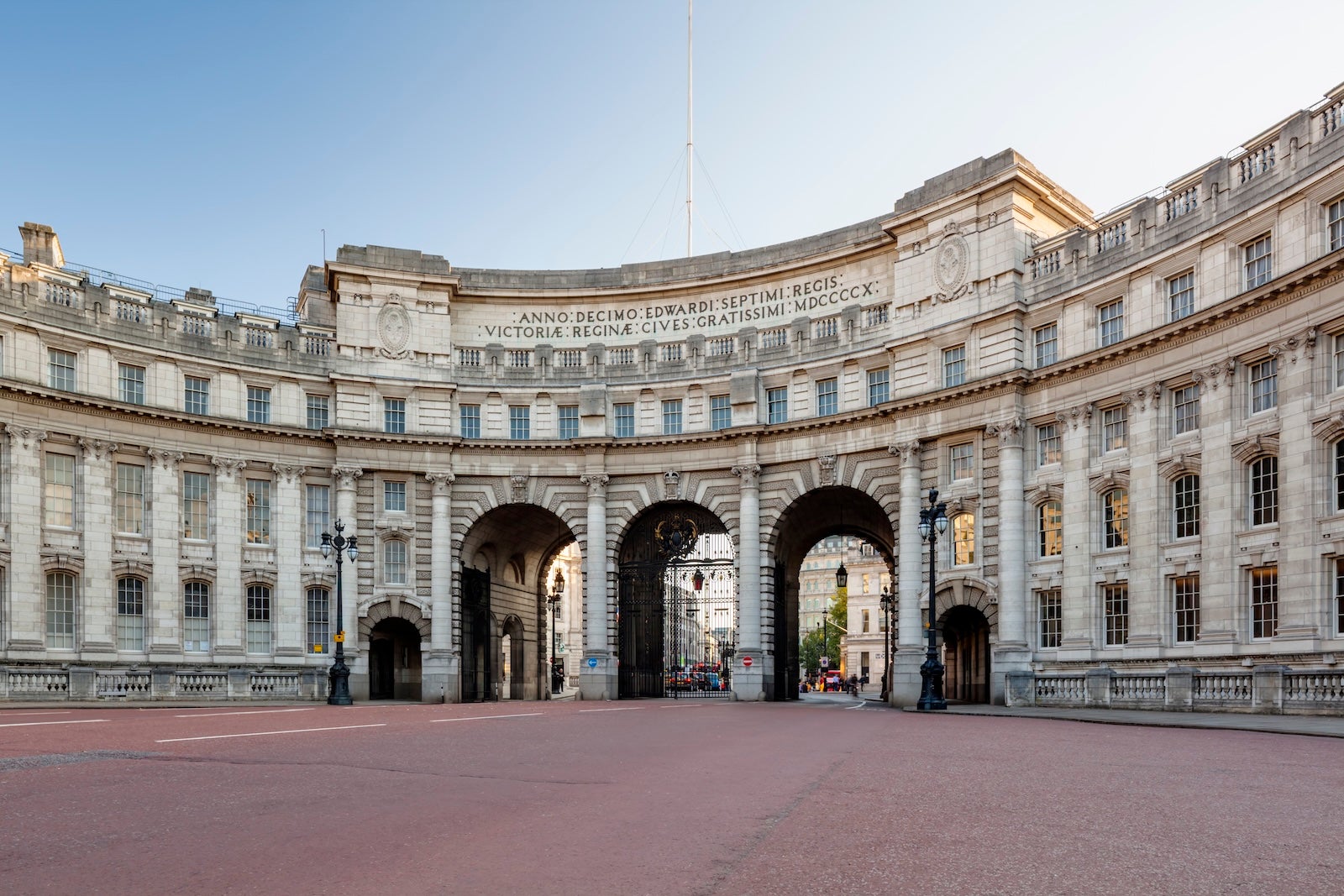
Waldorf Astoria London – Admiralty Arch
HILTON/JORG GREUEL/GETTY IMAGES

“It’s rare that points hotels are opened within truly iconic landmarks in The Big Smoke (London), but this hype is warranted. The Grade 1-listed monument of Admiralty Arch sits opposite Buckingham Palace at the end of the Mall, with jaw-dropping views of the Palace and Trafalgar Square. It is the first Waldorf Astoria in London and likely to immediately be the best Hilton Honors property in London, if not the United Kingdom.” — Ben Smithson

Booking information is not yet available.

Lake Como Edition
MARRIOTT

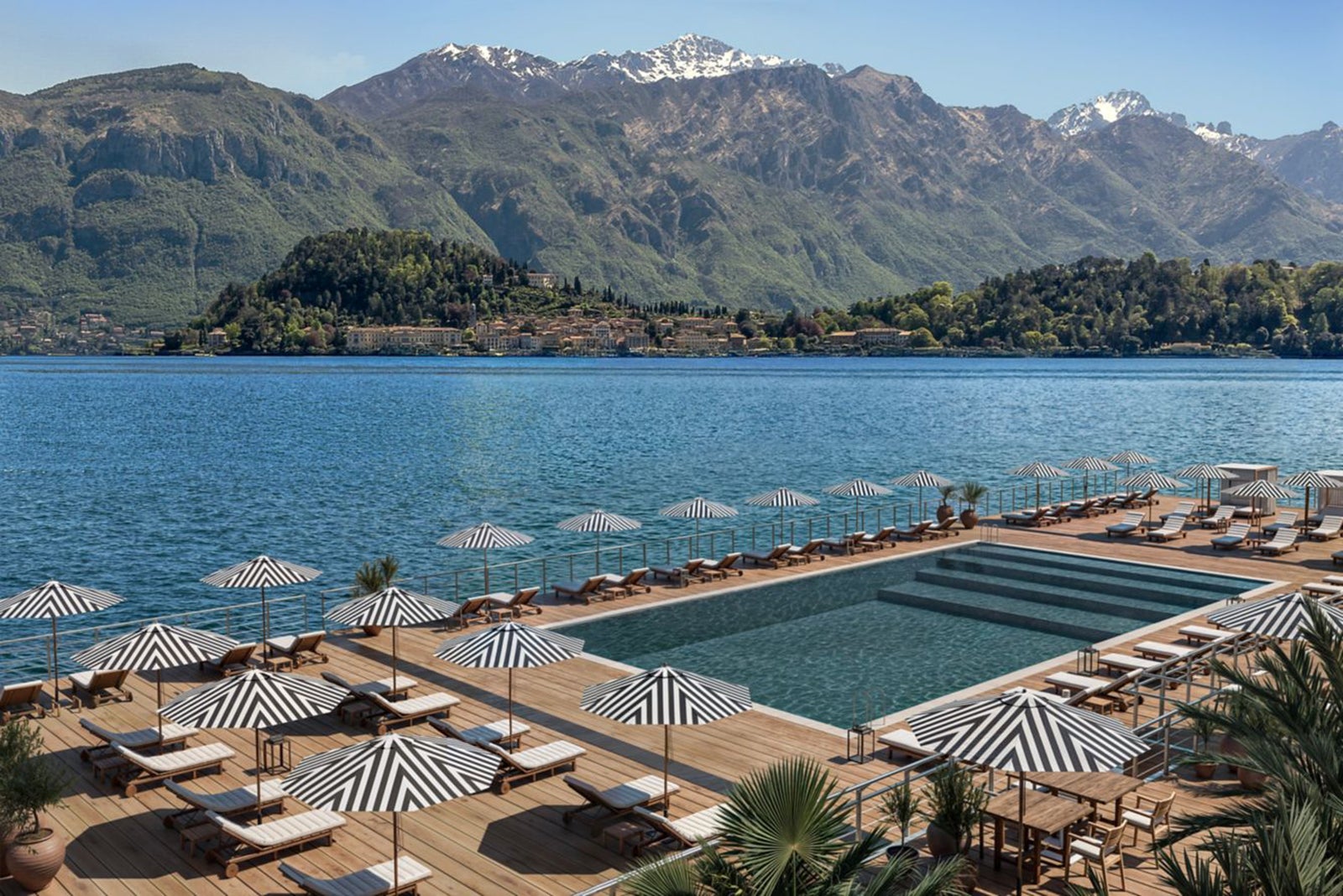
For TPG Editor Lauren Wassum, Lake Como is on the books thanks to a great booking at the recently opened Lake Como Edition, which is “a rare find in an area that has such limited points-and-miles redemptions in the first place.” Not only was it a great way to use valuable Marriott Bonvoy points, Wassum said, “but it also has gorgeous views of Bellagio, and the design is the perfect mix of charm and contemporary design.”

Rates start at $832 or 82,000 Marriott Bonvoy points points per night.

Reward your inbox with the TPG Daily newsletter

Join over 700,000 readers for breaking news, in-depth guides and exclusive deals from TPG’s experts

Hilton Niseko Village
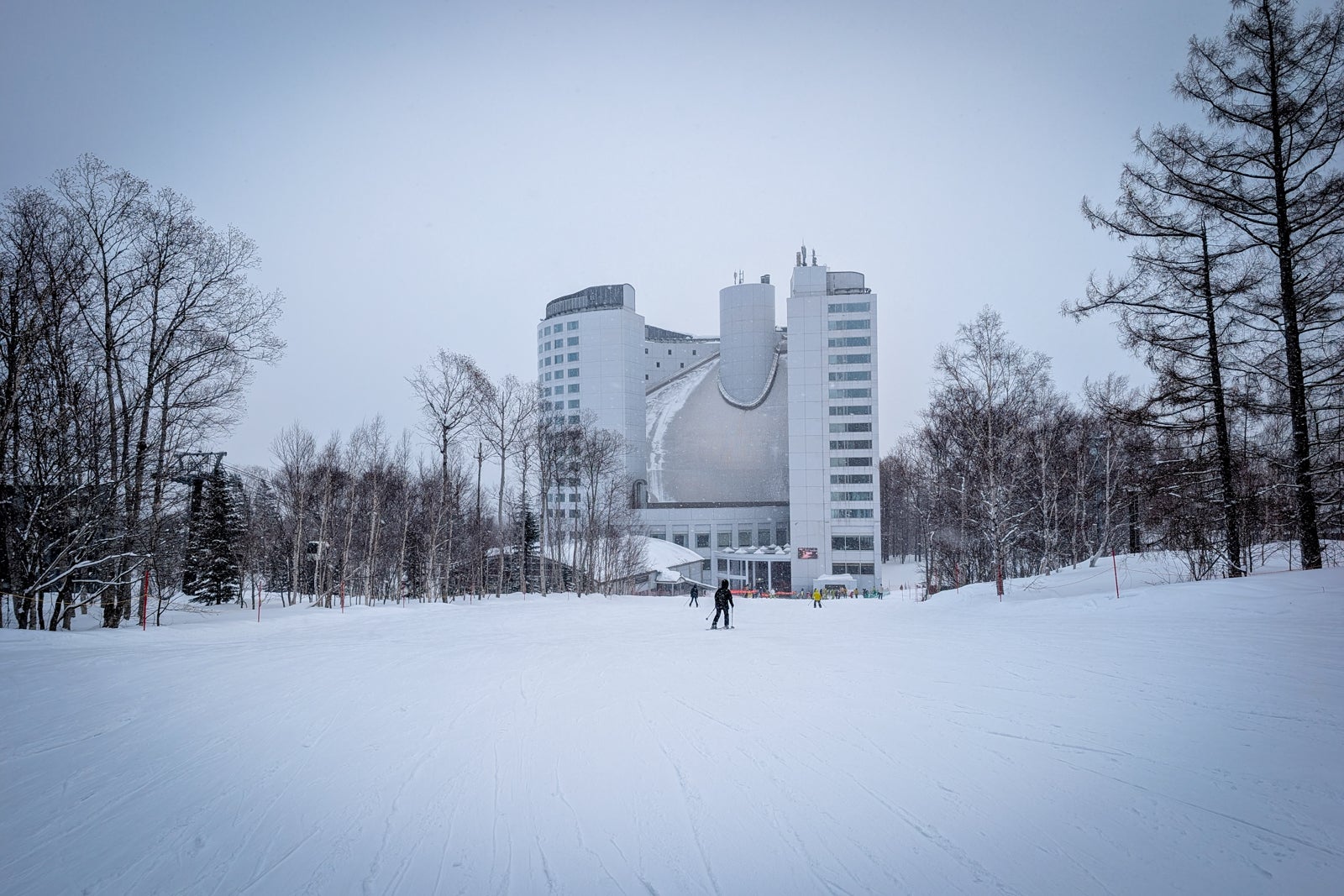
Hilton Niseko Village, as seen from a ski run
KATIE GENTER/THE POINTS GUY

“I was thrilled to return to the Hilton Niseko Village this February, as I love its ski-in, ski-out location in the Niseko Village part of Niseko United. I booked five nights for 340,000 Hilton points after the fifth night free, used my Ikon Pass to cover my lift passes, got breakfast each morning as a Diamond elite perk and used my Hilton Honors American Express Aspire Card resort credit*** to cover dinner each night.” — Katie Genter

Rates start at $70 or 26,000 Hilton Honors points per night.
***Receive up to $400 in statement credits each year (up to $200 semiannually).

Park Hyatt Tokyo
TANNER SAUNDERS/THE POINTS GUY

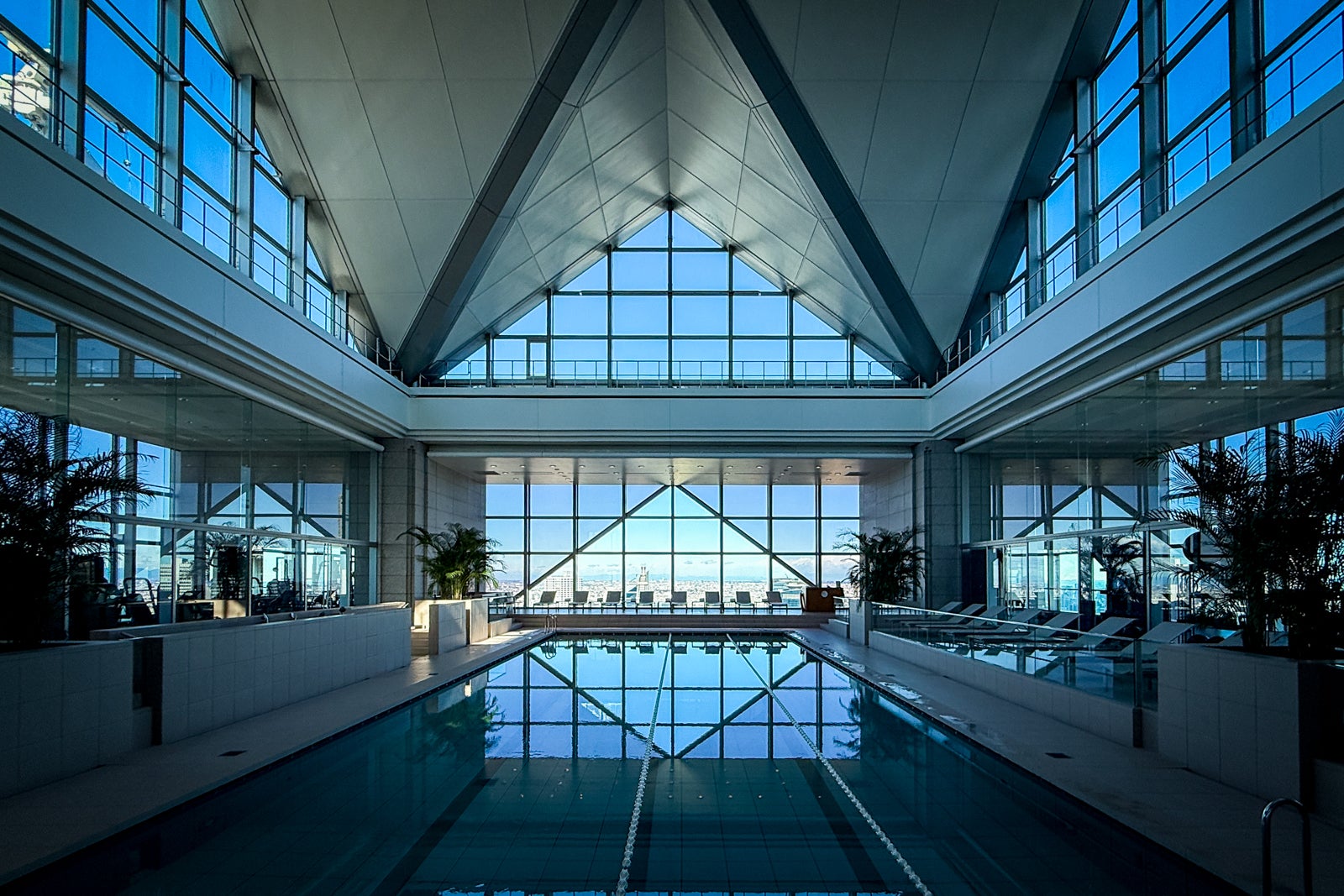
“I’ve got a few Hyatt stays in 2026 I’m particularly excited about,” said TPG’s Clint Henderson. “The Park Hyatt Tokyo was my first major hotel redemption way back in 2016, and I’m thrilled to go back now that they’ve had a major renovation.” Henderson was able to book the popular, now-reopened hotel for 40,000 World of Hyatt points per night, a great use of points ahead of upcoming World of Hyatt changes that will introduce new award pricing bands that could see luxury hotels like the Park Hyatt Tokyo cost significantly more. “I cannot wait to swim in that amazing giant swimming pool again with views of all of Tokyo.”

Rates start at $700 or 35,000 World of Hyatt points per night.

Park Hyatt Sydney
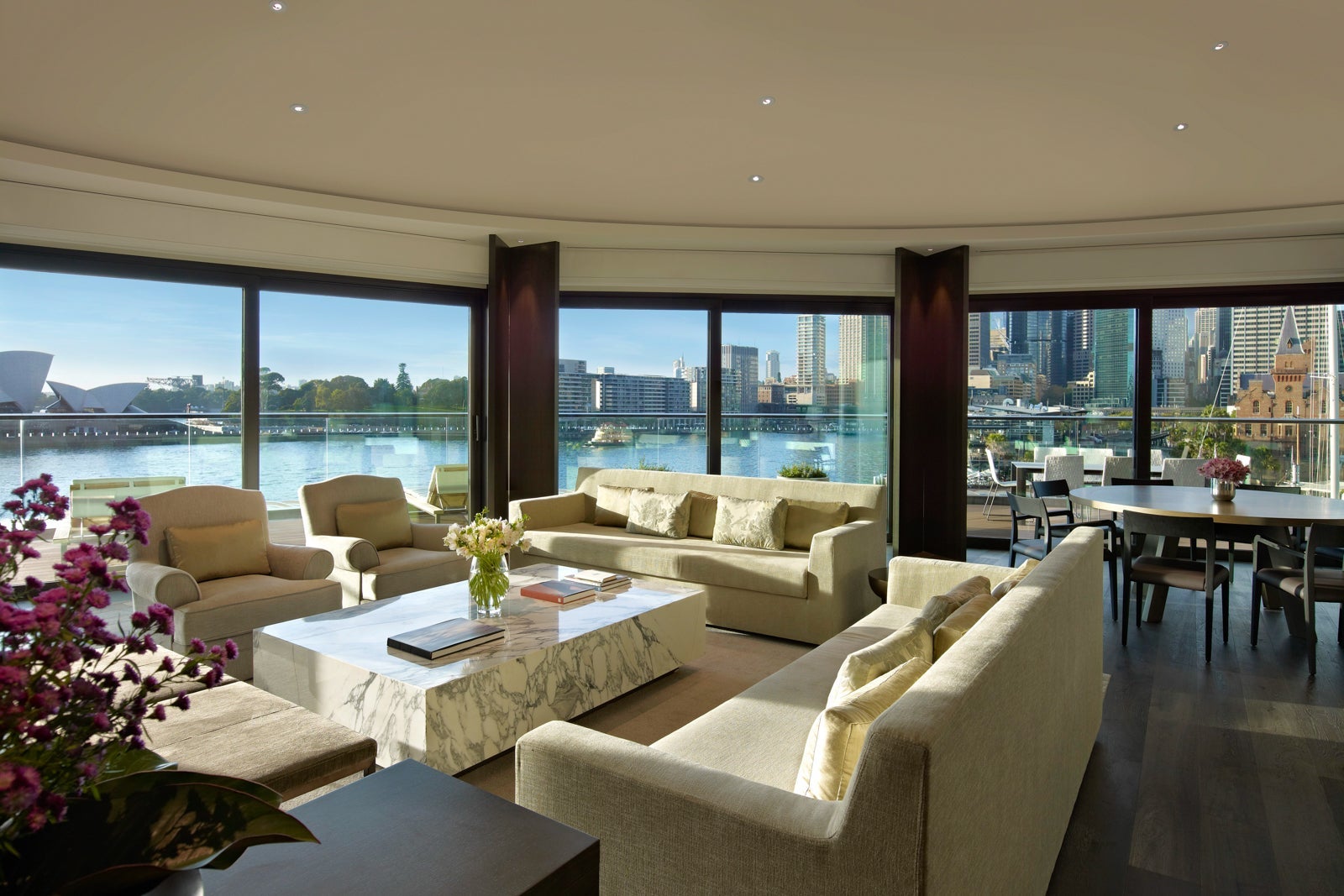
Sitting area at the Park Hyatt Sydney
PARK HYATT SYDNEY

“Ever since I began working at TPG, my colleague Eric Rosen raved about the Park Hyatt Sydney, and I continuously found myself rereading his article offering six reasons why the Park Hyatt Sydney is one of his favorite hotel points redemptions. Last year I finally had the chance to stay myself and, for certain, confirmed it’s a really special place. So earlier this year, I cashed in 115,000 points to stay there with my mom during the Sydney Marathon this coming August. Coincidentally, Rosen is also returning to the Park Hyatt Sydney in August, and made sure to book before the upcoming devaluation that will likely see bucket list Hyatt properties like this rise in price for award bookings.”

— Tanner Saunders

Rates start at $700 or 35,000 World of Hyatt points per night.

Six Senses Con Dao

SIX SENSES CON DAO/FACEBOOK

“When my original trip to the Seychelles was derailed by the conflict in the Middle East, I was determined to still go somewhere international and use a massive stash of IHG points I’d been sitting on for the hotel. So, I swapped a dream stay at Six Senses Zil Pasyon for a different dream stay at Six Senses Con Dao in Vietnam. Universe willing (since rising jet fuel costs have led to some Vietnam flight cancellations, though my itinerary seems okay so far), this will be my first time staying at a property affiliated with Six Senses, a brand I’ve been super curious about as a Diamond Ambassador member with IHG One Rewards. I was able to book the property for 564,000 points, taking advantage of the fourth-night-free perk as an IHG cardholder. I’m most excited about the food (I’ve heard it’s incredible here!) and the opportunity to see turtles, as it’ll be nesting season during my visit.” — Christine Gallipeau

Rates start at $700 or 180,000 IHG One Reward points per night.

Related reading:


Source link

Leave a Reply

Subscribe to Our Newsletter

Get our latest articles delivered straight to your inbox. No spam, we promise.

Recent Reviews


What is Salesforce approval process ?

Approval Process in Salesforce is an automated process that automates the approval of Salesforce records in your org. In Salesforce, an approval process is a series of steps that allow a record to be approved or rejected by a user, queue, or public groups. An approval process also specifies the actions to be taken when a record is approved, rejected, recalled, or submitted for approval for the first time.

For instance, when an employee requests time off, Salesforce should automatically send an approval request to the employee’s manager. 

Wish to make a career in the world of salesforce? Start with HKR’S  salesforce online training !

Why the salesforce approval process?

Salespeople are frequently required to confirm their transactions with internal departments (for example: legal, accounting).

Typically, it entails sending numerous emails to various people, after which you must ensure that it is confirmed.It’s no secret that this process could take a long time.As a result, Salesforce created a built-in approval process that you can use to automate approval requests.Once configured, you can request approval with the click of a button.

Salesforce Training

  • Master Your Craft
  • Lifetime LMS & Faculty Access
  • 24/7 online expert support
  • Real-world & Project Based Learning

Steps for approval process in salesforce:

Here are the important steps in the salesforce approval process. They are:

  • Setup -> Create -> Workflow and Approval -> Approval Process
  • Select object for approval process to be written
  • Click on Create New Approval Process
  • Select Standard Setup Wizard from drop down
  • Enter the Process name, Unique Name and description for your process
  • Specify Entry criteria 

Salesforce approval process example:

The following are the sections that must be configured in the salesforce approval process:

  • Process Definition Detail – Approval Process Header level information such as name, email template, and so on.
  • Initial Submission Actions – It would be executed whenever the customers click on the object record’s ‘Submit for Approval’ button.
  • Approval Steps – Specifics on the Steps criteria and approvers
  • Final Approval Actions – It will be carried out once all of the approval process steps have been approved.
  • Final Rejection Actions – This action will be taken if one of the approval process steps is rejected.
  • Recall Actions – This will be carried out if one of the approval process steps is recalled.

Create an Approval Process:

Let’s create an approval process in which the sales manager approves possibilities with a total opportunity value greater than $500,000. The opportunity’s approval status should be reflected: Approved or Rejected.

Planning:

Carefully plan ahead of time before you begin configuring the Approval process in Salesforce, as this will allow you to design the approval process in the most efficient manner. Preparation entails the following steps:

  • creation of mandatory fields
  • Determine the object for the Approval procedure.
  • Final Approval of the Email Template Actions such as unlocking the record or changing the record’s status

Wish to make a career in the world of salesforce? Start with HKR’S  salesforce training in London !

HKR Trainings Logo

Subscribe to our YouTube channel to get new updates..!

Creating approval process:
  • Log in to Salesforce; however, if you are already logged in, you can skip this step.
  • To Manage Approval Processes, go to Setup and search for ‘Approval Process’ in Quick Find, or go to ‘Create’->Workflow & Approvals -> Approval Process. For, choose Opportunity.

Create an Approval Process

  • Select Create New Approval Process | Use Jump Start Wizard from the drop-down menu.
  • By making some decisions for you, the Jump Start Wizard assists you in creating a simple approval process.
  • Set up the approval procedure.

Set up the approval procedure

  • Keep the approval process in mind.
  • View the Approval Process Detail Page by clicking the View Approval Process Detail Page button.
  • Click Add New | Field Update under Final Approval Actions and fill in the blanks with these values.

Field Update under Final Approval

  • Then click on the save option.
  • Under Final Rejection Actions, tap Add New | Field Update and fill in the blanks with the following principles.
  • Click on save.so that your approval process has been successfully configured.

Click here to get frequently asked Salesforce interview questions & answers

Approval Actions:

In the preceding example, we only used ‘Field Update.’ I’d like to go over Approval Actions in more detail, such as Final Approval Actions and Final Rejection Actions, which include:

Task – If a job is selected, the user will input a task for a record, such as Opportunity, once the application process has indeed been approved/rejected.

If an Email Alert is selected, the message will be displayed via email once the approval process has been approved or rejected.

Field Update – You already saw an example within the preceding section, but once the approval process has indeed been approved/rejected, the framework would then update the field towards the specified value.

Outbound Message – This will assist in notifying third-party systems. Consider a scenario in which you would like to inform the derived or provisioning system of the approval results; for instance, once orders are approved, begin generating bills; this will assist you in meeting the requirement.

Approval Actions

Wish to make a career in the world of salesforce? Start with HKR’S  Salesforce Training in Atlanta !

Salesforce Training

Weekday / Weekend Batches


Email to approve request:

We can configure the approval process via email; to allow email approval response, follow the directions below.

Setup -> Process Automation Settings -> Enable Email Approval Response checkbox, and then click Save.

Some words could be used in the first line of a response to an approval request with periods or exclamation marks. Approved, Approved, and Yes are used for approval, while Reject, Rejected, and No are used for rejection.

Conclusion:

In the above blog post we had discussed the salesforce approval process steps in depth. Had any doubts drop your queries in the comments section to get them clarified.

Related Articles:


Source link