You Might Be Paying More For YouTube Premium If You Subscribed Through Apple


Don’t get hit with the Apple tax.
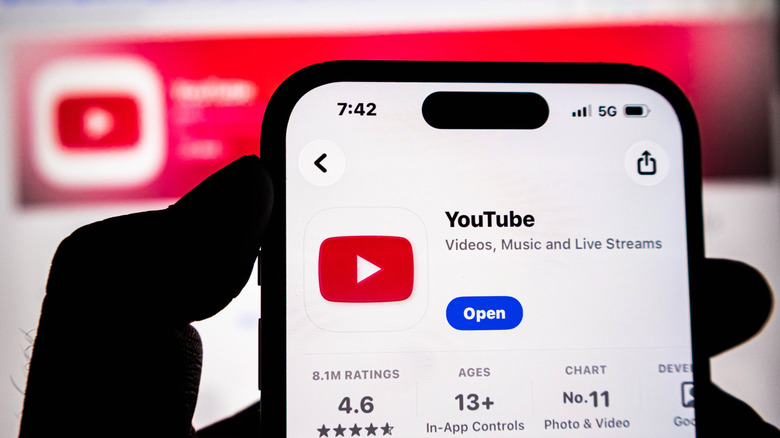
Apple’s App Store is quietly a major source of the company’s revenue. Every time an iPhone user subscribes to a service through Apple’s billing platform, the Cupertino giant skims up to 30 percent off the top of each recurring charge. The practice has been so brazen that a court ruled Apple must allow third-party billing to be offered, then, last year, the same court found the company in contempt for violating that ruling when it charged developers a comparable fee to implement their own billing tools.

But app developers had already adjusted to Apple’s fee skimming long before the court case was decided. Rather than eat a 15-30 percent loss on subscription revenues, many developers simply offset those costs by charging customers more when they subscribe through the App Store. A service that might be $10 when you subscribe on the company’s website becomes $13 when you subscribe on the App Store. It’s a phenomenon that’s become known as the “Apple tax.”

YouTube Premium is a prime example. We’ve noted that some users can swap existing music subscriptions for YouTube Premium, but it’s a different story when subscribing through the App Store. Indeed, when we look at pricing for YouTube Premium, we can see Google charging an Apple Tax. When subscribed to through the YouTube website, the monthly subscription cost for an individual is $16. However, head to the App Store, and the price tag increases to $21 a month. That’s $5 leaving your wallet each month for no reason other than helping Google to cover Apple’s tolls, making it much harder to get your money’s worth from YouTube Premium.

Apple’s App Store is convenient for managing subscriptions, but it’s not worth paying extra for YouTube Premium
Some people prefer to bill their subscriptions through Apple’s App Store because of how predatory first-party billing can be. Once you give some companies your credit card information, it can be nearly impossible to get them out of your pocket. After digging around in settings menus to find the “cancel subscription” button, which appears deliberately hidden like Waldo, you’re made to go through three confirmation screens, presented with a special, one-time-only discount offer, and then made to fill out a survey explaining why you want to cancel. And that’s if you’re lucky. Some subscriptions from smaller outfits will make you send an email, or you might resort to replacing your credit card in order to stop the subscription from being charged.

There may be situations where paying an Apple tax on your subscriptions is worth a few extra dollars for the peace of mind that comes with the ability to cancel them in just a few taps on your smartphone. Apple would love to keep collecting its fees from your subscription, but the company also wants you to enjoy using your iPhone and is therefore not as straightforwardly incentivized to act like a gremlin with your credit card.

Even so, it’s worth saving money where you can. Thankfully, YouTube Premium makes it reasonably easy to cut off a subscription on its own billing platform. Canceling is a relatively straightforward process, and Google won’t give you much guff about your decision to stop giving it money. If you’re currently overpaying for YouTube Premium through the App Store, or if you’ve been considering signing up for the service, you’re better off doing so away from the tax collector at Apple’s walled garden gates.


Source link

Leave a Reply

Subscribe to Our Newsletter

Get our latest articles delivered straight to your inbox. No spam, we promise.

Recent Reviews


Apple CarPlay wasn’t center stage at the WWDC 2026 keynote on Monday, which leaned heavily on the new Siri AI, Apple Intelligence expansions and upgraded parental controls

But buried in a dense list of changes and the developer-facing sessions, iOS 27 delivers a meaningful set of CarPlay updates. None of them is earth-shattering on its own, but collectively they’re a genuine quality-of-life improvement for daily drivers.

I scrubbed through the patch notes and poked around the developer beta to see what’s new and coming soon.

Better audio controls

The Now Playing interface is at last getting audio scrubbing. Touch and drag the progress bar to skip the boring part of a podcast, find the next chapter of an audiobook or get to the beat-drop faster. It’s the kind of thing you’d assume was already there. Previously, you’d have to tap and hold the skip-forward or skip-backward button to achieve a similar result, which I always found unintuitive.

More useful still is the new Audio MiniPlayer: a pill-shaped floating control in the upper right corner (in left-hand-drive vehicles) that keeps play/pause and skip controls accessible even when you’re running the map fullscreen. It’s a small change, but anything that reduces the need to tap around while driving is a win in my book.

Darkened iOS screenshot highlighting the new MiniPlayer

The new MiniPlayer (upper right) keeps play/pause and skip controls available wherever you are.

Apple/Screenshot by CNET

Android Auto also recently introduced floating audio controls to its navigation display, though the widget Google presents is much larger.

CarPlay can collaborate with your car

CarPlay and CarPlay Ultra navigation apps running on iOS 27 will soon be able to share route data with and receive data and waypoints from the host vehicle’s onboard software. This unlocks some interesting possibilities for driver assistance and autonomy down the road, but could also improve EV route planning more immediately.

It works like this: The navigation app — Apple Maps or even third-party apps like Waze or Google Maps — generates a route and passes that info to the host car. The EV looks at the proposed route, compares it against the available range, finds a compatible charging station and passes a waypoint back to the app, maybe with an estimated charge time to complete the trip. The navigation app sees the updated route, and you get a more accurate ETA and a charging stop you didn’t have to search for yourself.

All of this passing waypoints back and forth may sound convoluted, but I can see how this method protects driver privacy and data: The app only gets the information it needs when necessary. 

Whether route or location data flows from the app to the host vehicle, vice versa or neither at all will depend on the developer, the automaker and, ultimately, the driver’s chosen privacy settings.

iOS 27 Route sharing demo

In iOS 27, your car and CarPlay apps will be able to exchange information while giving you control over your data privacy.

Apple/Screenshot by CNET

New Siri hits the road

Siri AI is coming to CarPlay as part of iOS 27, bringing the new conversational, context-aware version of Siri from the phone to the dashboard. The new Siri visuals use the Liquid Glass design language introduced in iOS 26 and further evolved in iOS 27. 

Apple Maps is getting natural language route search, coming — eventually — as part of the Siri AI rollout. Soon you’ll be able to ask Apple Maps, for example, to “navigate to that sushi place that Nicole recommended last week,” and have Siri pull the relevant information from text messages, emails or notes on your phone. 

While we wait for the new Siri to arrive, Apple Maps will also see an enhanced Flyover mode using aerial imagery and 3D scans for a more realistic look, improved Visited Places accuracy with broader market availability, and more Local Guides coverage. Offline Maps improvements are in the mix too, though specifics are thin.

Demonstration video app in apple carplay

Developers will be able to build video apps for CarPlay that seamlessly transition to audio-only when it’s time to hit the road.

Apple/Screenshot by CNET

Video apps with sensible guardrails

Apple is letting developers build CarPlay apps with video browsing capabilities for vehicles that support the feature. Think about catching up on a show while waiting at the airport or during an EV charging session. Additionally, any iPhone app that supports AirPlay video streaming will also automatically be able to cast to a compatible CarPlay display. 

With either method, video via CarPlay will feature an automatic audio-only fallback mode: If a car doesn’t support video, or conditions change (say, you unplug and start driving again), playback will transition seamlessly to audio-only, so you can keep your eyes on the road while you listen to the rest of that podcast you started.

Developer tools and widgets

On the developer side, iOS 27 adds new app templates across categories, plus support for Live Activities and widgets from any app — so you could have a live sports score widget running on your CarPlay display without the app being open. 

Meanwhile, developers will gain access to new APIs for building conversational voice apps, including AI chatbot integrations, into CarPlay. There’s also a new CarPlay simulator built into Xcode 27’s Device Hub, letting devs test across different aspect ratios and configurations without needing hardware.

Apple CarPlay Simulator running in MacOS

With the new CarPlay Simulator, developers can test their apps across a variety of aspect ratios without buying a bunch of cars.

Apple/Screenshot by CNET

Reliability, accuracy fixes and other automotive bits

Improved wireless CarPlay reliability and better GPS heading accuracy at the start of navigation round out the lower-profile but welcome fixes. The former promises fewer dropped connections while driving, while the latter should mean less of that awkward spin-the-car-around-the-block moment while the app figures out which direction you’re pointed.

Outside of CarPlay, Proactive Car Key setup is listed in the iOS 27 patch notes — Apple hasn’t fully detailed it, but the likely scenario is a simplified pairing flow for phone-as-key, similar to how easy it is to pair AirPods. Improved Bluetooth power management is also on the list. It’s not a CarPlay feature per se, but relevant for anyone relying on wireless CarPlay, hands-free calling or audio streaming.

iOS 27 is now in developer beta, with a public beta to follow in July and general availability expected in September.


Source link