After achieving action camera success, Insta360 invaded DJI’s turf with the first mass-market panoramic drone, the Antigravity A1. It had instant appeal for drone pilots, offering 8K 360 video and features like subject tracking, obstacle detection and FPV flying.

Though beaten to the punch, DJI has responded quickly with the Avata 360, aided by its drone experience and camera tech from the new Osmo 360 action cam. It has a lot in common with its rival, but it’s safer to fly around people and offers single camera 4K footage on top of 8K 360 video.

To find out how the Avata 360 stacks up against the A1, I tested it both indoors and out, around people and even “stunt” horses. The Avata 360 isn’t perfect, but it is far more polished than its rival. As with other DJI drones of late, though, US availability remains unclear.

Image for the large product module

DJI/Engadget

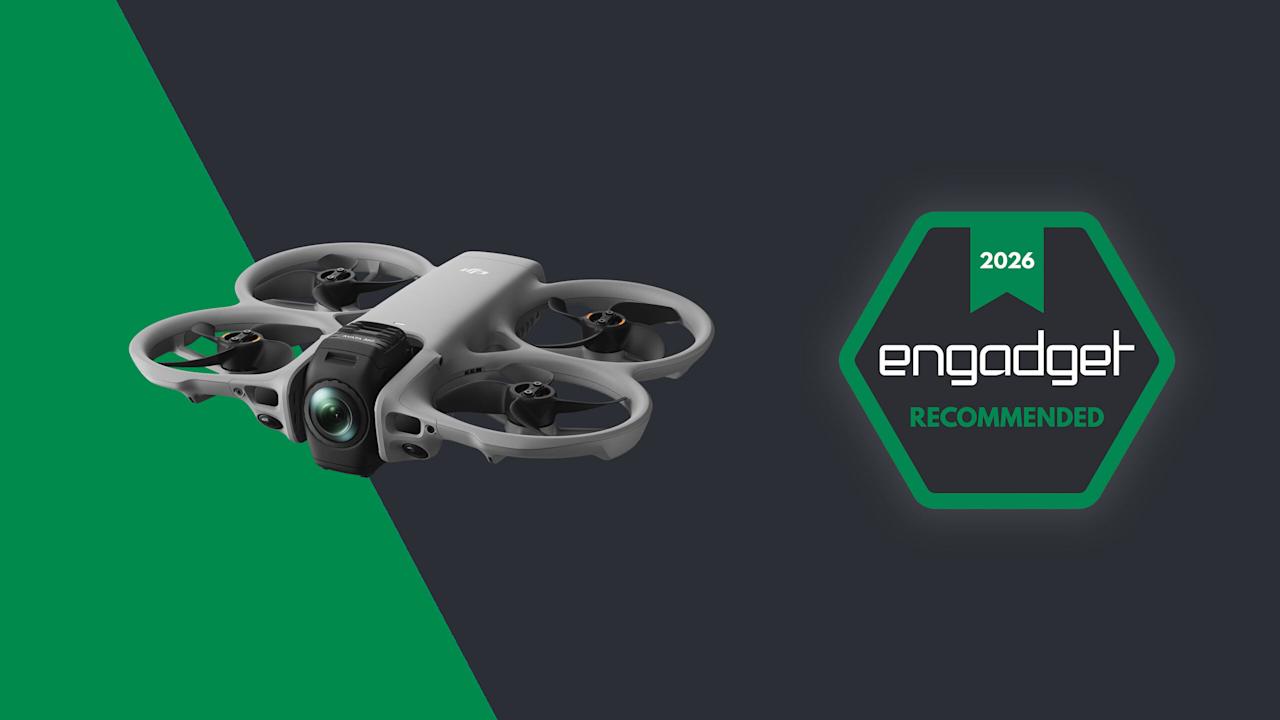
DJI’s Avata 360 marries the company’s Avata 2 FPV drone with its Osmo 360 camera. The 360 video it shoots offers incredible flexibility in post, but overall quality is lacking compared to DJI’s other drones.

Pros

  • 8K 360 video lets you reframe shots in post
  • Excellent subject tracking and obstacle avoidance
  • People-safe propeller guards
  • Single-camera shooting available
Cons

  • 360 camera lacks video quality
  • Not great in low light
  • Single-camera mode shoots tilted video

How the Avata 360 works

The 360 camera makes the Avata 360 different from any other DJI drone. It features two ultrawide cameras with f/1.9 lenses and 1.1-inch 64-megapixel sensors, with one pointing up and the other down for unobstructed 200-degree views. Those are then stitched together by software to create 360 degree video at up to 8K 60 fps.

This setup fundamentally changes the way you pilot a drone and capture video. Since the 360 camera records everything around it, you can focus on flying and reframe shots later in DJI’s Studio app. That 360 view is also handy when piloting in FPV mode. With the head tracking on DJI’s Goggles N3, you can look all around you simply by turning your head.

Unlike the Antigravity A1 that only shoots 360 video, the Avata 360 supports regular single-camera shooting as well. When you switch to that mode, the camera rotates forward and shoots 4K video at up to 60 fps with a 28mm field of view. DJI’s drone also works with a regular controller, which isn’t an option on the A1. You have to use the Insta360’s goggles at all times.

Design

Because of the chunky 360 camera, the Avata 360 is slightly bigger than the Avata 2. It’s also quite a bit heavier at 455 grams (one pound) and so, unlike the 249-gram Antigravity A1, you’ll need a permit to fly one in most regions.

The Avata 360’s propellers are shielded to protect the drone and keep it safe indoors or around people, unlike the open-prop A1. For additional protection it has two omni obstacle sensors on the side, a Lidar sensor up front, landing sensors on the bottom and, of course, a camera that points in all directions. To keep the lenses off of bare ground, it comes with a foldable 18×18-inch landing mat.

DJI’s Goggles N3 (available with the RC Motion 3 controller as an option) are comfortable and allow you to wear eyeglasses. Unlike the Goggles 3, though, there’s no external camera to see outside. If you’d rather pilot conventionally, you can get the Avata 360 bundled with DJI’s RC 2 screen controller in another kit.

Performance and features

As an FPV drone, the Avata 360 is fast and agile. It can hit speeds up to 40 MPH in sport mode (without obstacle avoidance) or 35 MPH in normal mode. When used with the optional FPV Remote Controller 3, you can do flips, rolls and other “cinewhoop” style maneuvers. Once you get used to flying it that way, it’s incredibly fun.

The 38.7Wh batteries have 26 percent more capacity than the Avata 2’s cells, but rated endurance is about the same at 24 minutes. I never got more than about 18 minutes in real-world flying though, so it’s a good idea to buy the Fly More kit with three batteries and a fast charger that can replenish them all in about 100 minutes.

The Avata 360 can be controlled using DJI's Goggles N3 and RC Motion 3 controller in FPV mode.

Samuel Dejours for Engadget

Part of my testing of the Avata 360 was capturing “trick riding” horses, so it was important that the drone noise didn’t spook them. At 81db the Avata 360 is louder than the Mini 4 Pro (67 db) and less banshee-like than the Neo 2 due to the larger propellers, so the horses weren’t alarmed.

Video is transmitted to the Goggles N3 and RC Motion 3 controller (or the RC screen controller) at 1080p 60 fps via DJI’s OcuSync 4.0+ system. The maximum flying range is 20 km (12.4 miles), double that of the Avata 2. This is an impressive distance for an FPV drone.

The 45GB of internal storage (42GB usable) can fill up quickly when you’re shooting 8K video, but the drone also has a microSD slot. To get your footage onto a PC or smartphone, you can transfer it via the USB-C port or over Wi-Fi using DJI’s Fly app.

The Avata 360 has DJI’s usual tracking and obstacle detection features, but they’re available only with the RC 2 controller and not the Goggles N3. To follow a subject, simply draw a box around them on the controller to enable Focus Track and its three modes: Spotlight, Point of Interest and ActiveTrack. The latter tracks a subject automatically and lets you control the drone’s position via an on-screen “steering wheel.”

DJI's Avata 360 offers excellent subject tracking but with a 360 twist

Steve Dent for Engadget

To test that, I biked in a narrow forested lane and walked around a bamboo-covered obstacle course. When using Focus Track, the drone dodged most obstacles and was only confused by small leaves and branches. If it did contact one of those, it sailed right through without crashing thanks to the propeller guards.

Subject tracking works in both 360 and single camera modes, but when using the latter, The Avata 360 can’t see and avoid obstacles behind it. It contacted branches several times during my testing, but fortunately the prop guards prevented crashes. Other automatic features include Dronie, Rocket and Quickshot modes that let you capture clips for social media.

Video

The Avata 360 prioritizes FPV freedom and flexibility over pure video quality. Though the specs promise 8K, that only applies to the full 360 degree video — your final, flat video will actually be 4K or less after processing. And the 360 camera zooms digitally (not optically), which further reduces resolution. On top of that, you can often see a “seam” in the video where stitching occurs, and dewarping (used to output flat video) can create softness at the edges. With all that, video is less sharp than DJI’s regular Mini, Air and Mavic drones.

Because the camera is fixed when shooting 360 video, the Avata 360’s gimbal can’t smooth out jolts or correct for roll. Instead, it uses action cam-style electronic stabilization. What’s more, that type of smoothing causes motion blur and artifacts in low light due to the lower shutter speeds — something I also noticed with the Osmo 360.

DJI Avata 360 drone review: 360 video hits new highs

Steve Dent for Engadget

With that said, video quality was as sharp and color-accurate as the Osmo 360, and a touch better than the Antigravity A1 when filming in daylight. For tricky, contrasty conditions like a shaded path on a sunny day, the D-LogM option boosted dynamic range, helping me bring out shadow detail and tone down overly-bright highlights. However, the cityscape I shot at night was soft and occasionally blurry due to the aforementioned stabilization issues.

In exchange for this lower video quality, the 360 camera provides incredible flexibility. For a vlog style tracking shot, for instance, I usually need to film twice to show the forward and backward directions. With the Avata 360, though, I was able to get both POVs from the same shot and output an overhead view too for good measure.

DJI Studio is where you go to select your desired framing and output the flat video. It’s not quite as versatile as Insta360’s app, but it allows you to reframe shots and create smooth transitions between camera angles. And to save time, you can use the Intelligent Tracking feature to center your subject. The app also offers color correction and other features, but I found it easier to export the final shots to DaVinci Resolve for any additional work.

Flat video a mixed bag. Sharpness is mildly better than the 360 video, but the lack of a gimbal roll axis means that the camera can’t level itself when the drone banks into the wind. As a result, most of my footage was tilted and often unusable.

Wrap-up

DJI's Avata 360 offers incredible flexibility but lacks video quality compared to its other drones.

Steve Dent for Engadget

With the Avata 360, DJI has a surprisingly sophisticated drone that offers better video quality and more features than its only rival, Insta360’s Antigravity A1. It can do everything you’d expect from a DJI FPV drone like tracking, obstacle avoidance and acrobatics, while operating safely around people (or horses).

DJI also managed to undercut Insta360 on price, with the Avata 360 starting at 459 euros (approx. $530), or 939 euros ($1,089) in a kit with a screen controller, three batteries and a charger. It’s also available with the extra batteries and charger, DJI’s FPV Goggles N3 and the RC Motion 3 controller for 939 euros ($1,089). As mentioned, there’s no word yet on US pricing, but the Avata 360 has been approved by the FCC so it could appear in the US soon.

Like 360 action cams though, this is a niche product. If you’re a vlogger, extreme action shooter, FPV pilot or solo filmmaker who wants speed and flexibility, the Avata 360 is a great choice. If it’s pixel perfect image quality you want, however, you’re better off with DJI’s Mini 5 Pro, Air 3S or Avata 4 Pro drone.


Source link

Leave a Reply

Subscribe to Our Newsletter

Get our latest articles delivered straight to your inbox. No spam, we promise.

Recent Reviews


What is DevOps?

By utilizing a combination of tools, processes, and ideas referred to as devops, software development and delivery can be completed more quickly and effectively. The term “development” and “operations,” or DevOps, combines the two academic disciplines. In the DevOps culture, developers and operational staff should collaborate and communicate effectively. DevOps aims to automate and streamline the software development process. DevOps has the advantages of reducing the software development cycle and improving software quality. DevOps also helps to increase software stability and lower the likelihood of errors. Increased productivity, cheaper expenses, and better software quality are just a few benefits of DevOps.Any firm that wants to remain competitive in the market must implement DevOps, which is an important component of the current software development process.

 Become a DevOps Certified professional by learning this HKR DevOps Training!

What is Python?

The Python programming language includes several characteristics that make it useful and easy to use. Python is an interpreted, general-purpose programming language. Guido van Rossum created the design on December 3, 1989, adhering to the adage “There’s only one way to do it, and that’s why it works.” Python’s syntax enables programmers to write less code than they would in languages like C++ or Java in order to express ideas. Python has dynamic typing and garbage collection. Procedural, object-oriented, and structured programming paradigms are among the ones it supports.

Become a Python Certified professional by learning this HKR Python Training!

DevOps Training

  • Master Your Craft
  • Lifetime LMS & Faculty Access
  • 24/7 online expert support
  • Real-world & Project Based Learning

Python for DevOps

Python is an effective programming language that is widely used in a variety of industries. Python has gained ground in the DevOps community recently. A group of procedures known as “DevOps” enables companies to reliably and swiftly build software. Python is frequently used in DevOps because it is easy to learn and has a variety of powerful libraries that can be utilised for automation and monitoring. You might be wondering how Python can help your work if DevOps is new to you. In this article, we’ll offer you a brief overview of some of the ways Python may be used for DevOps.

Reasons For Using Python For DevOps:

Python is a well-liked programming language that has a reputation for being readable and easy to learn. It has gained popularity and acceptance in the DevOps world as a scripting and task automation language. There are many reasons why Python is used for DevOps, however, some of the most common ones are its

  • Versatility– Python is a versatile language that can be used for a variety of purposes, from simple automation projects to complex scripts.
  • Popularity – A significant development community is accessible to support your project because it is a commonly used language.
  • Easy to learn– For those who are new to DevOps, Python is a good choice because it is easy to use and very simple to master.

These are some of the most frequent justifications for using Python for DevOps, however there are many more.

  • Python is a powerful language
  • A well-liked programming language is Python. We can create scripts for the enhanced development life cycle thanks to the wide range of Python libraries.
  • The frameworks needed to create understandable, well-structured automation programmes are provided by Python.
  • Python is especially effective for orchestration and infrastructure automation.
  • Python’s ease of use makes it possible to produce utilities more quickly.
  • Because of its adaptability and flexibility, Python has an adaptable feature that makes experimenting with new tools and technologies straightforward.
  • Despite Ruby’s ability to do some things that Python can do, Python is still preferred because of its simple syntax and readability.

If you want to Explore more about DevOps? then read our updated article – DevOps Tutorial

HKR Trainings Logo

Subscribe to our YouTube channel to get new updates..!

Subscribe

How Python And DevOps Work Together?

Python is a popular language for DevOps because it is legible, dependable, and easy to grasp. DevOps is not a Python-only discipline, but the two can work very well together. Let’s examine the numerous Python DevOps applications, such as monitoring, automation, and others. Python is a versatile language that can be applied to a variety of tasks, such as automating standard DevOps procedures like testing and deployment. Python can also be used for monitoring tasks like activity logging and measuring server performance. Python is a great language for beginners in DevOps because it’s easy to learn.

How Python is Used in DevOps?

Python is used in DevOps to serve several purposes. Let us learn about a few of them

Monitoring

Powerful scripting languages like Python are frequently utilized in many different industries, including DevOps. Monitoring activities are routinely automated using Python. In DevOps, monitoring refers to the process of keeping track of a system’s performance and health. Python-based programmes are widely used for automation, however it can be done manually. Python is a well-liked alternative for monitoring since it is straightforward to use and can be rapidly integrated with other tools and systems. Python has various libraries that may be used for monitoring, making it a particularly effective tool for DevOps. Python is just one of the many tools and programming languages used in DevOps, but it is incredibly important to the process. Python is a great choice for the job of monitoring because of its adaptability and simplicity. DevOps professionals can use it to do their tasks more quickly and more efficiently.

CI/CD and Configuration Management Pipelines

Python is rapidly replacing other languages as the standard for DevOps automation. It is adored for its adaptability, usability, and potent libraries. Due to the fact that it can be used for both scripting and automation, Python is a popular choice for DevOps. Python is an excellent alternative for organizations who are new to DevOps because it is very simple to learn. Last but not least, Python has a robust ecosystem of tools and modules that may be applied to a range of DevOps tasks. CI/CD stands for Continuous Integration/Continuous Delivery in the field of DevOps. Code updates are automatically built, tested, and pushed to production using the CI/CD process.

[ Related Article : AWS Devops Tutorial ]

Deployment

Python is a versatile language that may be used for web development, scientific computing, data analysis, artificial intelligence, and other applications. Python’s simplicity and readability have helped it gain appeal in the DevOps sector during the past few years. Several deployment techniques, including automation and configuration management, can be utilised with Python. Python can assist you in managing your infrastructure more successfully by automating tedious tasks. It can also be used to write original scripts that automate specific procedures. Overall, Python is a powerful tool that could simplify and hasten the deployment process for you.

Cloud Automation

Python is an extremely capable programming language with many features that make it perfect for cloud automation and DevOps. For instance, because Python is an interpreted language, it can be used without first compiling code. This might be helpful for testing and troubleshooting code modifications. There are a tonne of materials available for learning and using Python because of its sizable and active community. Python can also be used to automate a number of cloud-based tasks, such as deploying code changes, setting cloud resources, and checking the status of cloud services. DevOps teams can utilize Python to build scripts that automate these processes, allowing for a shorter development and deployment cycle.Overall, Python is a flexible language that may be applied to a wide range of cloud computing tasks.

Extending DevOps Tools

Python is widely used to enhance already existing DevOps solutions. For instance, many DevOps tools accept plugins or custom scripts built on the Python programming language. Using these technologies allows you greater freedom and customization. DevOps typically uses Python to automate procedures. Errors could be reduced and processes could be sped up as a result. Python can be a useful tool in DevOps for expanding existing tools and automating procedures, all things considered. As a result, your DevOps processes might become more reliable and effective.

It is platform-independent

The DevOps sector uses Python, a potent scripting language. Python may be used with any operating system due to its platform independence. Python is a wonderful choice for DevOps since it can automate processes on a variety of platforms. For DevOps engineers who are new to scripting, Python is a fantastic alternative because it is also fairly simple to learn. Furthermore, because Python is an interpreted language, scripts can be run immediately from the command line without having to first go through a compilation process. As a result, Python scripts are now more flexible and straightforward to run on different systems. Overall, Python is a great platform for DevOps since it is user-friendly and cross-platform. Python doesn’t need to be compiled before use and can be used to automate tasks across a variety of platforms.

Simple syntax

Python is a potent programming language that automates tedious tasks, lowers the likelihood of mistakes, and saves time. For software deployments, builds, and configuration management in DevOps, it is often used. Its concise syntax makes it easy to comprehend and use, yet its comprehensive libraries allow for powerful programming. Python’s simple syntax can be used in applications for DevOps. Python allows for the automation of all but the most common DevOps jobs.

Flexible and easily maintainable scripts

Python’s popularity as a scripting language is in part due to how straightforward and flexible it is. Python scripts can be used for a variety of DevOps tasks, including task automation and infrastructure management. Python is the ideal language for DevOps specialists since it is simple to read, understand, and maintain. The extensive standard library of Python and its community-supported modules also make it straightforward for DevOps specialists to automate a wide range of tasks. Python is a crucial scripting language for DevOps experts because of how widely used and efficient it is.

Lightweight

Python is a versatile language that can be used in a range of settings, such as web development and DevOps. One aspect of Python’s popularity in the DevOps world is the use of lightweight characteristics. The term “lightweight” in DevOps refers to the amount of code required to carry out a particular task. Python’s incredibly condensed syntax allows for a lot to be done with very little code. This is beneficial when working in a DevOps environment where efficiency and speed are crucial. Of course, Python isn’t the only language that can be utilised in DevOps. But the fact that it is seen as a rapid and efficient language is one factor in its acceptability in society.

Prepare for DevOps Interview? Here Are Top DevOps Interview Questions and Answers

DevOps Training

Weekday / Weekend Batches

 Conclusion:

Python is a strong programming language that is being used widely in many different industries. One of the most popular sectors for Python programmes is DevOps. The DevOps model for software development places a strong emphasis on collaboration, automation, and communication between software engineers and IT professionals. Python is commonly used in DevOps due to its ease of learning and abundance of useful modules that may automate procedures. Python can be used by DevOps professionals to automate a number of tasks, including code deployment, configuration management, and infrastructure provisioning. Python may be used to manage and monitor a variety of systems. DevOps professionals may work more swiftly and productively with Python.

Related Articles:


Source link