6 Foods With More Fiber Than Beans


Medically reviewed by Suzanne Fisher, RD

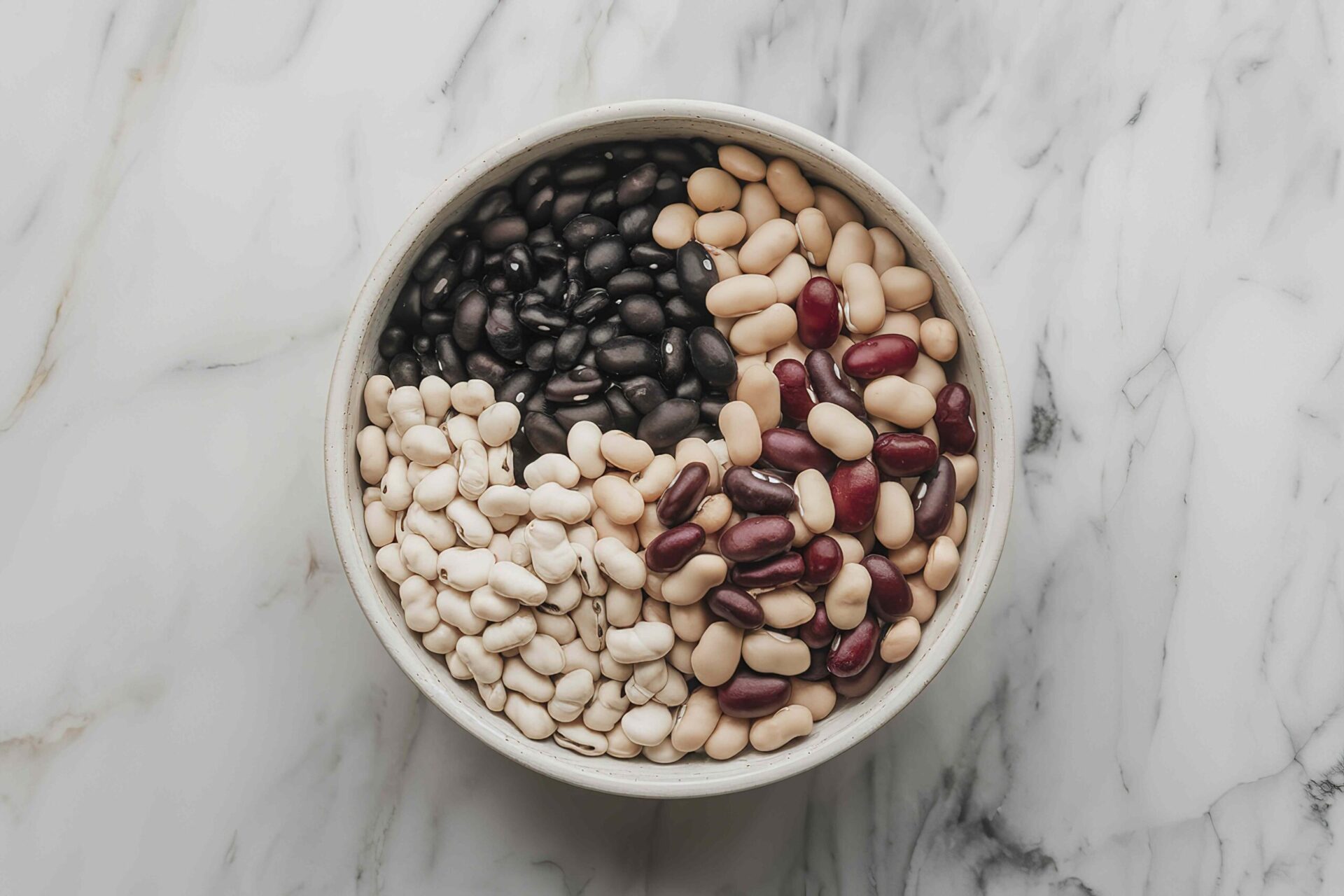
A serving of beans can have 14-29% of the DV for fiber, but other foods have even more of the nutrient.Credit: Cristofor Moldovanu / 500px / Getty Images
A serving of beans can have 14-29% of the DV for fiber, but other foods have even more of the nutrient.
Credit: Cristofor Moldovanu / 500px / Getty Images
  • Beans are fiber-rich foods that provide 14-29% of the recommended Daily Value, depending on the bean type.
  • Other foods have even more fiber in a serving. Higher-fiber foods include chia seeds, avocados, and whole grains.
  • Fiber intake is associated with health benefits like weight and blood sugar management. Varying your dietary fiber sources can help you get the most benefit.

Beans are widely recognized as a great source of dietary fiber. Depending on the variety, a half cup of cooked beans can contain 4-8 grams of fiber. It's recommended that adults get 28 grams of fiber a day. That means a half-cup of beans provides 14-29% of the Daily Value (DV) for fiber. But several foods offer even more fiber in a serving.

1. Whole Grains

Credit: Viktoriya Skorikova / Getty Images
  • Fiber content: 14-32 grams (g), 64-114% of the DV
  • Serving size: 1 cup

It is uncommon to discuss high-fiber foods without mentioning whole grains. Depending on the grain and how it is processed, you can get up to the recommended daily intake for fiber from a serving of a whole-grain meal. For example: 

  • 1 cup of hulled barley: 31.8 g of fiber, about 114% of the DV
  • 1 cup of hard white wheat: 23.4 g, about 94% of the DV
  • 1 cup of oat bran: 14.5 g, more than 60% of the DV

Minimally processed whole-grain meals, including whole-grain breads, bagels, crackers, and cereals, can also provide significant amounts of fiber and additional nutrients.

2. Chia Seeds

Credit: HUIZENG HU / Getty Images
  • Fiber content: 9.8 g, about 35% of the DV
  • Serving size: 1 ounce (about 2 tablespoons)

Chia seeds are one of the most fiber-dense foods available. Just 2 tablespoons provide nearly 10 grams of fiber, exceeding the fiber content of most beans.

Chia seeds are particularly rich in insoluble fiber, which accounts for 85–93% of their total fiber. Insoluble fiber adds bulk to the stool and speeds the passage of food through the gut, lowering the risk of gastrointestinal and metabolic issues such as constipation, hemorrhoids, and insulin resistance. 

Chia seeds also provide omega-6 and omega-3 fatty acids, protein, and amino acids, which support heart health, satiety (how quickly you feel full), and tissue repair. Chia seeds are easy to add to smoothies, yogurt, oatmeal, and baked goods.

3. Avocados

Credit: Westend61 / Getty Images
  • Fiber content: 9.3 g, 33% of the DV
  • Serving size: One fruit, without the skin and seed

Aside from the high fiber content, one avocado provides minerals and vitamins like folate (about 30% of the DV), vitamin K (over 20% of the DV), and potassium (about 26% of the DV).

A 12-week study showed that replacing calories from other carbohydrate sources with avocado intake had positive effects on health status, including improved insulin sensitivity, better glucose control, and a reduction in low-density lipoprotein (the “bad" cholesterol).

Avocados also contain antioxidants that help the body fight off harmful free radicals. Because they’re also rich in heart-healthy monounsaturated fats, avocados make a healthy and satisfying addition to salads, sandwiches, purees, and smoothies.

4. Raspberries

Credit: alvarez / Getty Images
  • Fiber content: 8 g, 32% of the DV
  • Serving size: 1 cup

Raspberries stand out among fruits for their nutritional density, which includes their fiber density.

They’re also rich in polyphenols and vitamin C, which act as antioxidants, helping reduce oxidative stress and inflammation. 

Raspberries have a low tendency to spike blood sugar levels, making them a great choice for managing metabolic conditions such as diabetes, obesity, and polyendocrine metabolic ovarian syndrome (PMOS), the condition formerly known as polycystic ovary syndrome (PCOS).

5. Artichokes

Credit: HUIZENG HU / Getty Images
  • Fiber content: 6.8 g, 24.3% of the DV
  • Serving size: One medium-sized artichoke, cooked

Artichokes are among the highest-fiber vegetables. They’re exceptionally high in inulin, a prebiotic fiber shown to support gut microbiome diversity, digestive health, and blood glucose regulation. 

Artichokes also provide:

  • Potassium
  • Vitamin C 
  • Folate
  • Magnesium
  • Calcium
  • Vitamin K 
  • Carbohydrates

However, they are also high in natural sugars called FODMAPs that may trigger digestive issues like constipation and diarrhea, especially in people with irritable bowel syndrome (IBS).

6. Flaxseeds

Credit: Veena Nair / Getty Images
  • Fiber content: 5.62 g, 20% of the DV
  • Serving size: 1 ounce (2 tablespoons)

There is no specific portion recommendation for flaxseed, though most people usually eat about 15 grams of ground flaxseed—about 2 tablespoons—in one sitting.

Besides fiber, other nutrients in flaxseed include:

  • Manganese
  • Magnesium
  • Carbohydrate
  • Phosphorus
  • Iron
  • Calcium
  • Potassium
  • Fatty acids

Flaxseed also contains a good amount of thiamin, a vitamin essential for energy metabolism and cell growth and function.

Because flaxseeds are high in fiber and have a tough outer shell that is not easy for the intestines to break down, it may be best to opt for ground instead of whole seeds. Eat them in smaller amounts to reduce the risk of digestive issues like gas and bloating, and make sure you drink enough water.

How To Safely Increase Your Fiber Intake

Increasing fiber too quickly can lead to bloating or gas. To make sure you are getting enough fiber from your meals and doing it safely, do the following:

  • Increase intake gradually over several days.
  • Drink plenty of water to help fiber move through the digestive tract and to lower the risk of dehydration, bloating, or constipation.
  • Vary fiber sources instead of relying on one food.
  • When shopping for cereals, pasta, or flour-based meals, choose products labeled “whole-grain,” as they are less processed and have higher fiber content.

If you have gastrointestinal conditions like IBS, Crohn’s disease, or intestinal obstruction, it’s best to speak with healthcare providers, like a registered dietitian, about how to incorporate fiber into your diet safely.




Source link

Leave a Reply

Subscribe to Our Newsletter

Get our latest articles delivered straight to your inbox. No spam, we promise.

Recent Reviews


Apple CarPlay wasn’t center stage at the WWDC 2026 keynote on Monday, which leaned heavily on the new Siri AI, Apple Intelligence expansions and upgraded parental controls

But buried in a dense list of changes and the developer-facing sessions, iOS 27 delivers a meaningful set of CarPlay updates. None of them is earth-shattering on its own, but collectively they’re a genuine quality-of-life improvement for daily drivers.

I scrubbed through the patch notes and poked around the developer beta to see what’s new and coming soon.

Better audio controls

The Now Playing interface is at last getting audio scrubbing. Touch and drag the progress bar to skip the boring part of a podcast, find the next chapter of an audiobook or get to the beat-drop faster. It’s the kind of thing you’d assume was already there. Previously, you’d have to tap and hold the skip-forward or skip-backward button to achieve a similar result, which I always found unintuitive.

More useful still is the new Audio MiniPlayer: a pill-shaped floating control in the upper right corner (in left-hand-drive vehicles) that keeps play/pause and skip controls accessible even when you’re running the map fullscreen. It’s a small change, but anything that reduces the need to tap around while driving is a win in my book.

Darkened iOS screenshot highlighting the new MiniPlayer

The new MiniPlayer (upper right) keeps play/pause and skip controls available wherever you are.

Apple/Screenshot by CNET

Android Auto also recently introduced floating audio controls to its navigation display, though the widget Google presents is much larger.

CarPlay can collaborate with your car

CarPlay and CarPlay Ultra navigation apps running on iOS 27 will soon be able to share route data with and receive data and waypoints from the host vehicle’s onboard software. This unlocks some interesting possibilities for driver assistance and autonomy down the road, but could also improve EV route planning more immediately.

It works like this: The navigation app — Apple Maps or even third-party apps like Waze or Google Maps — generates a route and passes that info to the host car. The EV looks at the proposed route, compares it against the available range, finds a compatible charging station and passes a waypoint back to the app, maybe with an estimated charge time to complete the trip. The navigation app sees the updated route, and you get a more accurate ETA and a charging stop you didn’t have to search for yourself.

All of this passing waypoints back and forth may sound convoluted, but I can see how this method protects driver privacy and data: The app only gets the information it needs when necessary. 

Whether route or location data flows from the app to the host vehicle, vice versa or neither at all will depend on the developer, the automaker and, ultimately, the driver’s chosen privacy settings.

iOS 27 Route sharing demo

In iOS 27, your car and CarPlay apps will be able to exchange information while giving you control over your data privacy.

Apple/Screenshot by CNET

New Siri hits the road

Siri AI is coming to CarPlay as part of iOS 27, bringing the new conversational, context-aware version of Siri from the phone to the dashboard. The new Siri visuals use the Liquid Glass design language introduced in iOS 26 and further evolved in iOS 27. 

Apple Maps is getting natural language route search, coming — eventually — as part of the Siri AI rollout. Soon you’ll be able to ask Apple Maps, for example, to “navigate to that sushi place that Nicole recommended last week,” and have Siri pull the relevant information from text messages, emails or notes on your phone. 

While we wait for the new Siri to arrive, Apple Maps will also see an enhanced Flyover mode using aerial imagery and 3D scans for a more realistic look, improved Visited Places accuracy with broader market availability, and more Local Guides coverage. Offline Maps improvements are in the mix too, though specifics are thin.

Demonstration video app in apple carplay

Developers will be able to build video apps for CarPlay that seamlessly transition to audio-only when it’s time to hit the road.

Apple/Screenshot by CNET

Video apps with sensible guardrails

Apple is letting developers build CarPlay apps with video browsing capabilities for vehicles that support the feature. Think about catching up on a show while waiting at the airport or during an EV charging session. Additionally, any iPhone app that supports AirPlay video streaming will also automatically be able to cast to a compatible CarPlay display. 

With either method, video via CarPlay will feature an automatic audio-only fallback mode: If a car doesn’t support video, or conditions change (say, you unplug and start driving again), playback will transition seamlessly to audio-only, so you can keep your eyes on the road while you listen to the rest of that podcast you started.

Developer tools and widgets

On the developer side, iOS 27 adds new app templates across categories, plus support for Live Activities and widgets from any app — so you could have a live sports score widget running on your CarPlay display without the app being open. 

Meanwhile, developers will gain access to new APIs for building conversational voice apps, including AI chatbot integrations, into CarPlay. There’s also a new CarPlay simulator built into Xcode 27’s Device Hub, letting devs test across different aspect ratios and configurations without needing hardware.

Apple CarPlay Simulator running in MacOS

With the new CarPlay Simulator, developers can test their apps across a variety of aspect ratios without buying a bunch of cars.

Apple/Screenshot by CNET

Reliability, accuracy fixes and other automotive bits

Improved wireless CarPlay reliability and better GPS heading accuracy at the start of navigation round out the lower-profile but welcome fixes. The former promises fewer dropped connections while driving, while the latter should mean less of that awkward spin-the-car-around-the-block moment while the app figures out which direction you’re pointed.

Outside of CarPlay, Proactive Car Key setup is listed in the iOS 27 patch notes — Apple hasn’t fully detailed it, but the likely scenario is a simplified pairing flow for phone-as-key, similar to how easy it is to pair AirPods. Improved Bluetooth power management is also on the list. It’s not a CarPlay feature per se, but relevant for anyone relying on wireless CarPlay, hands-free calling or audio streaming.

iOS 27 is now in developer beta, with a public beta to follow in July and general availability expected in September.


Source link