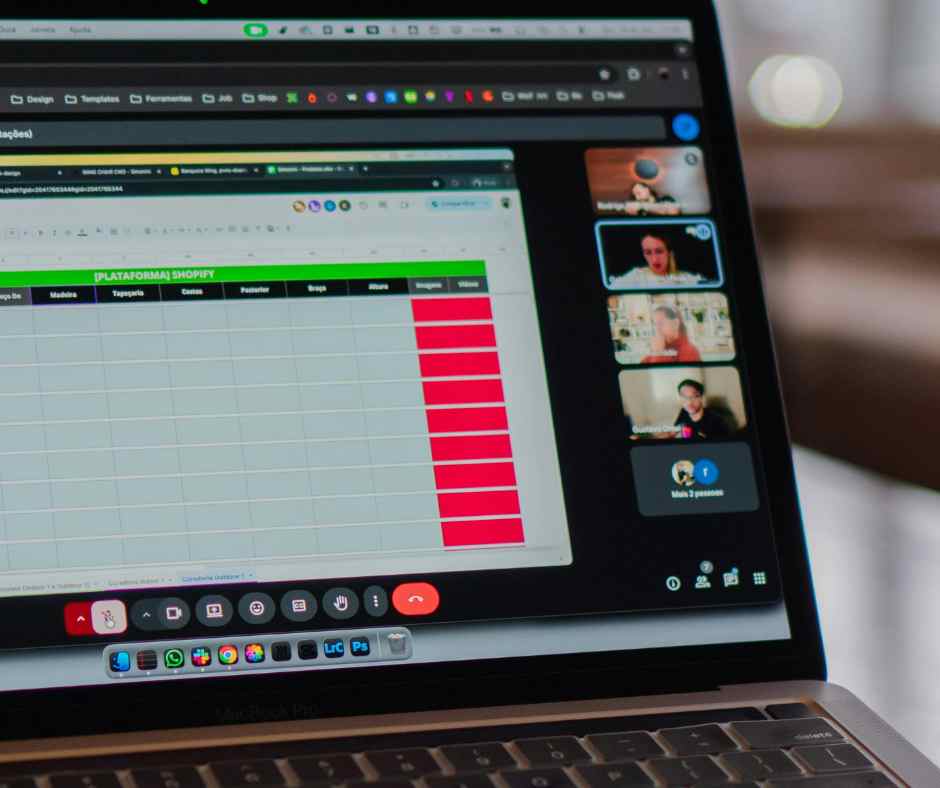
Let’s be honest: the traditional office setup—the one with the flickering fluorescent lights and the communal fridge that always smelled vaguely of forgotten tuna—is officially a relic. For small teams today, the “office” isn’t a physical place you commute to; it’s a mindset, a digital ecosystem, and a massive opportunity for growth that simply didn’t exist a decade ago.
By 2026, “working from home” will no longer be a new idea. Instead, remote collaboration will be the main thing that makes the most successful startups and small businesses work. It’s not enough to just get by outside of a cubicle anymore; you have to do well in a world without borders.
Key Takeaways
|
How Remote Collaboration Is Reshaping the Way Small Teams Grow
Wait, What Exactly Is Remote Collaboration Now?
Strip away the software and the high-speed fiber, and remote collaboration is really just the art of keeping a group of people moving in the same direction without needing to breathe the same air. It’s the intentional practice of using digital tools to brainstorm, execute, and troubleshoot as if you were sitting across the table from one another.
For small businesses, this is a total game-changer. It means your “brain trust” isn’t limited by how many people can fit in a rented room in downtown Chicago or London. It’s about creating a synchronous workflow across asynchronous time zones. In 2026, collaboration is less about “checking in” and more about “syncing up,” ensuring that every team member, whether they’re in a coffee shop in Berlin or a home office in Austin, has the same clarity of purpose as the founder.
The Real Shake-up: How Small Teams Are Actually Winning
If you look at how small teams used to grow, it was a slow, painful crawl. You hired locally, you dealt with local talent shortages, and you paid through the nose for square footage. Remote collaboration has effectively demolished those walls.
The Talent Revolution
The most significant impact? The “Global Talent Buffet.” Small teams are now punching way above their weight class because they can hire specialists from anywhere. If the best UX designer for your budget lives in Estonia and your top-tier marketing lead is in Vancouver, remote collaboration makes that a viable, high-performance reality.
Productivity and the “Commute Tax”
We’ve finally stopped pretending that an hour spent in gridlock makes anyone a better employee. Small teams are seeing a massive productivity spike because their people are better rested and more autonomous. When you give a professional the trust to manage their own environment, they don’t just work more; they work better. This flexibility is the “secret sauce” that allows a five-person team to out-innovate a fifty-person corporate department.

Why a Virtual Office Is the Unsung Hero of Scalability
Even in a world where your team is scattered across three continents, your business needs a “gravity center.” You still need a professional face for your clients, a place for your mail to land, and a sense of institutional permanence. This is precisely why a Virtual Office has become a non-negotiable tool for modern growth.
A virtual office can help you go from being a “scrappy startup” to a “respected industry player.” It gives you a prestigious business address in a great location, which is important for gaining the trust of high-value clients who may be hesitant to work with a company that runs out of a spare bedroom. You get more than just an address. You also get access to on-demand meeting rooms for those rare, high-stakes in-person pitches and a live receptionist who will make sure you never miss a billion-dollar call while you’re in a “flow state” or picking up the kids from school. It’s the best hack: you get all the prestige of a skyscraper headquarters for a lot less money.
The 2026 Tech Stack: Less Noise, More Signal
By 2026, the “remote toolkit” has evolved far beyond simple chat windows. We’re seeing a focus on tools that reduce “digital noise” and emphasize deep work.
- Integrated Project Environments: Gone are the days of jumping between ten different tabs. Platforms like Notion, Monday, and ClickUp have become the digital “living rooms” for small teams, housing everything from high-level strategy to the smallest task list.
- Asynchronous Video: Since “Zoom Fatigue” became a recognized clinical term, smart teams have pivoted to asynchronous video. Tools like Loom or Descript allow team members to explain complex ideas or give feedback in their own time, respecting everyone’s “deep work” blocks.
- AI-Enhanced Communication: Slack and Microsoft Teams are now heavily integrated with AI assistants that summarize long threads, highlight action items, and even suggest “quiet hours” based on your local time zone and workload.
- Virtual Whiteboarding: Miro and FigJam have replaced the physical whiteboard, allowing for creative “jam sessions” that are actually more effective than the old way because the notes never get erased and the “sticky notes” are infinite.
The Perks (Because It’s Not Just About Working in Pajamas)
The shift to remote-first isn’t just a trend; it’s a strategic evolution. Here’s why small teams are doubling down on this model:
- What about overhead? What Overhead? Putting the $5,000 you would have spent on a monthly lease into product research and development or a better benefits package is a huge competitive edge.
- Cultural Diversity: When you hire globally, you bring in a kaleidoscope of perspectives. This diversity of thought often leads to more creative problem-solving and a better understanding of global markets.
- Sustainability as a Standard: Modern consumers and employees care about the planet. By eliminating the daily commute and the energy-hungry office building, small teams are significantly shrinking their carbon footprint.
- The “Follow the Sun” Model: A small team with members in the US, Europe, and Asia can effectively work 24/7 without anyone ever working overtime. Projects move forward while you sleep.

The Reality Check: Challenges You Can’t Ignore
Look, it’s not always rainbows and high-speed Wi-Fi. Remote collaboration has its hurdles:
- The “Loneliness Gap”: People are social animals. Without a watercooler to stand around, some team members can feel isolated. Successful small teams combat this with intentional “social-only” calls and annual retreats—spending that saved office rent on a week in Mexico or Portugal for the whole crew.
- Information Silos: When communication isn’t happening organically in a hallway, things can get missed. Documentation has to become your team’s religion. If it isn’t written down in the shared workspace, it doesn’t exist.
- Security in the Wild: Distributed teams are more vulnerable to cyber threats. Investing in enterprise-grade VPNs and password managers is no longer optional; it’s a survival requirement.
Wrapping Up: The Future Is Decentralised
The dust has settled, and the verdict is in: the future of small team growth is decentralized. Remote collaboration has matured from a “workaround” into a sophisticated, high-performance strategy. It empowers the underdog, favors the agile, and rewards the innovative.
As we look deeper into 2026 and beyond, the teams that will dominate their niches are those that master the human element of digital work. By leveraging a Virtual Office to anchor their operations and using the best collaborative tools available, small teams aren’t just changing where they work—they are changing how the world does business. The office isn’t gone; it’s just everywhere.
Want to learn the proven strategies top businesses use? Try searching ‘business consultant near me‘ to connect with an expert in your area!
Frequently Asked Questions
-
How do we keep the team’s energy up without a physical office?
It’s all about variety. Mix your communication styles—use video for brainstorming, chat for quick wins, and long-form writing for strategy. Also, don’t forget to celebrate the “small stuff” publicly in your shared digital workspace.
-
Is a Virtual Office just for “pretending” we have an office?
Not at all. While the address is a major perk, the real value lies in the services. Having a professional receptionist handle calls and having access to physical meeting rooms for board meetings or client signings are legitimate business necessities.
-
What happens if a team member’s home internet goes down?
Redundancy is key. High-performing remote teams often have a small “connectivity stipend” to cover high-speed internet or even a backup mobile hotspot for their employees.
-
How do I know if my remote employees are actually working?
The focus shifts from input (hours at a desk) to output (tasks completed). If the work is being done at a high level and on time, it shouldn’t matter if it was done at 10 AM or 10 PM.
-
How do I handle legalities and taxes with a global remote team?
This is where modern HR platforms (like Deel or Remote) come in. They handle the complex web of local labor laws and taxes, making it easy to hire a team member in France or Brazil as if they were in your own backyard.