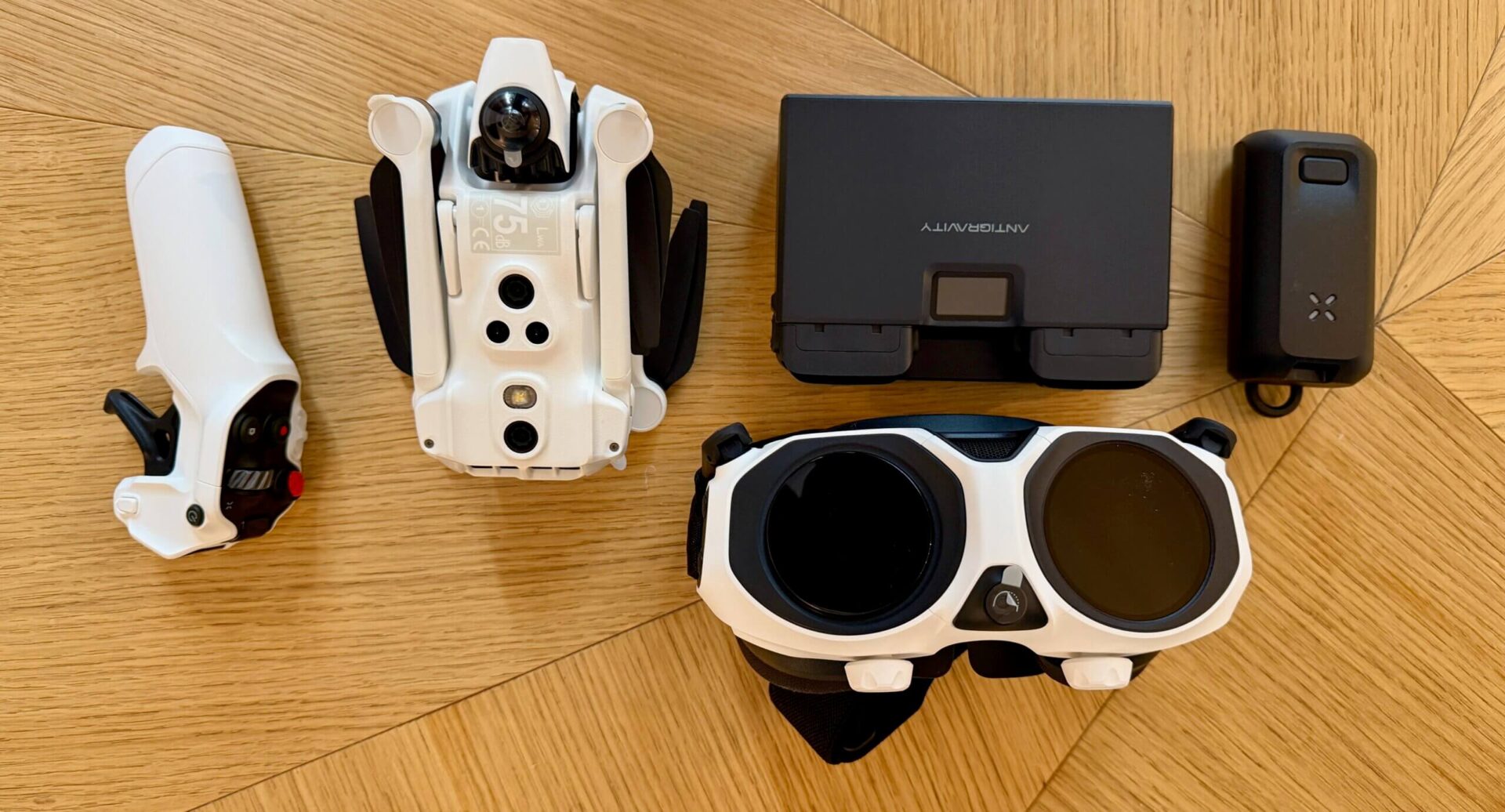

Drones are huge. And, while there’s lots of restrictions around them, a lot of travelers take them on road because they produce some amazing sweeping aerial shots.
There’s lots of amazing brands out there but one that I think is super cool is the Antigravity A1. Released in late 2025, attempts to render the traditional gimbal obsolete for a vast segment of creators. By leveraging a dual-lens 360-degree capture system, the A1 records everything in every direction simultaneously. The result is a “fly now, frame later” experience that feels less like piloting a drone and more like directing a virtual camera in a pre-recorded digital environment.
I was sent one to use and want to share my experience and why I like this product so much.
Two Lenses = No Blind Spots
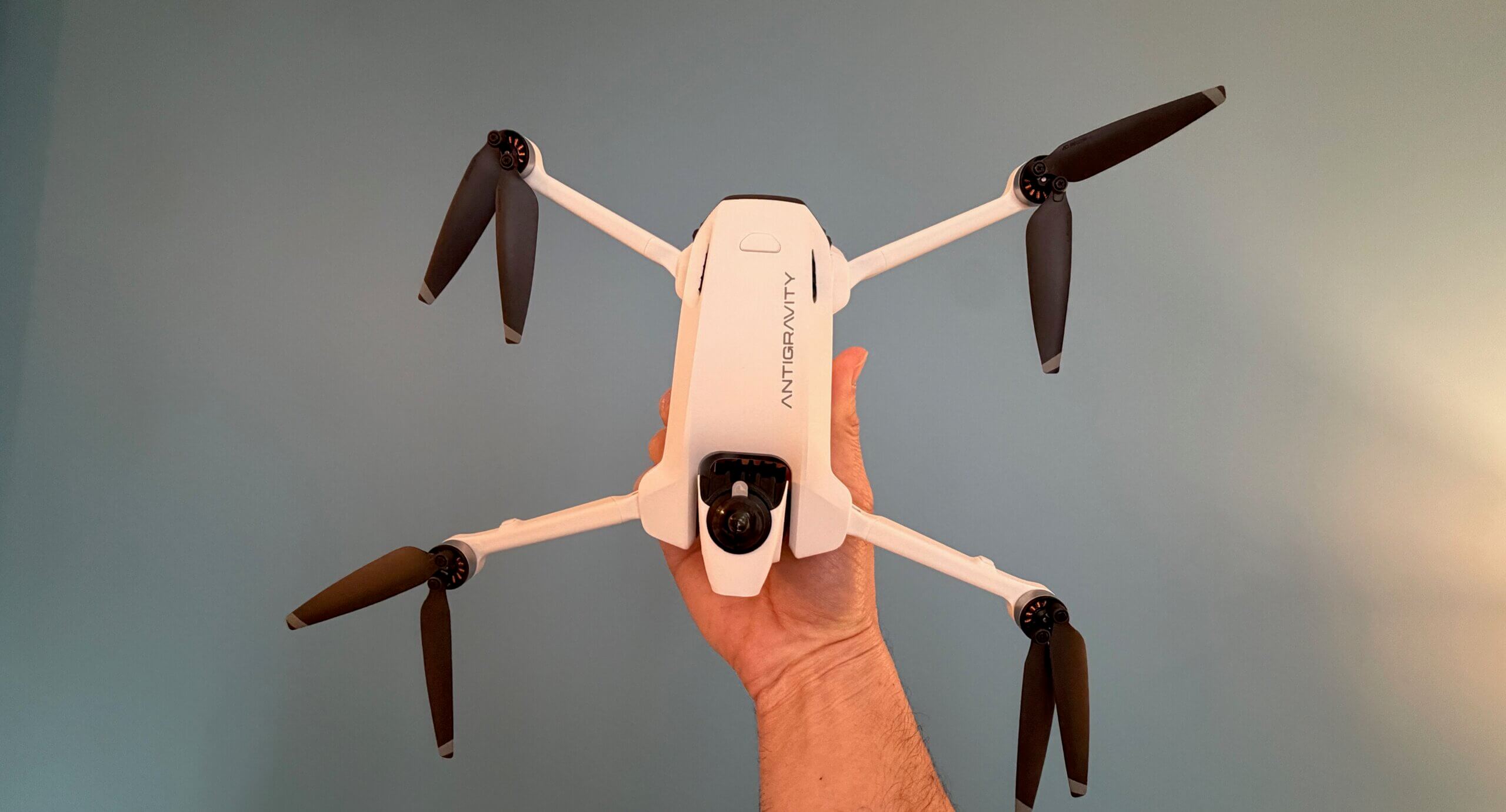
What make’s Antigravity 360’s so special is the two lenses. Most drones feature a single lens that points forward. However, the A1 features two ultra-wide-angle lenses positioned on the top and bottom of the central fuselage that each captures a 200-degree field of view. When those images are combines, they overlap to create a seamless 360-degree sphere.
And, in the final exported footage, the drone itself is digitally removed, creating the illusion of a camera floating in mid-air with no visible means of support.
The sensors themselves are 1/1.28-inch CMOS units. While smaller than the 1-inch sensors found on some “Pro” level photography drones, they are massive compared to typical 360 action cameras. This allows for significantly better low-light performance and a higher dynamic range, capturing details in the highlights and shadows that would typically be lost in the harsh contrast of a midday sun.
Most countries require drones weighing 250 grams or more to be registered and subject to stricter flight rules. Antigravity clearly understood the importance of this threshold because they made the A1 to weigh exactly 249 grams with its standard battery meaning it’s not considered a commercial drone so you don’t have to register it.
And the drone feels remarkably sturdy. It utilizes a high-grade carbon-fiber-reinforced polymer that offers a better strength-to-weight ratio than the standard ABS plastic found in cheaper models. The folding mechanism is satisfyingly tactile, clicking into place with a precision that suggests long-term durability. When folded, the drone is roughly the size of a large smartphone, though about three times as thick.
The Flight Experience
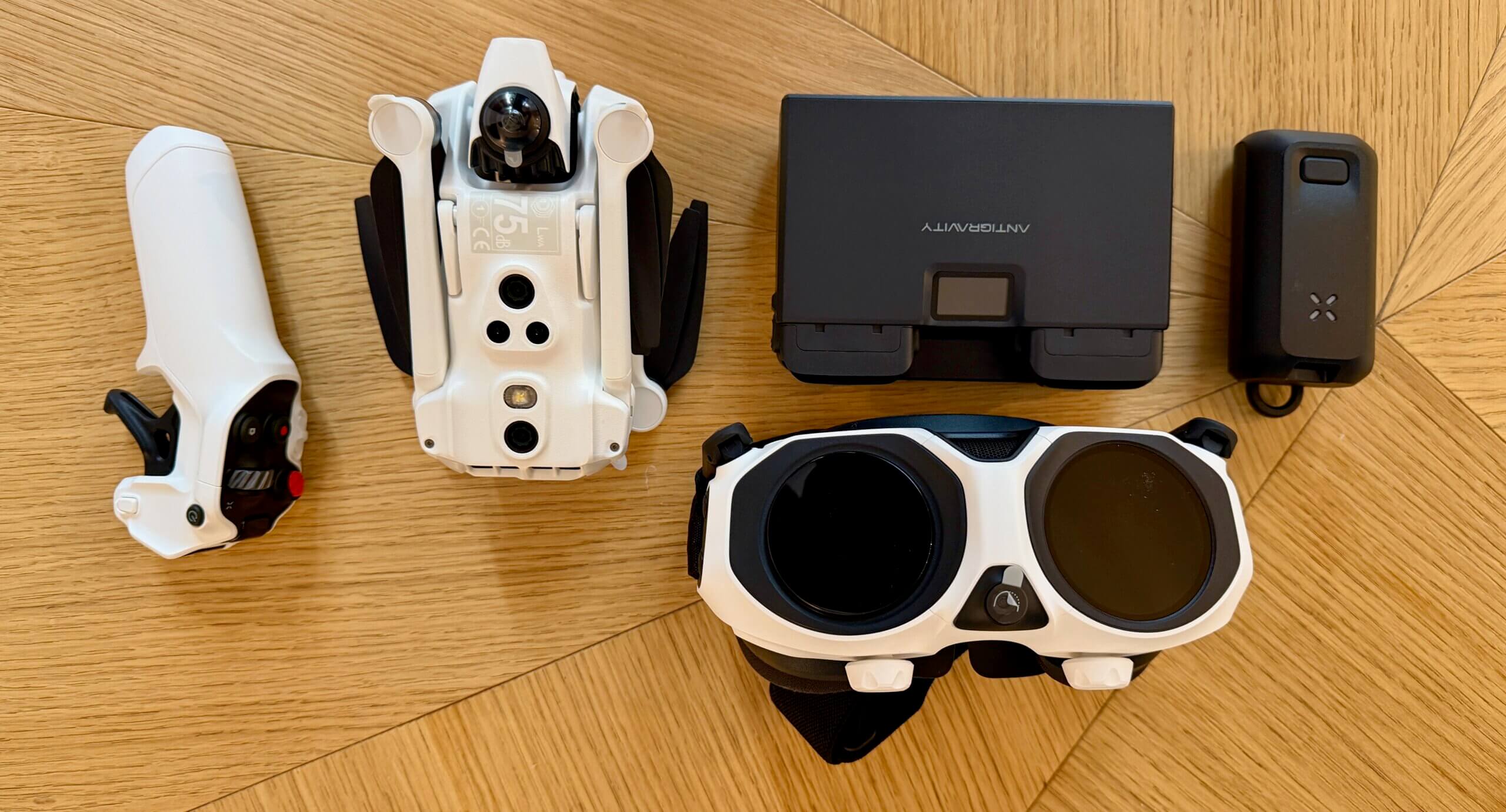
The Vision Goggles: These are sleek, lightweight, and feature dual 4K micro-OLED displays with a 120Hz refresh rate. The latency is nearly non-existent and they have integrated head tracking. Because the drone is recording in 360 degrees, you aren’t limited to seeing what is in front of the drone. When you turn your head to the left, the goggle feed pans to the left. If you look down, you see the ground passing beneath you. This provides a sense of presence and spatial awareness that is simply impossible with a traditional fixed-camera drone.
The drone uses a single-handed motion controller. You point the controller where you want to go and pull the trigger to accelerate. Tilt your wrist left to bank, or raise the nose of the controller to climb. It is an incredibly intuitive system that allows even a novice to fly through complex environments within minutes. For professional FPV pilots who prefer the precision of manual acrobatic flight, the A1 does support a traditional “Mode 2” stick controller, but the motion controls are so fluid that most users will likely never switch back.
Here’s a video of the drone in action:
Camera Performance
The marketing for the Antigravity 360 proudly displays “8K Resolution.” In a traditional camera, 8K means every pixel is packed into a 16:9 rectangle. In 360 video, those pixels are spread across a full sphere. When you “reframe” that 8K sphere into a standard flat video, you are looking at a “crop” of the total image.
The color science is noticeably improved over previous 360 cameras. The A1 features a “Vivid” profile for those who want punchy, social-media-ready colors, and a 10-bit “Log” profile for professional editors who need to match the footage to other cameras in a color-grading suite. The stabilization, powered by Antigravity’s “FlowState” algorithms, is nothing short of miraculous. You can fly in 20mph winds, and the footage remains as steady as if the camera were on a tripod.
The Editing App
The “Antigravity Studio” app allows you to download footage wirelessly (at speeds up to 80MB/s) and reframe your video using your phone’s gyroscope. You simply watch the video and move your phone around to “film” the scene in real-time. The app also features “Auto-Frame,” an AI tool that identifies subjects and automatically generates a cut that keeps them in focus. For a solo creator, this effectively provides a virtual camera crew that never misses a shot.
Battery Life
Battery technology remains the bottleneck for all small drones. The A1’s standard Intelligent Flight Battery provides a theoretical 24 minutes of flight. In real-world conditions with moderate wind and constant recording, expect closer to 19 or 20 minutes.
While 20 minutes sounds short, the “work per minute” is much higher than a traditional drone. Because you don’t need to re-fly a path to get different angles, a single 20-minute flight can yield the same amount of usable footage as three flights with a Mavic. For those who need more time, the “Pro Battery” (which pushes the weight over 250g) offers a staggering 39 minutes of flight time, though it does compromise the drone’s agility slightly.
In terms of flight dynamics, the A1 is a “cinewhoop” style flyer. It is stable and predictable rather than aggressive and twitchy. It has a top speed of roughly 36 mph, which is plenty for following bikes or cars, but it won’t keep up with a professional racing drone. The “Turtle Mode” is a life-saver; if you crash and end up upside down, the drone can flip itself over using its propellers, allowing you to take off again without a “walk of shame” to recover the aircraft.
Who is this for?
The Antigravity 360 is a niche product that is rapidly becoming mainstream.
- Extreme Sports Athletes: For skiers, mountain bikers, and surfers, the A1 is a game-changer. You can set it to “ActiveTrack” and just go. Because it’s 360, it will never lose you, even if you go under the drone or take a sharp turn.
- Real Estate Videographers: The A1 is perfect for interior tours. It can fly through a house, and in post, you can look at the architecture, the floors, and the ceilings in one seamless take.
- Travel Vloggers: The portability and the “invisible drone” effect make it the ultimate travel companion for those who want high-production-value shots without a full crew.
The Antigravity 360 (A1) is the most exciting drone I have tested. By removing the need for a gimbal and the stress of manual framing, it allows the pilot to focus on the one thing that truly matters: the story they are trying to tell.
While the image quality isn’t quite at the level of a high-end cinema drone, and the lenses are admittedly delicate, these are small prices to pay for the creative liberation the A1 provides. It bridges the gap between traditional cinematography and the immersive world of VR.
If you are a creator who is tired of the same old “drone shots” and want to push the boundaries of what is possible in the air, the Antigravity 360 is an essential addition to your toolkit.
How to Travel the World on $75 a Day

My New York Times best-selling book to travel will teach you how to master the art of travel so that you’ll get off save money, always find deals, and have a deeper travel experience. It’s your A to Z planning guide that the BBC called the “bible for budget travelers.”
Book Your Trip: Logistical Tips and Tricks
Book Your Flight
Find a cheap flight by using Skyscanner. It’s my favorite search engine because it searches websites and airlines around the globe so you always know no stone is being left unturned.
Book Your Accommodation
You can book your hostel with Hostelworld. If you want to stay somewhere other than a hostel, use Booking.com as it consistently returns the cheapest rates for guesthouses and hotels.
Don’t Forget Travel Insurance
Travel insurance will protect you against illness, injury, theft, and cancellations. It’s comprehensive protection in case anything goes wrong. I never go on a trip without it as I’ve had to use it many times in the past. My favorite companies that offer the best service and value are:
Want to Travel for Free?
Travel credit cards allow you to earn points that can be redeemed for free flights and accommodation — all without any extra spending. Check out my guide to picking the right card and my current favorites to get started and see the latest best deals.
Need a Rental Car?
Discover Cars is a budget-friendly international car rental website. No matter where you’re headed, they’ll be able to find the best — and cheapest — rental for your trip!
Need Help Finding Activities for Your Trip?
Get Your Guide is a huge online marketplace where you can find cool walking tours, fun excursions, skip-the-line tickets, private guides, and more.
Ready to Book Your Trip?
Check out my resource page for the best companies to use when you travel. I list all the ones I use when I travel. They are the best in class and you can’t go wrong using them on your trip.

Stacie Harris is a local resident and reporter of the Maple Grove area. Stacie reports on medicine and science for the Maple Grove Report.