Are you eligible for a Chase Sapphire bonus? Full checklist


The Chase Sapphire Preferred® Card (see rates and fees), Chase Sapphire Reserve® (see rates and fees) and Chase Sapphire Reserve for Business℠ (see rates and fees) regularly offer some of the most valuable welcome bonuses available on a travel credit card — but not every applicant will qualify to earn them.

Chase has several rules that can affect your eligibility for a Sapphire welcome bonus, including its 5/24 policy, restrictions on previously earning Sapphire bonuses and general approval requirements.

Use this checklist to determine whether you’re eligible for a Chase Sapphire welcome bonus before you apply.

Current welcome bonus offers on Chase Sapphire cards

Card Annual fee Welcome offer Welcome offer value*

$95

Earn 75,000 bonus points after spending $5,000 on purchases in the first three months from account opening.

$1,538

$795

Earn 150,000 bonus points after spending $6,000 on purchases in the first three months from account opening.

 $3,075

$795

Earn 150,000 bonus points after spending $20,000 on purchases within the first three months from account opening.

$3,075

*Welcome offer value is an estimated value based on TPG’s May 2026 valuations and is not provided by the issuer.

Are you under Chase’s 5/24 rule?

The first major hurdle to clear for Sapphire applicants is Chase’s well-known 5/24 rule.

In general, Chase may automatically deny your application if you’ve opened five or more personal credit cards across all issuers within the past 24 months.

Reward your inbox with the TPG Daily newsletter

Join over 700,000 readers for breaking news, in-depth guides and exclusive deals from TPG’s experts

Most business cards do not count toward your 5/24 total, though authorized user accounts can sometimes appear on your credit report and affect your count.

If you are over 5/24, you’ll want to wait to apply for a Sapphire card as you likely won’t qualify for the welcome bonus, and Chase may still perform a hard inquiry on your credit report.

How to check your 5/24 status

The easiest way to calculate your 5/24 standing is by reviewing your credit report.

You can create a free Experian account or request free reports from each credit bureau to see which credit cards you’ve opened, when they were opened and whether they fall within the past 24 months.
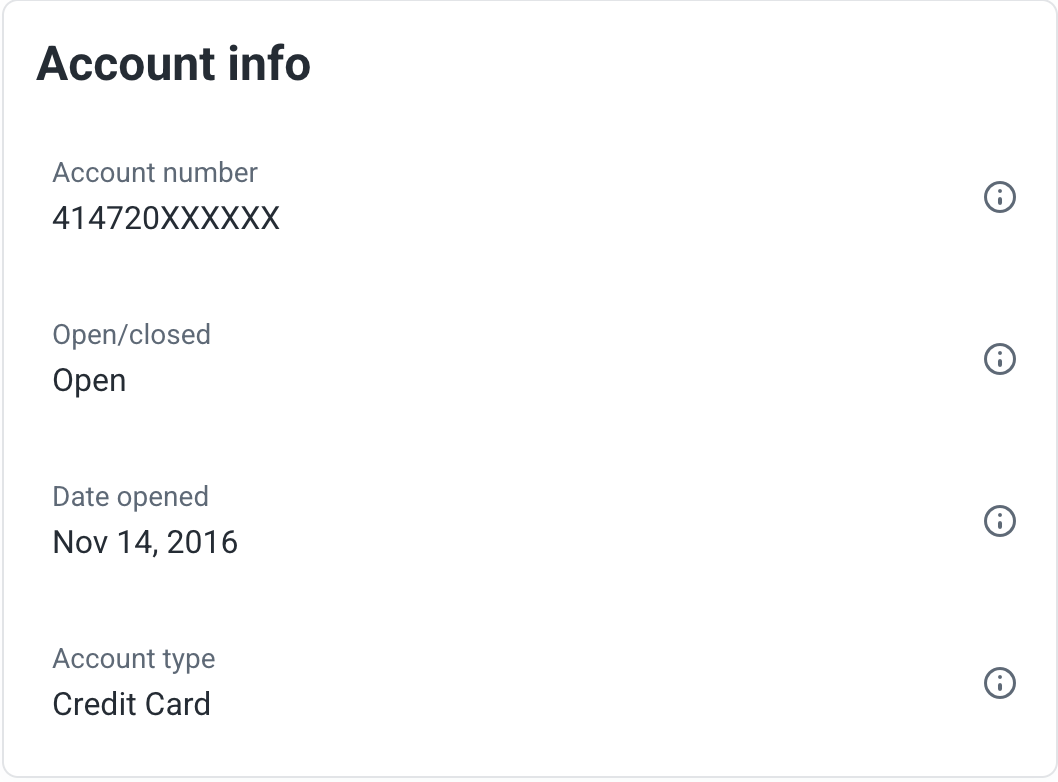
Danyal A. CSR Open date
EXPERIAN

If you’ve opened four or fewer cards within that time frame, you can move on to the next eligibility requirement.

Related: The best ways to use your Chase 5/24 slots

Have you earned this Sapphire welcome bonus before?

Another important factor is whether you’ve previously earned a welcome bonus on the specific Sapphire card you’re applying for.

In general, Chase restricts applicants from earning the same Sapphire welcome bonus more than once. That means:

Man making an online purchase at home
XAVIER LORENZO/GETTY IMAGES

However, earning a bonus on one Sapphire card does not necessarily prevent you from earning the bonus on a different Sapphire product.

For example, a Sapphire Preferred cardholder who has never earned the Sapphire Reserve bonus may still qualify for the Sapphire Reserve welcome offer. Similarly, applicants who have earned a consumer Sapphire bonus may still be eligible for the Sapphire Reserve for Business bonus (if they otherwise qualify).

Chase may also display a pop-up message during the application process, confirming whether you’re eligible for a Sapphire welcome bonus before performing a hard inquiry on your credit report. If you’re not eligible, you’ll typically have the option to withdraw your application before submitting it.

Before applying, it’s worth reviewing your Chase account history or past statements to confirm whether you’ve previously received the bonus on that specific Sapphire card.

Related: Chase Sapphire Preferred vs. Sapphire Reserve: Which card is right for you?

Should you downgrade your current Sapphire card?

In many cases, you may not need to downgrade your current Sapphire card before applying for another Sapphire product.

However, downgrading could still make sense if:

Popular downgrade options include the Chase Freedom Flex® (see rates and fees) and the Chase Freedom Unlimited® (see rates and fees).

Before making any product change, compare the value of your current Sapphire benefits, annual fee and rewards structure against the card you’re considering instead.

The information for the Chase Freedom has been collected independently by The Points Guy. The card details on this page have not been reviewed or provided by the card issuer.

Related: When should you downgrade a credit card?

Do you have the recommended credit score for a Sapphire card?

Meeting Chase’s bonus eligibility rules doesn’t guarantee approval.

All three Sapphire cards are considered premium travel rewards cards, and approval odds are generally best for applicants with:

  • Good to excellent credit
  • Low credit utilization
  • Strong payment history
  • Manageable debt-to-income ratios

Based on crowdsourced approval data, the Sapphire Preferred often requires a credit score of around 670 or higher, and the Sapphire Reserve typically favors applicants with scores closer to 740 or above.

pool and reclining chairs with palm trees and blue skies
CARLY HELFAND/THE POINTS GUY

Because the Sapphire Reserve is a Visa Infinite card, approved applicants generally need to qualify for a credit line of at least $10,000.

If you have limited credit history or a lower credit score, it may make sense to start with a more beginner-friendly card and build your credit profile before applying for a Sapphire card.

Related: The biggest factors that affect your credit score

Bottom line

Before applying for a Chase Sapphire card, it’s worth checking your 5/24 status, your previous Sapphire bonus history and your overall credit profile.

Reviewing these requirements beforehand can help you avoid wasting a hard inquiry on your credit report and improve your chances of earning a valuable Sapphire welcome bonus.

To learn more, read our full reviews of the Chase Sapphire Preferred, Sapphire Reserve and Sapphire Reserve for Business.


Apply here: Chase Sapphire Preferred
Apply here: Chase Sapphire Reserve
Apply here: Chase Sapphire Reserve for Business


Source link

Leave a Reply

Subscribe to Our Newsletter

Get our latest articles delivered straight to your inbox. No spam, we promise.

Recent Reviews


Looker vs Power BI – Table of Content

What is Looker?

The looker is a kind of enterprise platform which is used for business intelligence and data applications.  The looker provides you the tools that provide power to a multitude of data experience, and embedded analytics to workflow integrations and custom data apps. It provides a unified surface to access the truest and most up to date version of your organization data. It enables analytics anywhere with full customization of the look and feel of data experiences. 

We have the perfect professional Looker Online Training for you. Enroll now!

Why looker?

Looker is a powerful data analytics platform, which can help both the large scale and small scale industries, that glean value from their data. It is a platform that makes collecting, visualizing, and analyzing data a bit simpler. This is browser-based and provides a unique modeling language, and it is simple to use. Its software makes it simple to select, customize, and create a variety of interactive visualizations, which provide a variety of graphs and charts to choose from.

What is Power BI?

It is a collection of software services, connectors and apps, which work together that is helped to turn our unrelated sources of data into coherent, interactive insights, visually immersive, etc. our data can be an Excel spreadsheet, it may be a collection of cloud based, and also the on premises hybrid data warehouses. It lets us simply connect to our data sources, visualize and discover what’s important, and it helps to share that with anyone or everyone you want. It consists of various elements which all work together, starting with these three basics, they are.

  1. Power BI Desktop, which is a Windows desktop application
  2. the Power BI service, which is an online SaaS  service.
  3. And the Power BI mobile apps for Windows, iOS, and Android devices.

Why Power BI?

Its user interface is fairly intuitive for users who are familiar with Excel, its deep integration with other Microsoft products makes it a very versatile self-service tool which requires little upfront training. The free version of power bi is intended for small to midsize business owners. It is used to find insight within companies data. It helps to connect disparate data sets, transform and clean data models. 

We have the perfect professional Power BI Training in Hyderabad for you. Enroll now!

Looker Training

  • Master Your Craft
  • Lifetime LMS & Faculty Access
  • 24/7 online expert support
  • Real-world & Project Based Learning

Comparison between Looker and Power BI

Looker VS Power BI

1. Data source connectivity

Looker: The looker may connect to a number of data sources, but the most important feature in it is its own trusted data model. We can get more value from our data, quic with Looker connections. Looker’s Simple configuration makes data available within minutes  and it is all from the Looker UI. We Don’t need to spend weeks or months testing new analytics tools, and create a complete analytics suite inside Looker in under 24 hours.

Power bi: Microsoft power bi supports a lot of data sources, which includes flat files, SQL-based databases, blank query, etc. The Power BI is a self-service Business Intelligence tool, which lets us connect the many different data sources, Power BI provides 92 different data connectors for connecting the data sources. By using these connectors, we may connect to various data sources. It provides two different Data Connectivity modes to connect the data sources and Import and DirectQuery.

If you want to Explore more about Looker? then read our updated article – Looker Tutorial

2. Data volume

Looker: Lookers queries designed through the explore page, which will have a maximum limit of 5000 rows. We may restrict the data that we are viewing to items of interest by adding filters. As we might limit the results to particular dates, customers, locations, or anything else, which is the part of our data. the field that is in our Looker instance may become a filter. We don’t necessarily need to add a dimension or measure for our results in order to filter on it. We may design a query which filters the Order Date to just the last 90 days, our query only shows Customer and Number of Orders.

Power bi: Microsoft power bi may handle a maximum of 10 GB of data storage for each use, we can access it directly through the database. All visuals employ one or more data reduction strategies in order to handle the potentially large volumes of data being analyzed. A simple table employs a strategy which is to avoid loading the total dataset for the client. reduction of strategy is being used varies by visual type. Every visual selects from the supported data reduction strategies as part of generating the data request sent to the server. visual controls the parameters on those strategies that is to influence the overall amount of data.

3. Implementation

Power bi: Power bi provides on prem and cloud options available.Businesses look to drive the adoption and productionize Power BI, it maintains numerous architectural and procedural approaches that must be important to cultivate a stable, intuitive, and reliable reporting and analytics ecosystem. To find a balance between enabling self-service and enforcing governance for the tool is important for operating a high value and business-focused Power BI platform.

Looker: The looker is completely the browser based.For large organizations by using many segmented departments, the governance of data becomes a critical task to handle. Looker is a great tool, that is to help with data governance as it provides a rigid data model, and most teams require some flexibility with their data model and need the ability to redefine or add to certain parts of the data model. It may be Hub or the Spoke.

4. Visualization

Power bi: Power bi has a lot of visualization options to choose from. It supports about 3,500 data points. We may personalize the visualization pane by adding and removing Power BI visuals from it. When we remove the default visuals from the visualization pane, We may restore the pane for default and bring back all the default visuals.

Looker: In the looker users can create custom visualizations. It provides extensive visualization abilities with real-time analysis. parameter of the visualization adds a custom visualization to our LookML project, with which customers may access from the Visualization tab in the project’s Explores. Its custom visualization must be defined in a JavaScript file, thay may be included in our LookML project files, or hosted elsewhere.

5. Integration

Power bi: Microsoft power bi may seamlessly integrate with Microsoft tools, and it also has access to salesforce, google analytics, etc. 

Looker: Looker integrated data with many applications like excel and google docs, it blocks feature streamline integrations which offer pre built code, it can be embedded into outside systems with more ease.

6. Querying:

Power bi: Microsoft power bi contains a natural language query tool, at where you may ask questions and get answers. 

Looker: The looker has the language LookML, which is the language to describe dimensions, aggregations, etc.

Data visualization helps your business by delivering data in the most efficient way, no matter what business you choose. During the process of business intelligence, data visualization takes the raw data and delivers the data in raw form, so the conclusions can be reached. It uses visual data to communicate information in a manner, which is effective, fast and universal. It can help companies to identify which areas need improvement, which factors affect customer satisfaction and what to do with specific products. It positively affects an organization’s decision making process with visual representations of the data. There are many visualization tools in the market, the most renowned among them are looker and power BI.

Advantages of Looker

  • Looks allow you to create it for routine focus analysis, and to build a dashboard simply by combining looks. It is simple to share reports by forewarning the link, it is user friendly and enough to democratize data for the entire organization.
  • Looks modify saved reports to highlight specific points of interest, and report across multiple clients, referral objects and lead paths. Look saves reports for real time updates.

Acquire Looker certification by enrolling in the HKR Looker Training in Hyderabad!

Business Intelligence & Analytics, looker-vs-power-bi-description-0, Business Intelligence & Analytics, looker-vs-power-bi-description-1

Subscribe to our YouTube channel to get new updates..!

Disadvantages of Looker

  • Looks were tricky to get started, but once we learn how the system organizes and classifies, it gets very simple. Sometimes it takes too long to load and as a result we don’t find the object for which we are looking. 
  • The looker is complicated for users to be able to create their own calculation, as they have to be added to the data model. Very easy tasks look complicated in it.
  • Looker also available as the mobile version which is not similar to caliber as the full version, its usage become complex when conducting unusual processes. The looker requires a lot of time to load the data sometimes.

Click here to get latest Looker interview questions and answers for 2022

Check out our New Interview Questions Video. Register Now Looker Online Training to Become an expert in Looker.

Advantages of Power BI

  • Power bi is affordable and relatively inexpensive, its desktop version is free of cost, we can download and start using it to make dashboards and reports on our computer. When we want to use more services and publish reports, we need to subscribe to its plans, which are affordable.
  • It provides a wide range of custom visualizations, made by developers for a specific use. We can use custom visualizations in addition to general visualizations, which includes maps, charts, graphs and script visuals.
  • It allows you to upload and view your data in excel, you can filter data in the dashboard and then put it in excel. You can import data from a wide range of sources, it offers data connectivity to data files like JSON. Excel, azure sources, server databases and online services like facebook, google analytics, etc. 

Disadvantages of Power BI

  • It is good with handling simple relations between tables in a data model, but when there are complex relationships between tables, it might not handle them well.
  • Users have limited options for what they can change in visuals, it provides only few options to configure your visualization as per your requirements.
  • User interface is found crowded and bulky by users. It is the sense that as there are many icons of options, which may block the view of the reports.

Become a Looker Certified professional  by learning this HKR Looker Training In Noida !

Looker Training

Weekday / Weekend Batches

Conclusion

The tool you select is going to be highly dependent on your future goal and your company requirements, before selecting defining the future goals and company requirements is very important. So you need to select the one, which your business requires.

Related Articles:


Source link