
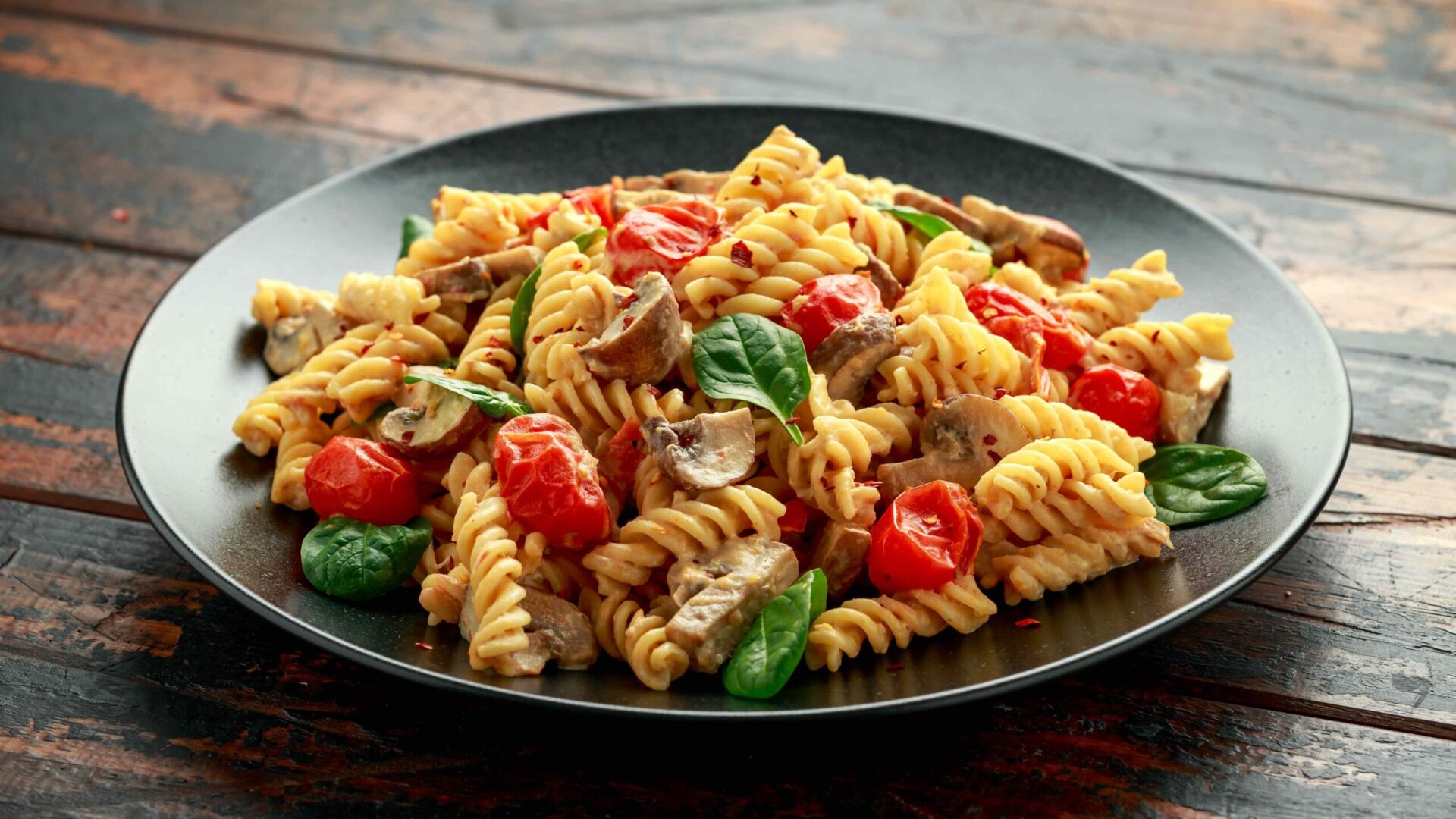
5 Pastas With More Protein and Fiber Than Regular Noodles


Pasta made from whole grains or legumes provides more protein, fiber, and minerals.Credit: DronG / Getty Images
Pasta made from whole grains or legumes provides more protein, fiber, and minerals.
Credit: DronG / Getty Images
  • As compared to traditional pasta, whole-grain and legume-based pastas are often more nutritious choices.
  • Pasta made from lentils, whole wheat, and chickpeas, for example, often have more protein, fiber, or both.
  • These healthier pasta varieties are also often lower in fat, have fewer carbohydrates, and may be gluten-free.

Traditional pasta noodles have 13 grams of protein and 3 grams of fiber per 100-gram dry serving—but varieties made from whole grains or legumes often contain more protein or fiber, or sometimes both, making them a healthier choice.

1. Lentil Pasta

Credit: DorotaM / Getty Images

Lentil pasta is made from lentil flour in varying amounts. A lentil pasta made from 100% red lentil flour has about twice the protein of regular pasta. It also contains fewer carbohydrates and fats.

A 100-gram serving of 100% dry red lentil pasta has:

  • Protein: 26 grams (g)
  • Fiber: 7.6 g
  • Calories: 320
  • Carbohydrates: 50 g

Red lentils are also rich in iron, magnesium, zinc, and folate.

A study found that people who ate lentil pasta ate less during the meal than people who ate regular wheat pasta. They also felt fuller and more satisfied afterward.

Lentils are also gluten-free, but always check the labeling to be sure.

2. Chickpea Pasta

Credit: Almaje / Getty Images

Chickpea pasta is made from chickpea flour, often mixed with semolina or other grains. Chickpea flour is rich in protein, fiber, potassium, folate, iron, magnesium, and zinc.

Pasta with 30% chickpea flour provides about 3.4 grams more protein and 2.6 grams more fiber than regular pasta. Pasta with a higher chickpea flour content will have even more protein and fiber.

A 100-gram serving of dry pasta with 30% chickpea flour has:

  • Protein: 16.4 g
  • Fiber: 7.3 g
  • Calories: 355
  • Carbohydrates: 66.3 g

Chickpeas are rich in resistant starch. The body cannot digest resistant starch, so it acts like fiber. For this reason, chickpea pasta can help regulate blood glucose (sugar) levels.

You can boost resistant starch by cooling cooked chickpea pasta in the fridge for 24 hours, then reheating it before eating.

3. Whole Wheat Pasta

Credit: Pam Walker / Getty Images

Whole wheat pasta is usually made of about 50% or more whole wheat flour, with the rest being semolina (ground durum wheat).

It has more fiber, protein, B vitamins, and minerals than regular pasta.

A 100-gram serving of dry whole wheat pasta has:

  • Protein: 13.5 g
  • Fiber: 10.1 g
  • Calories: 362
  • Carbohydrates: 73.1 g

A serving of cooked whole wheat pasta provides about 65% of the Daily Value (DV) for selenium, 47% for magnesium, 11% for zinc, and 10% for iron. It also contains most of the B vitamins in varying amounts.

4. Buckwheat Pasta 

Credit: GMVozd / Getty Images

Buckwheat pasta, also called soba noodles, is made from 60–100% buckwheat flour. Pasta with more buckwheat flour has more protein, fiber, and minerals. Buckwheat is also a gluten-free grain.

The U.S. Department of Agriculture doesn't have the fiber content listed for standard soba noodles, though researchers generally agree the noodles are a good source of dietary fiber. Otherwise, a 100-gram serving of dry soba noodles contains:

  • Protein: 14.4 g
  • Calories: 336
  • Carbohydrates: 74.6 g

Buckwheat flour is rich in iron, magnesium, and zinc. It also has more essential amino acids than wheat flour. The body cannot make essential amino acids, so you must get them from your diet to build proteins.

5. Quinoa Pasta

Credit: PAVEL IARUNICHEV / Getty Images

Quinoa pasta offers a good source of protein but is higher in carbohydrates. It also provides more calcium, iron, potassium, magnesium, and zinc.

A 100-gram serving of dry quinoa pasta has:

  • Protein: 12.2 g
  • Fiber: 4.3 g
  • Calories: 392
  • Carbohydrates: 70.7 g

Pasta made with germinated quinoa flour has even more protein, essential amino acids, and much less phytic acid than regular quinoa. Phytic acid can make it harder for your body to absorb minerals, so less is better.

You can germinate, or sprout, other grains too, like wheat, barley, and lentils. This increases nutrients and decreases compounds that prevent nutrient absorption, such as phytic acid.

Quinoa is also a gluten-free grain, but always check pasta for gluten-free labeling. Some gluten-free pasta also mixes several gluten-free grains, such as brown rice, chickpea, lentil, and quinoa flours.




Source link

Leave a Reply

Subscribe to Our Newsletter

Get our latest articles delivered straight to your inbox. No spam, we promise.

Recent Reviews


What is Salesforce approval process ?

Approval Process in Salesforce is an automated process that automates the approval of Salesforce records in your org. In Salesforce, an approval process is a series of steps that allow a record to be approved or rejected by a user, queue, or public groups. An approval process also specifies the actions to be taken when a record is approved, rejected, recalled, or submitted for approval for the first time.

For instance, when an employee requests time off, Salesforce should automatically send an approval request to the employee’s manager. 

Wish to make a career in the world of salesforce? Start with HKR’S  salesforce online training !

Why the salesforce approval process?

Salespeople are frequently required to confirm their transactions with internal departments (for example: legal, accounting).

Typically, it entails sending numerous emails to various people, after which you must ensure that it is confirmed.It’s no secret that this process could take a long time.As a result, Salesforce created a built-in approval process that you can use to automate approval requests.Once configured, you can request approval with the click of a button.

Salesforce Training

  • Master Your Craft
  • Lifetime LMS & Faculty Access
  • 24/7 online expert support
  • Real-world & Project Based Learning

Steps for approval process in salesforce:

Here are the important steps in the salesforce approval process. They are:

  • Setup -> Create -> Workflow and Approval -> Approval Process
  • Select object for approval process to be written
  • Click on Create New Approval Process
  • Select Standard Setup Wizard from drop down
  • Enter the Process name, Unique Name and description for your process
  • Specify Entry criteria 

Salesforce approval process example:

The following are the sections that must be configured in the salesforce approval process:

  • Process Definition Detail – Approval Process Header level information such as name, email template, and so on.
  • Initial Submission Actions – It would be executed whenever the customers click on the object record’s ‘Submit for Approval’ button.
  • Approval Steps – Specifics on the Steps criteria and approvers
  • Final Approval Actions – It will be carried out once all of the approval process steps have been approved.
  • Final Rejection Actions – This action will be taken if one of the approval process steps is rejected.
  • Recall Actions – This will be carried out if one of the approval process steps is recalled.

Create an Approval Process:

Let’s create an approval process in which the sales manager approves possibilities with a total opportunity value greater than $500,000. The opportunity’s approval status should be reflected: Approved or Rejected.

Planning:

Carefully plan ahead of time before you begin configuring the Approval process in Salesforce, as this will allow you to design the approval process in the most efficient manner. Preparation entails the following steps:

  • creation of mandatory fields
  • Determine the object for the Approval procedure.
  • Final Approval of the Email Template Actions such as unlocking the record or changing the record’s status

Wish to make a career in the world of salesforce? Start with HKR’S  salesforce training in London !

HKR Trainings Logo

Subscribe to our YouTube channel to get new updates..!

Creating approval process:
  • Log in to Salesforce; however, if you are already logged in, you can skip this step.
  • To Manage Approval Processes, go to Setup and search for ‘Approval Process’ in Quick Find, or go to ‘Create’->Workflow & Approvals -> Approval Process. For, choose Opportunity.

Create an Approval Process

  • Select Create New Approval Process | Use Jump Start Wizard from the drop-down menu.
  • By making some decisions for you, the Jump Start Wizard assists you in creating a simple approval process.
  • Set up the approval procedure.

Set up the approval procedure

  • Keep the approval process in mind.
  • View the Approval Process Detail Page by clicking the View Approval Process Detail Page button.
  • Click Add New | Field Update under Final Approval Actions and fill in the blanks with these values.

Field Update under Final Approval

  • Then click on the save option.
  • Under Final Rejection Actions, tap Add New | Field Update and fill in the blanks with the following principles.
  • Click on save.so that your approval process has been successfully configured.

Click here to get frequently asked Salesforce interview questions & answers

Approval Actions:

In the preceding example, we only used ‘Field Update.’ I’d like to go over Approval Actions in more detail, such as Final Approval Actions and Final Rejection Actions, which include:

Task – If a job is selected, the user will input a task for a record, such as Opportunity, once the application process has indeed been approved/rejected.

If an Email Alert is selected, the message will be displayed via email once the approval process has been approved or rejected.

Field Update – You already saw an example within the preceding section, but once the approval process has indeed been approved/rejected, the framework would then update the field towards the specified value.

Outbound Message – This will assist in notifying third-party systems. Consider a scenario in which you would like to inform the derived or provisioning system of the approval results; for instance, once orders are approved, begin generating bills; this will assist you in meeting the requirement.

Approval Actions

Wish to make a career in the world of salesforce? Start with HKR’S  Salesforce Training in Atlanta !

Salesforce Training

Weekday / Weekend Batches


Email to approve request:

We can configure the approval process via email; to allow email approval response, follow the directions below.

Setup -> Process Automation Settings -> Enable Email Approval Response checkbox, and then click Save.

Some words could be used in the first line of a response to an approval request with periods or exclamation marks. Approved, Approved, and Yes are used for approval, while Reject, Rejected, and No are used for rejection.

Conclusion:

In the above blog post we had discussed the salesforce approval process steps in depth. Had any doubts drop your queries in the comments section to get them clarified.

Related Articles:


Source link



