Air France-KLM cardholders can earn 3X miles on rent


Air France-KLM Flying Blue is a popular loyalty program, in no small part due to its monthly Flying Blue Promo Rewards.

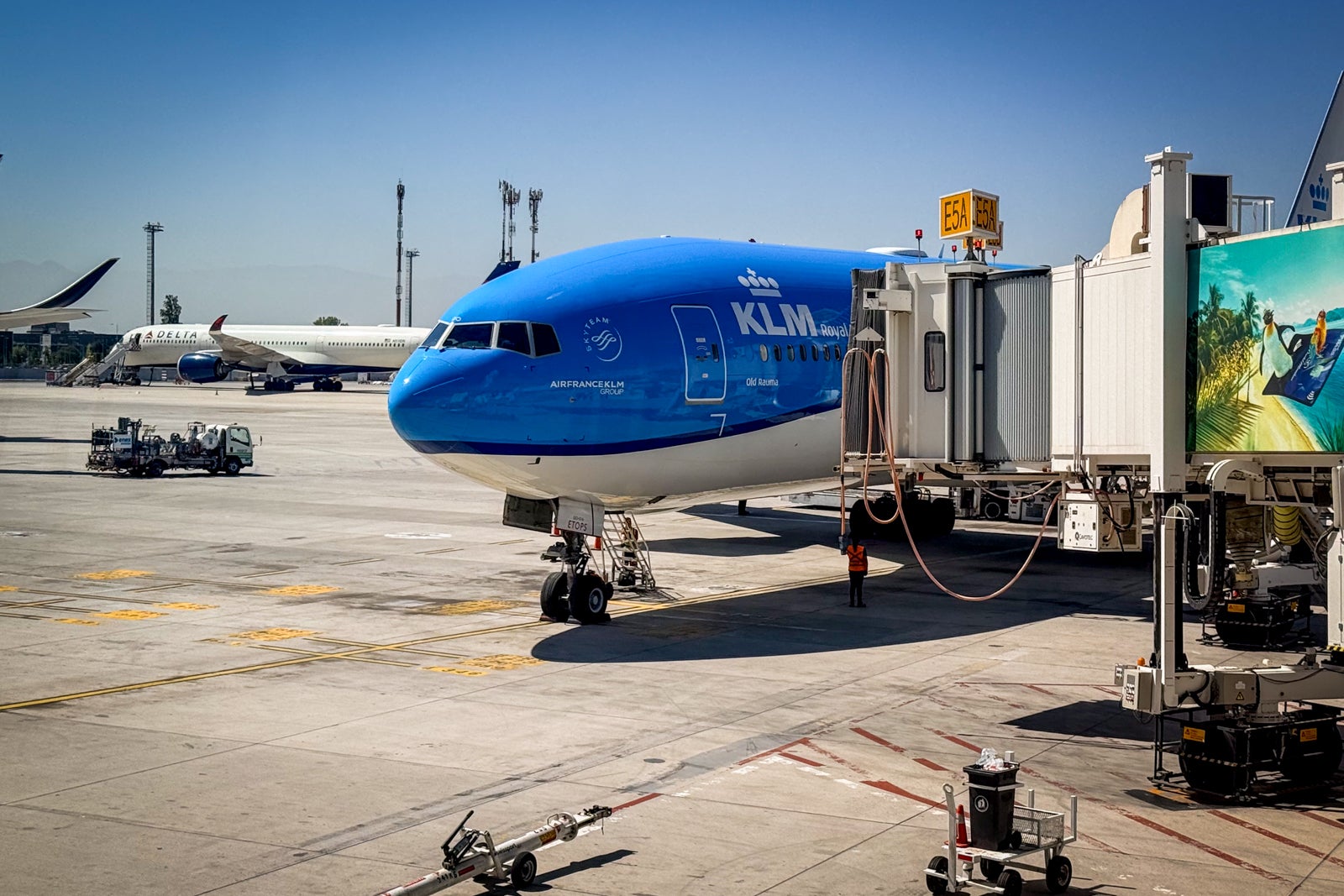
And, starting May 19, cardholders of the Air France KLM Visa Signature® Credit Card can earn up to 3 Flying Blue miles per dollar spent on their rent payments.

The information for the Air France KLM Visa Signature Card has been collected independently by The Points Guy. The card details on this page have not been reviewed or provided by the card issuer.
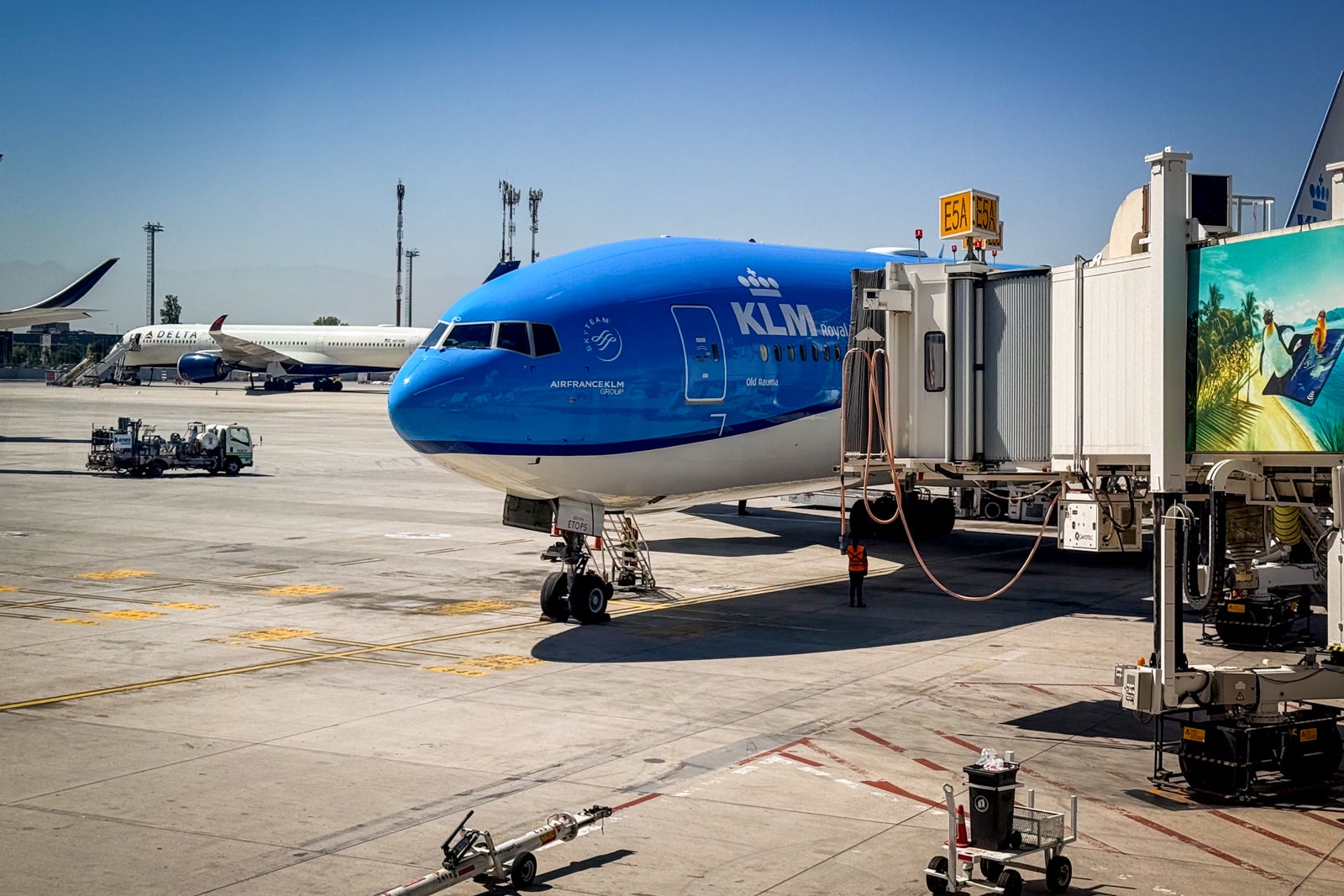
CLINT HENDERSON/THE POINTS GUY

That’s right.

When you add your Air France KLM Visa Signature Card to your Bilt Wallet and pay for your rent via the Bilt process with your Flying Blue card selected as your payment method, you can earn 3 miles per dollar spent on up to $50,000 in rent annually, and 1.5 miles per dollar spent on any additional rent over $50,000 annually.

Ankur Jain, founder and CEO of Bilt, said via press release, “Rent is the single biggest expense in so many people’s lives, and the whole foundation of Bilt is that it shouldn’t just be money out the door. We built Bilt to be the membership for where you live, bringing the kind of rewards and hospitality you’d expect from the world’s best travel programs straight to your front door. Expanding this partnership with Flying Blue means Air France KLM cardholders can now earn miles on rent even faster than before.”

Reward your inbox with the TPG Daily newsletter

Join over 700,000 readers for breaking news, in-depth guides and exclusive deals from TPG’s experts

Young Son Helping Parents to Unload a Cargo Van with Furniture and Accessories for Their New Home in SUccessful Residential Area. Kid Bringing a Plant to His Mother. Family Moving to Their New Home.
JOHNNYGREIG/GETTY IMAGES

Benjamin Lipsey, SVP of Loyalty, Digital & Data and President of Flying Blue, added in the press release, “We’re always focused on offering the very best products, services, and rewards to our members. That’s why Bilt is such a natural fit — its innovative approach to turning everyday expenses into meaningful rewards aligns perfectly with our mission. Expanding our partnership to bring accelerated Flying Blue Miles to rent payments made through Bilt allows us to deliver even more value, making it easier for members to earn rewards in ways that truly fit their lives.”

Related: Can you pay your rent or mortgage with a credit card? Everything you need to know

Is paying rent with the Flying Blue card worth it?

Unfortunately, you’ll need to pay a 3% fee when you pay rent through the Bilt process with your Flying Blue card.

Based on TPG’s May 2026 valuations, Flying Blue miles are worth about 1.3 cents each. That means the value of the rewards would roughly offset the 3% fee when earning 3 miles per dollar spent, but not once the rate drops to 1.5 miles per dollar.

Keep in mind that you can also earn bonus Alaska miles or extra United miles on rent payments if you have cobranded cards through those programs and pay your rent via the Bilt process with your cobranded card, although you’ll still face the 3% fee. You can, of course, avoid the 3% fee if you use one of the Bilt credit cards to pay rent.

Related reading:


Source link

Leave a Reply

Subscribe to Our Newsletter

Get our latest articles delivered straight to your inbox. No spam, we promise.

Recent Reviews


SD Tables in SAP:

The SAP SD module is built on tables and uses them to store data. We’ll go through SAP SD tables and their relationships in this tutorial. SAP SD tables are critical storage for corporate data connected to SAP ERP software’s sales and distribution activities. The SD tables are basically divided into three parts:

These are the SD module’s building blocks, and it’s only natural to address tables in this sequence. Please look at the slides to see how the tables from different blocks were connected. Being an expert in SAP SD necessitates an understanding of these relationships. 

 Become a SAP SD Certified professional by learning this HKR SAP SD Training !

1) Sales

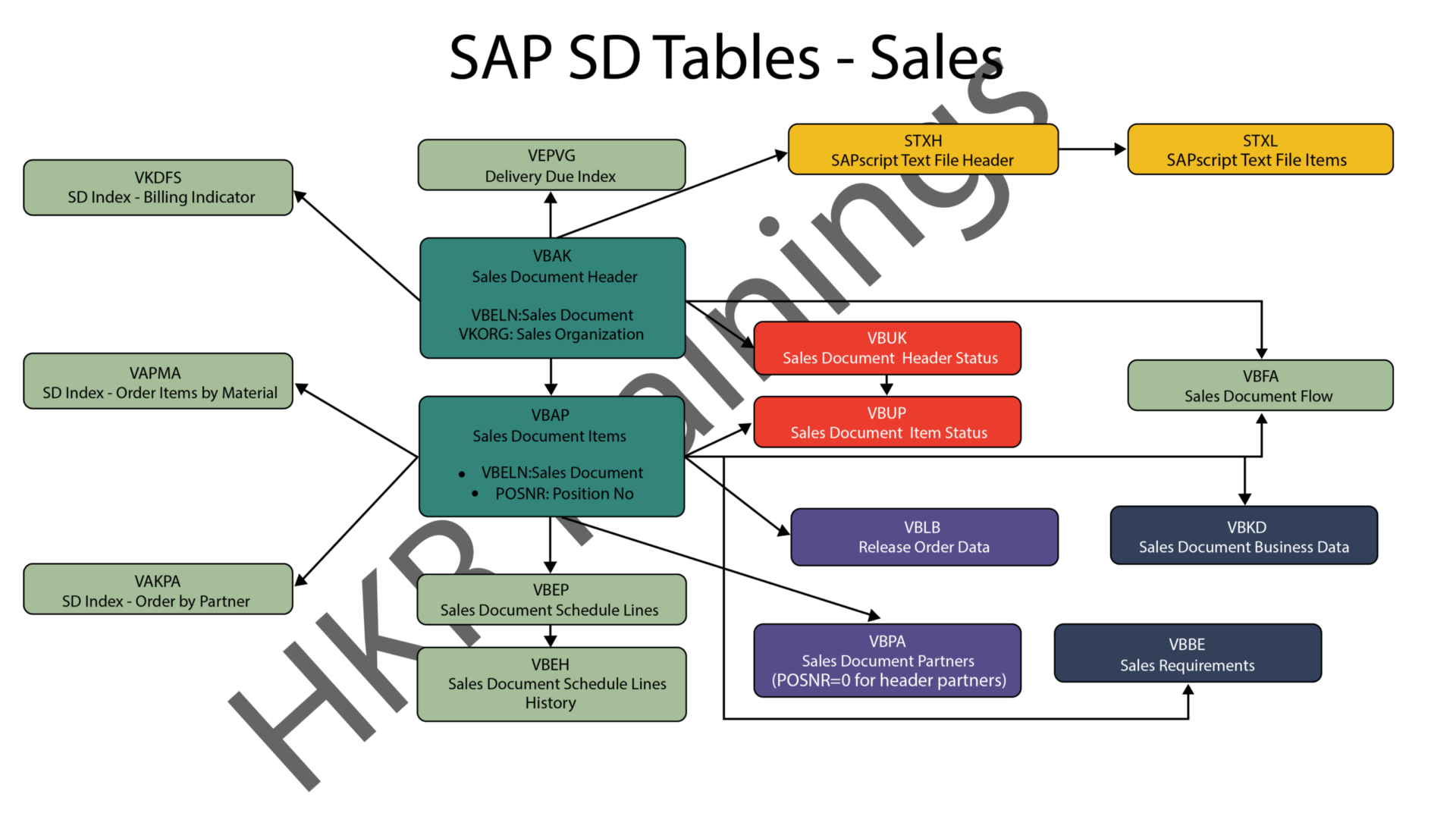
In SAP SD, the first block is about sales procedures.This indicates that the SAP SD tables in this block would be related to sales orders, quotations, and other similar transactions. We designed a visual slide that lists all of the tables and their relationships. 

SAP SD Sales

2) Shipping

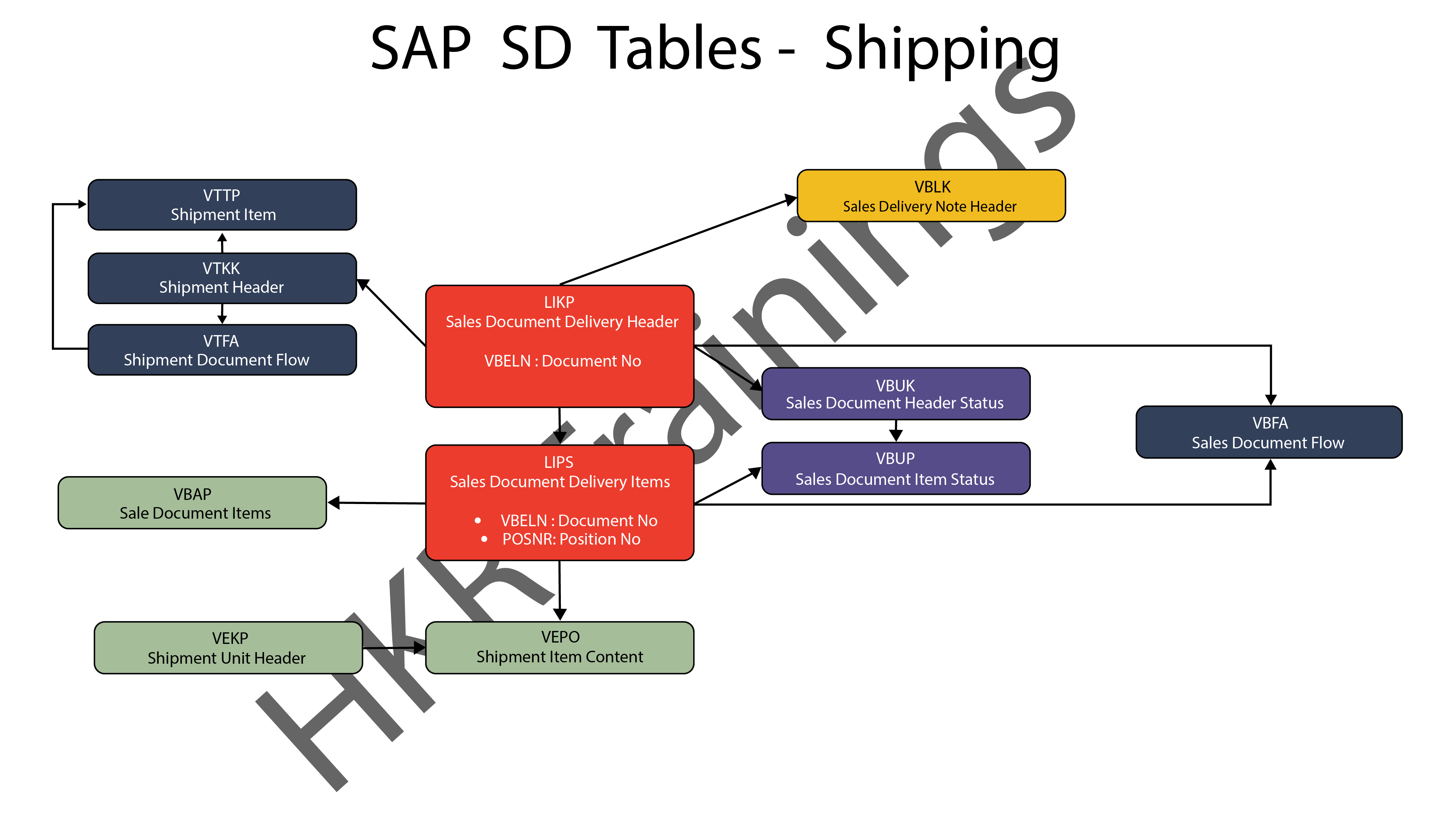
ThIs section is about SAP SD’s shipping processes. In this section, SAP SD tables deal with inbound and outbound deliveries, as well as shipments. Likewise, we’ve created a visual slide with links illustrating table relationships. 

SAP SD Shipping

SAP SD Training

  • Master Your Craft
  • Lifetime LMS & Faculty Access
  • 24/7 online expert support
  • Real-world & Project Based Learning
3) Billing

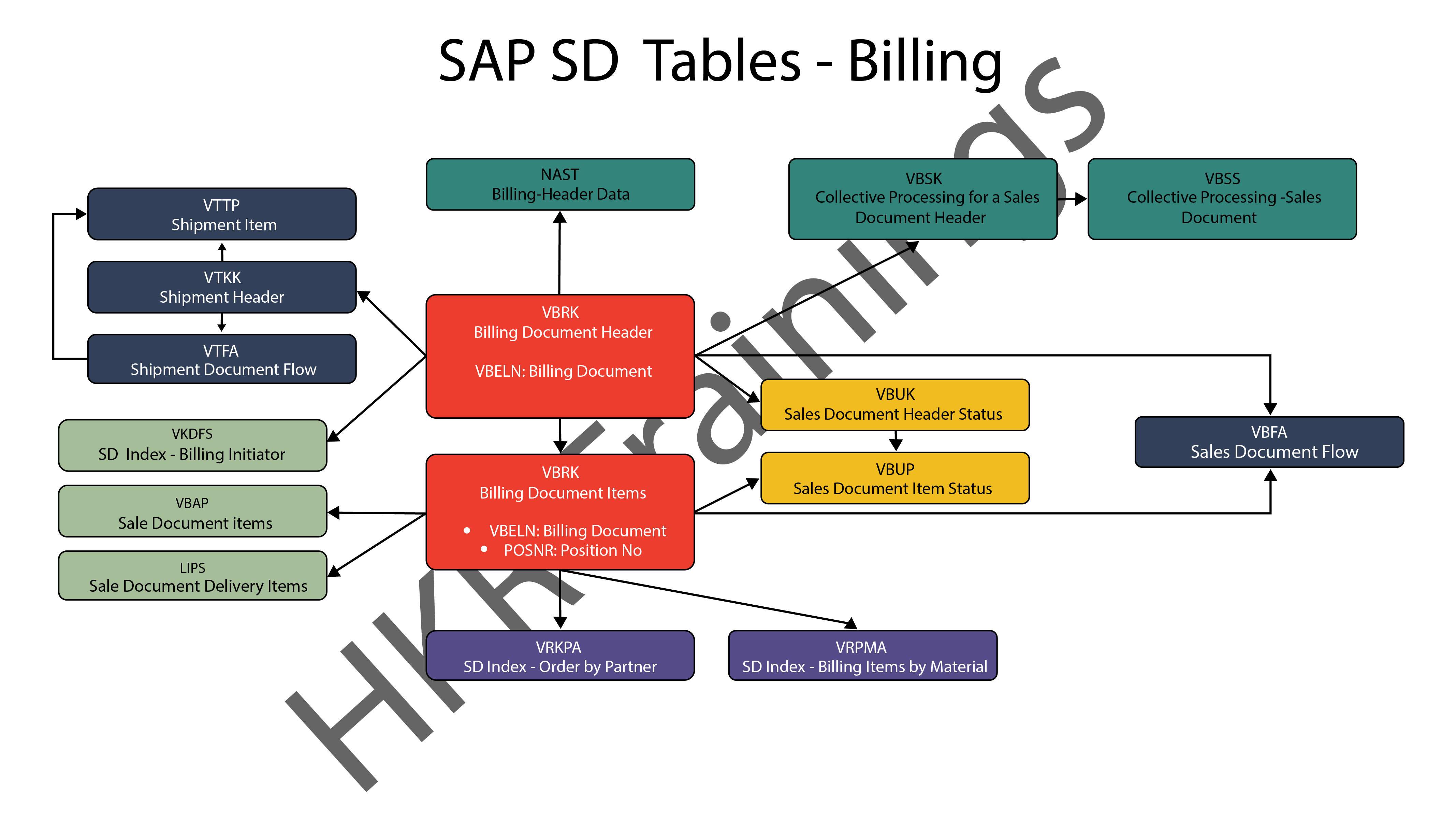
The billing feature of SAP SD is the last but not least. SAP has a variety of tables which are used to support a company’s billing procedures. Billing documents, as well as other related data, such as output conditions, are saved in these tables by SAP. 

SAP SD Billing

Want to know more about SAP SD,visit here SAP SD Tutorial !

SAP SD Significant Tables for Sales and Distribution

The following are the SAP SD tables for customers, sales documents, delivery documents, billing documents, shipping unit.

1) Customers

KNA1: General Data

KNB1: Customer Master – Co. Code Data (payment method, reconciliation acct)

KNB4: Customer Payment History

KNB5: Customer Master – Dunning info 

KNBK: Customer Master Bank Data

KNKA: Customer Master Credit Mgmt.

KNKK: Customer Master Credit Control Area Data (credit limits)

KNVV: Sales Area Data (terms, order probability)

KNVI: Customer Master Tax Indicator

KNVP: Partner Function key

KNVD: Output type

KNVS: Customer Master Ship Data

KLPA: Customer/Vendor Link

2) Sales Documents

VBAKUK: VBAK + VBUK

VBUK: Header Status and Administrative Data

VBAK: Sales Document – Header Data

VBKD: Sales Document – Business Data

VBUP: Item Status

VBAP: Sales Document – Item Data

VBPA: Partners

VBFA: Document Flow

VBEP: Sales Document Schedule Line

VBBE: Sales Requirements: Individual Records

Top 30 frequently asked SAP SD Interview Questions !

3) SD Delivery Document

LIPS: Delivery Document item data, includes referencing PO

LIKP: Delivery Document Header data

4) Billing Document

VBRK: Billing Document Header

VBRP: Billing Document Item

5) SD Shipping Unit

VEKP: Shipping Unit Item (Content)

VEPO: Shipping Unit Header

Acquire SAP Basis certification by enrolling in the HKR SAP Basis Training in Pune!

SAPS, sap-sd-tables-description-2, SAPS, sap-sd-tables-description-4

Subscribe to our YouTube channel to get new updates..!

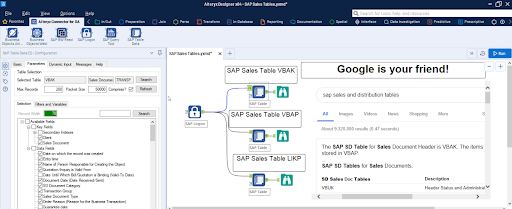
The most significant SAP Sales and Distribution (SD) tables for Alteryx users

For users of Alteryx and the DVW Alteryx Connector for SAP, we’ll now look at the most significant SAP Sales and Distribution (SD) tables 

SAP Sales and Distribution table

Related Articles SAP SD Modules !

The following SAP systems contain SAP Sales and Distribution tables:

  • SAP ECC 
  • SAP ERP
  • SAP S/4HANA

SAP Transaction Tables for Sales and Distribution (SD)

The SAP SD transaction tables for sales, delivery and billing process is as follows: 

1) Sales Document Tables

The documents of SAP Sales include:

  • Inquiries
  • Quotations
  • (Sales) Orders
  • Contracts
  • Credit Memo Requests
  • Debit Memo Requests 

The following are the most important tables in a sales document:

  • VBAK – Sales Document: Header Data
  • VBAP – Sales Document: Item Data 

SAP SD Training

Weekday / Weekend Batches


2) Delivery Document Tables

The documents of SAP Delivery include:

  • Delivery / Shipping Notifications
  • Deliveries

The key Delivery Document tables are:

  • LIKP – SD Document: Delivery Header Data
  • LIPS – SD document: Delivery: Item data 

Related Articles SAP SD Flow ! 

3) Billing Document Tables

The documents of SAP Billing include:

  • Invoices
  • Credit Memos
  • Debit Memos
  • Intercompany Invoices

The key Billing Document tables are:

  • VBRK – Billing Document: Header Data
  • VBRP – Billing Document: Item Data

Master Data Tables for SAP Sales and Distribution (SD)

  • KNA1 – General Data in Customer Master
  • KNB1 – Customer Master (Company Code)
  • KNKK – Customer master credit management: Control area data
  • KNVV – Customer Master Sales Data 

Data Tables for SAP Sales and Distribution (SD) Configuration

  • TVFK – Billing: Document Types
  • TVFKT – Billing: Document Types: Texts
  • TVKO – Organizational Unit: Sales Organizations
  • TVZB – Customers: Terms of payment 
  • TVZBT – Customers: Terms of Payment Texts

Conclusion:

We hope this blog is very helpful in knowing various tables discussed on SAP SD.   


Source link