Beans vs. Chickpeas: Which Is Best for Hitting Your Protein Goals?


Medically reviewed by Kierra Brown, RD

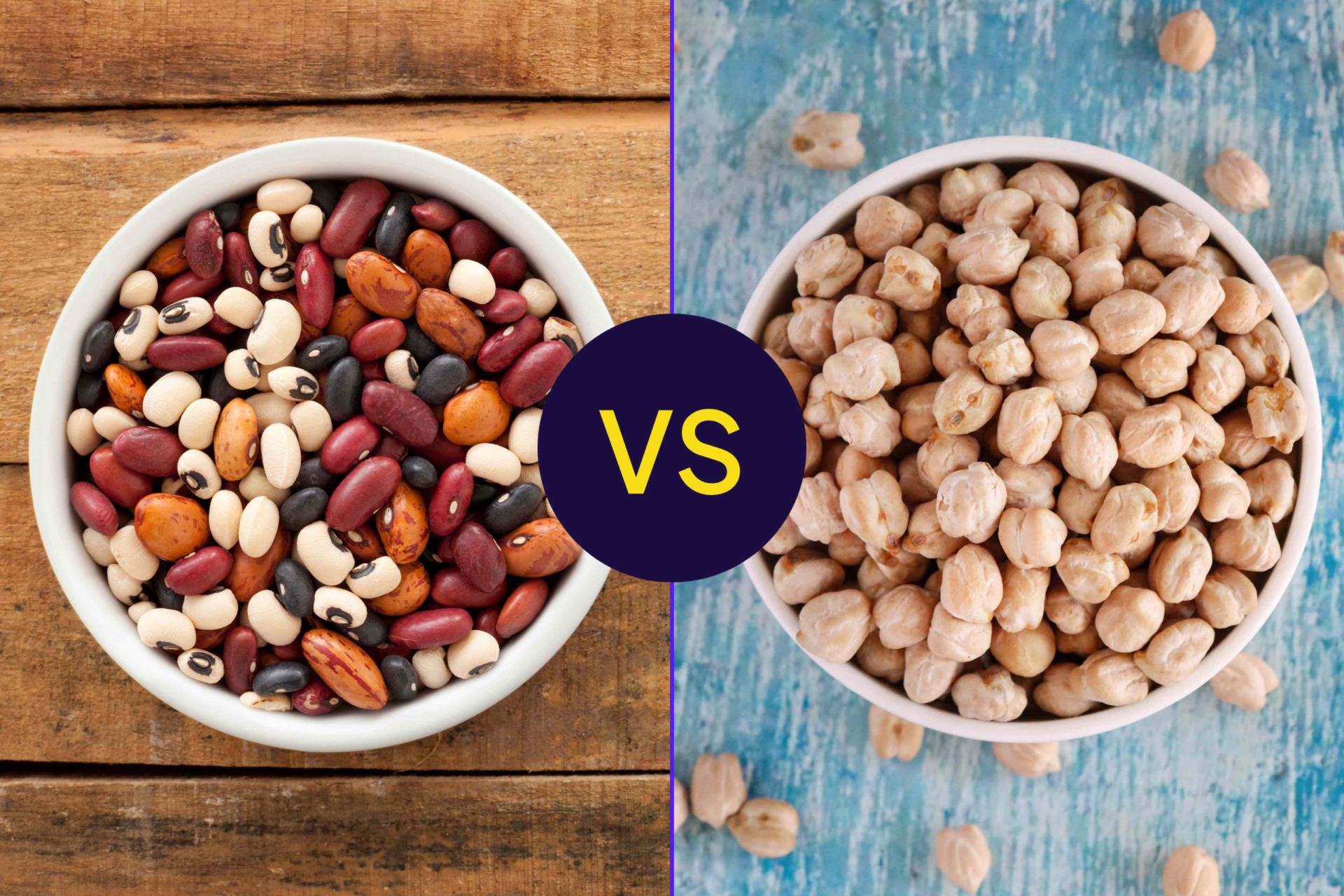
Both beans and chickpeas are known for being good sources of protein, fiber, and vitamins and minerals.Credit: Design by Health; Getty Images
Both beans and chickpeas are known for being good sources of protein, fiber, and vitamins and minerals.
Credit: Design by Health; Getty Images
  • Beans and chickpeas are both nutrient-rich protein options that support digestive and heart health.
  • The two offer similar amounts of protein, with about 14–15 grams per cooked cup.
  • Beyond protein, beans provide slightly more fiber, while chickpeas offer more iron and zinc.

Beans and chickpeas are packed with nutrients that support digestive health and provide steady energy, including fiber, minerals, and plant-based protein. In fact, both of these legumes are considered top sources of plant-based protein, though beans have slightly more.

Protein Head-to-Head: Are Chickpeas or Beans the Better Choice?

If you're looking to increase your consumption of plant-based protein, you can't go wrong with either beans or chickpeas, as both provide a solid amount of protein per serving.

There are many different types of beans out there—in fact, chickpeas themselves are technically considered beans (and are sometimes called garbanzo beans). But here's how the protein content of chickpeas stacks up against the two most common types of beans in the United States:

  • Pinto beans: 15.4 grams of protein per 1 cup, cooked
  • Black beans: 15.2 grams of protein per 1 cup, cooked
  • Chickpeas: 14.5 grams of protein per 1 cup, cooked

Beans usually have more protein. But with less than 1 gram of difference between these plant-based proteins per serving, choosing any type of bean or chickpea can help you get the protein you need.

Protein is best known for providing structure for cells, muscles, and tissues. But the body also uses it to make hormones and enzymes, which help your body function as it should. Eating more protein can also promote fullness and help control your appetite, which can aid weight management.

Benefits of Eating Plant-Based Protein

Getting your protein from plant-based sources—regardless of whether it's from beans or chickpeas—can be a good idea for your health. That's because beans and chickpeas contain:

  • Low amounts of unhealthy fats: Certain animal proteins (especially red meat) can be high in cholesterol and saturated fats, which put your heart health at risk. Legumes like beans and chickpeas are naturally low in fat, so they're considered a heart-healthy choice.
  • Antioxidants: Beans and chickpeas contain plant compounds and vitamins that have antioxidant properties, meaning they help protect cells from damage. They may also help lower inflammation.

Diets rich in beans, legumes, and other plant-based proteins are associated with a lower risk of chronic conditions linked to inflammation, such as heart disease and type 2 diabetes.

However, most plant-based proteins, including beans and chickpeas, are not considered "complete" proteins—that means they don't contain substantial amounts of all of the amino acids (protein building blocks) your body needs. To meet your protein needs, you'll have to eat a variety of plant-based sources throughout your day, including whole grains, nuts, and soy-based foods.

Other Nutritional Differences Between Chickpeas and Beans

Fiber

In addition to protein, beans are also the slightly better choice when it comes to fiber:

  • Black beans: 15 grams of fiber per 1 cup, cooked
  • Pinto beans: 15.4 grams of fiber per 1 cup, cooked
  • Chickpeas: 12.5 grams of fiber per 1 cup, cooked

Again, both beans and chickpeas are considered great sources of fiber. A cooked, 1-cup serving of black, pinto, or chickpeas provides at least half of the daily fiber recommended for women, and about 33–40% of the recommended intake for men.

Soluble fiber—the type of fiber primarily found in beans and chickpeas—is known for supporting healthy cholesterol and blood sugar levels, which means it may be protective against type 2 diabetes and heart disease. Beans and chickpeas also contain other types of carbohydrates that act as prebiotics, meaning they encourage growth of good bacteria in the gut.

Vitamins and Minerals

Beyond protein and fiber, beans and chickpeas also deliver a range of vitamins and minerals. Here's how a cooked cup of pinto beans, black beans, and chickpeas compare, and how they contribute toward the recommended Daily Value (DV) of certain micronutrients:

Pinto beans Black beans Chickpeas
Iron ​3.57 milligrams (mg) ​3.61 mg ​4.74 mg (26% DV)
Folate ​295 micrograms (mcg) (74% DV) ​259 mcg ​282 mcg
Potassium ​746 mg (16% DV) ​611 mg ​477 mg
Zinc ​1.68 mg ​1.93 mg ​2.51 mg (23% DV)
Magnesium ​85.5 mg ​120 mg (29% DV) ​78.7 mg
  • Iron: This mineral supports oxygen transport in the blood.
  • Folate: A B-vitamin, folate helps form DNA and supports chemical reactions in the body.
  • Potassium: It helps regulate blood pressure and fluid balance in the body.
  • Zinc: This mineral helps maintain immune function and supports wound healing.
  • Magnesium: An essential mineral, magnesium supports muscle function, nerve function, and bone health.

Ways To Add Beans and Chickpeas to Your Diet

There are lots of ways to use beans and chickpeas in everyday meals:

  • Use them as toppings for salads or grain bowls.
  • Mix them into pastas, soups, or stews.
  • Rather than using meat, add chickpeas or beans to tacos, burritos, or mashed in sandwiches.
  • Blend chickpeas or beans into hummus or bean spreads for a quick snack.

At most grocery stores, you can find beans and chickpeas that are either canned or dried. These options offer similar amounts of protein and fiber; however, canned beans and chickpeas usually have more sodium. You can reduce this sodium content by draining and rinsing your legumes before you eat them.

If you're relatively new to cooking with beans or chickpeas, make sure to introduce them gradually—adding in more high-fiber foods slowly can help you avoid gastrointestinal issues like bloating and gas.




Source link

Leave a Reply

Subscribe to Our Newsletter

Get our latest articles delivered straight to your inbox. No spam, we promise.

Recent Reviews


WordPress has updated its AI-assisted review tool and introduced AI Experiments 0.4.1. Officially released on 5 March 2026, the updated version is set to empower content creators and developers with advanced AI-enabled review and image-generation features.

The tool enables experimental AI features directly in WordPress for authors, editors, and admins. According to the GitHub release page, the implementation will affect developers, agencies, and hosts seeking to establish or extend AI-driven workflows using the block editor from the WordPress AI team.

While aiming to demonstrate and provide AI features, the updated version of the plugin merges the AI Building Blocks to offer a unified experience in WordPress.

This blog will discuss the major features of AI Experiments 0.4.1, how it works, opportunities for developers, and a step-by-step guide to installing it. Let’s get started…

What’s New in AI Experiments 0.4.1?

AI Experiments acts as a canonical plugin or testing ground for AI features that may be officially integrated into WordPress core in the future. However, the integration depends on successful testing, feedback, and adoption.

The latest version advances these capabilities while supporting users, content creators, site admins, and developers learning the AI APIs in WordPress. Additionally, AI Experiments 0.4.1 unlocks image generation via text prompts and enables Notes, such as feedback on content.

How Does AI Experiments Work?

AI Experiments simplifies AI-powered content creation, editing, suggestions, and site management in the WordPress admin and editor interfaces. In the process, the plugin combines three AI Building Blocks, including:

  • PHP AI Client SDK: It enables a unified approach to connect to prominent generative AI models of various capabilities, like OpenAI, Anthropic, and Google. Users can use the service they prefer, using their own API keys.
  • Abilities API: This framework offers a common way in which WordPress core, plugins, and themes can describe what they can do with a machine-readable and human-friendly approach.
  • Model Context Protocol (MCP) Adapter: It enables external AI assistants to interact with and manage the WordPress site using natural conversation. The MCP adapter also helps in translating WordPress abilities into a language that AI can understand.

These are three AI-facing technological components that contribute to the unified WordPress experience led by AI Experiments. However, these aspects need manual enablement so that users stay in control.

Top Features to Look Out for in AI Experiments:

There are nine available features in AI Experiments currently, including-

Abilities Explorer- This feature enables users to discover, inspect, test, and document already registered AI capabilities through the WordPress Abilities API.

Alt Text Generation- It allows you to generate detailed alt text for images while using AI vision models.

Content Summarization- This feature summarizes long-form content into precise, digestible summaries.

Excerpt Generation- Automatically generates excerpts from content.

Experiment Framework- It is an opt-in system that allows users to enable AI features that they want to use.

Image Generation- This feature lets users create images from post content in the editor and via the Media Library.

Multi-Provider Support- It supports renowned AI providers like OpenAI, Google, and Anthropic.

Review Notes- This feature reviews post content block-by-block while adding Notes, suggesting better Accessibility, Readability, Grammar, and SEO.

Title Generation- It generates title suggestions from content in one click.

Upcoming Features on AI Experiments:

AI Experiments is planning to introduce more advanced features to enhance the WordPress workflow. Nevertheless, since it is an experimental plugin, the features may change as per the feedback gathered from the community. Here are the crucial features we can expect-

Contextual Tagging- It helps organize content using AI-suggested tags and categories.

Comment Moderation- This feature will assist in categorizing and managing user comments with AI-assisted moderation tools.

Type Ahead- It will offer contextual type-ahead suggestions while typing.

AI Request Logging and Observability Dashboard- It enables AI request tracking alongside performance visualization and cost metrics.

What’s There for Developers?

AI Experiments is here to be studied, extended, and built upon. Hence, even if you are a developer, agency, or hosting provider, you can do a lot with this plugin.

You Can Extend the Plugin:

Build Custom Experiments- You can use the Abstract_Experiment base class to build your own AI-powered features and run custom experiments.

Pre-configure Providers- Hosts and agencies can now set up AI providers so that users don’t need their own API keys.

Abilities Explorer- You can test and explore registered AI abilities. It is available once the experiments are enabled.

Register Custom Abilities- You can integrate the Abilities API to add fresh AI abilities.

Override Default Behavior- This enables using filters to customize prompts, responses, and UI aspects.

Comprehensive Hooks- Users can customize filters and actions throughout the codebase.

Upcoming Tools for Developers:

AI Playground- It will allow developers to experiment with different AI models, providers, and prompts.

Model Context Protocol (MCP)- Developers will be able to add and test MCP capabilities in WordPress workflows.

Extended Providers- It will support experimenting with alternate AI providers.

Date Calculation Ability- It will unlock natural-language date interpretation for AI workflows.

A Step-by-Step Guide to Install AI Experiments 0.4.1:

Users can start utilizing AI Experiments 0.4.1 by following the steps below-

  1. Install the plugin from the WordPress plugins tab directly. Or you can upload the plugin files to the /wp-content/plugins/ai directory.
  2. Enable the plugin from the ‘Plugins’ screen in WordPress.
  3. Go to Settings -> AI Credentials and add one valid AI credential.
  4. Go to Settings -> AI Credentials, enable experiments globally, and then enable the individual experiments.
  5. You’re all set to start experimenting with the AI features.

Wrapping Up!

Released primarily in November 2025, AI Experiments has been a crucial plugin that helps in exploring experimental AI-powered functionalities in WordPress. The plugin has reached 1,000 active installations. The image generation and Notes features are exclusively introduced in AI Experiments 0.4.1.

Hence, we can expect further advanced features in the upcoming versions of the plugin that will surely improve the WordPress experience with AI-powered capabilities. WordPress also seeks feedback from contributors to improve integrated features and explore new experiments.

Do not forget to check out our blog section for more informative, expert-led content!


FAQs:

1. Which plugin is mostly used in WordPress?
Answer: Elementor is said to be the most used WordPress plugin with more than 10 million active installations. It allows for building custom layouts without coding.

2. Does WordPress have an AI visibility dashboard?
Answer: No, WordPress does not have a native, built-in AI visibility dashboard. However, users can use specialized plugins, such as Opttab, VigIA, and VisibleFirst, for AI visibility metrics.


Also Read:

Top 5 WordPress SEO Plugins to Enhance Your Website’s Ranking


Source link