I Tested a Low-Cost Phone With One of the Biggest Batteries We’ve Seen Yet


Silicon-carbon batteries have been leading phones to eyebrow-raising battery life, and the Realme P4 Power includes one of the biggest batteries we’ve seen in a phone. It’s setting an even higher benchmark with a 10,001mAh battery. By comparison, this is double the capacity we see in more mainstream phones like the Samsung Galaxy S26 Ultra, which includes a 5,000mAh battery.

The Realme phone surpasses what we’ve seen in other phones with this type of battery, including the OnePlus 15‘s 7,300mAh battery and the RedMagic 11 Pro‘s 7,500mAh battery. Phones with batteries of this scale provide up to two days of use and often have faster charging speeds to go with it.

The Realme P4 Power is currently available in India — it’s unlikely to ever come to the US — but despite its chart-topping battery capacity, it’s relatively inexpensive at INR 25,999, or approximately $285. It’s just a little bigger than the 10,000mAh battery in the Honor Win, which I got to try out last year but didn’t get extended time in order to really test it out.

That’s why I was excited to put my SIM into the Realme P4 Power, during which I was able to test this phone through all of CNET’s battery tests, use it as my primary device and even as a power bank for my iPhone along the way.

All that battery without any major drawbacks

Use has a Realme P4 Power with its camera on. The view finder is open on the screen.

It doesn’t sacrifice on design or features to fit a big battery.

Prakhar Khanna/CNET

The best part about the Realme P4 Power is that it doesn’t sacrifice comfort for additional battery capacity. It isn’t a slim and light phone but at 9.1mm thick and 219g weight, it is lighter than some big flagship phones, including the iPhone 17 Pro Max and Google Pixel 10 Pro XL.

Realme’s TransView Design has a translucent look around the camera module, which accentuates its “Power” branding. I like this distinct design and in-hand feel. It has curved corners as well as slight curves on the back that make it easy to hold. (Please take note, Samsung.)

The Realme P4 Power has a plastic back and frame, while the front is protected by Gorilla Glass 7i. It is also rated for durability with IP66, IP68 and IP69 dust- and water-resistance ratings. This means, it can survive freshwater submersion and high-pressure water jets and is also protected against small dust particles.

On the front, you get a 6.8-inch AMOLED display with a 2,800×1,280-pixel resolution, 144Hz refresh rate, 1,800 nits brightness and 6,500 nits peak brightness for HDR-supported content. Like many phones, you have to manually set it to a higher resolution and refresh rate to take advantage of these features.

Realme P4 Power has a CNET article on its screen. The text is very legible, despite being outdoors on a sunny day.

The screen is easily legible outdoors.

Prakhar Khanna/CNET

I had no issues with the screen, and using a curved panel after a long time was a refreshing experience. It was easily legible outdoors, and I enjoyed watching videos. However, I don’t like the absence of stereo speakers. The device has just one speaker at the bottom; while it is loud, you’ll need to connect your earbuds for a better movie experience.

I used the Realme P4 Power in day-to-day life, which included doomscrolling on social media apps like Instagram and X, answering emails and messages on Gmail, WhatsApp and Slack navigating on Maps and snapping a few photos. It comfortably lasted me up to two days of regular use and one and a half days on heavy use. And when you do need to charge it, you can use the bundled charger to top up the battery at 80 watts.

To better judge the new Realme phone, I put it through CNET’s 3-hour video streaming test and 45-minute battery endurance test.

Realme P4 Power battery benchmarks

YouTube streaming drain test starting at 100% 45 min battery endurance
Realme P4 Power 1 hr: 97%; 2 hr: 95%; 3 hr: 91% (144Hz) 100% to 99%
Apple iPhone 17 Pro Max 1 hr: 100%; 2 hr: 96%; 3 hr: 91% (1-120Hz) 100% to 99%
OnePlus 15 1 hr: 98%; 2 hr: 94%; 3 hr: 90% (1-120Hz) 100% to 97%
Samsung Galaxy S26 Ultra 1 hr: 97%; 2 hr: 92%; 3hr: 87% (1-120Hz) 100% to 95%

In the video streaming test, where I streamed a video over Wi-Fi with the screen at full brightness and the battery starting at 100%, it lost 3% battery per hour and ended at 91%. This puts it on top of CNET’s charts alongside the iPhone 17 Pro Max, followed by the OnePlus 15 (90%) and iPhone 17 (89%).

It performed similarly well during CNET’s 45-minute endurance test, during which we play games, stream videos, scroll social media and take a video call with the battery starting at 100%. The Realme P4 Power ended up losing just 1% battery, sharing the top spot with the iPhone 17 Pro Max at 99%.

How about everything else?

A close-up of the Realme P4 Power's camera module on the back of the phone.

Realme’s “Power” branding is accentuated by its translucent design around the camera module.

Prakhar Khanna/CNET

The Realme P4 Power has a MediaTek Dimensity 7400 Ultra chipset, paired with up to 12GB RAM and 256GB storage. (The base model has 8GB RAM and 128GB storage.) This is more of a midrange chip that’s in a similar class as the Motorola Razr‘s Dimensity 7400X. It handles day-to-day tasks smoothly, and it has no major flaws. As for minor issues, I did notice apps taking longer than usual to load sometimes and the camera app taking a few seconds to process, but these issues are not a deal-breaker.

Realme’s user interface is smooth, snappy and highly customizable. It is similar to OnePlus and Oppo. However, you get multiple preloaded apps. (I uninstalled them as soon as I set up the phone.) Overall, this Realme UI 7.0 (based on Android 16) is fast and responsive. You’ll get three years of Android OS upgrades and four years of security upgrades.

The Realme P4 Power has two rear cameras and a 16-megapixel selfie shooter on the front. You get a 50-megapixel main camera and an 8-megapixel ultrawide-angle sensor on the back. Plenty of AI-powered tools are available to help you enhance or edit a shot.

Three photos from the RealMe P4 Power, including flowers, restaurant and a pizza. The quality of the photos is satisfactory for a budget phone.

The camera system is satisfactory for a budget smartphone.

Prakhar Khanna/CNET

It delivers a satisfactory camera experience. In daylight, the P4 Power can snap some good-looking photos. The colors are mostly accurate, contrast is balanced and the dynamic range is decent. It processes 2x portraits digitally, which works fine for the most part, but at times, certain areas can have a cutout-feel to them — like you’ve been pasted on a background.

Overall, the Realme P4 Power is a great phone for its excellent battery life. I was expecting it to perform well with its 10,001mAh battery, but I didn’t expect it to blow out every other Android phone in our tests. I love it more because this battery innovation is accessible to the masses, thanks to its lower price and not being gatekept on more expensive models.

Watch this: Our Experts’ Favorite Products at MWC 2026 | All Things Mobile


Source link

Leave a Reply

Subscribe to Our Newsletter

Get our latest articles delivered straight to your inbox. No spam, we promise.

Recent Reviews


What is Power BI?

Power BI is a cloud-based business analysis and intelligence agency developed by Microsoft. It is a compilation of business intelligence and data analytical techniques, such as software services, applications and data connectors. We can use data sources extracted into Power BI to visualize and analyze data using shared reports, dashboards, and apps.Power BI is a user-friendly tool that offers remarkable drag-and-drop features and self-service abilities.

Become a Power BI Certified professional by learning this HKR Power BI Online Training !

Microsoft is offering three types of Power BI platforms:

  • Desktop Power BI(A desktop application)
  • Power BIService (SaaS i.e., Software as a Service)
  • Mobile Power BI (For iOS and Android devices)

We can also deploy Power BI on both on-site and cloud platforms. 

Why Power BI?

Power BI is an integrated system with several various types of data under its supervision.There seems to be a cloud-based BI service called Power BI Services that is used to display and communicate dashboards.A desktop-based report functionality known as the Power BI Desktop.Another useful service is Power BI Embedded, which keeps running on the Azure cloud platform and can be used for reporting, ETL and data analysis.

Now we discuss why it is an important tool in the present market.

  • One can easily do real time analysis in power bi by creating direct connections with the data sets.
  • Can take the advantage of the custom visualizations.
  • Can get the quick insights of the data.
  • Power BI marketplace as on-site communications make data transfer secure and technology scalable and reliable.
  • You can attach to other services via Power BI, such as SQL Server Analysis Services (SSAS), Microsoft Excel, etc.
  • Power BI is a new age application that helps state-of-the-art technologies such as HTML 5.0, column store databases, cloud computing, mobile apps, etc. This helps to
  • keep Power BI at the top and famous, as it is continuously equipped with the latest features.

Power BI Training

  • Master Your Craft
  • Lifetime LMS & Faculty Access
  • 24/7 online expert support
  • Real-world & Project Based Learning

Now we will get into the power bi components in detail.

Power BI Components:

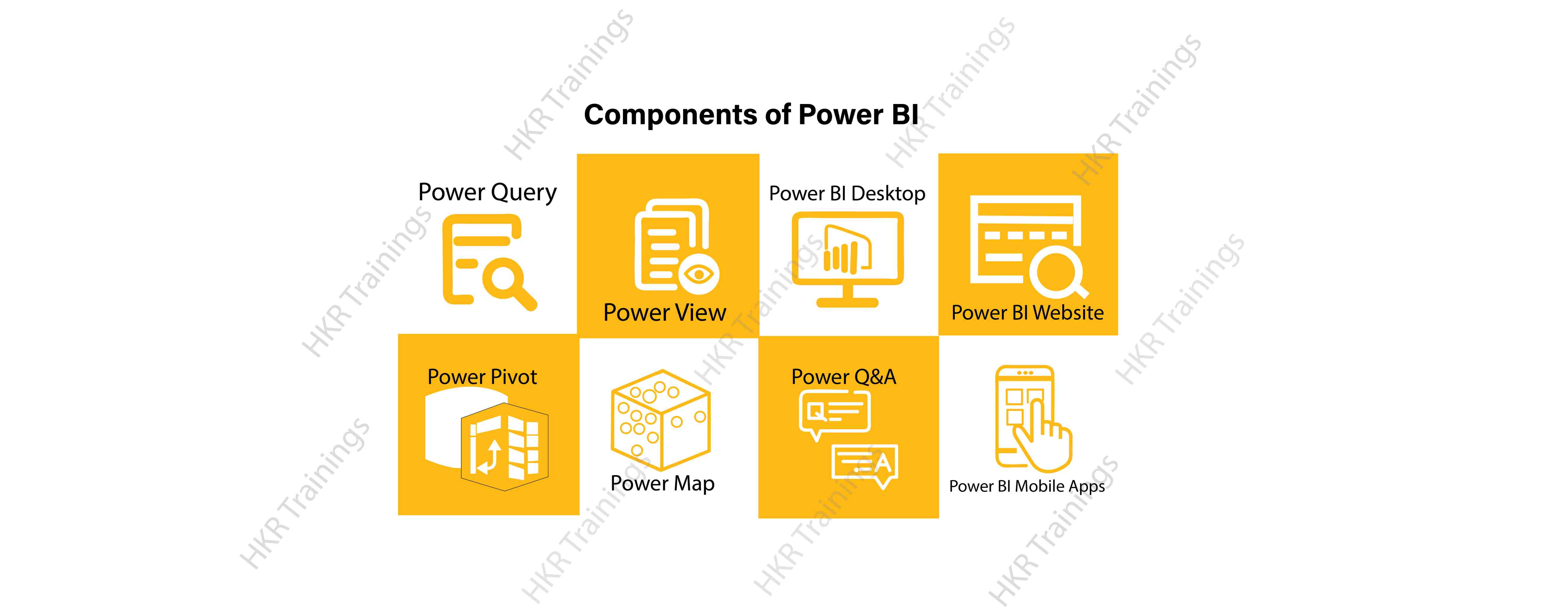
Here are the lists of power BI components. They are:

  • Power Query
  • Power Pivot
  • Power View
  • Power Map
  • Power Q&A
  • Power BI Desktop
  • Power BI Website
  • Power BI Mobile Apps

Power BI Components

Now start discussing each and every component of power BI in detail.

Top 50 frequently asked Power BI Interview Questions !

Power Query:

Power Query is one of the most essential components of Power BI. This would be included in your Excel or could be used as a Power BI Desktop component. Using Power Query, you can uninstall data from multiple data sources and retrieve data from a wide variety of different databases, such as Oracle, SQL Server, MySQL, and other databases. You can also retrieve data from records such as text files, CSV files, etc.

Power BI provides you a powerful GUI so that you really can change and use the information you need, such as date and time changes, add columns, modify types and content, and a variety of options. It includes a small language, Power Query M Formula Language, as a code that is more powerful than a GUI.Power Query Formula Language in Power BI is highly secure and optimized for the development of highly highly scalable mashup queries accessible to Power BI Desktop and Power Query. It has several features that cannot be made available by a GUI.

Power Pivot:

Power Pivot is a data designing and information technology engine. It’s being used to model static and dynamic data. You can establish or generate relations between various tables in Power Pivot and quantify values that can be considered in Pivot tables. It provides a tremendous opportunity to build your design.The language used mostly by Power BI Pivot is Data Analysis Expression (DAX), a highly functional language. 

HKR Trainings Logo

Subscribe to our YouTube channel to get new updates..!

Power View:

Power View is a major aspect of Power BI data visualization. It is an immersive device that connects to data sources and collects metadata that can be used for data collection. There are a lot of image processing blueprints in the Power View list. With Power View, you could even process the data for each visualization element or for the entire report. Slicers can be used to make better dicing of the information.Power View reports are responsive; the user can illustrate some of the data or components in Power View to communicate directly with each other.

Power Map:

Power Map is used to display spatial information in 3D mode. As soon as the visual interface is rendered in 3D mode, it offers some other dimension. In Power Map, one characteristic can be assumed to be the length of a column in 3D and another attribute to be a heatmap view. The data can be illustrated on the basis of a geographical location. Geographical locations may be a country, state, city, or street address.In order to get the best view, Power Map works with Bing Maps related to geographical latitude or longitude or country, state, city or street address data.

Power Q&A:

Power BI Q&A is a common language engine for questionnaires about your data model. After you have assembled and updated your data model on the Power BI website, you or your customers can ask questions, if any, and find solutions to those questions. There are a few shortcut keys and hints for the development of your framework so that it can respond to questions in the most effective manner possible.

For data visualization, Power Q&A works with Power View so that users can ask any questions, such as the amount of clients per state, and the question is responded in the form of a map view with numbers shown as bubbles by Power Q&A.

Want to know more about Power BI,visit here Power BI Tutorial !

Power BI Desktop:

Power BI Desktop is a continuous improvement of the Power BI suit. This is an embedded development tool for Power Query, Power Pivot and Power View. It allows you to build advanced queries, models, and reports. Power BI Desktop makes it easy to advance your BI skills and your data analytics experience.

Power BI Website:

Power BI solutions can be compiled on the Power BI website. You can generate dashboards for your news stories and share them with others, and you can also generate content directly on the Power BI website. With the Power BI website, you can conduct slice and dice online operations using a web browser, and you don’t even need any other tools.

Power BI Mobile Apps

Power BI Mobile Apps has three mobile operating system (OS) providers: Android, iOS, and Windows. These frameworks give you lots of an immersive view of Power BI reports and dashboards. You could even share them with your mobile app. A fraction of the documents can be displayed and a note can be written and shared with others. 

To gain in-depth knowledge with practical experience in Power BI, Then explore hkr’s Power BI Training In Hyderabad !

Power BI Training

Weekday / Weekend Batches

Conclusion:

In the above content, we had covered all the important components of power BI in detail. One can take a sound knowledge in the power BI technology by learning each and every components of the power BI architecture. However, the above stated information is strong enough to make you realize the importance of the power BI in corresponding to the data visualization, data analysis, etc.

Related Articles:


Source link