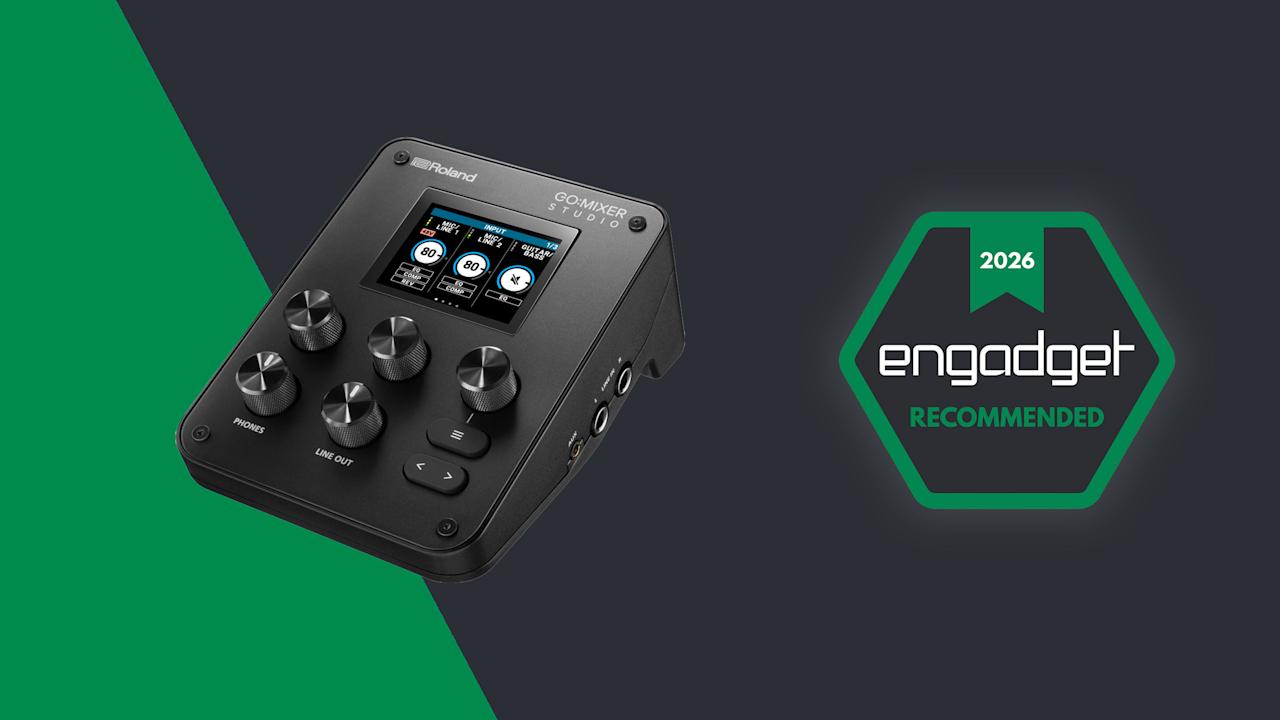

Way back in 2017, Roland carved out a little niche for itself with the introduction of the Go:Mixer line. The small, portable audio interfaces are a convenient way to connect a mic and multiple musical instruments (or audio sources) to your phone for more professional public performances or on-the-go recording. At this year’s NAMM show, the company unveiled the latest in the family — the Go:Mixer Studio — and it’s the most premium version to date.
The Studio adds a display, multitrack output and onboard effects along with a far more luxurious design. At $300, there’s also a far more luxurious price tag. The Go:Mixer Pro-X was already a capable option, and competing products from Mackie and Zoom are also vying for your hard-earned musical dollars. The big question, then, is can the Studio make a case for itself at this elevated price point?

Roland/Engadget
Roland’s latest portable mixer for musicians is a step forward for those looking for a more premium option to bring with them on the go. The fact that it makes a good desktop interface expands its utility in a meaningful way that helps justify the $300 price tag.
- Onboard display
- Excellent connectivity
- Easy menu navigation
- Useful companion apps
- No onboard storage
- Apps lack streaming options
Right off the bat, in terms of usefulness, the Studio is a solid step up from the Pro-X thanks to the addition of a second XLR port. So if your band is a duo, or you simply need two microphones, each performer can now have their own. This also opens the Studio up for basic podcast situations, too. Technically, you could always connect more microphones through other inputs, but now you can do so without adapters or additional hardware like preamps. The rest of the connectivity remains similar with ¼-inch line-in and guitar ports, headset mic support, a 3.5mm aux input and USB-C for audio from your phone and connecting to the app.
Other headline upgrades include a much higher maximum sample rate of 24bit/192kHz (the Pro-X capped out at 16bit/48kHz) and there’s MIDI connectivity for the first time in the Go:Mixer series. The new effects consist of a compressor, EQ and reverb. EQ and compression are available at the channel level, allowing for a good amount of creative control over your mix, while reverb is global. There’s a decent selection of different types of reverb, too, with enough controls to configure them to your taste. I found some of them to be a bit robotic, or not very musical, but others sounded more traditional and appropriate for my vocals and synthesizers.
The Go:Mixer series was doing just fine without a display up until this point, but the benefits of having one are instantly clear. On the Pro-X, the only visual feedback for your levels was a solitary LED that indicated your audio was in the red. If you had multiple inputs, you might not even know which one was too loud. The first benefit of the Studio’s display, then, is visible VU meters. They’re not huge, and the display only shows information for three tracks at a time. This means you might have to page through a few screens to see the one you want, but it’s infinitely more useful than before.
The next obvious advantage of the screen is being able to control settings on the device via a menu. Navigation is intuitive, with the screen divided into three sections, corresponding to the three knobs just below it. The default screen, for example, shows the channels Mic 1, Mic 2 and Guitar/Bass. Turn the first knob clockwise to change the gain of Mic 1. The second knob for Mic 2 and so on. Click a knob and, where applicable, you’ll enter a sub-menu where those three dials control whatever is shown above them. This dynamic system works pretty well and took seconds before it felt natural.
The main limitation is that you can only see three of the mixer channels on screen at a time and there’s no way to manually reorder them. If you have a microphone connected and USB audio playing at the same time, you can’t see the levels or control both of those things from the same screen. You have to keep paging screens back and forth.
The good news is that Roland’s Go:Mixer Cam mobile app does offer a visual mixer that lets you see more or less every channel on screen at once and adjust levels quickly that way. It’s primarily designed for creating videos of your performance, but it doubles as a remote mixer if needed. There is one caveat with the app, though, which is that you won’t be able to use your phone as a USB audio source — say, for backing tracks — if you want to record video with the Go:Mixer Cam app. That’s something to be mindful of.

Roland ‘s Go:Mixer Studio has a display for the first time in the series (James Trew for Engadget)
The app does have a cool feature, which could also be a lifesaver: You can change the “mix” after recording. If you record a performance, but find that your vocals are a bit low, or your synth is too high in the mix, you can adjust the levels and re-export it with better balance. You have options to export as video or audio only, so you can share one to YouTube and then a version for Soundcloud all from the same app. Small detail, but if you want to use the app and have the mixer sample rate set to something other than 48kHz, it’ll warn you that it needs to revert to 48kHz and restart the device before you can carry on.
If you prefer recording on the desktop, there’s also a GoMixer Editor app for Windows and Mac. It’s actually a much easier way to change settings and see what’s going on thanks to the extra visual real estate. The EQ section for each channel looks like a regular software EQ where you raise or lower points on a frequency chart. The compressor also has visual feedback to show when it’s active, which is lacking on the device itself. Obviously, the Studio has a mobile focus, but the desktop app has two big selling points.
First, if you prefer to set your mix levels, compression amount and so on at home, you can do that more easily with the desktop app and then save it in a memory slot. You can then quickly recall this “Scene” on the device while out at a gig. The second is that, for the first time in the series (according to me at least), the Studio is a viable mixer and audio interface for the desktop. The build quality is solid and weighty, not like the light plastic of previous models. It feels premium and this could just as well be used at home for streaming and podcasting as much as on the go. The desktop app makes it even more useful in this scenario.
In terms of what’s missing, this might be very use-case specific. I enjoy using this for electronic music production or pseudo DJ type performances. As such, I’d love to see at least one fader rather than just knobs, but this is true of every model to date. I’d also love for there to be a way to see all the channels at once on the device’s screen. I know it’d be a bit cramped and there’d be no easy way to adjust the mix at the same time, but as an overview you could drop into, it might be handy. And if we’re out here making wishes for any Studio Pro model, an SD card slot for native recording would really elevate the portability element so you wouldn’t need to connect a phone, just a power bank.

The Go:Mixer Studio has two XLR inputs (James Trew for Engadget)
Roland has a few competitors in this space, most notably IK Multemida which makes a few portable interfaces. Perhaps the most similar is the iRig Pro Duo and Quattro. The Duo comes in a little cheaper than the Studio at around $235 but lacks a display and build quality. I also personally find IK Multimedia’s apps, while functional, less user friendly. Mackie has the M Caster Studio ($200) which adds Bluetooth connectivity but has fewer physical ports — that one too is a little older. Zoom’s interfaces often center on their ability to record directly onto the device, but have more of a vocal/spoken word focus. The H5 Studio ($299) has a display, built-in mic and onboard recording, but its mixer functionality and outputs for live performance are secondary features.
For musical performers, Roland continues to dominate this niche, and the Go:Mixer Studio is clearly the company’s most refined interface to date. The connectivity covers most use cases, even podcasting, and the layout of the dials makes it easy to use in live environments. The display is a welcome addition that goes a long way to making this feel both more useful and more premium. Perhaps the biggest selling point this time around is that the Studio no longer feels like an extra interface you bring with you for live gigs. It can easily be your main desktop audio interface too, making that $300 price tag suddenly feel a lot more palatable.

Stephan is the sports journalist for the Maple Grove Report.