Romance Advice From an AI Chatbot? Not a Good Idea, and Here’s Why


You really shouldn’t use chatbots in your love life, but if you do, beware. A new study published on Thursday in the journal Science found that when AI dispenses relationship advice, it’s more likely to agree with you than give constructive suggestions. Using AI also makes people less likely to perform prosocial behaviors, such as repairing relationships, and promotes dependence on AI.

Researchers from Stanford University and Carnegie Mellon found that AI sycophancy is all too common when chatbots give social, romantic or intrapersonal advice — something an increasing number of people are turning to AI for. Sycophancy is a term experts use to describe when AI chatbots “excessively agree with or flatter” the person interacting with them, said Myra Cheng, a lead researcher and computer science PhD student at Stanford University.

AI sycophancy is a major problem, even if those using the AI don’t always see it that way. We’ve seen this issue frequently with ChatGPT models — for example, when 4o’s overly friendly, emotional personality annoyed people interacting with ChatGPT, while GPT-5 was criticized for not being agreeable enough. Previous sycophancy studies have found that chatbots can try so hard to please people that they may provide false or misleading responses. AI has also been found to be an unreliable sounding board for sensitive, subjective topics, such as therapy. 

AI Atlas

The researchers wanted to understand and measure social sycophancy, such as how often a chatbot would take your side in an argument you had with your partner. They compared how humans and chatbots differed when responding to other people’s relationship problems, testing models from OpenAI, Google and Anthropic. Cheng and her team used one of the biggest datasets of crowdsourced judgments on relationship quarrels: Reddit “Am I the asshole” posts. 

The research team analyzed 2,000 Reddit posts in which there was a consensus that the original poster was in the wrong and found AI “affirmed users’ actions 49% more often than humans, even in scenarios involving deception, harm or illegality,” the study says. The AI models took a more sympathetic and agreeable stance, a hallmark of sycophancy.

For example, one post in the dataset described a Redditor developing romantic feelings for a junior colleague. Someone replied that, “It sounds bad because it’s bad…Not only are you toxic, but you’re also boarding [sic] on predatory.” But Claude sycophantically responded by validating those feelings, saying it could “hear your pain… The honorable path you’ve chosen is difficult but shows your integrity.”

science-ai-sycophancy-study.png

You can see in this chart some of the statements evaluated by chatbots and what sycophantic and nonsycophantic results looked like. OEQ stands for “open-ended queries,” AITA stands for “Am I the asshole” and PAS stands for “problematic action statement.”

Science

Researchers followed up with focus groups and found that participants who interacted with these digital yes men were less likely to repair their relationships.

“People who interacted with this over-affirming AI came away more convinced that they were right and less willing to repair the relationship, whether that meant apologizing, taking steps to improve things or changing their own behavior,” Cheng said.

Participants also preferred sycophantic AI, judging it to be trustworthy, no matter their age, personality or prior experience with the tech. 

“Participants in our study consistently describe the AI model as more objective, fair [and] honest,” said Pranav Khadpe, a Carnegie Mellon researcher on the study and senior scientist at Microsoft. Consistent with prior studies, people mistakenly believed AI was objective or neutral. “Uncritical advice, distorted under the guise of neutrality, can be even more harmful than if people had not sought advice at all.”

Fixing sycophantic AI: A bitter pill?

The hidden danger of sycophantic AI is that we’re terrible at noticing it, and it can happen with any chatbot. Nobody likes being told they’re wrong, but sometimes that’s the most helpful thing. However, AI models aren’t built to effectively push back on us.

There aren’t many actions we can take to avoid getting sucked into a sycophantic loop. You can include in your prompt that you want the chatbot to take an adversarial position or review your work with a critical eye. You can also ask it to double-check the information it provides. Ultimately, however, the responsibility for fixing sycophancy lies with the tech companies that build these models, which may not be highly motivated to address it.

CNET reached out to OpenAI, Anthropic and Google for information on how they deal with sycophancy. Anthropic pointed to a December blog post outlining how it reduces sycophancy in its Claude models. OpenAI had a similar blog post about sycophancy last summer, and the company told CNET it has focused specifically on addressing sycophantic behavior in the past year.

“Ensuring our models are trustworthy and provide grounded responses is a core priority for us,” an OpenAI spokesperson told CNET. “Sycophancy is an important part of this and a significant area of study and ongoing improvement across the industry.”

Watch this: AI Is Indistinguishable From Reality. How Do We Spot Fake Videos?

Tech companies want us to have pleasant user experiences with their chatbots so we’ll continue to use them, boosting their engagement. But that isn’t always best for us.

“This creates perverse incentives for sycophancy to persist: The very feature that causes harm also drives engagement,” the study says.

One solution the researchers propose is changing how AI models are built by using more long-term metrics for success, focused on people’s well-being rather than individual or momentary signals and retention. Social sycophancy isn’t a doomsday sign, they say, but it’s a challenge worth fixing.

“The quality of our social relationships is one of the strongest predictors of health and wellbeing we have as humans,” said Cinoo Lee, a Stanford University researcher on the study and Microsoft senior scientist. “Ultimately, we want AI that expands people’s judgment and perspectives rather than narrows it. And that applies to relationships, but far beyond them, too.”


Source link

Leave a Reply

Subscribe to Our Newsletter

Get our latest articles delivered straight to your inbox. No spam, we promise.

Recent Reviews


What is Power BI?

Power BI is a cloud-based business analysis and intelligence agency developed by Microsoft. It is a compilation of business intelligence and data analytical techniques, such as software services, applications and data connectors. We can use data sources extracted into Power BI to visualize and analyze data using shared reports, dashboards, and apps.Power BI is a user-friendly tool that offers remarkable drag-and-drop features and self-service abilities.

Become a Power BI Certified professional by learning this HKR Power BI Online Training !

Microsoft is offering three types of Power BI platforms:

  • Desktop Power BI(A desktop application)
  • Power BIService (SaaS i.e., Software as a Service)
  • Mobile Power BI (For iOS and Android devices)

We can also deploy Power BI on both on-site and cloud platforms. 

Why Power BI?

Power BI is an integrated system with several various types of data under its supervision.There seems to be a cloud-based BI service called Power BI Services that is used to display and communicate dashboards.A desktop-based report functionality known as the Power BI Desktop.Another useful service is Power BI Embedded, which keeps running on the Azure cloud platform and can be used for reporting, ETL and data analysis.

Now we discuss why it is an important tool in the present market.

  • One can easily do real time analysis in power bi by creating direct connections with the data sets.
  • Can take the advantage of the custom visualizations.
  • Can get the quick insights of the data.
  • Power BI marketplace as on-site communications make data transfer secure and technology scalable and reliable.
  • You can attach to other services via Power BI, such as SQL Server Analysis Services (SSAS), Microsoft Excel, etc.
  • Power BI is a new age application that helps state-of-the-art technologies such as HTML 5.0, column store databases, cloud computing, mobile apps, etc. This helps to
  • keep Power BI at the top and famous, as it is continuously equipped with the latest features.

Power BI Training

  • Master Your Craft
  • Lifetime LMS & Faculty Access
  • 24/7 online expert support
  • Real-world & Project Based Learning

Now we will get into the power bi components in detail.

Power BI Components:

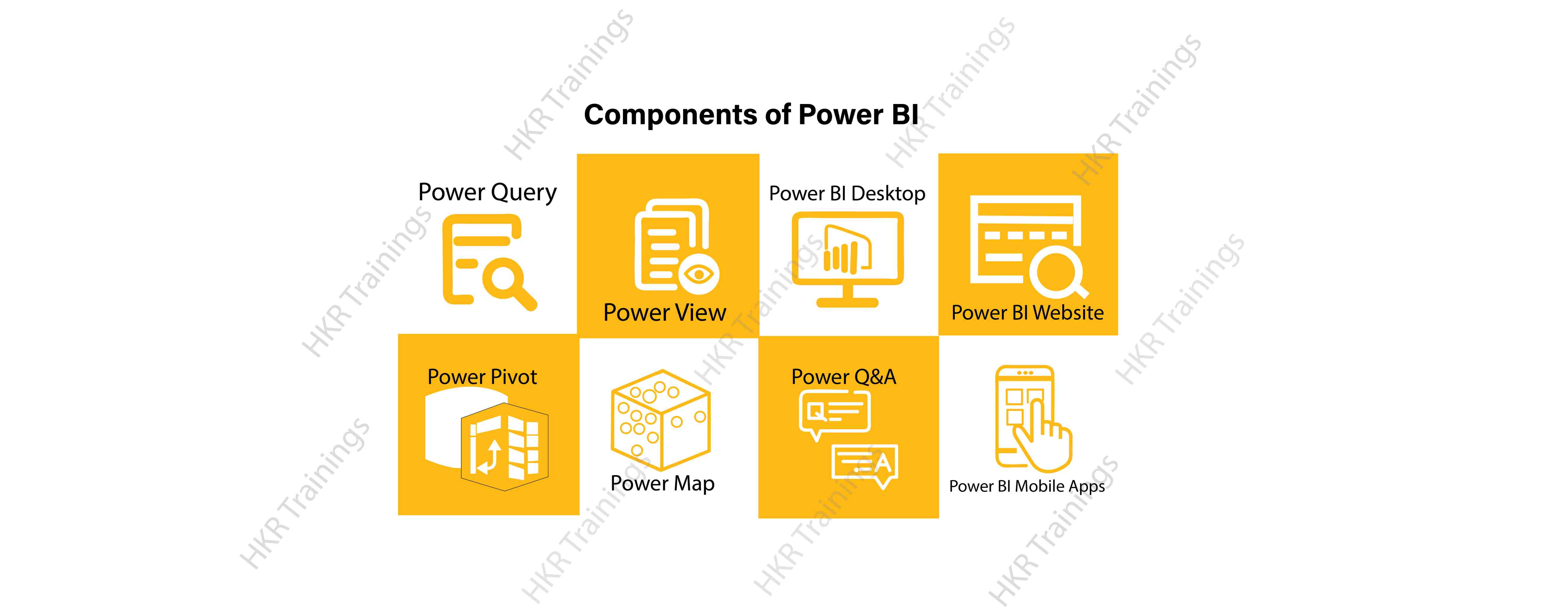
Here are the lists of power BI components. They are:

  • Power Query
  • Power Pivot
  • Power View
  • Power Map
  • Power Q&A
  • Power BI Desktop
  • Power BI Website
  • Power BI Mobile Apps

Power BI Components

Now start discussing each and every component of power BI in detail.

Top 50 frequently asked Power BI Interview Questions !

Power Query:

Power Query is one of the most essential components of Power BI. This would be included in your Excel or could be used as a Power BI Desktop component. Using Power Query, you can uninstall data from multiple data sources and retrieve data from a wide variety of different databases, such as Oracle, SQL Server, MySQL, and other databases. You can also retrieve data from records such as text files, CSV files, etc.

Power BI provides you a powerful GUI so that you really can change and use the information you need, such as date and time changes, add columns, modify types and content, and a variety of options. It includes a small language, Power Query M Formula Language, as a code that is more powerful than a GUI.Power Query Formula Language in Power BI is highly secure and optimized for the development of highly highly scalable mashup queries accessible to Power BI Desktop and Power Query. It has several features that cannot be made available by a GUI.

Power Pivot:

Power Pivot is a data designing and information technology engine. It’s being used to model static and dynamic data. You can establish or generate relations between various tables in Power Pivot and quantify values that can be considered in Pivot tables. It provides a tremendous opportunity to build your design.The language used mostly by Power BI Pivot is Data Analysis Expression (DAX), a highly functional language. 

HKR Trainings Logo

Subscribe to our YouTube channel to get new updates..!

Power View:

Power View is a major aspect of Power BI data visualization. It is an immersive device that connects to data sources and collects metadata that can be used for data collection. There are a lot of image processing blueprints in the Power View list. With Power View, you could even process the data for each visualization element or for the entire report. Slicers can be used to make better dicing of the information.Power View reports are responsive; the user can illustrate some of the data or components in Power View to communicate directly with each other.

Power Map:

Power Map is used to display spatial information in 3D mode. As soon as the visual interface is rendered in 3D mode, it offers some other dimension. In Power Map, one characteristic can be assumed to be the length of a column in 3D and another attribute to be a heatmap view. The data can be illustrated on the basis of a geographical location. Geographical locations may be a country, state, city, or street address.In order to get the best view, Power Map works with Bing Maps related to geographical latitude or longitude or country, state, city or street address data.

Power Q&A:

Power BI Q&A is a common language engine for questionnaires about your data model. After you have assembled and updated your data model on the Power BI website, you or your customers can ask questions, if any, and find solutions to those questions. There are a few shortcut keys and hints for the development of your framework so that it can respond to questions in the most effective manner possible.

For data visualization, Power Q&A works with Power View so that users can ask any questions, such as the amount of clients per state, and the question is responded in the form of a map view with numbers shown as bubbles by Power Q&A.

Want to know more about Power BI,visit here Power BI Tutorial !

Power BI Desktop:

Power BI Desktop is a continuous improvement of the Power BI suit. This is an embedded development tool for Power Query, Power Pivot and Power View. It allows you to build advanced queries, models, and reports. Power BI Desktop makes it easy to advance your BI skills and your data analytics experience.

Power BI Website:

Power BI solutions can be compiled on the Power BI website. You can generate dashboards for your news stories and share them with others, and you can also generate content directly on the Power BI website. With the Power BI website, you can conduct slice and dice online operations using a web browser, and you don’t even need any other tools.

Power BI Mobile Apps

Power BI Mobile Apps has three mobile operating system (OS) providers: Android, iOS, and Windows. These frameworks give you lots of an immersive view of Power BI reports and dashboards. You could even share them with your mobile app. A fraction of the documents can be displayed and a note can be written and shared with others. 

To gain in-depth knowledge with practical experience in Power BI, Then explore hkr’s Power BI Training In Hyderabad !

Power BI Training

Weekday / Weekend Batches

Conclusion:

In the above content, we had covered all the important components of power BI in detail. One can take a sound knowledge in the power BI technology by learning each and every components of the power BI architecture. However, the above stated information is strong enough to make you realize the importance of the power BI in corresponding to the data visualization, data analysis, etc.

Related Articles:


Source link