Standing in a long airport security line while precious minutes tick away before your flight is bad. But it’s even worse when the line catches you off-guard.
Sure, this is where line-skipping programs like Clear and TSA PreCheck can be a lifesaver, offering critical time savings at security checkpoints.
But the Transportation Security Administration also offers another way to plan ahead and predict your security wait time, right on your smartphone.
It displays current security wait times at checkpoints across the country. Plus, it predicts future wait times in the terminal you’ll be visiting — down to the day and hour.
How to use the TSA app
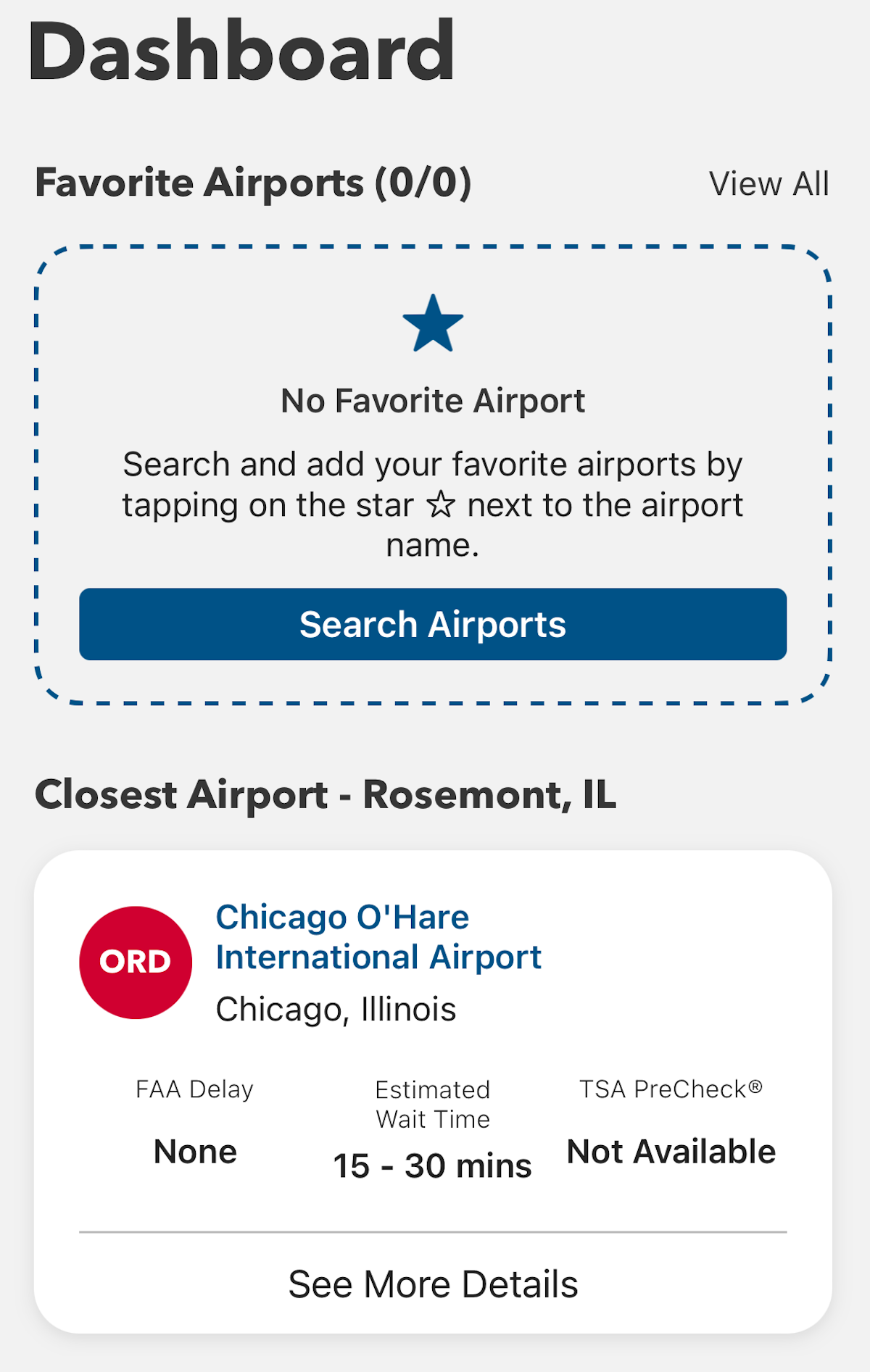
When you log in, you’ll see a screen like the one below. It displays your closest airport and its current wait times. For instance, at the time of writing, I was near Chicago’s O’Hare International Airport (ORD), and I could see that wait times were between 15 and 30 minutes.
MYTSA APP
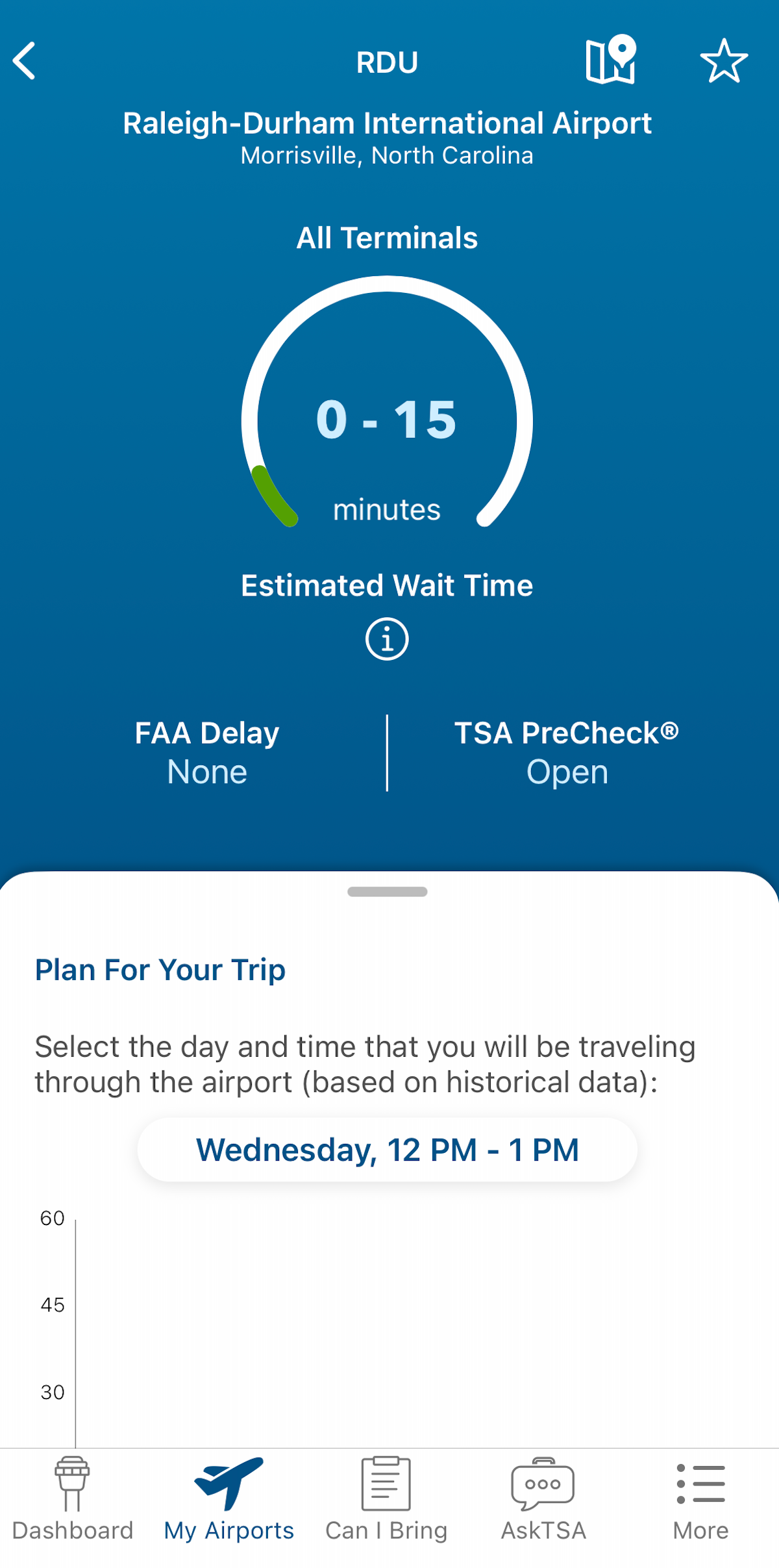
You can also add airports — such as the one closest to your home — to a list as a “favorite.” In my case, that’s Raleigh-Durham International Airport (RDU) in North Carolina. Wait times, as I searched, were less than 15 minutes. You can check live wait times at any airport across the country.
Reward your inbox with the TPG Daily newsletter
Join over 700,000 readers for breaking news, in-depth guides and exclusive deals from TPG’s experts
MYTSA APP
This app also shows whether a Federal Aviation Administration delay program is happening; this may not greatly affect security wait times, but it likely means flight delays are widespread.
Estimating future wait times
The TSA app can also help you plan how early to get to the airport by showing estimated future wait times based on past data.
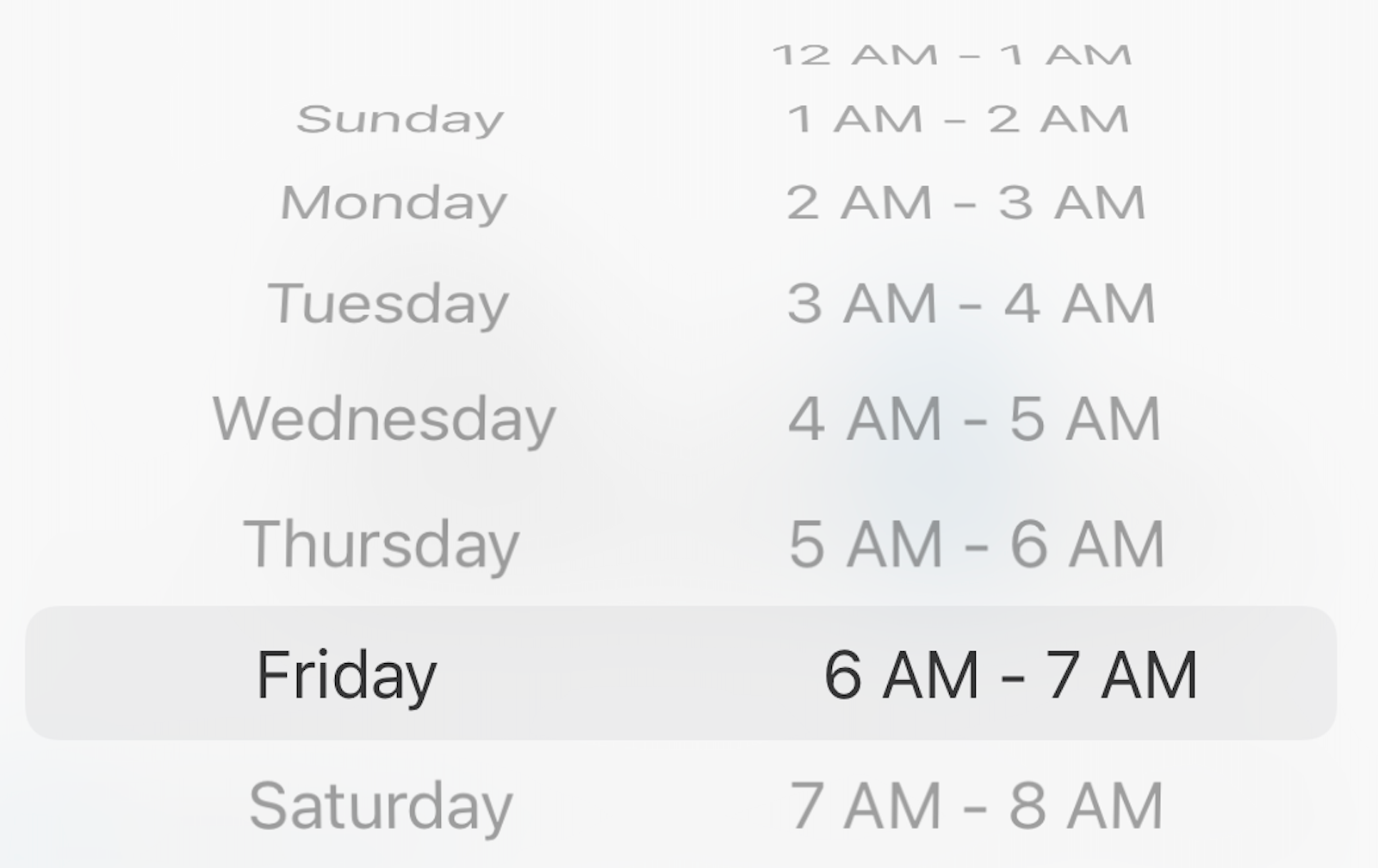
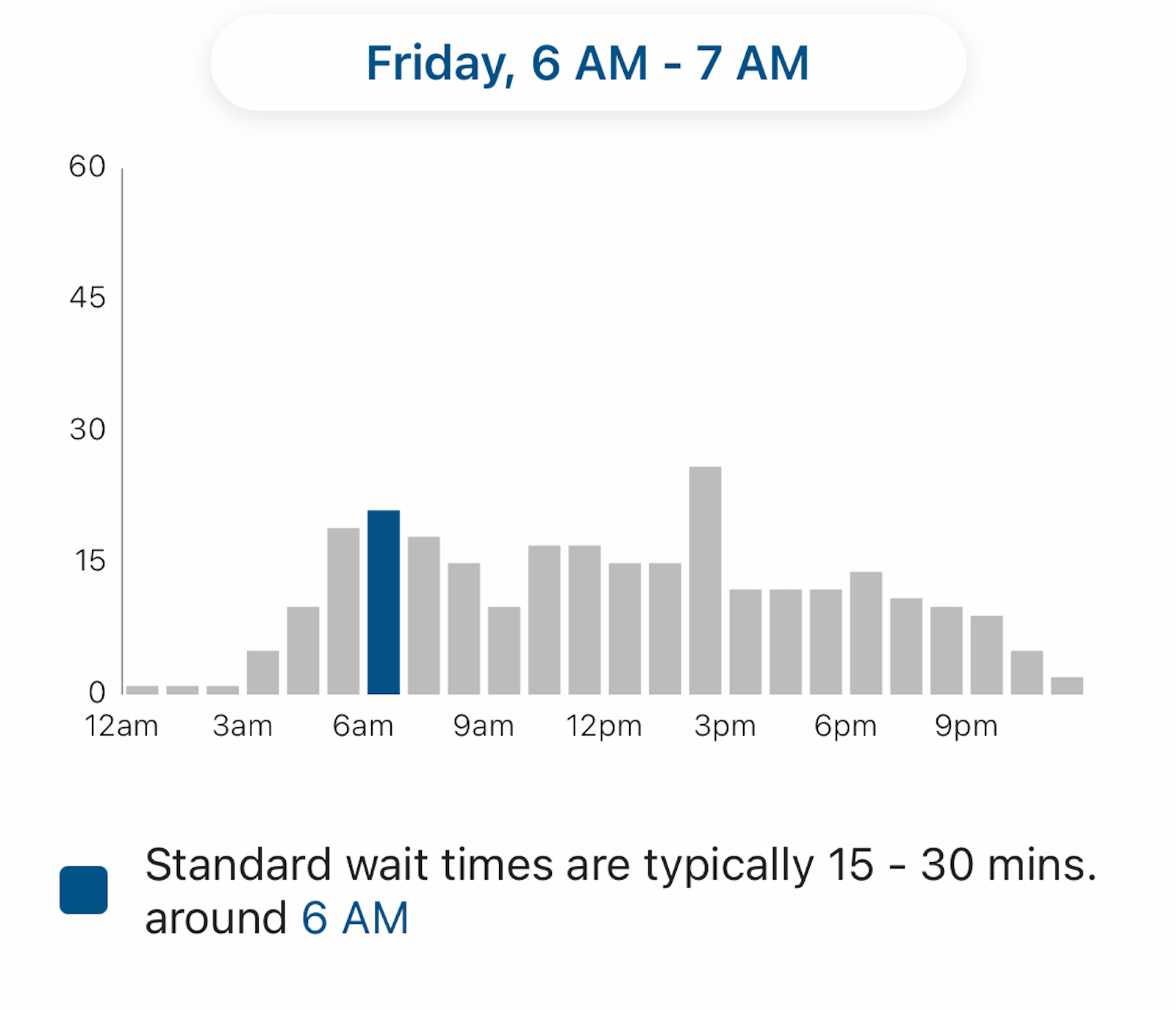
Let’s say you’re planning to fly out of LaGuardia Airport (LGA) in the morning on a Friday — often the busiest travel day of the week. You could use the app to see what the TSA checkpoints at LaGuardia are typically like between 6 and 7 a.m. on a Friday.
MYTSA APP
I saw that waits are often 15 to 30 minutes during that time, with longer waits later in the afternoon.
MYTSA APP
Keep in mind that if you have TSA PreCheck, your wait will almost certainly be shorter. As the app points out, most TSA PreCheck passengers (nationwide) typically wait five minutes or less.
The TSA checkpoint at Raleigh-Durham International Airport (RDU) Terminal 1. SEAN CUDAHY/THE POINTS GUY
Checking 3-1-1 compliance
The app doesn’t just help you plan how early to get to the airport.
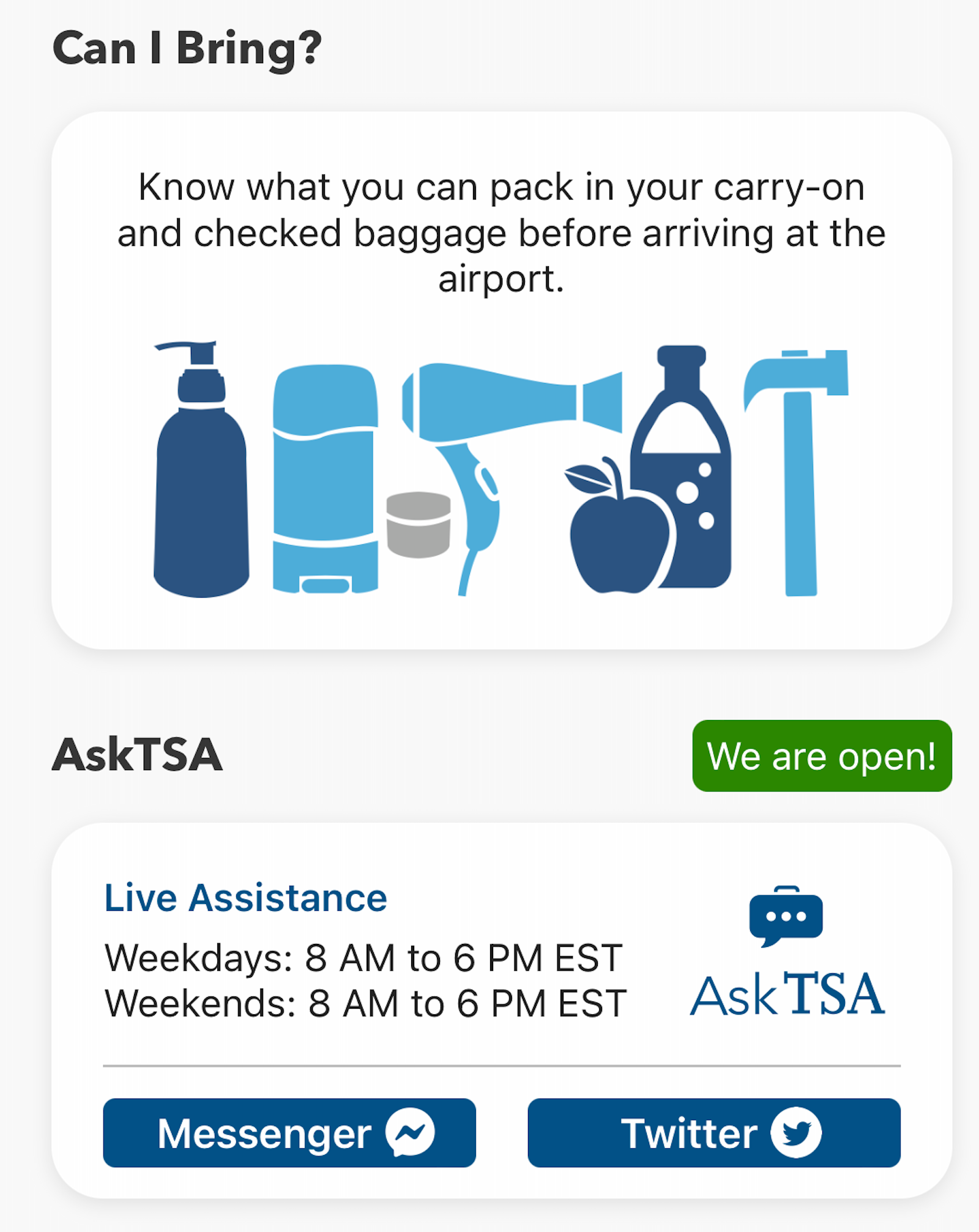
You can use it to double-check whether the items in your carry-on bag comply with the agency’s rules for liquids and prohibited items.
MYTSA APP
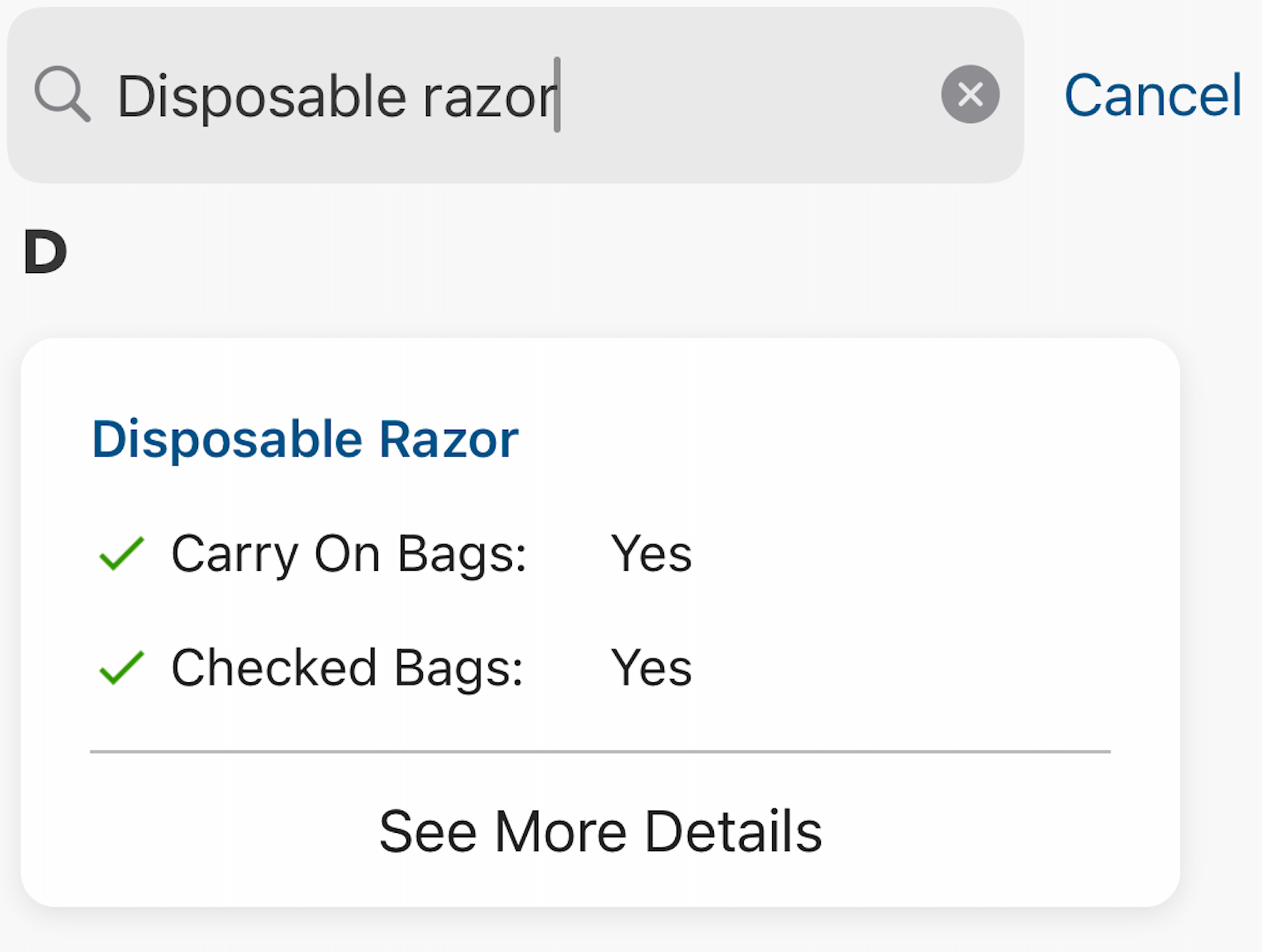
After my electric razor recently died, I felt compelled to double-check whether disposable razors are allowed in carry-on bags. I typed it into the search bar on the app and saw that I was clear to bring one.
MYTSA APP
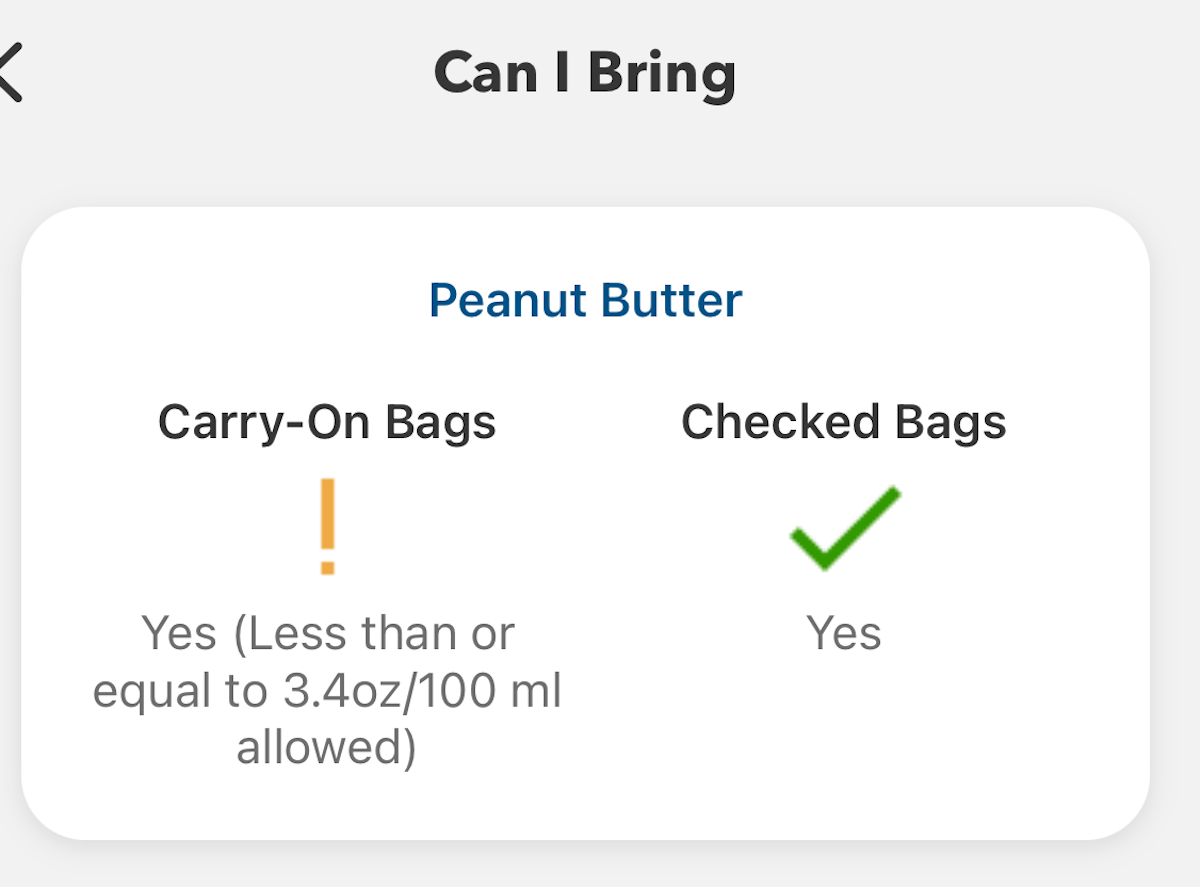
On the other hand, if you search for “peanut butter,” you’ll find that this is prohibited in quantities greater than 3.4 ounces. So, it would have to go in your checked bag.
MYTSA APP
Government shutdown warning
Just remember: In the (all too common) event of a government shutdown, the app generally doesn’t get updated and isn’t reliable. In that case, you have to rely on alternative sources of information, such as trackers or social media feeds from your airport.
Bottom line
Planning ahead is critical when it comes to air travel. The MyTSA app can help you see what security screening waits may lie ahead — among other useful features.
Enrolling in time-saving programs like Clear and Global Entry or TSA PreCheck (and making use of application fee reimbursements offered by some travel credit cards) can also make the trip through security more predictable.
Finally, TSA PreCheck members should remember to enroll in the ultrafast TSA PreCheck Touchless ID program, now available at more than 60 airports nationwide. Accessing these lanes doesn’t cost extra, but does require pre-registration.
Macro is a class of tools which are built into a single tool, and which can be inserted into another workflow. For saving the analytic process you perform repeatedly to create a macro. Without having to recreate the analytic process, when we are using each time the macro within the workflow. To use in the designer or uploaded for sharing in alteryx analytics or private gallery, Save a macro as.yxmc file.
Become a master of Alteryx Tools by going through this HKRAlteryx Training!
For creating standard macro first open the alteryx designer, then select macros option in configuration pane. Go to the interface option and select macros input, which gives input value either manually or from the file. We can use the macro with other databases, when we have to follow similar operations and steps. To use macros, we may have inserted macros which are saved in the local system. Select the test and insert it into the workflow, after mapping run you will see the desired result. With the help of configuration pane, you can map the fields as per your requirements, then you have final output.
Alteryx Training
Master Your Craft
Lifetime LMS & Faculty Access
24/7 online expert support
Real-world & Project Based Learning
Types of Macros
Standard macro: This kind of macro is created for a package of the process in workflow, as a tool which can be inserted in a workflow.
How to create a standard macro
It has two ways for a standard macro creation in Alteryx design. One of them is by inserting a macro input interface tool that is used to get the output in macro output and the other one is as shown below.
It Generally contains two input methods. One of them is for the file input and the other one is for the text input. And this tool of input may be defined with the help of an abbreviation and the tool may be named.
2.Then we need to Verify that we now have a macro by clicking on the canvas and navigating it to the Workflow pane. And we should be able to see that the Type of workflow is a Standard Macro.
3. Then require to design our workflow and then add a macro output at the end of our workflow.
4. Next we need to Save our workflow with .ymxc file extension, which we may customize the macro Icon by clicking (Ctrl+Alt+D) the interface Alteryx designer – Properties
5. Then it allows us to Open a new workflow and then click on right for inserting a macro, and we can use our macro to insert a multiplier value which comes out of the data that is used to calculate the monthly margin.
We may also save and share a macro for future use. That can be saved with the same name for a specific location. In Alteryx designer, we can design a macro repository mapped to a location on our computer or network, simply save macros and use them in a workflow.
Subscribe to our YouTube channel to get new updates..!
Batch macro: It can run multiple times in a workflow, designing an output after the completion of each run. It runs once for each selected group of records in data, which requires a control parameter tool like an input.
Interested in learning Tableau Advanced Training? Click here to learnTableau Online Training from Experts!
How to create a batch macro
select the Macro > Batch Macro From the Workflow Configuration tab, in the Type section. When we save the workflow as a Batch Macro, every tool in the workflow gets a lightning bolt anchor, Interface Tools can connect to these anchors.
We need to Configure the connected Control Parameter tool.
Then Configure the Batch Macro Properties through the Interface Designer Window (Ctrl+Alt+D), and accessed through View > Interface Designer. later choose the gear icon to view the Properties.
Select either the default Standard Icon or the Custom Icon to upload our own.
Iterative macro: This type of macro runs in the workflow, the number of times set continuously until it meets a condition.
How to create an Iterative macro
First Start with a completed workflow.
Then the From Workflow Properties, choose the Iterative Macro from the Workflow Type dropdown list. Later we save the workflow as an iterative macro, every tool in the workflow gets a lightning-bolt anchor. The Interface tools only connect to these anchors. And the anchor indicates that interface elements and actions are updating a workflow tool.
Finally Configure the Iterative Macro Properties, and found in the Interface Designer window (ctrl+alt+D) or accessed from the View menu. Then select the wrench icon to view the properties.
Location optimizer macro: a kind of macro which is an iterative macro which can be used in network analysis for identifying an optional location.
How to create Location optimizer macro
First we need to Set up our workflow to be a Location Optimizer workflow,
select the Workflow tab in the Configuration window.
And then from the dropdown Location Optimizer Macro select Macro, Under Type.
Later the workflow is saved as a Location Optimizer macro, and every tool in the workflow gets a lightning-bolt anchor, that indicates it, there are Interface elements and actions updating a workflow tool. The Interface tools may connect to those kinds of anchors.
Series of functions which act linearly on your data, you may see it as a module which can be kept separately from main libraries. Alteryx uses the macros within the workflow without having recreation of the analytic process every time. They are useful for our businesses by reusing workflow, single point of maintenance and split tasks.
Re using workflow: It creates a macro for saving the analytic process, which you can perform repeatedly, you can design workflow, run it and confirm that it is working and realise that you have to run it every week with a slight difference in input of your data, you may apply different calculations for processing data. You can create a different workflow for each analysis, just by inserting the reformation macro, which is followed by a different group of calculations.
Single point of maintenance: For sharing different types of data for the preparation part, we need single input, instead of having more steps for sharing processes. Envision an upgrade at the department from where you are receiving data, and all the workflow which we use will be updated immediately that modifies all our dependent workflow with a single change.
Split task: It expands the scenario to workflow with various groups of sections and tools, each person may work on the single piece of analysis and everything to be combined for final workflow. When several people are going to be developing the workflow, it can be useful to split it into tasks that each can develop independently.
They decrease human errors and help us for processes which are required and involve a lot of steps to complete a single objective. Its ease of use allows those who are nontechnical business users to directly create their own solutions without using any other additional resources.
It shortens the time of beginning to analyze data, searching for insights and minimizing the task which does not give value to our business and minimizing the analysis phase. It speeds up the time of obtaining insights on data, it is one of the best, complete and great customer service which is more experienced by software companies.
It provides very strong solutions for the business, which are involved in the product, that helps to make the usage simple and help us find answers and provide a lot of good customization of capabilities. The design of the tool is simple to use without using code that we can appreciate.
Disadvantages of macros
There is a big change in terms of pricing between license tiers, the solutions which are provided lack in terms of visualizing data.There is a big change in terms of pricing between license tiers. The solutions which are provided lack in terms of visualizing data. Which helps to pick up the slack, when data visualization added it would be very good and complete.
There are no ready models available for using analytics, some statistical packages are difficult to understand as packages are not straightforward and they require learning. It may give the outputs of tabular data extraction, but it is not capable of reading similar text.
It does not support users when multiple users try to access the same workflow of the server, as it becomes unstable and frequent cashes.It does not support users when multiple users try to access the same workflow of the server, as it becomes unstable and frequently crashes.
We can reduce the time spent manually updating the data into excel sheets using Alteryx Macros. Also, it helps to convert data into better levels for reporting and analysis purposes. Moreover, we can perform multiple tasks using Alteryx analytics, such as predictive modeling to build data visualizations, develop analytical apps, and extract reports. Hence, it reduces the time spent developing new features by creating logic for reusing them across workflows.
To provide the best experiences, we use technologies like cookies to store and/or access device information. Consenting to these technologies will allow us to process data such as browsing behavior or unique IDs on this site. Not consenting or withdrawing consent, may adversely affect certain features and functions.
Functional
Always active
The technical storage or access is strictly necessary for the legitimate purpose of enabling the use of a specific service explicitly requested by the subscriber or user, or for the sole purpose of carrying out the transmission of a communication over an electronic communications network.
Preferences
The technical storage or access is necessary for the legitimate purpose of storing preferences that are not requested by the subscriber or user.
Statistics
The technical storage or access that is used exclusively for statistical purposes.The technical storage or access that is used exclusively for anonymous statistical purposes. Without a subpoena, voluntary compliance on the part of your Internet Service Provider, or additional records from a third party, information stored or retrieved for this purpose alone cannot usually be used to identify you.
Marketing
The technical storage or access is required to create user profiles to send advertising, or to track the user on a website or across several websites for similar marketing purposes.