Should you get an airline card to offset bag fees? We did the math


To offset rising fuel surcharges, U.S. airlines have recently raised checked bag fees. So now, for a round-trip flight, you can expect to pay about $100 extra per person for each checked bag.

As someone who doesn’t have elite status from staying loyal to a specific airline and likes to book basic economy for the least expensive flight itineraries, I can say from experience that paying almost $100 in bag fees — if not more — can really dampen a traveler’s cost-saving plans.

While I know you might be thinking, “Just don’t check a bag,” it’s not a feasible solution for every getaway. Plus, as a points and miles enthusiast, I’m also now weighing the fact that some airlines have placed restrictions on earning rewards on basic economy flights.

Basically, I want to have my cake and eat it too — without paying a ton of extra cash.

That’s why I’ve invested in several cobranded cards, and if you plan to travel at least twice a year — especially with one or two specific airlines that operate out of your hometown airport — it may make sense for you, too.

Here are the lowest-annual-fee airline cards that include a checked bag that may be worth considering.

Related: Higher fares are here: What it means for booking spring, summer flights

Save on American Airlines checked bag fees

American bag fees for standard fares:

  • $50 for your first checked bag ($45 if prepaid online)
  • $60 for your second checked bag ($55 if prepaid online)

Reward your inbox with the TPG Daily newsletter

Join over 700,000 readers for breaking news, in-depth guides and exclusive deals from TPG’s experts

American bag fees for basic economy:

  • $55 for your first checked bag ($50 if prepaid online)
  • $65 for your second checked bag ($60 if prepaid online)

An American Airlines plane taxis at Philadelphia International Airport (PHL). SEAN CUDAHY/THE POINTS GUY

Recommendation: Citi® / AAdvantage® Platinum Select® World Elite Mastercard®

  • Annual fee: $0 introductory annual fee for the first year, then $99 thereafter
  • Checked bag perk with card: First checked bag free for you and up to 4 travel companions; only on domestic flights
  • Basic economy fare earning rate: Earn 0 AAdvantage miles
  • Basic economy fare earning rate with the AAdvantage Platinum Select: 2 miles per $1 spent on eligible American flights
  • Main cabin fare earning rate for non-elite members: 5 miles per $1 spent on American flights

Final thoughts: If you fly round-trip at least once per year, you will pay $100 per person to check your bag when you book a basic economy fare ($100 if prepaid online). This card has an annual fee of $99 (starting in your second cardholder year), which is less than the cost of checking your bag. Plus, you can enjoy additional travel perks, such as earning 2 miles per $1 spent on American flights in basic economy, Preferred boarding and more.

To learn more, check out our review of the AAdvantage Platinum Select card.

The information for the Citi / AAdvantage Platinum Select has been collected independently by The Points Guy. The card details on this page have not been reviewed or provided by the card issuer.

Save on United Airlines checked bag fees

United bag fees:

  • $50 for your first checked bag ($45 if prepaid online)
  • $60 for your second checked bag ($55 if prepaid online)
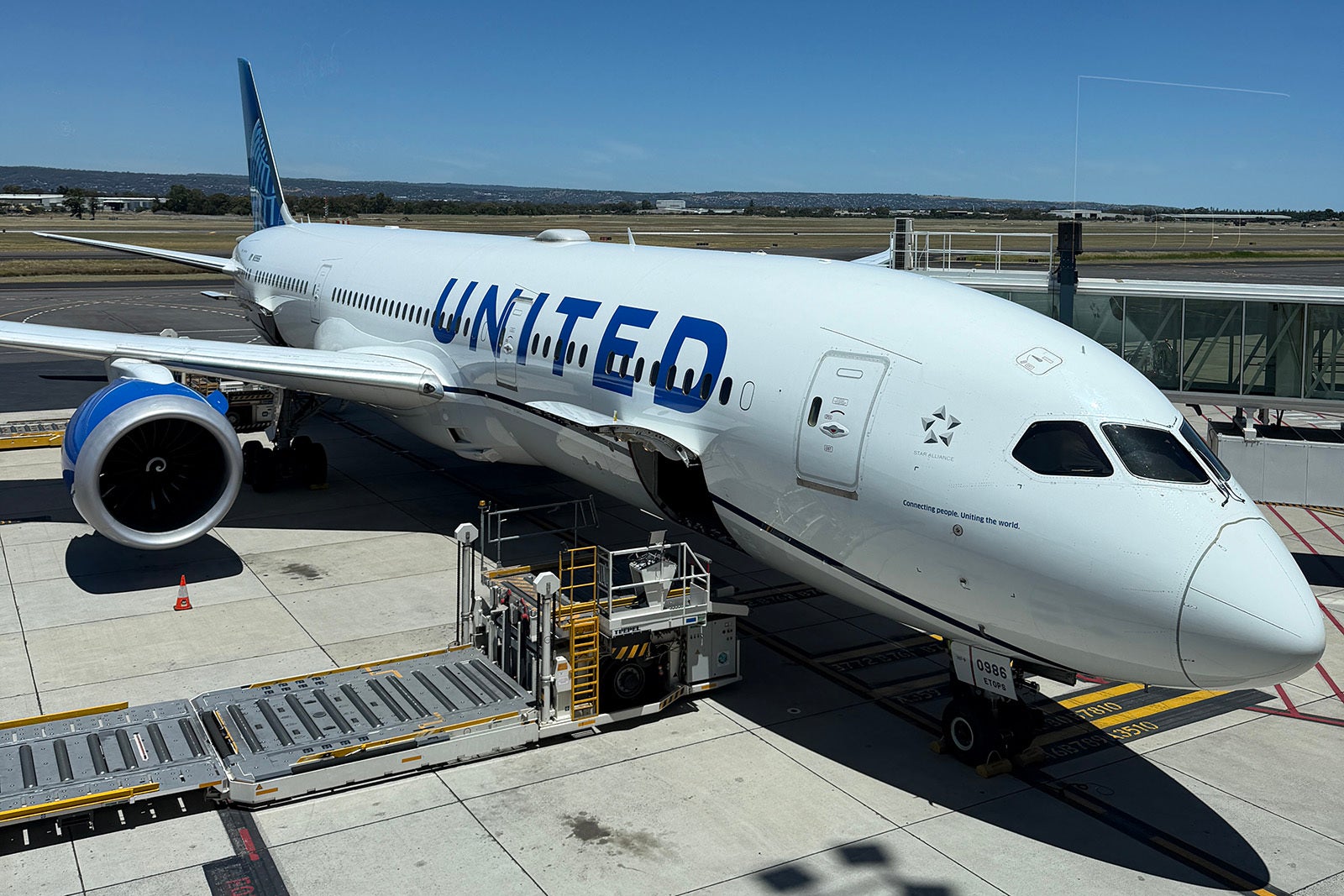
United Boeing 787 parked at the gate in Adelaide, Australia
United Boeing 787 parked at the gate in Adelaide, Australia. ANDREA M. ROTONDO/THE POINTS GUY

Recommendation: United℠ Explorer Card (see rates and fees):

  • Annual fee: $0 introductory annual fee for the first year, then $150 thereafter
  • Checked bag perk with card: Primary cardmember plus one companion can each check a bag for free
  • Basic economy fare earning rate: Earn 0 United MileagePlus miles
  • Basic economy fare earning rate with the United Explorer card: 3 miles per $1 spent on United flights
  • Standard fare mileage earning for non-elite members: 3 miles per $1 spent

Final thoughts: If you plan to fly with United at least two times per year (round-trip) and check a bag, which would cost $200 or $180 if you prepay online, the United Explorer Card could be a good match for you. Plus, as a cardholder, you’ll earn the same number of miles (3 miles per $1 spent on United flights) when booking basic economy with this card as travelers who are booking standard fares with no MileagePlus status. Additionally, you can enjoy other travel perks, such as two United Club lounge passes per year.

To learn more, check out our review of the United Explorer Card.

Save on Delta Air Lines checked bag fees

Delta bag fees:

  • $45 for your first checked bag
  • $55 for your second checked bag
Delta signage at JFK
Airport, Bag, Clothing, Footwear, Handbag, Person, Shoe, Terminal, AccessoriesCLINT HENDERSON/THE POINTS GUYDelta Air Lines Premium Economy Boeing 767-400 JFK to LHR

Recommendation: Delta SkyMiles® Gold American Express Card

  • Annual fee: $0 introductory annual fee for the first year, then $150 thereafter (see rates and fees)
  • Checked bag perk with card: First checked bag free on Delta flights for you and up to eight travel companions (must be on the same cardmember’s reservation)
  • Basic economy fare earning rate: 0 Delta SkyMiles
  • Basic economy fare earning rate with the Delta SkyMiles Gold card: 2 miles per $1 spent on Delta flights
  • Standard fare (Main Classic) mileage earning for non-elite members: 5 miles per $1 spent on Delta flights

Final thoughts: If you fly round-trip at least two times a year with Delta, this card will offset the $180 checked bag fees. Plus, you’ll earn 2 miles per $1 spent on basic economy Delta flights as opposed to earning 0 Delta SkyMiles when booking this fare. Cardholders also receive other perks, such as 15% off award flights and up to $100 in statement credit every calendar year for Delta Stays (the airline’s hotel travel portal; you must use your card to book).

To learn more, check out our review of the Delta SkyMiles Gold Amex Card.

Save on Southwest Airlines checked bag fees

Southwest Bag fees:

  • $45 for your first checked bag
  • $55 for your second checked bag
A Southwest plane at BWI
A Southwest Airlines Boeing 737 at Baltimore/Washington International Thurgood Marshall Airport (BWI). SEAN CUDAHY/THE POINTS GUY

Recommendation: Southwest Rapid Rewards® Plus Credit Card (see rates and fees)

  • Annual fee: $99
  • Checked bag perk with card: First checked bag free on Southwest flights for you and up to eight travel companions (must be on the same cardmember’s reservation)
  • Basic fare earning rate: 2 Rapid Rewards points per $1 spent on Southwest flights
  • Basic fare earning rate with the Southwest Rapid Rewards Plus Card: 4 points per $1 spent on Southwest flights

Final thoughts: Southwest’s former “two checked bags fly free” policy is long gone. So, if you plan to take at least two round-trip flights per year with the airline, investing in the $99 annual fee card may be worth it. Aside from the free checked bag benefit (for up to eight travel companions), cardholders also get to select their seat up to 48 hours prior to departure. With selecting a seat now costing extra, a new-ish policy (and a hot topic for the airline), Southwest flyers may find value with this card.

To learn more, check out our review of the Southwest Rapid Rewards Plus Credit Card.

Save on Alaska Airlines checked bag fees

Alaska bag fees:

  • $45 for your first checked bag
  • $55 for your second checked bag
alaska airlines plane
Alaska Airlines plane pushes back in Seattle. SEAN CUDAHY/THE POINTS GUY

Recommendation: Atmos™ Rewards Ascent Visa Signature® credit card

  • Annual fee: $95
  • Checked bag perk with card: First free checked bag for cardholder and up to six travel companions (must be on the same cardmember’s reservation)
  • Basic fare (Saver) earning rate: 30% of miles flown (number of Atmos Rewards points you’ll earn)
  • Basic fare earning rate with the Atmos Rewards Ascent credit card: 3 points per $1 spent on Alaska and Hawaiian flights
  • Standard fare (Main cabin) mileage earning for non-elite members: 1 point per 1 mile flown (distanced-based)*

*Coming later in 2026, Atmos Rewards will be changing the way members earn points.

Final thoughts: If you plan to check a bag with Alaska or Hawaiian Airlines at least twice a year, this card will pay for itself. Aside from the free checked bag, cardholders will earn 3 Atmos Rewards points per $1 spent on Alaska and Hawaiian Airlines flights and can enjoy travel perks such as preferred boarding and 20% back on eligible inflight purchases.

To learn more, check out our review of the Atmos Rewards Ascent Visa Signature credit card.

Bottom line

Not even taking into account all of the cards’ additional travel benefits and their welcome bonus offers, these low-annual-fee cobranded cards can save you money if you plan to fly with a carrier and check a bag at least once or twice a year. And, if you’re always traveling with a companion, cobranded airline cards can save you significant money if you and your companion both plan to check bags.

Even if fuel surcharges do eventually go down, don’t expect airlines to lower their checked bag prices. This, unfortunately, has become the new travel norm.

As a regular traveler, I personally have Southwest, American Airlines, Delta and Atmos credit cards (United is not a major operator at my hometown airport). Though I don’t use each of these cards regularly, they stay tucked away in my wallet, mainly for when I have to book a flight and want to take advantage of the card perks, like a free checked bag for my partner and me.

To learn more about how to save on additional fees, check out our full list of credit cards that offer a free bag as a perk.

For rates and fees of the Delta Gold Amex, click here.


Source link

Leave a Reply

Subscribe to Our Newsletter

Get our latest articles delivered straight to your inbox. No spam, we promise.

Recent Reviews


Introduction to Kali Linux:

Kali Linux is an open source system available in the Linux operating system. Nowadays, it is considered as a one of the best security Linux packages mainly used for ethical hackers. In this Kali Linux system, all the tools can be differentiated on the basis of different categories. Kali Linux is an advanced penetration testing and security auditing Linux distribution. Kali Linux is named after one of the Hindu Goddesses namely “Maa Kali”. This type of Linux system was first developed by Mati Aharoni is one of the lead Linux developers, trainers, and founders of offensive security. 

Features of Kali Linux:

The following are the important features of Kali Linux:

1. Offers complete customizations.

2. Supports multiple languages.

3. Provides vast wireless device support for multiple machines and compatible with USB devices.

4. Helps to switch from Ubuntu to Debian.

5. Easy upgrade to future versions.

Become a Linux Certified professional by learning this HKR Linux Training !

Why do people use Kali Linux?

The following are the key features of Kali Linux that will benefit the people:

1. Offers advanced penetration testing tool:

Kali Linux supports more than 500+ advanced penetration testing tools across multiple devices. The tools which are used in Linux sometimes cannot be repeated much like “Backtrack”.

2. Available as a free Linux tool:

The kali Linux system is totally free and offers better time services for multiple users. This is one of the huge factors to use this Linux system.

3. It is an open source GIT tool:

The kali Linux is an open source system and can be accessed by multiple users. All the codes which we have developed can be accessed by anyone. The open development source of Kali Linux can make an easy view to the development team.

4. Supportive tool:

Kali Linux offers hierarchical file systems, allows users to locate binaries, packages and supporting files, etc. This is also an important feature of kali Linux when compared to other Linux systems.

 Kali Linux installation and configuration guide:

In this section, we are going to explain the installation and configuration of Kali Linux:

A Back track was the older version of Kali Linux and the latest version of Kali 2016. 1 and it will be updated often.

Kali Linux installation and configuration

To install Kali Linux we have to follow these two steps:

1. Firstly, we have to download the Virtual box and then install it.

2. Then, we have to download and install the Kali Linux distribution software.

Want to know more about Linux, visit here Linux Tutorial !

Now we will discuss each step in brief:

1. Download and install the virtual box:

A virtual box is very useful when you want to test the codes in Kali Linux. Running Kali Linux codes on a Virtual box is safe and you can also know the unknown packages to test the codes.

By using the virtual box you can install Kali Linux on your device along with primary operating systems (like MAC, Windows, and Linux).

Now see the steps to download and install the virtual box:

Step1: To download the virtual box, go to the web page https: //www.virtualbox.org/wiki/Downloads. Now depending on your operating system, you need to select the right package. If you are using windows, you have to follow the below screen shot to know more,

download the virtual box

Step2: Now click on the Next button:

setup Wizard

Step 3: On the next page, you have to choose the location where you want to save the executable file. Now leave that as default and click next,

executable file

Step 4: Click Next and the following custom setup screenshot will pop up ->then select the features that you want to install -> now click the next button.

 custom setup

Step 5: Now click on yes to proceed with other installation processes.

installation processes.

Join our Embedded Systems Product Design Life Cycle Training today and enhance your skills to new heights!

Linux Certification Training

  • Master Your Craft
  • Lifetime LMS & Faculty Access
  • 24/7 online expert support
  • Real-world & Project Based Learning

Step 6: Now ready to install screen will pop up-> then click install.

install screen

Step 7: Now click on the finish button.

 finish button.

The virtual box application screen will pop up. Now we are all set to install the rest of the host file for the manual device and also recommended for professional usage.

 virtual box application

Installing Kali Linux:

We have already installed the virtual box, now move to the next stop then install Kali Linux.

Step1: It’s time to download the Kali Linux package from the Kali official web page https: //www.kali.org/downloads.

Installing Kali Linux

Step2: Now click on virtual box -> select new as shown in the following screenshot,

 click on virtual box

Step 3: Now choose the correct virtual hard disk file -> click on open.

virtual hard disk file

Want to gain knowledge in Gradle? Then visit here to learn Gradle Training!

HKR Trainings Logo

Subscribe to our YouTube channel to get new updates..!

Step 4: you can see the following screenshot, then click on the create button.

 create button.

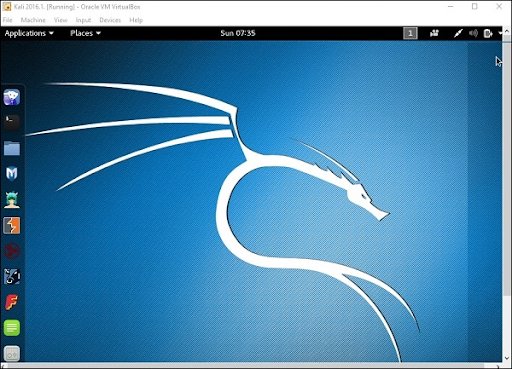
Step 5: Now start the Kali Operating system, the default username is a root and the password is toor.

 Kali Operating system

Update the kali software:

Once you finish installing, now it’s time to update the Kali Linux and provide a newer version to get advanced functionalities. The below are the steps involved update the Kali software;

Top 30 frequently asked Linux Interview Questions !

Step1: First go to the application -> then click on terminal-> after that, type “apt-get an update”-> then update the location as shown in the following screenshot.

 Update the kali software

terminal

Step 2: Now it’s time to upgrade the applications and tools -> then type “apt-get upgrade” -> then the packages/libraries will be downloaded.

applications and tools

Step 3: The below screenshot will ask, if you want to continue -> then type “Y” and click “Enter”.

continue

Step 4: To upgrade any newer version of the Linux operating system -> then type “apt-get distupgrade”.

upgrade newer version of the Linux

Laboratory set up:

In this section, we are going to set up the testing machine to perform any test-related applications with the help of Kali Linux tools.

Step1: You need to download metasploitable (this is a Linux machine). This can be downloaded from the official web page of Linux machine Rapid7 : https: //information.rapid7.com/ metasploitabledownload.html? LS (Linux system) = 1631875 & CS = Web.

Laboratory set up

Step 2: Register by supplying the details (as shown in the above screenshot). Once you finish filling the above form, you need to download the software.

Register by supplying

Step 3: Click on the virtual box -> then select new.

he virtual box

Step 4: click on the use of an existing virtual hard disk file -> browse the appropriate file (where you have downloaded the Metasploitable -> then click on open.

 virtual hard disk file

Step 5: Then you will get a screen where you need to create a virtual machine -> click on create.

 create a virtual machine

The default username you have to give is msfadmin and the password is msfadmin.

msfadmin

Linux Certification Training

Weekday / Weekend Batches

 Is kali Linux better than Ubuntu?

The answer would be yes, Kali Linux system is better in the view of a pentester for the basic users it doesn’t require for general-purpose operations go with Ubuntu will all features. If you are in a dilemma about choosing Ubuntu software and having a thought of installing Kali Linux then there are other ways you can do it.

The following are the major points when you want to choose Kali and Ubuntu.

1. If you are looking for the operating system for network security, penetration testing, and other testing techniques, etc. Ubuntu cannot compete with the Kali Linux system.

2. If you are looking for the user –friendly, general-purpose operating system with the best GUI, Ubuntu is the best choice.

Ubuntu system is more suited for personal uses while Kali is best for Hackers, vulnerability testers and nerds, because of the tools they both come bundled with or (you can also install the same set of “Hacking” tools while installing on Ubuntu). Kali was a product of backtrack. Here all the binary packages only meant for Debian could be installed on Kali Linux and this is the power of the Kali Linux system. Kali has come with a number of penetration tools be it Wifi or any other database to be built instantly. One more point to be remembered is that Kali uses the APT for package management.

Become a Msbuild Certified professional by learning this HKR Msbuild Training! 

Conclusion:

In this blog, we have explained the complete installation guide of the Kali Linux system, and also help our audience how to use it. The blog contents have been designed to help beginners who want to start their career as a Linux developer. This blog is also helpful for penetration testing experts. Once you finish this blog, you will be able to work on the moderate level to advanced applications of the Kali Linux system. 

Related Articles:


Source link