How Anthropic’s Claude AI Now Generates Charts and Diagrams


Using AI assistants to generate text, images, audio, and more is just a common task today. But have you considered generating an important percentage chart with the power of AI? Well, that’s now possible!

Anthropic has now announced an upgrade to its AI assistant Claude (Claude 3.5 Sonnet), following its immense popularity and ranking as the Top free app on the App Store. Claude can now create interactive charts, diagrams, and visuals within the conversation. It’s making the chatbot by explaining concepts. The AI assistant can generate visuals when asked or even decide whether visuals would be helpful to users.

To help you better understand the newly launched visualization feature, we have put down all the details in the blog. Let’s begin!

What is the New Visualization Feature?

The new visualization feature is Anthropic’s upgraded version of Claude, which marks a major shift from text-based content to interactive & visual-based communication. It can now generate graphs, charts, diagrams, and other visual outputs directly in the chat interface in real time.

This opens a new learning experience for users. The visuals support technologies such as HTML, JavaScript, CSS, and SVG, allowing them to perform certain actions. The visualization feature differs from the previous approach, Artifacts, which showcased the content in a separate side panel. However, users can now see everything in the chat interface or responses without downloading any external tools.

How to Generate Charts and Diagrams Using Claude AI?

There are two scenarios: you can either ask Anthropic Claude AI to generate the diagram, chart, etc., with a prompt. Or Claude may suggest the best visuals when it understands that sharing a diagram can help clarify the concept.

The following are some of the best prompts users can ask:

  • Draw this as a diagram to explain the concept
  • Visualize how it would look over time

After the results are created, users can ask:

  • Make changes such as zooming out, sharing follow-up prompts
  • The visualization evolves as the conversation keeps going
  • Claude refines the diagrams and charts accordingly.

Some Examples by Anthropic Claude AI:

The following are some of the examples mentioned by Anthropic Claude AI:

  • “You can ask Claude how CI works, and it will share a curve you can work with.”
  • Also, ask about the periodic table, and it builds an interactive visualization you can click for additional information.

Benefits of Claude AI Visualization Feature:

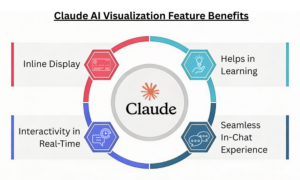
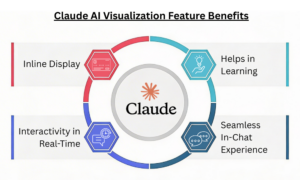
Inline Display: The visualizations are inline, not in the side panel. They are temporary and change as the conversation progresses.

Interactivity in Real-Time: In comparison to the static graphs, inputs can be changed, and results can be made more dynamic in real-time.
Benefits of Claude AI Visualization Feature

Helps in Learning: Visual representations have a greater impact than text and make it easier to explain a particular concept. Ideal for teachers, students, and more.

Seamless In-Chat Experience: Users get the desired results directly in the conversation, eliminating the need for additional design software.

Limitations to Know:

  • The feature is currently available in web versions but does not support mobile apps.
  • It’s still in development, which can lead to inaccuracies or rendering issues.
  • Although the visualization feature aids faster decision-making, it is not a replacement for tools and apps such as Tableau or Excel.

How About Availability?

The visualization feature is currently available to everyone across all the Claude plans. However, despite its availability, it’s in beta. So, users on free tiers can give it a try and generate charts, diagrams, or visuals with a simple prompt.

Summing it Up!

The new feature comes amid growing competition among AI players. This Tuesday, OpenAI launched dynamic visuals in ChatGPT, and Google unveiled interactive charts and simulations for Gemini Ultra subscribers.

Anthropic’s new update focuses on a significant push towards format-specific results. By introducing charts, diagrams, and maps directly into the conversation, Anthropic aims to make understanding easier with visuals rather than long-form text.

Don’t miss out on the recent technologies and innovations; check our blog section now!


FAQs

1. Does the feature work on mobile?
Answer: As of now, the feature is available in web versions but not in mobile applications.

2. Are the visualization capabilities available through the API?
Answer: Yes! The visualization capabilities can be accessed through the Claude API, Google Cloud’s Vertex A, and Amazon Bedrock.


You Might Like:

Introducing Voiceprint, A New Claude Code Plugin That Can Clone Your Writing Style


Source link

Leave a Reply

Subscribe to Our Newsletter

Get our latest articles delivered straight to your inbox. No spam, we promise.

Recent Reviews


AI systems today are used to perform almost all types of tasks; they can search, recommend, and share answers for a massive amount of data. However, one major concern is that machines do not fully understand the context.

This is where the need for embedding models that allow semantic search, share powerful AI responses, recommendation engines, or retrieve information at scale, and more comes in. These models are widely used for transforming text, images, and other data types into vectors that capture semantic meaning.

Thus, the best embedding models are widely adopted by organizations today to perform powerful tasks. With so many options available in the market, it’s a challenging task to pick the right embedding model for building high-performance AI systems. To make your job easy, we’ve covered the top 5 open-source embedding models in this blog post that you can start using in 2026.

Understanding Embedding Models

Embedding models play a key role in converting text, images, code, and other data into vectors that capture their semantic meaning rather than keywords. With this, machines can accurately understand context, similarity, and user intent.

The following are some of the use cases of embedding models:

  • Powering search
  • Recommendation engines
  • Retrieval-Augmented Generation (RAG) systems

Why Choose Open-Source Embedding Models?

Embedding models stand as a cornerstone in building a memory system or rag system that determines how accurate information is stored, retrieved, and understood. If you’re looking for maximum optimization, flexibility, and control, open-source models are an ideal option.

They are domain-specific, can run anywhere, and are useful for preventing vendor lock-in. Alongside, open-source embedding models can meet stringent data, latency, and budget constraints.

Another big win is that these models provide greater transparency and better debugging capabilities and come with better explanatory capabilities.

List of Top 5 Open-Source Embedding Models

1] EmbeddingGemma-300M

Embedding Gemma 300M is a lightweight multilingual embedding model created by Google DeepMind to allow efficient and high-quality text representation. The model is based on Gemma3 but uses only 300 million parameters; it still delivers good results in multilingual retrieval and semantic similarity tasks. A very small size is ideal when implementing AI apps in on-device solutions and edge environments.

Key Features:

  • Lightweight model optimized for real-time applications
  • 100+ languages for multi-lingual and cross-lingual tasks
  • Faster embedding generation
  • Low memory usage (200 MB or below)

Best for: Multilingual text retrieval and embedding tasks on edge devices with fewer resources.

2] bge-m3

Another top-ranking open-source embedding model, bge m3 from BAAI, is mainly used in hybrid lexical-semantic search systems that need flexibility. The multi-representation encoder is designed to facilitate dense, sparse, and hybrid vector retrieval.

It is very flexible with complex search conditions and long document processing. It provides a comprehensive understanding of context by combining different retrieval methods in a single pipeline, thereby enhancing search coverage and relevance.

Key Features:

  • Optimized for long-document processing
  • Flexible integration across advanced AI systems
  • Helps in improving contextual search by combining different retrieval techniques

Best for: Multilingual semantic search, production-ready RAG systems, and more.

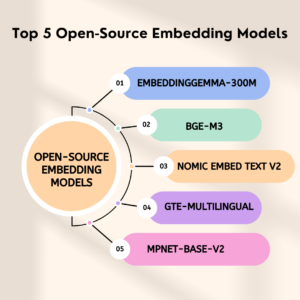
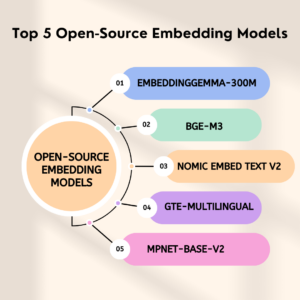
Top 5 Open-Source Embedding Models

3] Nomic Embed Text V2

Nomic Embed Text V2 is a popular multilingual embedding model from Nomic AI; it’s built for scale. This model can ideally handle longer inputs than many smaller models. It relies on a Mixture-of-Experts (MoE) architecture to produce high-quality, efficient text embeddings. The feature of large multilingual datasets is trained to offer high efficiency and scalability of semantic search, RAG, and recommendation use cases.

Key Features:

  • Right execution in BEIR and MIRACL.
  • Supports programmable embedding size (768 to 256)
  • Entirely open-source, and training data and model weights provided

Best for: Multilingual semantic search and scalable RAG systems requiring efficiency and flexibility.

4] GTE-Multilingual

gte-multilingual-base is a dense retrieval model that supports more than 70 languages; it is used in cross-lingual search and global content discovery. This open-source embedding model offers high-quality multilingual retrieval accuracy, but its broad language coverage may lead to slightly higher latency than highly tuned single-language models.

Key Features:

  • Cross-linguistic retrieval of 70+ languages
  • Good search and knowledge discovery accuracy on a larger scale
  • Can process different types of content in international systems

Best for: Multilingual knowledge bases, international search systems, and international customer support systems.

5] MPNet-Base-V2

MPNet-Base-V2 is mainly a transformer-based embedding model, which is highly optimized for semantic similarity, clustering, and content understanding tasks. It can capture contextual meaning but can be slower to infer and less precise in exact-match retrieval than a more specific retrieval model.

Key Features:

  • Good semantic similarity and clustering
  • Good at analytics, suggestions, and deduplication
  • Rich contextual insight into textual content

Best for: Semantic analytics, recommendation engines, and content similarity detectors.

Final Words on Top Open-Source Embedding Models

Here, we have understood the top embedding models and how they power AI systems in different ways. Knowing each of these in detail can help you choose the best one for your requirements in 2026. No matter if you’re building a memory agent or a research assistant, it all depends on the model for how fast, scalable, and efficient it is.

Check out our website to stay tuned to more trending blog topics.


FAQs

1. Why use open-source embedding models?
Answer:
They offer customization, flexibility, and lower cost without vendor lock-in.

2. Are open-source embedding models reliable?
Answer:
Yes, most of them provide a high degree of accuracy and functionality in search, RAG, and AI apps.


You might like:

Top 6 Open Source TTS Engine

Top 8 Open Source Facial Recognition Software

What Are Some Of The Best Open-Source Speech Recognition Software


Source link