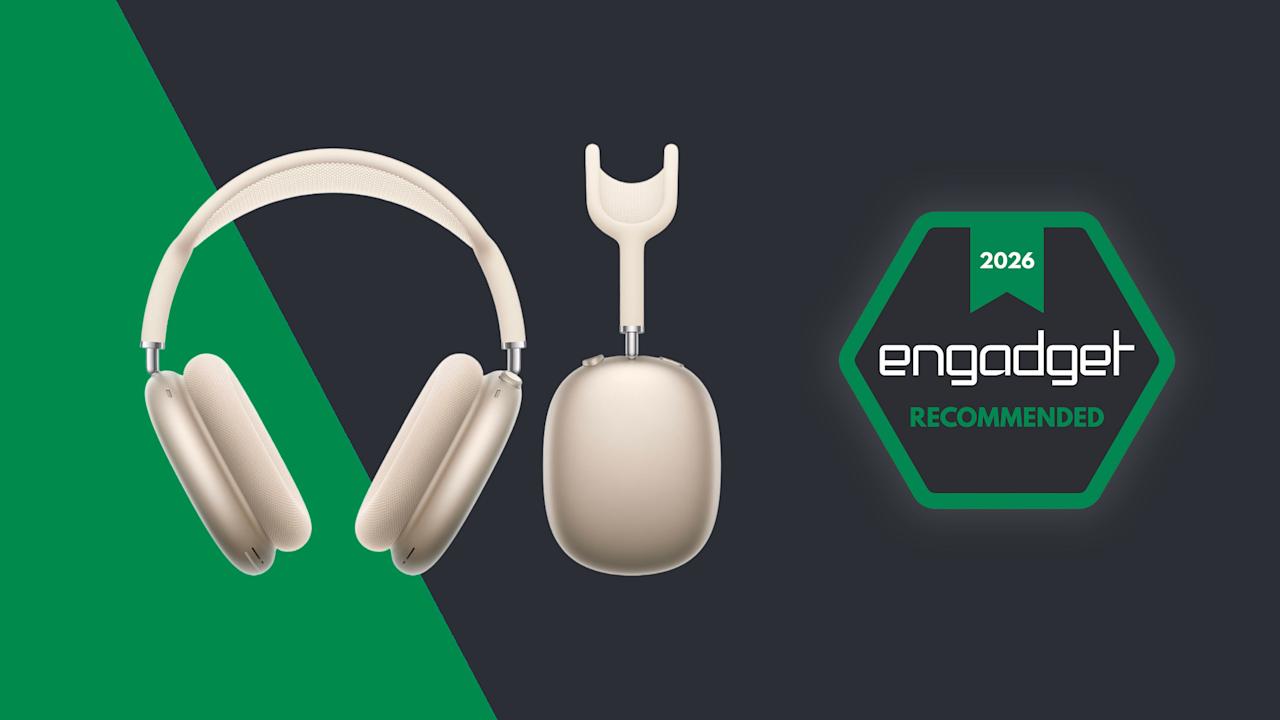

I’m honestly shocked the AirPods Max 2 even exists. After Apple only added a USB-C port and a few new colors to its over-ear headphones in 2024, I thought it had given up on delivering a proper upgrade to its priciest AirPods model. I’m happy to report that wasn’t the case.
The AirPods Max 2 is certainly an updated version of Apple’s headphones, but the company is also catching it up to the AirPods Pro 3. The headphones now carry the company’s powerful H2 audio chip, the component that enables features like Adaptive Audio and Live Translation. The USB-C AirPods Max may have barely been an update, but the AirPods Max 2 is worthy of the new numeral in its name. The price is still $549, due in part to the fact that Apple’s products are exempt from Trump’s tariffs, yet these remain some of the most expensive headphones I’ve reviewed. Are the AirPods Max still worth it?

Apple/Engadget
The H2 chip delivers a host of new features, but it’s time for a comprehensive redesign on these pricey headphones.
- Comfortable
- Excellent sound quality
- Lots of new features
- Same design, again
- Expensive
- Only one hearing health feature
What’s new on the AirPods Max 2?
All of the AirPods Max 2’s major new features are here thanks to the upgrade to the H2 chip. It was baffling that Apple didn’t swap out the H1 when it made the switch to USB-C, choosing instead to saddle its pricey headphones with very outdated silicon for another 16 months. So, in a lot of ways, the AirPods Max 2 is a lot more about getting up to date with the rest of the lineup, which means a host of new tools await.
Thanks to the H2 chip, the AirPods Max 2 has Adaptive Audio, Conversation Awareness, Voice Isolation, Personalized Volume, Siri Interactions (head gestures) and Live Translation. Adaptive Audio blends active noise cancellation (ANC) with transparency mode and automatically adjusts the mix based on your surroundings. Conversation Awareness can tell when you’re talking and automatically lowers the volume and enables transparency mode for quick chats.
Voice Isolation helps improve your voice quality for calls when the AirPods Max 2 is used with compatible apps on an iPhone, iPad or Mac, and I think we’re all well-aware of what Live Translation is. Lastly, Personalized Volume takes notes on your listening preferences over time and applies automatic adjustments based on those and your surroundings.
Unsurprisingly, these features all work as well as they do on the AirPods Pro 3. Of course, there will be some that you use often and others that you might not touch at all. For me, I don’t like contending with unwanted volume changes due to Conversation Awareness, so I turn that one off. It’s not as easily triggered as Sony’s version, but I did trick it with an unexpectedly loud burp. I also don’t use the Siri head gestures, although they work very well. I frequently use Adaptive Audio around the house, which allows me to enable transparency mode to hear what I need to while letting the headphones apply ANC if I encounter unwanted noise. Voice Isolation is also a big improvement to normal voice performance and Live Translation is certainly nice to have.
Two additional H2 features that I do use often on the AirPods Pro, and will do so on the AirPods Max 2 because they work well here, are studio-quality audio recording and Camera Remote. The first is self-explanatory, but it does offer a boost to clips recorded in Voice Memos and the Camera app (my main two uses). Meanwhile, Camera Remote allows you to use the Digital Crown to take a photo or start/stop a video recording without reaching for your iPhone.
Et tu, hearing health?

The fabric ear pads on the AirPods Max 2 (Billy Steele for Engadget)
Apple’s hearing health features are some of the most important tools on the AirPods Pro. However, you won’t find them on the AirPods Max 2, despite the new H2 chip. While the headphones do offer loud sound reduction, the hearing test, hearing aid and automatic conversation boost tools are absent. There are several reasons for this, the primary one being that the cushions on the over-ear headphones don’t seal off your ears the way the AirPods Pro ear tips do.
Still, loud sound reduction isn’t nothing. This prevents exposure to loud ambient noise while making adjustments to keep the audio sounding good. It’s particularly useful when you encounter blaring construction sounds during a commute or similar inconveniences.
Design: More of the same

The Digital Crown and the listening mode control on the AirPods Max 2 (Billy Steele for Engadget)
One thing that hasn’t changed on the AirPods Max 2 is the design. For better or worse, Apple has kept the same look that it debuted in 2020. Aside from new colors and the switch from Lightning to USB-C in 2024, there are no other visible differences between this version and the original. I would argue it’s time for the company to change things up, but I can also understand why it hasn’t.
First, let’s discuss what’s great about the AirPods Max’s design. It’s unique, especially the mesh headband, solid aluminum ear cups and fabric ear pads. The punches of color are nice too, and if you prefer something more subtle, the black and gold, er… Midnight and Starlight options fit that bill. From the start, I’ve loved the simple controls that are comprised of the Apple Watch’s Digital Crown and the lone additional button for listening modes (a press and hold will activate Live Translation). The controls are in a great location, and it’s so satisfying to spin the Digital Crown for volume adjustments.
So, why hasn’t Apple redesigned the outside of the AirPods Max? I’d argue it doesn’t think it needs to yet. The AirPods Pro is still largely the same as it has been from the first version, and the regular AirPods only got its first big design overhaul in 2024. The original AirPods debuted in 2016, so if Apple keeps a similar timeline for aesthetic changes to both the Pro and Max lines, we might not see those until 2027 and 2028 respectively.
Sound quality, ANC and calls

Like before, the ear pads are replaceable on the AirPods Max 2 (Billy Steele for Engadget)
Besides the H2 chip, the other big upgrade to the AirPods Max’s internal components is a new high dynamic range amplifier. This improves overall sound quality by allowing you to listen at higher volumes with low distortion and excellent clarity. Apple also overhauled the digital signal processing (DSP) for better bass response and to enhance the locations of instruments in the mix.
Those tweaks don’t equate to a huge leap in audio performance on the AirPods Max 2, but the gains are noticeable. Sound quality wasn’t an issue before, but you can definitely hear the improved instrument localization and enhanced bass performance across nearly all genres. On Ruston Kelly’s “Waiting to Love You (Piano Version/Live From Salt Lick Sessions),” the singer’s unique voice and the keys completely fill your head. It’s like a barrage of balladry in the best way. You get the texture of the vocals, the reverb of the piano and all the dynamics of the stripped-down live performance.
Jump to something a bit more energetic, like aya’s “navel gazer,” and the AirPods Max 2 deftly manages the vocals, synths and whatever else is happening in the mix (seriously, it’s a lot). And there’s still the sonic deluge that hexed! hits you with. Even with the multi-genre mash-up metal of Bilmuri, these headphones keep the vocals, guitars, drums and subtle sounds separate. There are a lot of delicate details in the artist’s latest tracks — like “More Than Hate,” for example — and the AirPods Max 2 ensures you’ll catch them all. A screeching eagle? Hell yeah, brother.
While wireless listening remains excellent, the AirPods Max 2 still offers lossless audio over USB-C. If you opt for wired use, you can get up to 24-bit/48kHz quality from compatible streaming services or locally stored files. This is the same functionality that Apple delivered in 2025. As expected, it still works well and provides enhanced listening when needed. Personally, I like to use it when I’m sitting at my desk. What’s more, the wired USB-C connection can be used for low-latency audio — which is great when you’re playing a game or mixing/editing audio projects. I should note the rest of the AirPods Max features (Siri, Adaptive Audio, etc.) still work over Bluetooth in wired mode, and there’s also a low-latency Game Mode for wireless use with a Mac, iPhone or iPad.
In terms of ANC, Apple says the H2 unlocks up to 1.5x stronger performance than the previous generation. The company combined the audio chip with new computational audio algorithms to reduce more external sounds — like airplane engines, trains and the roar of a coffee shop. That difference is certainly noticeable, as I found constant sources of noise around my house (fans, white noise machines, HVAC system, etc.) were much less apparent when I had the AirPods Max 2 on. Plus, Adaptive Audio uses the ANC system to pick up any changes and make the necessary adjustments to keep your music, podcast or movie coming through clearly.
Every AirPods model that has ANC is also equipped with transparency mode. Since the debut of the first AirPods Pro, I’ve been continually amazed by the natural sound of this feature. No other audio company comes close to matching the clarity of the ambient sound here, nearly making you forget you’re wearing earbuds or headphones. This has a tremendous impact on calls, as you can hear yourself very well, so you never feel the need to speak loudly. Plus, Voice Isolation combines the AirPods Max 2’s H2 chip with an iPhone, iPad or Mac to further improve your voice and reduce background noise. Most headphones offer average voice performance at best, but like it has in the past, Apple actually delivers.
Battery life

The Smart Case puts the AirPods Max 2 in an “ultra-low-power state” (Billy Steele for Engadget)
One of the areas I was hoping for an additional boost on the AirPods Max 2 is battery life. Sadly, I was headed for disappointment. This model offers the same 20-hour longevity as its predecessors, a figure that includes ANC and/or Spatial Audio. While it’s certainly enough to get you through a couple of work days or a trans-Atlantic flight, that number falls well short of the 30-50 hours much of the over-ear competition can muster these days.
I haven’t had the AirPods Max 2 long enough to do a full battery test; I chose to focus on the new features instead. However, based on the performance that I’ve seen so far, I have no reason to doubt Apple’s claims here. The company has a solid track record on battery life, and all indications are that it continues on the AirPods Max 2. I’ll update this review when this test is complete.
The competition

The AirPods Max 2’s mesh headband (Billy Steele for Engadget)
If you’re thoroughly invested in Apple’s ecosystem, the AirPods Max 2 is worth considering. Most of the features are reserved for the iOS, iPadOS and masOS faithful, so it doesn’t really make sense for Android users or Windows devotees to splurge on the $549 headphones. If you’re still balking at that price tag, Sony’s WH-1000XM6 is my current top pick on our best headphones list. While those headphones are $460 at full price, you can currently find them for $400. Sony continues to mix great sound with capable ANC and a list of features few rivals can compete with. Plus, those handy tools are available to both iOS and Android users.
Bose’s second-gen QuietComfort Ultra headphones are another solid option. They offer powerful ANC, great sound quality and excellent comfort for $449, but you can currently snag them for around $400. If noise cancellation performance is your primary concern, this is your pick. Lastly, if money is no object, a personal favorite is the Px8 S2 from Bowers & Wilkins. They’re pure luxury right down to the $799 price tag, and they exude grandeur. The company’s combo of leather and aluminum screams high end and it made some design tweaks for this model to refresh the overall look. Battery life and sound quality are the big attractions here, but just know you’ll have to forgo the advanced features much of the (more affordable) competition provides — like all of those H2-powered tools on the AirPods Max 2.
Wrap-up

Apple AirPods Max 2 and the Smart Case (Billy Steele for Engadget)
The AirPods Max 2 is an obvious upgrade over the previous version. And no, I don’t count the USB-C swap-in as a separate model. Simply put, the H2 chip brings Apple’s over-ear headphones on par with the rest of the AirPods lineup, namely the AirPods Pro 3. And since I don’t expect Apple to announce new earbuds this year, that parity should remain for a while.
These headphones are still expensive though, and the more affordable AirPods Pro offer handy hearing health features that are nice to have in your pocket. I could also understand why prospective buyers would want some design changes before making such a big investment. Sure, the AirPods Max 2 looks the same as its predecessor, possibly leaving those who own the previous version with a difficult decision to make. But Apple kept the price the same and brought better sound and more features, so there’s no denying these headphones outperform the original.

Stephan is the sports journalist for the Maple Grove Report.