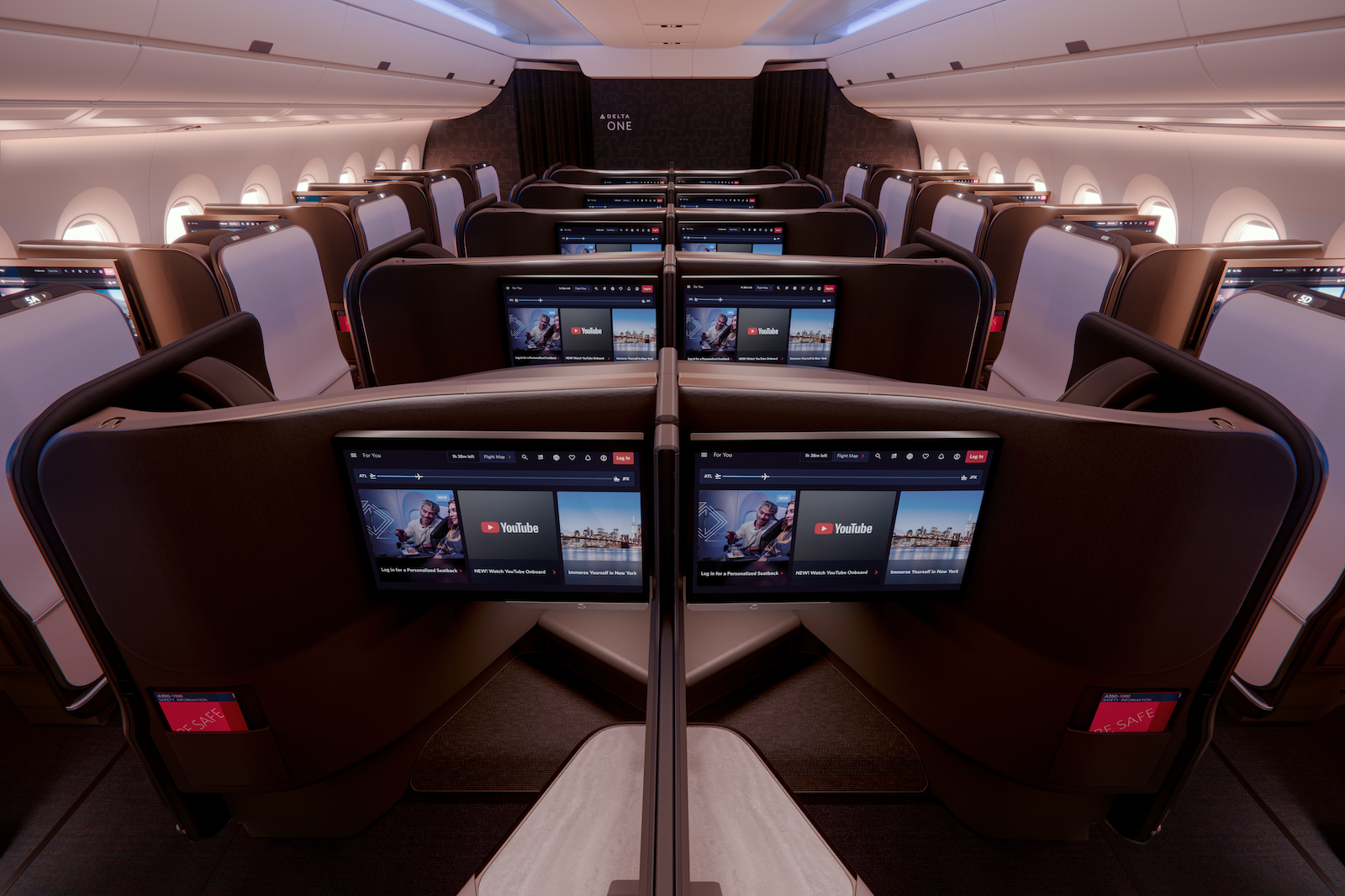
Delta unveils new suite design, posh plane; plans upgrade for old, dated cabins


It’s been nearly a decade since Delta Air Lines raised the bar for U.S. business-class with the debut of its fancy private suites. With lie-flat beds and sliding privacy doors, Delta One cemented flying suites as the new industry standard at the front of the plane.

Now, as Delta has watched its two top rivals up their game in the front cabin, the Atlanta-based carrier isn’t standing pat.

Delta on Monday announced what it’s billing as its next-generation Delta One product, which will make its debut next year on the carrier’s newest plane: the Airbus A350-1000.
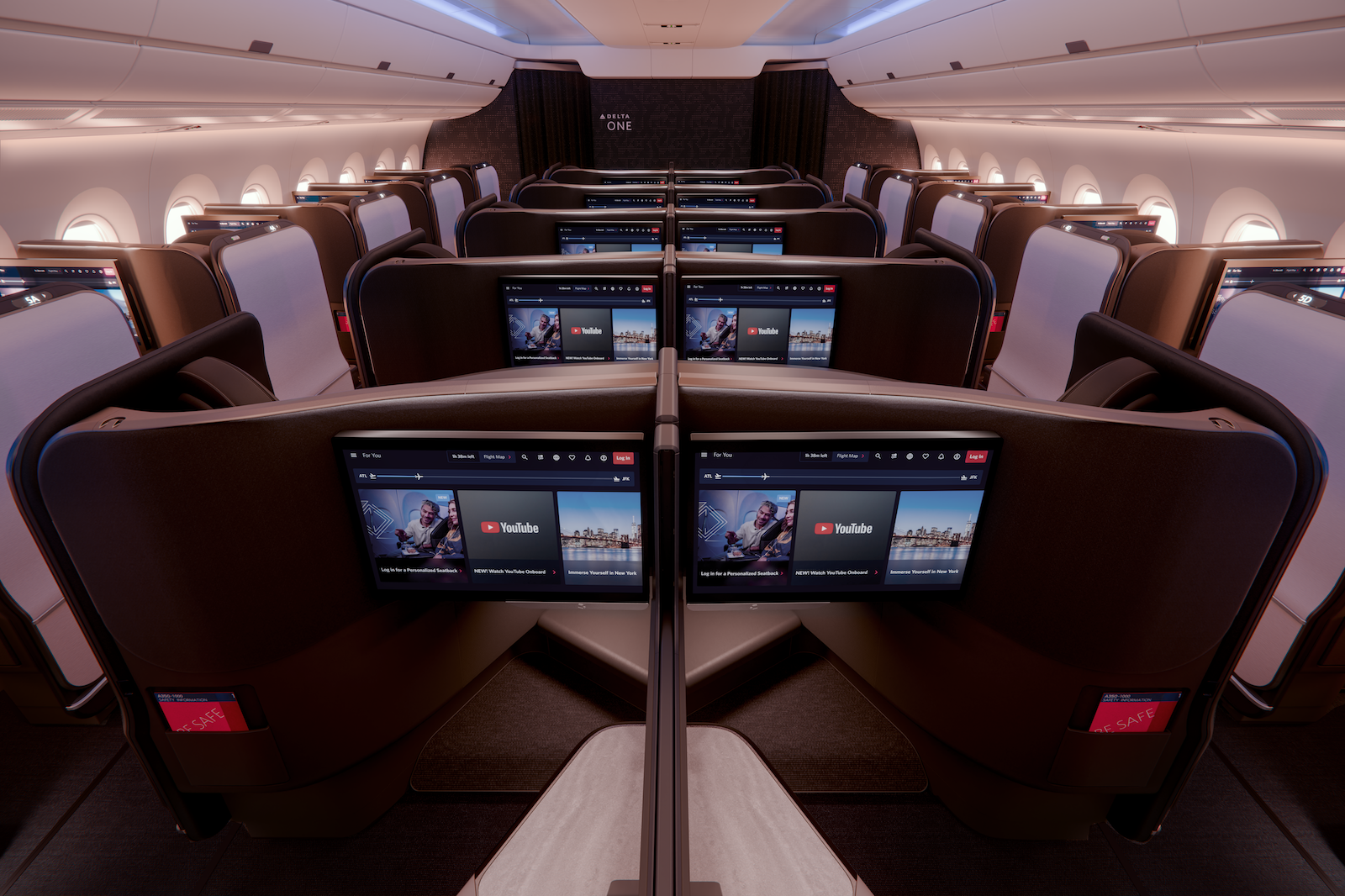
Delta One cabin on Delta Air Lines’ new Airbus A350-1000. DELTA AIR LINES

Set for arrival in 2027, this aircraft will be Delta’s most premium aircraft yet.

The Delta One suites won’t just have a new design and features — there will be 53 of them, 33% more than you’ll find on any Delta planes today.

The same A350-1000s will also be outfitted with the carrier’s newest technology, including the spiffy seatback screens the carrier has been teasing for well over a year.

But for loyal Delta flyers, the arrival of this high-end plane might actually be the second-biggest news of the day.

That’s because the airline also announced that a major (and badly needed) upgrade is finally imminent for some of its most outdated long-haul aircraft.

Here’s everything to know about the changes the airline announced for its fleet.

Reward your inbox with the TPG Daily newsletter

Join over 700,000 readers for breaking news, in-depth guides and exclusive deals from TPG’s experts

Delta’s new Airbus A350-1000

Delta’s new A350-1000 will sport a whopping 101 premium seats between the carrier’s business-class and premium economy cabins.

For aviation enthusiasts keeping track, that’s two more than what United Airlines will offer on its luxe, new Boeing 787-9 “Elevated” Dreamliner (which, by the way, is Singapore-bound starting next week).

Here’s how the cabins break down on this Delta plane.

Cabin Seats

53 suites

48 recliners

51 seats

152 seats

A ‘new’ Delta One

The biggest upgrade from past Delta planes on this A350-1000 will be the next-generation Delta One suites, which will be a step up, executives say, from the existing flagship business-class product that has been a repeat TPG Awards winner.

“It’s an optimization of a product that’s already great,” Mauricio Parise, Delta’s vice president of brand experience, told TPG, “really creating the next generation of product for our [widebody planes] that allows us to keep evolving.”
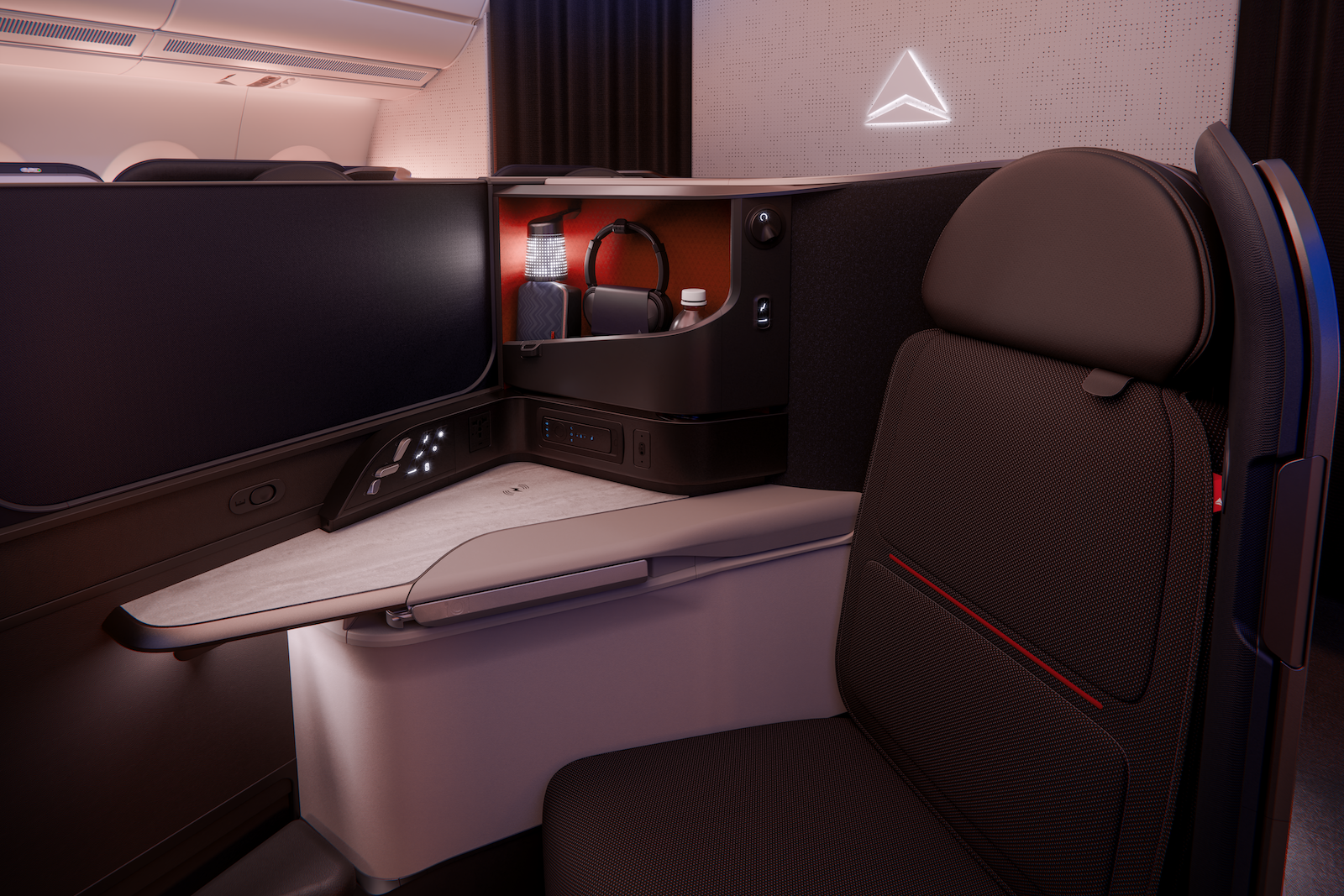
A next-generation Delta One suite on the Airbus A350-1000. DELTA AIR LINES

This is an all-new seat for Delta and its longtime Delta One seatmaker, Northern Ireland-based Thompson Aero Seating.

Expect many of the same bells and whistles you’ll currently find in Delta One: lie-flat seats, sliding doors, wireless charging and soft product touches like Missoni bedding.
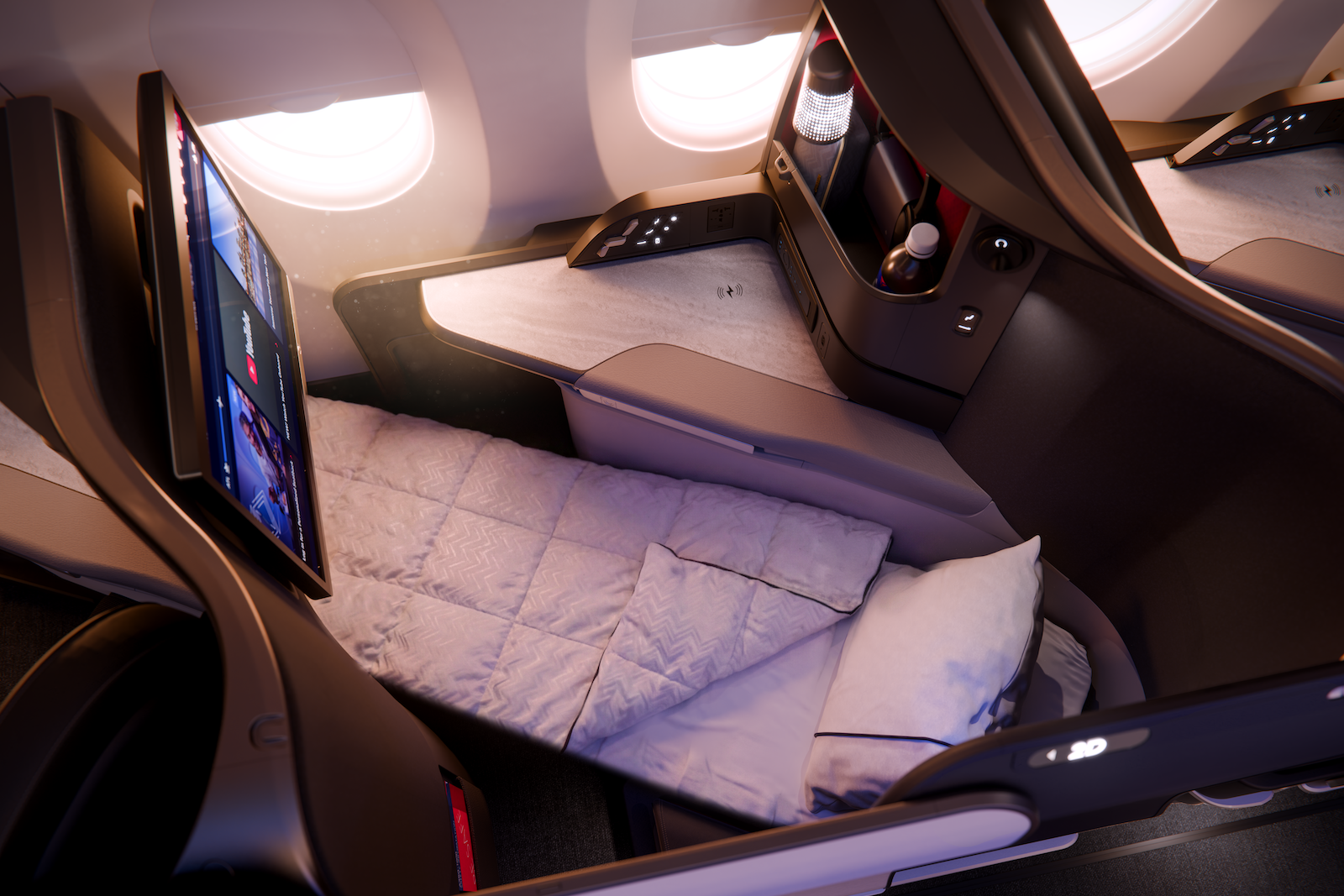
Lie-flat mode for Delta Air Lines’ newest-generation Delta One suites on the Airbus A350-1000. DELTA AIR LINES

But Delta’s new product will have some notable additions:

  • The lie-flat seats will measure 83 inches, 3 inches longer than the existing setup.
  • According to Delta, the beds will also be more plush thanks to a pillowtop layer added into the seat cushion.
  • And, customers will find additional upgraded features like a glasses hook, a shoe cubby, a bedside tray for your phone and improved in-suite accent lighting.
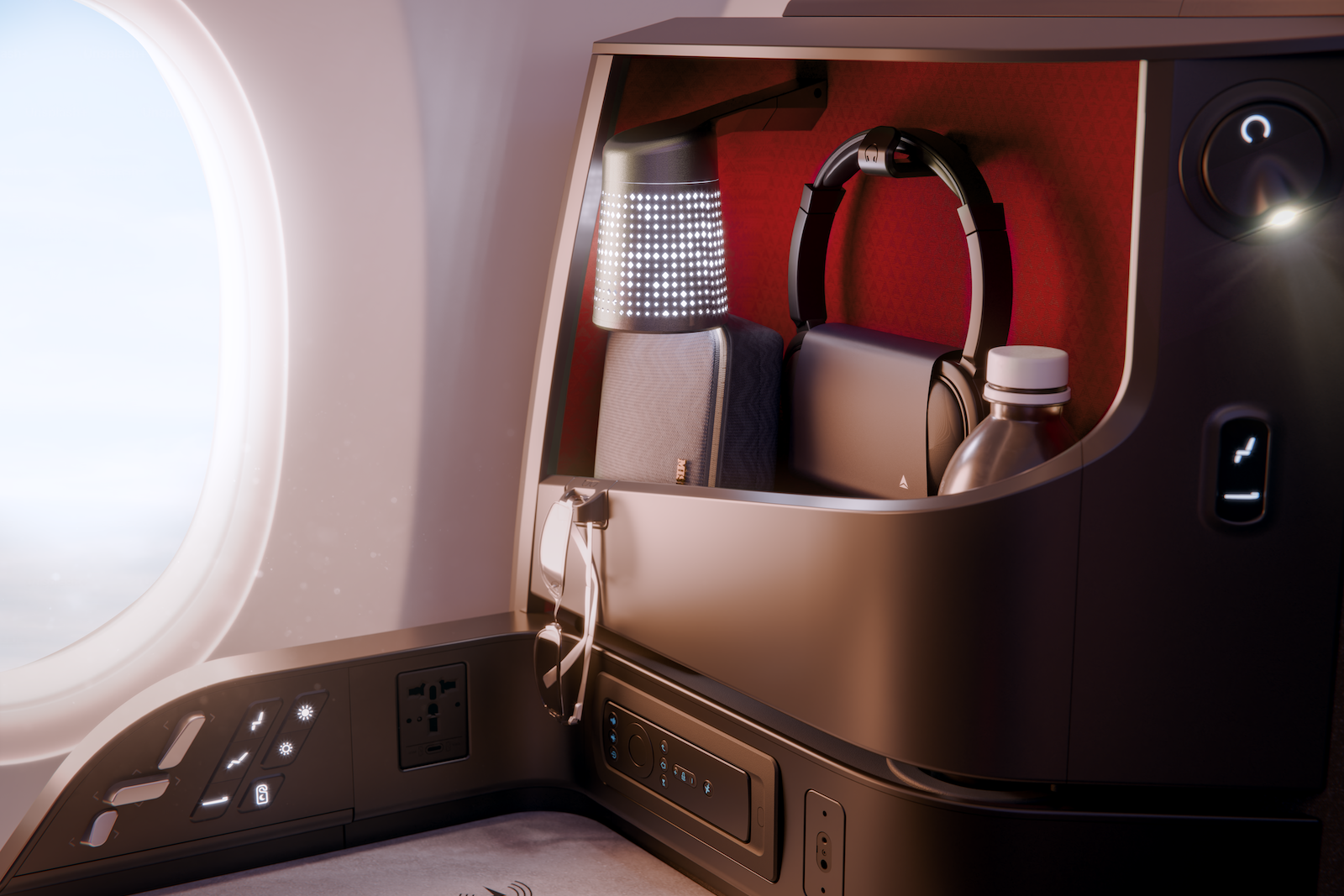
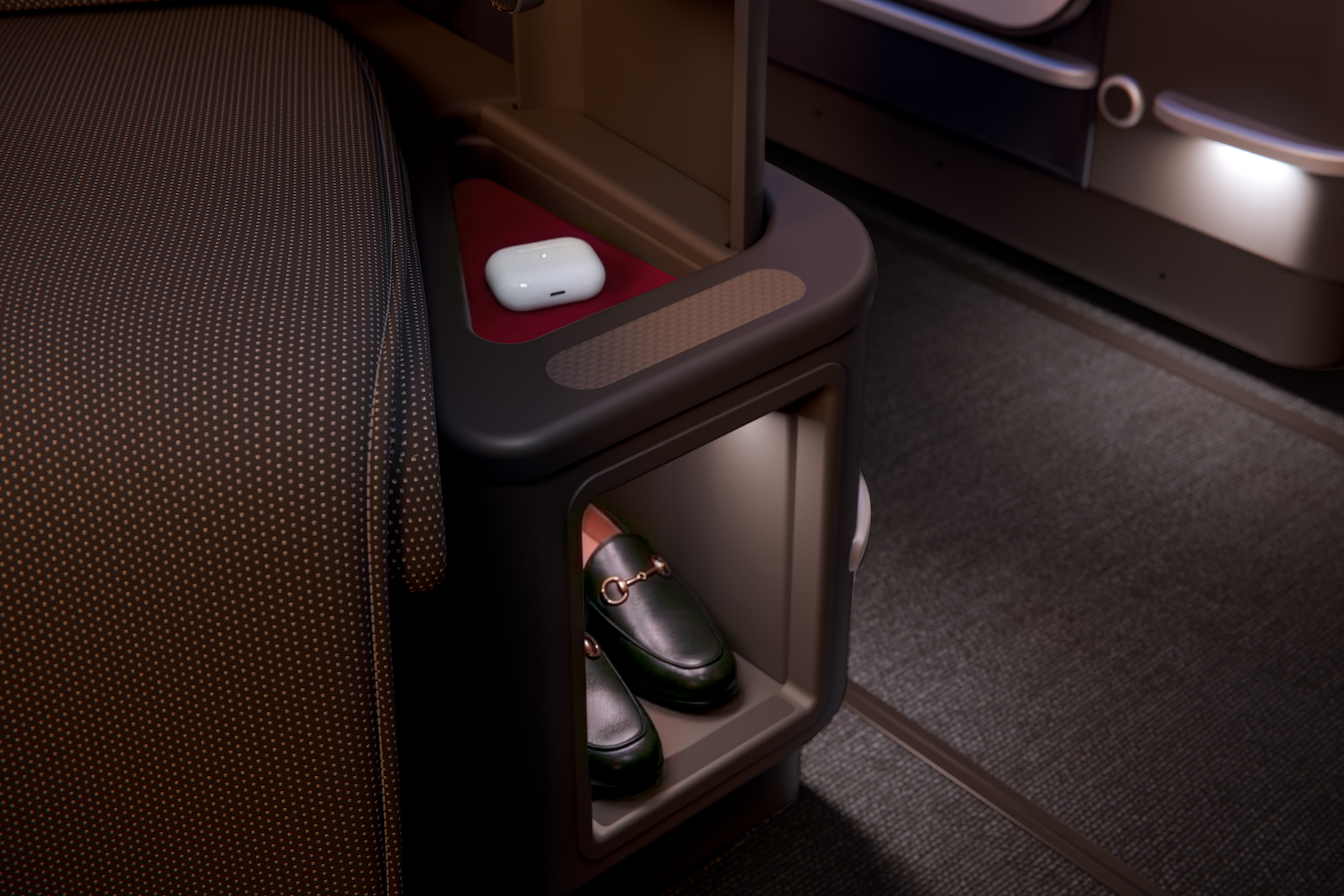
These suites will also sport 4K seatback screens measuring 24 inches, Delta’s largest ever.

Here’s how those screens stack up against similar competitor business-class cabins.

Product Seatback screen size
United’s extra-large Polaris Studios (found in the front rows of its new business-class cabins)

27 inches

Delta’s next-generation Delta One Suites

24 inches

United’s next-generation standard Polaris Suites

19 inches

‘Optimization’ of an award-winning product

One feature not mentioned for Delta’s A350-1000s? An extra-large business-class row up front.

Increasingly, we’ve seen global airlines — in lieu of a true international first class — outfitting their flagship planes with an elevated business-class row.

But it appears Delta will ride with this new “standard” Delta One offering. It’s possible (though not 100%) that you may also see these same suites later this year on the future long-haul planes, like the Boeing 787-10 Dreamliners it just ordered.

Premium economy and coach

Delta’s A350-1000s will sport six rows of Premium Select recliners arranged in a 2-4-2 configuration and equipped with 16-inch screens from Thales.

Every seat, including those in the main cabin, will have Bluetooth connectivity to the seatback screens.

Exactly half of the seats on this plane will be regular coach seats — a nod toward how premium the aircraft skews.

Where will Delta fly its Airbus A350-1000s?

Where will these new planes fly? A long way.

The A350-1000 has a huge range of 8,700 nautical miles, so expect it to be deployed to far-flung destinations.

“So you’re going to see the Indias of the world that we expect to start flying, the Riyadhs,” Parise said. “All those 12-plus hour missions where the demand for those premium seats are higher.”

A delta a350 1000 plane flying in the sky
Rendering of a Delta Air Lines Airbus A350-1000. DELTA AIR LINES

We should note: Delta has not yet announced nonstop service to India, but it has revealed plans to start flights to the Saudi Arabian capital later this year.

Retrofits coming to outdated Airbus A330s

There’s nothing like “new plane smell.”

But avid Delta flyers may be even more enthused to know that the airline is finally moving forward with plans to upgrade some of its most outdated long-haul jets.
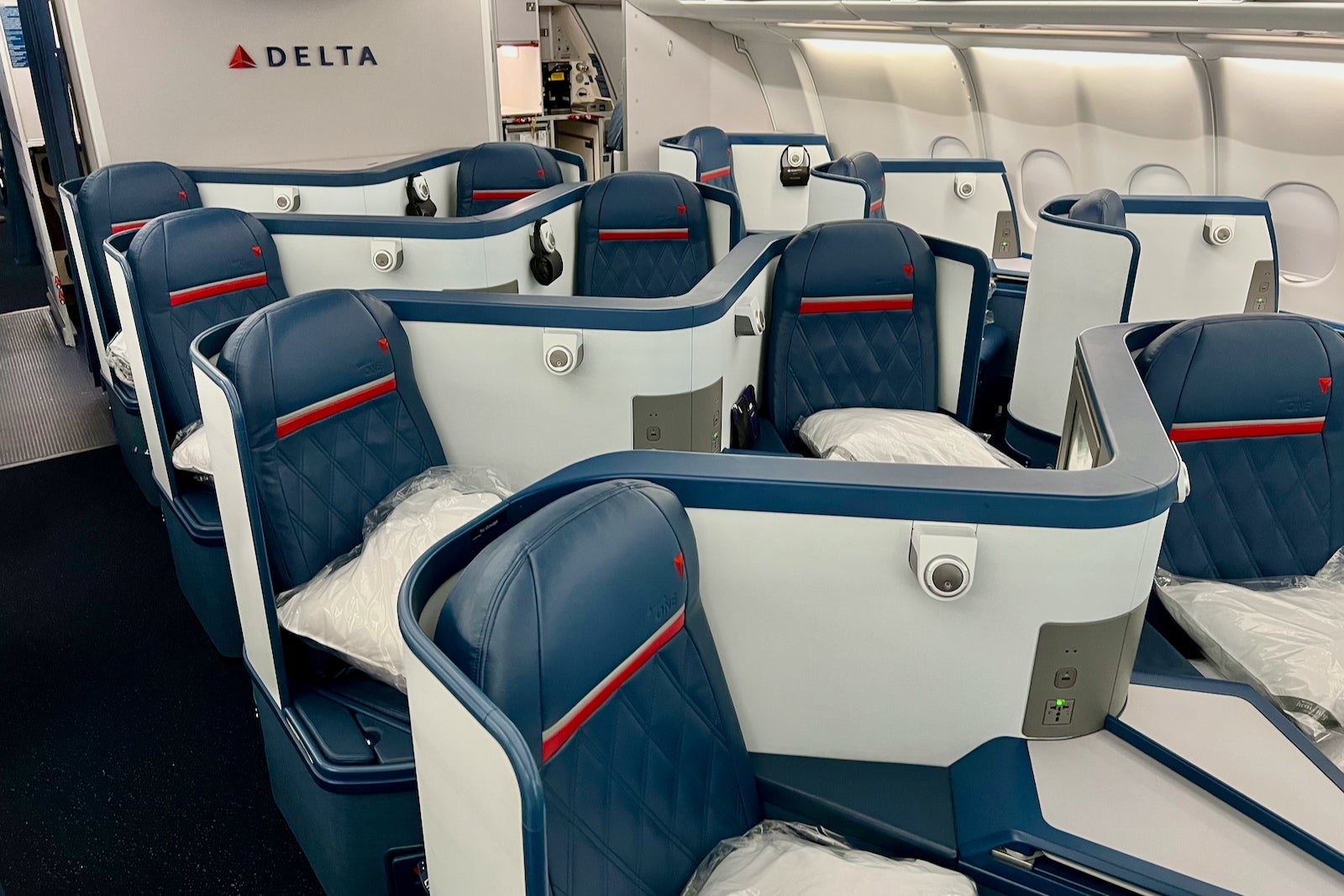
Delta One Airbus A330-300
Delta Air Lines Airbus A330-300 Delta One cabin. ZACH GRIFF/THE POINTS GUY

Beginning in September, the carrier will start nose-to-tail cabin refreshes for 42 of its Airbus A330-200 and -300 aircraft.
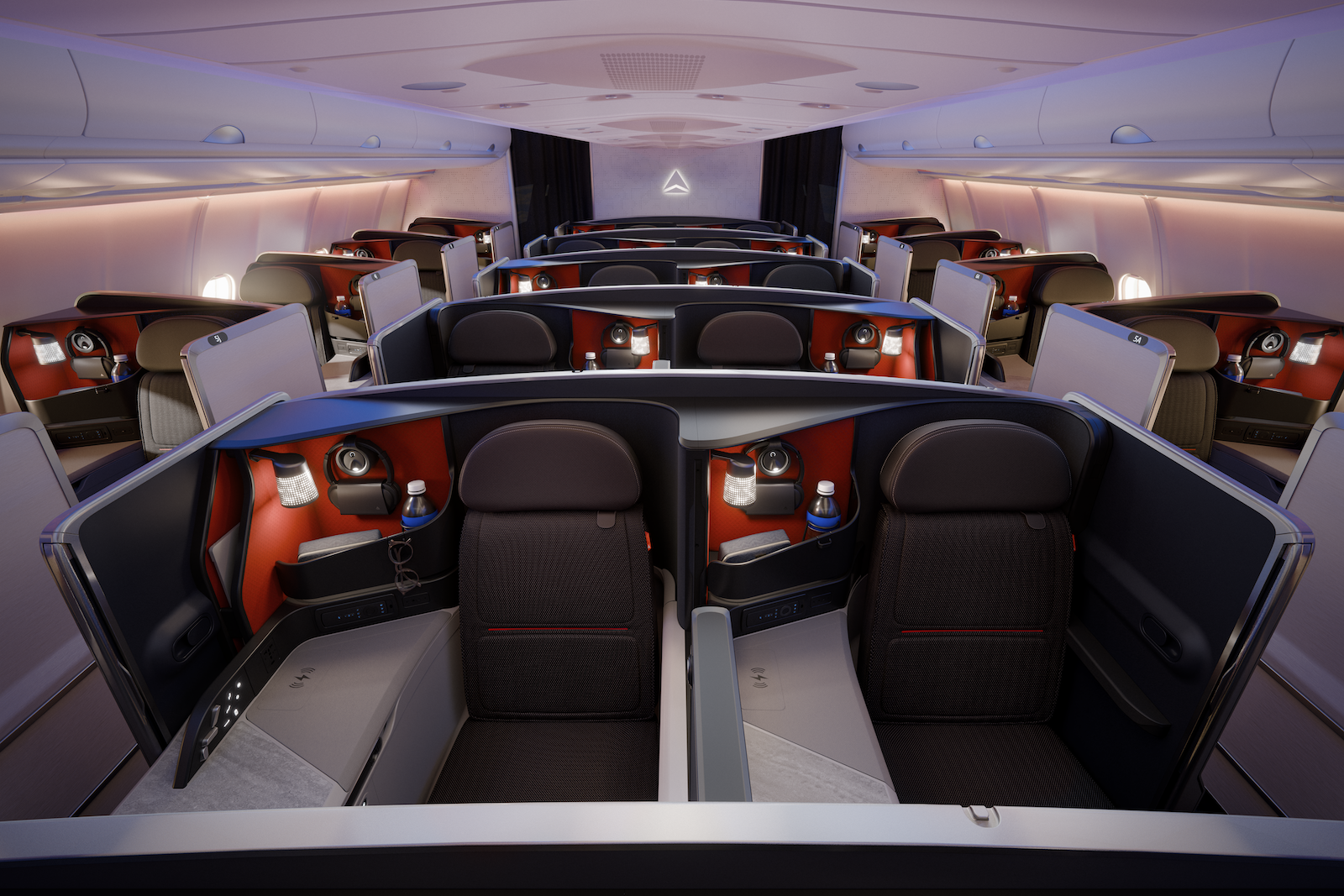
Delta One on the Airbus A330-200 and -300. DELTA AIR LINES

Most notably, these A330s will at last get true Delta One suites — the existing Delta One product, not the one that’ll be on its A350s, though Delta plans to outfit these pods with some of the latest features it’s planning for its newest A350s, like the pillowtop mattresses and the fancier technology.
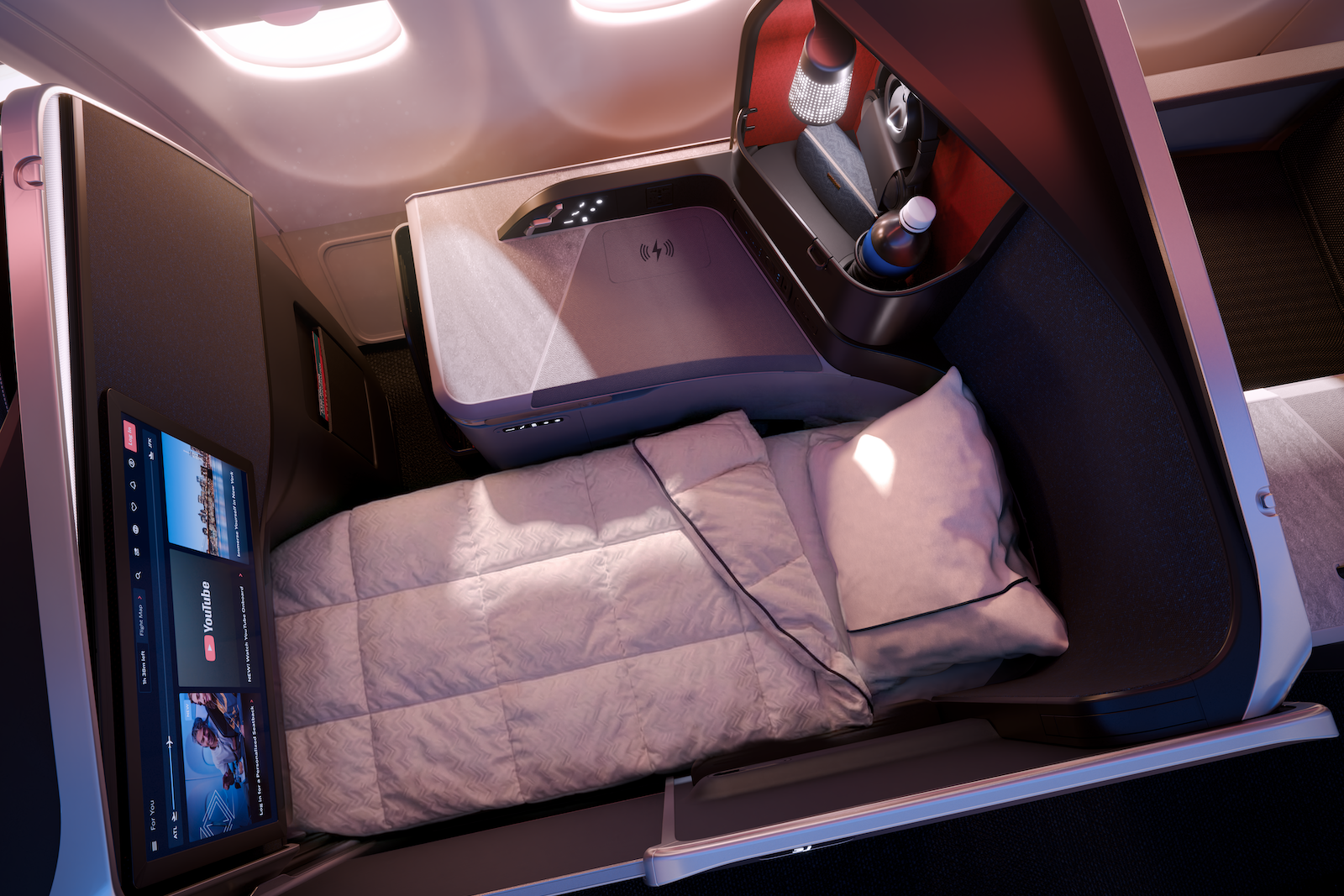
DELTA AIR LINES

Also, these A330s (along with the new A350s) will get walk-up refreshment stations!
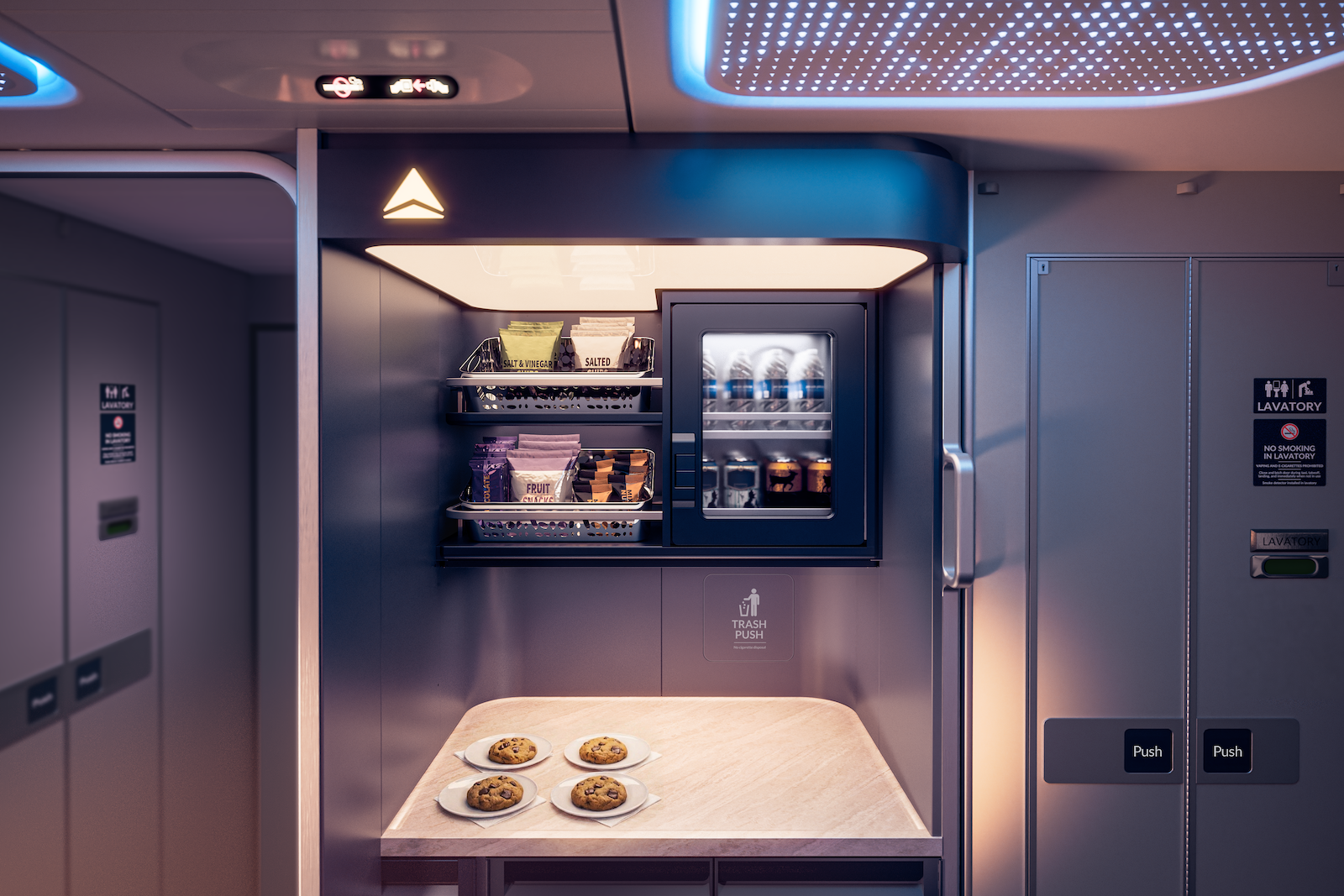
A refreshment station planned for Delta’s retrofitted Airbus A330-200 and -300 jets. The A350-1000 will also get this amenity. DELTA AIR LINES

They’ll also get a higher number of Premium Select and/or Comfort seats, depending on the aircraft.

These are planes Delta once got via its 2008 acquisition of Northwest Airlines. A fixture on routes to Europe, South America and Hawaii, the cabins are a far cry from the experience the carrier offers in its most modern jets.
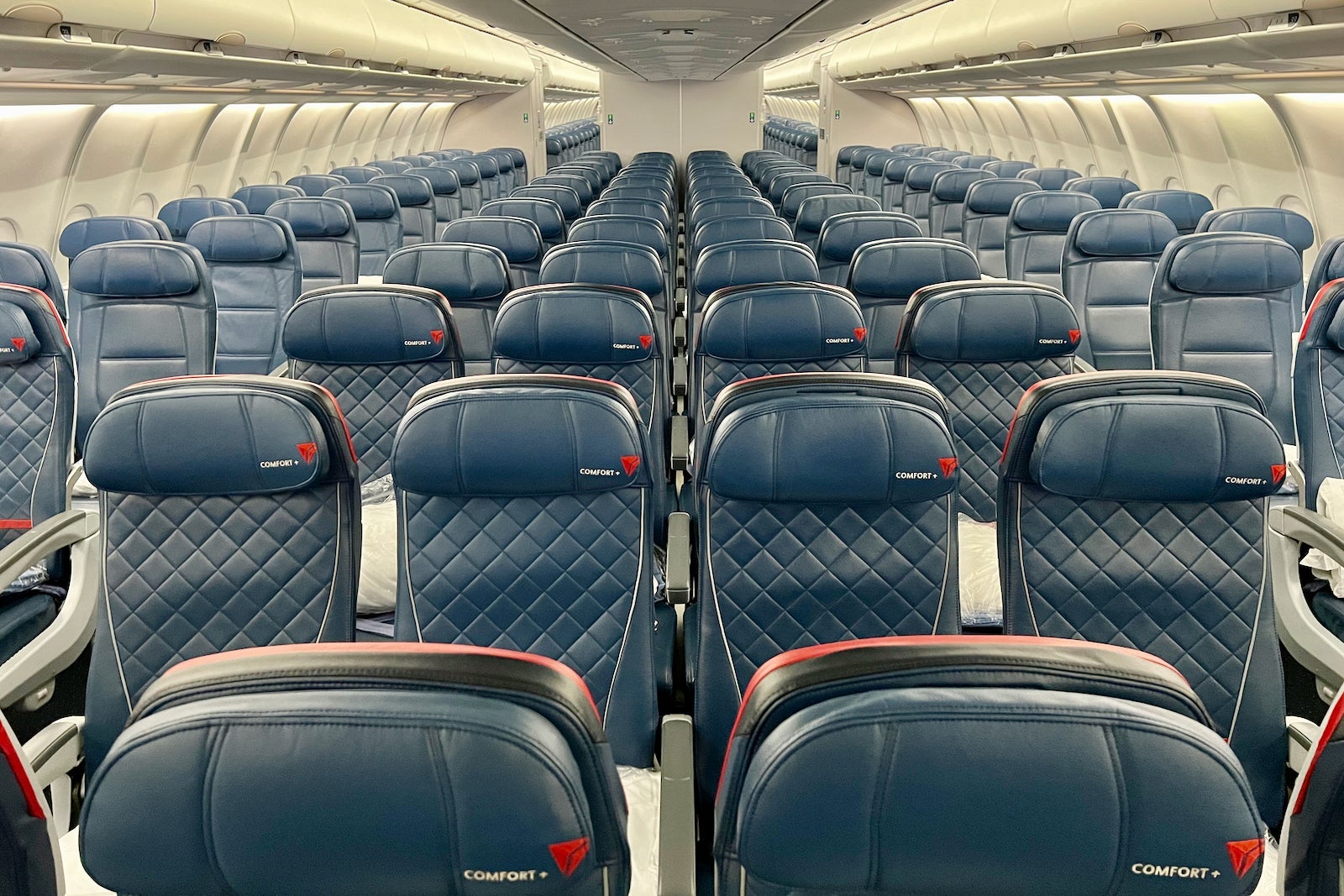
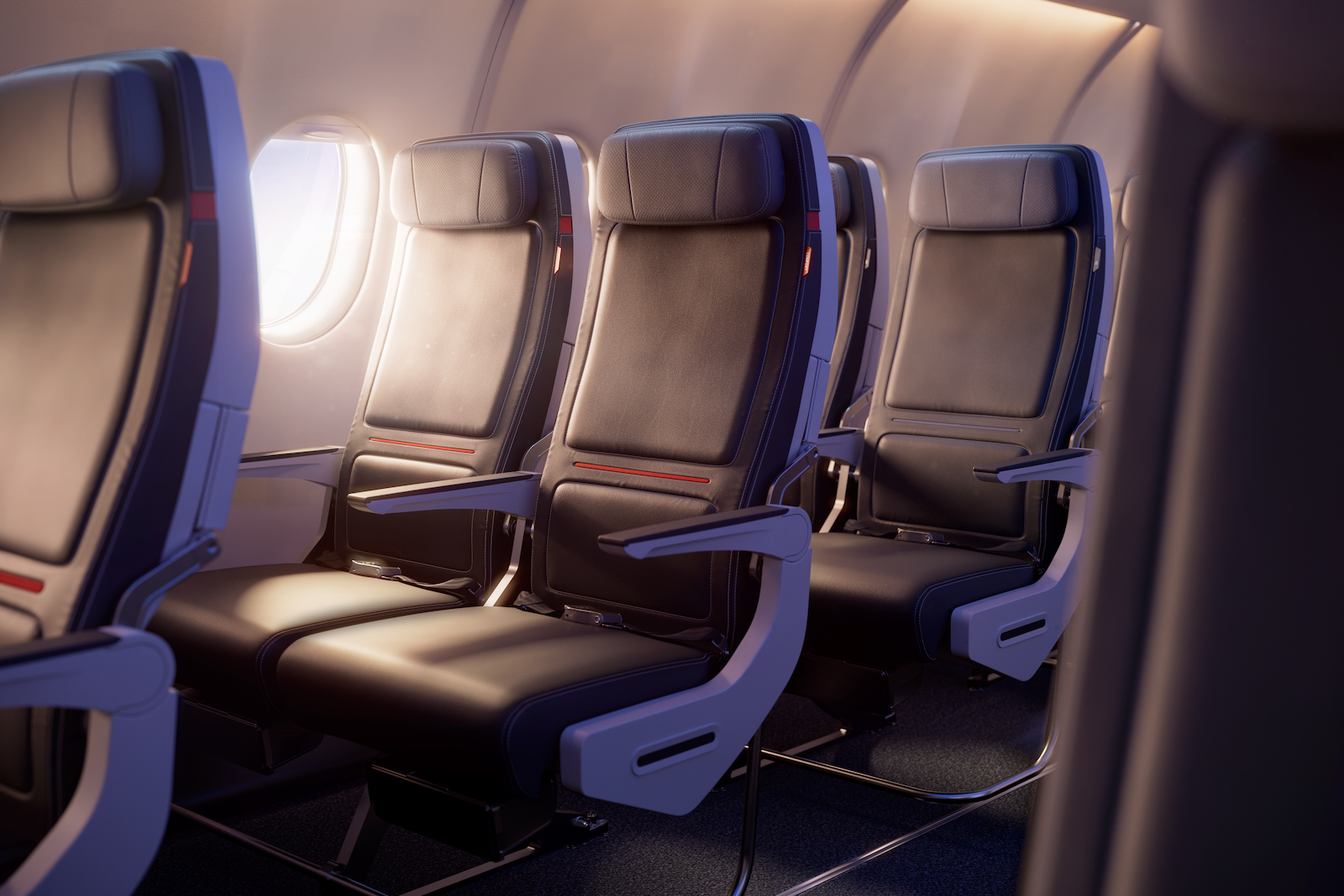
“I think that’s a huge gap,” Parise said, acknowledging that some of these planes may have less than a decade of flying left in them — but that’s enough time, he said, to warrant a refresh.

“It’s easier to make a … financial decision to close your eyes and let the plane fly for seven, eight, nine years with the current product,” he said. “We choose not to do that. We ensure that we need to keep the bar high.”

Looking ahead

Delta now expects 90% of its Delta One seats will be suites with sliding privacy doors by 2030. A key exception: its Boeing 767-400s, which have relatively updated interiors — but no door. Its Boeing 767-300s are slated for retirement in the coming years.


Source link

Leave a Reply

Subscribe to Our Newsletter

Get our latest articles delivered straight to your inbox. No spam, we promise.

Recent Reviews


Introduction to Row level Security in Power BI:

Row level security in Power BI is mainly developed to restrict the data access and also secure them. In row level security, you will get a filter that restricts the data access only at the row level. With the help of row level security in Power BI, you can also define the filters along with roles. One more point to be remembered, if you are working with the Power BI tool, you should be very careful this is due to the Power BI services and members of BI workspace need to access the datasets within their workspaces. Row level security does not restrict this type of data access. 

Row level Security in Power BI

The advantage of using this Power BI enables you to configure the row level security for data models, then import them into the Power BI tool by using the Power BI desktop. Users can also configure this type of row level security on datasets which use Direct Query programs; SQL servers, and RDBMS. With the previous version of Power BI software, you were only able to implement row level security within the On-premises data analysis service model outside the power BI software tool. To perform data analysis you need to have live connections, and the security options will never show up the live connection data sets on-premises.

Defining roles and rules in row level security in Power BI desktop:

I think this is an important task; you should define the roles and rules within the Power Business Intelligence desktop. Then you also publish the definitions of the roles. This is an important task of the row level security in Power BI to define the data security roles. To perform this type of roles and rules, we have to follow the below steps:

The steps included are:

1. First you need to import your power business intelligence desktop –> then configure the Direct Query connection.

Point to remember:  You can’t define the roles within the Power BI desktop for data analysis services using live connections. All you need to do is perform data analysis services within the analysis model.

2. Then select the Modelling tab.

3. Now you need to select the Manage Roles tab.

4. Then click on the “Create” button to create the new role.

5. It’s time to provide a name for your new role.

6. Now select the database table that you want to apply DAX rules in your database connection.

7. Users need to enter the DAX expressions. This type of expression should return a Boolean result (True or false).

For example: [Entity ID] = “value”.

Note: You should use the username () with the given expression. You should be very careful that while defining the username () consists of a format of DOMAIN username within the power Business intelligence desktop.

8. Once you have created the DAX expression-> then you need to select the Check box above the expression box to validate the Boolean expression.

Note: While defining the Boolean expression box, you have to use commas to separate the DAX functional arguments and also make use of semicolon separators.

9. Then finally click on the “Save” button.

Users can’t assign the roles within the Power Business Intelligence Desktop. Users are also able to define the dynamic security along with the Power business intelligence desktop by using the expressions like username () and userprincipalname () DAX function expression.

By default, row level security in the Power BI filter makes use of single-directional filters, and you can also set the relationships in a single-direction or bi-directional connection. You can manually make use of a bi-directional connection cross filter to select the relationship and check the “Apply row level security in both the directions” checkbox. And you have to check this box to implement dynamic row level security in BI at the server level, and where you can define the row level security is based on the user name and login ID.

Enroll in our Wireshark Training program today and elevate your skills!

Power BI Training

  • Master Your Craft
  • Lifetime LMS & Faculty Access
  • 24/7 online expert support
  • Real-world & Project Based Learning

How to validate the rules in Row level security in Power BI:

Once you are done with the creation of the role, you need to test the results of roles available within the Power Business intelligence desktop.

The following are the important steps involved to validate the rules used in Power BI:

The steps included are:

1. First you need to select the “view as roles” as shown in the below screenshot,

view as roles

In the “View as roles” tab, you can also see the roles which you have created as shown below;

rules in Row level security in Power BI

2. Now select the role which you have already created -> then click on the “OK” button to apply for the roles. Here the report renders the data relevant to define the roles.

3. Now you need to select the “other user” button -> then supply it for a given user. It’s always good to supply the user principal name (UPN) to define the Power BI service and Power BI report services use as shown below:

Power BI report services

4. Then click on the “OK” button and report the data renders based on what you can see on the Power BI desktop.

Within the power business intelligence desktop, other users (Non –users you can also say) are able to display the different results suppose if you are working with dynamic security based on the DAX Boolean expressions.

Top 50 frequently asked J2EE Interview Questions!

Business Intelligence & Analytics, power-bi-row-level-security-description-1, Business Intelligence & Analytics, power-bi-row-level-security-description-5

Subscribe to our YouTube channel to get new updates..!

How to manage row level security on your data model:

To manage the row level security on your data model, you have to follow the below steps:

The steps included are:

1. First you need to select the Ellipse (….) for the given data set.

2. Then click on the Security button. The below screenshot will explain this;

manage row level security on your data model

This will directly take you to the RLS page -> then you can add members to define the role created in your Power business desktop. Only the authorized owner of the given data set is eligible to see the security. Suppose if the dataset is available in the group, then only administrators of the group can see the security option.

You can only create or modify the row level security page on the Power BI desktop.

Working with members in row level security:

The following are the few steps included in performing this process:

1. You can add members to the roles in Power BI just by typing them in the email address, or provide the name of the user, security group details, and distribution list.

Note: you cannot add user groups that are created within the Power BI. So you should add the members external to your business organization.

The below screenshot will explain this;

Working with members in row level security

2. You can also able to see how many members are parts of the roles in a given Power BI desktop with the given role name or next to members as shown below:

Power BI desktop

Remove members from roles:

You can also remove the members just by selecting the “X” next to the user name as shown below:

Remove members from roles

Validate the role within row level security in Power BI:

To validate the roles follow the below steps:

1. First you need to select the ellipse (…) button which is next to the role.

2. Select the test data as a role as shown below:

Validate the role within row level security in Power BI

Now you can able to view the reports which are available for the role. Power BI dashboards are not presented in the view.

The below screenshot will explain this scenario:

Power BI dashboards

Enroll in our HCISPP Training program today and elevate your skills!

Power BI Training

Weekday / Weekend Batches

Conclusion:

We can say that Row level security in power business intelligence is one of the powerful security features available for both desktop and cloud services. In recent times, one more tool also developed to offer a security service that is popularly known as Microsoft Azure- a child product of Microsoft corporations. With the help of this row level, security feature users can also modify or view the data sets in connections and also enable users to create roles to perform new or modify the already existing data sets in the database. All the modified data sets will be stored in Direct Query data sets. I think we have tried to cover up all the sections which are related to Row level security in Power BI. So this blog may help a few of you to access the secured data and also protect the business data for future purposes. 


Source link