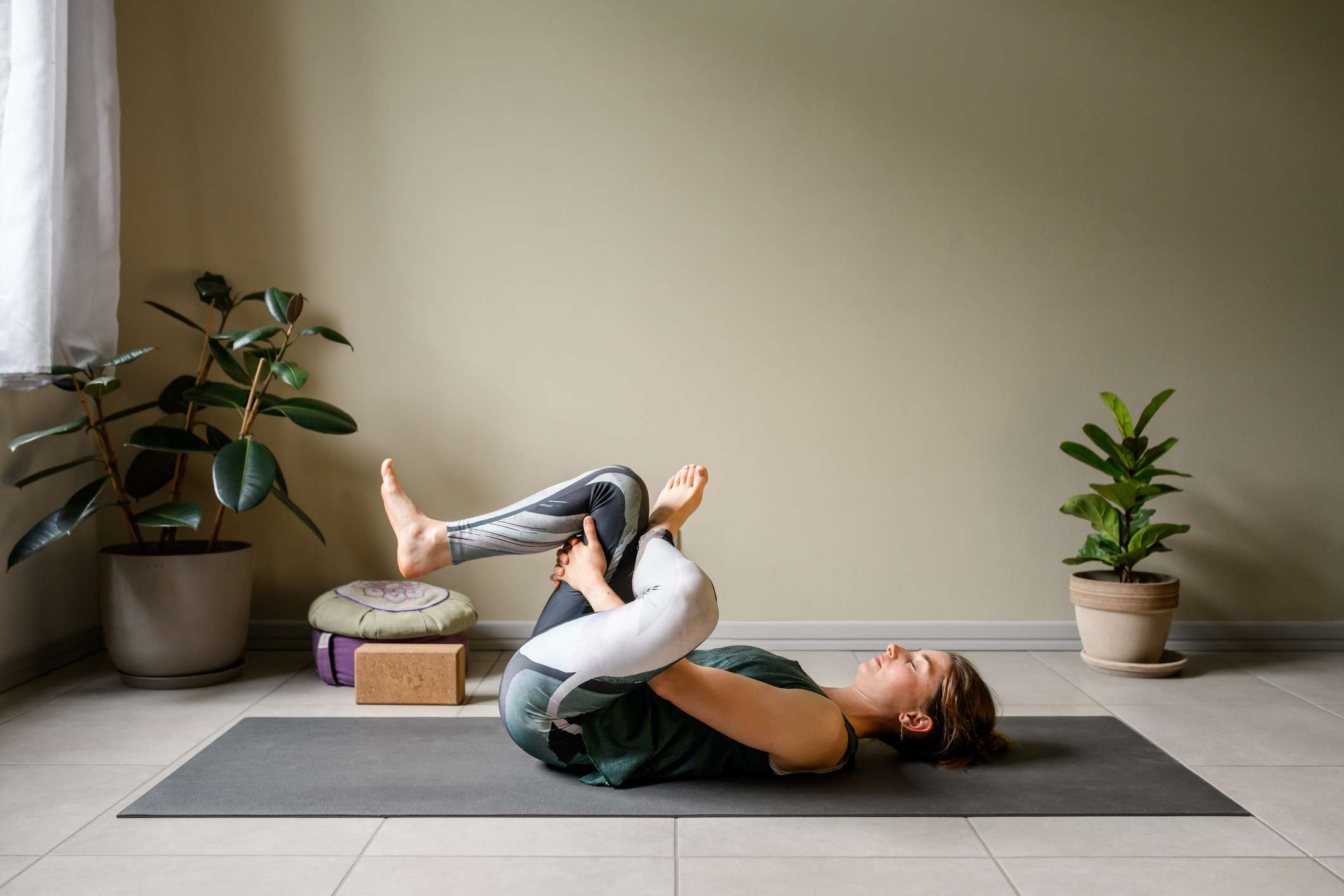
:max_bytes(150000):strip_icc():format(jpeg)/Health-GettyImages-1491031124-4c70a28987dc41c9bfb2edad3e0f186f.jpg "A person practicing a yoga stretch on a mat indoors lying on their back with one leg crossed over the other")
Credit: ilbusca / Getty Images
- Yin stretching involves holding gentle stretches for longer periods, usually 2–5 minutes.
- A 30-minute session may help improve flexibility in the hips and spine.
- The practice is low-impact and suitable for many fitness levels.
If your hips and back feel stiff after long periods of sitting or daily activities, a 30-minute yin stretch session may help improve flexibility and mobility. Unlike faster-paced, more intense workouts, yin stretching focuses on holding positions for longer periods to gently target deeper tissues.
What Is Yin Stretching?
Yin stretching is a low-impact, slow style of stretching that involves holding poses for an extended period of time, typically between two to five minutes. Rather than focusing on pushing yourself physically, yin stretching encourages your body to relax into each position with mindfulness.
This approach targets your muscles as well as the connective tissues in your body, including fascia, ligaments, and joint capsules. Because these tissues respond differently than muscles, longer holds may help improve mobility and flexibility over time.
Many people find yin stretching calming because it combines gentle movement with breathwork.
How Can Yin Stretching Help Hip Flexibility?
Hips are a common area to experience tightness. Sitting for long periods, repetitive movements, and aging can all contribute to reduced hip mobility.
A yin stretch session often includes poses that put the hips in positions of flexion, rotation, and gentle opening. Holding these stretches for several minutes can allow the tissues around the hip joint to gradually relax.
Improved hip flexibility can support everyday activities such as walking, climbing stairs, bending down, and getting in and out of a car. Better hip mobility may also help reduce unnecessary strain on muscles and joints near your hips, including your knees and lower back.
How Does Yin Stretching Support Spine Mobility?
Your spine is designed to move in different directions, including bending, twisting, and extending. However, many people's daily activities involve staying in the same position for long periods, which can contribute to stiffness.
Yin stretches often include gentle spinal twists, forward folds, and supported backbends. These positions encourage movement through different parts of your spine while allowing the surrounding muscles and tissues to relax.
Regular stretching may help improve spinal mobility and make everyday movements feel more comfortable. You may also notice reduced feelings of tension in your neck, upper back, and lower back after developing and sticking with a consistent practice.
Why Is a 30-Minute Session Effective?
You do not need to spend hours stretching to experience the benefits. A 30-minute yin session provides just enough time to move through several poses while holding each one long enough to target the deeper tissues.
For example, a session may include stretches for your hips, hamstrings, lower back, chest, and upper spine. Holding each pose for two to five minutes allows your body time to gradually adapt to the stretch and relax into it.
A shorter, consistent routine is often easier to maintain than longer sessions performed only occasionally. Over time, regular practice can lead to meaningful improvements in your flexibility and comfort.
Who Can Benefit From Yin Stretching?
Yin stretching can be beneficial for many people, including older adults, office workers, recreational exercisers, and individuals looking to improve mobility.
Because the movements are slow and low-impact, yin stretching may feel more accessible than high-intensity workouts. However, stretches should never be painful. It is important to work within your comfort zone and modify the positions as needed.
If you have any injuries, osteoporosis (weak and brittle bones), have had recent surgeries, or other medical conditions, you should consult a healthcare provider before beginning a new stretching routine.
Next Steps
A 30-minute yin stretch session can be a simple way to support your hip and spine flexibility while promoting relaxation. Start with a few poses that feel comfortable to you and focus on slow breathing and relaxing into each position throughout the session. Consistent practice may help reduce stiffness, improve mobility, and make daily movement feel easier over time.