
World of Hyatt card bonus: Best offer on the business card


If you want to save money and enjoy solid perks on an upcoming stay at a Hyatt property, or have been considering adding a World of Hyatt card to your wallet, now may be the time to act, especially if you’re eligible for a business card.

The World of Hyatt program is known for offering some of the best redemption rates in the industry, along with a diverse portfolio of distinctive hotel brands.

Right now, the World of Hyatt Business Credit Card (see rates and fees) is offering the highest number of points we’ve seen in the card’s history, though it is requiring a high amount of spending to earn it. But this online offer is ending soon, on April 30 at 9 a.m. ET — so now is the time to apply if you’re considering it.

Let’s dive into these offers and help you decide whether to apply.

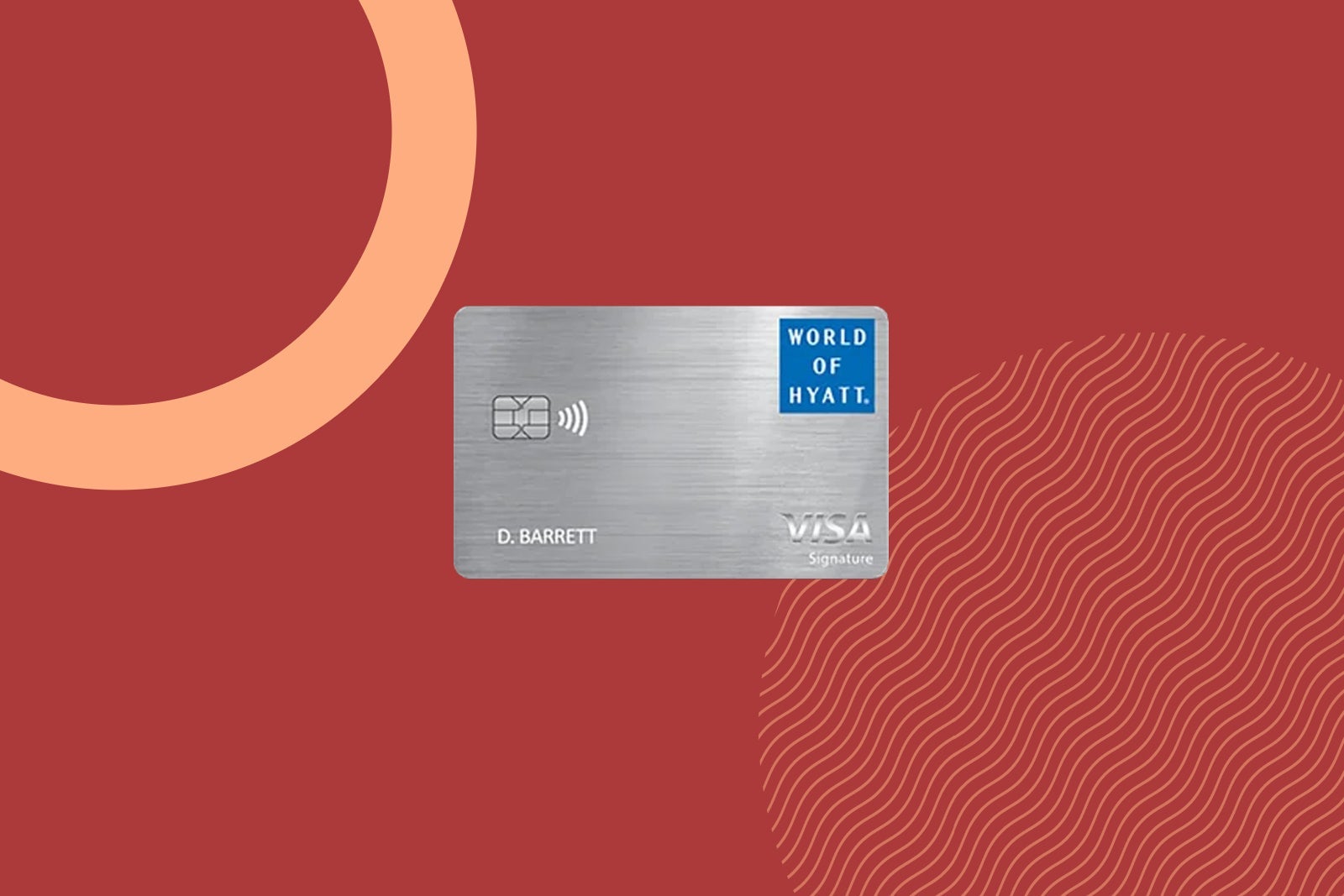
World of Hyatt Business Credit Card

Offer ends soon: With the World of Hyatt Business Credit Card, new cardholders can currently earn 80,000 bonus points after spending $10,000 on purchases in the first three months from account opening. This online offer ends on April 30 at 9 a.m. ET.

a hand holds a credit card
THE POINTS GUY

Based on TPG’s April 2026 valuations, this bonus is worth $1,360, making it the most valuable offer we have seen in the card’s history. However, the current spending requirement is $5,000 higher than the standard offer, so this is a high amount of spend for only 20,000 more points than usual. Still, if you can meet the spending requirement, now could be a good time to apply.

Annual fee: $199

Earning rates:

  • Up to 9 points per dollar on Hyatt stays (4 points per dollar on qualifying purchases at Hyatt hotels and 5 points per dollar as a World of Hyatt member)
  • 2 points per dollar on fitness club and gym membership purchases

Reward your inbox with the TPG Daily newsletter

Join over 700,000 readers for breaking news, in-depth guides and exclusive deals from TPG’s experts

Cardholders also earn 2 points per dollar in their top three spending categories each quarter with no spending cap. These categories include:

  • Airline tickets purchased directly from an airline
  • Car rental agencies
  • Dining
  • Gas stations
  • Internet, cable and phone services
  • Local transit and commuting
  • Shipping
  • Social media and search engine advertising

The points-earning rates will be adjusted automatically on the categories where you spend the most each quarter, so there’s no need to select your preferred categories.

Beyond the bonus categories, you’ll earn 1 point per dollar on all purchases.

Why we like it: Hyatt loyalists who own a business can find value in the card’s up to $100 in Hyatt statement credits each anniversary year (spend $50 and receive a $50 statement credit, up to two times) and the ability to gift Discoverist status to up to five employees.

You’ll also earn five tier-qualifying nights for every $10,000 you spend on the card in a calendar year.

To learn more, read our full review of the World of Hyatt Business card.


Apply here: World of Hyatt Business Credit Card


World of Hyatt Credit Card

New cardholders of the World of Hyatt Credit Card (see rates and fees) can earn up to 60,000 points: 30,000 bonus points after spending $3,000 on purchases in the first three months from account opening and up to 30,000 more bonus points by earning 2 bonus points total per $1 spent in the first six months from account opening on up to $15,000 spent.
World of Hyatt Credit Card
THE POINTS GUY

Based on TPG’s valuations, this bonus is worth up to $1,020. This is the typical offer we see in the card’s history.

Annual fee: $95

Earning rates:

  • Up to 9 points per dollar spent on Hyatt stays (4 points per dollar on qualifying purchases at Hyatt hotels and 5 points per dollar as a World of Hyatt member)
  • 2 points per dollar on tickets purchased directly from an airline, fitness club and gym memberships, local transit and commuting and at restaurants
  • 1 point per dollar on everything else

Why we like it: This card has valuable ongoing perks, the best of which is an annual free night certificate at a Category 1-4 Hyatt property, which you’ll receive after every account anniversary. You’ll also get a second free night after spending $15,000 in a calendar year.

Here are some ideas to maximize your World of Hyatt points.

To learn more, read our full review of the World of Hyatt card.


Apply here: World of Hyatt Credit Card


Why should you get a Hyatt card?

Both the World of Hyatt personal and business cards offer plenty of benefits for Hyatt loyalists. In fact, the Hyatt personal card ranks among the top picks of TPG staffers.

Having either card automatically grants you Discoverist status, which includes benefits such as late checkout, preferred rooms and a 10% points bonus on eligible purchases. Spending on either card can also earn you additional elite-qualifying nights.

Park Hyatt Maldives overwater villa deck
KATIE GENTER/THE POINTS GUY

You’ll also enjoy several travel protections, such as baggage delay insurance, lost luggage reimbursement and trip interruption and cancellation insurance.

Plus, the personal card comes with a free night certificate every anniversary year (valid at Category 1-4 properties), which is extremely valuable for any Hyatt enthusiast.

Related: Why I aim to spend $15,000 on my World of Hyatt Credit Card each year

Bottom line

There’s much to love about both World of Hyatt credit cards, even if you don’t frequently stay at Hyatt hotels. Both the personal and business cards feature several perks that can easily cover their reasonable annual fees.

Even better, the World of Hyatt Business card is currently offering its best-ever points offer. If you qualify for a business card and can meet the card’s higher spending requirement, now is a good time to apply.

The online offer for the World of Hyatt Business card ends on April 30 at 9 a.m. ET. So, be sure to act soon if you want to secure it.


Apply here: World of Hyatt Business card
Apply here: World of Hyatt card


Source link

Leave a Reply

Subscribe to Our Newsletter

Get our latest articles delivered straight to your inbox. No spam, we promise.

Recent Reviews


What is Podman

Podman is a Linux indigenous open-source tool for creating, managing, and running containers and pods that adhere to the “Open Container Initiative (OCI)” specifications. Podman is the primary container processor in RedHat 8 and CentOS 8. It is touted as a convenient container arranger built by Red Hat.

It’s one of a group of command-line utilities that may be used as a modular structure to manage various aspects of the containerization procedure. This collection comprises the following items:

  • Podman is a container images manager that manages pods.
  • Buildah is a container manufacturer.
  • Skopeo is an image examination manager for containers.
  • To Podman and Buildah, Runc is a container runner and functionality builder.
  • Crun is an extended runtime for rootless containers that provides more adaptability, control, and safety.

What is Docker

Docker is the industry norm for container management. Docker is so well-known in the business that generally when anyone thinks about containers, their mind goes straight to Docker.

Docker has various subsidiary products under its umbrella which manage all aspects of container management, from capacity balancing to networking, earning it the right to be the industry’s first choice as well as the de-facto standard. 

Check out  the video What is Docker? and Explain It?.

Differences between Podman and Docker

Some of the major distinctions between Podman and Docker are as follows:

1. Safety :

Containers can have non-root rights with Podman. Containers without root privileges are thought to be more secure than containers with root capabilities. Because daemons in Docker have root rights, they are the ideal pathway for attackers. By default, Podman containers don’t have such root access, creating a suitable wall separating root and rootless tiers thereby, boosting security.

2. Architecture :

Docker creates images and runs containers using a daemon, which is a background program that runs in the backdrop. Podman features a daemon-less design, which indicates that it can execute containers without requiring the user to start them. The client-server logic of Docker is bridged by a daemon; Podman doesn’t really require the mediator.

3. Systemd :

Podman requires an additional tool to oversee services and enable running containers in the backend without a daemon. Systemd generates or builds controllers for current containers. Systemd could also be merged with Podman, permitting it to execute containers by default with systemd activated. Because most apps are now solely packaged and supplied in this manner, suppliers can use systemd to install, operate, and control their apps as containers.

4. Docker Swarm :

Because Podman doesn’t quite support Docker Swarm, it may be out of the question for projects that require this capability, as running Docker Swarm instructions will result in an error. To overcome this constraint, Podman recently introduced compatibility for Docker Compose to render it Swarm friendly. Docker, of course, plays well with Swarm.

5. Root Privileges :

Because it lacks a daemon to handle its operations, Podman also grants root capabilities to its containers. Although Docker just introduced the rootless option to its daemon setup, Podman was the first to adopt it and market it as a core feature.

6. Building Images :

Docker is a self-contained tool that can create container images by itself. Podman takes the help of a second program known as Buildah, which illustrates its specialized nature: it is designed to manage but not to create containers.

7. All-in-one vs Modular :

Perhaps this is the key distinction between the two technologies: Docker is a massive, robust, standalone technology that handles all container orchestration tasks all through their cycle, with all the pros and cons that entails. Podman works in a decentralized manner, relying on specialized tools for certain tasks.

Become a Docker Certified professional by learning this Docker Training !

Docker Training

  • Master Your Craft
  • Lifetime LMS & Faculty Access
  • 24/7 online expert support
  • Real-world & Project Based Learning

Podman vs Docker: Can They Work Together

Podman is marketed as the simplest and most effective alternative to Docker, with users being able to simply proxy Docker to Podman with no issues.

Is Podman a Docker substitute?

If you’re starting afresh, Podman could be a good choice for containerization technologies. It relies on the details, if the project is underway and currently uses Docker, and it may not be worthy of the time and effort. As a Linux native program, it necessitates Linux knowledge from the programmers.

Developers can use both solutions in tandem by using Docker during creation and then pushing the program to Podman in runtime scenarios to take advantage of the enhanced security. Compatibility would not be an issue because they’re both OCI-compatible.

Is it possible for Docker and Podman to coexist? 

Yes, and in a very good way. Docker and Podman have been used in unison by many programmers to develop safer, more effective, more agile solutions. They have a great deal in common, thus switching from Docker to Podman or combining the two is simple.

Podman vs Docker: How to Choose

You may go with Docker if:

  • A well-documented instrument is more appealing to you. Docker has the advantage of being more widely used than Podman. Because there is so much Docker-related information available online, surfing the web can help you solve a lot of problems.
  • You’ll require assistance with container orchestration. Another key feature of Docker is assistance for Docker Swarms. Users who would like to orchestrate Podman containers must either use less feature-rich alternatives like Docker Swarm or plunge into Kubernetes, which has a significant training curve and it might be too complicated for simple applications.

And, you should go with Podman if:

  • You place a strong emphasis on safety. The design of Podman is fundamentally more reliable than that of Docker.
  • You intend to migrate to Kubernetes in the future. Podman explains the pod concept, making it a good place to start learning Kubernetes.

Because both Podman and Docker are OCI compatible, they can be used simultaneously. Docker’s sturdiness, for example, may be used on development machines, whereas Podman’s greater security can enhance dev, int, and prod settings.

Advantages of Podman

There are various advantages to using Podman, some of which are:

  • Contrary to Docker, it doesn’t need a daemon.
  • It allows you to regulate the container’s levels.
  • Rather than using the client/server model, it employs the fork/exec framework for containers.
  • It allows you to execute containers as a non-root client, eliminating the need to grant a user root access to the host, making it more secure than
  • Docker. This varies from the client/server model, in which launching a container requires opening a socket to a restricted daemon operating as root.
  • Pods are a useful feature for container management. This makes Podman a good way to get started with Kubernetes.
  • Docker users will find it simple to switch to Podman due to the same syntax.

Advantages of Docker

Some of the advantages affiliated with using Docker are :

  • The first benefit of Dockers is the return on investment. The approach is only superior if it can cut down expenses while increasing profits, particularly for big, established organizations that need to create consistent revenues over the foreseeable future.
  • It has the ability to reduce deployment time to seconds. It’s because it can build a container for any process and doesn’t even boot an operating system.
  • One of Docker’s main advantages is the way it streamlines things. It allows customers to pick their personal configuration, includes it into the script, and launch it without difficulty.
  • We may create a container image utilizing the aid of Docker and then use that image throughout the entire release process.
  • When it relates to Agile Development, Docker functions seamlessly with tools like Wercker, Travis, and Jenkins as an element of the pipeline. Each time the program code is modified, these instruments can store the latest edition as a Docker image, which we can subsequently label with a unique id, upload to Docker Hub, and launch to production.

Top 30 frequently asked Docker Interview Questions !

HKR Trainings Logo

Subscribe to our YouTube channel to get new updates..!

Disadvantages of Podman

Like every other tool, Podman too is not without its own set of disadvantages :

  • Owing to the unavailability of compatibility for Docker Swarm, Podman customers must look for other options, such as Nomad.
  • Podman does not provide a one-stop container management solution; it requires various additional tools to be fully useful.
  • Podman still lags behind Docker in the context of web assistance, owing to the fact that it is a younger tool.

Disadvantages of Docker

Some of the disadvantages of using Docker are as follows :

  • Docker containers tend to have fewer costs than virtual computers, but they are not 0 overhead. If we do not use containers or virtual tools, we may attain genuine bare-metal velocity by running a program straight on a bare-metal server. Containers, on the other hand, do not run at bare-metal velocities.
  • One big difficulty is that if an application is built to operate in a Docker container on Microsoft, it will not operate on Linux, and vice versa. Virtual machines, on the other hand, are not bound by this restriction.
  • Docker is mostly used to host apps that execute in the command prompt. Though there are a few methods (such as X11 forwarding) for running a graphic user interface within a Docker container, this is inconvenient.

Become a Docker Certified professional by learning this Docker Training in Chennai !

Docker Training

Weekday / Weekend Batches

Conclusion

In the age of software engineering employing container mechanization, Docker is perhaps the more popular tool that leverages Kubernetes to enable container management. Docker is compatible with a wide range of platforms, including desktops and mainframe PCs like IBM LinuxONE, and widely used operating systems like Microsoft, Linux, and macOS.

As a result, developers frequently seek out other solutions, and herein comes Podman. Docker, on the other hand, has a range of characteristics that Podman may not always be able to match. However, Podman could be leveraged to build, execute, and post container images to an open container repository such as Docker Hub or quay.io while developing container-based apps on a local machine.

That said, Podman is indeed a newer concept that is still improving, so it might be best to wait and watch until we see widespread community engagement and it grows into a more professional and robust tool. You can certainly experiment with it on the local workstations and learn more about it, but bringing it into your manufacturing systems may take some time.

Relayed Article:

Docker Compose vs Kubernetes


Source link