:max_bytes(150000):strip_icc():format(jpeg)/HDC-GettyImages-2212443785-dbb4ace10c9f4202a5e16989d2bb44ab.jpg "woman doing exercises at the gym")
Credit: Frazao Studio Latino / Getty Images
- Strength training supports healthy aging by preserving muscle, bone density, metabolic health, and independence.
- Functional, full-body exercises build strength, balance, and coordination for everyday movements and tasks.
- Consistent bodyweight or light resistance training improves stability, posture, and long-term confidence without heavy weights.
Regular strength training or resistance exercises can help you age better by increasing muscle mass, improving bone density, and enhancing stability. It also has a positive impact on your metabolic health by reducing body fat and improving blood sugar levels. If you want to age with confidence and stay active longer, try these exercises—with or without weights.
1. Squats
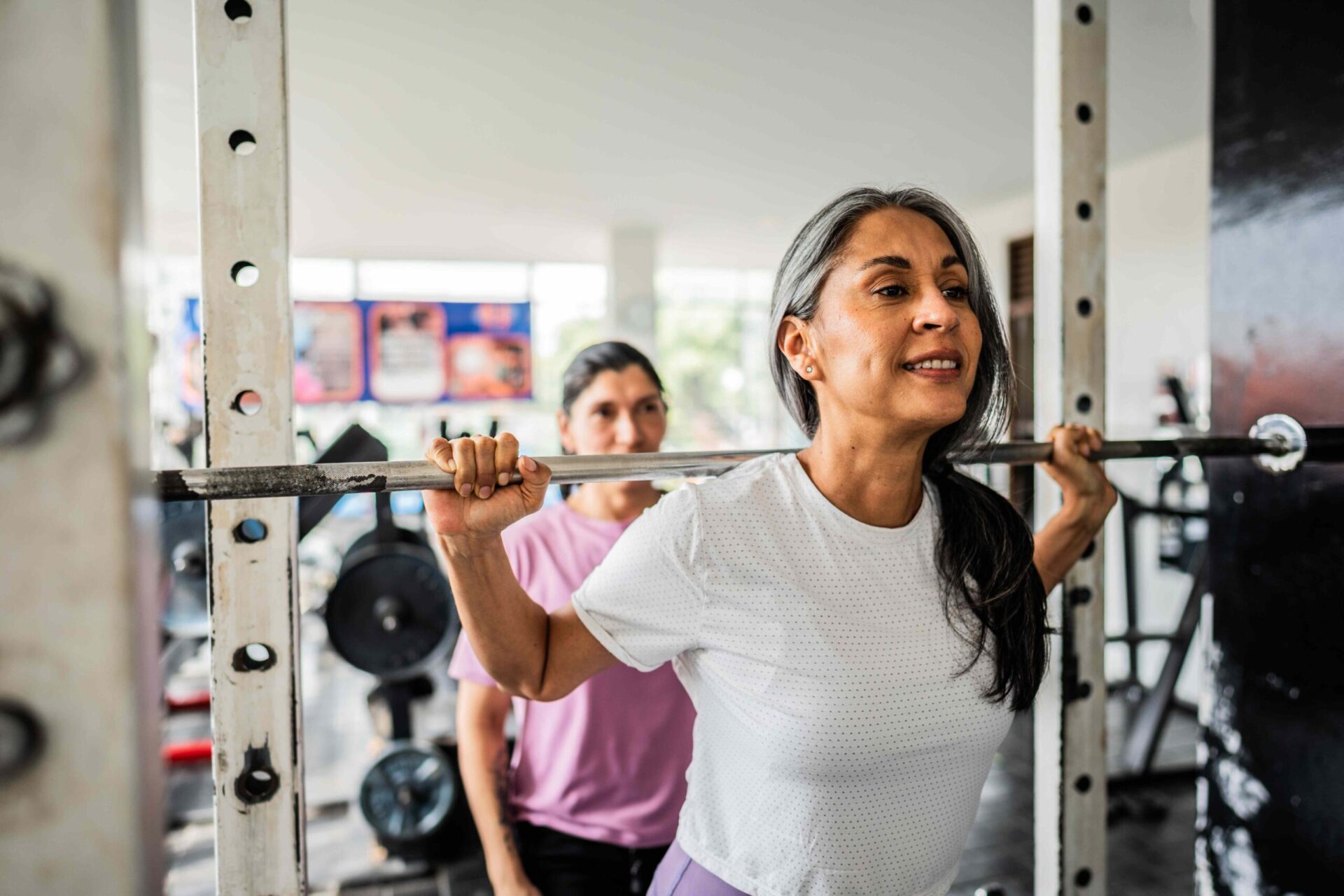
Squats work your legs, hips, and core in one powerful movement. You can load them in a variety of ways, but starting with bodyweight squats is perfectly acceptable. You can move on to holding a kettlebell or dumbbell by your chest to increase the challenge.
How to do it:
- Stand with your feet shoulder-width apart.
- Brace your core and push your hips back like you’re sitting in a chair.
- Keep your core tight as you sit back.
- Lower your body until your thighs are about parallel to the ground.
- Press through your mid-foot to stand back up.
2. Deadlifts
Deadlifts strengthen your back, glutes, and hamstrings—the muscles that help you stand upright and lift objects safely. Many people hurt their backs simply by lifting groceries or loading laundry, but deadlifts are a great way to teach your body how to lift things safely. While you can load this movement heavily with a barbell, it’s best to start with a single kettlebell or dumbbell for a safer variation.
How to do it:
- Stand with your feet hip-width apart, holding a dumbbell or kettlebell between your legs.
- Brace your stomach and push your hips back with a slight bend in your knees (don’t let your back bend, hinge from your hips instead).
- Keep your back flat as you lower the weight to the floor.
- Pause for a moment, and drive your hips forward to stand back up.
3. Push-Ups
Push-ups strengthen your upper body muscles like your chest, shoulders, arms, and core. Upper-body strength is often overlooked, but it’s essential for daily activities like carrying bags or catching yourself from a fall. If you find regular push-ups too hard, you can also modify the movement by doing it from your knees, or placing your hands on an elevated surface.
How to do it:
- Start in a plank position with your hands under your shoulders and keep your body in a straight line.
- Keep your stomach tight and lower your chest toward the floor as low as you can.
- Push yourself back up to the starting position.
4. Walking Lunges
Lunges work your legs one at a time, improving your balance and coordination. They’ll also help you reduce uneven strength. It’s best to do these slowly and controlled, so your knees don't wobble excessively.
How to do it:
- Stand tall with your feet together and take one big step forward with one leg.
- Lower until both knees bend at about 90 degrees.
- Now, push back to the standing position and switch legs, repeating the sequence as you walk forward.
5. Planks
The plank is a core exercise that builds strength without moving your spine. When you do these, make sure you keep your hips neutral and your back flat as you hold the position (and don’t forget to breathe).
How to do it:
- Place your forearms on the floor and kick your legs back straight with your toes tucked.
- Keep your body in a straight line, tighten your stomach and glutes, and hold until your form breaks down.
- Rest and repeat 2–3 times through.
6. Single Arm Row
Pulling exercises like rows strengthen your upper back and arms. Doing them one arm at a time also helps you even out any discrepancies between sides. Choose a moderately weighted dumbbell that lets you complete 8-12 reps with 2 or 3 in reserve.
How to do it:
- Choose a bench that comes up to your knee or shin.
- Place one knee on the bench, and keep your other foot on the floor.
- Hold a dumbbell in the same hand of the knee that's on the bench, and pull your elbow back towards your torso while squeezing your shoulder blades.
- Stop when your elbow reaches your torso and slowly lower your arm.
- Perform 8–12 reps and switch sides.
7. Seated Shoulder Press
A staple movement in day-to-day life is lifting your arms overhead for various tasks (think putting luggage in overhead bins or retrieving items from shelves). This exercise strengthens your shoulders and arms and helps you maintain the ability to lift objects overhead.
How to do it:
- Sit on a 90-degree bench, with your back straight and core engaged.
- Hold two weights at shoulder level and press your arms overhead to full extension, keeping your shoulders retracted and your gaze forward.
- Lower slowly, keep your core tight, and repeat.
- Do 8–10 reps.
8. Glute Bridges
The glutes are powerhouse muscles for walking, standing, and climbing stairs. Strong glutes also help reduce back pain. Given that back pain is one of the most common age-related complaints, it’s worth incorporating exercises that target this major stabilizing muscle.
How to do it:
- Lie on your back with knees bent.
- Keep your core tight, back pressed into the floor, and push your feet into the floor as you lift your hips toward the ceiling.
- Squeeze your glutes at the top and then lower slowly back to the ground.
- Perform 10–15 reps.
9. Step-Ups
Step-ups mimic real-life movement and strengthen your legs while improving stability and coordination. Find a box or bench that puts your front bent leg at about 90 degrees when you step onto it. You can load these with weight by holding dumbbells at your sides or in front of you by your chest for extra core engagement.
How to do it:
- Place your front foot on the box/chair, and slowly press it into the surface to propel yourself up.
- Pause briefly at the top, then step down slowly and with control.
- Switch legs.
- Do 10 reps or so per leg.
10. Kettlebell Carries
This involves holding weights and walking, which trains grip, posture, and core strength. You want the weight to be heavy enough to be challenging, but not so heavy that your grip gives out after a few seconds. Shoot for about 30-60 seconds per set. Grip strength is associated with longevity because it’s likely a proxy for overall body strength; however, it’s still worth training directly.
How to do it:
- Hold dumbbells or kettlebells at your sides.
- Stand tall, squeeze your shoulder blades together, and walk for 30-60 seconds.
- Rest and repeat.
How Strength Training Supports Longevity
Strength training does more than build muscle—it supports your entire body.
Research shows lifting weights can improve insulin resistance, reduce inflammation, and improve heart health. Studies also show that muscle mass is one of the strongest predictors of long-term survival. Resistance training helps prevent bone loss and lowers the risk of osteoporosis-related fractures.
Strength training also targets the visible signs of aging: weakness, poor posture, and frailty. Perhaps the biggest benefit? Independence. As people lose strength, everyday tasks like standing from a chair become difficult. Strength training directly trains the movements used in daily life and is the perfect complement to a well-rounded exercise routine.